Academic Libraries & Social Media Derek Hansen & James Neal
Today’s Plan  Introductions Social Media 101: Tools & Trends Facebook & Twitter Achieving Goals & Meeting Needs Tools and Strategies for Professional development Outreach & engagement Education Collaboration
 
@james3neal – Twitter [email_address] First year MLS – Maryland's iSchool Program Associate – Maryland Institute for Technology in the Humanites James P. Neal, III
 
What is Social Media? A set of online tools that supports social interaction between users. Social media is about “transforming monologue (one-to-many) into dialog (many-to-many).” 1 1   www.webpronews.com/blogtalk/2007/06/29/the-definition-of-social-media
 
 
LESSON 1: MAKE IT PERSONAL
LESSON 2: Build Community
Most active…Least active Activity Level LESSON 3: SEE THE SILENT MAJORITY AND DON’T BE UPSET BY THE DEVIANTS
LESSON 4: INFO TECHNOLOGY STRUCTURES SOCIAL INTERACTION
LESSON 5: CHOOSE IT ‘CAUSE YOU NEED IT, NOT ‘CAUSE IT’S NEW Threaded Conversation Support community of practice by enabling group conversations that can be easily overheard; support Q&A Chat, IM, & VoIP, Videoconference Collaborate or discuss in real time either one-on-one or in a small group; build strong social ties Blog, Microblog Disseminate time-sensitive content and solicit reactions by readers; build a reputation Wiki Create and maintain community-authored content Social Networking Help people find, maintain, and benefit from their social relationships Social Sharing Share & lean about items (videos, photos) or content (bookmarks, articles) of interest Virtual World, MMOG Simulate 3D world and engage in rich social experiences Idea Generation Generate and assess new ideas
LESSON 6: CREATE A HEALTHY  INFORMATION ECOSYSTEM
RSS Feeds APIs Interoperability Mashups Aggregators LESSON 7: INTEGRATE, BUT ASK FIRST
RSS feeds Chat Widget Custom  Search LESSON 8: DON’T REINVENT THE WHEEL Facebook App
LESSON 9: GO TO WHERE THE PEOPLE ARE
Smartphones = communication platform, info portal, navigation tool, health monitor, game console LESSON 10: THE REAL WORLD IS YOUR PLATFORM
LESSON 11: YOU HAVE TO KEEP UP TO INNOVATE
LESSON 12: ENGAGE THE MASSES
 
Achieving Goals & Meeting Needs
David Lankes
High Level Areas Professional Development Outreach & Engagement Education (Information Literacy) Collaboration
Activity: Needs & Goals Create a group of ~ 4 people for 10-15 minute session Identify a notetaker/speaker List and prioritize specific needs your library  patrons  and  community  has and goals related to those needs Brainstorm ideas on how social media could be used to meet those needs/goals Each group has ~2 minutes to share their best ideas with the group
 
 
FOLLOWERS-FOLLOWING
Are we  friends  on Facebook?


HASHTAGS
 
CASE STUDIES:  California State University, Fullerton and North Carolina State University
 
 
FACEBOOK page: Joined May 2009 Uses Facebook as a “Micro News Channel” All other channels (Twitter, MySpace, YouTube, Flickr, RSS) automatically post to the “Wall”. There are specific tabs on the Facebook page that link to Twitter, and YouTube. Content on Facebook is automatically posted from Twitter as status update. Patrons are allowed to post on the “Wall”. Patrons can chat live with a CSUF librarian via the embedded Library H3lp widget. Patrons can search for material via the embedded WorldCat search widget.
 
 
Activity: What to Say? Create a group of ~ 4 people for 10-15 minute session Identify a notetaker/speaker List some different types of content or activities that you could engage in on Facebook & Twitter Each group has ~2 minutes to share their best ideas with the group
Professional Development
 
Suggested online resources Academic libraries Social media  Technology Tools for professional development
Academic libraries keptup.typepad.com acrlblog.org tametheweb.com
Social Media mashable.com readwriteweb.com
Technology techcrunch.com engadget.com arstechnica.com
Social bookmarking and web “remembering” tools diigo.com delicious.com google.com/bookmarks/ evernote.com springpadit.com
Outreach & Engagement
 
Education


Collaboration
 
Two tools to really think about …


Credits http://www.flickr.com/photos/oneeighteen/1690769913/   http://www.flickr.com/photos/zhurnaly/87396143/   http://www.flickr.com/photos/cupcakequeen/2447557364/   http://www.flickr.com/photos/chasing_imperfection/269997777/ http://scobleizer.com/2007/11/02/social-media-starfish/
Derek L. Hansen Assistant Professor [email_address]

Libraries social media

  • 1.
    Academic Libraries &Social Media Derek Hansen & James Neal
  • 2.
    Today’s Plan Introductions Social Media 101: Tools & Trends Facebook & Twitter Achieving Goals & Meeting Needs Tools and Strategies for Professional development Outreach & engagement Education Collaboration
  • 3.
  • 4.
    @james3neal – Twitter[email_address] First year MLS – Maryland's iSchool Program Associate – Maryland Institute for Technology in the Humanites James P. Neal, III
  • 5.
  • 6.
    What is SocialMedia? A set of online tools that supports social interaction between users. Social media is about “transforming monologue (one-to-many) into dialog (many-to-many).” 1 1 www.webpronews.com/blogtalk/2007/06/29/the-definition-of-social-media
  • 7.
  • 8.
  • 9.
    LESSON 1: MAKEIT PERSONAL
  • 10.
    LESSON 2: BuildCommunity
  • 11.
    Most active…Least activeActivity Level LESSON 3: SEE THE SILENT MAJORITY AND DON’T BE UPSET BY THE DEVIANTS
  • 12.
    LESSON 4: INFOTECHNOLOGY STRUCTURES SOCIAL INTERACTION
  • 13.
    LESSON 5: CHOOSEIT ‘CAUSE YOU NEED IT, NOT ‘CAUSE IT’S NEW Threaded Conversation Support community of practice by enabling group conversations that can be easily overheard; support Q&A Chat, IM, & VoIP, Videoconference Collaborate or discuss in real time either one-on-one or in a small group; build strong social ties Blog, Microblog Disseminate time-sensitive content and solicit reactions by readers; build a reputation Wiki Create and maintain community-authored content Social Networking Help people find, maintain, and benefit from their social relationships Social Sharing Share & lean about items (videos, photos) or content (bookmarks, articles) of interest Virtual World, MMOG Simulate 3D world and engage in rich social experiences Idea Generation Generate and assess new ideas
  • 14.
    LESSON 6: CREATEA HEALTHY INFORMATION ECOSYSTEM
  • 15.
    RSS Feeds APIsInteroperability Mashups Aggregators LESSON 7: INTEGRATE, BUT ASK FIRST
  • 16.
    RSS feeds ChatWidget Custom Search LESSON 8: DON’T REINVENT THE WHEEL Facebook App
  • 17.
    LESSON 9: GOTO WHERE THE PEOPLE ARE
  • 18.
    Smartphones = communicationplatform, info portal, navigation tool, health monitor, game console LESSON 10: THE REAL WORLD IS YOUR PLATFORM
  • 19.
    LESSON 11: YOUHAVE TO KEEP UP TO INNOVATE
  • 20.
  • 21.
  • 22.
    Achieving Goals &Meeting Needs
  • 23.
  • 24.
    High Level AreasProfessional Development Outreach & Engagement Education (Information Literacy) Collaboration
  • 25.
    Activity: Needs &Goals Create a group of ~ 4 people for 10-15 minute session Identify a notetaker/speaker List and prioritize specific needs your library patrons and community has and goals related to those needs Brainstorm ideas on how social media could be used to meet those needs/goals Each group has ~2 minutes to share their best ideas with the group
  • 26.
  • 27.
  • 28.
  • 29.
    Are we friends on Facebook?
  • 30.
  • 31.
  • 32.
  • 33.
  • 34.
  • 35.
  • 36.
  • 37.
    CASE STUDIES: California State University, Fullerton and North Carolina State University
  • 38.
  • 39.
  • 40.
    FACEBOOK page: JoinedMay 2009 Uses Facebook as a “Micro News Channel” All other channels (Twitter, MySpace, YouTube, Flickr, RSS) automatically post to the “Wall”. There are specific tabs on the Facebook page that link to Twitter, and YouTube. Content on Facebook is automatically posted from Twitter as status update. Patrons are allowed to post on the “Wall”. Patrons can chat live with a CSUF librarian via the embedded Library H3lp widget. Patrons can search for material via the embedded WorldCat search widget.
  • 41.
  • 42.
  • 43.
    Activity: What toSay? Create a group of ~ 4 people for 10-15 minute session Identify a notetaker/speaker List some different types of content or activities that you could engage in on Facebook & Twitter Each group has ~2 minutes to share their best ideas with the group
  • 44.
  • 45.
  • 46.
    Suggested online resourcesAcademic libraries Social media Technology Tools for professional development
  • 47.
    Academic libraries keptup.typepad.comacrlblog.org tametheweb.com
  • 48.
    Social Media mashable.comreadwriteweb.com
  • 49.
  • 50.
    Social bookmarking andweb “remembering” tools diigo.com delicious.com google.com/bookmarks/ evernote.com springpadit.com
  • 51.
  • 52.
  • 53.
  • 54.
  • 55.
  • 56.
  • 57.
  • 58.
  • 59.
    Two tools toreally think about …
  • 60.
  • 61.
  • 62.
  • 63.
  • 64.
  • 65.
  • 66.
  • 67.
  • 68.
  • 69.
  • 70.
  • 71.
  • 72.
  • 73.
    Credits http://www.flickr.com/photos/oneeighteen/1690769913/ http://www.flickr.com/photos/zhurnaly/87396143/ http://www.flickr.com/photos/cupcakequeen/2447557364/ http://www.flickr.com/photos/chasing_imperfection/269997777/ http://scobleizer.com/2007/11/02/social-media-starfish/
  • 74.
    Derek L. HansenAssistant Professor [email_address]

Editor's Notes

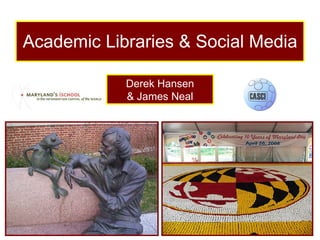
  • #2 Images represent two key characteristics of social media Left: Conversation (in this case between Jim Henson and Kermit) Right: Large-scale (those are 50,000 cupcakes) CASCI stands for Center for the Advanced Study of Communities and Information - a new research center at UMD that I direct - see http://casci.umd.edu
  • #3 Image is of the Berlin wall being taken down. Companies often try to wall in users in order to capitalize on their data and keep them around (economists call this “lock-in”). However, many web developers and even companies such as Google have supported tools that make it easier to share social data (through RSS feeds and other open APIs) in new ways and even recombine data from disparate sources (e.g., through mashups).
  • #6 I want to take a moment to set the stage for the rest of my presentation today. As you are aware, the recent past has been coined the “participation age” due to the success of many volunteer-based community sites such as Wikipedia, Project Gutenberg, YouTube. Although a bit controversial, Time Magazine decided that the person of the Year for 2006 was “You” – suggesting that the countless micro-contributions of typical individuals to these community sites have a significant and lasting effect on the world. “ It's a story about community and collaboration on a scale never seen before.”
  • #10 Like many social media sites that do things well, Kiva: Connects people in meaningful and personal ways across time and space Uses openness (in their case sharing loan amounts and payback rates) to encourage good behavior (like high payback rates) Scales well - it is designed for mass participation; the more participants there are the better it works These simple differences completely transform the user experience for those lending and receiving
  • #11 The image on the left is the Usenet group for knitters. The one on the right is a web 2.0 version of the same. What is different? Size - 931 registered users to 354,512 registered users [is more better? Not necessarily. Clearly social interaction is not easily scalable and has limits. However, different technical infrastructures support more users better] Reach - consider the topic for a moment. In the early 90s when Usenet was thriving, there may not have been as many technologically savvy spinsters. Now, as digital tools have become commonplace, it only seems natural that there would be a group of over 1/3rd of a million spinsters. Nature of Interaction - not just about asynchronous conversations. Can organize and manage threads, “Friend” others, comment, show book collections, private message, use forums (still there), etc. Consider for a moment the many different flavors of social media and how dramatically different the sociality on each one! Consider how social interaction occurs on a wiki, blog, Twitter, Facebook, Flickr, del.icio.us, eBay, Last.fm, Second Life, iPhone). We can play with anonymity, recommend people who you are likely to know or have similar music taste with, store your reputation on eBay, and a host of other strategies to modify the social interaction that we’re accustomed to. People and artifacts are increasingly combined into interesting combinations.
  • #12 Reuse of others’ content and information is still the most common use. Whether we’re solving a technical problem by searching through past technical help sessions in a Linux help forum, getting a new idea from seeing another’s pair of knitted baby booties, or finding out which Harry Potter character your High School friend is on Facebook, the fact that we can “overhear” the conversations of others is one of the major draws of the Internet, both then and now. Participation is skewed, with most people inactive or only peripherally involved and a small percentage of people performing the majority of the work The internet is ultimately a social place where all of the different personalities, problems, and other social behaviors we’re so accustomed to will emerge. See http://redwing.hutman.net/~mreed/warriorshtm/lonelyguy.htm for more images. Thanks to Mike Reed.
  • #13 We can think of social media tools as providing an infrastructure upon which social interaction occurs. Just as a building layout shapes the movements of people, or a planned garden shapes the environment, the socio-technical infrastructure shapes the ways that we interact.
  • #14 No social media tools or platform should be chosen until you have a clear sense of your needs and goals. You should also choose a platform that your users are familiar with or willing to learn.
  • #16 Image is of the Berlin wall being taken down. Companies often try to wall in users in order to capitalize on their data and keep them around (economists call this “lock-in”). However, many web developers and even companies such as Google have supported tools that make it easier to share social data (through RSS feeds and other open APIs) in new ways and even recombine data from disparate sources (e.g., through mashups).
  • #17 DiabetesDaily (http://www.diabetesdaily.com/) is an example of a site that incorporates many social media features such as bloggers (featured and members), discussion forums, RSS feeds, and a wiki. It also demonstrates how content can be pulled in from RSS feeds and made available to other sites via RSS feeds. It also shows how videos hosted elsewhere (such as on YouTube) can be “embedded” into a website, and how a search widget can be used (the custom search widget provided by Google allows you to specify a subset of content that is searched - in this case just content on their site is searched).
  • #18 Examples of Facebook Apps (on left) and widgets (on right) that can be added to blogs, social networking profile pages, etc.
  • #26 There is a great need for individuals with technical and social know-how. We find that iSchools have been particularly good at filling this niche. Only a handful of classes discuss the design of online communities and several are housed in iSchools.