Learn you 
a UX 
Creating User Experiences on Purpose
Hi, I'm Juan 
User Experience Developer, Kiandra IT 
8 years designing experiences 
26 years experiencing designs 
@designbyjuan
Hi, I'm Jim 
Developer, Kiandra IT 
1 years deliberately designing experiences 
8 years accidentally 
@pjimmy
Every Product 
Has a User Experience
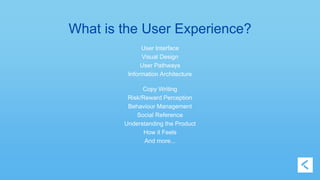
What is the User Experience? 
User Interface 
Visual Design 
User Pathways 
Information Architecture 
Copy Writing 
Risk/Reward Perception 
Behaviour Management 
Social Reference 
Understanding the Product 
How it Feels 
And more...
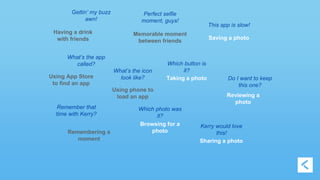
Memorable moment 
between friends 
Having a drink 
with friends 
What’s the app 
called? Which button is 
Using App Store 
to find an app 
Using phone to 
load an app 
Remembering a 
moment 
Taking a photo 
This app is slow! 
Saving a photo 
Reviewing a 
photo 
Browsing for a 
photo 
Sharing a photo 
Gettin’ my buzz 
awn! 
Perfect selfie 
moment, guys! 
Remember that 
time with Kerry? 
it? 
Do I want to keep 
this one? 
Which photo was 
it? 
Kerry would love 
this! 
What’s the icon 
look like?
It’s ALL UX
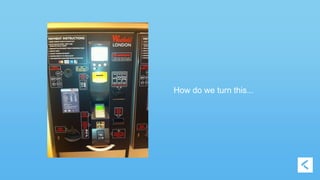
How do we turn this...
Into this…
Design (what is it?)
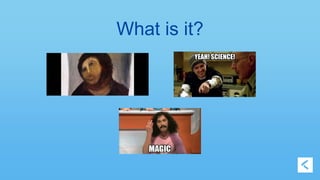
What is it?
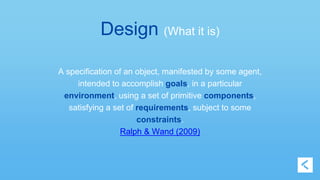
Design (What it is) 
A specification of an object, manifested by some agent, 
intended to accomplish goals, in a particular 
environment, using a set of primitive components, 
satisfying a set of requirements, subject to some 
constraints. 
Ralph & Wand (2009)
Design (What it is) 
Design is merely the set of decisions you either make 
or set aside when you create your product. 
You cannot not design. 
Hall (2014)
Every Product 
Has a UX Designer 
… and if you don’t know who it is, 
it’s probably you.
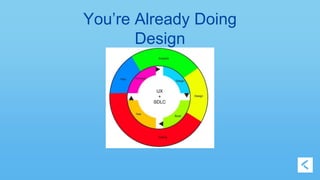
Intentional UX Design 
(a simple-and-in-no-way-comprehensive guide) 
• Know your users 
• Remember your goals (user AND business) 
• Understand your environment 
• Define your constraints
You’re Already Doing 
Design
Know Your Users 
(Tool: Personas) 
• There's nothing worse than an imaginary persona 
• Meet them any way you can 
• Get to know them, deeply 
• Introduce them to everybody 
• Keep them in the loop!
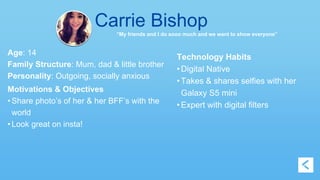
Carrie Bishop 
“My friends and I do sooo much and we want to show everyone” 
Age: 14 
Family Structure: Mum, dad & little brother 
Personality: Outgoing, socially anxious 
Motivations & Objectives 
• Share photo’s of her & her BFF’s with the 
world 
• Look great on insta! 
Technology Habits 
• Digital Native 
• Takes & shares selfies with her 
Galaxy S5 mini 
• Expert with digital filters
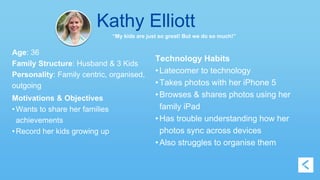
Kathy Elliott 
“My kids are just so great! But we do so much!” 
Age: 36 
Family Structure: Husband & 3 Kids 
Personality: Family centric, organised, 
outgoing 
Motivations & Objectives 
• Wants to share her families 
achievements 
• Record her kids growing up 
Technology Habits 
• Latecomer to technology 
• Takes photos with her iPhone 5 
• Browses & shares photos using her 
family iPad 
• Has trouble understanding how her 
photos sync across devices 
• Also struggles to organise them
Remember Your Goals 
(Tool: User stories) 
• Define your overall goals (users AND business) 
• State your goals for every feature 
• Know when you've met your target 
• K.I.S.S and cull
Apply a Filter 
As Carrie 
I want to browse how filters effect my selfie 
So that I can choose the one that makes me look the 
best
Find the Right Selfie 
We believe that 
To make sharing and socialising photos with her 
loved ones easier for Kathy 
we must provide an intuitive interface for finding 
the right selfie. 
We’ll know we’ve achieved this when Kathy shares 
more photos.
Understand Your Environment 
(Tool: Scenarios) 
• How/where is your design being used? 
• Know your competitors 
• Know your potential allies 
• Is your app improving the user's environment?
Example Scenario 
Carrie and her bff Tisha are at the mall trying on some 
hats for a dress-up party on the weekend. Their friend 
Sara couldn't make it, so they want to get her input 
(without ruining the surprise for everyone else). Carrie's 
prepaid phone plan has a small amount of data 
which she needs to use sparingly.
You Have Special 
Powers 
Consider: Responsive Design 
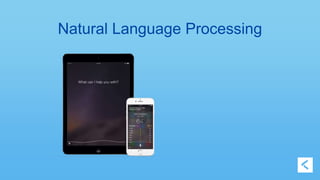
Machine Learning
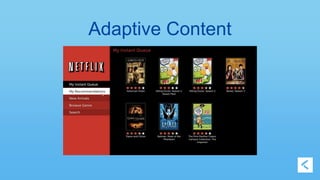
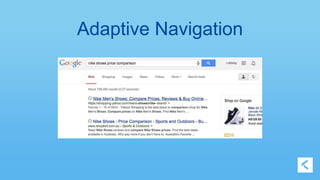
Adaptive Content
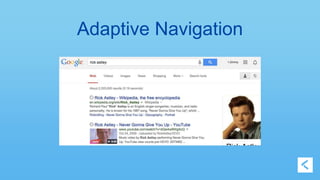
Adaptive Navigation
Adaptive Navigation
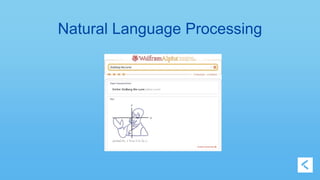
Natural Language Processing
Define Your Constraints 
(Tool: Design Principles and Patterns) 
• Comes from your research 
• Lets you say NO 
• Distinguishes you from competitors 
• There will be exceptions - get to know them! 
• Old principles may not apply 
• Principles invite discussion
Example Design Principle 
“The photographer is the star” 
“One hand before two”
UX Reviews 
• Improves the products UX 
• Improves a teams UX skills 
• Improves team communication 
• Encourages shared ownership of UX
UX Reviews 
• Doesn't Require a UX Guy 
(Though it helps) 
• Fits alongside a code review 
• Consider the elements we have discussed 
(users, goals, constraints, environment)
Useful Questions to Ask 
Users 
• What motivates them? 
• Where are they comfortable? 
Goals 
• What is the user's desired outcome? 
• What is the business' desired outcome?
Useful Questions to Ask 
Environment 
• Where is the user? 
• How do they feel? 
Goals 
• Does it follow our design principles? 
• Is this an exception, or is the rule broken? Does this rule still 
apply?
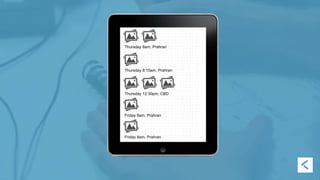
Lets Implement a Feature 
Find the Right Selfie
Thursday 8am, Prahran 
Thursday 8:15am, Prahran 
Thursday 12:30pm, CBD 
Friday 8am, Prahran 
Friday 8am, Prahran
Helpful Reading and Resources 
• usability.gov - like MDN for UX 
• IXD Checklist - an awesome starting point for UX 
reviews 
• Design Kit Methods - great set of UX tools and 
techniques across the gamut of the UX design process 
• PatternTap - A collection of interaction patterns from 
across the web
Thanks!
Learn You a UX

Learn You a UX

  • 1.
    Learn you aUX Creating User Experiences on Purpose
  • 2.
    Hi, I'm Juan User Experience Developer, Kiandra IT 8 years designing experiences 26 years experiencing designs @designbyjuan
  • 3.
    Hi, I'm Jim Developer, Kiandra IT 1 years deliberately designing experiences 8 years accidentally @pjimmy
  • 4.
    Every Product Hasa User Experience
  • 5.
    What is theUser Experience? User Interface Visual Design User Pathways Information Architecture Copy Writing Risk/Reward Perception Behaviour Management Social Reference Understanding the Product How it Feels And more...
  • 6.
    Memorable moment betweenfriends Having a drink with friends What’s the app called? Which button is Using App Store to find an app Using phone to load an app Remembering a moment Taking a photo This app is slow! Saving a photo Reviewing a photo Browsing for a photo Sharing a photo Gettin’ my buzz awn! Perfect selfie moment, guys! Remember that time with Kerry? it? Do I want to keep this one? Which photo was it? Kerry would love this! What’s the icon look like?
  • 7.
  • 8.
    How do weturn this...
  • 9.
  • 11.
  • 12.
  • 13.
    Design (What itis) A specification of an object, manifested by some agent, intended to accomplish goals, in a particular environment, using a set of primitive components, satisfying a set of requirements, subject to some constraints. Ralph & Wand (2009)
  • 14.
    Design (What itis) Design is merely the set of decisions you either make or set aside when you create your product. You cannot not design. Hall (2014)
  • 15.
    Every Product Hasa UX Designer … and if you don’t know who it is, it’s probably you.
  • 16.
    Intentional UX Design (a simple-and-in-no-way-comprehensive guide) • Know your users • Remember your goals (user AND business) • Understand your environment • Define your constraints
  • 17.
  • 18.
    Know Your Users (Tool: Personas) • There's nothing worse than an imaginary persona • Meet them any way you can • Get to know them, deeply • Introduce them to everybody • Keep them in the loop!
  • 19.
    Carrie Bishop “Myfriends and I do sooo much and we want to show everyone” Age: 14 Family Structure: Mum, dad & little brother Personality: Outgoing, socially anxious Motivations & Objectives • Share photo’s of her & her BFF’s with the world • Look great on insta! Technology Habits • Digital Native • Takes & shares selfies with her Galaxy S5 mini • Expert with digital filters
  • 20.
    Kathy Elliott “Mykids are just so great! But we do so much!” Age: 36 Family Structure: Husband & 3 Kids Personality: Family centric, organised, outgoing Motivations & Objectives • Wants to share her families achievements • Record her kids growing up Technology Habits • Latecomer to technology • Takes photos with her iPhone 5 • Browses & shares photos using her family iPad • Has trouble understanding how her photos sync across devices • Also struggles to organise them
  • 21.
    Remember Your Goals (Tool: User stories) • Define your overall goals (users AND business) • State your goals for every feature • Know when you've met your target • K.I.S.S and cull
  • 22.
    Apply a Filter As Carrie I want to browse how filters effect my selfie So that I can choose the one that makes me look the best
  • 23.
    Find the RightSelfie We believe that To make sharing and socialising photos with her loved ones easier for Kathy we must provide an intuitive interface for finding the right selfie. We’ll know we’ve achieved this when Kathy shares more photos.
  • 24.
    Understand Your Environment (Tool: Scenarios) • How/where is your design being used? • Know your competitors • Know your potential allies • Is your app improving the user's environment?
  • 25.
    Example Scenario Carrieand her bff Tisha are at the mall trying on some hats for a dress-up party on the weekend. Their friend Sara couldn't make it, so they want to get her input (without ruining the surprise for everyone else). Carrie's prepaid phone plan has a small amount of data which she needs to use sparingly.
  • 26.
    You Have Special Powers Consider: Responsive Design Machine Learning
  • 27.
  • 28.
  • 29.
  • 30.
  • 31.
  • 32.
    Define Your Constraints (Tool: Design Principles and Patterns) • Comes from your research • Lets you say NO • Distinguishes you from competitors • There will be exceptions - get to know them! • Old principles may not apply • Principles invite discussion
  • 33.
    Example Design Principle “The photographer is the star” “One hand before two”
  • 34.
    UX Reviews •Improves the products UX • Improves a teams UX skills • Improves team communication • Encourages shared ownership of UX
  • 35.
    UX Reviews •Doesn't Require a UX Guy (Though it helps) • Fits alongside a code review • Consider the elements we have discussed (users, goals, constraints, environment)
  • 36.
    Useful Questions toAsk Users • What motivates them? • Where are they comfortable? Goals • What is the user's desired outcome? • What is the business' desired outcome?
  • 37.
    Useful Questions toAsk Environment • Where is the user? • How do they feel? Goals • Does it follow our design principles? • Is this an exception, or is the rule broken? Does this rule still apply?
  • 38.
    Lets Implement aFeature Find the Right Selfie
  • 39.
    Thursday 8am, Prahran Thursday 8:15am, Prahran Thursday 12:30pm, CBD Friday 8am, Prahran Friday 8am, Prahran
  • 40.
    Helpful Reading andResources • usability.gov - like MDN for UX • IXD Checklist - an awesome starting point for UX reviews • Design Kit Methods - great set of UX tools and techniques across the gamut of the UX design process • PatternTap - A collection of interaction patterns from across the web
  • 41.

Editor's Notes

  • #5  "Add some UX to it" "Just need to do some UX" Obvious statement Often forgotten Maybe often misunderstood
  • #6 (obvious) visuals, UI, the stuff you see (less obvious) creating behaviours, risks/rewards, “how it feels” There’s a lot to it.
  • #7 Introduce ShareFace app Obvious parts of UX (direct) Less obvious parts of the UX (tangential) “how it feels” (experiential, emotional)
  • #8 The lead up, The actual interactions The feelings afterwards
  • #9 If: - responsibility stretches from before beginning - stretches after the interactions ... How do we take an existing bad experience
  • #10 Create a delightful, understandable experience Create something that makes the User's life better
  • #11 Avoid bad experiences? Not something that: - leaves them angry - confused - frustrated - unserved
  • #12 Design gets us there Another confusing term
  • #13 Lots of different connotations Art Science Magic
  • #14 Academic definition Important aspects we’ll use later
  • #15 Succinct summary of Design Everything is Design
  • #16 All this leads to the conclusion Every product has UX Everything is Design Everyone is the UX designer
  • #17 From the definition earlier Starter kit Thoughtful, intentional UX
  • #18 Basically just another plan do check adjust cycle (Demming Cycle) "just enough" up front design Just another design activity where you decide how much to invest in UX
  • #21 Add quote from her and why she’d use the app
  • #22  What are you trying to achieve? Business AND user Define a success metric Think about failure (if possible/applicable) Cut cruft
  • #23 you might be familiar with this
  • #24 another approach focuses on objective provides a metric for success
  • #25 Scene, Gives context Conditions? Network, Time, Device, People, Geography, etc. Competitors set expectations, provide an out What can you leverage? Apps? Shortcuts Are you helping?
  • #33 Define your rules Say NO more (it's a decision!) Helps with branding Constantly revise. Is this an exception, or is the rule broken?
  • #35 If you take one thing away today make it this. It is the simplest and most effective way to start your UX journey.
  • #40 Are there more rows? How bout breakfast yesterday and lunch yesterday instead? Is the date & time even needed? What screen come before and after?