UX PORTFOLIO
WORKSHOP
by Michelle T. Chin | @soysaucechin
@exploreUX | #UXPortfolio
ABOUT EXPLOREUX
@exploreUX | #UXPortfolio
ABOUT EXPLOREUX
Announcements
ABOUT EXPLOREUX
Rate our group!
WHO ARE WE?
WHAT ARE WE DOING?
WHY THIS WORKSHOP?
WHY A PORTFOLIO?
• Transitioning to a UX career
• Looking for a new job
• Adding credibility to your career
RULE #1: LET IT GO.
“I will not get attached to my work.”
RULE #1: LET IT GO.
This is a process. Iterate.
RULE #1: LET IT GO.
“I will not get attached to my work.”
RULE #2: YOU ARE
WHAT YOU PRESENT.
DEVELOPER OR UX’R?
DESIGNER OR UX’R?
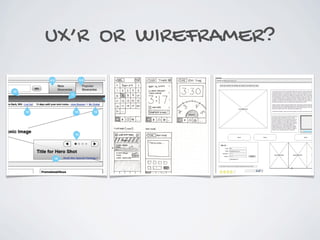
UX’R OR WIREFRAMER?
WHAT’S DIFFERENT?
UX portfolios show process.
UX PROCESS
THIS WORKSHOP:
1. Recognize what goes into a UX portfolio
THIS WORKSHOP:
2. Start the base for yours
THIS WORKSHOP:
3. Meet some UXers like yourself
THIS WORKSHOP:
We’ll be applying our UX skills!
GET PUMPED!
MEET YOUR GROUP!
Open your cards and assemble!
INTRODUCE YOURSELF
• Your name
• What you do / are trying
to do
• Your favorite food truck
WHAT IS YOUR GOAL?
What kind of work do you want to do?
(UX/interaction designer, user researcher, full time, contract)
WHAT IS YOUR GOAL?
Where do you want to work?
(Large company, agency, government)
WHAT IS YOUR GOAL?
Anything else?
(Build credibility, speaker, blogger)
ACTIVITY: WHAT IS YOUR GOAL?
Take a few minutes to determine your goal.
• What kind of work do you want to do?
• Where do you want to work?
• Anything else?
INVENTORY
What are you going to put in it?
INVENTORY
Projects from start to finish
START TO FINISH
INVENTORY
Work that involved UX process
ACTIVITY: INVENTORY
• List at least 5 projects relevant to your goal
• Start to finish
• Work that involved UX process
• But what if…
• I can’t list projects?
• I don’t have any?
• What projects would you like to do?
INVENTORY
What activities have you done on those projects?
ACTIVITY: INVENTORY
• List the UX activities done for each project
• User research
• Content inventory
• Wireframes
• Prototyping
• Usability testing
• and others
INVENTORY
Do you have the contents?
ACTIVITY: INVENTORY
Do you have the contents?
INVENTORY
What about the missing artifacts?
INVENTORY
Recreate them.
(Do not lie - it’s bad & you’ll be figured out)
INVENTORY
What if you don’t have the projects?
INVENTORY
Make it up.
(Not lying here either.)
INVENTORY
There’s no shame in taking the time to practice your UX
skills and demonstrating a great job.
HOW DO I “MAKE UP”
PROJECTS?
1. Pick a problem to fix.
[reformatting Craigslist,Wikipedia]
HOW DO I “MAKE UP”
PROJECTS?
2. Create a project - app, site, etc.
[INSERT MILLION DOLLAR
APP IDEA HERE.]
WHAT IF YOU’RE
MISSING THE SKILLS?
Give yourself a project
that allows you to practice the skills.
WHAT ARE YOUR GAPS?
Think about what skills and work you’re missing.
ACTIVITY:
WHAT ARE YOUR GAPS?
Add those stickers to your name tag.
ARCHITECTURE
How will you organize this work?
ARCHITECTURE
By topic (e.g., mobile, user research, etc.)
ARCHITECTURE
By the project’s lifecycle
ARCHITECTURE
Decide what’s best for you and your content,
but have a method.
DESIGN
Goal: Get you in for an interview.
DESIGN
What do you include?
DESIGN
Show visuals of the process.
DESIGN
What about stuff I can’t show?
SECRET STUFF
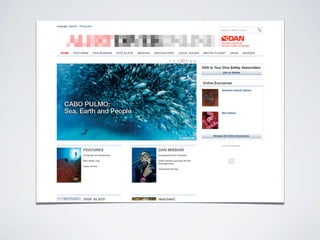
Blur out identifying information.
SECRET STUFF
Password protect your work.
SECRET STUFF
Use your discretion!
DESIGN
Your BEST work.
DESIGN
If in doubt, leave it out.
DESIGN
Tell a story.
Intro
Architecture / storyboarding
Prototype development
Usability testing
Iteration
DESIGN
Less is more.
You have 10 seconds to make an impression.
DESIGN
Show the highlights of the project.
DESIGN
Unique activities, challenges, or really cool stuff!
DESIGN
How much is too much?
DEVELOP
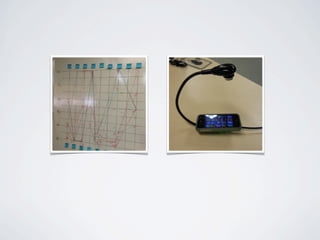
What tools do you use?
DEVELOP
DEVELOP
What should you look for?
DEVELOP
Know your capabilities, your timeframe.
DEVELOP
Easy to maintain - you’re iterating.
DEVELOP
Hire someone, barter, feed.
TEST
Does this meet my goal?
TEST
Does this portray me?
TEST
Ask for feedback; take the feedback.
TEST
Who can I ask?
TEST
Your friends, people in your group, exploreUX members
TEST
Don’t forget to thank them!
TEST
Iterate, retest.
PRO TIPS
Go one step beyond - it’s worth it.
PRO TIP:
Stylize your content - make it look good.
PRO TIP:
Take pics of EVERYTHING.
PRO TIP:
Get a URL
AVOID:
Lengthy URLs:
bluedalek.wix.com/portfolio
student.umd.edu/~bluedalek
michelletchinUXdesigner.com
TRY:
Shorter, memorable URLs:
simplebits.com
edmundyu.com
michelletchin.net
PRO TIP:
Maintain your portfolio!
DON’T FORGET
• Rule #1: Let it go.
• Rule #2: You are what you present.
• Iterate; maintain.
• Stay in touch with the folks you meet today.
• Complete the eval, please!
QUESTIONS?
ACTIVITY: NETWORK
• Exchange contact info with those in your group
• Talk to those that have complementary stickers
on their name tag.
• Maybe you guys can work on a mock project
together…?
THANKS!
Don’t forget to rate the meetup!
@exploreUX | #UXportfolio
Michelle T. Chin - @soysaucechin
IMAGE CREDITS
• Slide 13: http://codepen.io/motorlatitude/pen/wmpux
• Slide 14: http://www.duolingo.com
• Slide 14: http://www.etsy.com
• Slide 14: http://www.nike.com/us/en_us/c/nikeplus-fuelband
• Slide 15: http://ideas.semanticfoundry.com/2012/09/09/shades-of-grey-wireframes-as-thinking-device
• Slide 15: https://www.flickr.com/photos/anthonyarmendariz/4448219885
• Slide 15: http://creately.com/blog/diagrams/wire-frame-benefits/
• Slide 23: http://tipplesbrews.com/2014/03/28/april-2014-food-truck-schedule
• Slide 45: http://www.wikipedia.org/
• Slide 45: https://dribbble.com/wirwoluf/projects/104912-wikipedia-redesign
• Slide 61: http://www.alertdiver.com/
• Slide 69: http://www.fumikoyu.com/
• Slide 74: http://www.simonpan.com/
• Slide 90: http://foundation.zurb.com/
All other images were from Michelle’s own collection.
EXAMPLES
Here are some examples for inspiration, but always do
what’s best for you!
• Abby the IA: http://abbytheia.wordpress.com
• Edmund Yu: http://www.edmundyu.com/
• Sarah Spitler: http://www.sarahspitler.com

UX Portfolio Workshop for exploreUX