Guidelines for Responsive UX Design
School ofVisual Arts | 12 December 2020 | Robert Stribley
Today’s presentation will be available on SlideShare:
www.slideshare.net/stribs
Preliminaries
• Feel free to ask questions throughout
• Don’t hesitate to take a break if you need to
• We’ll break around noon
• Have some paper and a Sharpie or pen ready for this afternoon
• Try Mural at lunchtime if you want to - www.mural.co
• We’re trying a few things remotely today, which we typically do in
person, so we’ll stay flexible, mix things up as need be
Robert Stribley
Associate Creative Director, Experience
Introductions
📷 ✍ 📚 📻 🎥
AboutYou
• What’s your name?
• What do you do for work?
• What do you do for fun?
• If you could see one museum exhibit—real or imaginary—what
would it be?
Introduction
Goals of this workshop
• Learn principles and guidelines for responsive design
• Learn about user journeys
• Develop a site map as a team
• Brainstorm and design a responsive home page as a team
Introduction
Agenda
Morning
• Responsive Design Principles
• Project
• Lunch
Agenda
Afternoon
• User Journeys
• Site Maps
• Team Exercise: Responsive Home Page
• Review & Feedback
• Q&A
Agenda
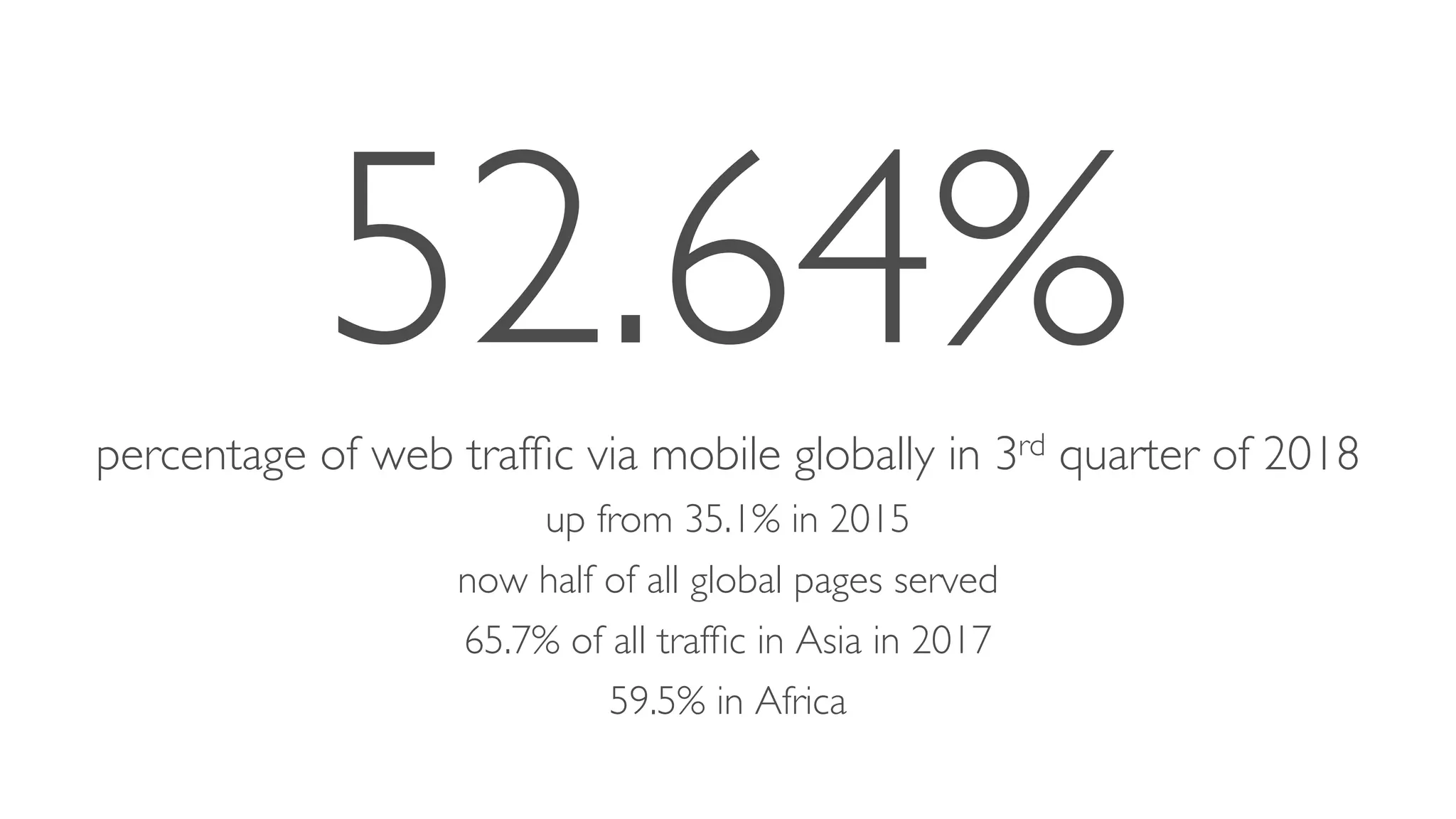
52.64%percentage of web traffic via mobile globally in 3rd quarter of 2018
up from 35.1% in 2015
now half of all global pages served
65.7% of all traffic in Asia in 2017
59.5% in Africa
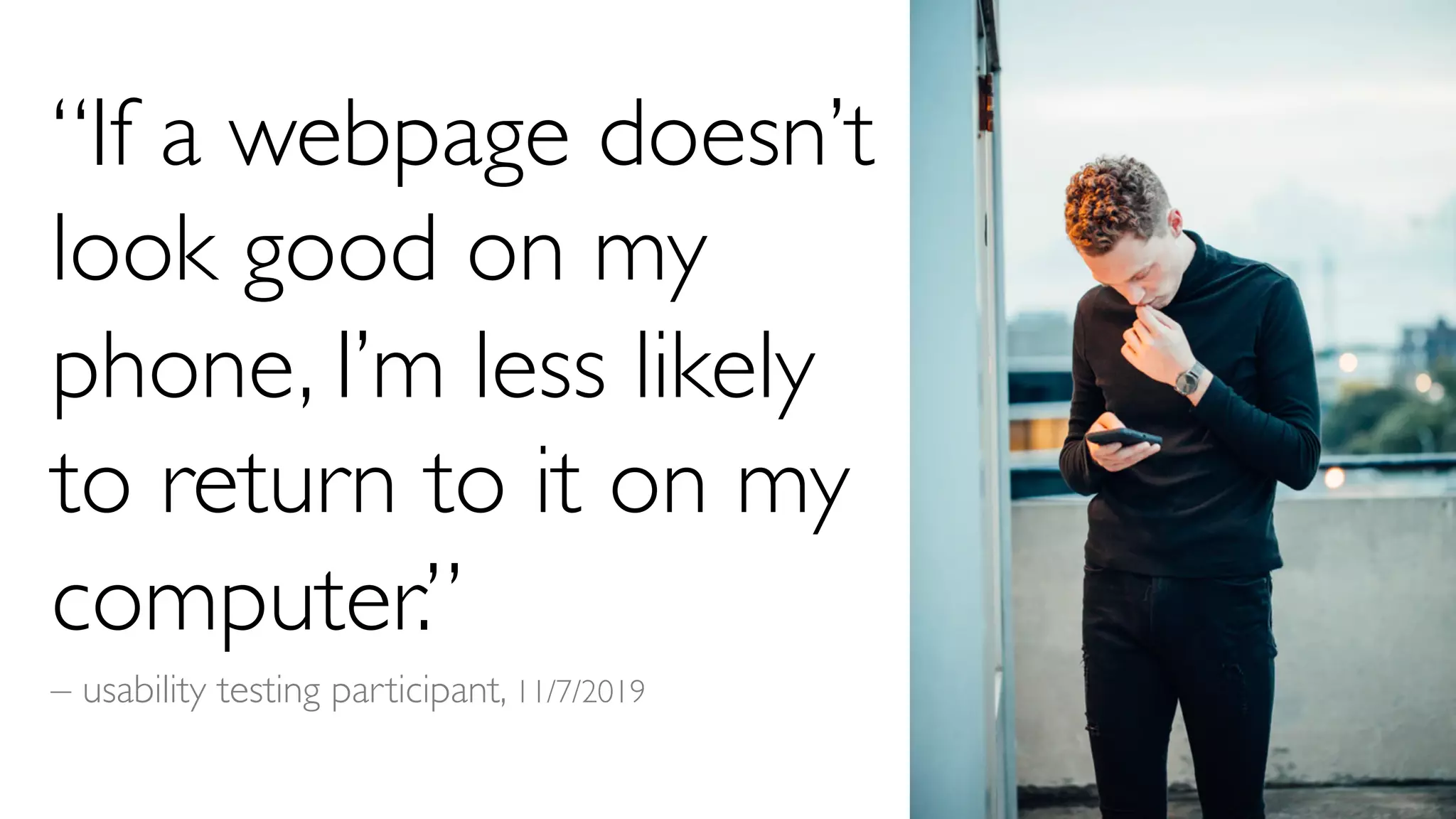
“If a webpage doesn’t
look good on my
phone, I’m less likely
to return to it on my
computer.”
– usability testing participant, 11/7/2019
Responsive Design
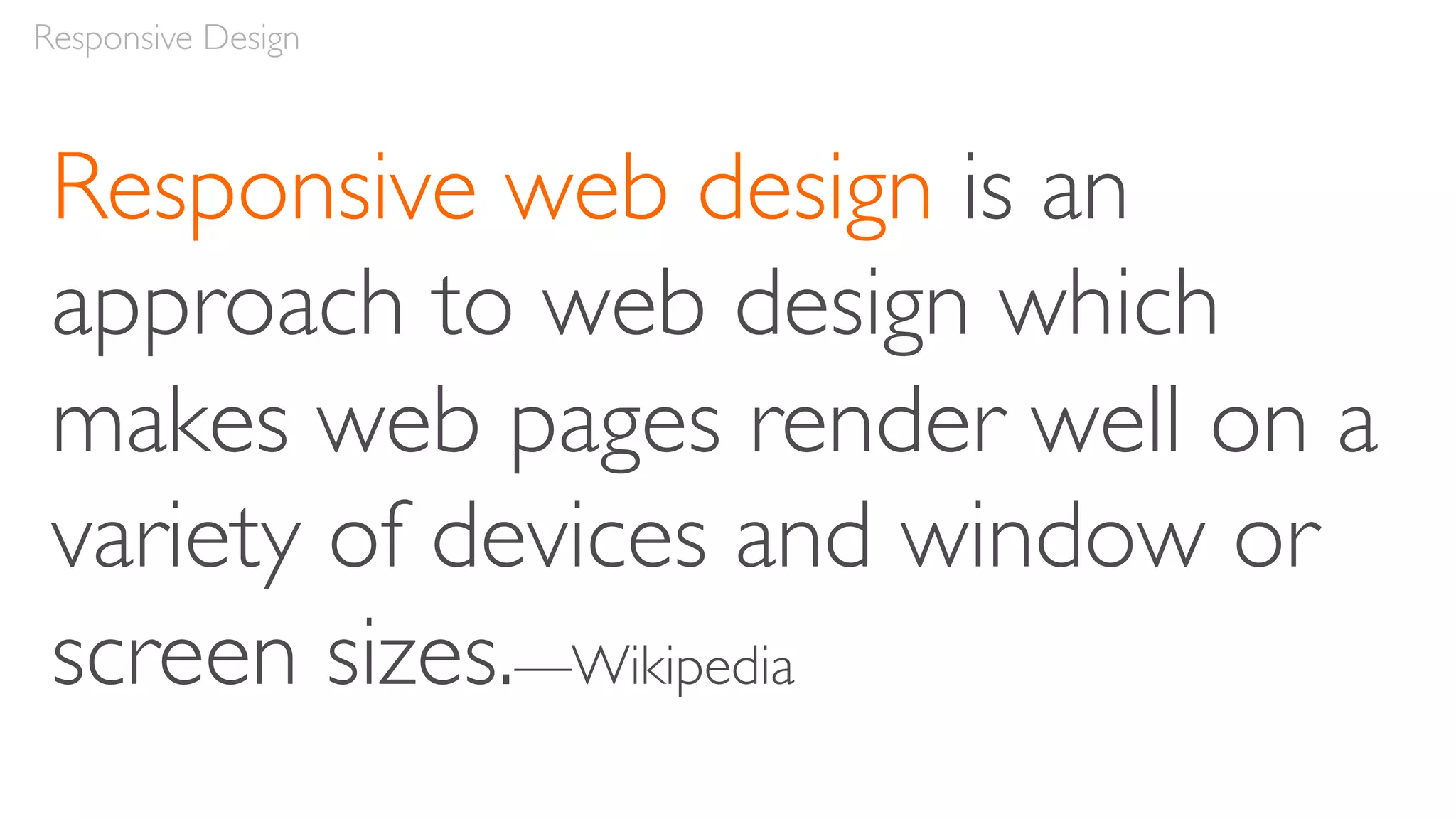
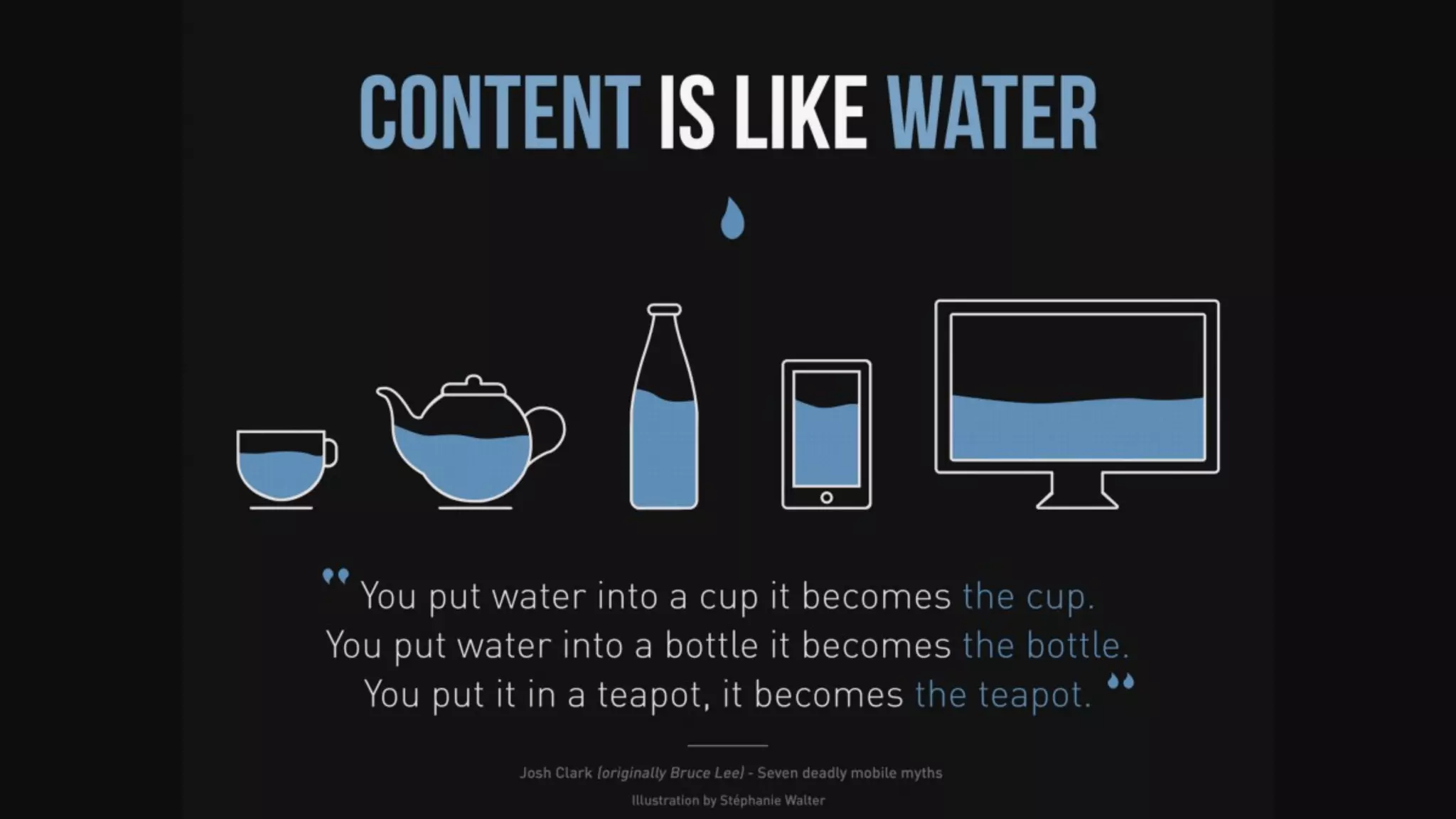
Responsive web design is an
approach to web design which
makes web pages render well on a
variety of devices and window or
screen sizes.—Wikipedia
Responsive Design
“Rather than tailoring disconnected designs to each of an
ever-increasing number of web devices, we can treat them as
facets of the same experience.We can design for an optimal
viewing experience, but embed standards-based
technologies into our designs to make them not only more
flexible, but more adaptive to the media that renders them.
In short, we need to practice responsive web design.”
– Ethan Marcotte, Responsive Web Design,A List Apart
Self Study
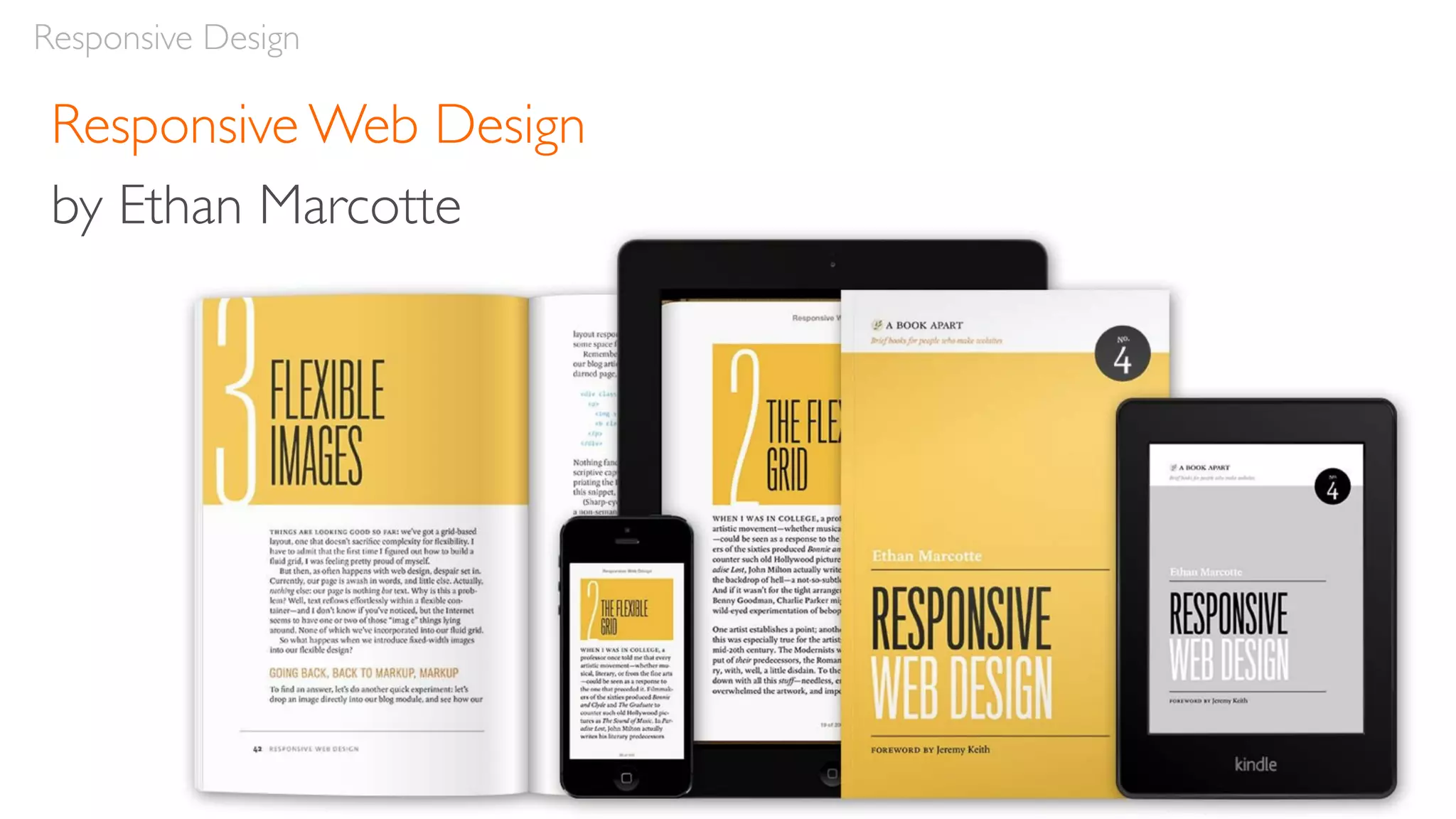
Responsive Web Design by Ethan Marcotte
Responsive Design
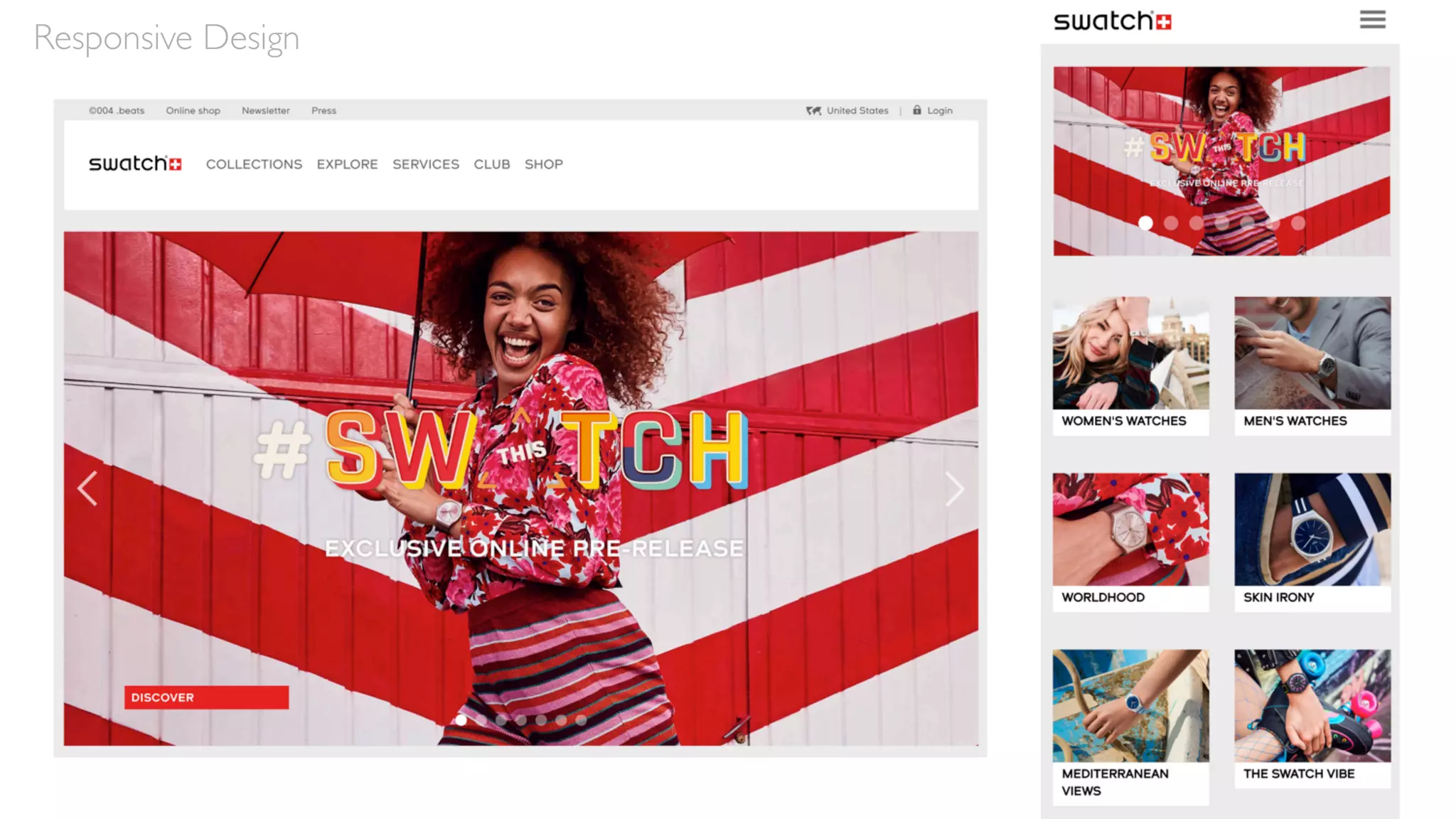
Responsive Design
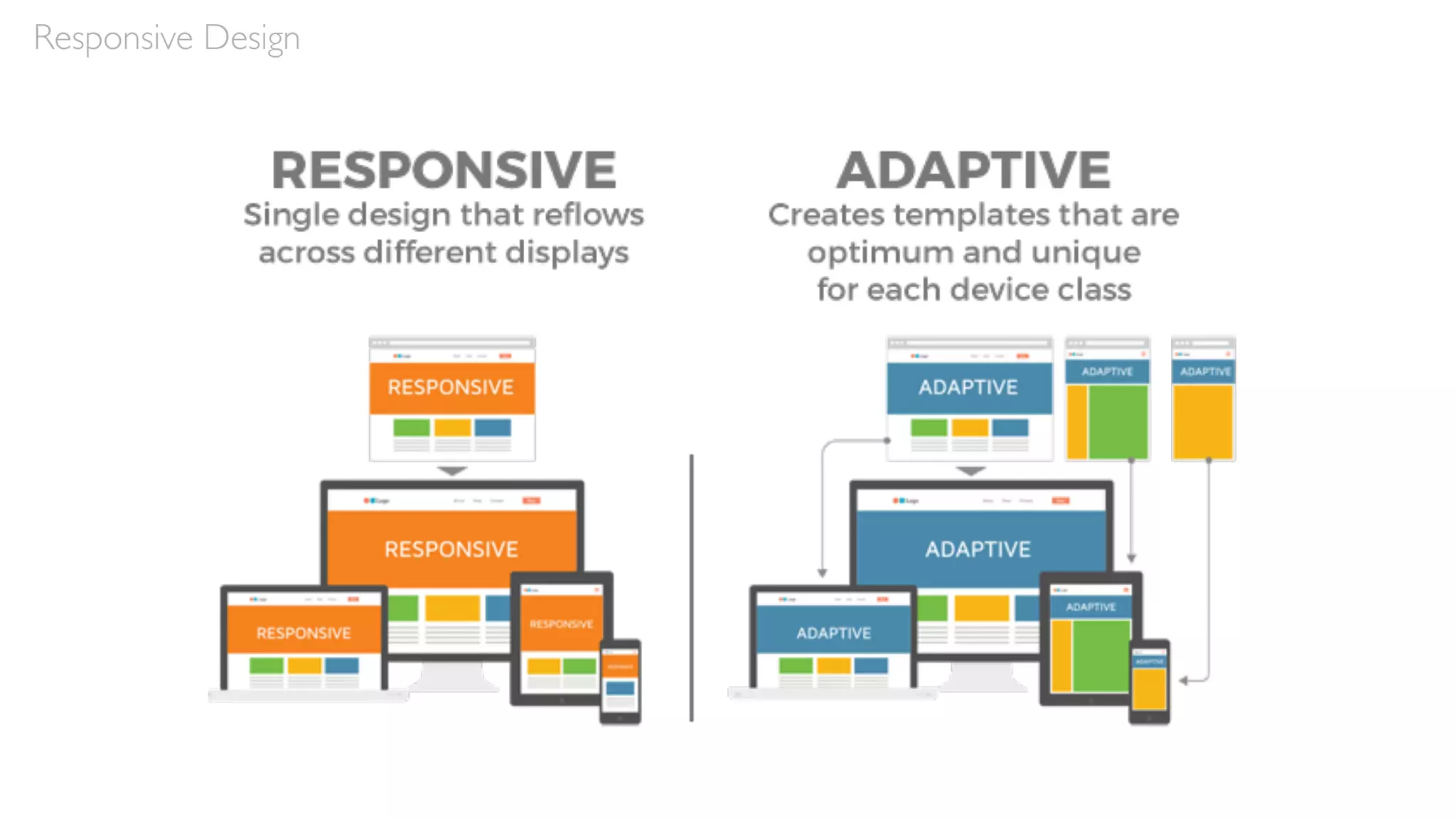
ResponsiveVersus Adaptive Design
Responsive design is fluid and adapts to the size of the
screen no matter what the target device
Adaptive design uses static (or fixed) layouts based on
breakpoints which don’t respond once they’re initially loaded
Self Study
Responsive vs. Adaptive Design: What’s the Best Choice for Designers? – Jerry Cao, Studio by UXPin
Responsive Design
Responsive Design
Responsive Web Design
by Ethan Marcotte
Responsive Design
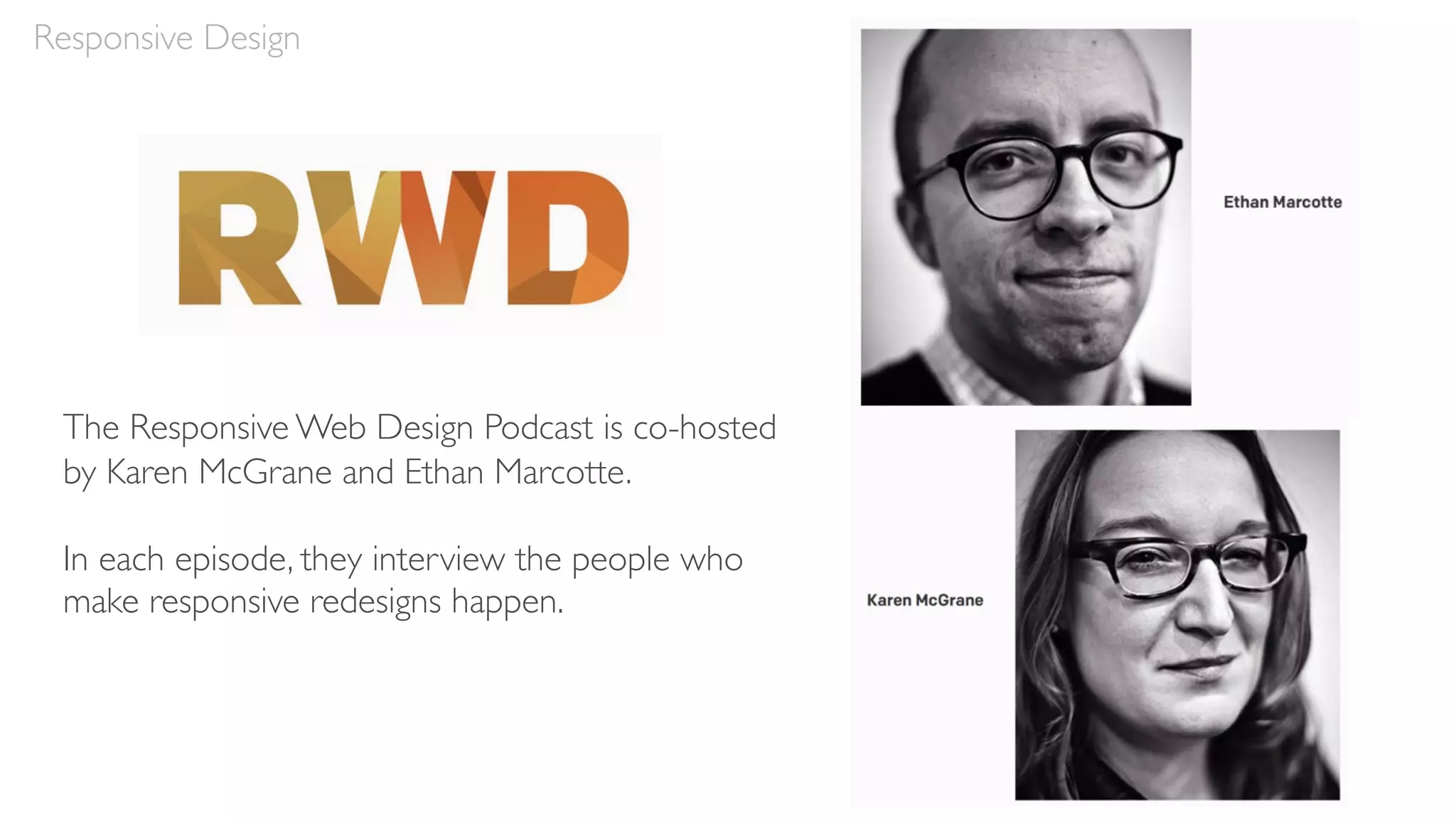
The Responsive Web Design Podcast is co-hosted
by Karen McGrane and Ethan Marcotte.
In each episode, they interview the people who
make responsive redesigns happen.
Responsive Design Characteristics
• Mobile first
• Maintain content and features
• Maintain hierarchies
• Break points
• Grids
• Handling navigation
• Handling tables
• Images
• Text
Responsive Design
Mobile First
Mobile First
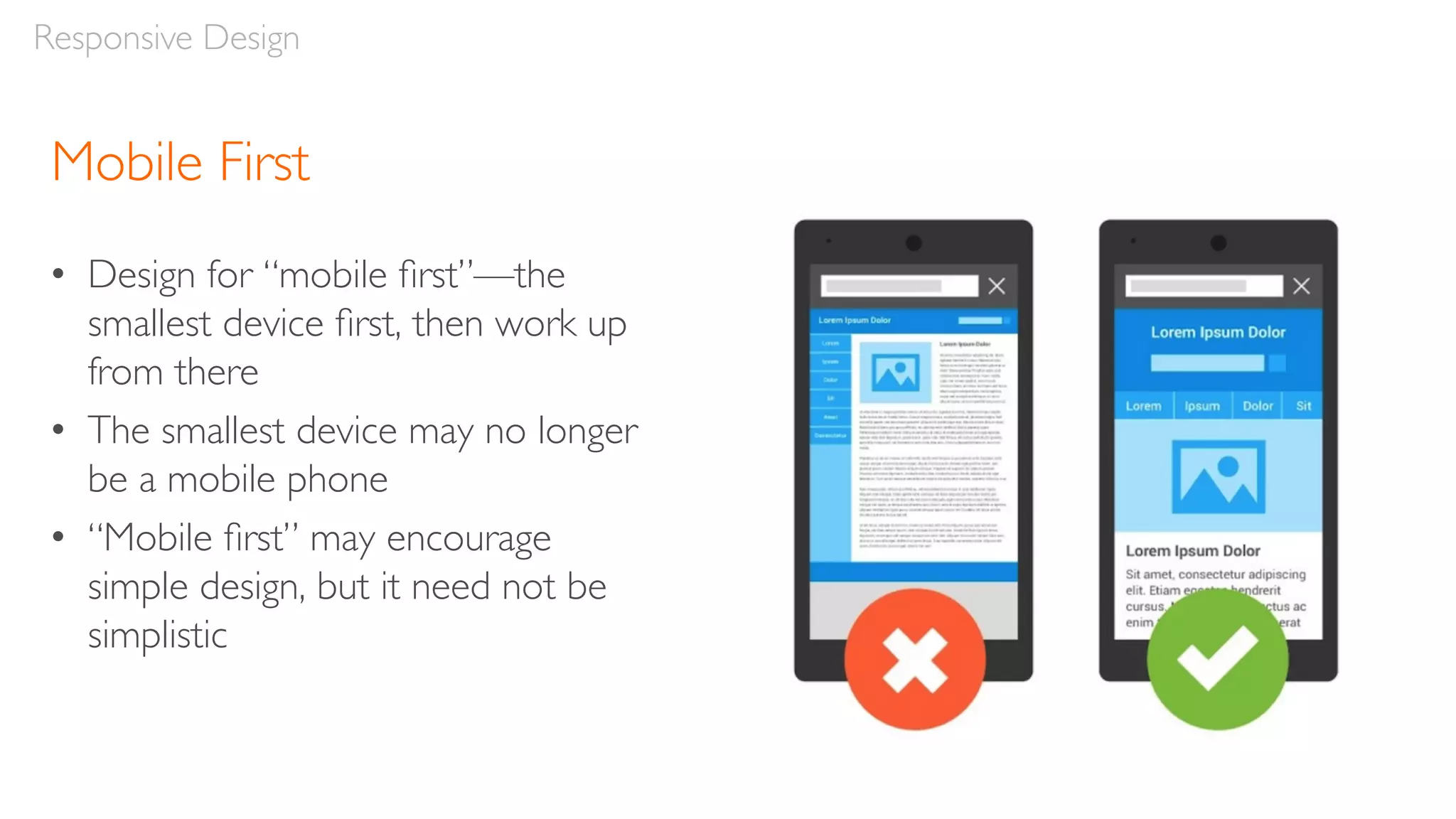
• Design for “mobile first”—the
smallest device first, then work up
from there
• The smallest device may no longer
be a mobile phone
• “Mobile first” may encourage
simple design, but it need not be
simplistic
Responsive Design
Responsive Design
Content & Features
Maintain Content & Features
• Goal:Wherever possible, maintain content and features across
devices
• Occasionally, content or features can be dropped to save
screen real estate or if they’re not device appropriate
• Establish a clear rationale and principles for dropping any
content or features at the mobile level
• Reducing content can reduce keywords, which can reduce your
site’s ranking on Google
Responsive Design
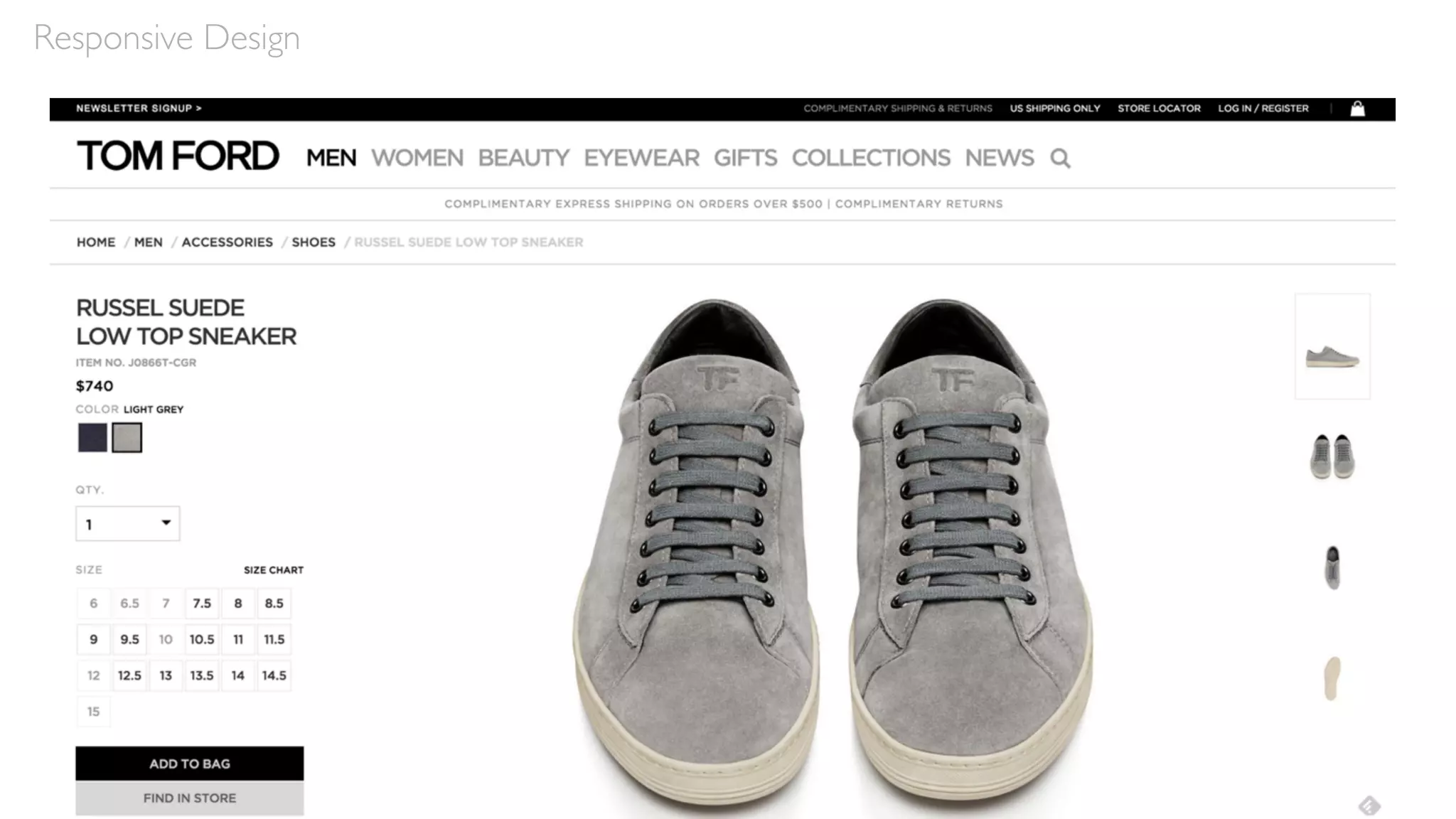
Responsive Design
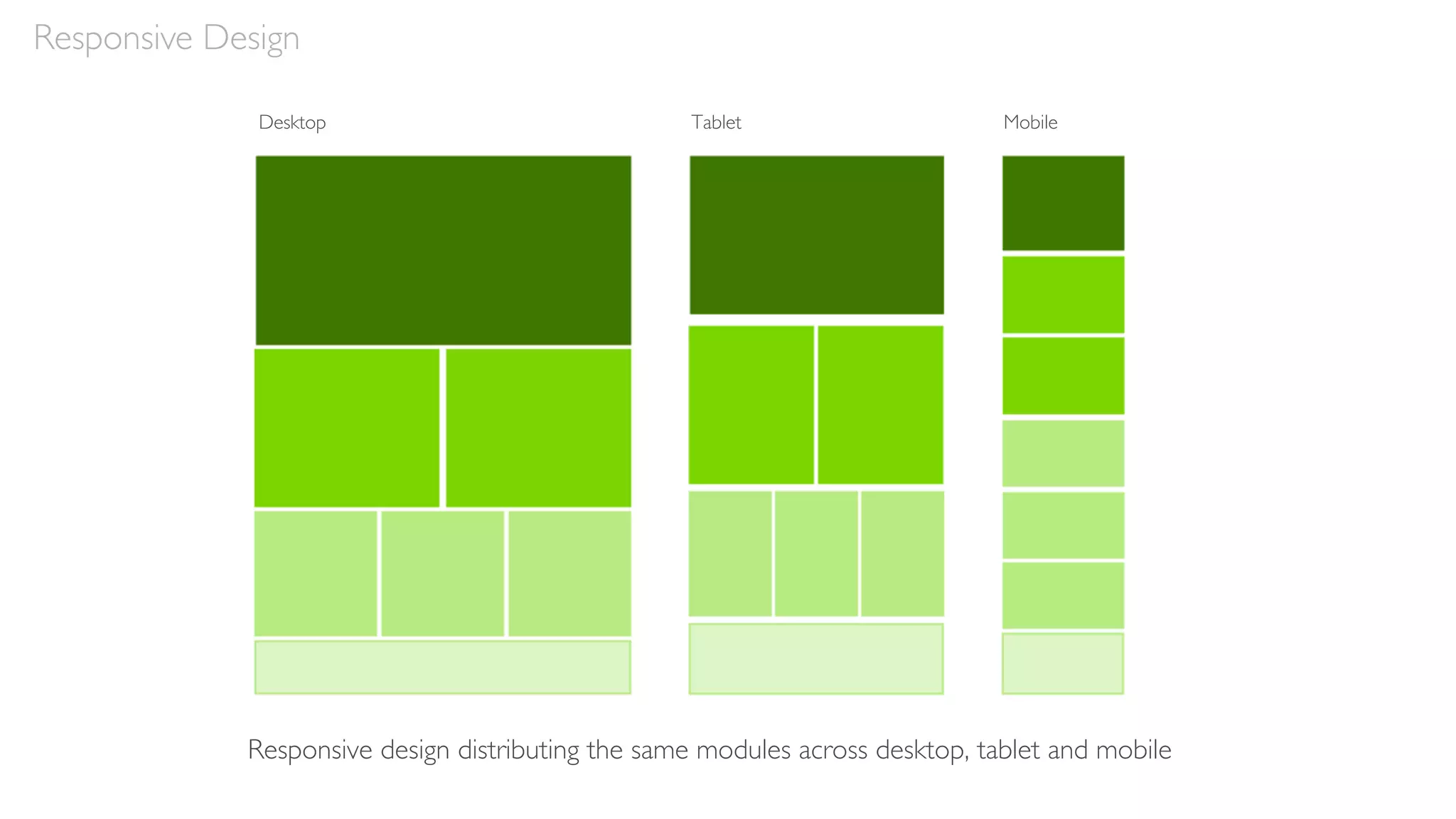
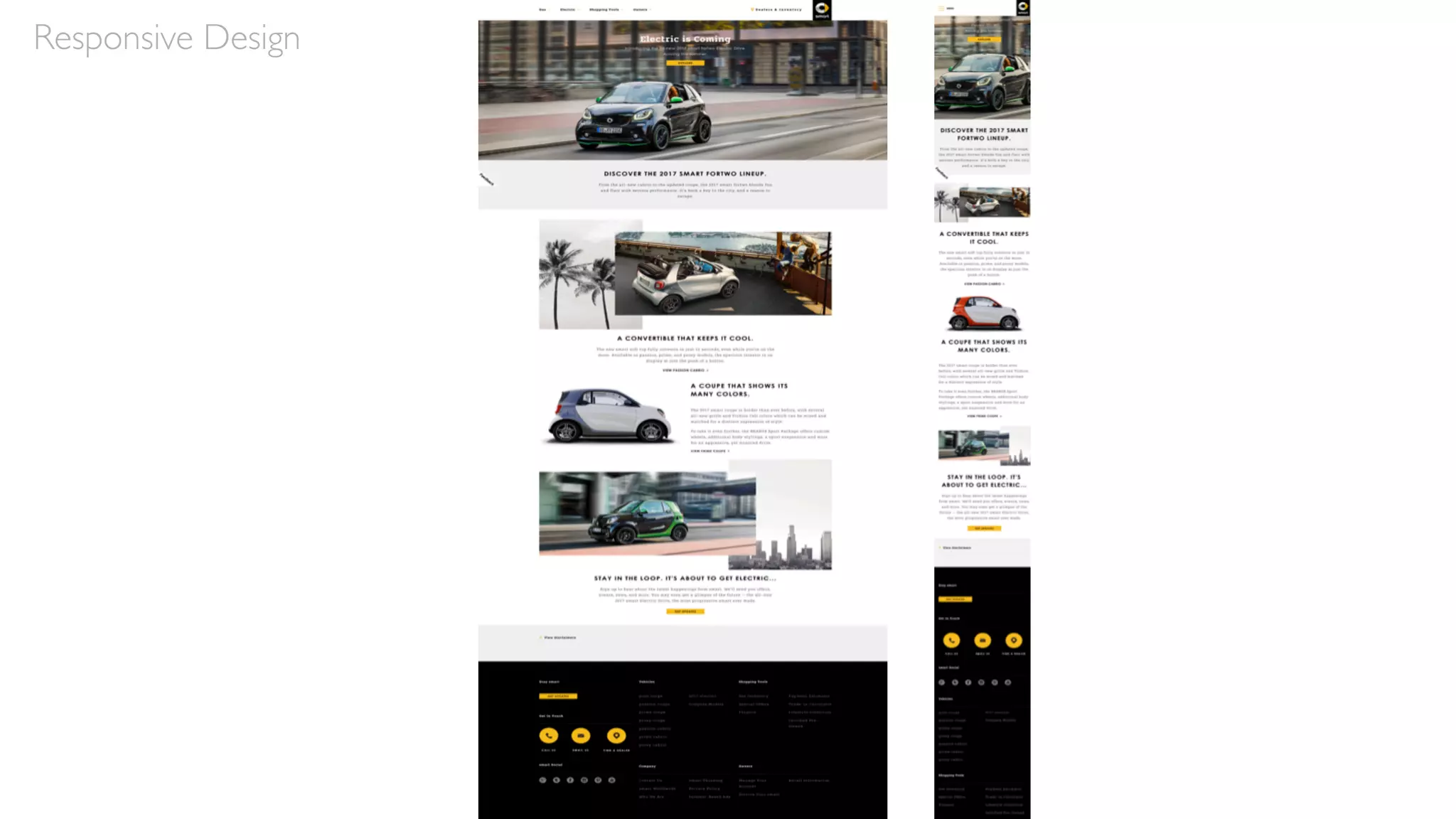
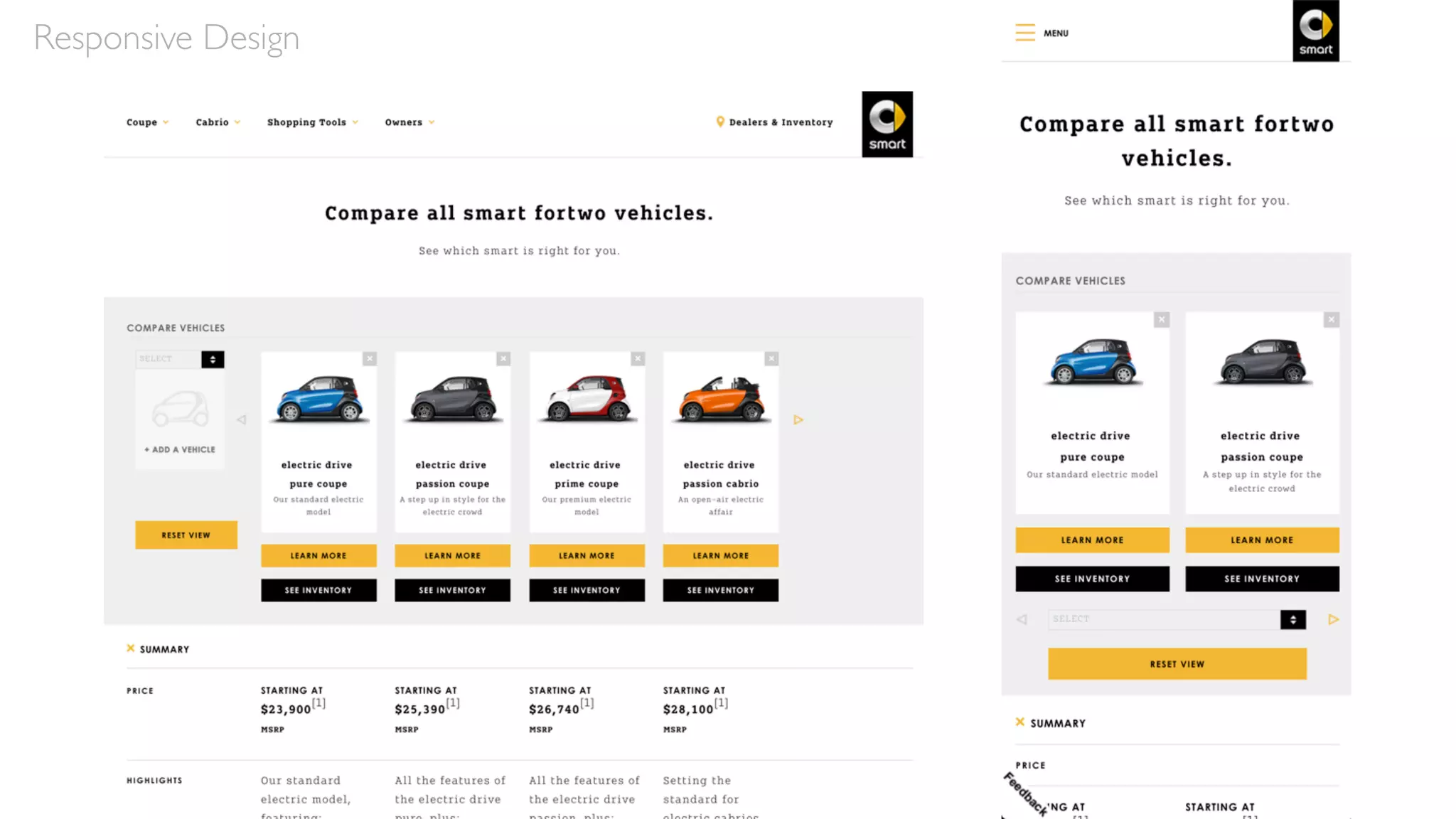
Responsive design distributing the same modules across desktop, tablet and mobile
Desktop Tablet Mobile
Responsive Design
Hierarchies
Maintain Hierarchies
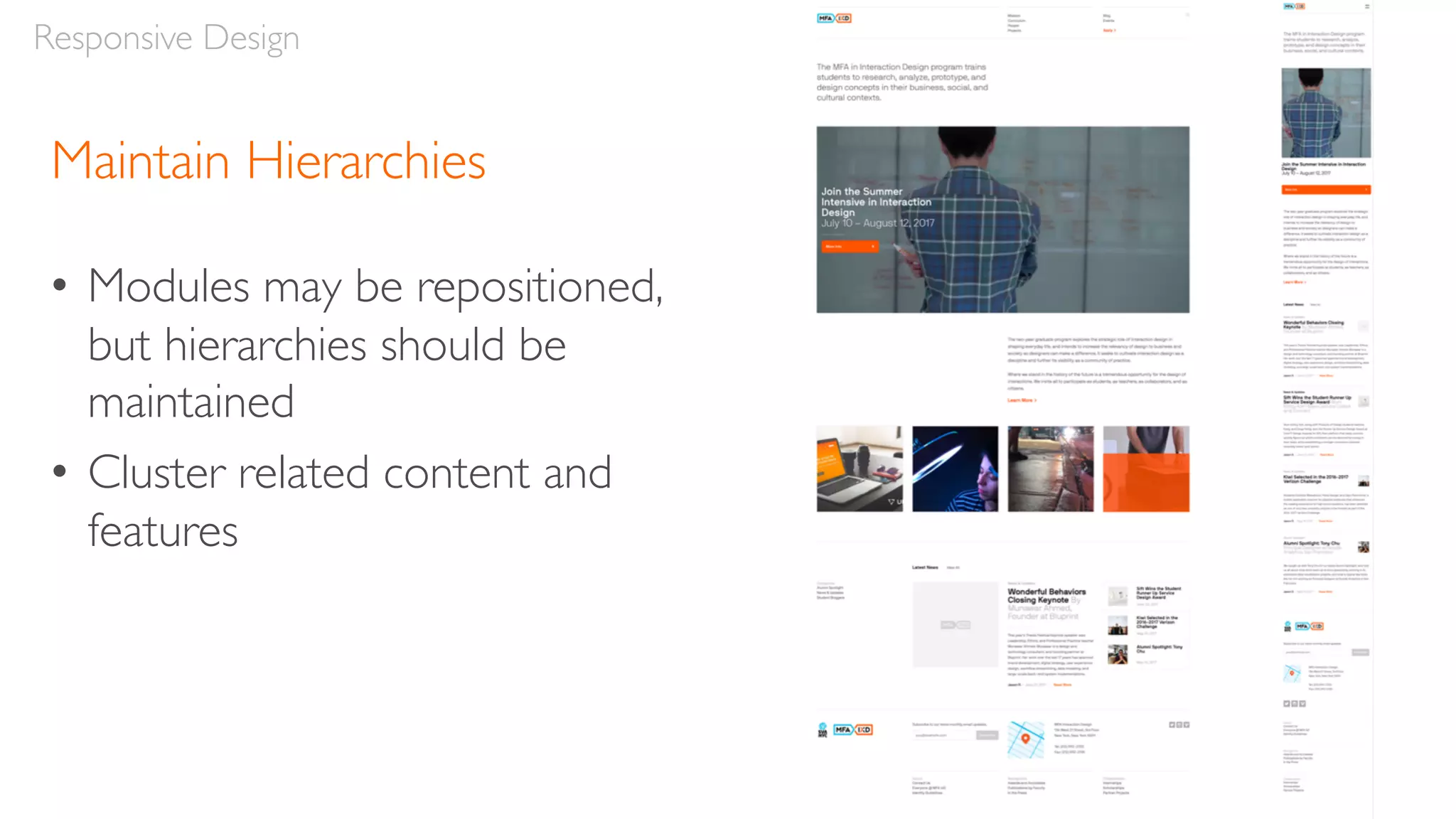
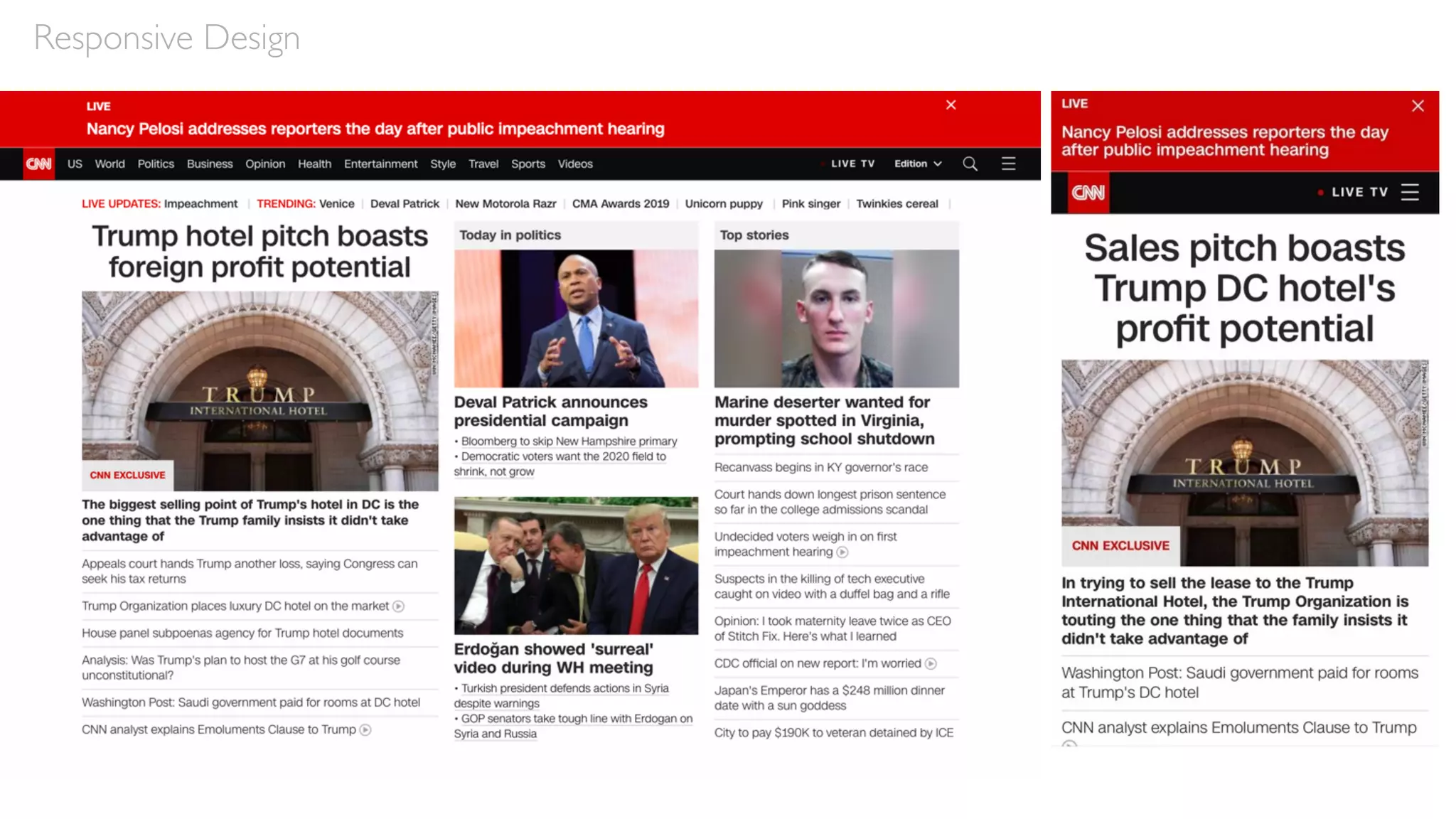
• Modules may be repositioned,
but hierarchies should be
maintained
• Cluster related content and
features
Responsive Design
Responsive Design
Break Points
Break Points
• Responsive designs adjust at different “break points” for
various resolutions
• These correspond to the dimensions of various devices,
typically desktop, tablet and mobile
• However, they’re intended to be content, not device-
specific
Responsive Design
Responsive Design
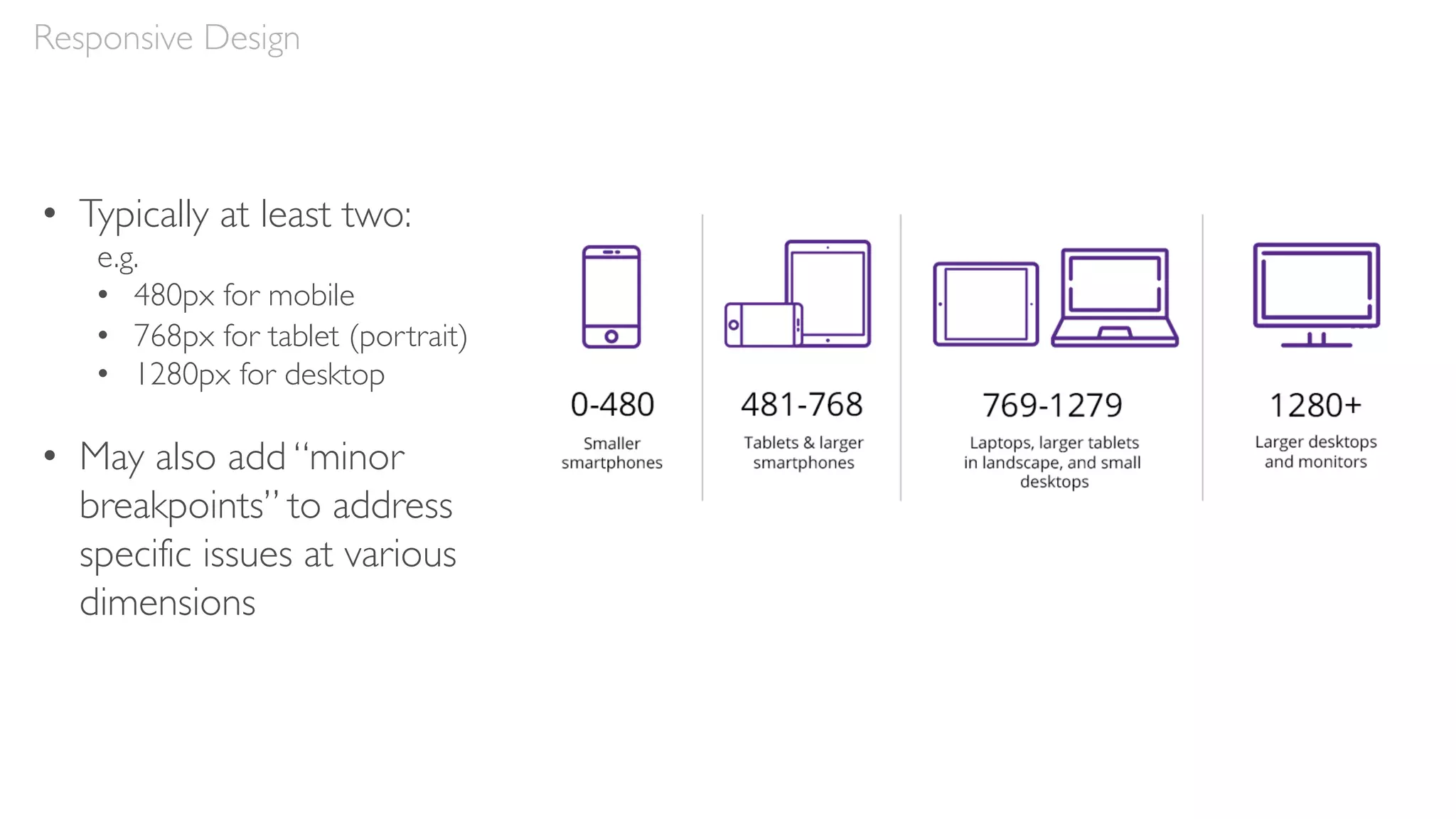
• Typically at least two:
e.g.
• 480px for mobile
• 768px for tablet (portrait)
• 1280px for desktop
• May also add “minor
breakpoints” to address
specific issues at various
dimensions
Responsive Design
Grids
Grids
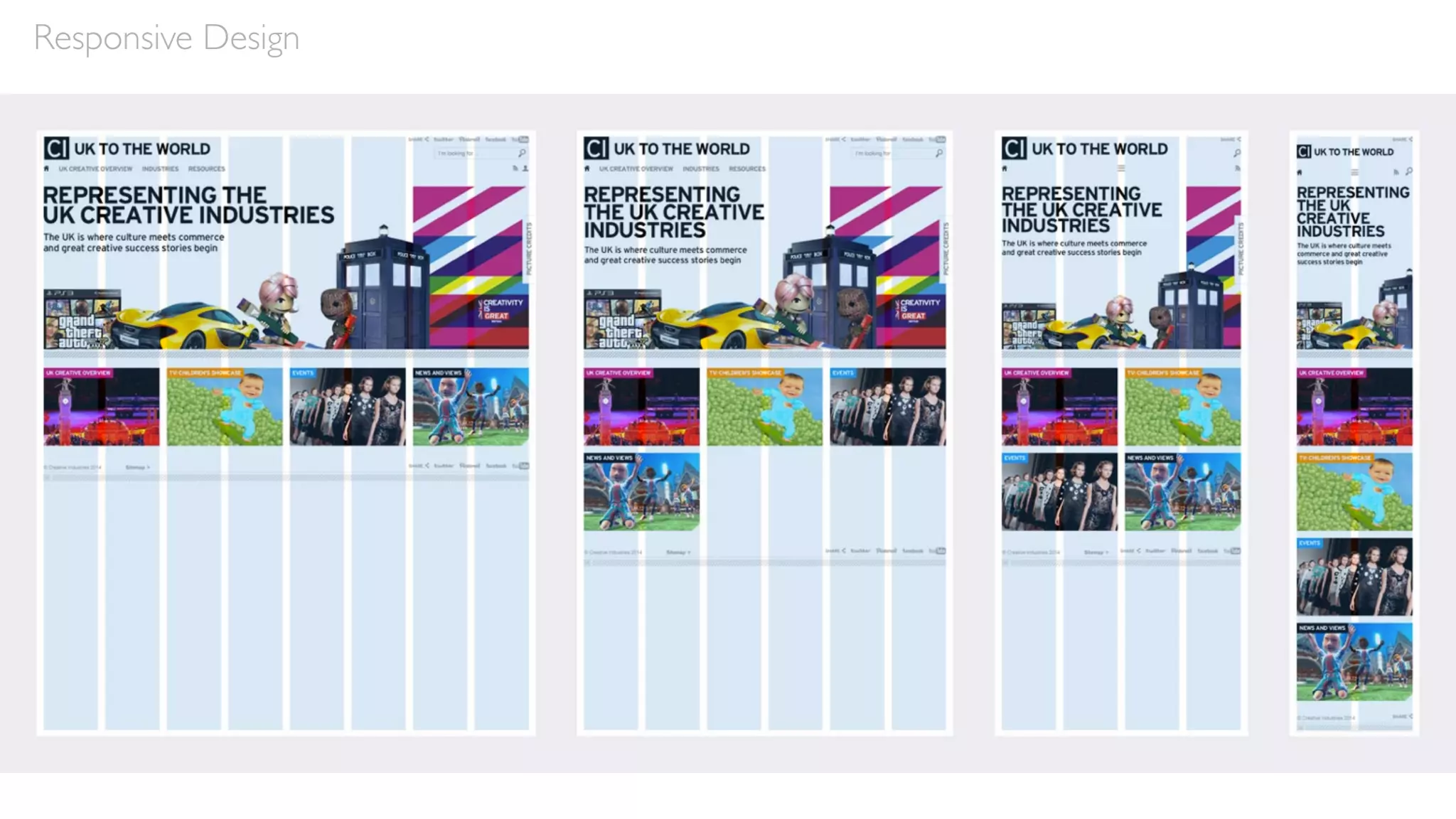
• Grids are fluid within a responsive design—they change
according to screen dimensions
• For example, a desktop design might utilize a 12-column
grid, tablet a 9-column grid, and mobile a 4-column grid
• Depending on the screen, modules may shift both in
size and in placement
Responsive Design
Responsive Design
Navigation
Handling Navigation
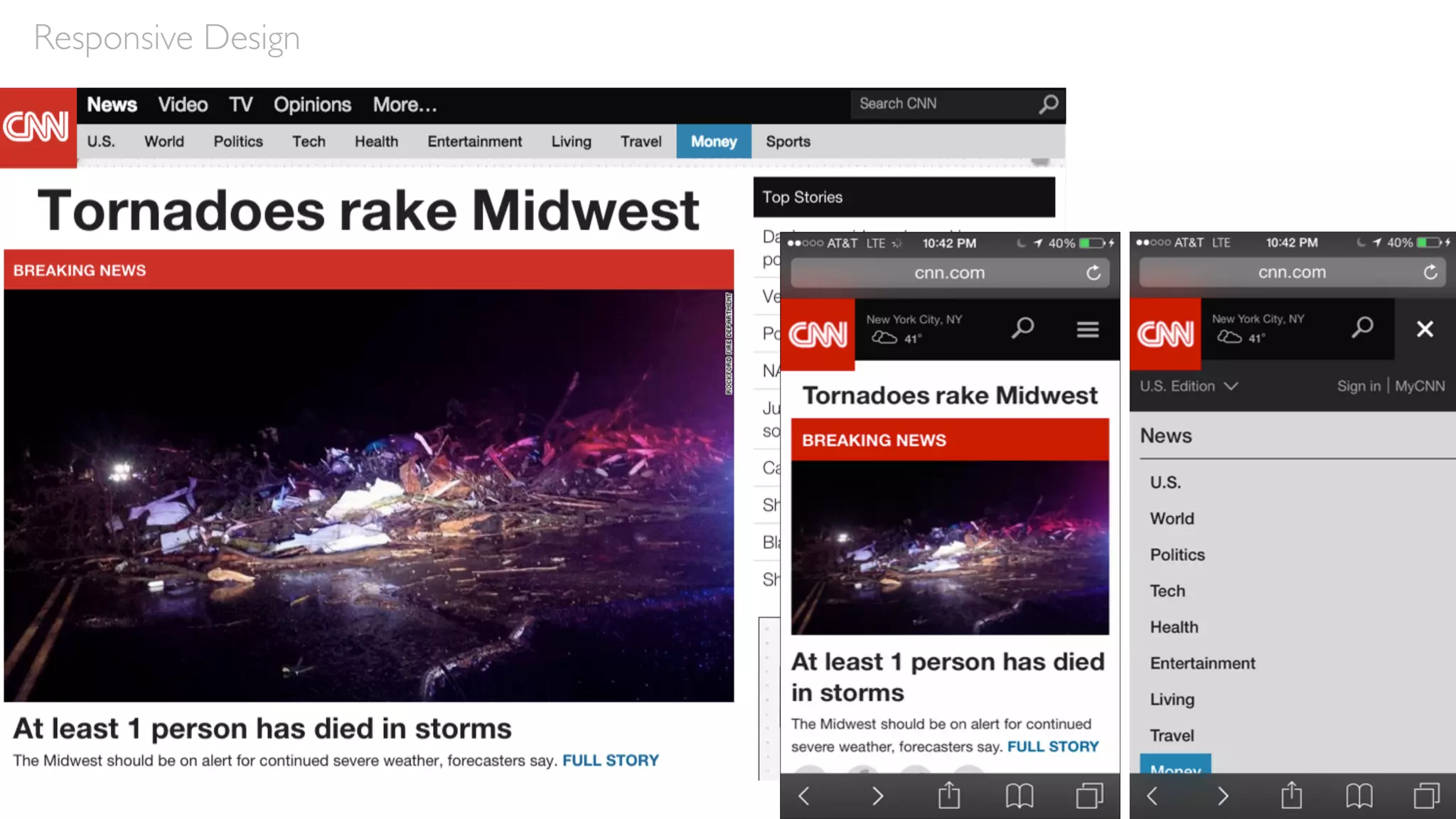
• Navigation may be repositioned
• Often repositioned at tablet but especially on mobile
• On desktop, navigation elements may be activated via hover
instead of click, since users are utilizing a cursor; but in tablet and
mobile, these main nav elements must be activated via touch
• So design navigation to be touch friendly—e.g. large, tactile targets
• Detailed dropdowns and filters could be presented in an overlay in
mobile
Responsive Design
Responsive Design
Responsive Design
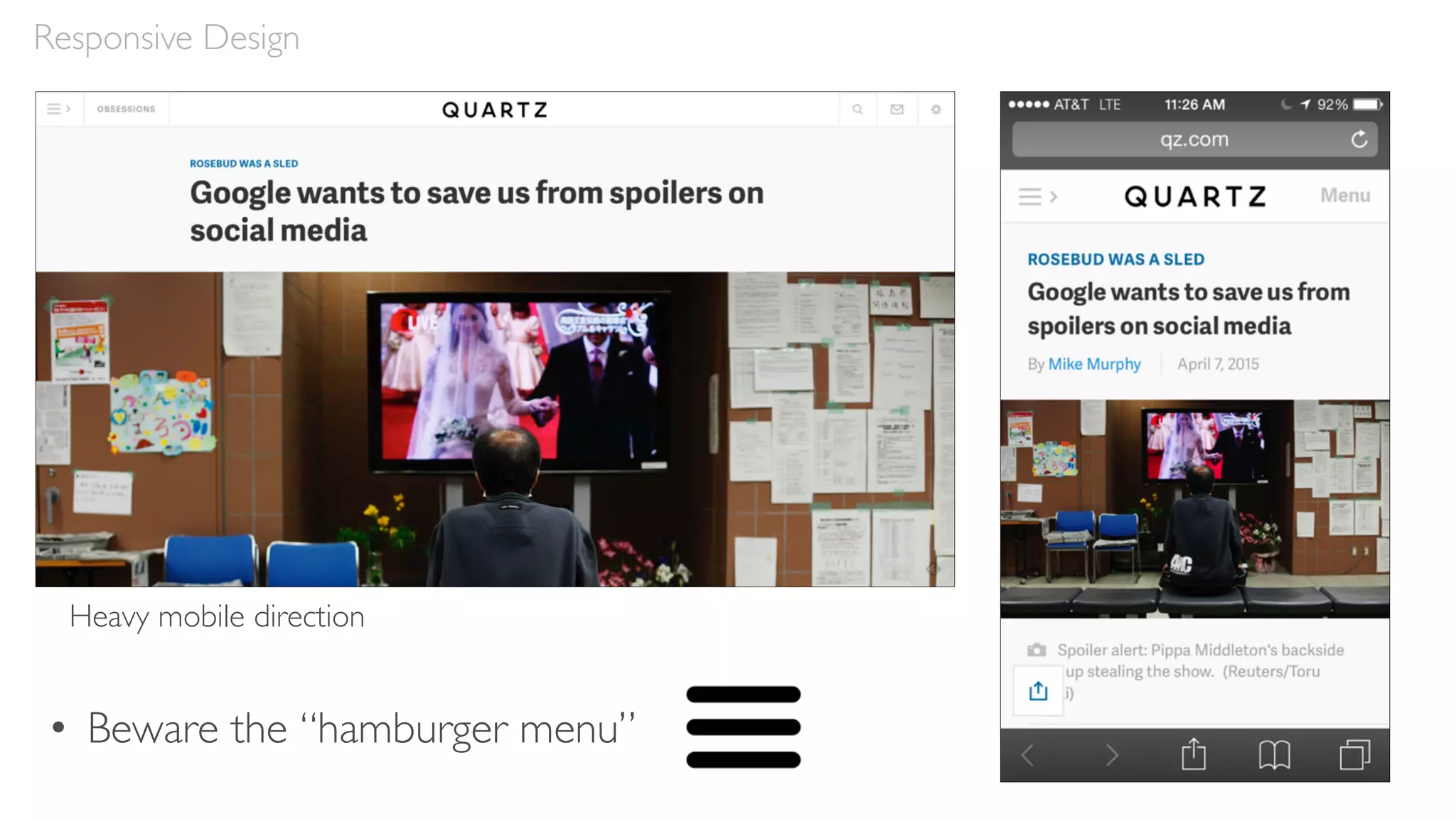
Heavy mobile direction
• Beware the “hamburger menu”
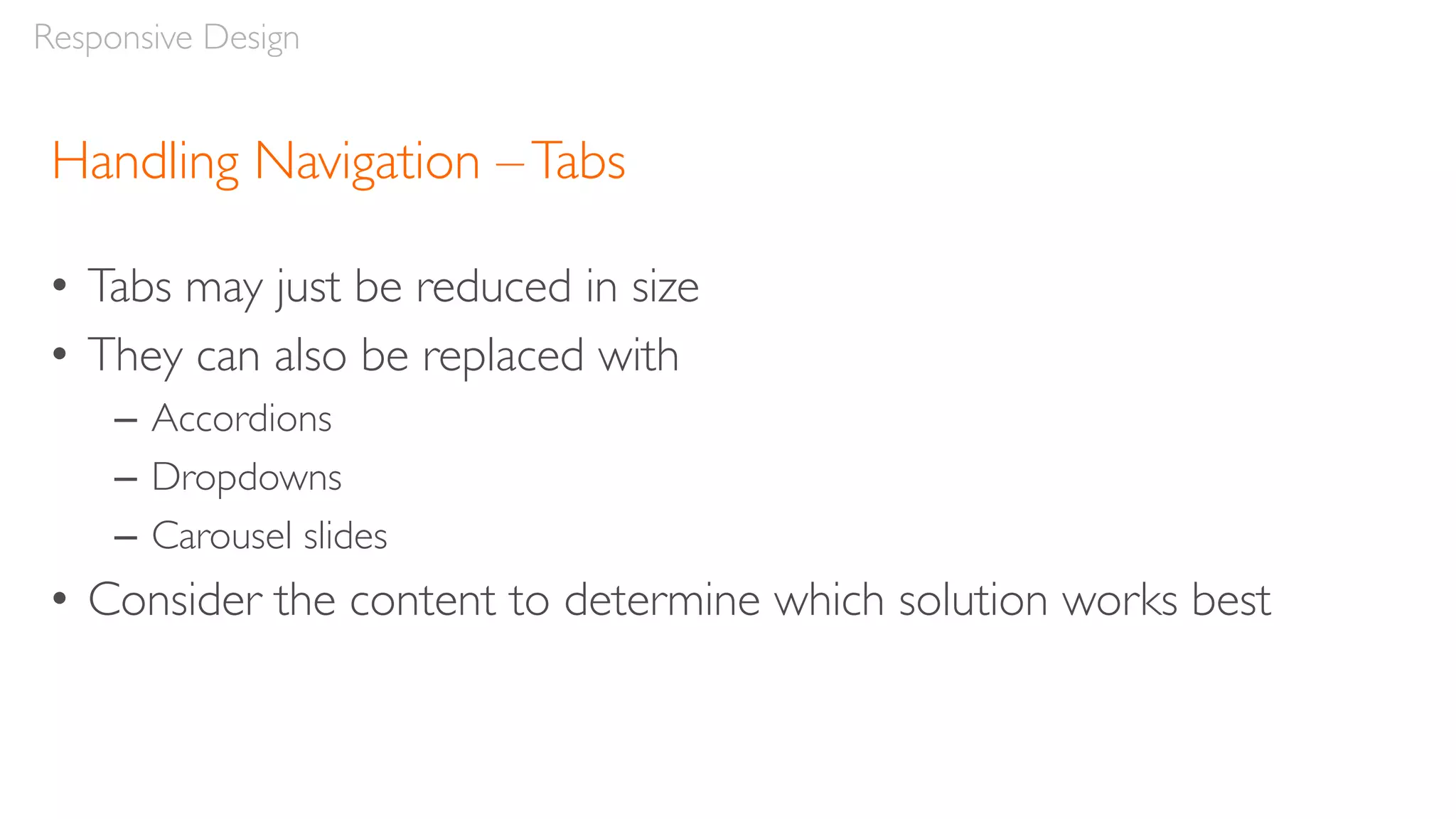
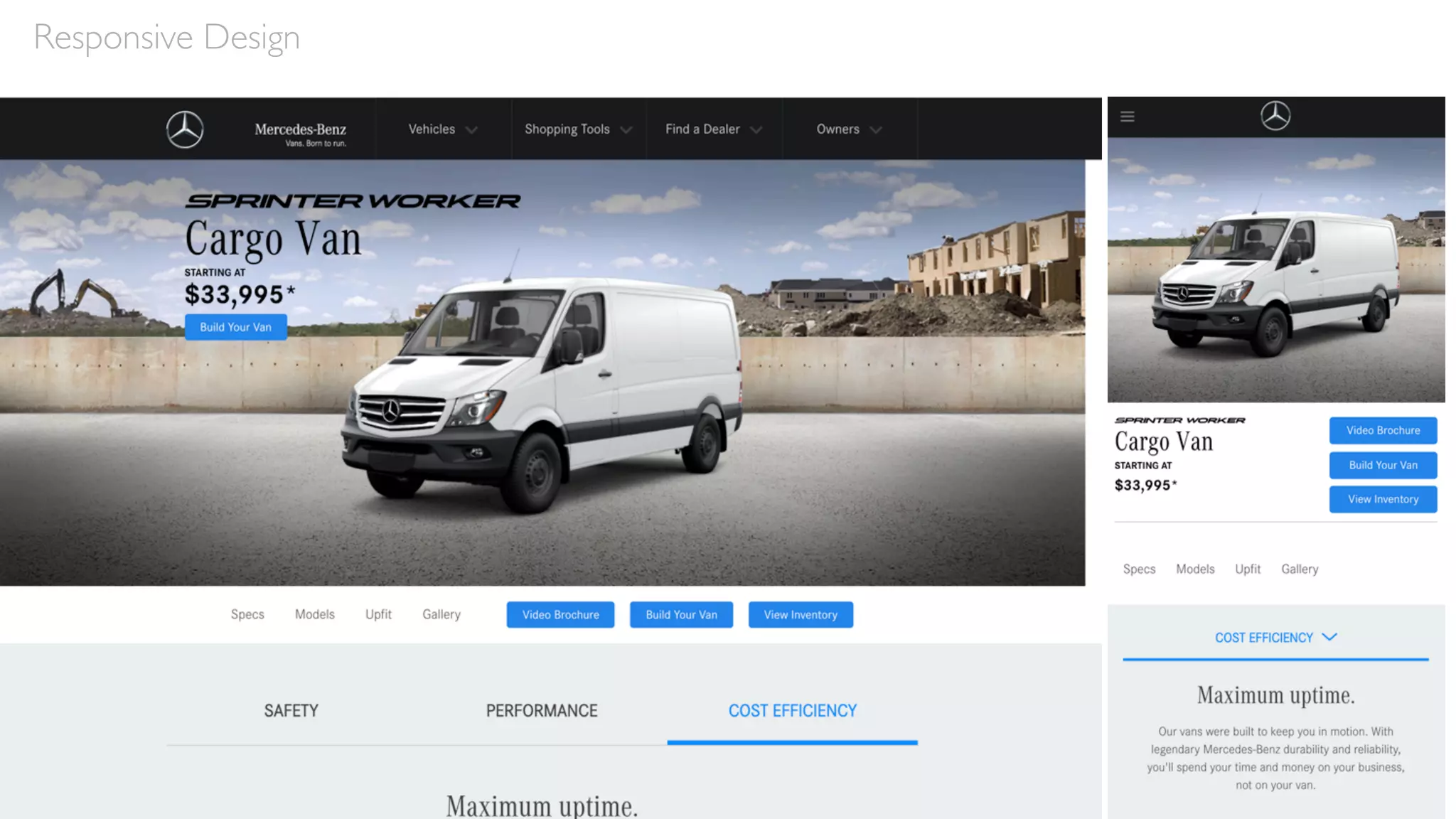
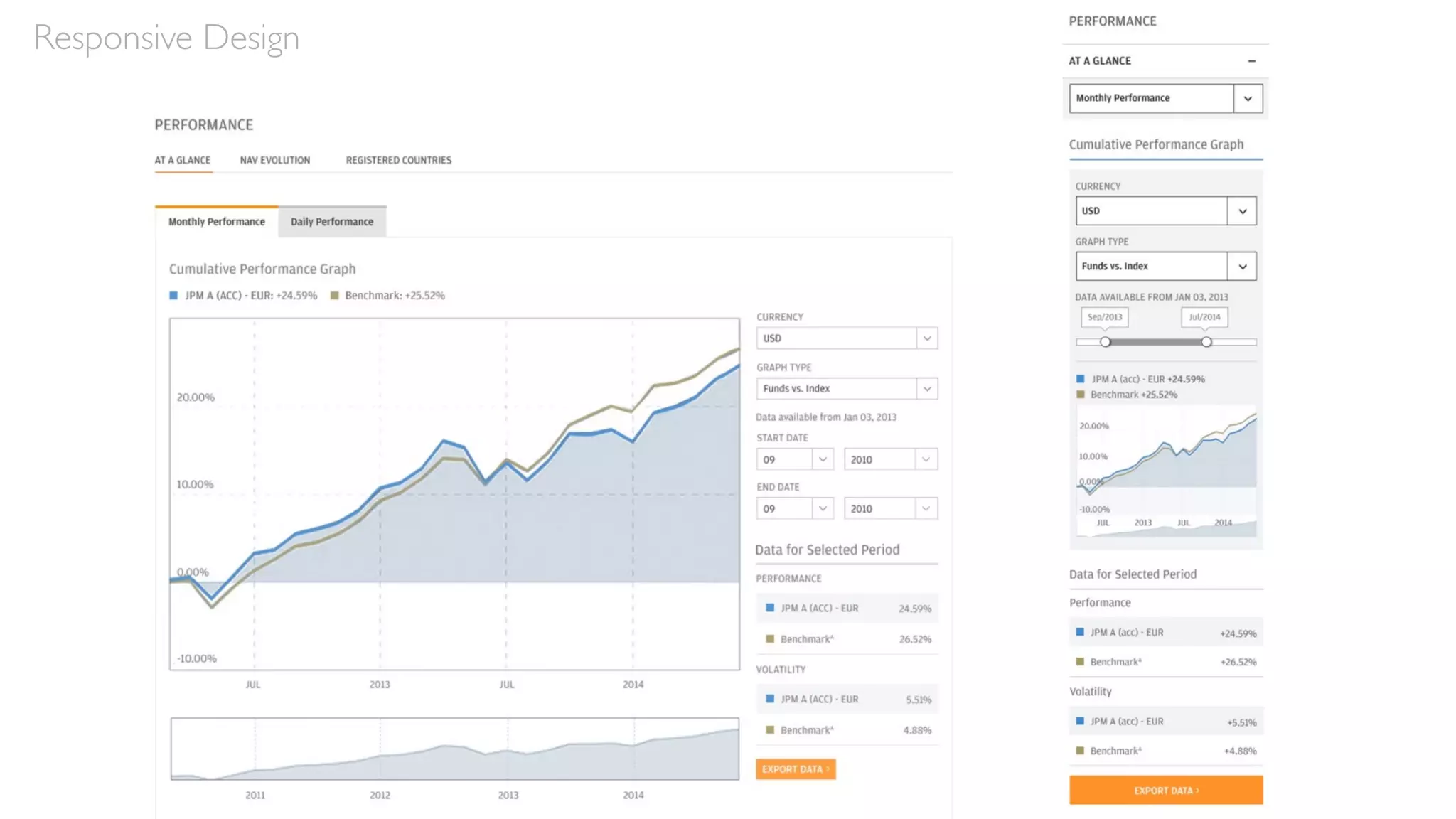
Handling Navigation –Tabs
• Tabs may just be reduced in size
• They can also be replaced with
– Accordions
– Dropdowns
– Carousel slides
• Consider the content to determine which solution works best

Responsive Design
Responsive Design
Responsive Design
Tables
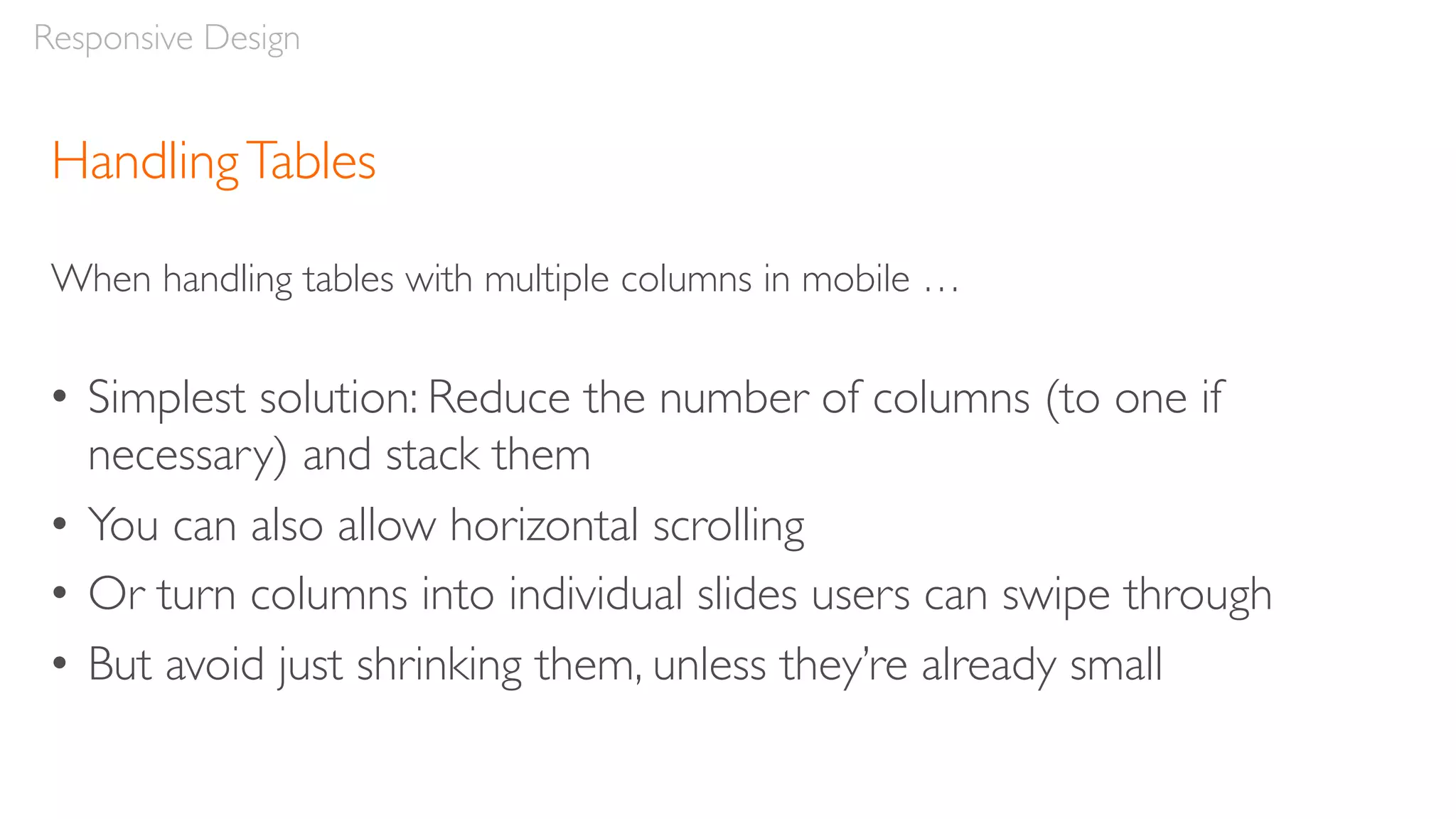
HandlingTables
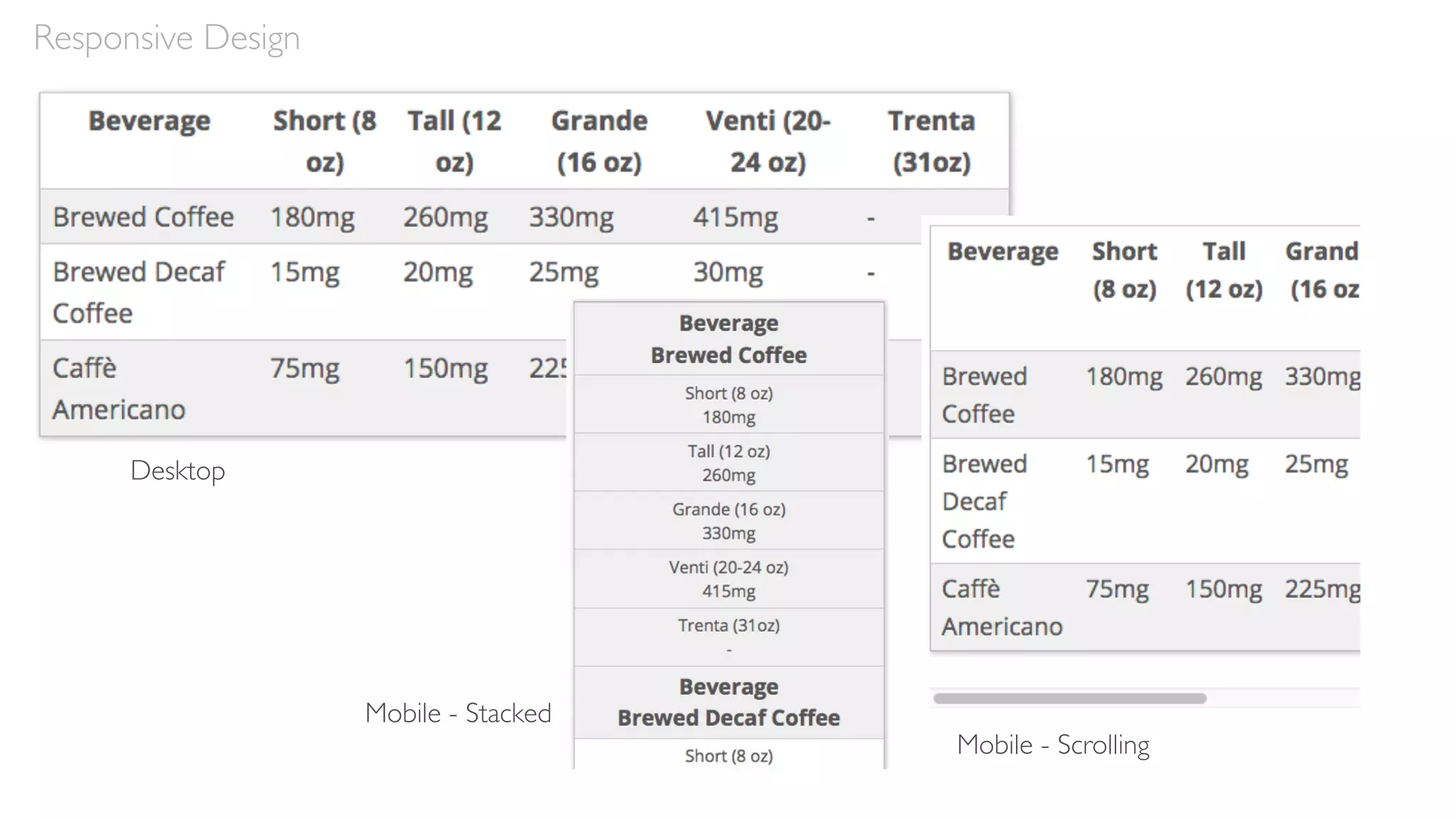
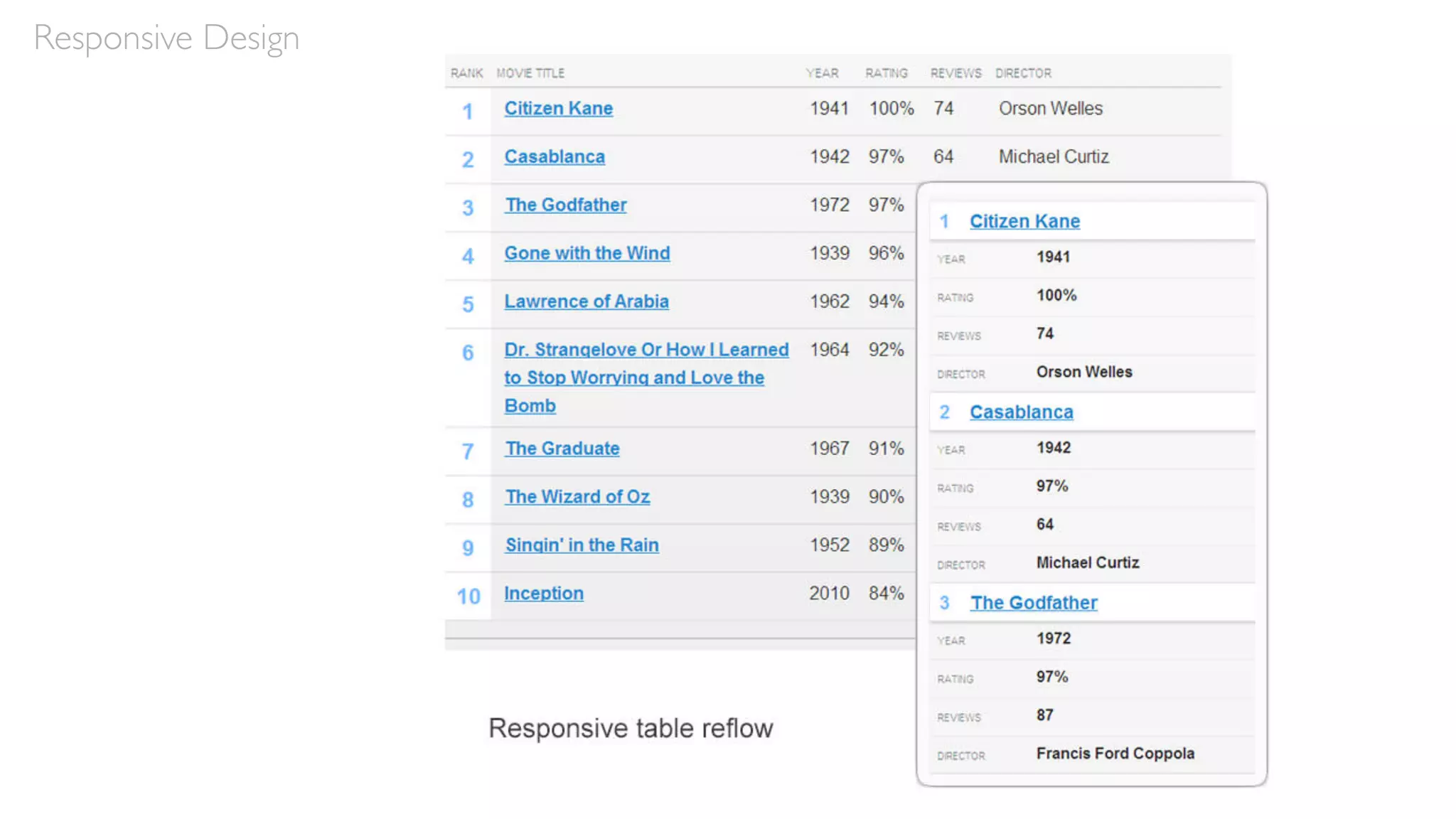
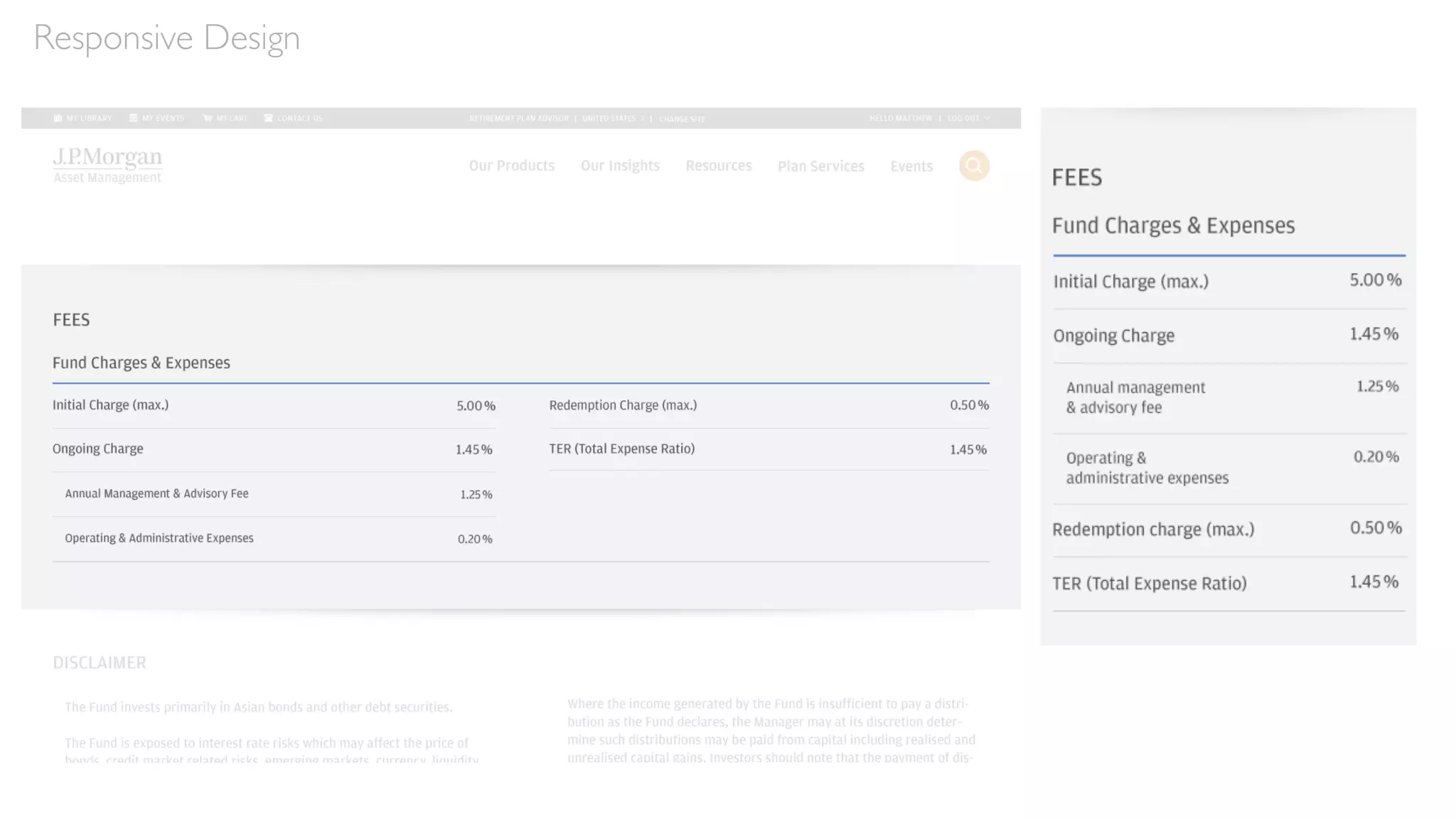
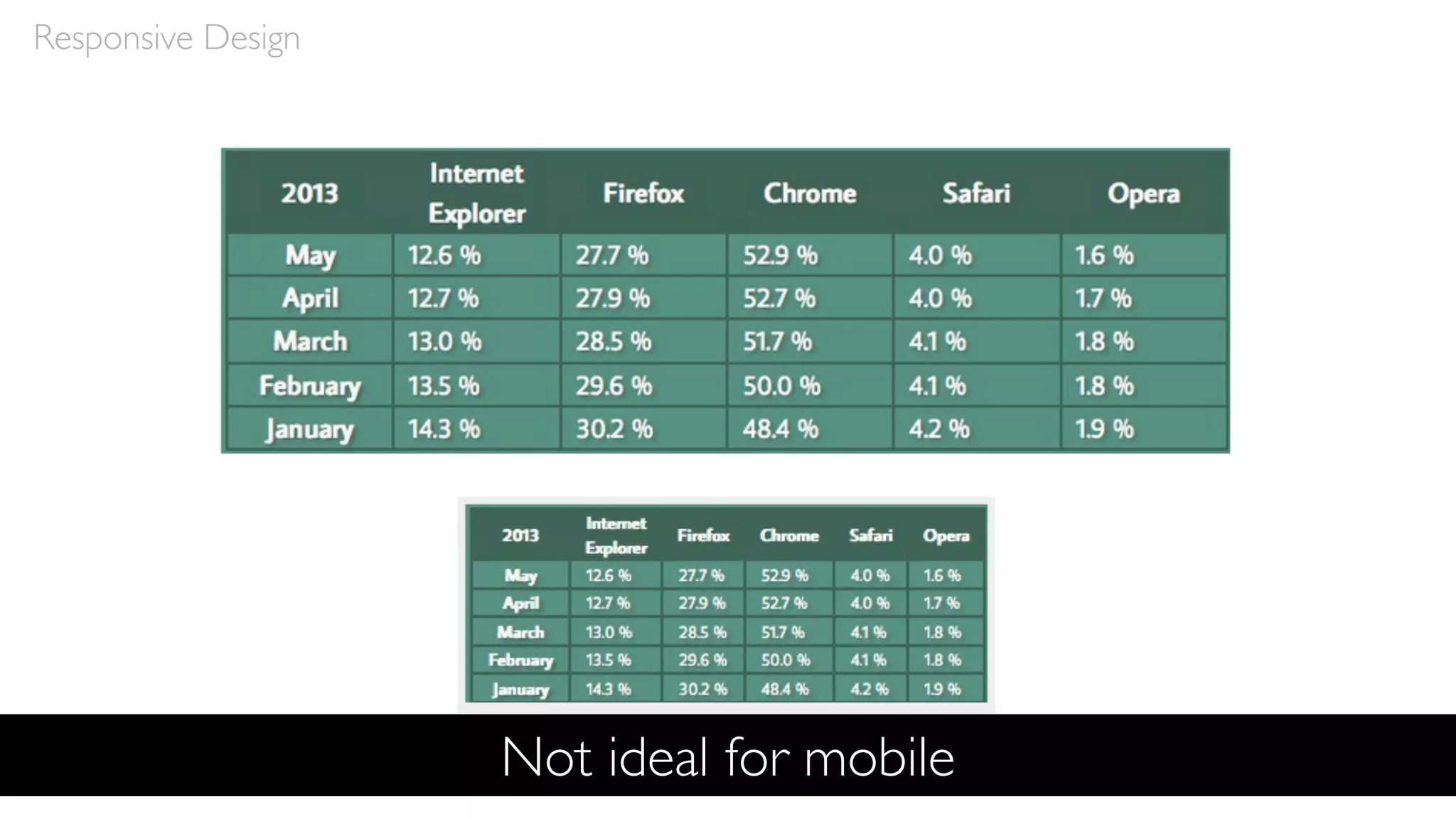
When handling tables with multiple columns in mobile …
• Simplest solution: Reduce the number of columns (to one if
necessary) and stack them
• You can also allow horizontal scrolling
• Or turn columns into individual slides users can swipe through
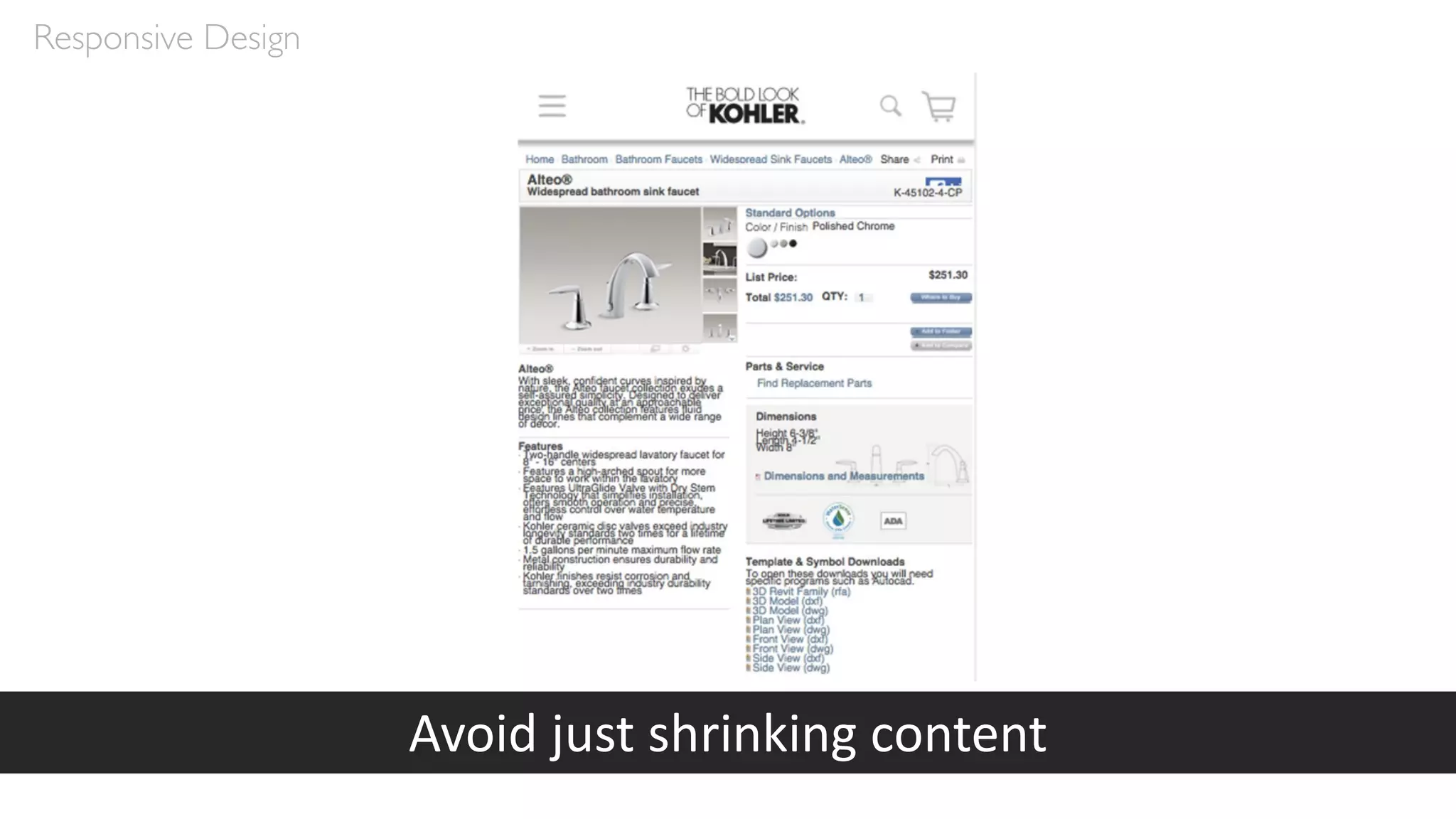
• But avoid just shrinking them, unless they’re already small
Responsive Design
Responsive Design
Desktop
Mobile - Scrolling
Mobile - Stacked
Responsive Design
Responsive Design
Responsive Design
Responsive Design
Not ideal for mobile
Images
Images
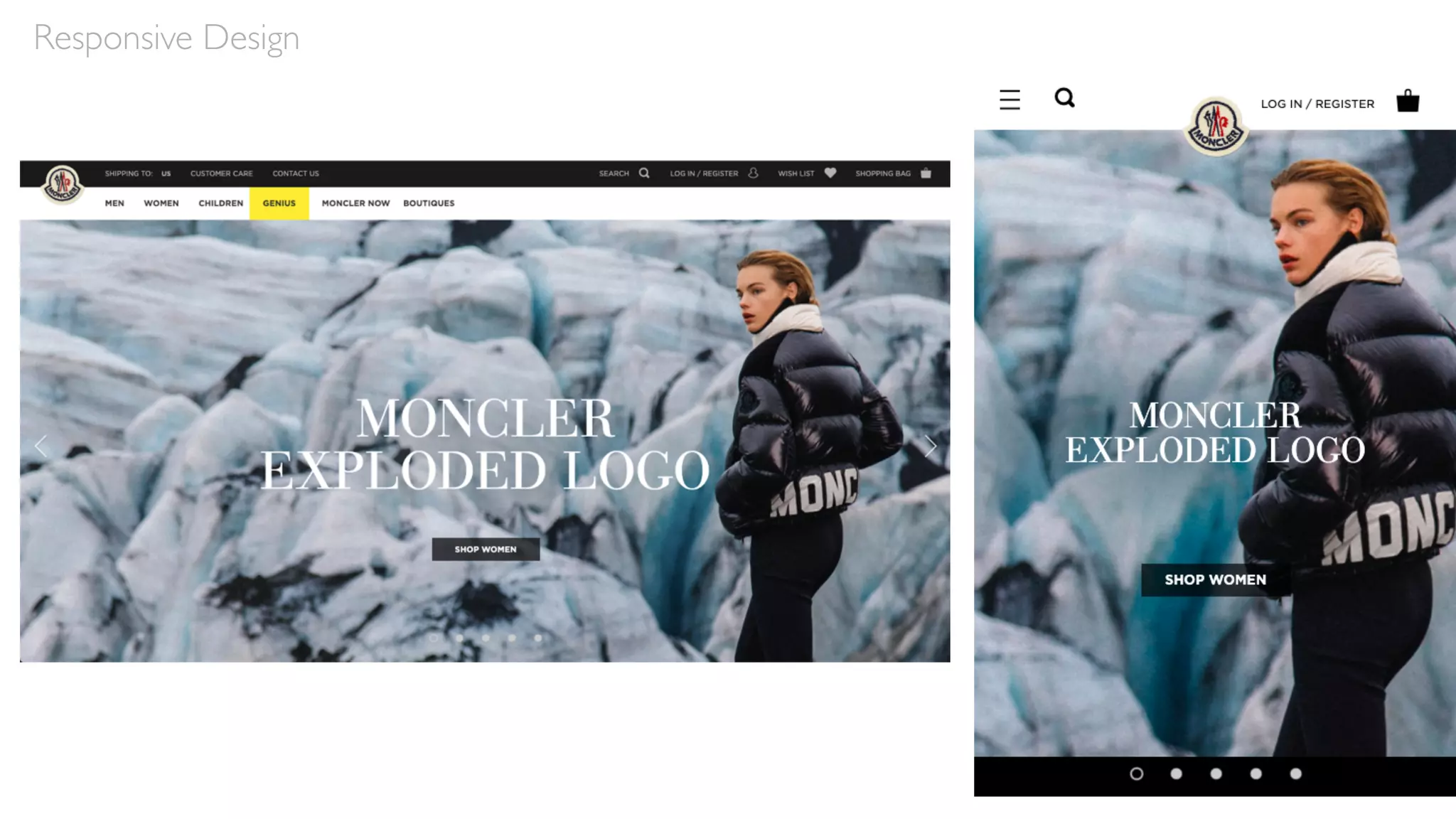
• Generally, images should be “fluid”
• They will scale down in size as the screen resolution changes
• They may maintain their size, but be cropped if they’re primarily
decorative
• In this case, images must be selected carefully so important
elements aren’t automatically cropped out
• In some cases, if the image isn’t needed—if it’s just decorative, not
functional—it may be dropped entirely for mobile
Responsive Design
Responsive Design
Responsive Design
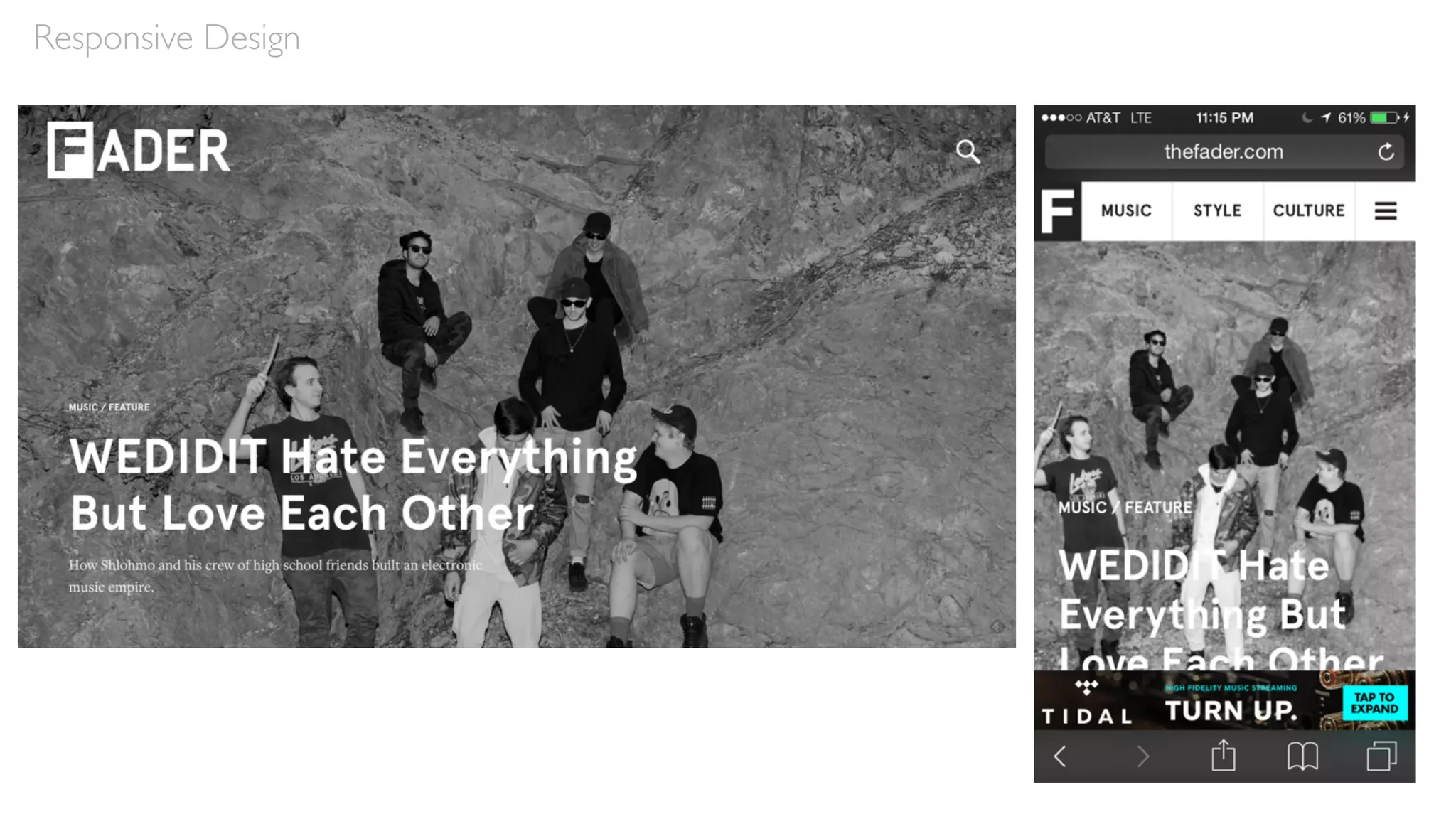
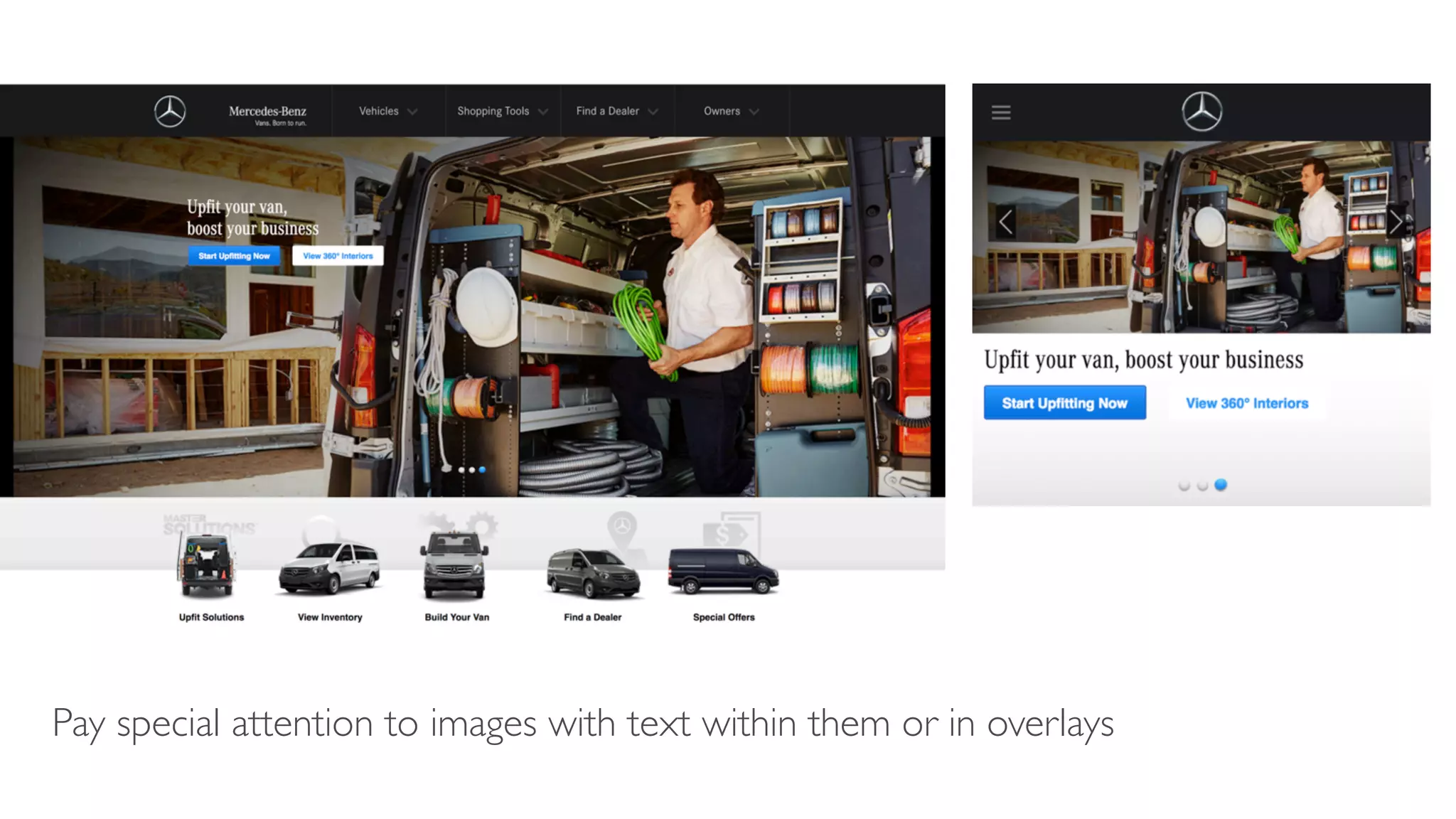
Pay special attention to images with text within them or in overlays
Text
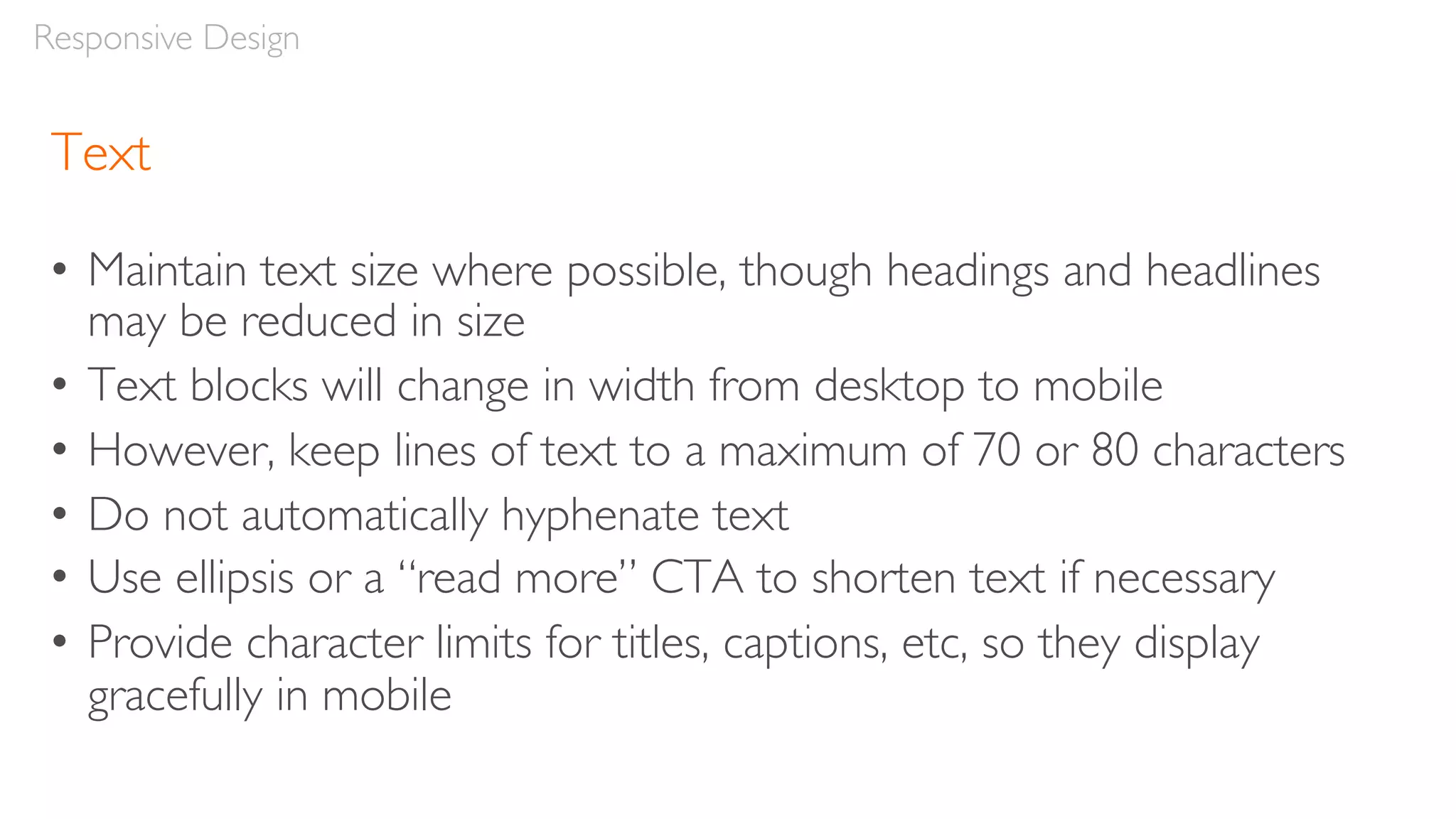
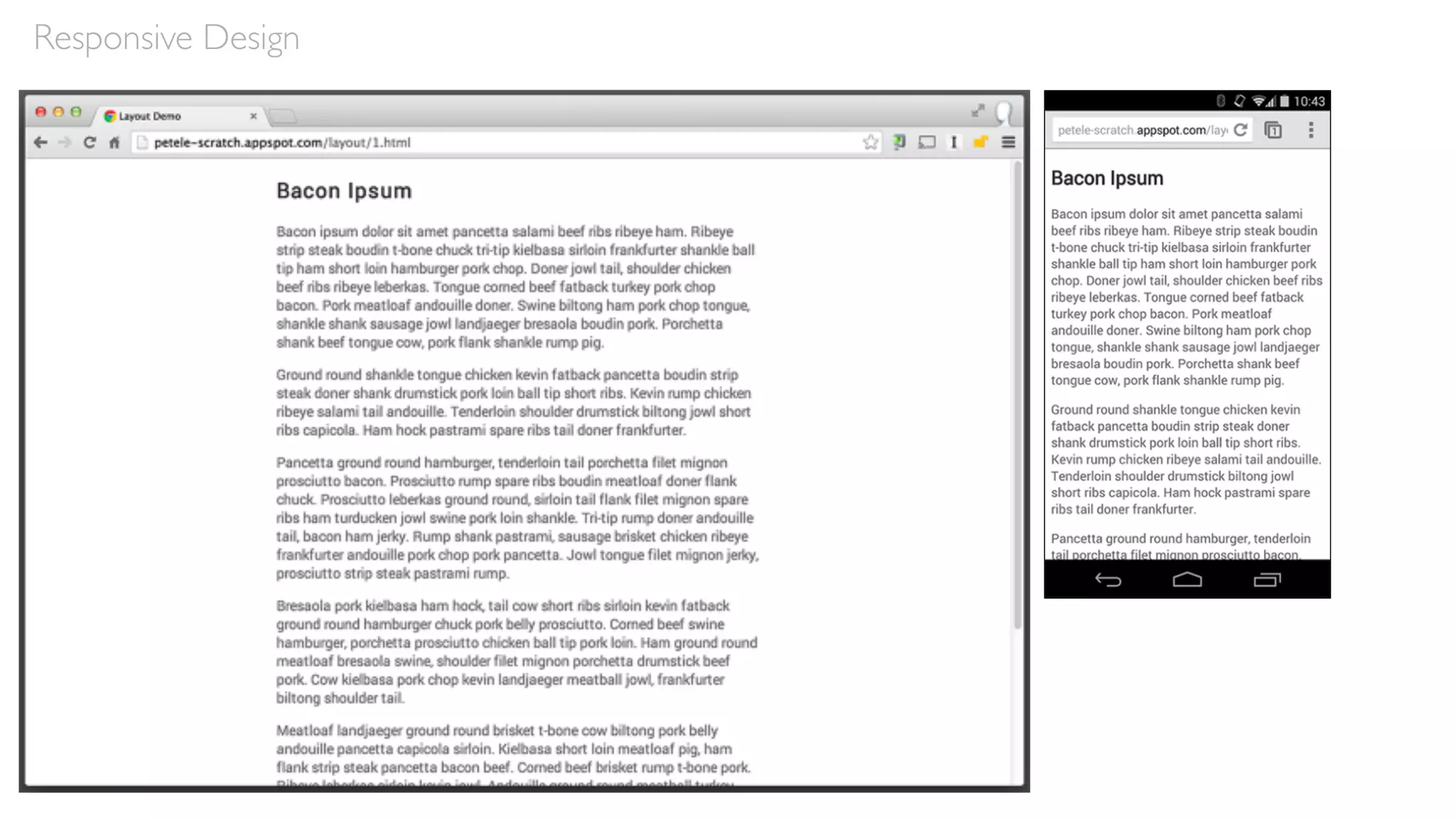
• Maintain text size where possible, though headings and headlines
may be reduced in size
• Text blocks will change in width from desktop to mobile
• However, keep lines of text to a maximum of 70 or 80 characters
• Do not automatically hyphenate text
• Use ellipsis or a “read more” CTA to shorten text if necessary
• Provide character limits for titles, captions, etc, so they display
gracefully in mobile
Responsive Design
Responsive Design
Responsive Design
Avoid just shrinking content
Our Project
Develop a museum experience for MoMA which
utilizes a responsive design, so users can engage with it
both at home on their desktop computer to prepare
for their trip and during their visit via mobile.
Our Project
Guidelines
• Everything on the desktop version of the website must
also display on a mobile version
• Give thought to how the site can help visitors during
their onsite visit, but provide some value to users
before and after their trip, too
• Assume visitors have access to Wi-Fi throughout the
entire museum space
Our Project
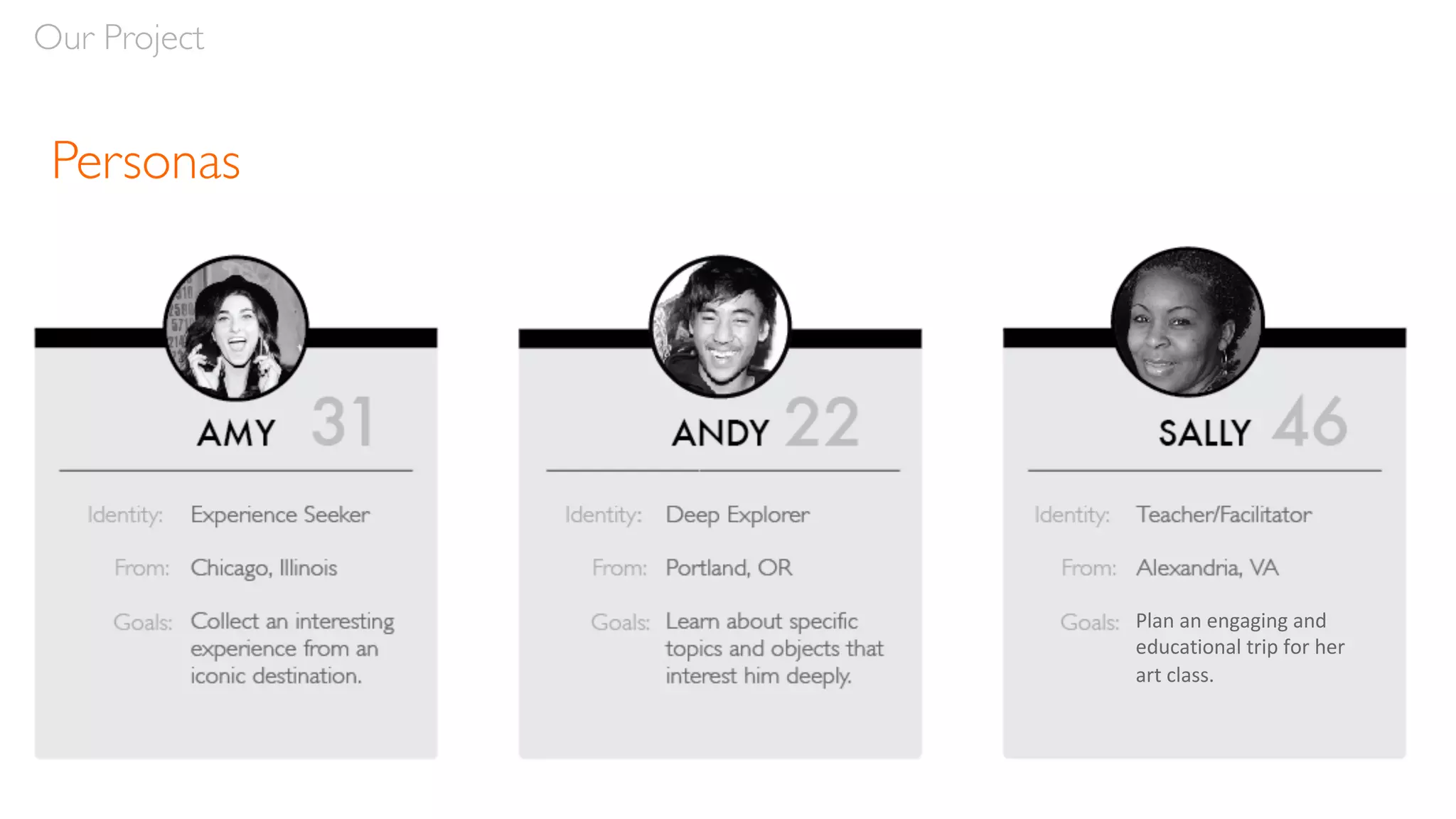
Personas
Our Project
Plan an engaging and
educational trip for her
art class.
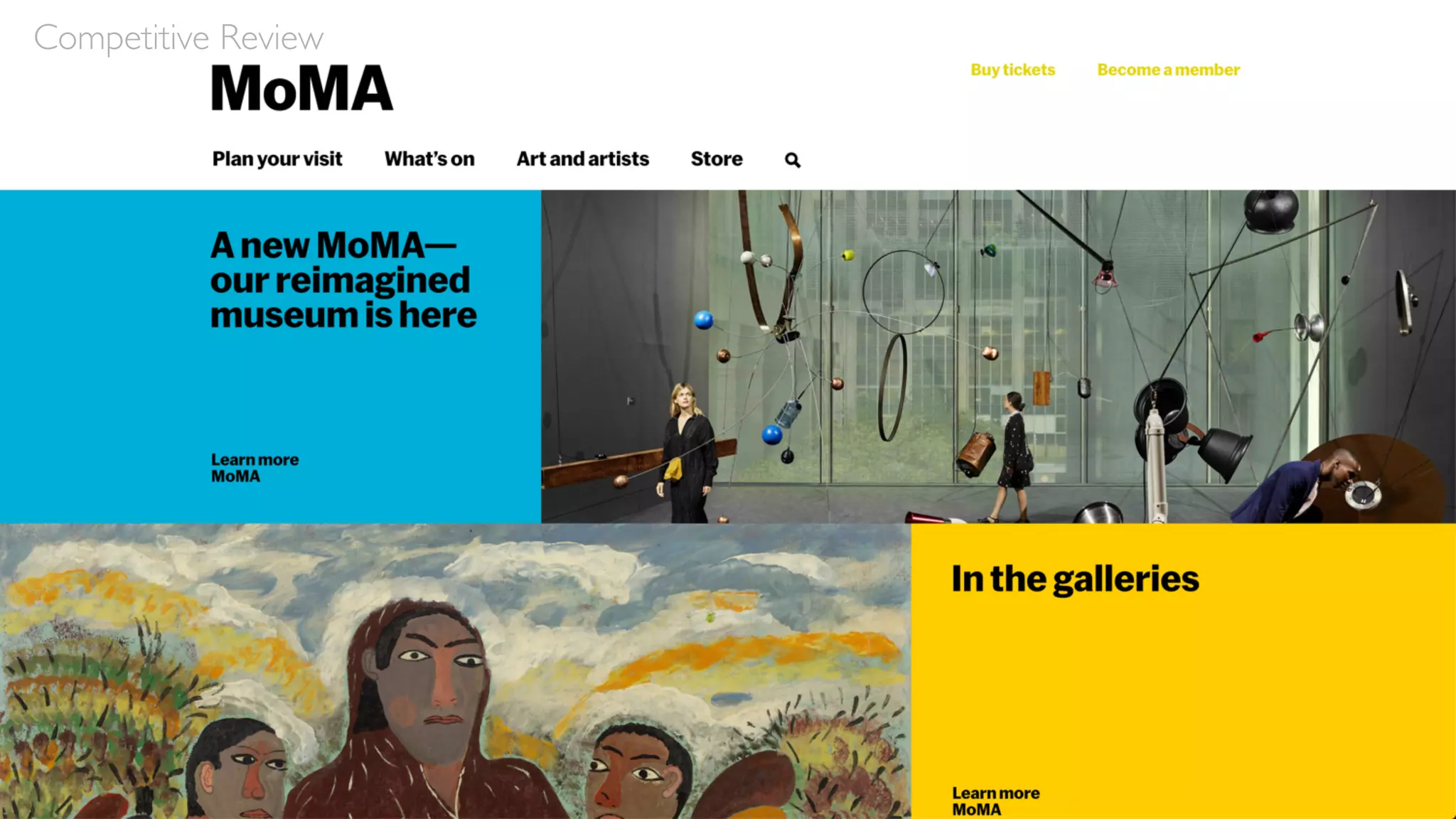
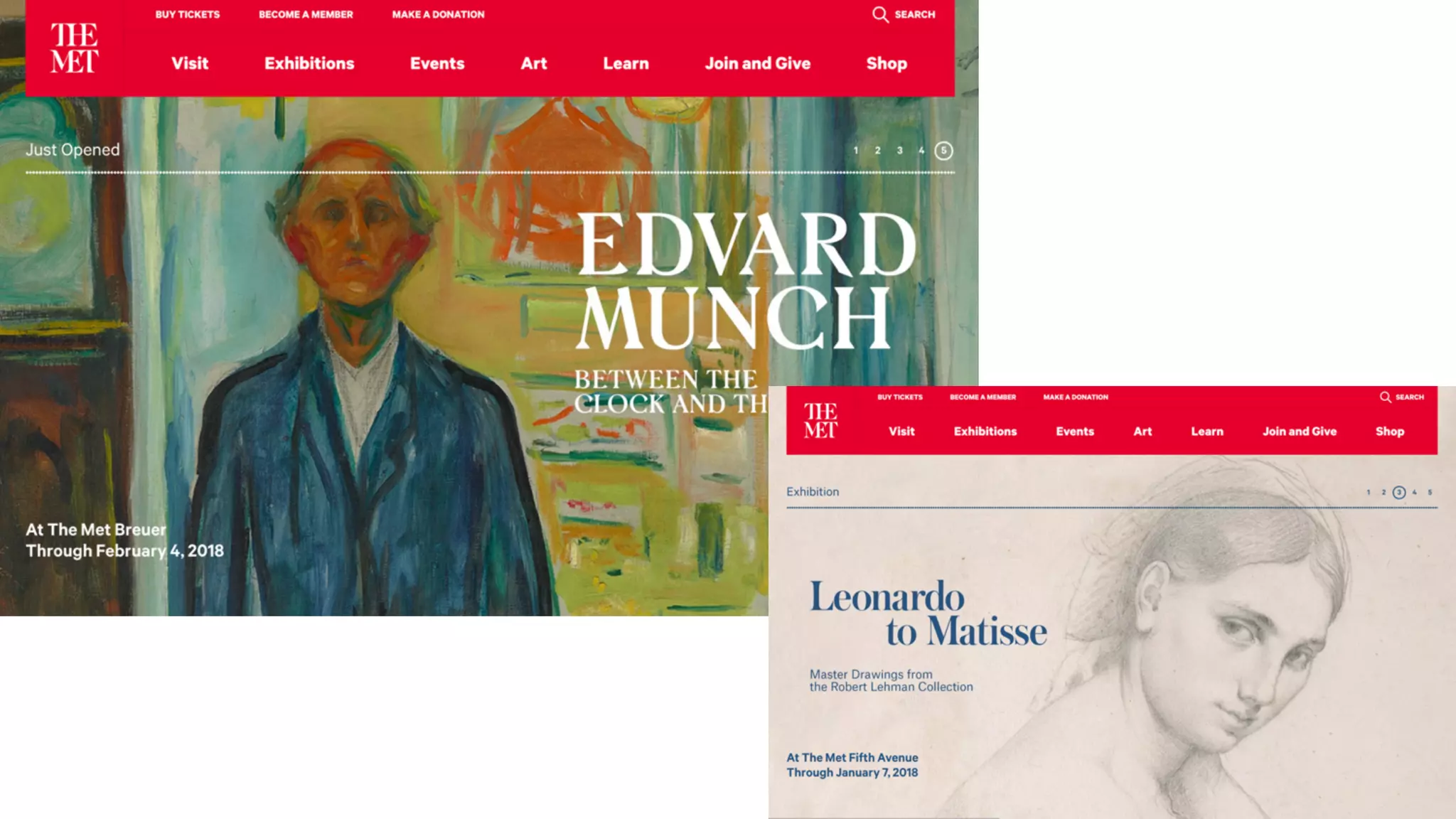
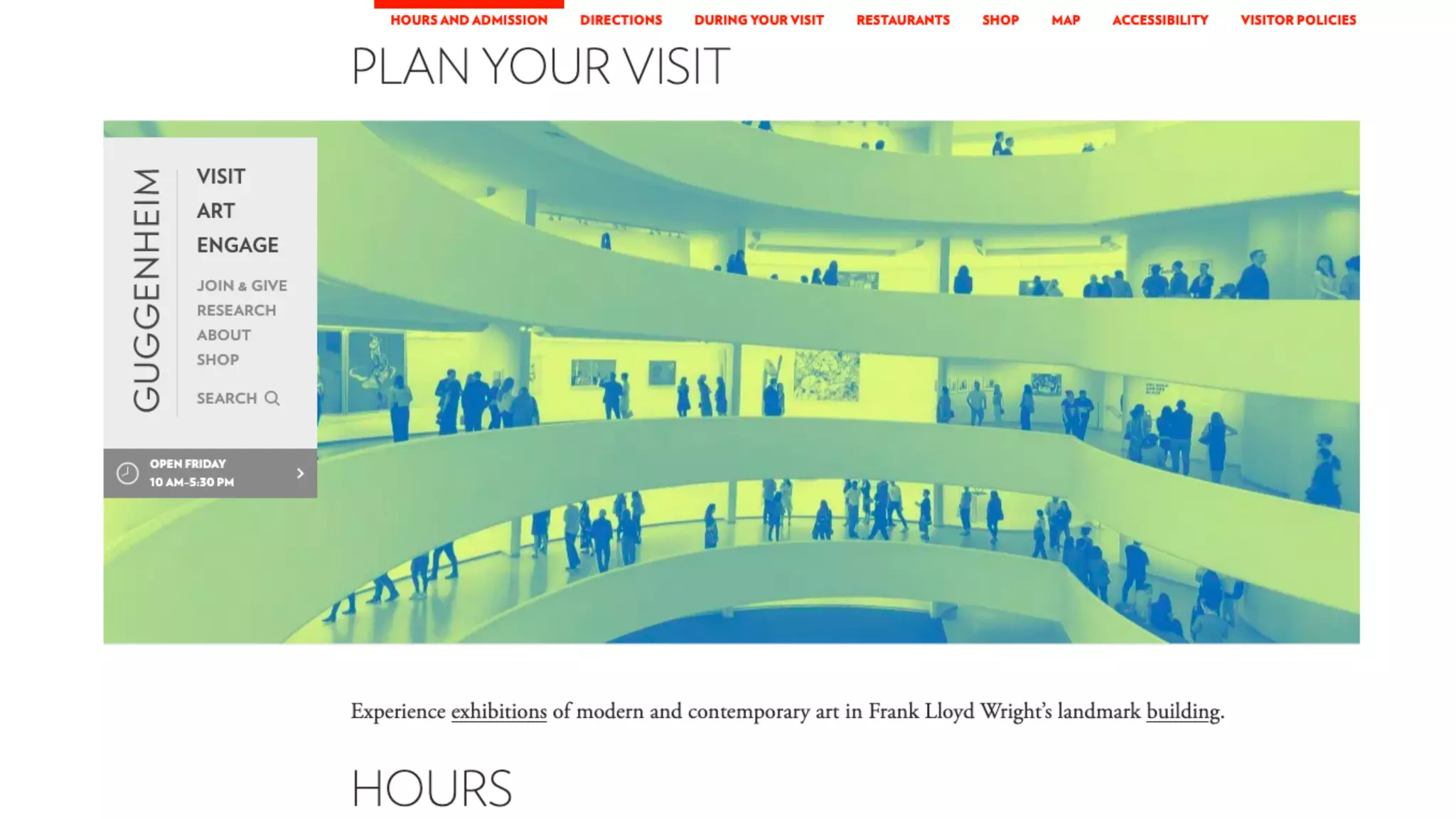
Competitive Review
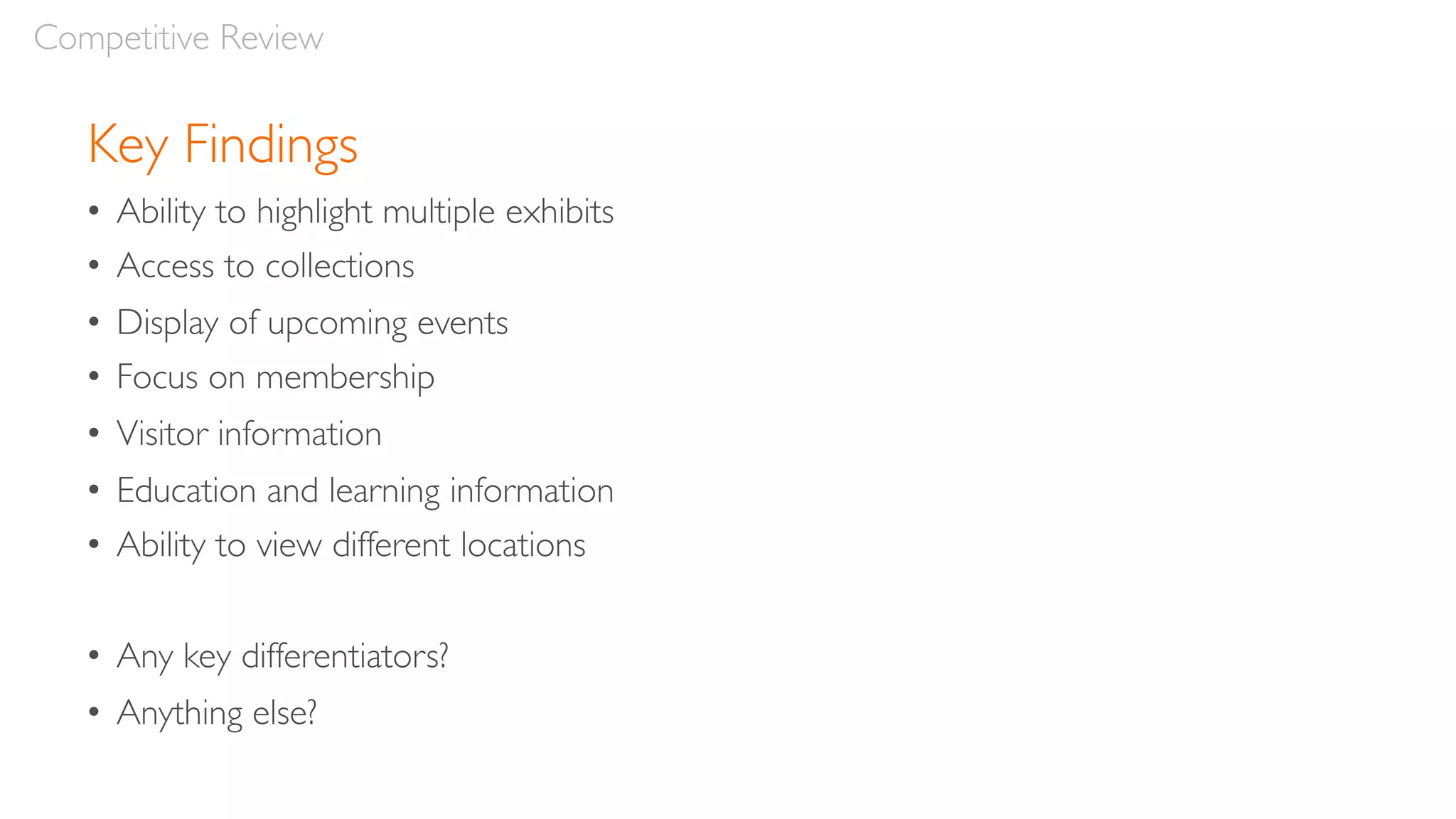
Key Findings
• Ability to highlight multiple exhibits
• Access to collections
• Display of upcoming events
• Focus on membership
• Visitor information
• Education and learning information
• Ability to view different locations
• Any key differentiators?
• Anything else?
Competitive Review
Lunch Break
Afternoon
• User Journeys
• Site Maps
• Team Exercise: Responsive Home Page
• Review & Feedback
• Q&A
Agenda
User Journeys
User Journeys
“Design is all about
entrances and exits.”
—Rem Koolhaas
User Journeys
Definition:
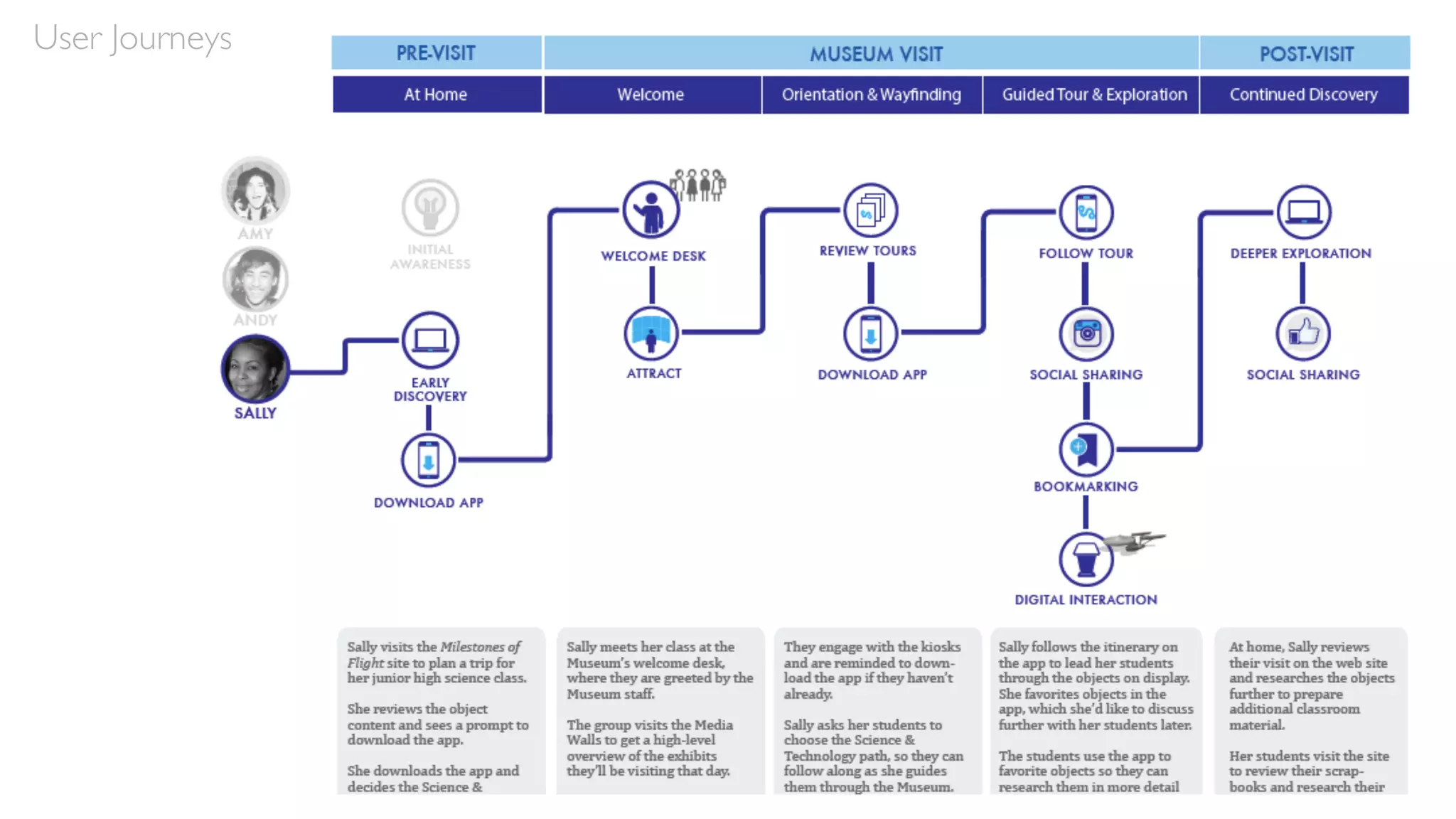
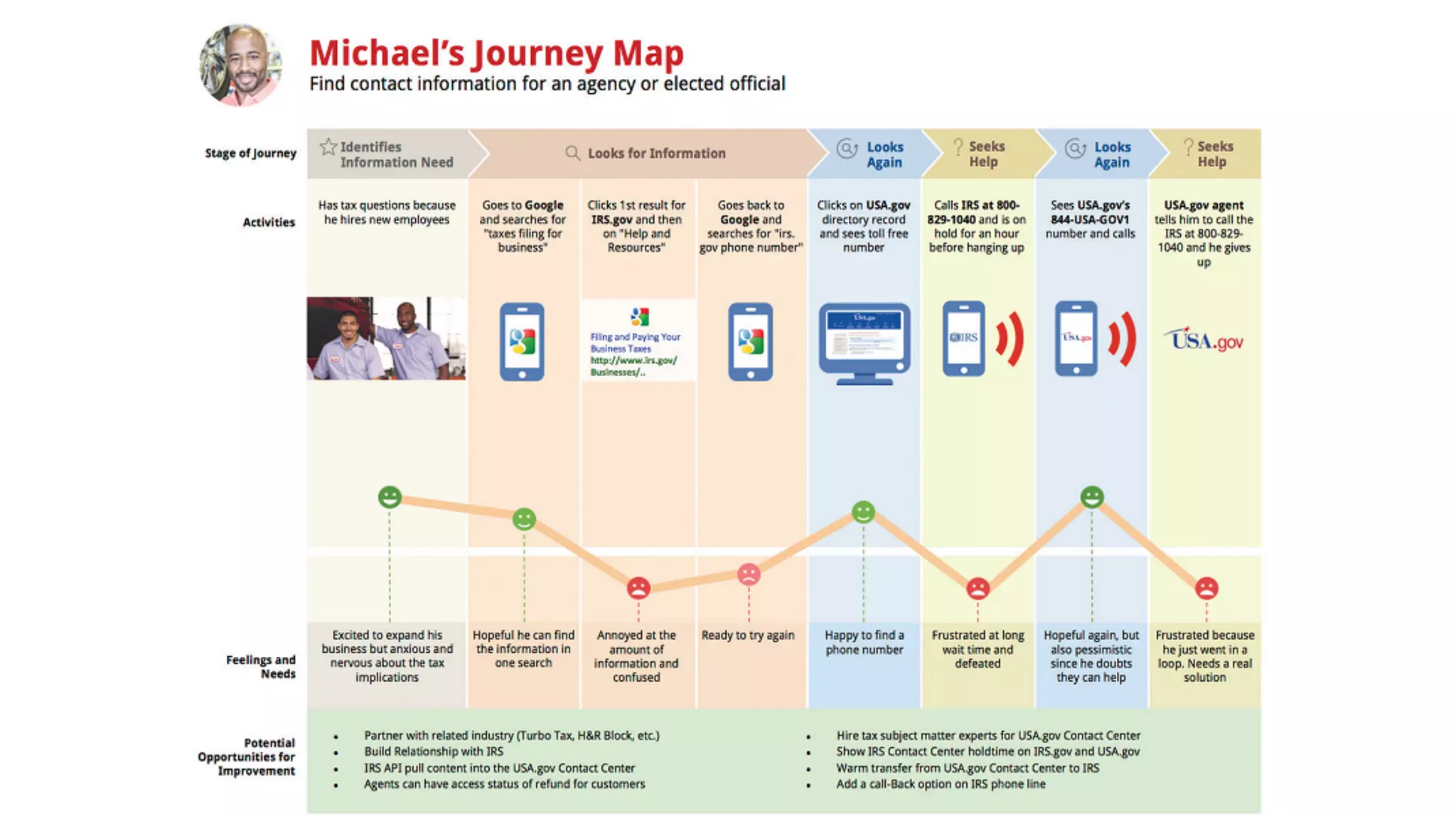
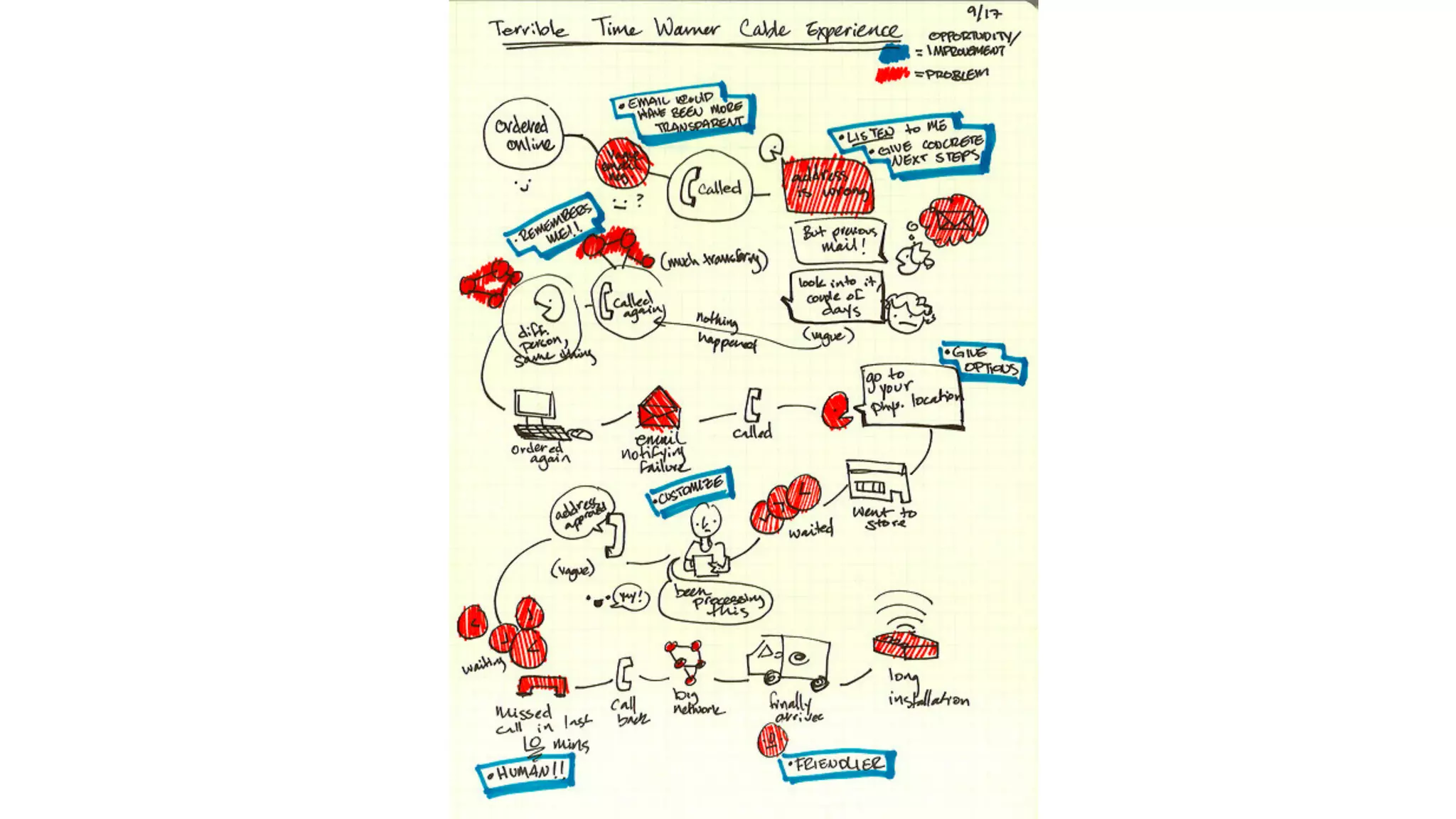
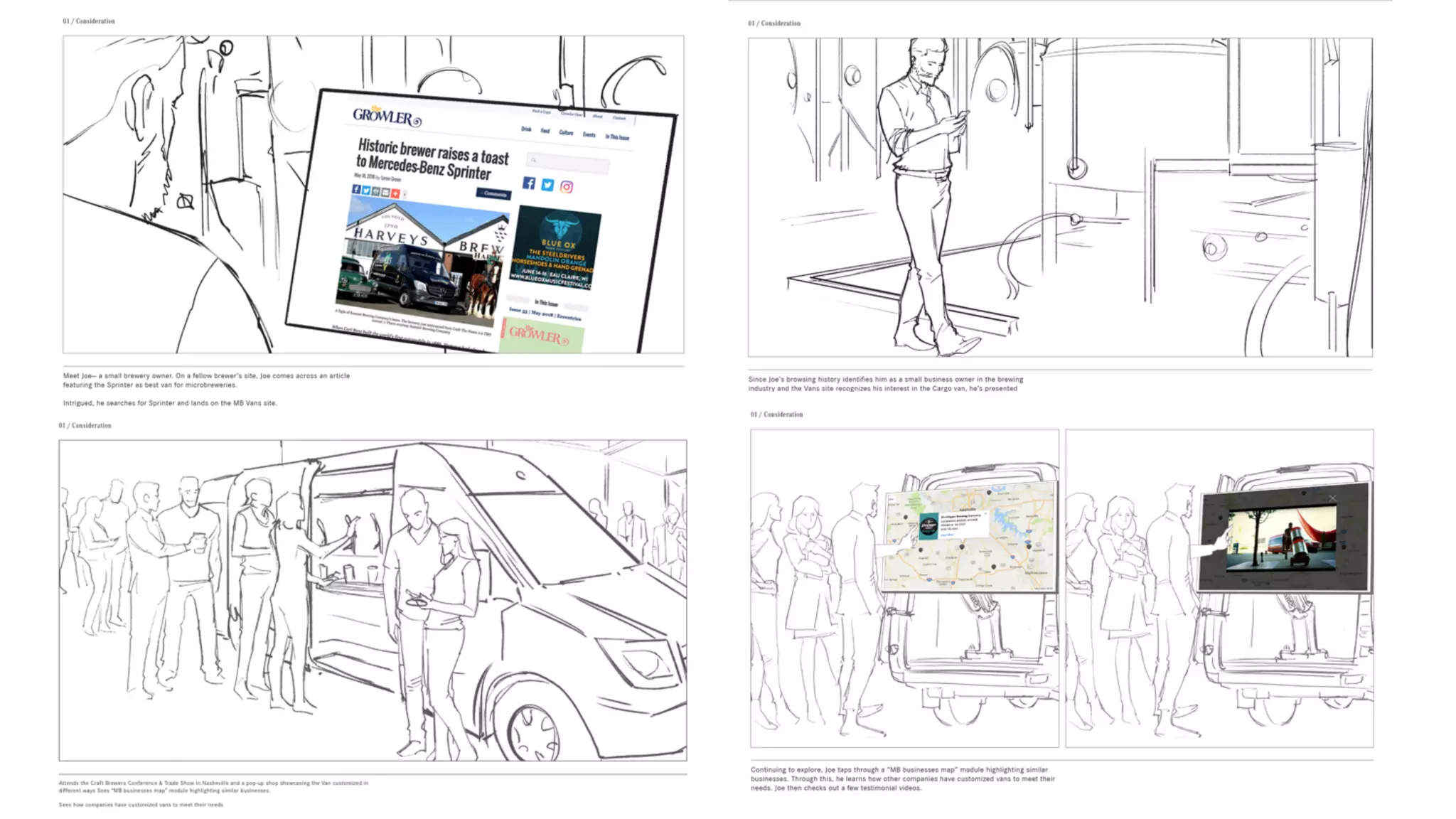
“A user journey, or journey map, visualizes a path or flow
through a Web site, application, or service experience—from a
starting point to an end objective—based on the user’s
motivations and experiences. Journey mapping helps us to create
a mental model of an experience that the user goes through to
achieve a goal. This valuable information lets us document and
visualize existing paths that the user takes and, in turn, analyze
and improve upon them.”
- Shean Malik, Mapping User Journeys Using Visual Languages
User Journeys
Methodology:
• Keep personas in mind
• Determine users’ primary needs

• Consider their pain points as well
• Brainstorm different ways to help their needs and address their pain points
• Develop the journey according to a time-based progression
• Consider the various moments within, which can be handled digitally
• Create relevant hooks and calls to action (CTAs)
• Strike a balance between freedom of movement and an ideal path
Self Study
“An introduction to user journeys” - Jason Hobbs, September 6, 2005, Boxes & Arrows
User Journeys
Site Maps
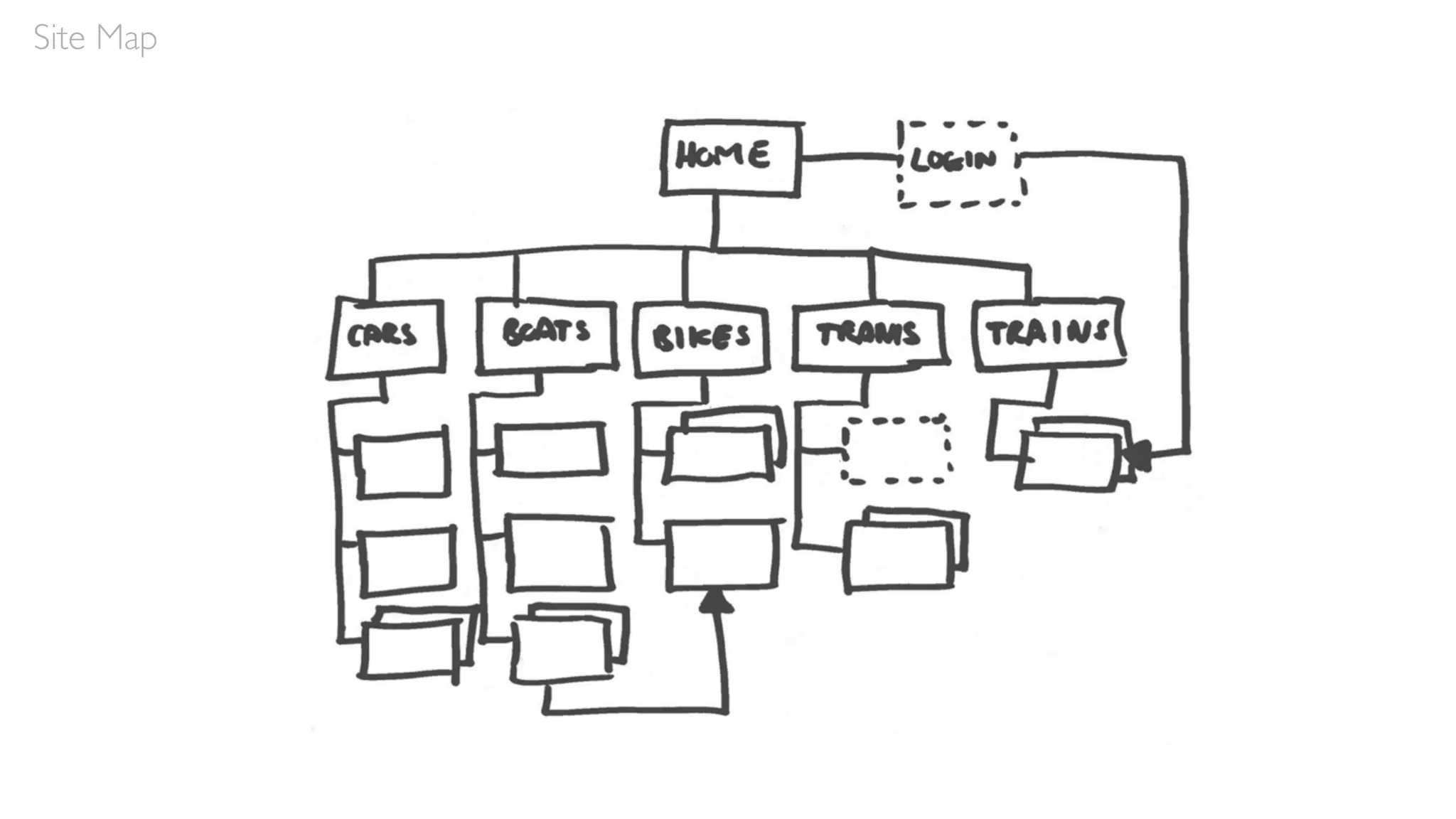
Site Map
Site Map
Class Exercise:
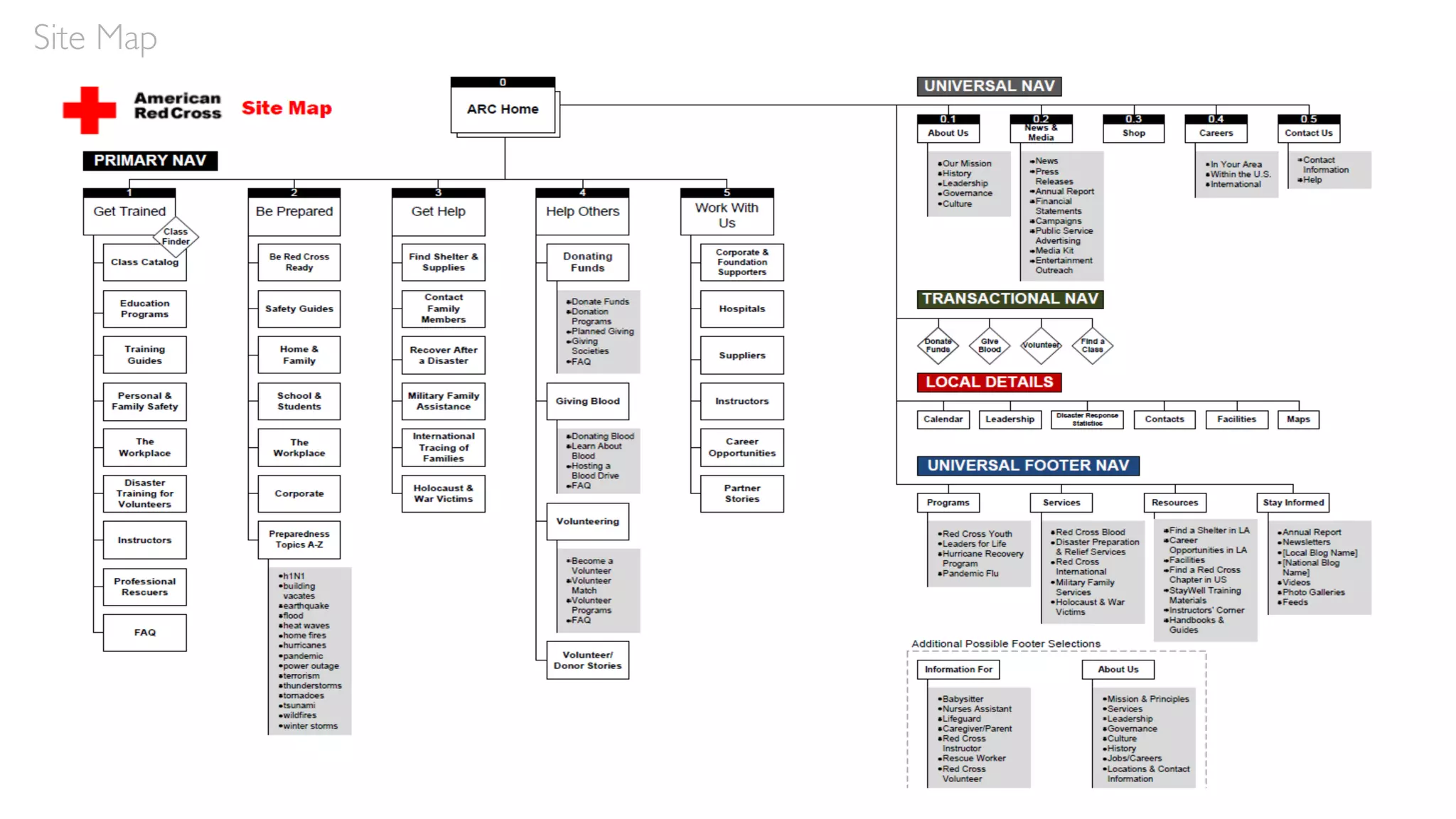
Using Mural, develop a high-level site map depicting what you
believe should be on the revamped MOMA site map.
It’s OK to consult competitor sites if you like.
Site Map
20mins
Review Site Maps
Let’s review your site maps
Site Map
Team Exercise:
Collaborative Sketching
Design a Responsive
Home Page
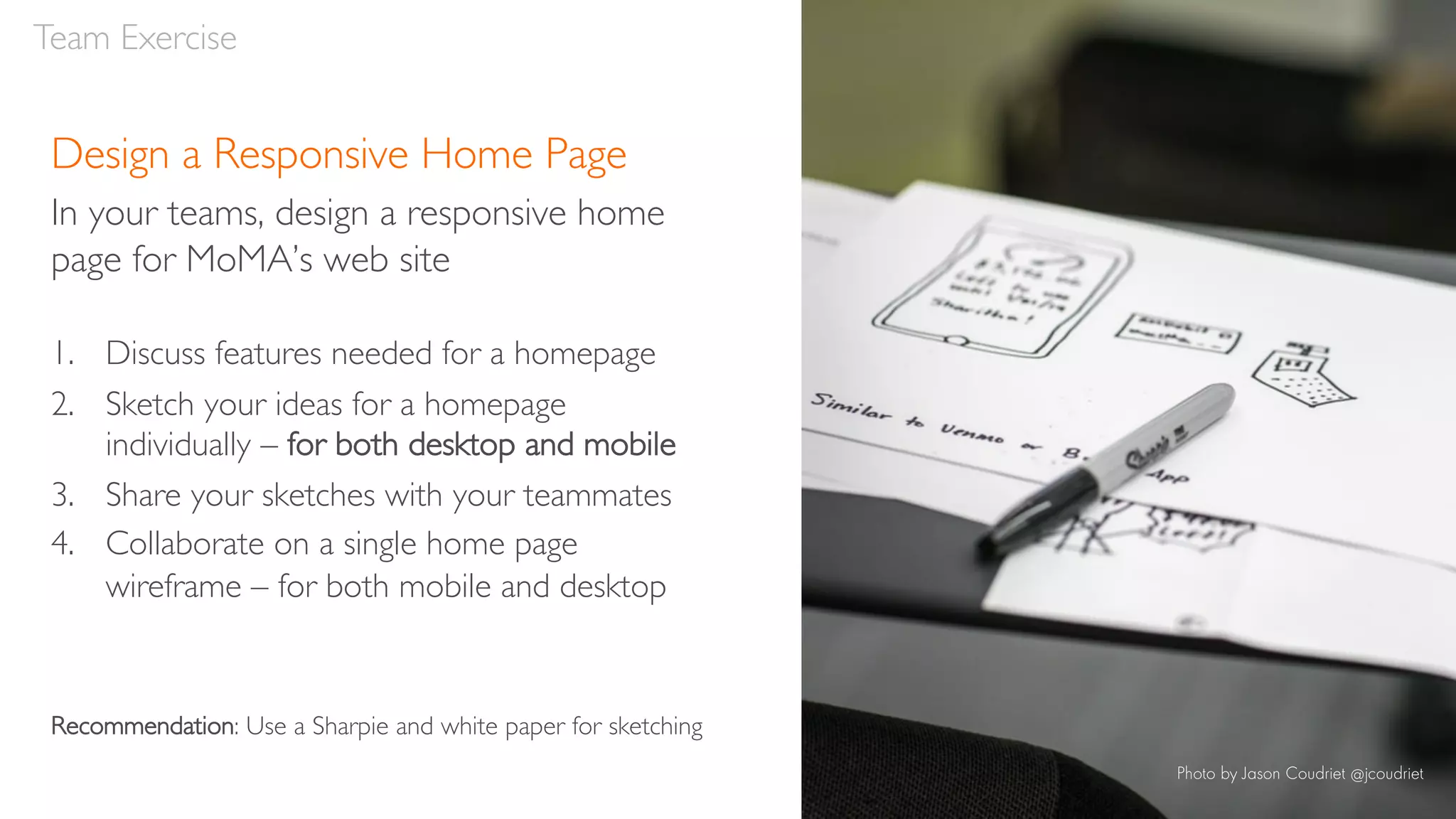
Design a Responsive Home Page
In your teams, design a responsive home
page for MoMA’s web site
1. Discuss features needed for a homepage
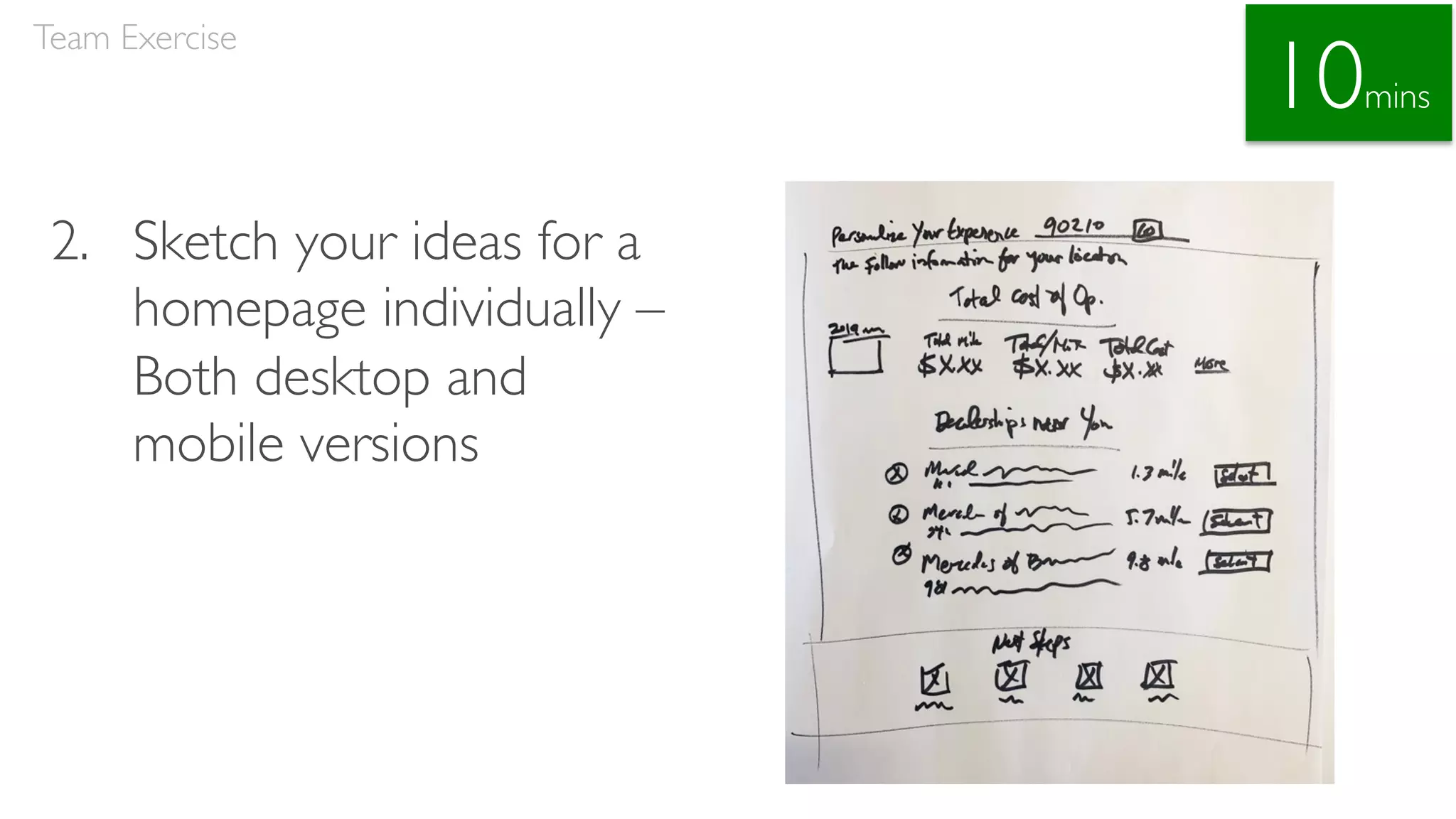
2. Sketch your ideas for a homepage
individually – for both desktop and mobile
3. Share your sketches with your teammates
4. Collaborate on a single home page
wireframe – for both mobile and desktop
Recommendation: Use a Sharpie and white paper for sketching
Team Exercise
Photo by Jason Coudriet @jcoudriet
1. Discuss features needed for a homepage
Team Exercise
15mins
2. Sketch your ideas for a
homepage individually –
Both desktop and
mobile versions
Team Exercise
10mins
3. Share your sketches with your teammates
Team Exercise
10mins
4. Collaborate on a single home page wireframe
– for both mobile and desktop
Team Exercise
20mins
Team Exercise:
Review & Feedback
Q&A
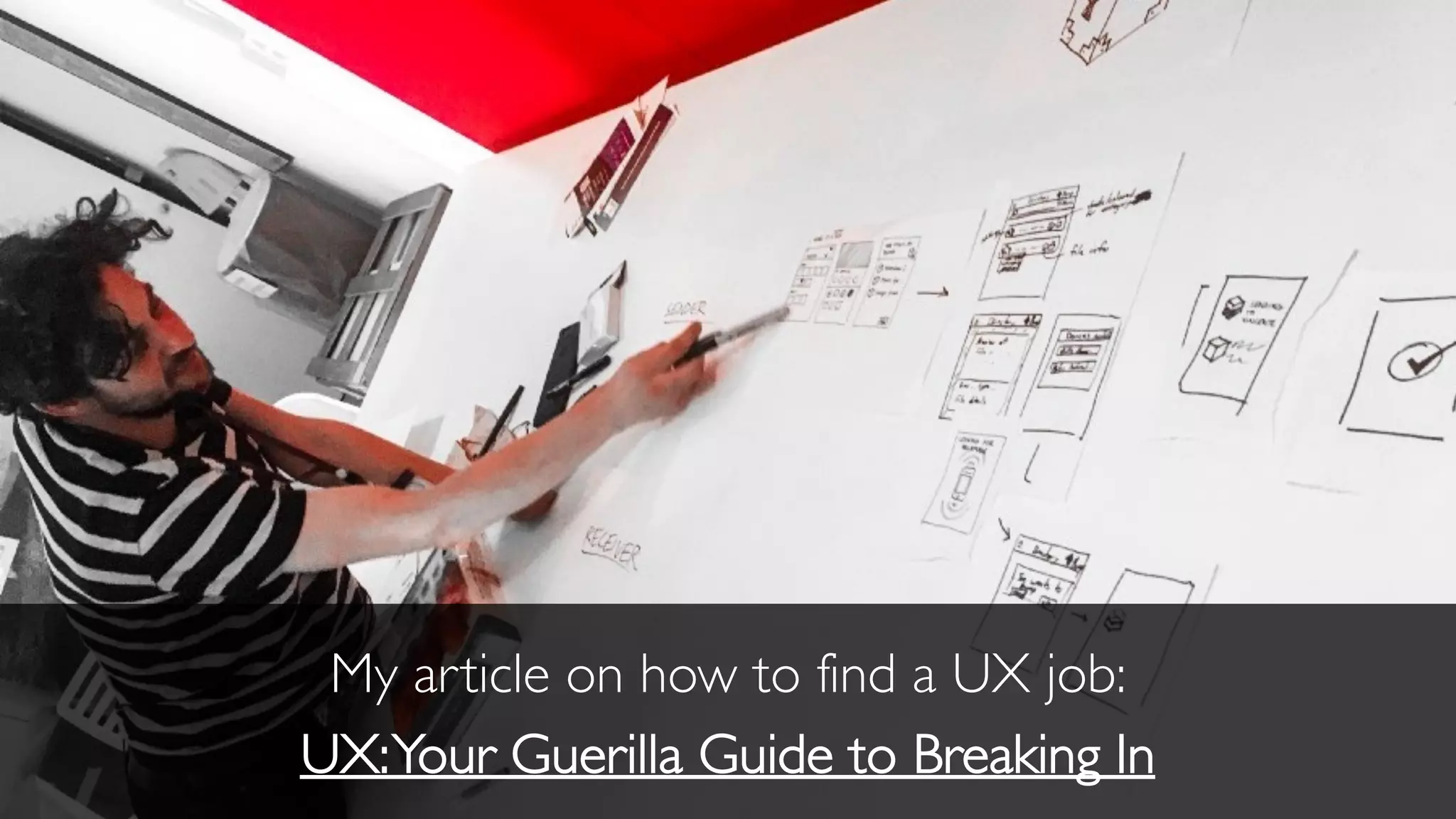
My article on how to find a UX job:
UX:Your Guerilla Guide to Breaking In
stay tuned
My next class
January 23rd
10AM – 3PM
(This course is not up on SVA’s site yet)
New class: 27 February 2021
We’ll explore user-centered design
deliverables and methodologies with a
particular emphasis upon “Lean” UX design
and usability testing, as well as specific
topics such as accessibility and design
for privacy and security, which focus on
improving user experiences.
Attendees will also participate in group
activities, which provide practical
experience in developing relevant
deliverables.
No prerequisite, but taking the Introduction to User
Experience Design may be helpful.
Applied Methods for Better UX Design
Slideshare address:
www.slideshare.net/stribs
stribley@outlook.com
thank you

Guidelines for Responsive UX Design 12/12/20

  • 1.
    Guidelines for ResponsiveUX Design School ofVisual Arts | 12 December 2020 | Robert Stribley
  • 2.
    Today’s presentation willbe available on SlideShare: www.slideshare.net/stribs
  • 3.
    Preliminaries • Feel freeto ask questions throughout • Don’t hesitate to take a break if you need to • We’ll break around noon • Have some paper and a Sharpie or pen ready for this afternoon • Try Mural at lunchtime if you want to - www.mural.co • We’re trying a few things remotely today, which we typically do in person, so we’ll stay flexible, mix things up as need be
  • 4.
    Robert Stribley Associate CreativeDirector, Experience Introductions 📷 ✍ 📚 📻 🎥
  • 6.
    AboutYou • What’s yourname? • What do you do for work? • What do you do for fun? • If you could see one museum exhibit—real or imaginary—what would it be? Introduction
  • 7.
    Goals of thisworkshop • Learn principles and guidelines for responsive design • Learn about user journeys • Develop a site map as a team • Brainstorm and design a responsive home page as a team Introduction

  • 8.
  • 9.
    Morning • Responsive DesignPrinciples • Project • Lunch Agenda
  • 10.
    Afternoon • User Journeys •Site Maps • Team Exercise: Responsive Home Page • Review & Feedback • Q&A Agenda
  • 11.
    52.64%percentage of webtraffic via mobile globally in 3rd quarter of 2018 up from 35.1% in 2015 now half of all global pages served 65.7% of all traffic in Asia in 2017 59.5% in Africa
  • 12.
    “If a webpagedoesn’t look good on my phone, I’m less likely to return to it on my computer.” – usability testing participant, 11/7/2019
  • 13.
  • 14.
    Responsive web designis an approach to web design which makes web pages render well on a variety of devices and window or screen sizes.—Wikipedia Responsive Design
  • 16.
    “Rather than tailoringdisconnected designs to each of an ever-increasing number of web devices, we can treat them as facets of the same experience.We can design for an optimal viewing experience, but embed standards-based technologies into our designs to make them not only more flexible, but more adaptive to the media that renders them. In short, we need to practice responsive web design.” – Ethan Marcotte, Responsive Web Design,A List Apart Self Study Responsive Web Design by Ethan Marcotte Responsive Design
  • 17.
    Responsive Design ResponsiveVersus AdaptiveDesign Responsive design is fluid and adapts to the size of the screen no matter what the target device Adaptive design uses static (or fixed) layouts based on breakpoints which don’t respond once they’re initially loaded Self Study Responsive vs. Adaptive Design: What’s the Best Choice for Designers? – Jerry Cao, Studio by UXPin
  • 18.
  • 19.
    Responsive Design Responsive WebDesign by Ethan Marcotte
  • 20.
    Responsive Design The ResponsiveWeb Design Podcast is co-hosted by Karen McGrane and Ethan Marcotte. In each episode, they interview the people who make responsive redesigns happen.
  • 21.
    Responsive Design Characteristics •Mobile first • Maintain content and features • Maintain hierarchies • Break points • Grids • Handling navigation • Handling tables • Images • Text Responsive Design
  • 22.
  • 23.
    Mobile First • Designfor “mobile first”—the smallest device first, then work up from there • The smallest device may no longer be a mobile phone • “Mobile first” may encourage simple design, but it need not be simplistic Responsive Design
  • 24.
  • 25.
  • 26.
    Maintain Content &Features • Goal:Wherever possible, maintain content and features across devices • Occasionally, content or features can be dropped to save screen real estate or if they’re not device appropriate • Establish a clear rationale and principles for dropping any content or features at the mobile level • Reducing content can reduce keywords, which can reduce your site’s ranking on Google Responsive Design
  • 27.
    Responsive Design Responsive designdistributing the same modules across desktop, tablet and mobile Desktop Tablet Mobile
  • 28.
  • 30.
  • 31.
    Maintain Hierarchies • Modulesmay be repositioned, but hierarchies should be maintained • Cluster related content and features Responsive Design
  • 32.
  • 33.
  • 34.
    Break Points • Responsivedesigns adjust at different “break points” for various resolutions • These correspond to the dimensions of various devices, typically desktop, tablet and mobile • However, they’re intended to be content, not device- specific Responsive Design
  • 35.
    Responsive Design • Typicallyat least two: e.g. • 480px for mobile • 768px for tablet (portrait) • 1280px for desktop • May also add “minor breakpoints” to address specific issues at various dimensions
  • 36.
  • 37.
  • 38.
    Grids • Grids arefluid within a responsive design—they change according to screen dimensions • For example, a desktop design might utilize a 12-column grid, tablet a 9-column grid, and mobile a 4-column grid • Depending on the screen, modules may shift both in size and in placement Responsive Design
  • 39.
  • 40.
  • 41.
    Handling Navigation • Navigationmay be repositioned • Often repositioned at tablet but especially on mobile • On desktop, navigation elements may be activated via hover instead of click, since users are utilizing a cursor; but in tablet and mobile, these main nav elements must be activated via touch • So design navigation to be touch friendly—e.g. large, tactile targets • Detailed dropdowns and filters could be presented in an overlay in mobile Responsive Design
  • 42.
  • 43.
    Responsive Design Heavy mobiledirection • Beware the “hamburger menu”
  • 44.
    Handling Navigation –Tabs •Tabs may just be reduced in size • They can also be replaced with – Accordions – Dropdowns – Carousel slides • Consider the content to determine which solution works best Responsive Design
  • 45.
  • 46.
  • 47.
  • 48.
    HandlingTables When handling tableswith multiple columns in mobile … • Simplest solution: Reduce the number of columns (to one if necessary) and stack them • You can also allow horizontal scrolling • Or turn columns into individual slides users can swipe through • But avoid just shrinking them, unless they’re already small Responsive Design
  • 49.
    Responsive Design Desktop Mobile -Scrolling Mobile - Stacked
  • 50.
  • 51.
  • 52.
  • 53.
  • 54.
  • 55.
    Images • Generally, imagesshould be “fluid” • They will scale down in size as the screen resolution changes • They may maintain their size, but be cropped if they’re primarily decorative • In this case, images must be selected carefully so important elements aren’t automatically cropped out • In some cases, if the image isn’t needed—if it’s just decorative, not functional—it may be dropped entirely for mobile Responsive Design
  • 56.
  • 57.
  • 58.
    Pay special attentionto images with text within them or in overlays
  • 60.
    Text • Maintain textsize where possible, though headings and headlines may be reduced in size • Text blocks will change in width from desktop to mobile • However, keep lines of text to a maximum of 70 or 80 characters • Do not automatically hyphenate text • Use ellipsis or a “read more” CTA to shorten text if necessary • Provide character limits for titles, captions, etc, so they display gracefully in mobile Responsive Design
  • 61.
  • 62.
  • 63.
  • 64.
    Develop a museumexperience for MoMA which utilizes a responsive design, so users can engage with it both at home on their desktop computer to prepare for their trip and during their visit via mobile. Our Project
  • 65.
    Guidelines • Everything onthe desktop version of the website must also display on a mobile version • Give thought to how the site can help visitors during their onsite visit, but provide some value to users before and after their trip, too • Assume visitors have access to Wi-Fi throughout the entire museum space Our Project
  • 66.
    Personas Our Project Plan anengaging and educational trip for her art class.
  • 67.
  • 72.
    Key Findings • Abilityto highlight multiple exhibits • Access to collections • Display of upcoming events • Focus on membership • Visitor information • Education and learning information • Ability to view different locations • Any key differentiators? • Anything else? Competitive Review
  • 73.
  • 74.
    Afternoon • User Journeys •Site Maps • Team Exercise: Responsive Home Page • Review & Feedback • Q&A Agenda
  • 75.
  • 76.
    User Journeys “Design isall about entrances and exits.” —Rem Koolhaas
  • 77.
    User Journeys Definition: “A userjourney, or journey map, visualizes a path or flow through a Web site, application, or service experience—from a starting point to an end objective—based on the user’s motivations and experiences. Journey mapping helps us to create a mental model of an experience that the user goes through to achieve a goal. This valuable information lets us document and visualize existing paths that the user takes and, in turn, analyze and improve upon them.” - Shean Malik, Mapping User Journeys Using Visual Languages
  • 78.
    User Journeys Methodology: • Keeppersonas in mind • Determine users’ primary needs • Consider their pain points as well • Brainstorm different ways to help their needs and address their pain points • Develop the journey according to a time-based progression • Consider the various moments within, which can be handled digitally • Create relevant hooks and calls to action (CTAs) • Strike a balance between freedom of movement and an ideal path Self Study “An introduction to user journeys” - Jason Hobbs, September 6, 2005, Boxes & Arrows
  • 79.
  • 83.
  • 84.
  • 85.
  • 86.
    Class Exercise: Using Mural,develop a high-level site map depicting what you believe should be on the revamped MOMA site map. It’s OK to consult competitor sites if you like. Site Map 20mins
  • 87.
    Review Site Maps Let’sreview your site maps Site Map
  • 88.
  • 89.
    Design a ResponsiveHome Page In your teams, design a responsive home page for MoMA’s web site 1. Discuss features needed for a homepage 2. Sketch your ideas for a homepage individually – for both desktop and mobile 3. Share your sketches with your teammates 4. Collaborate on a single home page wireframe – for both mobile and desktop Recommendation: Use a Sharpie and white paper for sketching Team Exercise Photo by Jason Coudriet @jcoudriet
  • 90.
    1. Discuss featuresneeded for a homepage Team Exercise 15mins
  • 91.
    2. Sketch yourideas for a homepage individually – Both desktop and mobile versions Team Exercise 10mins
  • 92.
    3. Share yoursketches with your teammates Team Exercise 10mins
  • 93.
    4. Collaborate ona single home page wireframe – for both mobile and desktop Team Exercise 20mins
  • 94.
  • 95.
  • 96.
    My article onhow to find a UX job: UX:Your Guerilla Guide to Breaking In
  • 97.
    stay tuned My nextclass January 23rd 10AM – 3PM (This course is not up on SVA’s site yet)
  • 98.
    New class: 27February 2021 We’ll explore user-centered design deliverables and methodologies with a particular emphasis upon “Lean” UX design and usability testing, as well as specific topics such as accessibility and design for privacy and security, which focus on improving user experiences. Attendees will also participate in group activities, which provide practical experience in developing relevant deliverables. No prerequisite, but taking the Introduction to User Experience Design may be helpful. Applied Methods for Better UX Design
  • 99.
  • 100.