

UX Design
Edward Wydler
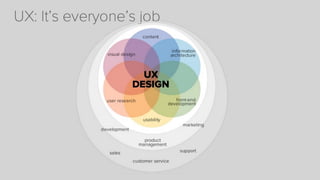
User experience design lies at the crossroads of art and
science. It’s a magical mixture of visual art, hardboiled
psychology and numbers.

UX provides design direction and insight to make smart,
powerful, efficient products and services that delight
users.
How it works
Design is not just what it looks like and feels like.
Design is how it works.

Steve Jobs
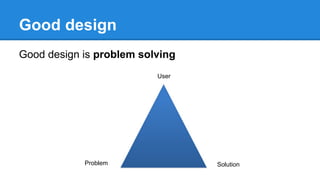
Good design
Good design is problem solving
User

Problem

Solution
Rules of UX
There is no formula for a successful
experience. If there was we could build robots
to do it for us.
There a few guidelines by which to consider
when designing.
EMPATHY
Do you have empathy for your customer?
Can you put yourself in their shoes, as they
interact with your experience?
CONTEXT
Can you clearly articulate how this feature or
product will be used in the context of their
everyday experience?
CONTENT
Do you know what your customer is trying to
accomplish with your feature or product?
Let them do that as simply as possible.
CONSTRAINTS
What kind of experience are you constrained
within?
Identifying the boundaries early is critical
when designing and developing great
experiences.
OPPORTUNITIES
What types of input and interaction are
available?
Ensure you are identifying all the potential
opportunities of the delivery device.
“Know thyself”
You can’t be a tourist.
You have to use and know your product frontto-back, inside-out.
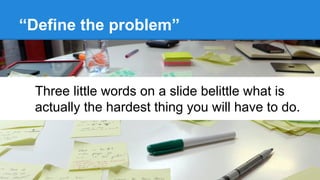
“Define the problem”

Three little words on a slide belittle what is
actually the hardest thing you will have to do.
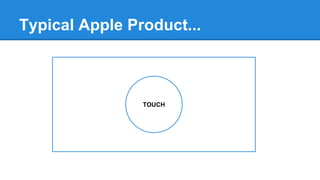
Typical Apple Product...

TOUCH
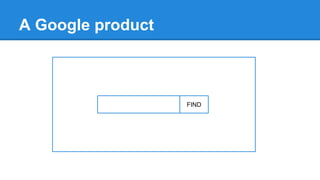
A Google product

FIND
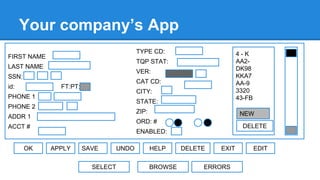
Your company’s App
TYPE CD:

FIRST NAME

TQP STAT:

LAST NAME

VER:

SSN:
id:

CAT CD:

FT:PT:

CITY:

PHONE 1

STATE:

PHONE 2

ZIP:

ADDR 1

NEW

ORD: #

ACCT #

OK

4-K
AA2DK98
KKA7
AA-9
3320
43-FB

DELETE

ENABLED:
APPLY

SAVE
SELECT

UNDO

HELP
BROWSE

DELETE

EXIT

ERRORS

EDIT
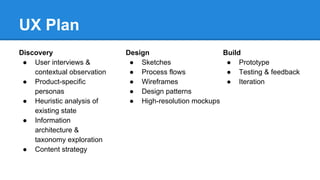
UX Plan
Discovery
● User interviews &
contextual observation
● Product-specific
personas
● Heuristic analysis of
existing state
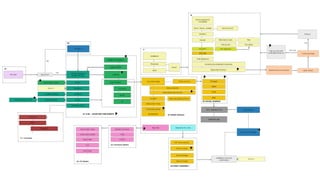
● Information
architecture &
taxonomy exploration
● Content strategy

Design
● Sketches
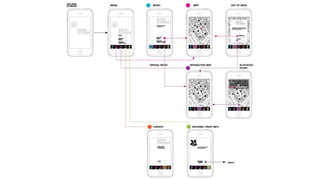
● Process flows
● Wireframes
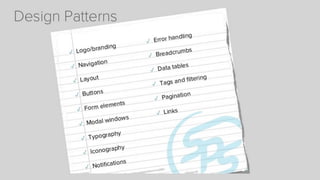
● Design patterns
● High-resolution mockups

Build
● Prototype
● Testing & feedback
● Iteration
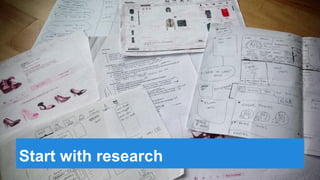
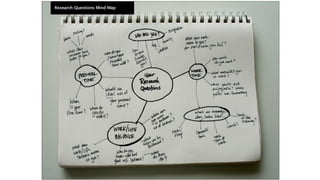
Start with research
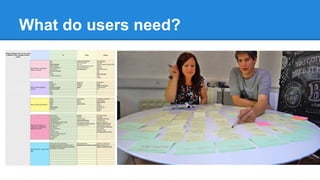
What do users need?
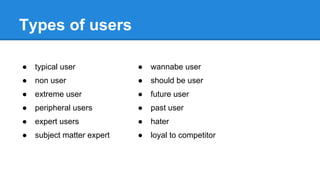
Types of users
●

typical user

●

wannabe user

●

non user

●

should be user

●

extreme user

●

future user

●

peripheral users

●

past user

●

expert users

●

hater

●

subject matter expert

●

loyal to competitor
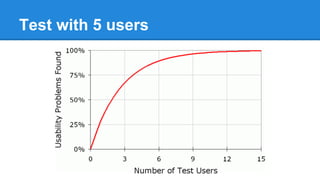
Test with 5 users
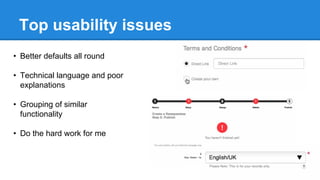
Top usability issues
• Better defaults all round
• Technical language and poor
explanations
• Grouping of similar
functionality
• Do the hard work for me
Prototype
Allows a variety of stakeholders to discover what the real
needs of the project are before any code is written.
https://projects.invisionapp.com/share/7RI4EAVM
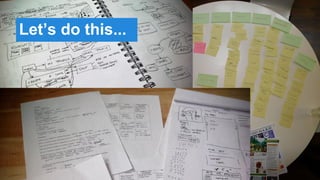
Let’s do this...
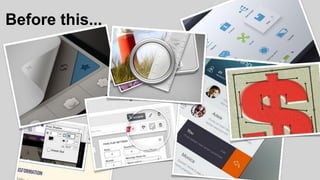
Before this...
And definitely before any of this...
How?
● Figure out if people will buy your product before you build it.
● Learn which research methods are best for early validation.
● Understand user pain in order to build a more compelling
product.
Why do it?
● Improved process
● Faster time to market
● Increase value per use
● Extended application life
ENCHANT ME
1. delight in surprising ways (animation is the soul of
design)
2. real objects are more fun than buttons and menus
3. let me make it mine
4. get to know me - (Context. change background on
header depending on place)
SIMPLIFY MY LIFE
1. keep it brief - “Users are overwhelmed by options and limitless
flexibility”
2. pictures are faster than words - Is writing really needed? Better
defaults.
3. decide for me but let me have final say (better defaults)
4. only show what I need when I need it
5. I should always know where I am
6. never lose my stuff
7. if it looks the same, it should act the same
8. only interrupt me if its important (notifications)
MAKE ME AMAZING
1. give me tricks that work everywhere - (Use
tactile feedback, vibrate on touch. sound and
animation to communicate)
2. its not my fault (wording)
3. sprinkle encouragement
4. do the heavy lifting for me (time zone math)
5. make important things fast
Good UX
Skinny ties
http://skinnyties.com/

Whistle
http://www.whistle.com/

United Pixelworkers
http://www.unitedpixelworkers.com/
UX Themes
The world is getting smarter and people need more than
just pretty interfaces. If you don’t know “why” and “who”
before you come up with “what”, you'll end up creating
nothing for no one.
People don’t want gadgets, they want great services.
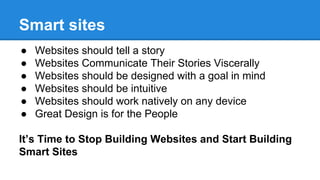
Smart sites
●
●
●
●
●
●

Websites should tell a story
Websites Communicate Their Stories Viscerally
Websites should be designed with a goal in mind
Websites should be intuitive
Websites should work natively on any device
Great Design is for the People

It’s Time to Stop Building Websites and Start Building
Smart Sites
The internet is not about Google.
The internet is not about ads.
The internet is not about traffic.
The internet is about PEOPLE.
Thank you.
Edward Wydler

User Experience Design: It's about people

  • 2.
  • 3.
    User experience designlies at the crossroads of art and science. It’s a magical mixture of visual art, hardboiled psychology and numbers. UX provides design direction and insight to make smart, powerful, efficient products and services that delight users.
  • 5.
    How it works Designis not just what it looks like and feels like. Design is how it works. Steve Jobs
  • 8.
    Good design Good designis problem solving User Problem Solution
  • 9.
    Rules of UX Thereis no formula for a successful experience. If there was we could build robots to do it for us. There a few guidelines by which to consider when designing.
  • 10.
    EMPATHY Do you haveempathy for your customer? Can you put yourself in their shoes, as they interact with your experience?
  • 11.
    CONTEXT Can you clearlyarticulate how this feature or product will be used in the context of their everyday experience?
  • 12.
    CONTENT Do you knowwhat your customer is trying to accomplish with your feature or product? Let them do that as simply as possible.
  • 13.
    CONSTRAINTS What kind ofexperience are you constrained within? Identifying the boundaries early is critical when designing and developing great experiences.
  • 14.
    OPPORTUNITIES What types ofinput and interaction are available? Ensure you are identifying all the potential opportunities of the delivery device.
  • 15.
    “Know thyself” You can’tbe a tourist. You have to use and know your product frontto-back, inside-out.
  • 16.
    “Define the problem” Threelittle words on a slide belittle what is actually the hardest thing you will have to do.
  • 17.
  • 18.
  • 19.
    Your company’s App TYPECD: FIRST NAME TQP STAT: LAST NAME VER: SSN: id: CAT CD: FT:PT: CITY: PHONE 1 STATE: PHONE 2 ZIP: ADDR 1 NEW ORD: # ACCT # OK 4-K AA2DK98 KKA7 AA-9 3320 43-FB DELETE ENABLED: APPLY SAVE SELECT UNDO HELP BROWSE DELETE EXIT ERRORS EDIT
  • 20.
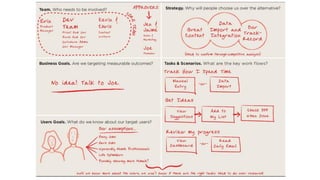
    UX Plan Discovery ● Userinterviews & contextual observation ● Product-specific personas ● Heuristic analysis of existing state ● Information architecture & taxonomy exploration ● Content strategy Design ● Sketches ● Process flows ● Wireframes ● Design patterns ● High-resolution mockups Build ● Prototype ● Testing & feedback ● Iteration
  • 21.
  • 35.
  • 36.
    Types of users ● typicaluser ● wannabe user ● non user ● should be user ● extreme user ● future user ● peripheral users ● past user ● expert users ● hater ● subject matter expert ● loyal to competitor
  • 37.
  • 38.
    Top usability issues •Better defaults all round • Technical language and poor explanations • Grouping of similar functionality • Do the hard work for me
  • 39.
    Prototype Allows a varietyof stakeholders to discover what the real needs of the project are before any code is written. https://projects.invisionapp.com/share/7RI4EAVM
  • 40.
  • 41.
  • 42.
    And definitely beforeany of this...
  • 43.
    How? ● Figure outif people will buy your product before you build it. ● Learn which research methods are best for early validation. ● Understand user pain in order to build a more compelling product.
  • 44.
    Why do it? ●Improved process ● Faster time to market ● Increase value per use ● Extended application life
  • 45.
    ENCHANT ME 1. delightin surprising ways (animation is the soul of design) 2. real objects are more fun than buttons and menus 3. let me make it mine 4. get to know me - (Context. change background on header depending on place)
  • 46.
    SIMPLIFY MY LIFE 1.keep it brief - “Users are overwhelmed by options and limitless flexibility” 2. pictures are faster than words - Is writing really needed? Better defaults. 3. decide for me but let me have final say (better defaults) 4. only show what I need when I need it 5. I should always know where I am 6. never lose my stuff 7. if it looks the same, it should act the same 8. only interrupt me if its important (notifications)
  • 47.
    MAKE ME AMAZING 1.give me tricks that work everywhere - (Use tactile feedback, vibrate on touch. sound and animation to communicate) 2. its not my fault (wording) 3. sprinkle encouragement 4. do the heavy lifting for me (time zone math) 5. make important things fast
  • 48.
  • 49.
    UX Themes The worldis getting smarter and people need more than just pretty interfaces. If you don’t know “why” and “who” before you come up with “what”, you'll end up creating nothing for no one. People don’t want gadgets, they want great services.
  • 51.
    Smart sites ● ● ● ● ● ● Websites shouldtell a story Websites Communicate Their Stories Viscerally Websites should be designed with a goal in mind Websites should be intuitive Websites should work natively on any device Great Design is for the People It’s Time to Stop Building Websites and Start Building Smart Sites
  • 52.
    The internet isnot about Google. The internet is not about ads. The internet is not about traffic. The internet is about PEOPLE.
  • 54.