A Complete Guide to Progressive
Web App and Their Development
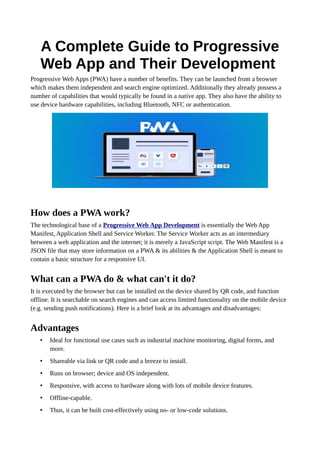
Progressive Web Apps (PWA) have a number of benefits. They can be launched from a browser
which makes them independent and search engine optimized. Additionally they already possess a
number of capabilities that would typically be found in a native app. They also have the ability to
use device hardware capabilities, including Bluetooth, NFC or authentication.
How does a PWA work?
The technological base of a Progressive Web App Development is essentially the Web App
Manifest, Application Shell and Service Worker. The Service Worker acts as an intermediary
between a web application and the internet; it is merely a JavaScript script. The Web Manifest is a
JSON file that may store information on a PWA & its abilities & the Application Shell is meant to
contain a basic structure for a responsive UI.
What can a PWA do & what can't it do?
It is executed by the browser but can be installed on the device shared by QR code, and function
offline. It is searchable on search engines and can access limited functionality on the mobile device
(e.g. sending push notifications). Here is a brief look at its advantages and disadvantages:
Advantages
• Ideal for functional use cases such as industrial machine monitoring, digital forms, and
more.
• Shareable via link or QR code and a breeze to install.
• Runs on browser; device and OS independent.
• Responsive, with access to hardware along with lots of mobile device features.
• Offline-capable.
• Thus, it can be built cost-effectively using no- or low-code solutions.
Disadvantages
• Less appropriate for consumer apps; ideal for business or industrial applications.
• Distribution on common app stores can be difficult.
• In regard to graphic and processing-intensive applications, it may not perform as well as
other apps since PWAs are running in a browser.
• On ios: There may be constraints such as unavailability of background operations.
• Contrary to native applications, PWAs do not have access capabilities for all hardware
features of the device.
• Offline applications frequently use cache data and therefore provide a less “seamless”
experience than native applications.
How to build a PWA: Options and Techniques for Progressive
Web App development
Well, now that we know the theoretical part, let’s proceed to putting our knowledge in practice.
Before beginning, let’s think about the way in which we could develop our Progressive Web App:
Outsource or develop in-house
Basically, to program a Progressive Web App from scratch, you need quite good knowledge of
JavaScript HTML, and CSS. If you use a ready framework, you will be able to save a bit of your
effort. In the case of hiring specialists, it means money. You can also outsource the development:
Do it yourself with no-code
No code tools enable you to develop a Progressive Web App without needing any programming
knowledge. The way this is achieved is by using pre-made functionalities which you can then use as
components of your PWA. This is called visual programming. Yet, there are limitations to using no-
code technology, especially when it is applied in more customized scenarios.
Build your own PWA with Low-code technology
Low-code application development is done using visual programming with pre-built modules but
with more ability to customize with actual code included. Understanding software concepts,
creativity, and a learning mindset are required, as with low-code development you can address more
complicated situations than with no-code development.
Developers of Progressive Web Apps using visual programming have major benefits compared to
development, and these include saving time, cutting costs, and creating in-house skills. However,
being experts in low-code development, we shall illustrate now how to develop an app without
coding.
How to PWA: Progressive Web App development with low-
code Low-Code
If you know the basics of technology and are willing to dedicate your time and effort to learning, it
is certainly possible to develop and launch your Progressive Web App without coding, by using the
right low-code platform.
This approach is way faster than programming an app from scratch, with another advantage: you
can quickly validate ideas and concepts for your application without a great initial investment of
time or resources. In this tutorial, we'll walk you through the first steps.
A step by step guide on how to develop a Progressive Web App
with Maxtra
• Define the use case: Although you may have a rough idea about using the PWA you want,
you need to focus on the application first. This is because you need to identify the problem
you want the PWA to solve. Use cases may look something like this in a production setting.
For instance, a use case can simply entail the display of Overall Equipment Effectiveness
(OEE). This will require the PWA to analyze the data collected about machines.
• Let's translate all of the above into requirements: Begin by considering your user story.
What can your user specifically require? What is the place where the PWA can add value?
For instance, assuming the context of your previous example, your production manager may
want to compare the value of Hall 1 and Hall 2, or may even compare the value of different
sites or production lines. The only question you need to ask, therefore, is what the PWA
needs to perform.
• Design User Interface: Make conceptual drawings of the screen layouts (user interfaces) to
give the applications a rough look. You might realize at this stage about other technical
requirements necessary for achieving such a design to further improve your checklist.
• Choose a tool: Having the basic outline of your idea, choose a tool that will fit the
requirements and carry out the planned user interface. For example, our low-code platform
Maxtra is ideal to create Progressive Web Apps for the industrial and manufacturing sectors.
• Start small: Don't try to bite off too much initially. Focus on a small portion of your use
case, for instance, the OEE of one machine. Implement it from A to Z so that it's captured
and visualized on the PWA.
• Test, test, test: It’s now time for testing your progress on various screens and devices. The
Maxtra App Builder also gives you a sneak peek into how your PWA will look when
accessed via various smartphones, tablets, as well as PCs.
• User testing: If you want, you can give testing users access to test out your first version.
You have the ability to make results in Maxtra at whatever development level you desire, so
you can do user testing at various stages throughout development.
• Optimize and iterate: Using what you have learned, you can then improve your PWA. With
your full app now ready, you can extend it to include other aspects of your use case or add
functionalities. One of the strengths of your PWA app is that it can be delivered to your
target audience as a website, and any enhancements or additional functionalities included in
future upgrades will automatically reflect when refreshed.
The solution provides a ready-to-use application and is a strong foundation which can be developed
iteratively for either implementing features which are absent in complex applications or adapting to
modifications introduced during running operations.
Low Code is a good choice for developing Progressive Web
Apps
As this tutorial has demonstrated, creation of a Progressive Web Application is not rocket science.
Using low-code development, one has a fighting chance to produce a functional solution in a
reasonable time and cost.

A Complete Guide to Progressive Web App and Their Development

  • 1.
    A Complete Guideto Progressive Web App and Their Development Progressive Web Apps (PWA) have a number of benefits. They can be launched from a browser which makes them independent and search engine optimized. Additionally they already possess a number of capabilities that would typically be found in a native app. They also have the ability to use device hardware capabilities, including Bluetooth, NFC or authentication. How does a PWA work? The technological base of a Progressive Web App Development is essentially the Web App Manifest, Application Shell and Service Worker. The Service Worker acts as an intermediary between a web application and the internet; it is merely a JavaScript script. The Web Manifest is a JSON file that may store information on a PWA & its abilities & the Application Shell is meant to contain a basic structure for a responsive UI. What can a PWA do & what can't it do? It is executed by the browser but can be installed on the device shared by QR code, and function offline. It is searchable on search engines and can access limited functionality on the mobile device (e.g. sending push notifications). Here is a brief look at its advantages and disadvantages: Advantages • Ideal for functional use cases such as industrial machine monitoring, digital forms, and more. • Shareable via link or QR code and a breeze to install. • Runs on browser; device and OS independent. • Responsive, with access to hardware along with lots of mobile device features. • Offline-capable. • Thus, it can be built cost-effectively using no- or low-code solutions.
  • 2.
    Disadvantages • Less appropriatefor consumer apps; ideal for business or industrial applications. • Distribution on common app stores can be difficult. • In regard to graphic and processing-intensive applications, it may not perform as well as other apps since PWAs are running in a browser. • On ios: There may be constraints such as unavailability of background operations. • Contrary to native applications, PWAs do not have access capabilities for all hardware features of the device. • Offline applications frequently use cache data and therefore provide a less “seamless” experience than native applications. How to build a PWA: Options and Techniques for Progressive Web App development Well, now that we know the theoretical part, let’s proceed to putting our knowledge in practice. Before beginning, let’s think about the way in which we could develop our Progressive Web App: Outsource or develop in-house Basically, to program a Progressive Web App from scratch, you need quite good knowledge of JavaScript HTML, and CSS. If you use a ready framework, you will be able to save a bit of your effort. In the case of hiring specialists, it means money. You can also outsource the development: Do it yourself with no-code No code tools enable you to develop a Progressive Web App without needing any programming knowledge. The way this is achieved is by using pre-made functionalities which you can then use as components of your PWA. This is called visual programming. Yet, there are limitations to using no- code technology, especially when it is applied in more customized scenarios. Build your own PWA with Low-code technology Low-code application development is done using visual programming with pre-built modules but with more ability to customize with actual code included. Understanding software concepts,
  • 3.
    creativity, and alearning mindset are required, as with low-code development you can address more complicated situations than with no-code development. Developers of Progressive Web Apps using visual programming have major benefits compared to development, and these include saving time, cutting costs, and creating in-house skills. However, being experts in low-code development, we shall illustrate now how to develop an app without coding. How to PWA: Progressive Web App development with low- code Low-Code If you know the basics of technology and are willing to dedicate your time and effort to learning, it is certainly possible to develop and launch your Progressive Web App without coding, by using the right low-code platform. This approach is way faster than programming an app from scratch, with another advantage: you can quickly validate ideas and concepts for your application without a great initial investment of time or resources. In this tutorial, we'll walk you through the first steps. A step by step guide on how to develop a Progressive Web App with Maxtra • Define the use case: Although you may have a rough idea about using the PWA you want, you need to focus on the application first. This is because you need to identify the problem you want the PWA to solve. Use cases may look something like this in a production setting. For instance, a use case can simply entail the display of Overall Equipment Effectiveness (OEE). This will require the PWA to analyze the data collected about machines. • Let's translate all of the above into requirements: Begin by considering your user story. What can your user specifically require? What is the place where the PWA can add value? For instance, assuming the context of your previous example, your production manager may want to compare the value of Hall 1 and Hall 2, or may even compare the value of different sites or production lines. The only question you need to ask, therefore, is what the PWA needs to perform. • Design User Interface: Make conceptual drawings of the screen layouts (user interfaces) to give the applications a rough look. You might realize at this stage about other technical requirements necessary for achieving such a design to further improve your checklist. • Choose a tool: Having the basic outline of your idea, choose a tool that will fit the requirements and carry out the planned user interface. For example, our low-code platform Maxtra is ideal to create Progressive Web Apps for the industrial and manufacturing sectors. • Start small: Don't try to bite off too much initially. Focus on a small portion of your use case, for instance, the OEE of one machine. Implement it from A to Z so that it's captured and visualized on the PWA.
  • 4.
    • Test, test,test: It’s now time for testing your progress on various screens and devices. The Maxtra App Builder also gives you a sneak peek into how your PWA will look when accessed via various smartphones, tablets, as well as PCs. • User testing: If you want, you can give testing users access to test out your first version. You have the ability to make results in Maxtra at whatever development level you desire, so you can do user testing at various stages throughout development. • Optimize and iterate: Using what you have learned, you can then improve your PWA. With your full app now ready, you can extend it to include other aspects of your use case or add functionalities. One of the strengths of your PWA app is that it can be delivered to your target audience as a website, and any enhancements or additional functionalities included in future upgrades will automatically reflect when refreshed. The solution provides a ready-to-use application and is a strong foundation which can be developed iteratively for either implementing features which are absent in complex applications or adapting to modifications introduced during running operations. Low Code is a good choice for developing Progressive Web Apps As this tutorial has demonstrated, creation of a Progressive Web Application is not rocket science. Using low-code development, one has a fighting chance to produce a functional solution in a reasonable time and cost.