1
LAPTOP MAINTENANCE
2
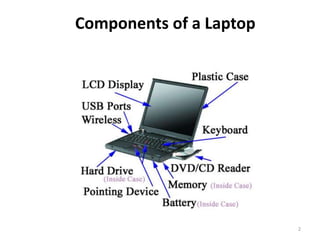
Components of a Laptop
3
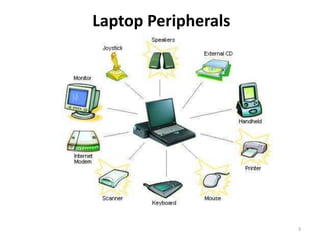
Laptop Peripherals
4
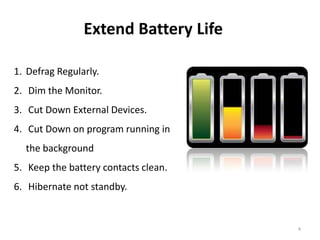
Extend Battery Life
1. Defrag Regularly.
2. Dim the Monitor.
3. Cut Down External Devices.
4. Cut Down on program running in
the background
5. Keep the battery contacts clean.
6. Hibernate not standby.
5
Extend Battery Life
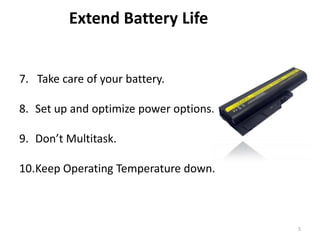
7. Take care of your battery.
8. Set up and optimize power options.
9. Don’t Multitask.
10.Keep Operating Temperature down.
6
Beware of Dust
• Protect laptop from dust.
• It can block the ventilation areas
of your laptop .
• It lead to overheating.
7
Antivirus and Firewall
• Millions of laptop affected by
virus every year.
• Install the right antivirus.
• Install fire wall to track external
access of your system.
8
Charging Laptop
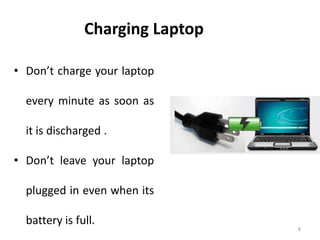
• Don’t charge your laptop
every minute as soon as
it is discharged .
• Don’t leave your laptop
plugged in even when its
battery is full.
9
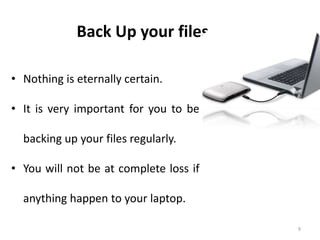
Back Up your files
• Nothing is eternally certain.
• It is very important for you to be
backing up your files regularly.
• You will not be at complete loss if
anything happen to your laptop.
10
Keep your laptop cool
• Keep it out of direct sunlight
• Keep it away from heaters or
radiators.
11
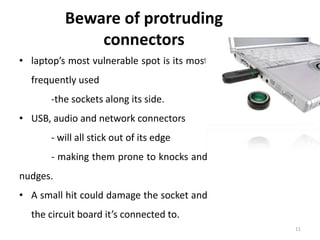
Beware of protruding
connectors
• laptop’s most vulnerable spot is its most
frequently used
-the sockets along its side.
• USB, audio and network connectors
- will all stick out of its edge
- making them prone to knocks and
nudges.
• A small hit could damage the socket and
the circuit board it’s connected to.
12
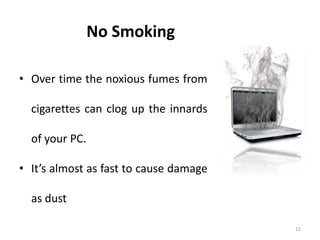
No Smoking
• Over time the noxious fumes from
cigarettes can clog up the innards
of your PC.
• It’s almost as fast to cause damage
as dust
13
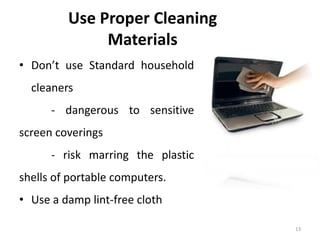
Use Proper Cleaning
Materials
• Don’t use Standard household
cleaners
- dangerous to sensitive
screen coverings
- risk marring the plastic
shells of portable computers.
• Use a damp lint-free cloth
14
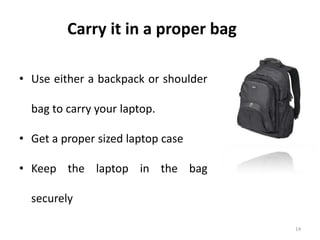
Carry it in a proper bag
• Use either a backpack or shoulder
bag to carry your laptop.
• Get a proper sized laptop case
• Keep the laptop in the bag
securely
15
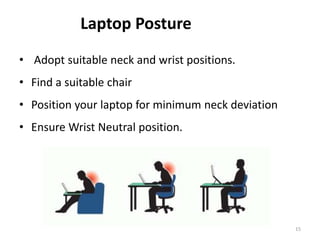
Laptop Posture
• Adopt suitable neck and wrist positions.
• Find a suitable chair
• Position your laptop for minimum neck deviation
• Ensure Wrist Neutral position.
16
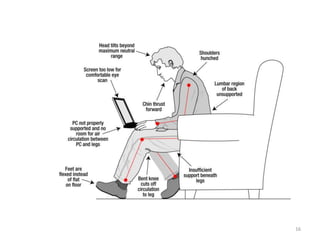
Bad Laptop Postures
17
Put it on sleep when
you are away
• You shouldn’t keep your laptop running
when you have gone for dinner or are
busy on the phone.
• Just put it on hibernate or sleep mode.
• In this way, it won’t be using much of
power and this will also give it a longer
and healthier life.
18
Don’t touch the screen
• The screen or display monitor is very significant.
• Even if your laptop is working properly, but the screen shows
garbled images or becomes blank that will be a total loss to
you.
• Use proper materials to clean the screen or it may damage it
further.
• Don’t touch the screen with your fingers as this may leave
spots on it or if you press the screen too hard then it might
damage it.
Control your internet usage according
to your internet plans
High internet charges
Prepared by
Manu Melwin Joy
Research Scholar
SMS, CUSAT, Kerala
Phone – 9744551114
Mail – manu_melwinjoy@yahoo.com

Laptop maintenance

  • 1.
  • 2.
  • 3.
  • 4.
    4 Extend Battery Life 1.Defrag Regularly. 2. Dim the Monitor. 3. Cut Down External Devices. 4. Cut Down on program running in the background 5. Keep the battery contacts clean. 6. Hibernate not standby.
  • 5.
    5 Extend Battery Life 7.Take care of your battery. 8. Set up and optimize power options. 9. Don’t Multitask. 10.Keep Operating Temperature down.
  • 6.
    6 Beware of Dust •Protect laptop from dust. • It can block the ventilation areas of your laptop . • It lead to overheating.
  • 7.
    7 Antivirus and Firewall •Millions of laptop affected by virus every year. • Install the right antivirus. • Install fire wall to track external access of your system.
  • 8.
    8 Charging Laptop • Don’tcharge your laptop every minute as soon as it is discharged . • Don’t leave your laptop plugged in even when its battery is full.
  • 9.
    9 Back Up yourfiles • Nothing is eternally certain. • It is very important for you to be backing up your files regularly. • You will not be at complete loss if anything happen to your laptop.
  • 10.
    10 Keep your laptopcool • Keep it out of direct sunlight • Keep it away from heaters or radiators.
  • 11.
    11 Beware of protruding connectors •laptop’s most vulnerable spot is its most frequently used -the sockets along its side. • USB, audio and network connectors - will all stick out of its edge - making them prone to knocks and nudges. • A small hit could damage the socket and the circuit board it’s connected to.
  • 12.
    12 No Smoking • Overtime the noxious fumes from cigarettes can clog up the innards of your PC. • It’s almost as fast to cause damage as dust
  • 13.
    13 Use Proper Cleaning Materials •Don’t use Standard household cleaners - dangerous to sensitive screen coverings - risk marring the plastic shells of portable computers. • Use a damp lint-free cloth
  • 14.
    14 Carry it ina proper bag • Use either a backpack or shoulder bag to carry your laptop. • Get a proper sized laptop case • Keep the laptop in the bag securely
  • 15.
    15 Laptop Posture • Adoptsuitable neck and wrist positions. • Find a suitable chair • Position your laptop for minimum neck deviation • Ensure Wrist Neutral position.
  • 16.
  • 17.
    17 Put it onsleep when you are away • You shouldn’t keep your laptop running when you have gone for dinner or are busy on the phone. • Just put it on hibernate or sleep mode. • In this way, it won’t be using much of power and this will also give it a longer and healthier life.
  • 18.
    18 Don’t touch thescreen • The screen or display monitor is very significant. • Even if your laptop is working properly, but the screen shows garbled images or becomes blank that will be a total loss to you. • Use proper materials to clean the screen or it may damage it further. • Don’t touch the screen with your fingers as this may leave spots on it or if you press the screen too hard then it might damage it.
  • 19.
    Control your internetusage according to your internet plans High internet charges
  • 20.
    Prepared by Manu MelwinJoy Research Scholar SMS, CUSAT, Kerala Phone – 9744551114 Mail – manu_melwinjoy@yahoo.com