WELCOME
Session :- 2015-2016
Guided By: Presented By:
Mr. Ashish Sharma Sir Pranyta Karhe
 Introduction
 Objective
 Problem definition
 Problem Solution
 Tools and Technology
 Modules
 Snapshots
 Merits
 Conclusion
Lab management system consist of list of programs about the
management of the details of the students.it is platform independent
web based project. The project has two module namely- Student and
Admin which has facility of Lab programs Management, login
Management. The staff and student can manage and do their activities
in easy manner.
The Administrator and all the others can communicate with the system
through this project. Thus facilitating effective implementation and
monitoring of various activities of the student and staffs.
Computerized lab management, reduce paper work and maintain lab
online. Automation of lab tasks minimizes the difficulties in
maintaining the student’s database. Report generation is performed
easily by faculty.
A very brief guidance is provided through syntaxes and sample
programs to the students.
Existing system…
 It is hard to maintain a lab manually.
 Data of student is not secure in lab computers and anyone can access
it.
 Students are not able to define problems coming in their computers.
 Student are not able to see there computer information.
 Teacher not able to maintain the student record.
 Manipulation of student record is difficult for teacher.
 We introduce our project to maintain the computer lab easily by
computer system and reducing paper work.
 We provide user id and password. The id password is unique so its
data will be secured.
 Students can report all problems related to their system by firing
queries.
 Student upload there assignment and get marks.
 Student data will be secured no one can asses that.
 Teacher can update the information of computer.
 Student can show there pc information.
Tools –
 NetBeans IDE - It is a editor for java coding .
 WampServer - WampServer is a Windows web development
environment. It allows you to create web applications with Apache.
It also comes with PHPMyAdmin to easily manage your databases.
 Operating System : Windows 8.1 and Windows 10.
Technology –
Back end technology:-
 Java (language) - Java is a programming language. It was first
developed by James Gosling at Sun Microsystems, which is now a part
of OracleCorporation. It was released in 1995 as a part of Sun
Microsystems' Java platform. The language has developed much of its
syntax from C and C++.
 Mysql - Mysql (database) is a open source database.
 MySQL is the most popular database system used with java and php.
Front end technology:-
1.HTML:- Html is used to create and save web document. Example-
notepad, notepad++.
2.CSS:-(cascading style sheets) create attractive layout and for affective
designs.
3.JavaScrit:-It is a programming language , commonly use with web
browsers.
Hardware requirement :- Basic computer system.
Software Requirement:- (Any one)
 WAMP Server
 XAMP Server
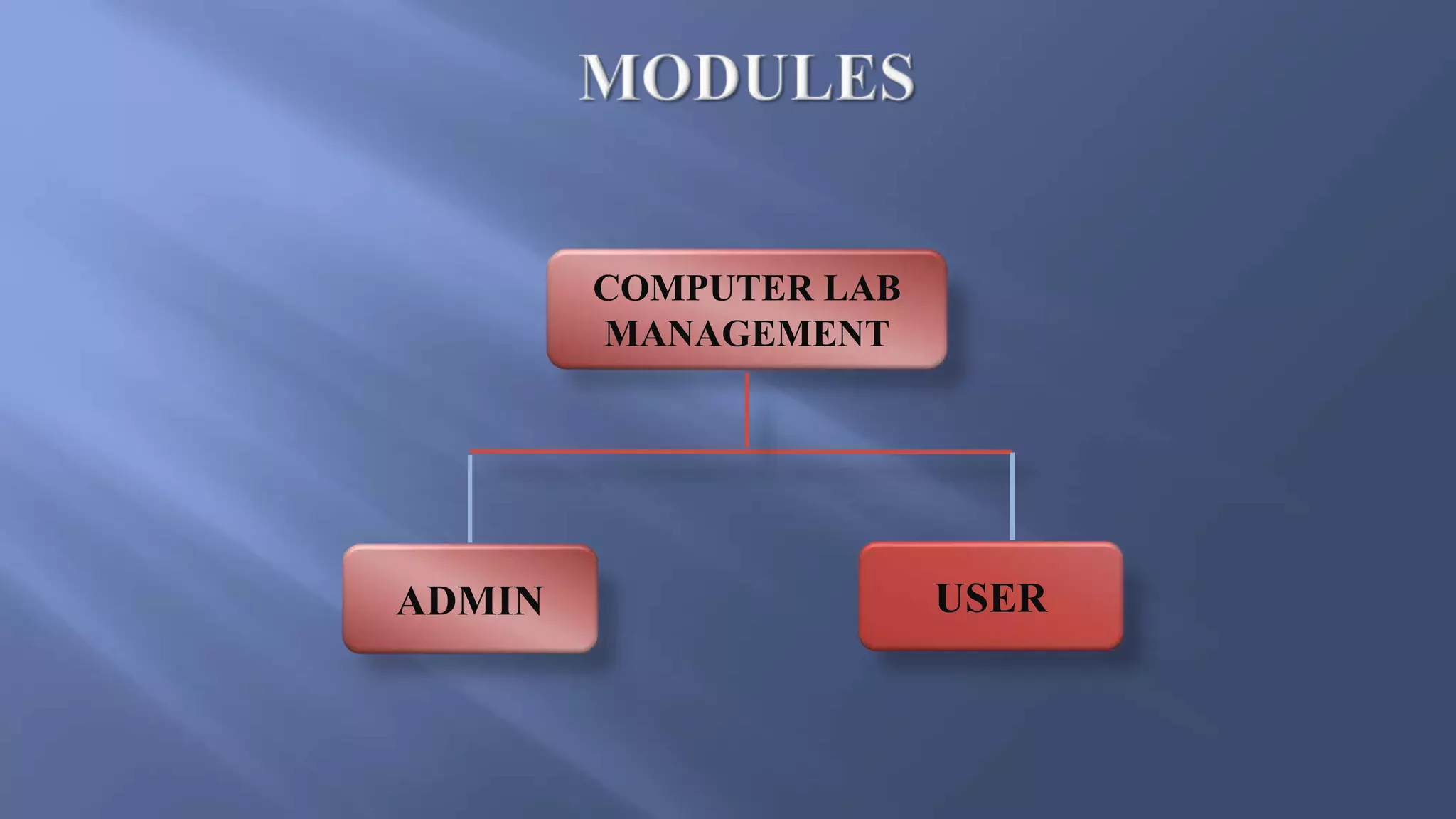
COMPUTER LAB
MANAGEMENT
ADMIN USER
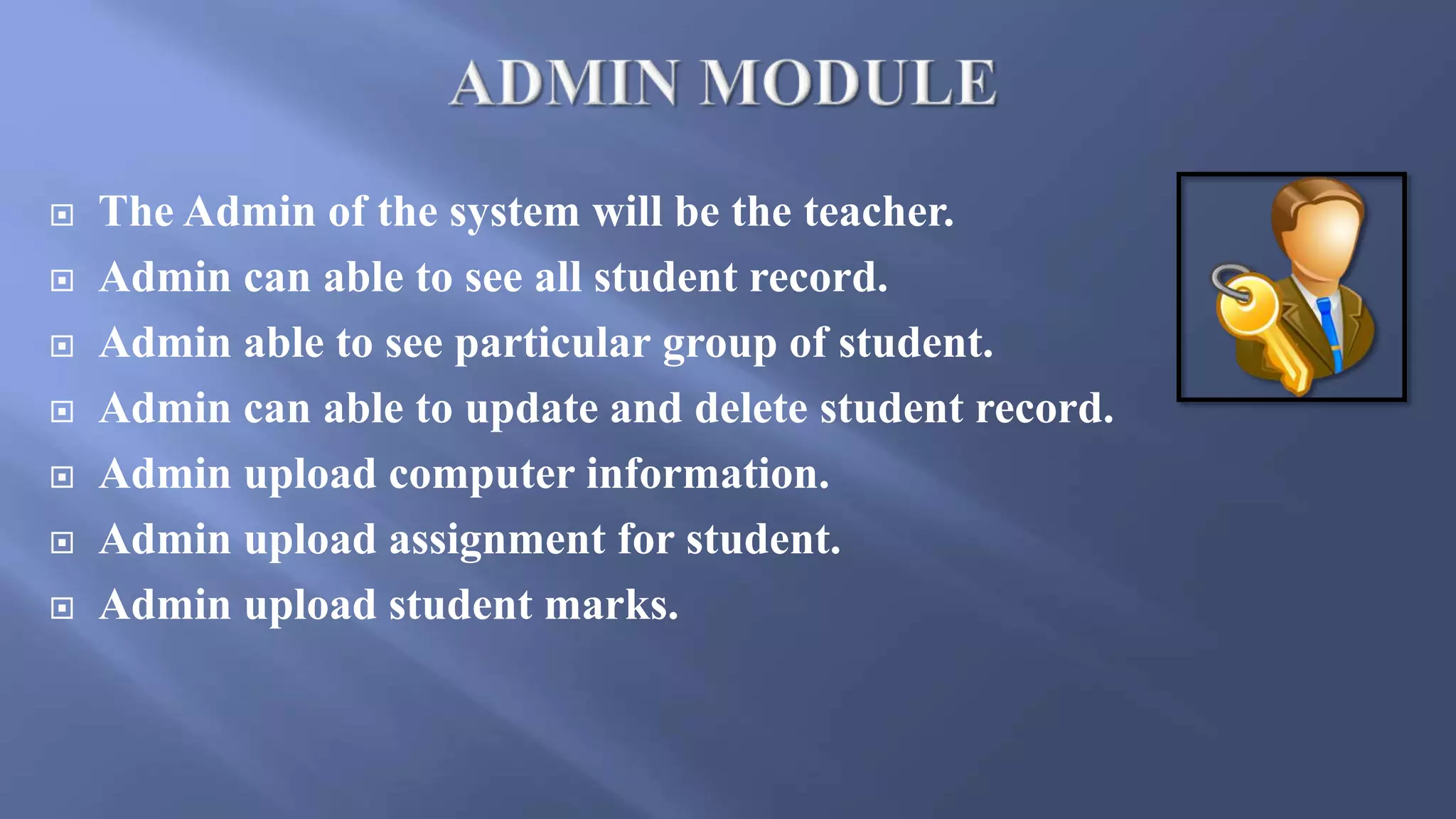
 The Admin of the system will be the teacher.
 Admin can able to see all student record.
 Admin able to see particular group of student.
 Admin can able to update and delete student record.
 Admin upload computer information.
 Admin upload assignment for student.
 Admin upload student marks.
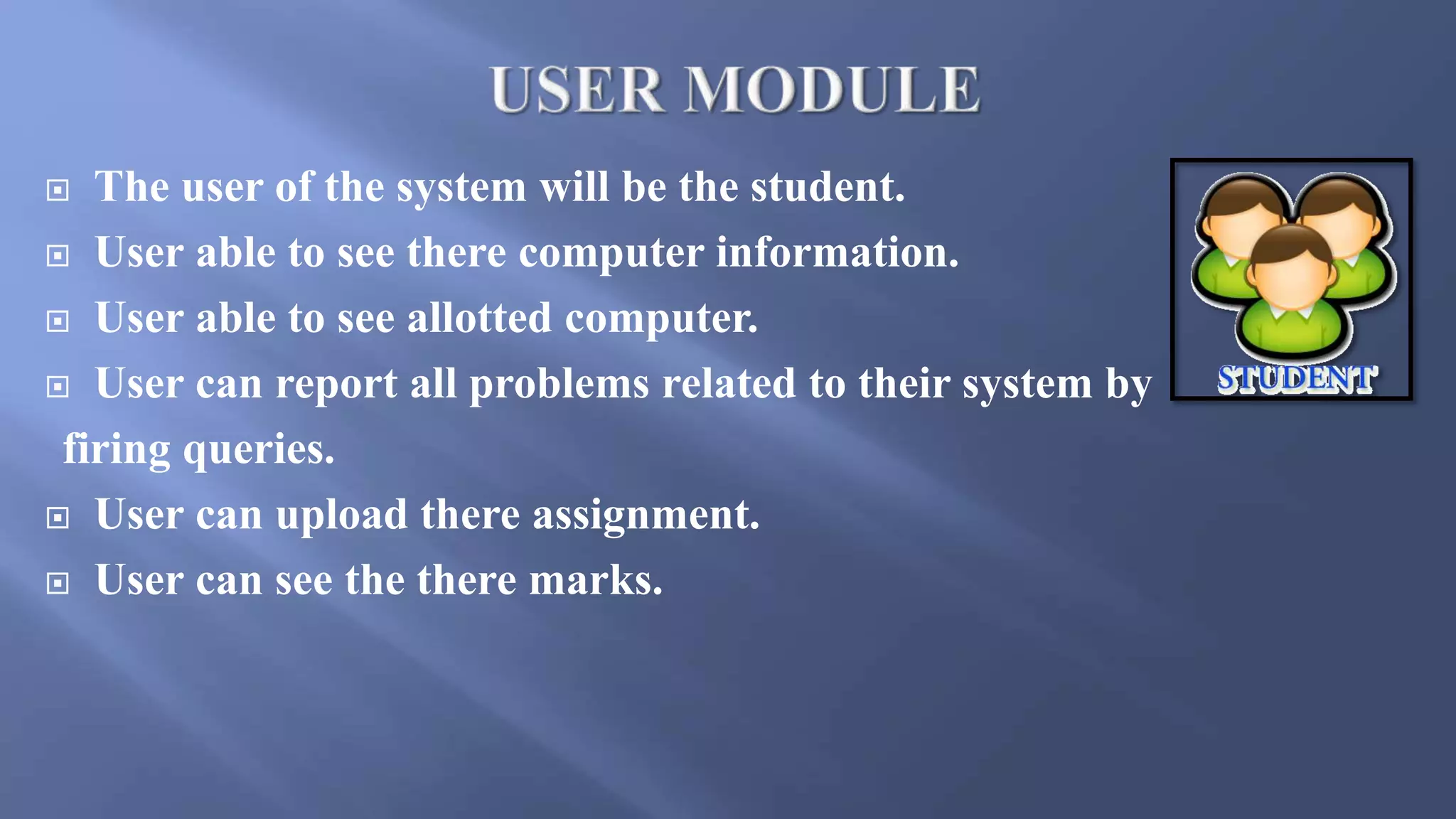
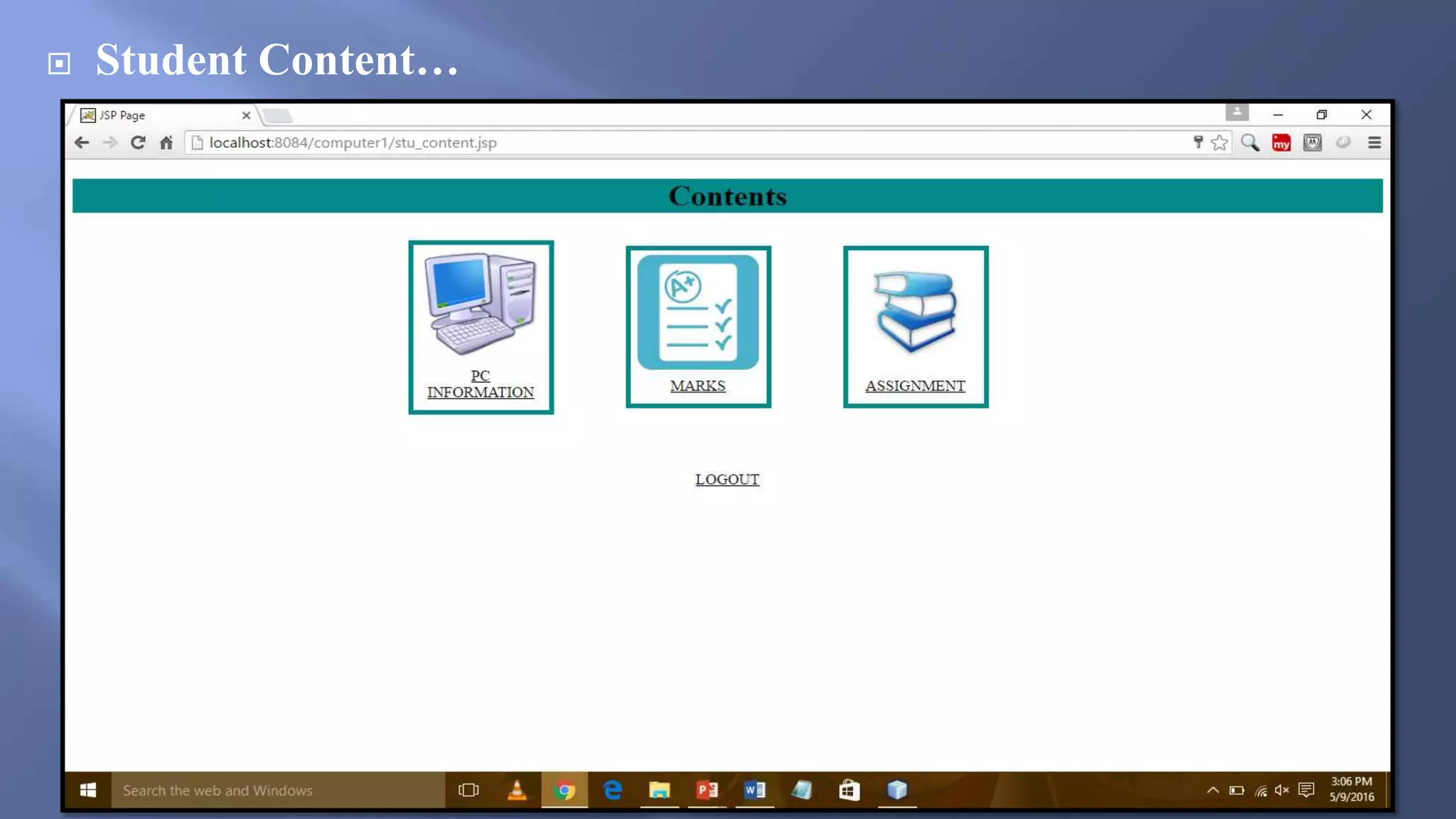
 The user of the system will be the student.
 User able to see there computer information.
 User able to see allotted computer.
 User can report all problems related to their system by
firing queries.
 User can upload there assignment.
 User can see the there marks.
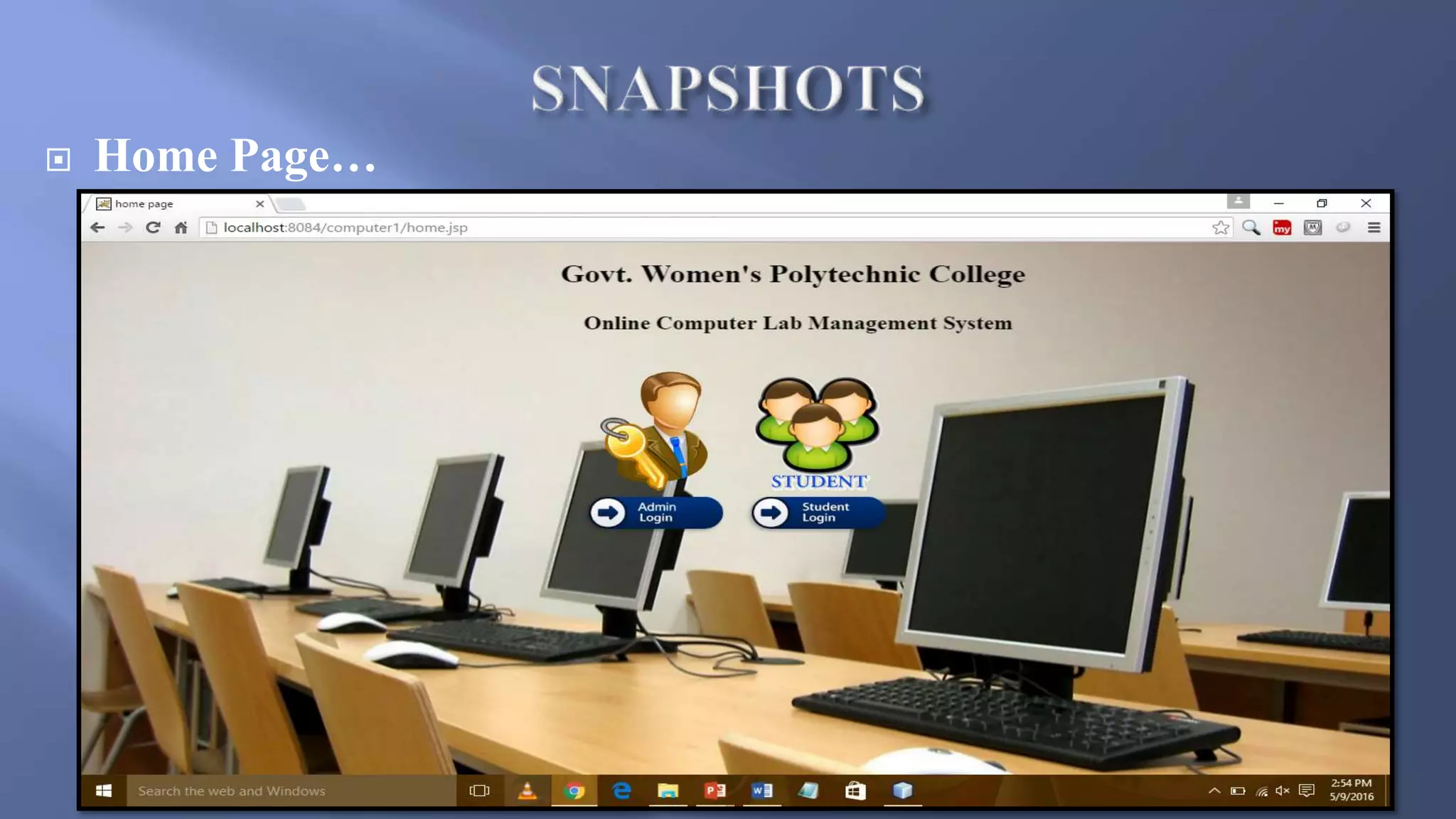
 Home Page…
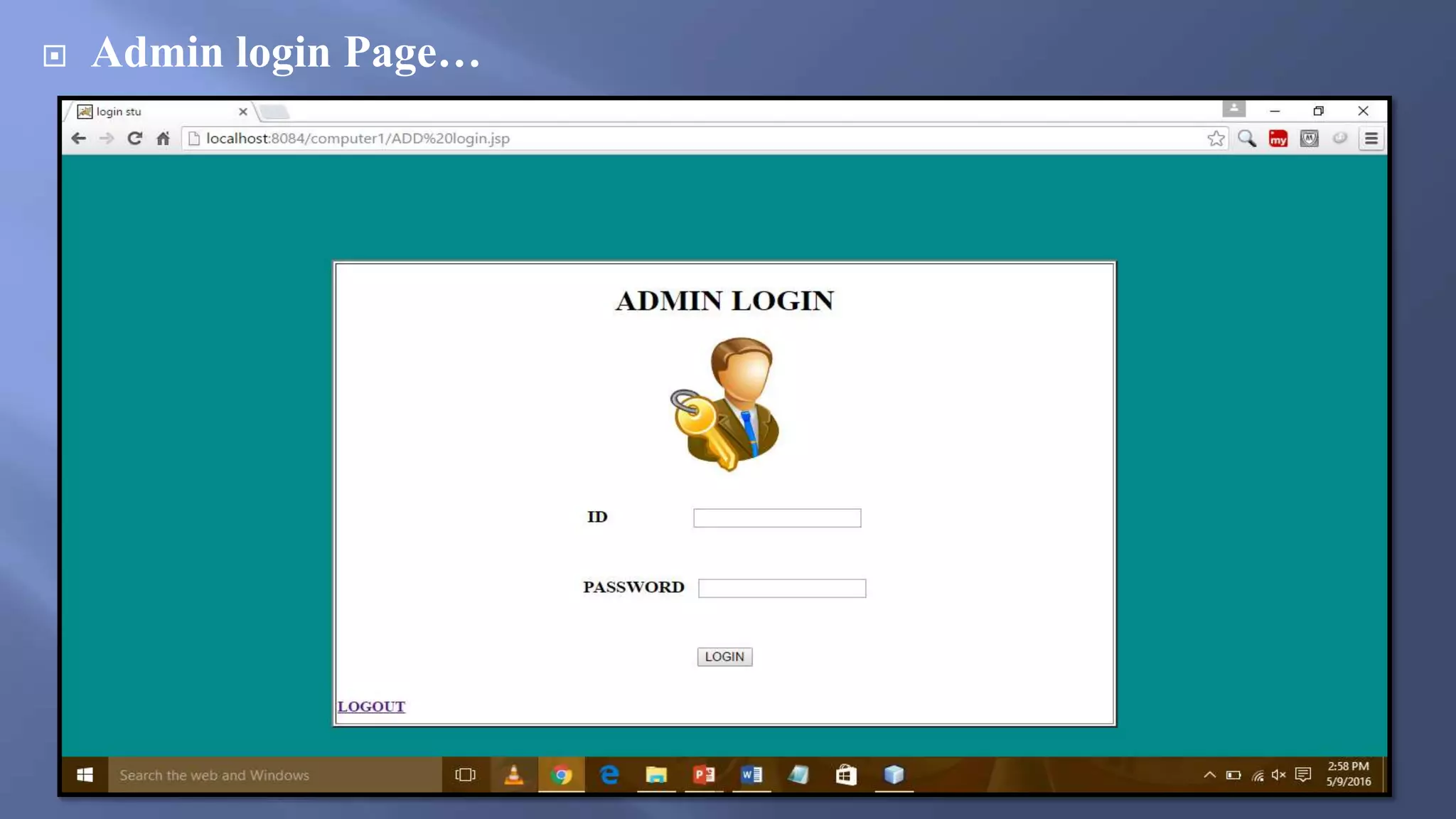
 Admin login Page…
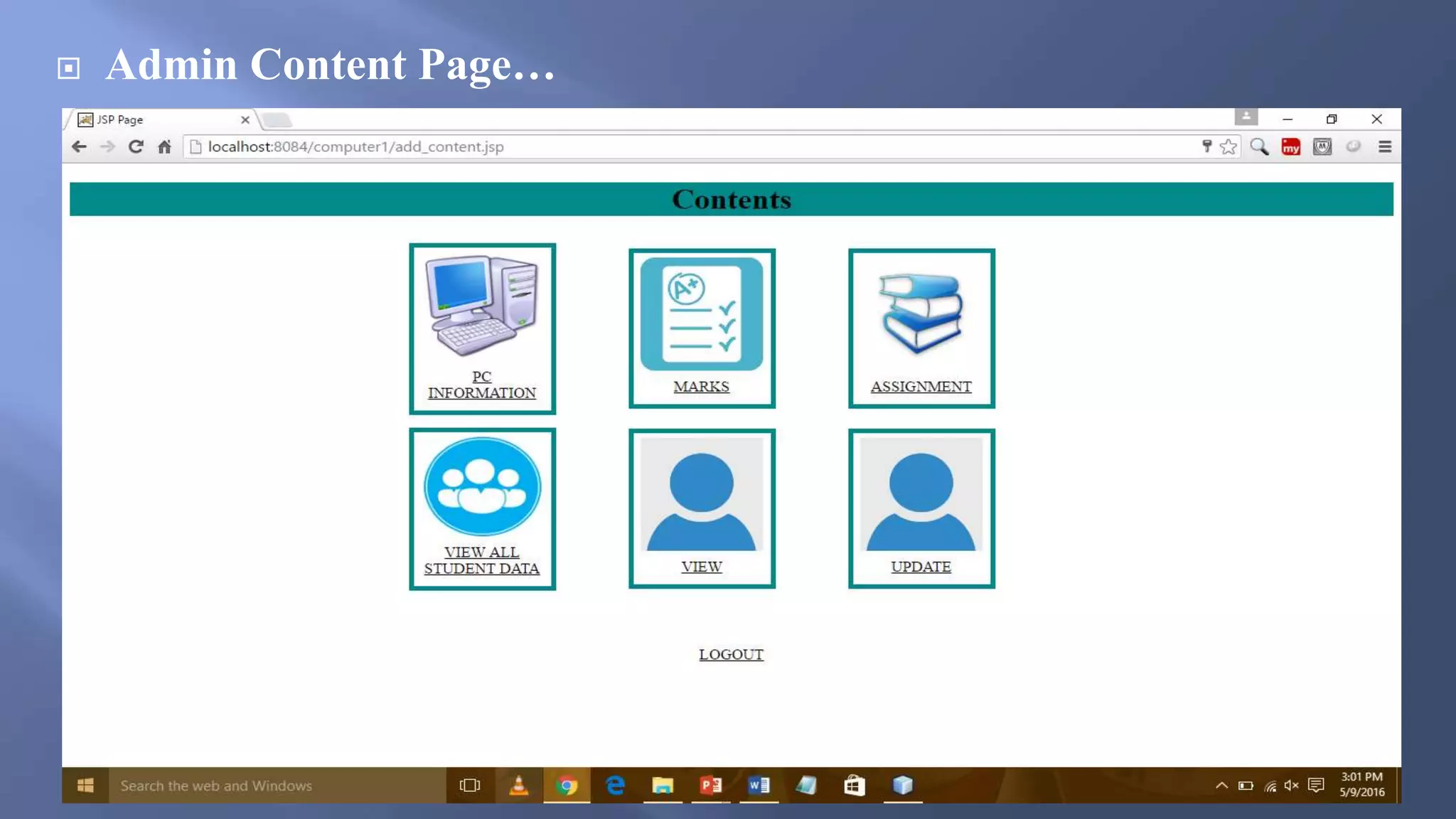
 Admin Content Page…
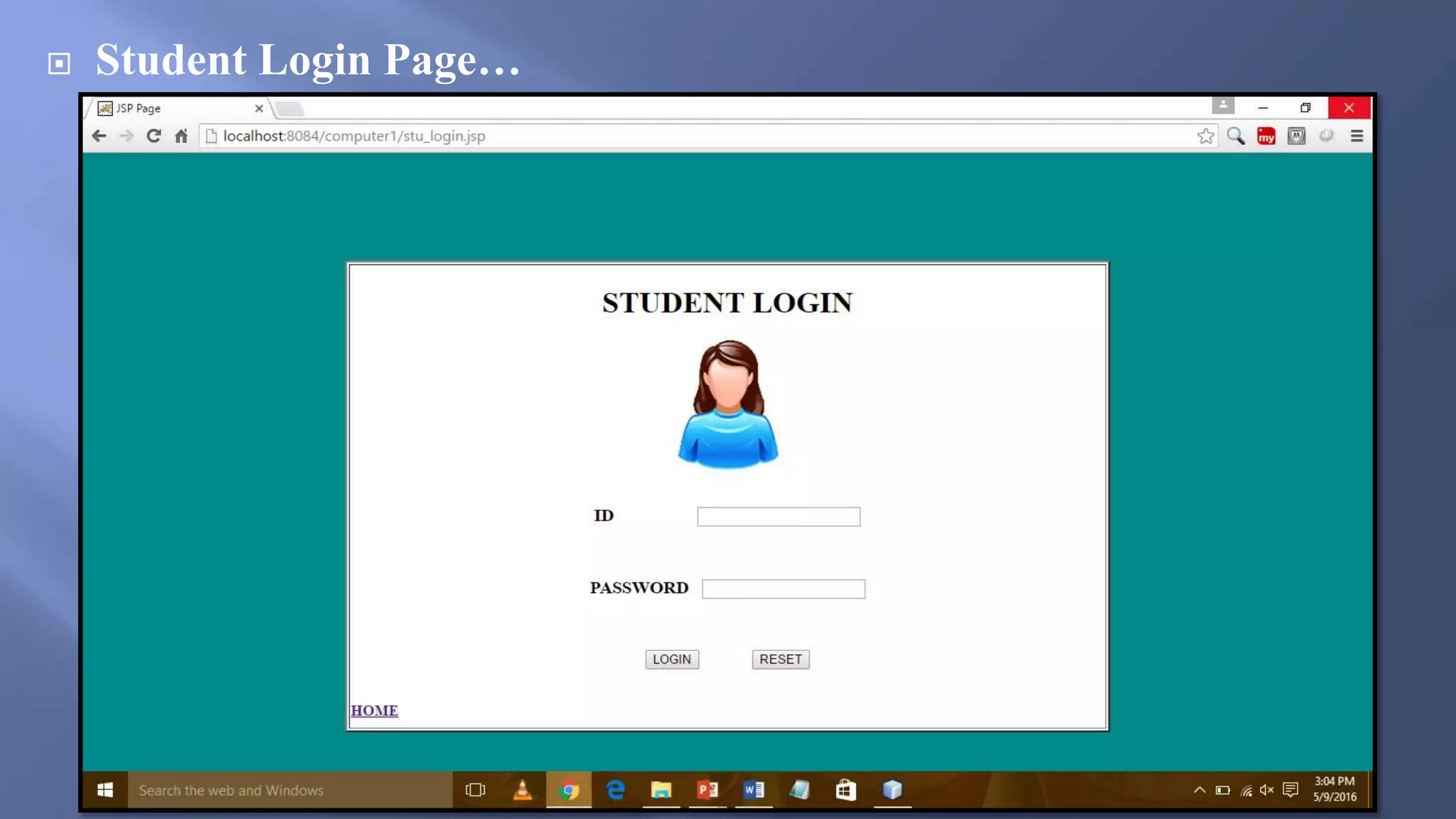
 Student Login Page…
 Student Content…
 Computer Lab Easily maintain by Computer System and Reducing
Paper Work.
 Easy to use, manage and retrieve database.
 User friendly environment.
 With the database any data can be added, modified ,deleted very
quickly.
 The data of the members would be added in the database.
 Faculty can easily generate report of student and upload
assignments.
 User data is secured in this system.
The web application provide facility to lab management system. It
saves time as it allows the computer system to every students of
collage and it provide the user id and password to login for them
profile setting. and administrator have all control of lab managing
system.
THANK YOU

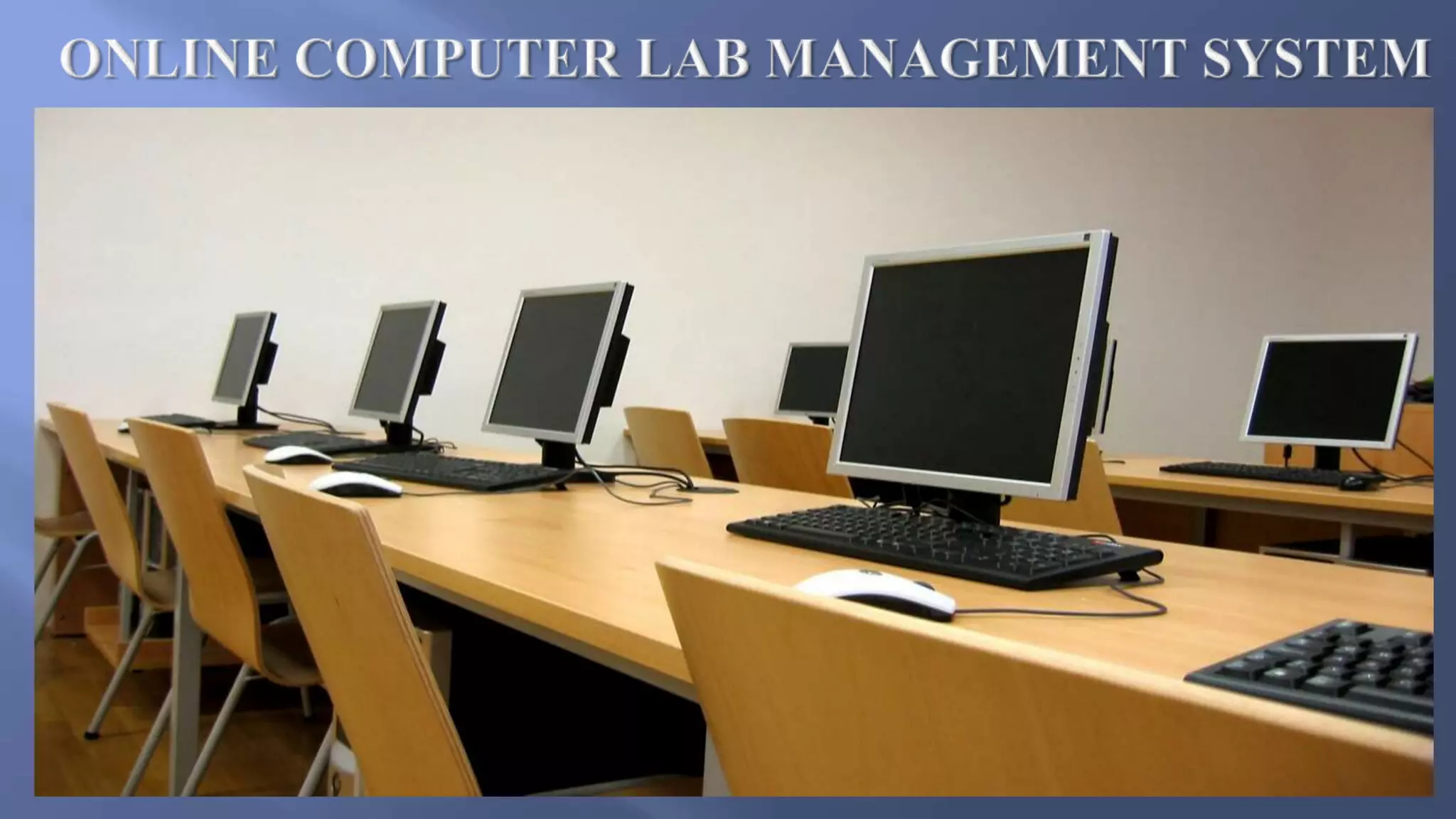
Online computer lab management system

  • 1.
  • 2.
    Session :- 2015-2016 GuidedBy: Presented By: Mr. Ashish Sharma Sir Pranyta Karhe
  • 3.
     Introduction  Objective Problem definition  Problem Solution  Tools and Technology  Modules  Snapshots  Merits  Conclusion
  • 5.
    Lab management systemconsist of list of programs about the management of the details of the students.it is platform independent web based project. The project has two module namely- Student and Admin which has facility of Lab programs Management, login Management. The staff and student can manage and do their activities in easy manner. The Administrator and all the others can communicate with the system through this project. Thus facilitating effective implementation and monitoring of various activities of the student and staffs.
  • 6.
    Computerized lab management,reduce paper work and maintain lab online. Automation of lab tasks minimizes the difficulties in maintaining the student’s database. Report generation is performed easily by faculty. A very brief guidance is provided through syntaxes and sample programs to the students.
  • 7.
    Existing system…  Itis hard to maintain a lab manually.  Data of student is not secure in lab computers and anyone can access it.  Students are not able to define problems coming in their computers.  Student are not able to see there computer information.  Teacher not able to maintain the student record.  Manipulation of student record is difficult for teacher.
  • 8.
     We introduceour project to maintain the computer lab easily by computer system and reducing paper work.  We provide user id and password. The id password is unique so its data will be secured.  Students can report all problems related to their system by firing queries.  Student upload there assignment and get marks.  Student data will be secured no one can asses that.  Teacher can update the information of computer.  Student can show there pc information.
  • 9.
    Tools –  NetBeansIDE - It is a editor for java coding .  WampServer - WampServer is a Windows web development environment. It allows you to create web applications with Apache. It also comes with PHPMyAdmin to easily manage your databases.  Operating System : Windows 8.1 and Windows 10.
  • 10.
    Technology – Back endtechnology:-  Java (language) - Java is a programming language. It was first developed by James Gosling at Sun Microsystems, which is now a part of OracleCorporation. It was released in 1995 as a part of Sun Microsystems' Java platform. The language has developed much of its syntax from C and C++.  Mysql - Mysql (database) is a open source database.  MySQL is the most popular database system used with java and php.
  • 11.
    Front end technology:- 1.HTML:-Html is used to create and save web document. Example- notepad, notepad++. 2.CSS:-(cascading style sheets) create attractive layout and for affective designs. 3.JavaScrit:-It is a programming language , commonly use with web browsers. Hardware requirement :- Basic computer system. Software Requirement:- (Any one)  WAMP Server  XAMP Server
  • 12.
  • 13.
     The Adminof the system will be the teacher.  Admin can able to see all student record.  Admin able to see particular group of student.  Admin can able to update and delete student record.  Admin upload computer information.  Admin upload assignment for student.  Admin upload student marks.
  • 14.
     The userof the system will be the student.  User able to see there computer information.  User able to see allotted computer.  User can report all problems related to their system by firing queries.  User can upload there assignment.  User can see the there marks.
  • 15.
  • 16.
  • 17.
  • 18.
  • 19.
  • 20.
     Computer LabEasily maintain by Computer System and Reducing Paper Work.  Easy to use, manage and retrieve database.  User friendly environment.  With the database any data can be added, modified ,deleted very quickly.  The data of the members would be added in the database.  Faculty can easily generate report of student and upload assignments.  User data is secured in this system.
  • 21.
    The web applicationprovide facility to lab management system. It saves time as it allows the computer system to every students of collage and it provide the user id and password to login for them profile setting. and administrator have all control of lab managing system.
  • 22.