
Source:
http://mylaptop101.blogspot.com/2012/08/basic
-laptop-maintenance-and-tips.html
Prolonging Laptop Lifespan

There are several things you can do to increase the lifespan of your laptop:

                      1. When left in cold places, allow your laptop to become
                      accustomed to room temperature first before turning it on. This
                      prevents any condensation, subsequently avoiding short
                      circuits.
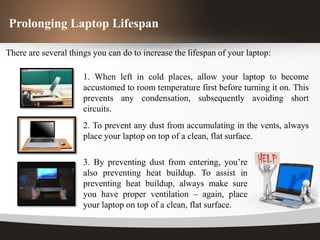
                      2. To prevent any dust from accumulating in the vents, always
                      place your laptop on top of a clean, flat surface.

                      3. By preventing dust from entering, you’re
                      also preventing heat buildup. To assist in
                      preventing heat buildup, always make sure
                      you have proper ventilation – again, place
                      your laptop on top of a clean, flat surface.
Prolonging Laptop Lifespan


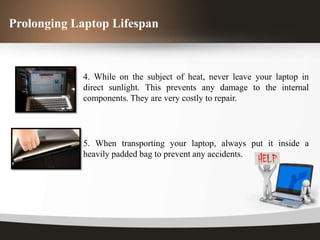
            4. While on the subject of heat, never leave your laptop in
            direct sunlight. This prevents any damage to the internal
            components. They are very costly to repair.


            5. When transporting your laptop, always put it inside a
            heavily padded bag to prevent any accidents.
Cleaning Tips

To prolong the laptop’s life even more, cleaning must be an essential part of your
routine. It’s important to follow these tips:

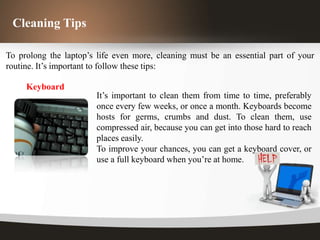
     Keyboard
                        It’s important to clean them from time to time, preferably
                        once every few weeks, or once a month. Keyboards become
                        hosts for germs, crumbs and dust. To clean them, use
                        compressed air, because you can get into those hard to reach
                        places easily.
                        To improve your chances, you can get a keyboard cover, or
                        use a full keyboard when you’re at home.
Cleaning Tips

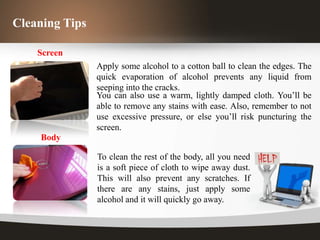
    Screen
                Apply some alcohol to a cotton ball to clean the edges. The
                quick evaporation of alcohol prevents any liquid from
                seeping into the cracks.
                You can also use a warm, lightly damped cloth. You’ll be
                able to remove any stains with ease. Also, remember to not
                use excessive pressure, or else you’ll risk puncturing the
                screen.
    Body

                To clean the rest of the body, all you need
                is a soft piece of cloth to wipe away dust.
                This will also prevent any scratches. If
                there are any stains, just apply some
                alcohol and it will quickly go away.
Conclusion

The aforementioned tips here are plenty, and it’ll definitely help keep your laptop
in top condition.


                              •   Clean your Laptop


If you don’t have the time to clean your laptop regularly, try to
prevent direct sunlight and dust. These two are the worst killers of
laptops. You don’t want dust and heat damaging the internal
components.
Basic laptop maintenance and tips

Basic laptop maintenance and tips

  • 1.
  • 2.
    Prolonging Laptop Lifespan Thereare several things you can do to increase the lifespan of your laptop: 1. When left in cold places, allow your laptop to become accustomed to room temperature first before turning it on. This prevents any condensation, subsequently avoiding short circuits. 2. To prevent any dust from accumulating in the vents, always place your laptop on top of a clean, flat surface. 3. By preventing dust from entering, you’re also preventing heat buildup. To assist in preventing heat buildup, always make sure you have proper ventilation – again, place your laptop on top of a clean, flat surface.
  • 3.
    Prolonging Laptop Lifespan 4. While on the subject of heat, never leave your laptop in direct sunlight. This prevents any damage to the internal components. They are very costly to repair. 5. When transporting your laptop, always put it inside a heavily padded bag to prevent any accidents.
  • 4.
    Cleaning Tips To prolongthe laptop’s life even more, cleaning must be an essential part of your routine. It’s important to follow these tips: Keyboard It’s important to clean them from time to time, preferably once every few weeks, or once a month. Keyboards become hosts for germs, crumbs and dust. To clean them, use compressed air, because you can get into those hard to reach places easily. To improve your chances, you can get a keyboard cover, or use a full keyboard when you’re at home.
  • 5.
    Cleaning Tips Screen Apply some alcohol to a cotton ball to clean the edges. The quick evaporation of alcohol prevents any liquid from seeping into the cracks. You can also use a warm, lightly damped cloth. You’ll be able to remove any stains with ease. Also, remember to not use excessive pressure, or else you’ll risk puncturing the screen. Body To clean the rest of the body, all you need is a soft piece of cloth to wipe away dust. This will also prevent any scratches. If there are any stains, just apply some alcohol and it will quickly go away.
  • 6.
    Conclusion The aforementioned tipshere are plenty, and it’ll definitely help keep your laptop in top condition. • Clean your Laptop If you don’t have the time to clean your laptop regularly, try to prevent direct sunlight and dust. These two are the worst killers of laptops. You don’t want dust and heat damaging the internal components.