1. Browse the Internet responsibly, visiting only websites you
trust and downloading files and programs only from
reliable distributors.
2. Keep your computer area clean -- don't eating, drink or
smoke in the same place you use the computer. Cigarette
smoke can clog your computer hardware. In the case of
Apple computers, it can even void your warranties.
3. Keep your operating system, anti-virus software, firewall,
spyware and other security programs up to date, as new
viruses and security leaks appear all the time.
4. Keep your warranty information handy and up-to-date so
that if anything out of your control happens to damage
your computer, you can get help from the manufacturer or
distributor.
1. Install an antivirus program to protect your computer from
viruses and other threats. There are several free antivirus
programs available, including AVG, Avast and Avira. While
you can test each antivirus program to find the one you like
best, you should never run two at the same time as they'll
conflict with one another.
2. Install a free spyware program such as Windows Defender
or Spybot Search & Destroy.
3. Run your security software, including running antivirus
and spyware scans, at least once a week to catch threats
early. Your antivirus sofware may offer the option to scan
automatically at a scheduled hour—for example, when
you’re not normally on your computer.
1. Shut down your computer and disconnect it from its power source,
then open your computer's case to access the components inside. Some
cases require you use a screwdriver. Check your computer's warranty to
ensure that opening the case will not void your warranty.
2. Use a Q-tip or tweezers to remove dust particles from around your
computer's components. Don't touch any components with your
fingers.
3. Use a can of compressed air to blow hard-to-reach dust and particles
out of the case. Gently blast air into the fans and any open CD, DVD
and I/O ports. Keep the can's nozzle at least four inches away from the
delicate components to avoid causing damage.
4. Replace the cover securely on the case after the inside is clean and
dry.
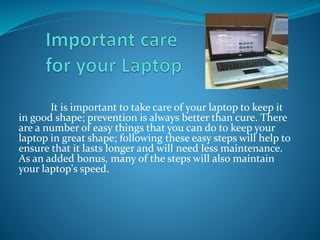
It is important to take care of your laptop to keep it
in good shape; prevention is always better than cure. There
are a number of easy things that you can do to keep your
laptop in great shape; following these easy steps will help to
ensure that it lasts longer and will need less maintenance.
As an added bonus, many of the steps will also maintain
your laptop's speed.
1. Keep liquids away from your laptop.
Spilled liquids may damage the internal components or
cause electrical injury to the laptop.
2. Having an available antivirus software would
help.
Even if you know what you download, it may contain a
virus that can lead to a circuit error in your system
hardware or slowness in the software.
3. Keep food away from your laptop.
. Don't eat over your laptop. The crumbs can go down between
the keys in the keyboard and provide an invitation to small bugs.
4. Always have clean hands when using your
laptop.
Clean hands make it easier to use your laptop touchpad and
there will be less risk of leaving dirt and other stains on the
computer
5. Protect the LCD display monitor
. When you shut your laptop, make sure there are no small
items, such as a pencil or small ear-phones, on the keyboard.
6. Hold and lift the computer by its base, not by its
LCD display (the screen).
If you lift it by the screen part alone, you could damage
the display or the hinges attaching it to the base.
7. Don't pull on the power cord.
Tugging your power cord out from the power socket rather
than putting your hand directly on the plug in the socket and
pulling can break off the plug or damage the power socket.
8. Plug in accessory devices into their proper slots.
Always look at the symbols on the laptop carefully before
inserting devices.
9. Handle any removable drives with care.
Floppy drives or CD drives that have been removed from your
laptop can easily get crushed, dropped or pressed if you are
careless.
10. Don't expose your laptop to rapid temperature
fluctuations.
11. Don't leave your laptop in a car.
12. Have the unit cleaned once a year to remove
internal dust.
Get this done by a computer professional. If dust
accumulates, the system cannot cool itself correctly. Heat can
destroy the motherboard.
13. Avoid placing heavy materials, such as books,
on top of your laptop and keyboard
This can push the LCD screen into the keyboard, and will
eventually damage it.
13. Use a properly-sized laptop case and look into
getting a laptop bag.
A bag greatly reduces the risk of damage. This will avoid
scratching, squeezing or even potentially dropping it.
Taking care of your computers

Taking care of your computers

  • 4.
    1. Browse theInternet responsibly, visiting only websites you trust and downloading files and programs only from reliable distributors. 2. Keep your computer area clean -- don't eating, drink or smoke in the same place you use the computer. Cigarette smoke can clog your computer hardware. In the case of Apple computers, it can even void your warranties. 3. Keep your operating system, anti-virus software, firewall, spyware and other security programs up to date, as new viruses and security leaks appear all the time. 4. Keep your warranty information handy and up-to-date so that if anything out of your control happens to damage your computer, you can get help from the manufacturer or distributor.
  • 5.
    1. Install anantivirus program to protect your computer from viruses and other threats. There are several free antivirus programs available, including AVG, Avast and Avira. While you can test each antivirus program to find the one you like best, you should never run two at the same time as they'll conflict with one another. 2. Install a free spyware program such as Windows Defender or Spybot Search & Destroy. 3. Run your security software, including running antivirus and spyware scans, at least once a week to catch threats early. Your antivirus sofware may offer the option to scan automatically at a scheduled hour—for example, when you’re not normally on your computer.
  • 6.
    1. Shut downyour computer and disconnect it from its power source, then open your computer's case to access the components inside. Some cases require you use a screwdriver. Check your computer's warranty to ensure that opening the case will not void your warranty. 2. Use a Q-tip or tweezers to remove dust particles from around your computer's components. Don't touch any components with your fingers. 3. Use a can of compressed air to blow hard-to-reach dust and particles out of the case. Gently blast air into the fans and any open CD, DVD and I/O ports. Keep the can's nozzle at least four inches away from the delicate components to avoid causing damage. 4. Replace the cover securely on the case after the inside is clean and dry.
  • 7.
    It is importantto take care of your laptop to keep it in good shape; prevention is always better than cure. There are a number of easy things that you can do to keep your laptop in great shape; following these easy steps will help to ensure that it lasts longer and will need less maintenance. As an added bonus, many of the steps will also maintain your laptop's speed.
  • 8.
    1. Keep liquidsaway from your laptop. Spilled liquids may damage the internal components or cause electrical injury to the laptop. 2. Having an available antivirus software would help. Even if you know what you download, it may contain a virus that can lead to a circuit error in your system hardware or slowness in the software. 3. Keep food away from your laptop. . Don't eat over your laptop. The crumbs can go down between the keys in the keyboard and provide an invitation to small bugs.
  • 9.
    4. Always haveclean hands when using your laptop. Clean hands make it easier to use your laptop touchpad and there will be less risk of leaving dirt and other stains on the computer 5. Protect the LCD display monitor . When you shut your laptop, make sure there are no small items, such as a pencil or small ear-phones, on the keyboard. 6. Hold and lift the computer by its base, not by its LCD display (the screen). If you lift it by the screen part alone, you could damage the display or the hinges attaching it to the base.
  • 10.
    7. Don't pullon the power cord. Tugging your power cord out from the power socket rather than putting your hand directly on the plug in the socket and pulling can break off the plug or damage the power socket. 8. Plug in accessory devices into their proper slots. Always look at the symbols on the laptop carefully before inserting devices. 9. Handle any removable drives with care. Floppy drives or CD drives that have been removed from your laptop can easily get crushed, dropped or pressed if you are careless. 10. Don't expose your laptop to rapid temperature fluctuations.
  • 11.
    11. Don't leaveyour laptop in a car. 12. Have the unit cleaned once a year to remove internal dust. Get this done by a computer professional. If dust accumulates, the system cannot cool itself correctly. Heat can destroy the motherboard. 13. Avoid placing heavy materials, such as books, on top of your laptop and keyboard This can push the LCD screen into the keyboard, and will eventually damage it.
  • 12.
    13. Use aproperly-sized laptop case and look into getting a laptop bag. A bag greatly reduces the risk of damage. This will avoid scratching, squeezing or even potentially dropping it.