HÖNNUN OG SMÍÐI HUGBÚNAÐAR 2015
L10 ARCHITECTURE CONSIDERATIONS
Agenda
Goals
Architecture Drivers
Non-functional Requirements
Constraints
Principles
Reading
Brown: III Designing software
Chapters 21-25 (both included)
Goals of an Enterprise Architecture
Be robust
Be performing and scalable
Take advantage of OO design principles
Avoid unnecessary complexity
Be maintainable and extensible
Be easy to test
Promote reuse
Requirement Consideration
Goals based on business requirements
• Support for multiple client types
• Portability
Support for multiple client types
• Does we need to support different client types?
• Do we need abstraction layer?
Portability
• Does the application need to be independent of a particular
• middleware, like databases?
• Do we need abstraction layer?
Architecture Drivers
▪ Functional Requirements
▪ Quality Attributes
▪ Constraints
▪ Principles
Architecture Drivers
We must understand these drivers at a high-level
▪ Creativity can come from constraints
Clear VISION
▪ Architecture is about STRUCTURE and VISION
▪ Must be communicated
Will help in the decision process
▪ When faced with a decision, the vision will tell you
Quality Attributes
Quality Attributes
Requirements are easy to understand
▪ People can (mostly) explain the features they want
It’s the non-functional requirements that are more tricky
▪ The “ilites”
Performance
▪ Performance is about how fast something is
– This must always be a consideration
▪ Applies on multiple levels:
– Hardware specification
– Network setup and security
– Architecture of the software
– The programming of the software
– Protocols used
– Middleware and containers
Performance
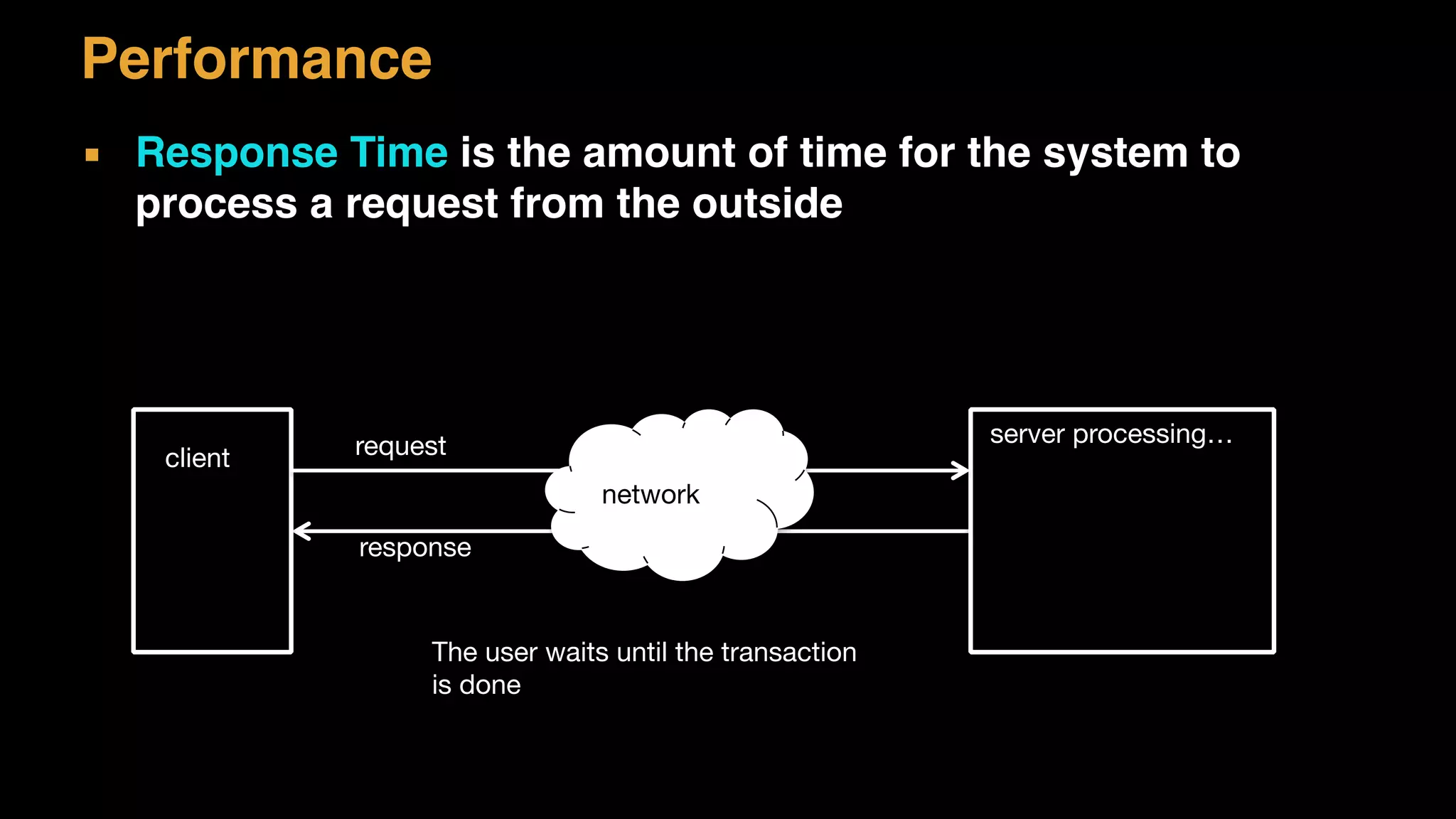
▪ Response Time is the amount of time for the system to
process a request from the outside
server processing…
client request
network
response
The user waits until the transaction

is done
Performance
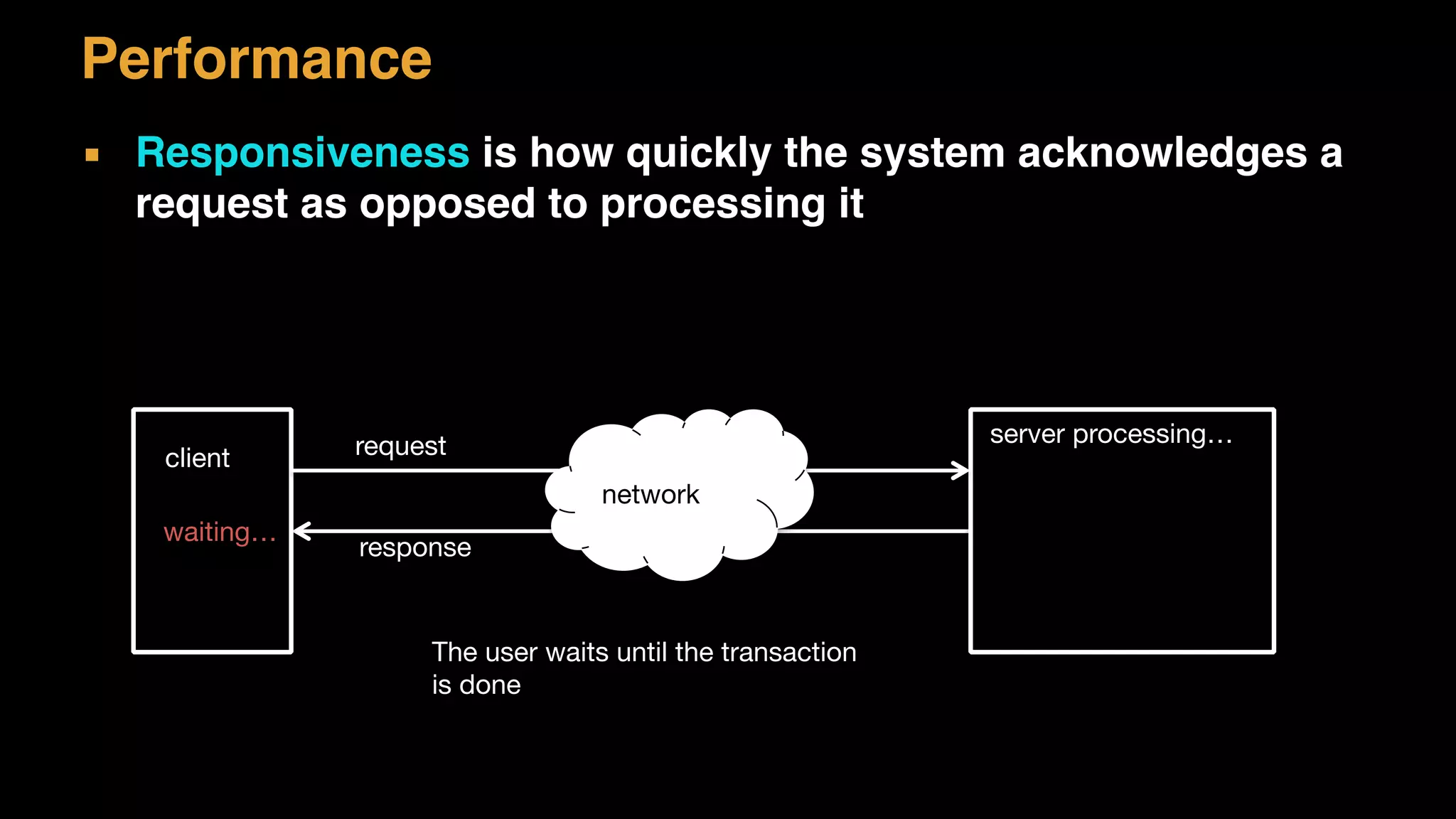
▪ Responsiveness is how quickly the system acknowledges a
request as opposed to processing it
server processing…
client request
network
response
The user waits until the transaction

is done
waiting…
Performance
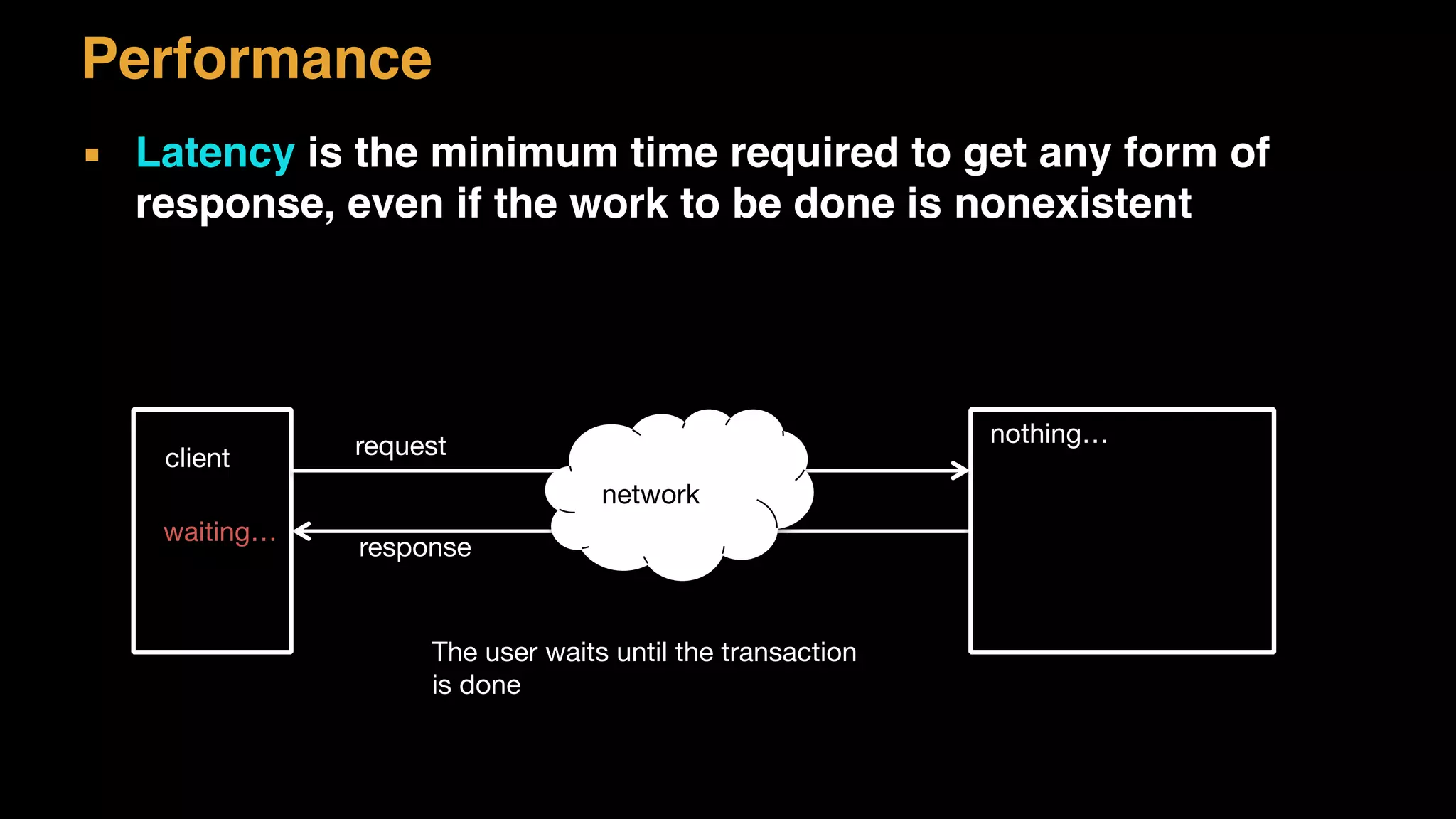
▪ Latency is the minimum time required to get any form of
response, even if the work to be done is nonexistent
nothing…
client request
network
response
The user waits until the transaction

is done
waiting…
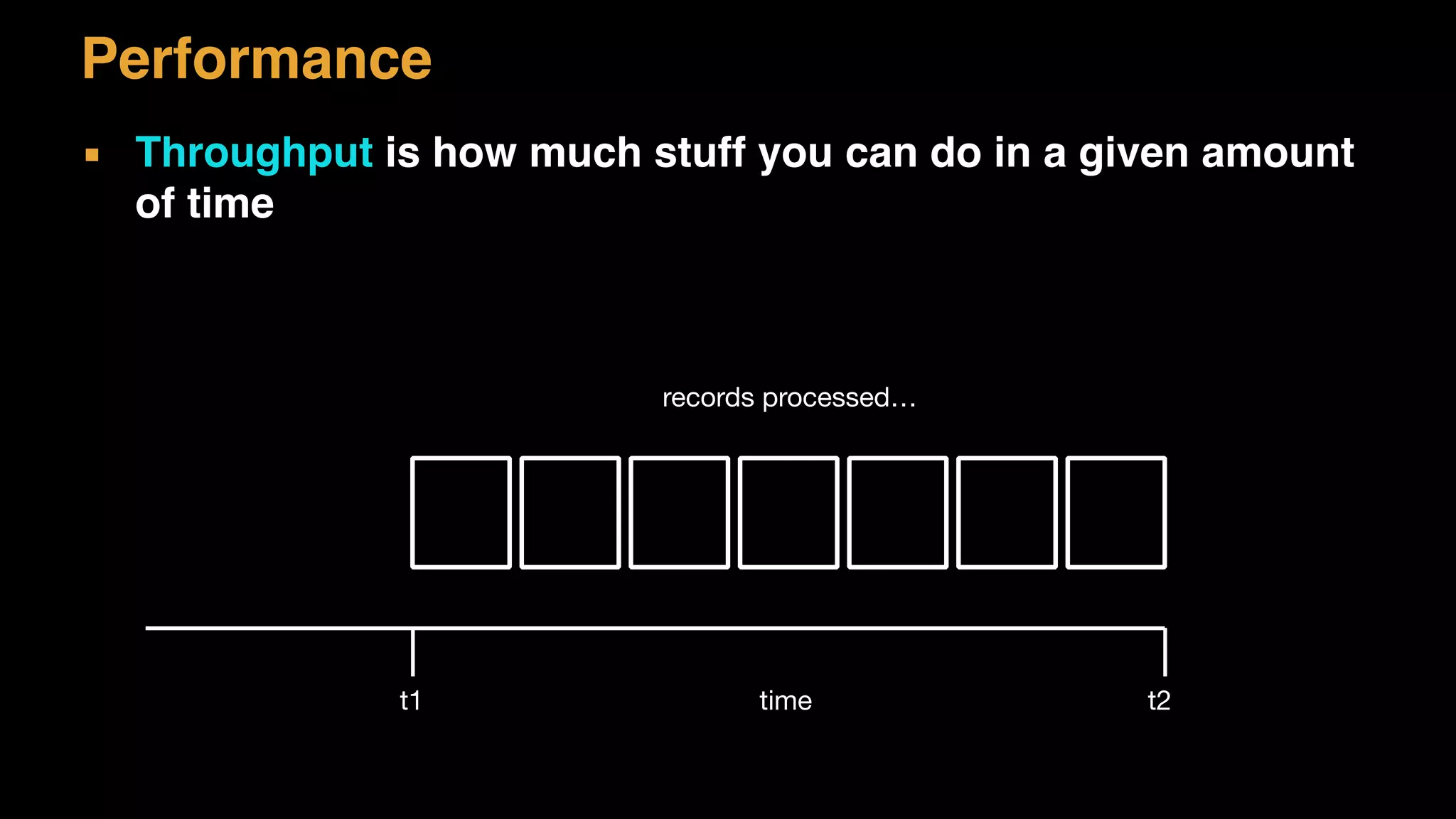
▪ Throughput is how much stuff you can do in a given amount
of time
t1 t2time
records processed…
Performance
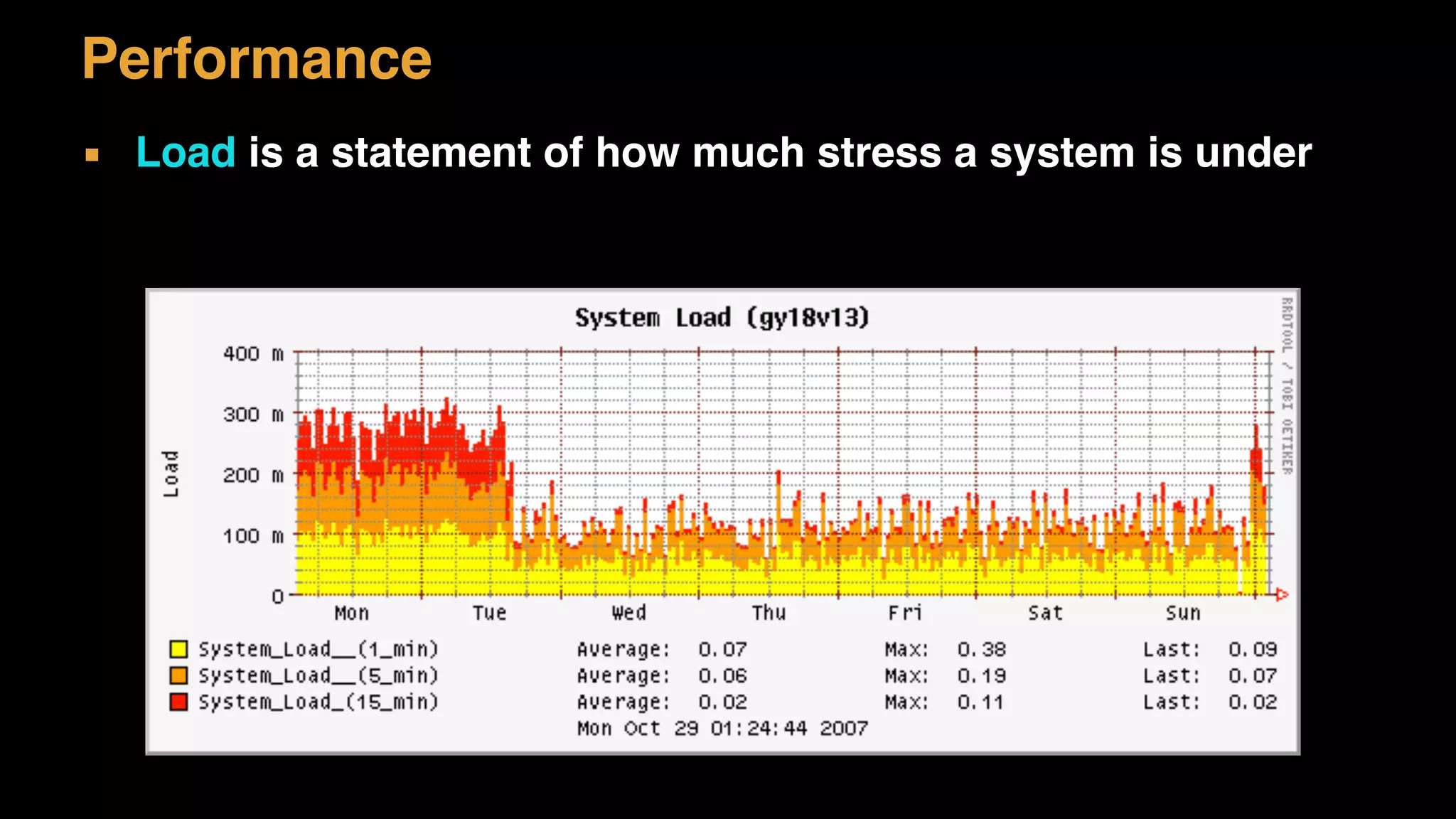
▪ Load is a statement of how much stress a system is under
Performance
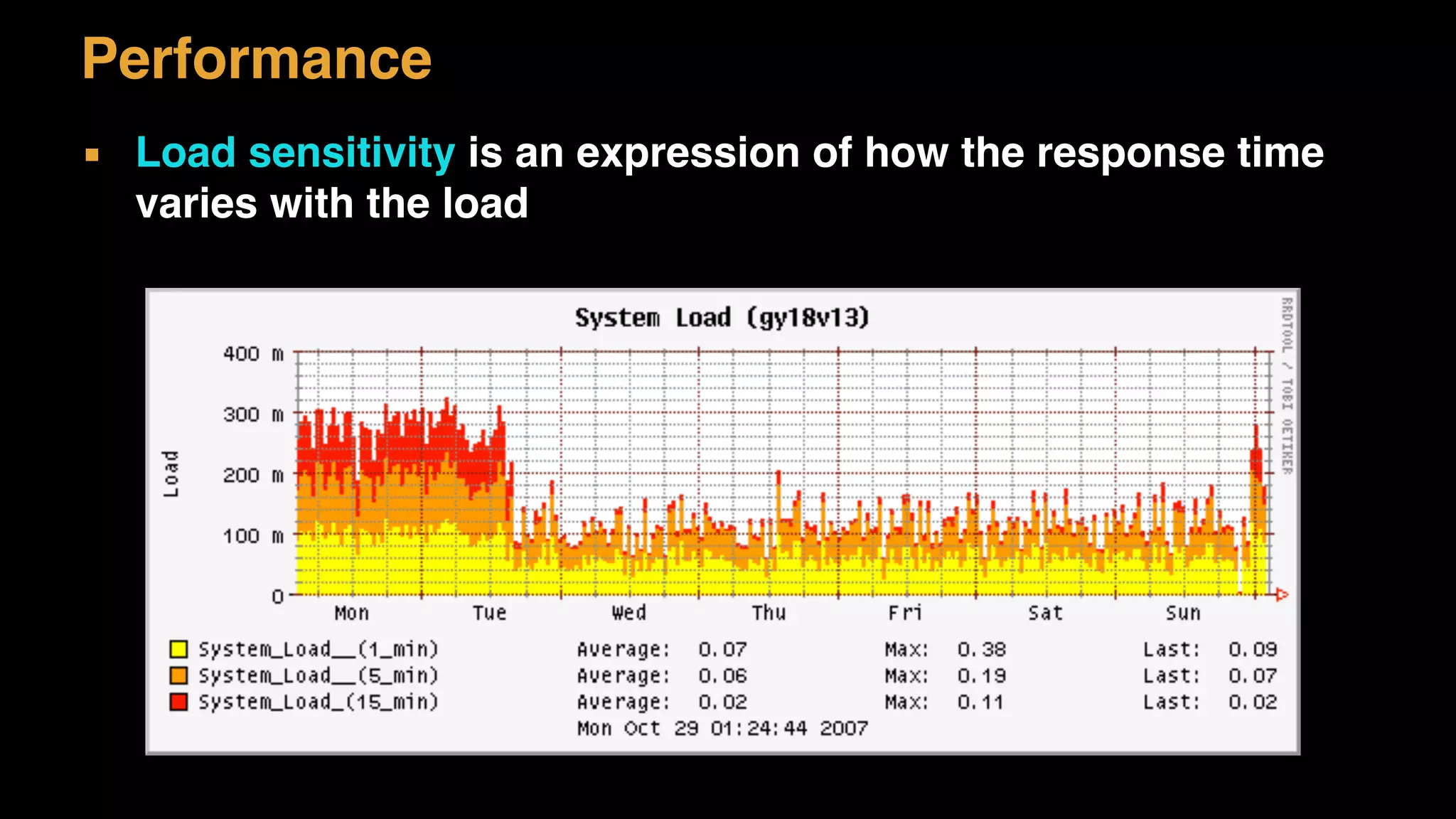
▪ Load sensitivity is an expression of how the response time
varies with the load
Performance
▪ Efficiency is a performance divided by resources
▪ Capacity of a system is an indication of maximum effective
load
▪ Companies must have Capacity Planning strategy for
successful growth
Performance
Scalability
▪ The measure of how adding a resource affects the
performance
– Vertical: Make the hardware faster, more memory etc
– Horizontal: Get more hardware – scaling out
▪ How many concurrent transaction can the system handle
– Request per second or per minute
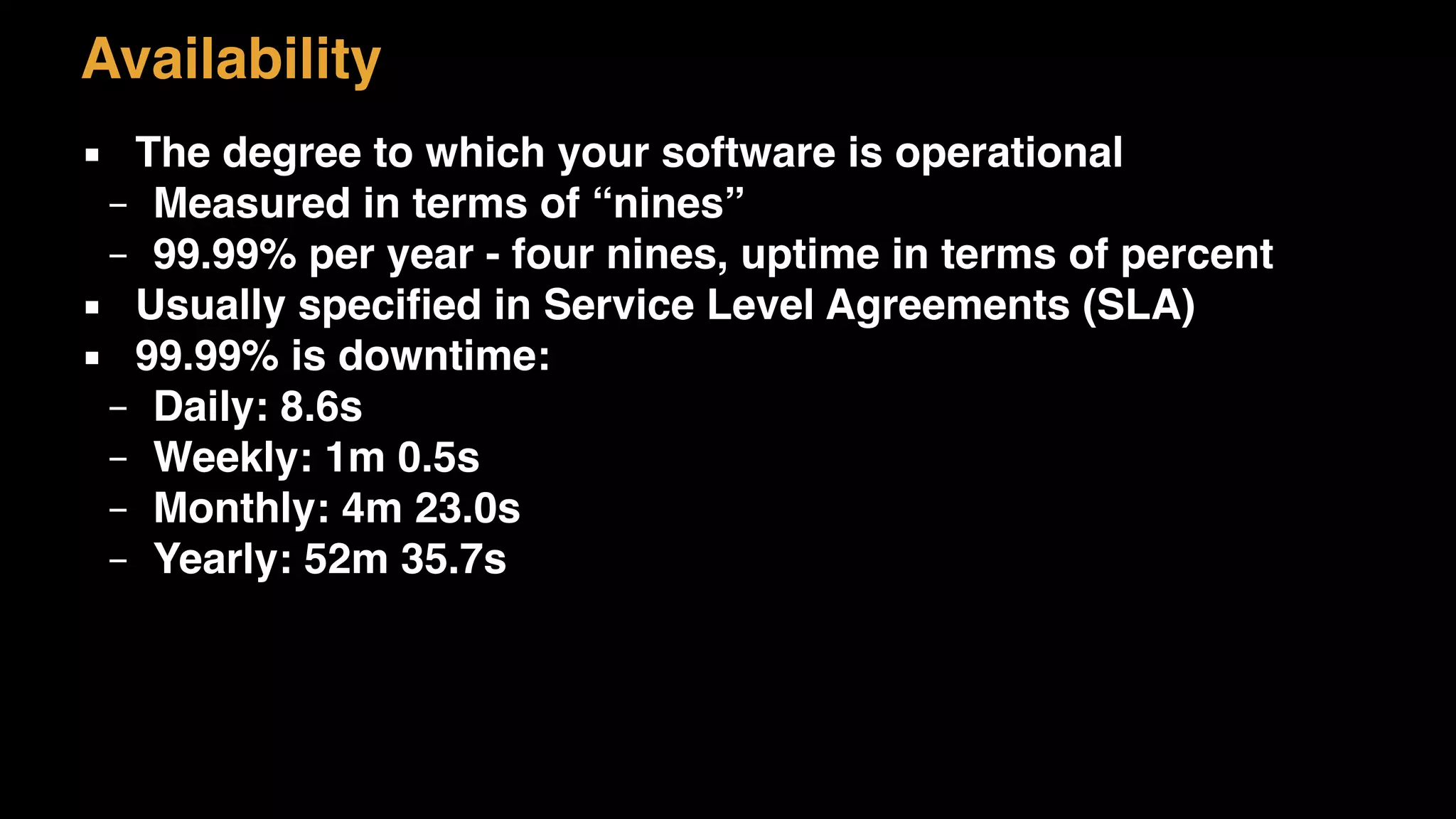
Availability
▪ The degree to which your software is operational
– Measured in terms of “nines”
– 99.99% per year - four nines, uptime in terms of percent
▪ Usually specified in Service Level Agreements (SLA)
▪ 99.99% is downtime:
– Daily: 8.6s
– Weekly: 1m 0.5s
– Monthly: 4m 23.0s
– Yearly: 52m 35.7s
Security
▪ Overall all security issues are vital
– Authentication and authorization
– Hardware access restrictions on network levels
– Firewalls
– Open Web Application Security Project (OWASP)
– Security Roles for people
– Securing sensitive information, for example encrypting data
Disaster Recovery
▪ Response to failures
– Disk crash, faulty network card etc
– Network downtime
▪ External disaster – force major
– Fires, earthquake
▪ Business Continuity Plan
– Specifies how a business can recover from disasters
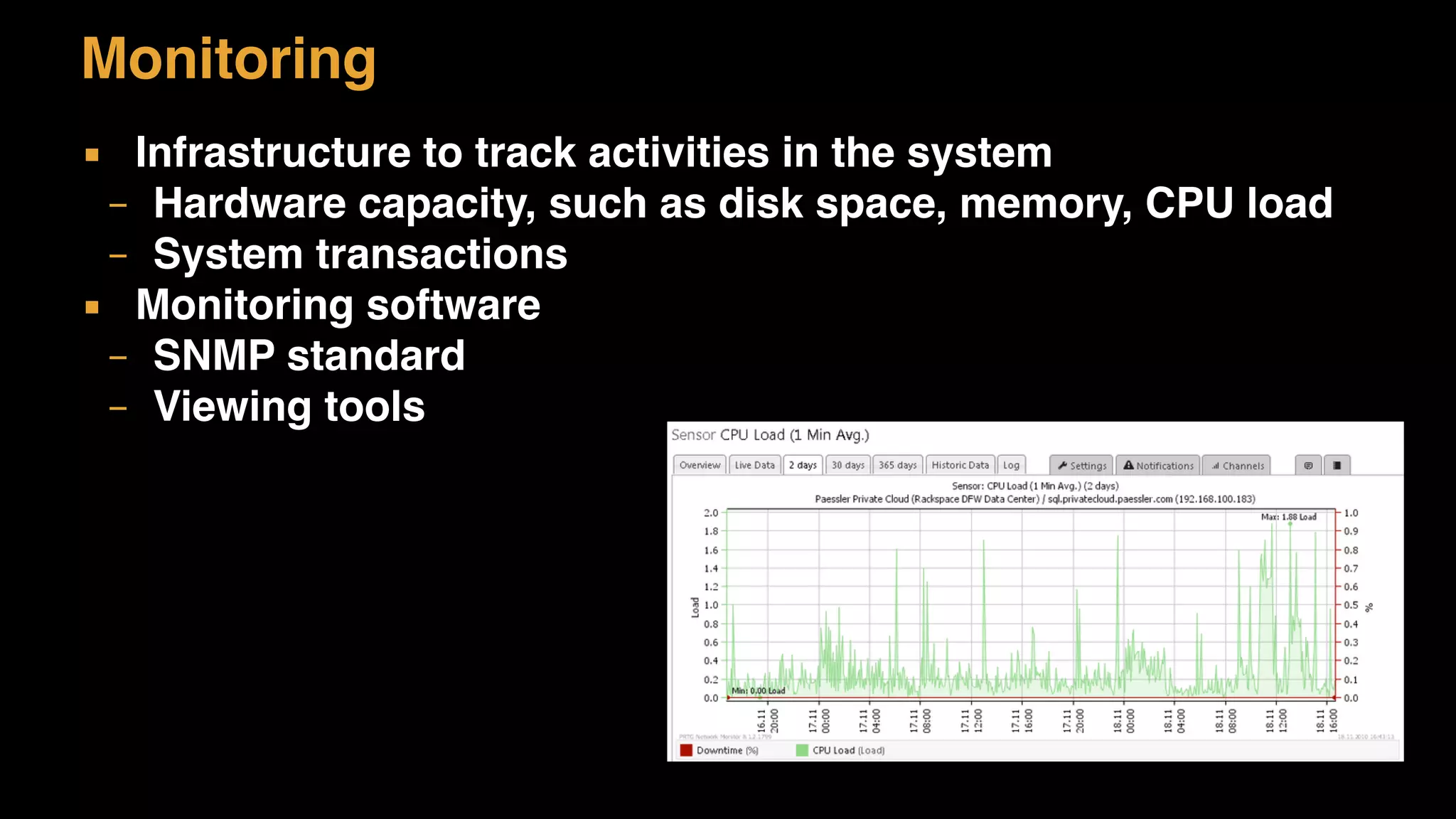
Monitoring
▪ Infrastructure to track activities in the system
– Hardware capacity, such as disk space, memory, CPU load
– System transactions
▪ Monitoring software
– SNMP standard
– Viewing tools
Auditing
▪ Traceability of what happens in the system
– Logging of events
– Software to track changes
▪ Some software must allow for external auditing
– All transactions are logged
– All changes to record data is logged
– Any event can be viewed
Software Requirements
▪ Flexibility
– The ability for non-technical people to modify business
rules within the system
▪ Extensibility
– The ability to extend and modify software for new needs
▪ Maintainability
– Think about the cost of running software over some time
Other Requirements
▪ Legal, regulatory and compliance
– Laws that regulate industries
▪ Internationalisation (i18n)
– What languages must be supported
▪ Localisation (L10n)
– Does the software need to be adapted to local cultures
Non-functional Requirement
Non-Functional Requirements
▪ The challenge is to capture the non-functional requirement
▪ Instead of asking how much availability (-ability) ask specific
questions
– “How much downtime can you tolerate?”
– “How many users are there max?”
– “How much do you expect to sell?”
Non-Functional Requirements
▪ Identify explicit quantity:
▪ How many concurrent users should the system support on
average? What about peak times?
▪ What response time is deemed accceptable? Is this the
same across all parts of the system or just specific
features?
▪ How exactly do we need to secure the system? Do we really
need to encrypt the data or is restricted access sufficient?
▪ Categorize non-functional requirements
– Sometimes the best solution is really not what is needed
– Sometimes features are not required to begin with
▪ Use MoSCoW
– Must, Should, Could, Wont
Non-Functional Requirements
Constraints
Constraints
▪ Time and budget constraints
– There is always a deadline
▪ Technology constraints
– Approved technology – Technology Stack
▪ Existing System and Interoperability
– Middleware or standards used
▪ Target Deployment Platform
– Must run in Windows or Linux
Constraints
▪ Technology Maturity
– Established middleware or bleeding edge
▪ Open Source
– Use of proprietary software or open source
▪ Vendor Relationship
– Firms make partnerships with technical vendors
▪ Past Failures
– We tried this technology and it did not work and we don’t
want it
Constraints
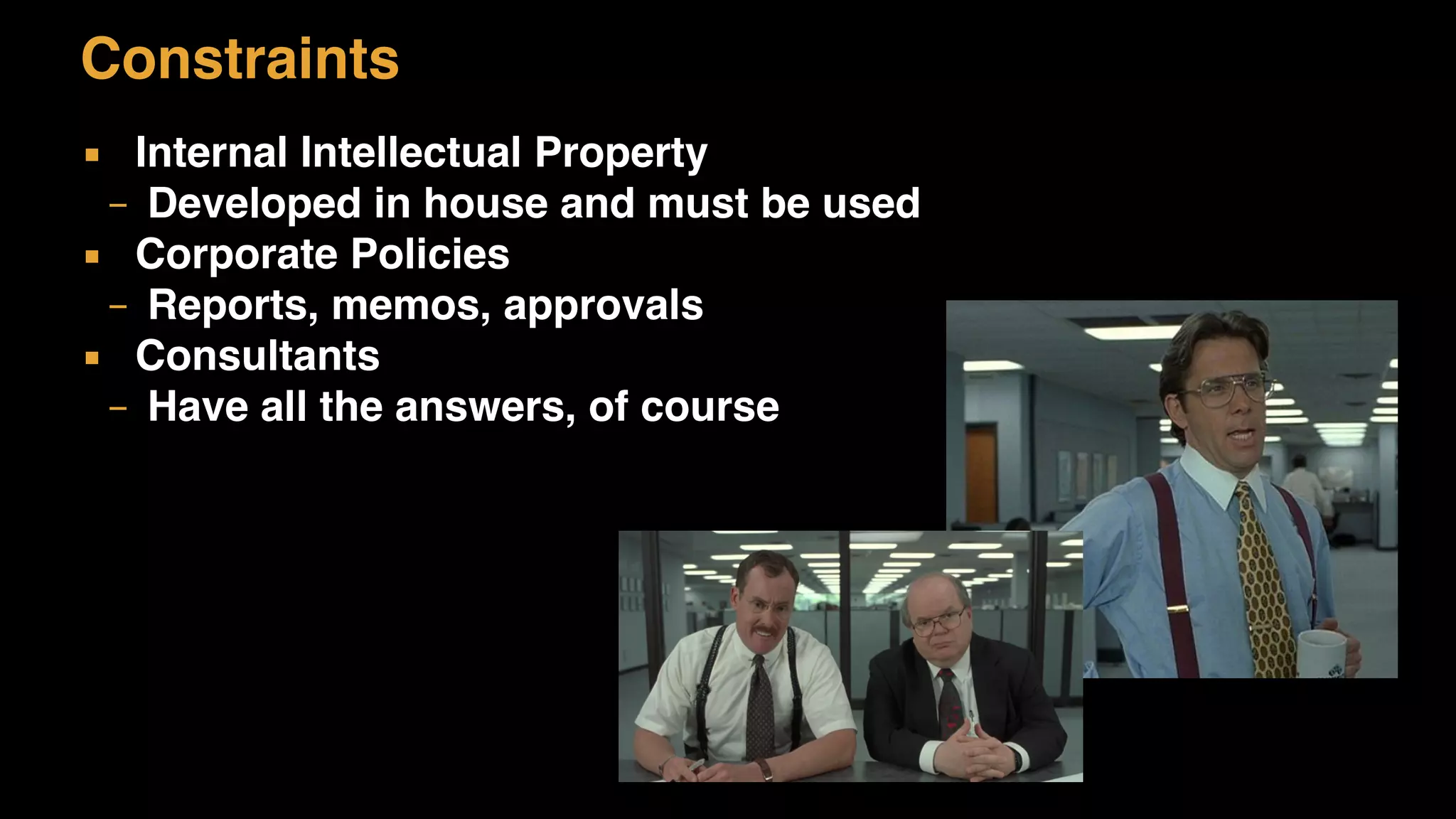
▪ Internal Intellectual Property
– Developed in house and must be used
▪ Corporate Policies
– Reports, memos, approvals
▪ Consultants
– Have all the answers, of course
People Constraints
▪ People set constrains
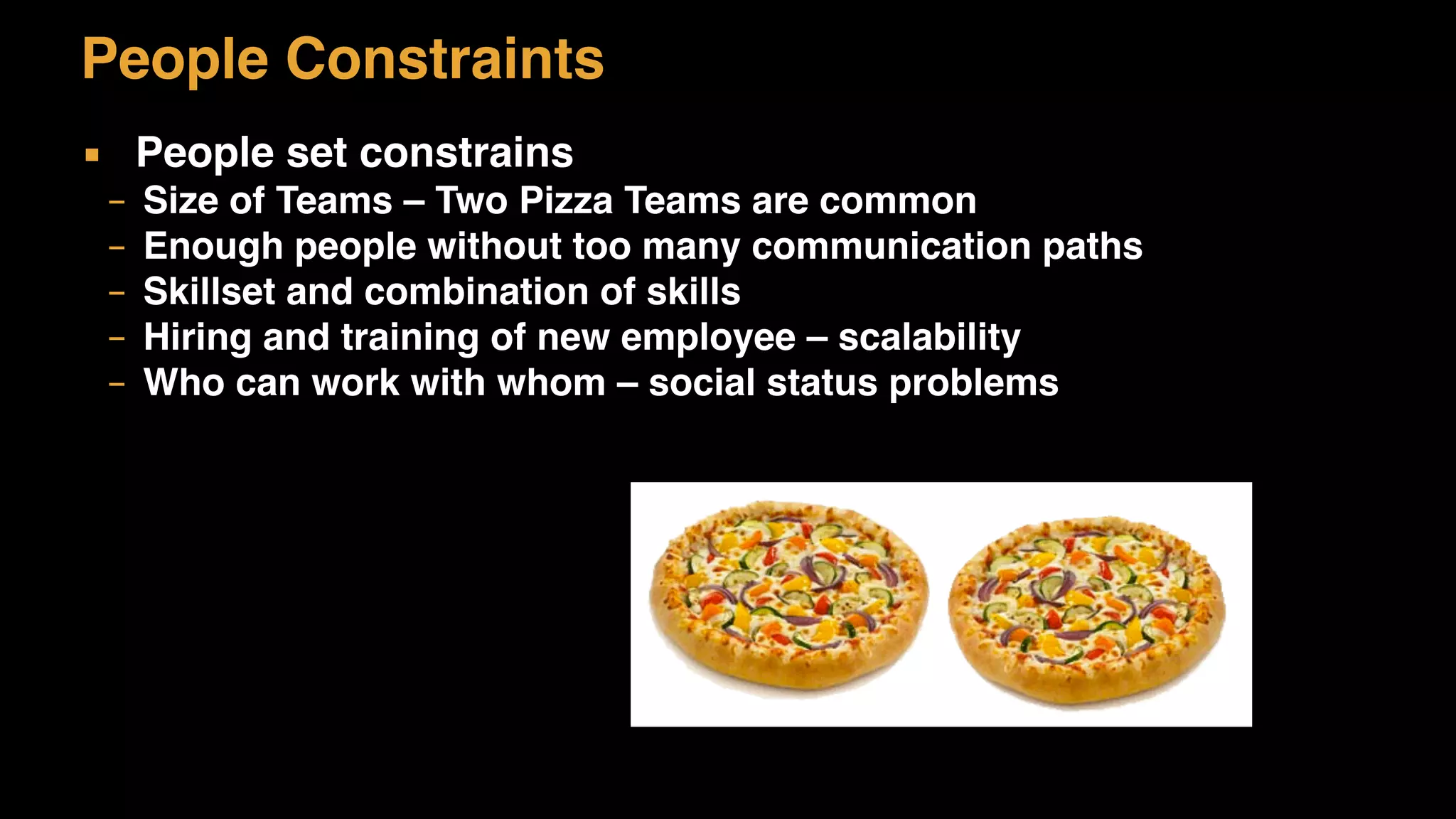
– Size of Teams – Two Pizza Teams are common
– Enough people without too many communication paths
– Skillset and combination of skills
– Hiring and training of new employee – scalability
– Who can work with whom – social status problems
Organisation Constraints
▪ Politics
– Obstacles, people protecting their turf
▪ Strategic software or tactical
– Affect priority and resource allocations
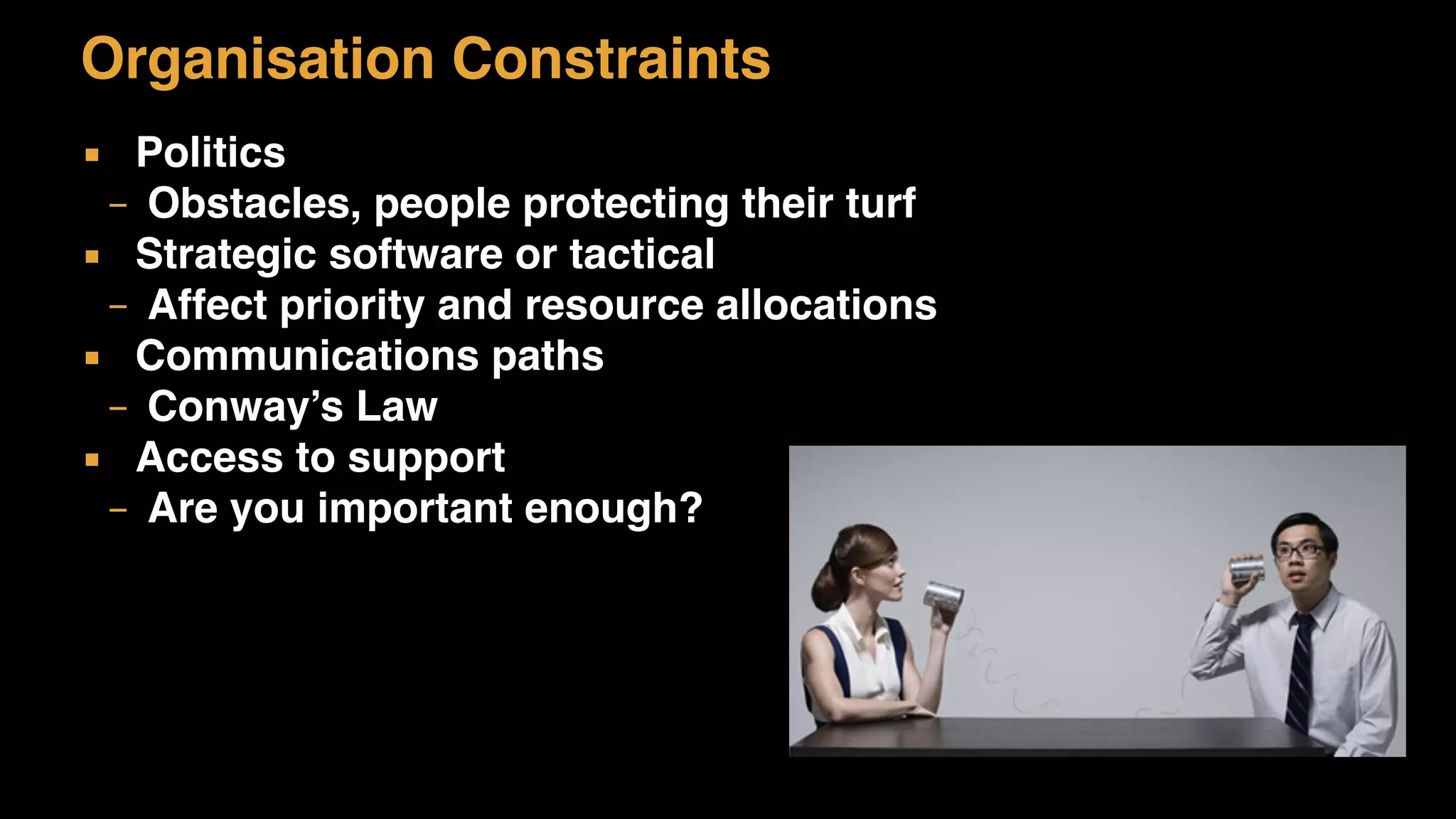
▪ Communications paths
– Conway’s Law
▪ Access to support
– Are you important enough?
Risk Management
▪ All projects have risks
– Track risk by two metrics: likelihood (0-100) and impact (0-5)
– Highest risk is the highest likelihood x impact
– For each have a mitigation plan, i.e. explain how you react if
risk becomes reality
▪ Risks examples
– External vendor does not deliver, hardware is not there on
time, development problems, politics, bugs
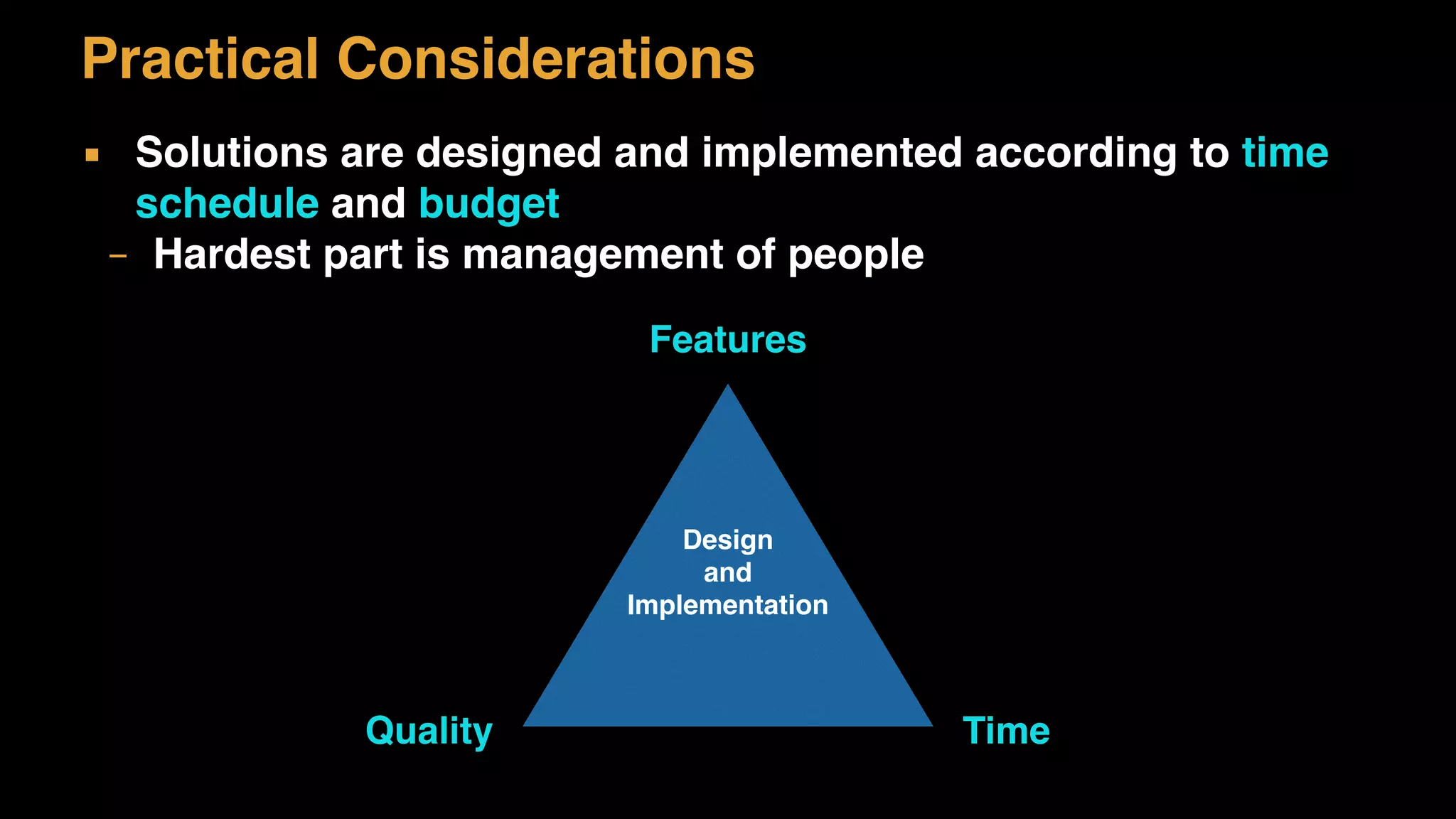
Practical Considerations
▪ Solutions are designed and implemented according to time
schedule and budget
– Hardest part is management of people
Design
and
Implementation
Features
TimeQuality
Practical Considerations
▪ Risk is in feature creep and things out of control
Principles
Principles
▪ Guidelines for how to work
– Keeps development effort uniform
▪ Development Principles
– Coding standards
– Automated unit tests
– Static analytic tools
– Build strategy
– Deployment strategy
Principles
▪ Architecture Principles
– Layering
– Business Logic
– Statelessness
– High Cohesion, Low Coupling or SOLID
– Persistence strategy
– Domain model
– HTTP protocols
– Consistency strategy
Beware of “best practices”
▪ All systems are different
▪ One strategy might work in some situation and not in others
▪ What may be a good idea turns in practice not to be so good
▪ Examples:
▪ Java Entity Beans
▪ Resource Bundles
▪ Too much Layering
Summary
▪ Goals
– High-level vision for the architecture
▪ Architecture Drivers
– Quality, Performance, scalability, etc.
▪ Non-functional Requirements
– Capturing
▪ Constraints
– We always have to work within some boundary
▪ Principles

L10 Architecture Considerations

  • 1.
    HÖNNUN OG SMÍÐIHUGBÚNAÐAR 2015 L10 ARCHITECTURE CONSIDERATIONS
  • 2.
  • 3.
    Reading Brown: III Designingsoftware Chapters 21-25 (both included)
  • 4.
    Goals of anEnterprise Architecture Be robust Be performing and scalable Take advantage of OO design principles Avoid unnecessary complexity Be maintainable and extensible Be easy to test Promote reuse
  • 5.
    Requirement Consideration Goals basedon business requirements • Support for multiple client types • Portability Support for multiple client types • Does we need to support different client types? • Do we need abstraction layer? Portability • Does the application need to be independent of a particular • middleware, like databases? • Do we need abstraction layer?
  • 6.
  • 7.
    Architecture Drivers ▪ FunctionalRequirements ▪ Quality Attributes ▪ Constraints ▪ Principles
  • 8.
    Architecture Drivers We mustunderstand these drivers at a high-level ▪ Creativity can come from constraints Clear VISION ▪ Architecture is about STRUCTURE and VISION ▪ Must be communicated Will help in the decision process ▪ When faced with a decision, the vision will tell you
  • 9.
  • 10.
    Quality Attributes Requirements areeasy to understand ▪ People can (mostly) explain the features they want It’s the non-functional requirements that are more tricky ▪ The “ilites”
  • 11.
    Performance ▪ Performance isabout how fast something is – This must always be a consideration ▪ Applies on multiple levels: – Hardware specification – Network setup and security – Architecture of the software – The programming of the software – Protocols used – Middleware and containers
  • 12.
    Performance ▪ Response Timeis the amount of time for the system to process a request from the outside server processing… client request network response The user waits until the transaction
 is done
  • 13.
    Performance ▪ Responsiveness ishow quickly the system acknowledges a request as opposed to processing it server processing… client request network response The user waits until the transaction
 is done waiting…
  • 14.
    Performance ▪ Latency isthe minimum time required to get any form of response, even if the work to be done is nonexistent nothing… client request network response The user waits until the transaction
 is done waiting…
  • 15.
    ▪ Throughput ishow much stuff you can do in a given amount of time t1 t2time records processed… Performance
  • 16.
    ▪ Load isa statement of how much stress a system is under Performance
  • 17.
    ▪ Load sensitivityis an expression of how the response time varies with the load Performance
  • 18.
    ▪ Efficiency isa performance divided by resources ▪ Capacity of a system is an indication of maximum effective load ▪ Companies must have Capacity Planning strategy for successful growth Performance
  • 19.
    Scalability ▪ The measureof how adding a resource affects the performance – Vertical: Make the hardware faster, more memory etc – Horizontal: Get more hardware – scaling out ▪ How many concurrent transaction can the system handle – Request per second or per minute
  • 20.
    Availability ▪ The degreeto which your software is operational – Measured in terms of “nines” – 99.99% per year - four nines, uptime in terms of percent ▪ Usually specified in Service Level Agreements (SLA) ▪ 99.99% is downtime: – Daily: 8.6s – Weekly: 1m 0.5s – Monthly: 4m 23.0s – Yearly: 52m 35.7s
  • 21.
    Security ▪ Overall allsecurity issues are vital – Authentication and authorization – Hardware access restrictions on network levels – Firewalls – Open Web Application Security Project (OWASP) – Security Roles for people – Securing sensitive information, for example encrypting data
  • 22.
    Disaster Recovery ▪ Responseto failures – Disk crash, faulty network card etc – Network downtime ▪ External disaster – force major – Fires, earthquake ▪ Business Continuity Plan – Specifies how a business can recover from disasters
  • 23.
    Monitoring ▪ Infrastructure totrack activities in the system – Hardware capacity, such as disk space, memory, CPU load – System transactions ▪ Monitoring software – SNMP standard – Viewing tools
  • 24.
    Auditing ▪ Traceability ofwhat happens in the system – Logging of events – Software to track changes ▪ Some software must allow for external auditing – All transactions are logged – All changes to record data is logged – Any event can be viewed
  • 25.
    Software Requirements ▪ Flexibility –The ability for non-technical people to modify business rules within the system ▪ Extensibility – The ability to extend and modify software for new needs ▪ Maintainability – Think about the cost of running software over some time
  • 26.
    Other Requirements ▪ Legal,regulatory and compliance – Laws that regulate industries ▪ Internationalisation (i18n) – What languages must be supported ▪ Localisation (L10n) – Does the software need to be adapted to local cultures
  • 27.
  • 28.
    Non-Functional Requirements ▪ Thechallenge is to capture the non-functional requirement ▪ Instead of asking how much availability (-ability) ask specific questions – “How much downtime can you tolerate?” – “How many users are there max?” – “How much do you expect to sell?”
  • 29.
    Non-Functional Requirements ▪ Identifyexplicit quantity: ▪ How many concurrent users should the system support on average? What about peak times? ▪ What response time is deemed accceptable? Is this the same across all parts of the system or just specific features? ▪ How exactly do we need to secure the system? Do we really need to encrypt the data or is restricted access sufficient?
  • 30.
    ▪ Categorize non-functionalrequirements – Sometimes the best solution is really not what is needed – Sometimes features are not required to begin with ▪ Use MoSCoW – Must, Should, Could, Wont Non-Functional Requirements
  • 31.
  • 32.
    Constraints ▪ Time andbudget constraints – There is always a deadline ▪ Technology constraints – Approved technology – Technology Stack ▪ Existing System and Interoperability – Middleware or standards used ▪ Target Deployment Platform – Must run in Windows or Linux
  • 33.
    Constraints ▪ Technology Maturity –Established middleware or bleeding edge ▪ Open Source – Use of proprietary software or open source ▪ Vendor Relationship – Firms make partnerships with technical vendors ▪ Past Failures – We tried this technology and it did not work and we don’t want it
  • 34.
    Constraints ▪ Internal IntellectualProperty – Developed in house and must be used ▪ Corporate Policies – Reports, memos, approvals ▪ Consultants – Have all the answers, of course
  • 35.
    People Constraints ▪ Peopleset constrains – Size of Teams – Two Pizza Teams are common – Enough people without too many communication paths – Skillset and combination of skills – Hiring and training of new employee – scalability – Who can work with whom – social status problems
  • 36.
    Organisation Constraints ▪ Politics –Obstacles, people protecting their turf ▪ Strategic software or tactical – Affect priority and resource allocations ▪ Communications paths – Conway’s Law ▪ Access to support – Are you important enough?
  • 37.
    Risk Management ▪ Allprojects have risks – Track risk by two metrics: likelihood (0-100) and impact (0-5) – Highest risk is the highest likelihood x impact – For each have a mitigation plan, i.e. explain how you react if risk becomes reality ▪ Risks examples – External vendor does not deliver, hardware is not there on time, development problems, politics, bugs
  • 38.
    Practical Considerations ▪ Solutionsare designed and implemented according to time schedule and budget – Hardest part is management of people Design and Implementation Features TimeQuality
  • 39.
    Practical Considerations ▪ Riskis in feature creep and things out of control
  • 40.
  • 41.
    Principles ▪ Guidelines forhow to work – Keeps development effort uniform ▪ Development Principles – Coding standards – Automated unit tests – Static analytic tools – Build strategy – Deployment strategy
  • 42.
    Principles ▪ Architecture Principles –Layering – Business Logic – Statelessness – High Cohesion, Low Coupling or SOLID – Persistence strategy – Domain model – HTTP protocols – Consistency strategy
  • 43.
    Beware of “bestpractices” ▪ All systems are different ▪ One strategy might work in some situation and not in others ▪ What may be a good idea turns in practice not to be so good ▪ Examples: ▪ Java Entity Beans ▪ Resource Bundles ▪ Too much Layering
  • 44.
    Summary ▪ Goals – High-levelvision for the architecture ▪ Architecture Drivers – Quality, Performance, scalability, etc. ▪ Non-functional Requirements – Capturing ▪ Constraints – We always have to work within some boundary ▪ Principles