Delivering	the	best	in	z	services,	software,	hardware	and	training.Delivering	the	best	in	z	services,	software,	hardware	and	training.
World	Class	z	Specialists
How	to	improve	RACF	
performance
Rui	Miguel	Feio	– Senior	Technical	Lead
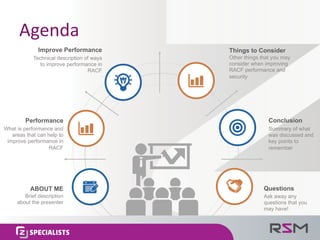
Agenda
Conclusion
Summary of what
was discussed and
key points to
remember
Questions
Ask away any
questions that you
may have!
Things to Consider
Other things that you may
consider when improving
RACF performance and
security
Improve Performance
Technical description of ways
to improve performance in
RACF
Performance
What is performance and
areas that can help to
improve performance in
RACF
ABOUT ME
Brief description
about the presenter
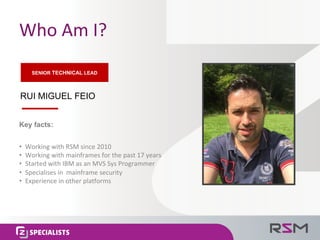
Who	Am	I?
RUI MIGUEL FEIO
• Working	with	RSM	since	2010
• Working with	mainframes	for	the	past	17	years
• Started	with	IBM	as	an	MVS	Sys	Programmer
• Specialises in		mainframe	security
• Experience	in	other	platforms
Key facts:
SENIOR TECHNICAL LEAD
Performance
Performance - how	well	a	person,	machine,	etc.	
does	a	piece	of	work	or	an	activity.
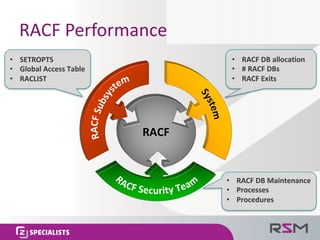
RACF	Performance
• RACF	DB	allocation
• #	RACF	DBs
• RACF	Exits
• SETROPTS
• Global	Access	Table
• RACLIST
• RACF	DB	Maintenance
• Processes
• Procedures
RACF
RACF	Subsystem
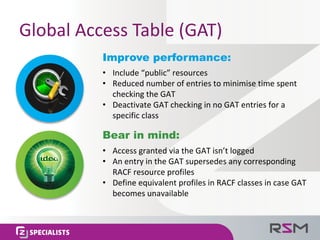
Global	Access	Table	(GAT)
Improve performance:
• Include	“public”	resources
• Reduced	number	of	entries	to	minimise time	spent	
checking	the	GAT
• Deactivate	GAT	checking	in	no	GAT	entries	for	a	
specific	class
Bear in mind:
• Access	granted	via	the	GAT	isn’t	logged
• An	entry	in	the	GAT	supersedes	any	corresponding	
RACF	resource	profiles
• Define	equivalent	profiles	in	RACF	classes	in	case	GAT	
becomes	unavailable
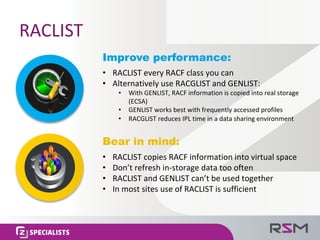
RACLIST
Improve performance:
• RACLIST	every	RACF	class	you	can
• Alternatively	use	RACGLIST	and	GENLIST:
• With	GENLIST,	RACF	information	is	copied	into	real	storage	
(ECSA)
• GENLIST	works	best	with	frequently	accessed	profiles
• RACGLIST	reduces	IPL	time	in	a	data	sharing	environment
Bear in mind:
• RACLIST	copies	RACF	information	into	virtual	space
• Don’t	refresh	in-storage	data	too	often
• RACLIST	and	GENLIST	can’t	be	used	together
• In	most	sites	use	of	RACLIST	is	sufficient
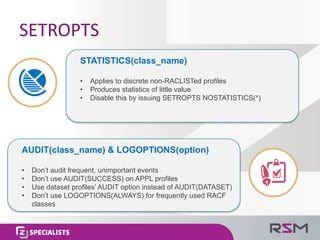
SETROPTS
• Applies to discrete non-RACLISTed profiles
• Produces statistics of little value
• Disable this by issuing SETROPTS NOSTATISTICS(*)
STATISTICS(class_name)
• Don’t audit frequent, unimportant events
• Don’t use AUDIT(SUCCESS) on APPL profiles
• Use dataset profiles’ AUDIT option instead of AUDIT(DATASET)
• Don’t use LOGOPTIONS(ALWAYS) for frequently used RACF
classes
AUDIT(class_name) & LOGOPTIONS(option)
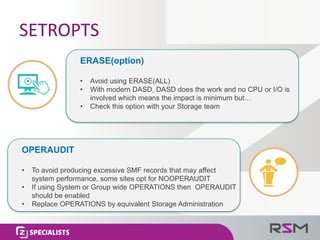
SETROPTS
• Avoid using ERASE(ALL)
• With modern DASD, DASD does the work and no CPU or I/O is
involved which means the impact is minimum but…
• Check this option with your Storage team
ERASE(option)
• To avoid producing excessive SMF records that may affect
system performance, some sites opt for NOOPERAUDIT
• If using System or Group wide OPERATIONS then OPERAUDIT
should be enabled
• Replace OPERATIONS by equivalent Storage Administration
OPERAUDIT
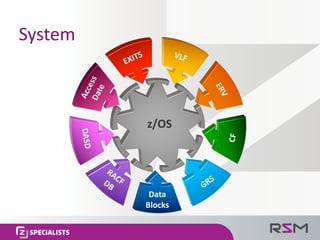
System
System
Data	
Blocks
z/OS
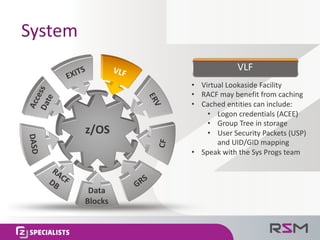
System	
• Virtual	Lookaside	Facility
• RACF	may	benefit	from	caching
• Cached	entities	can	include:
• Logon	credentials	(ACEE)
• Group	Tree	in	storage
• User	Security	Packets	(USP)	
and	UID/GID	mapping
• Speak	with	the	Sys	Progs team
VLF
Data	
Blocks
z/OS
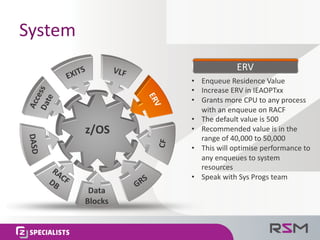
System
• Enqueue Residence	Value
• Increase	ERV	in	IEAOPTxx
• Grants	more	CPU	to	any	process	
with	an	enqueue on	RACF
• The	default	value	is	500
• Recommended	value	is	in	the	
range	of	40,000	to	50,000
• This	will	optimise performance	to	
any	enqueues to	system	
resources
• Speak	with	Sys	Progs team
ERV
Data	
Blocks
z/OS
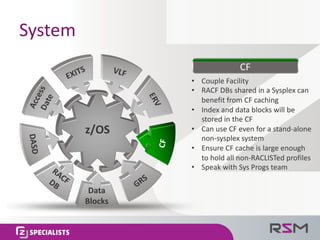
System
• Couple	Facility
• RACF	DBs	shared	in	a	Sysplex can	
benefit	from	CF	caching
• Index	and	data	blocks	will	be	
stored	in	the	CF
• Can	use	CF	even	for	a	stand-alone	
non-sysplex system
• Ensure	CF	cache	is	large	enough	
to	hold	all	non-RACLISTed profiles
• Speak	with	Sys	Progs team
CF
Data	
Blocks
z/OS
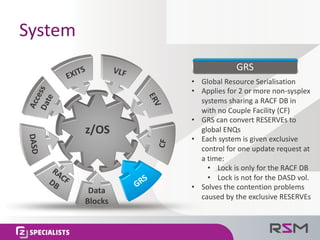
System
• Global	Resource	Serialisation
• Applies	for	2	or	more	non-sysplex
systems	sharing	a	RACF	DB	in	
with	no	Couple	Facility	(CF)
• GRS	can	convert	RESERVEs	to	
global	ENQs
• Each	system	is	given	exclusive	
control	for	one	update	request	at	
a	time:
• Lock	is	only	for	the	RACF	DB
• Lock	is	not	for	the	DASD	vol.
• Solves	the	contention	problems	
caused	by	the	exclusive	RESERVEs
GRS
Data	
Blocks
z/OS
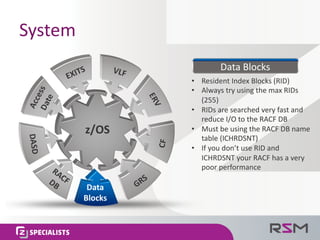
System
• Resident	Index	Blocks	(RID)
• Always	try	using	the	max	RIDs	
(255)
• RIDs	are	searched	very	fast	and	
reduce	I/O	to	the	RACF	DB
• Must	be	using	the	RACF	DB	name	
table	(ICHRDSNT)
• If	you	don’t	use	RID	and	
ICHRDSNT	your	RACF	has	a	very	
poor	performance
Data	Blocks
Data	
Blocks
z/OS
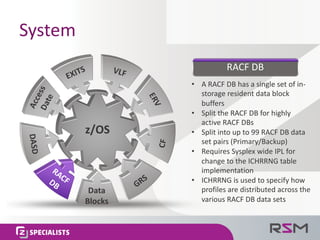
System
• A	RACF	DB	has	a	single	set	of	in-
storage	resident	data	block	
buffers
• Split	the	RACF	DB	for	highly	
active	RACF	DBs
• Split	into	up	to	99	RACF	DB	data	
set	pairs	(Primary/Backup)
• Requires	Sysplex wide	IPL	for	
change	to	the	ICHRRNG	table	
implementation
• ICHRRNG	is	used	to	specify	how	
profiles	are	distributed	across	the	
various	RACF	DB	data	sets
RACF	DB
Data	
Blocks
z/OS
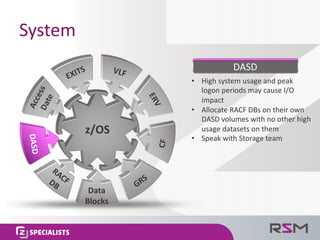
System
• High	system	usage	and	peak	
logon	periods	may	cause	I/O	
impact
• Allocate	RACF	DBs	on	their	own	
DASD	volumes	with	no	other	high	
usage	datasets	on	them
• Speak	with	Storage	team
DASD
Data	
Blocks
z/OS
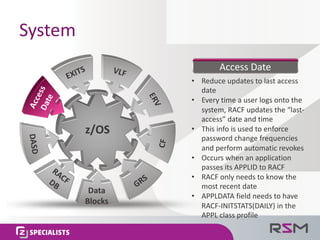
System
• Reduce	updates	to	last	access	
date
• Every	time	a	user	logs	onto	the	
system,	RACF	updates	the	“last-
access”	date	and	time	
• This	info	is	used	to	enforce	
password	change	frequencies	
and	perform	automatic	revokes	
• Occurs	when	an	application	
passes	its	APPLID	to	RACF
• RACF	only	needs	to	know	the	
most	recent	date
• APPLDATA	field	needs	to	have	
RACF-INITSTATS(DAILY)	in	the	
APPL	class	profile
Access	Date
Data	
Blocks
z/OS
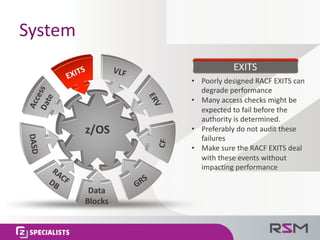
System
• Poorly	designed	RACF	EXITS	can	
degrade	performance
• Many	access	checks	might	be	
expected	to	fail	before	the	
authority	is	determined.	
• Preferably	do	not	audit	these	
failures
• Make	sure	the	RACF	EXITS	deal	
with	these	events	without	
impacting	performance
EXITS
Data	
Blocks
z/OS
RACF	Security	Team
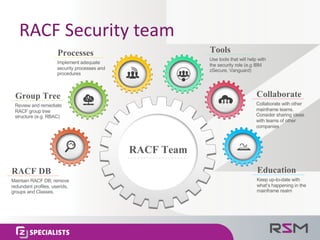
RACF	Security	team
Tools
Use tools that will help with
the security role (e.g IBM
zSecure, Vanguard)
Collaborate
Collaborate with other
mainframe teams.
Consider sharing ideas
with teams of other
companies
Education
Keep up-to-date with
what’s happening in the
mainframe realm
RACF DB
Maintain RACF DB; remove
redundant profiles, userids,
groups and Classes.
Group Tree
Review and remediate
RACF group tree
structure (e.g. RBAC)
Processes
Implement adequate
security processes and
procedures
RACF Team
Other	things	to	consider
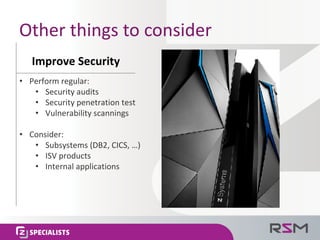
Improve	Security
• Perform	regular:
• Security audits
• Security penetration	test
• Vulnerability scannings
• Consider:
• Subsystems	(DB2,	CICS,	…)
• ISV	products
• Internal	applications
Conclusion
In	Conclusion…
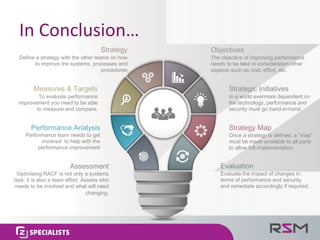
Strategy
Define a strategy with the other teams on how
to improve the systems, processes and
procedures
Measures & Targets
To evaluate performance
improvement you need to be able
to measure and compare.
Performance Analysis
Performance team needs to get
involved to help with the
performance improvement
Assessment
Optimising RACF is not only a systems
task; it is also a team effort. Assess who
needs to be involved and what will need
changing.
Objectives
The objective of improving performance
needs to be take in consideration other
aspects such as cost, effort, etc.
Strategic Initiatives
In a world evermore dependent on
the technology, performance and
security must go hand-in-hand.
Strategy Map
Once a strategy is defined, a ”map”
must be made available to all parts
to allow full implementation.
Evaluation
Evaluate the impact of changes in
terms of performance and security
and remediate accordingly if required.
Questions
Rui	Miguel	Feio,	RSM	Partners	
ruif@rsmpartners.com
mobile:	+44	(0)	7570	911459
linkedin: www.linkedin.com/in/rfeio
www.rsmpartners.com
Contact

How to Improve RACF Performance (v0.2 - 2016)