IT management,
simplified.
Real-time IT management
solutions for the new
speed of business
Underpinning of a successful IT help desk
ServiceDesk Plus
Asset management in
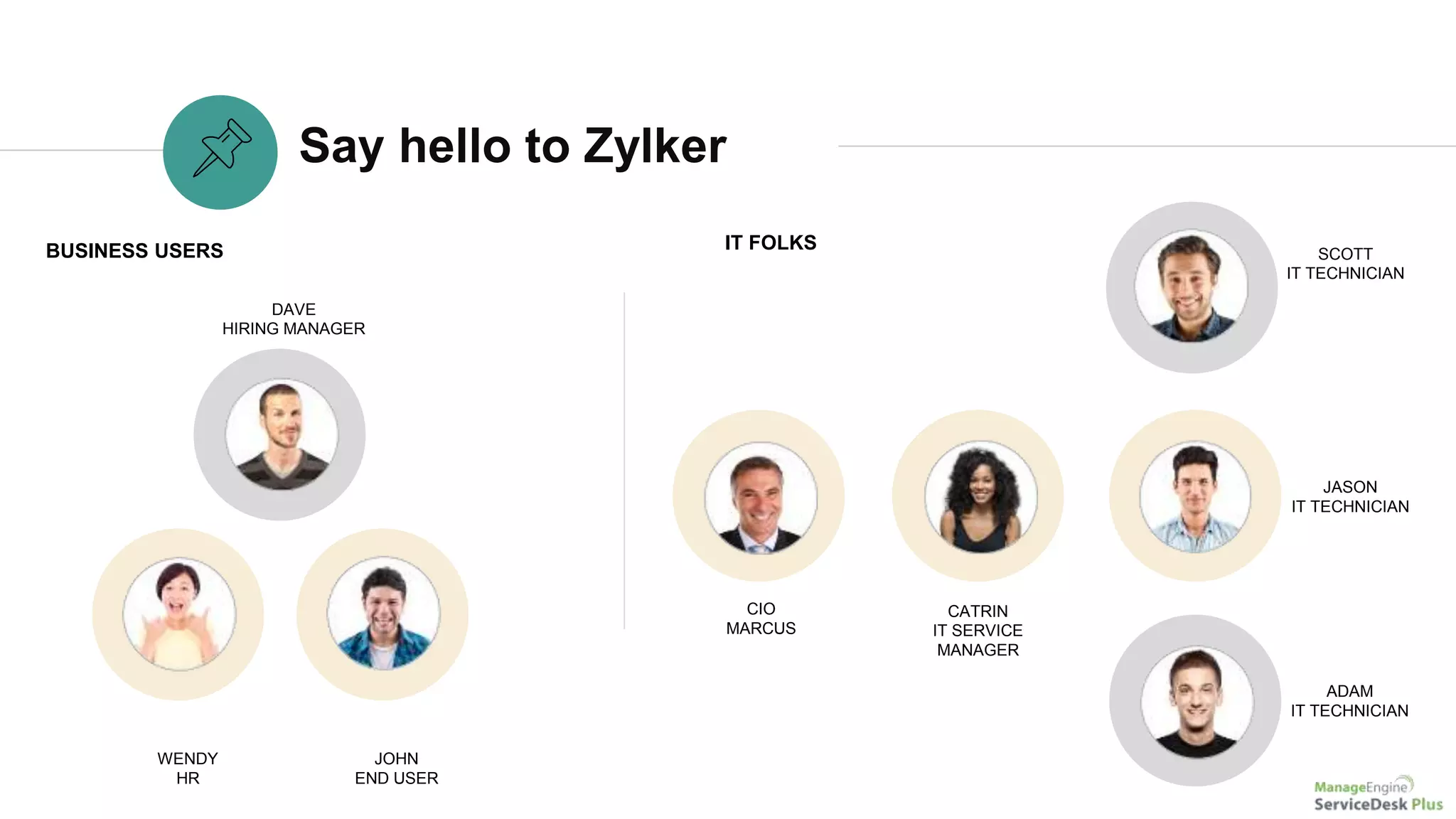
Say hello to Zylker
WENDY
HR
DAVE
HIRING MANAGER
JOHN
END USER
BUSINESS USERS IT FOLKS
CIO
MARCUS
SCOTT
IT TECHNICIAN
JASON
IT TECHNICIAN
ADAM
IT TECHNICIAN
CATRIN
IT SERVICE
MANAGER
Asset management with ServiceDesk Plus
Zylker IT manages their assets
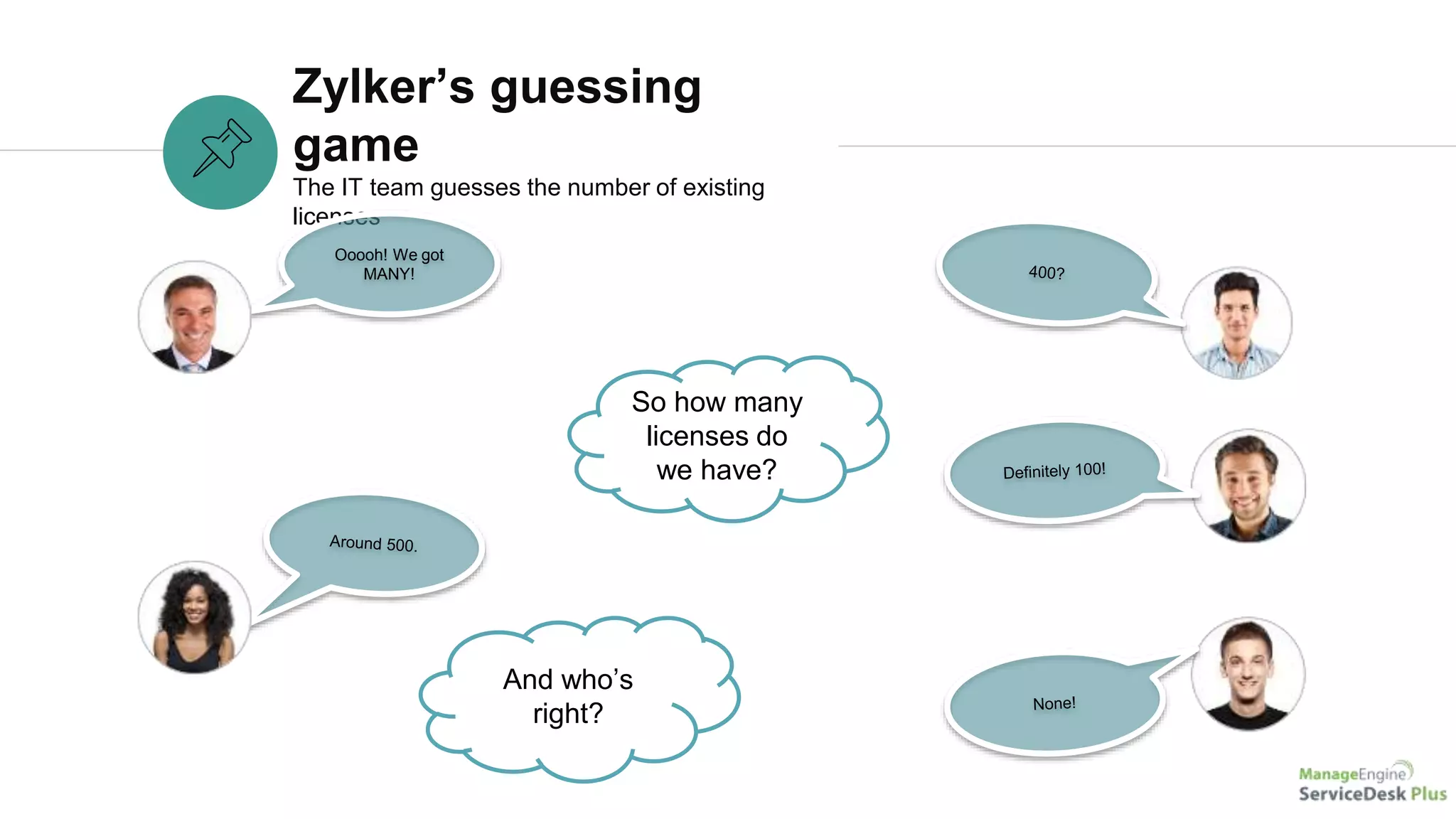
Zylker’s guessing
game
The IT team guesses the number of existing
licenses
Ooooh! We got
MANY!
So how many
licenses do
we have?
And who’s
right?
Asset management with
ServiceDesk Plus
ServiceDesk Plus to the rescue!
A
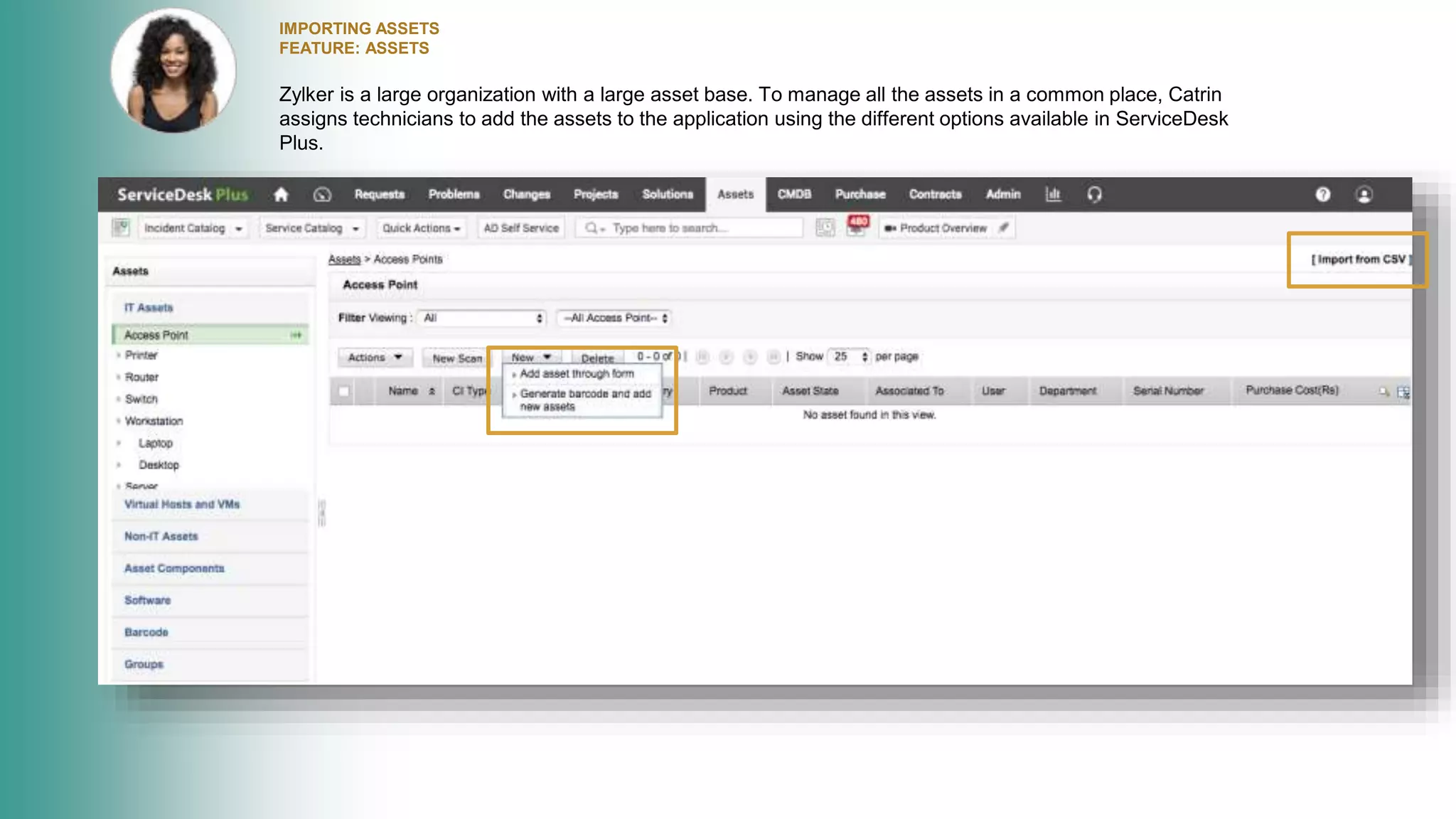
IMPORTING ASSETS
FEATURE: ASSETS
Zylker is a large organization with a large asset base. To manage all the assets in a common place, Catrin
assigns technicians to add the assets to the application using the different options available in ServiceDesk
Plus.
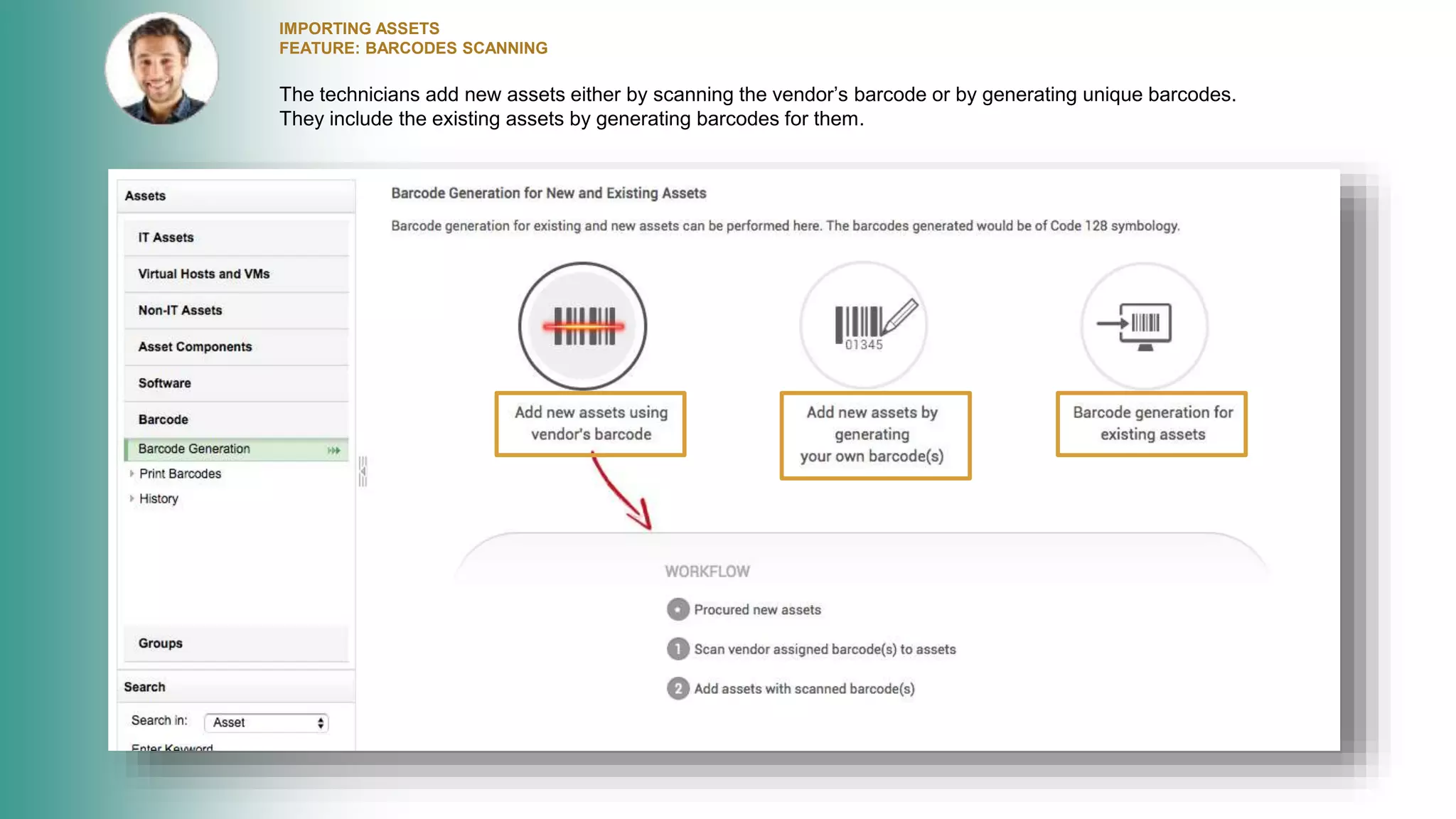
IMPORTING ASSETS
FEATURE: BARCODES SCANNING
The technicians add new assets either by scanning the vendor’s barcode or by generating unique barcodes.
They include the existing assets by generating barcodes for them.
BARCODE GENERATION
FEATURES: PRINT BARCODES
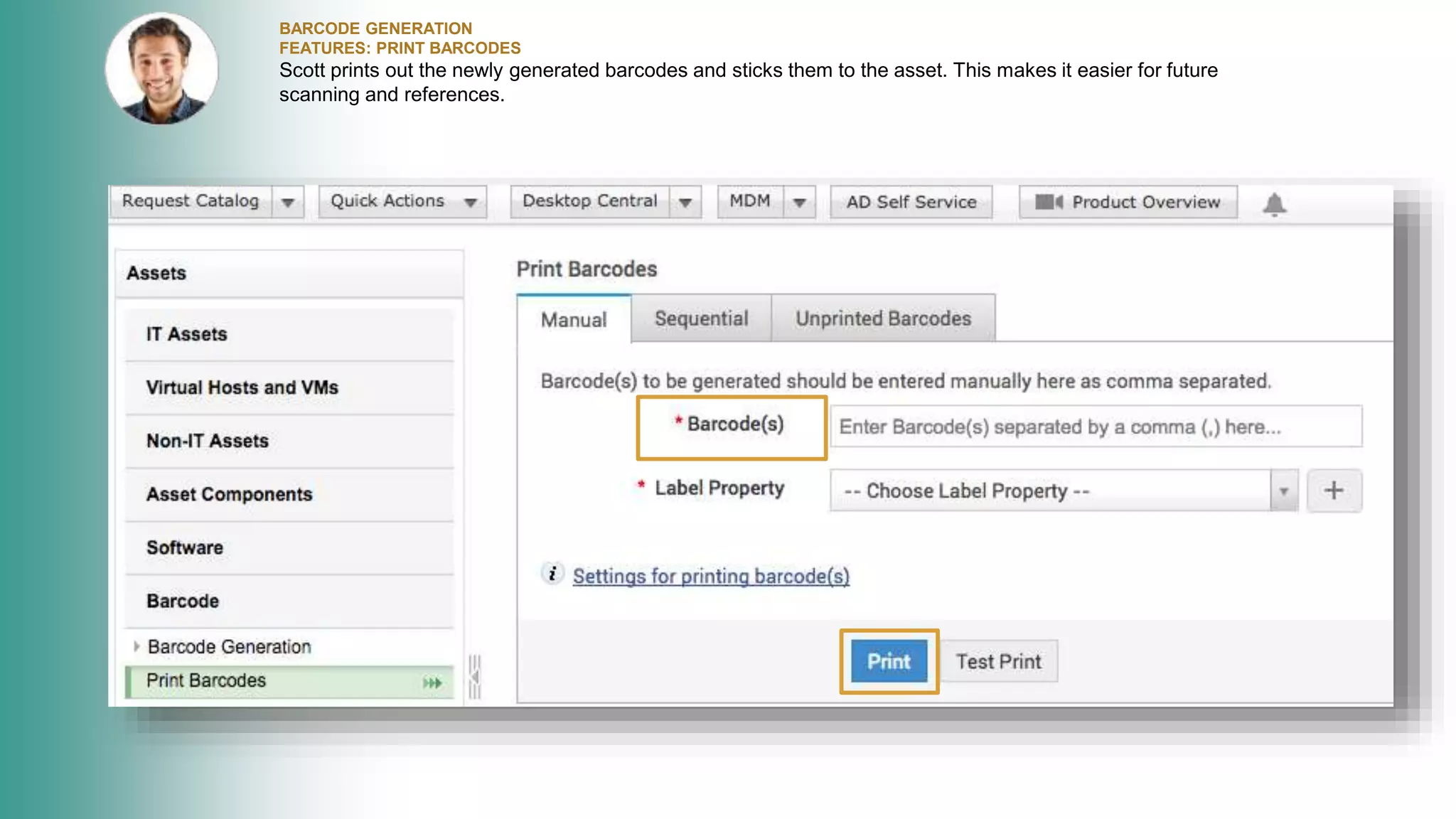
Scott prints out the newly generated barcodes and sticks them to the asset. This makes it easier for future
scanning and references.
SCHEDULED SCANNING OF ASSETS
FEATURE: SCHEDULED SCAN
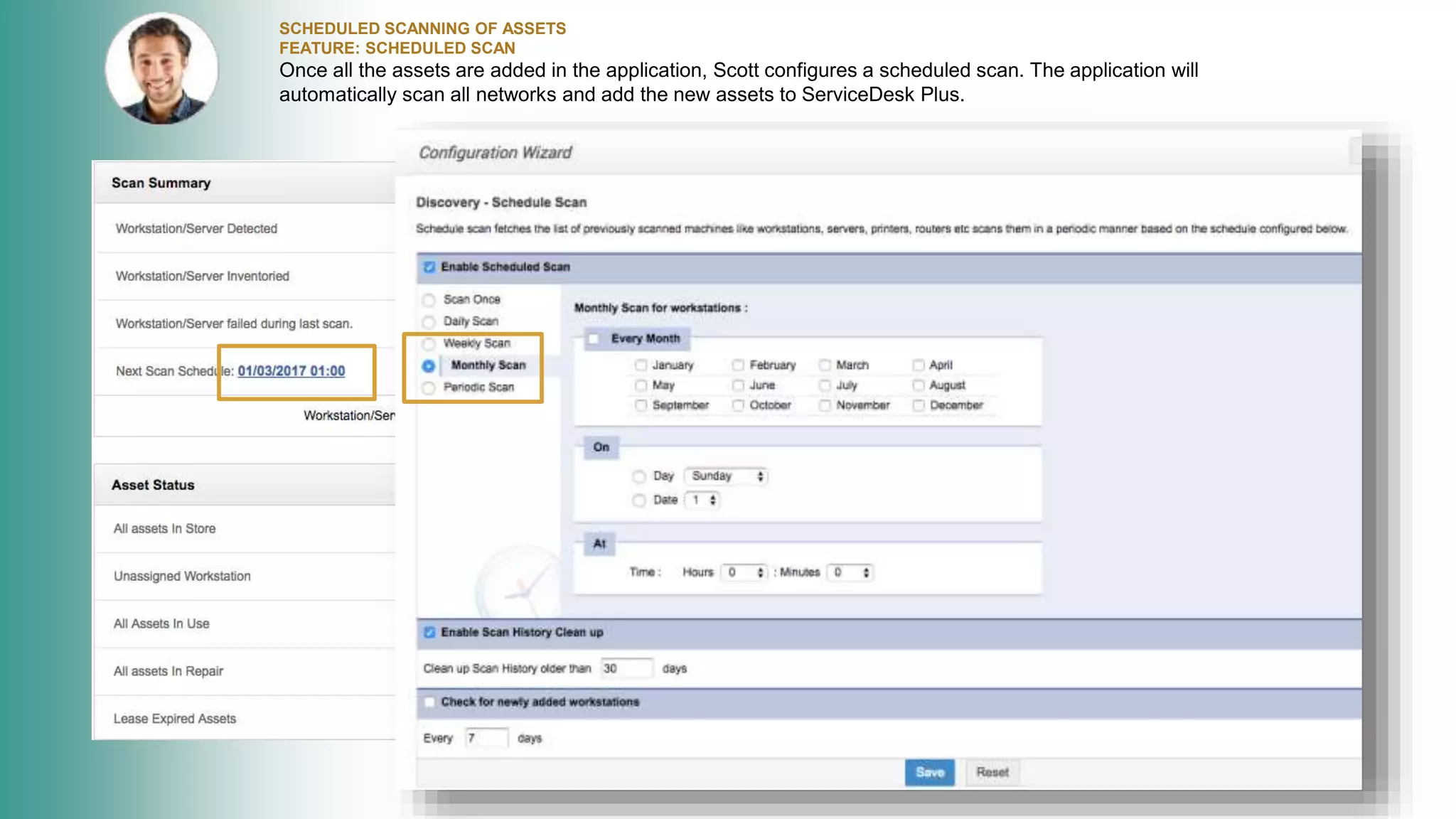
Once all the assets are added in the application, Scott configures a scheduled scan. The application will
automatically scan all networks and add the new assets to ServiceDesk Plus.
CUSTOMIZING PRODUCT TYPES
FEATURE: PRODUCT TYPES IN ADMIN
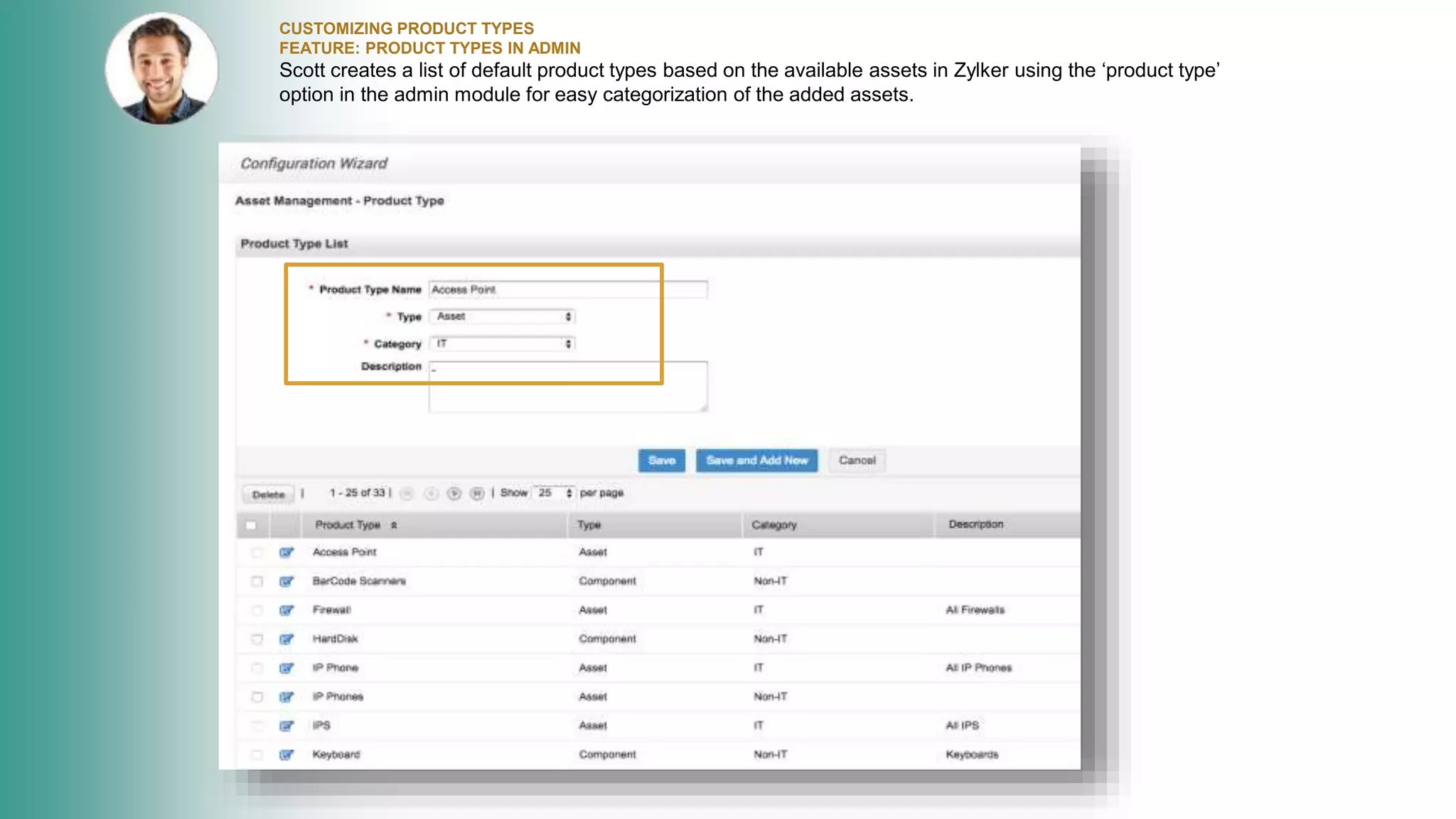
Scott creates a list of default product types based on the available assets in Zylker using the ‘product type’
option in the admin module for easy categorization of the added assets.
CONFIGURING DEPRECIATION
FEATURE: CONFIGURE DEPRECIATION
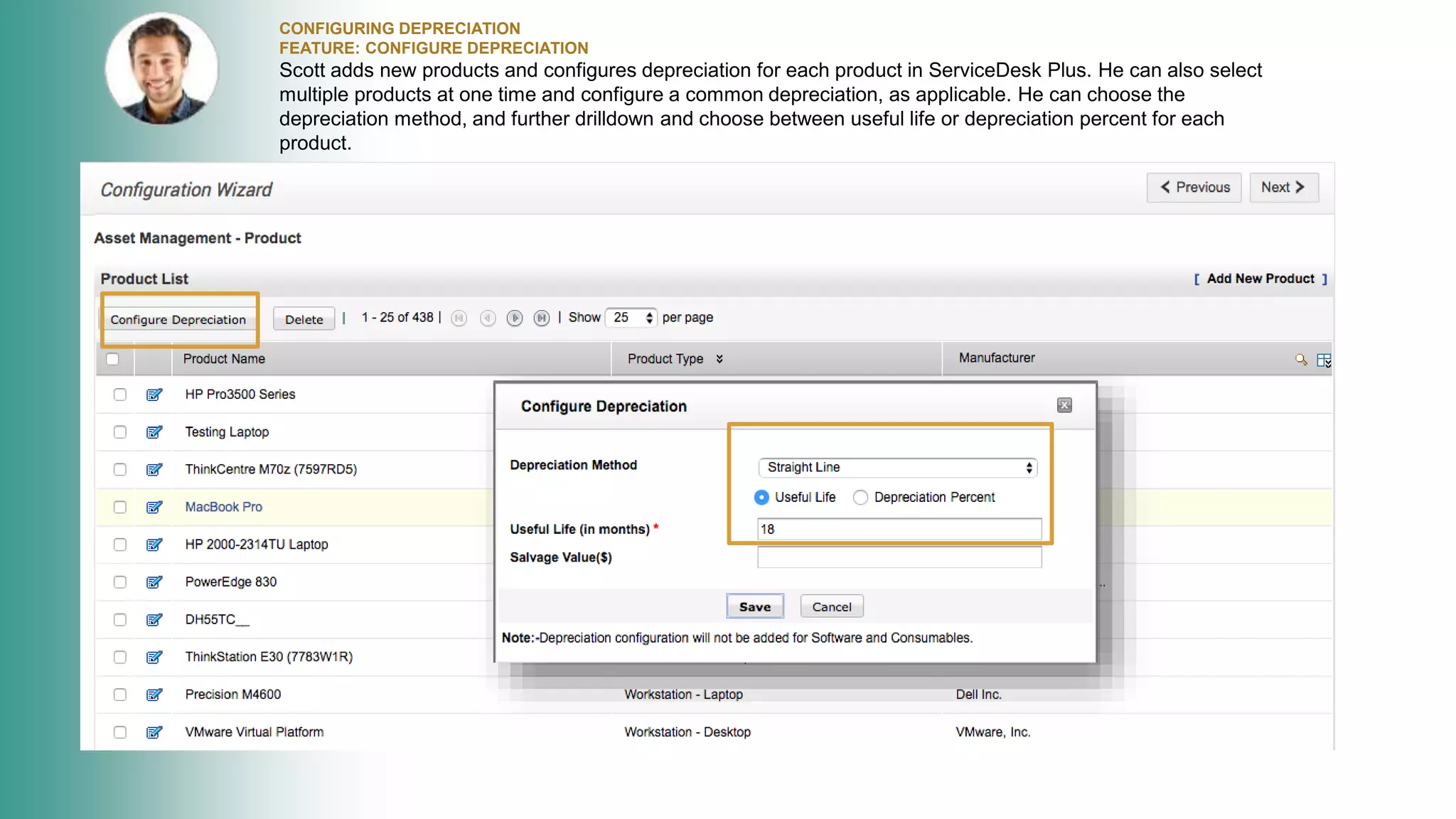
Scott adds new products and configures depreciation for each product in ServiceDesk Plus. He can also select
multiple products at one time and configure a common depreciation, as applicable. He can choose the
depreciation method, and further drilldown and choose between useful life or depreciation percent for each
product.
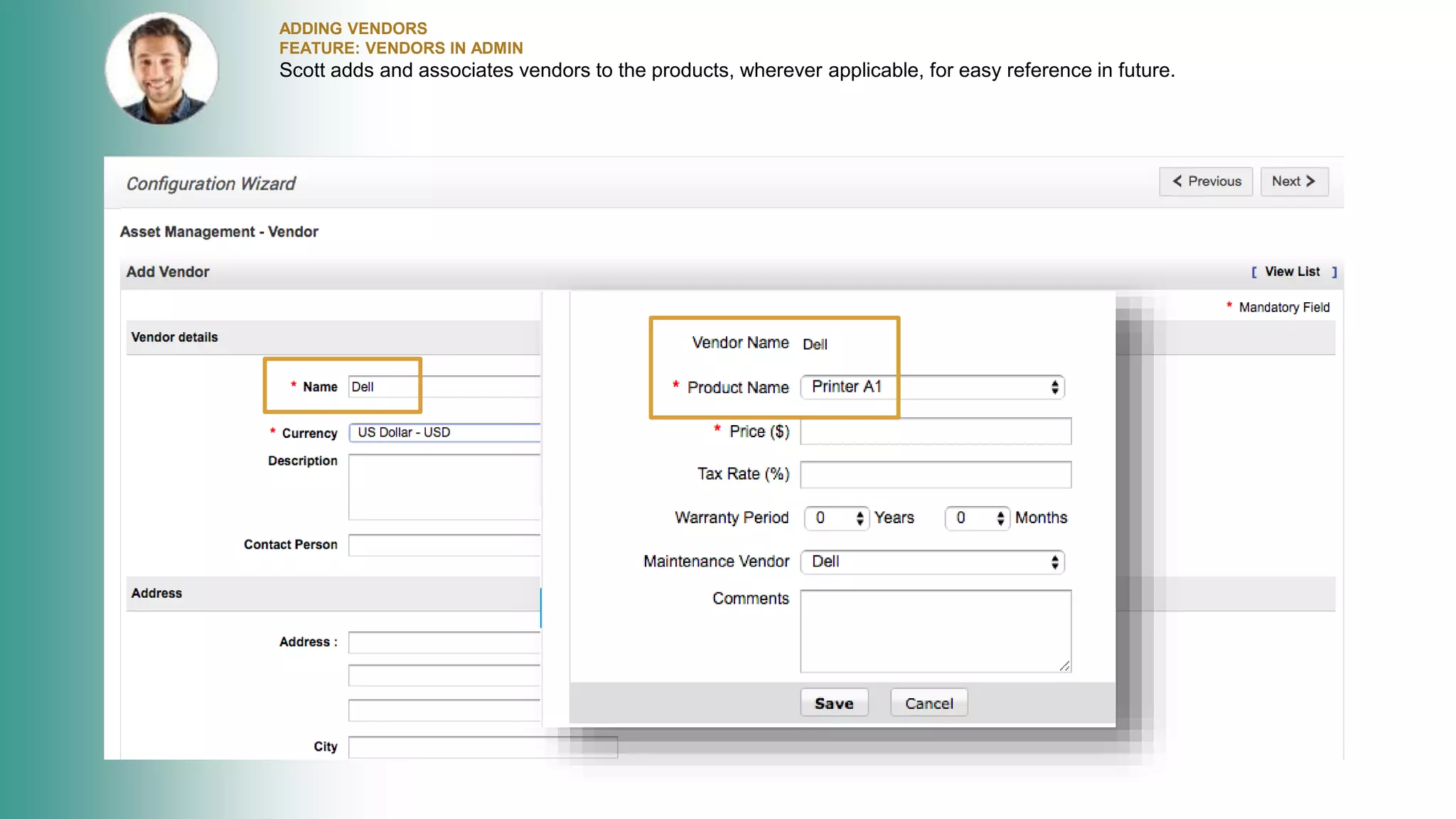
ADDING VENDORS
FEATURE: VENDORS IN ADMIN
Scott adds and associates vendors to the products, wherever applicable, for easy reference in future.
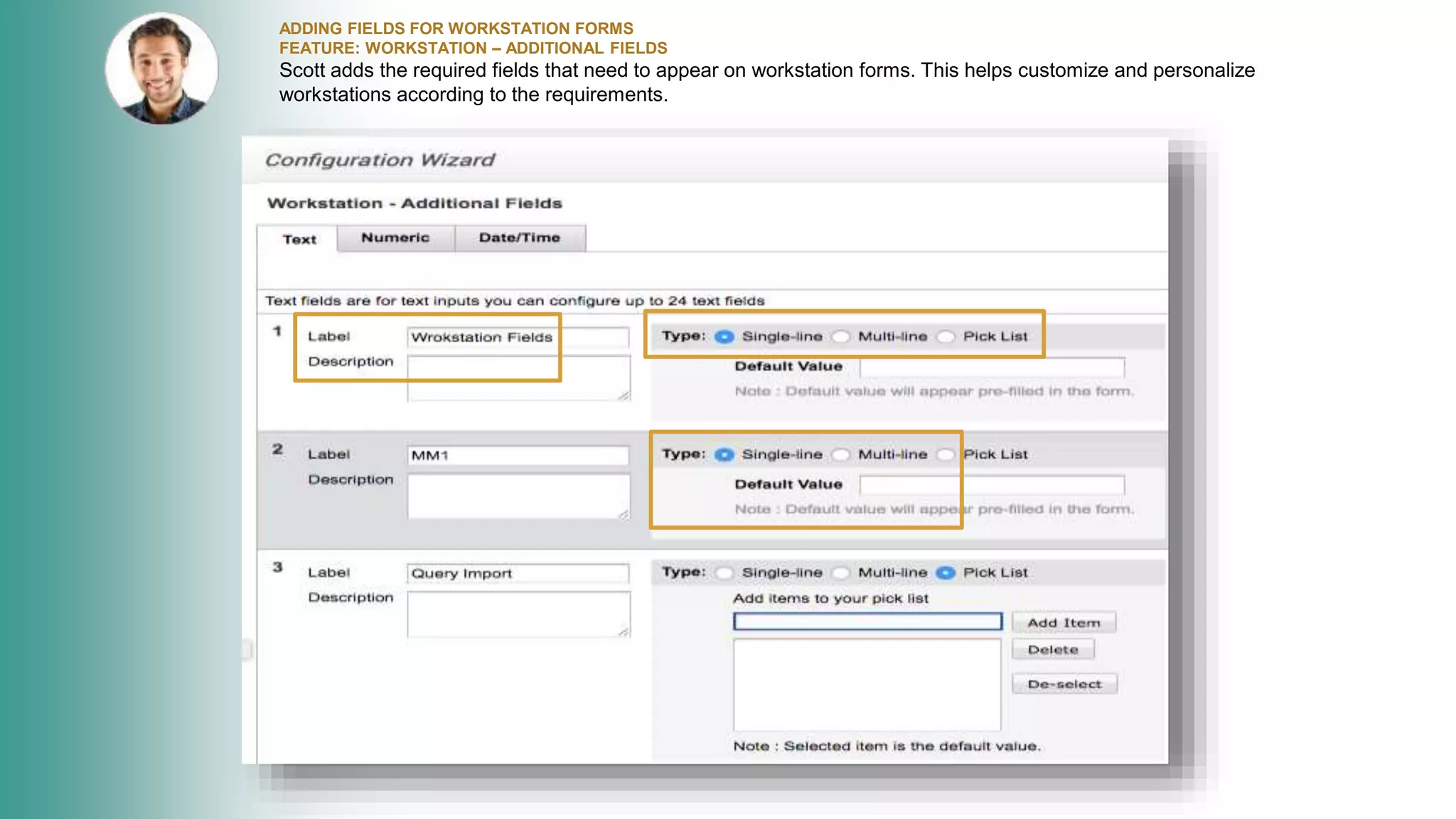
ADDING FIELDS FOR WORKSTATION FORMS
FEATURE: WORKSTATION – ADDITIONAL FIELDS
Scott adds the required fields that need to appear on workstation forms. This helps customize and personalize
workstations according to the requirements.
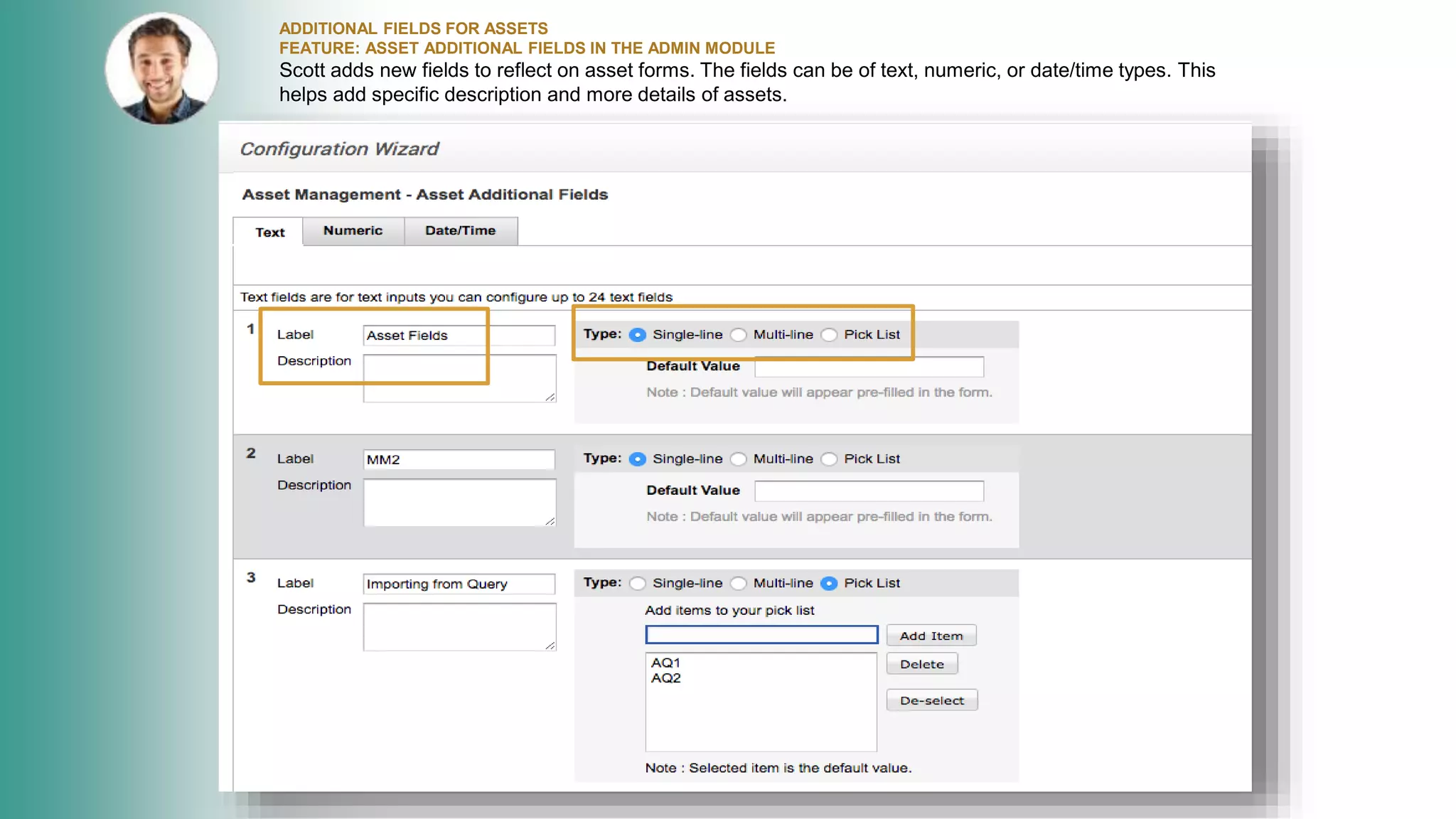
ADDITIONAL FIELDS FOR ASSETS
FEATURE: ASSET ADDITIONAL FIELDS IN THE ADMIN MODULE
Scott adds new fields to reflect on asset forms. The fields can be of text, numeric, or date/time types. This
helps add specific description and more details of assets.
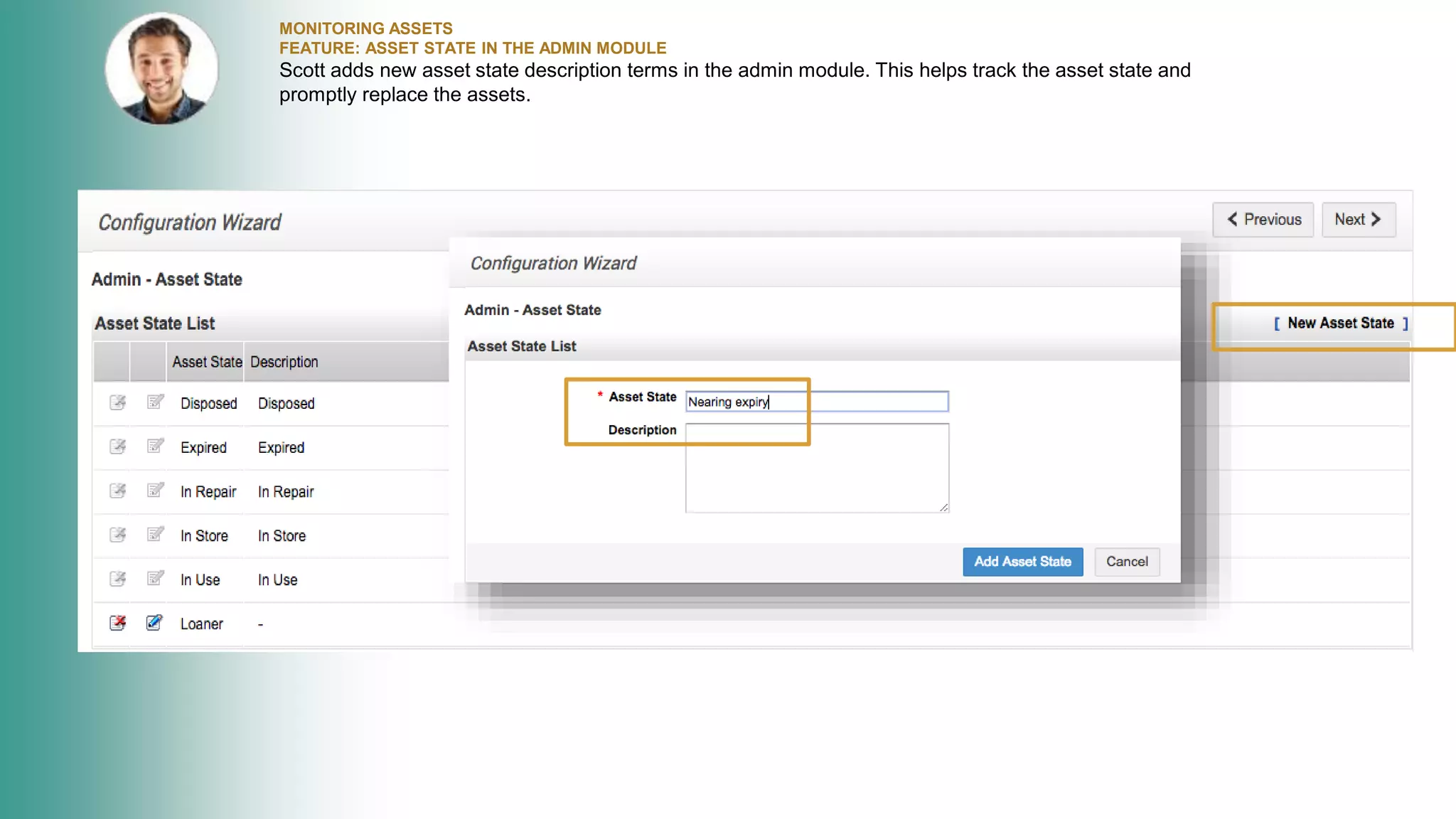
MONITORING ASSETS
FEATURE: ASSET STATE IN THE ADMIN MODULE
Scott adds new asset state description terms in the admin module. This helps track the asset state and
promptly replace the assets.
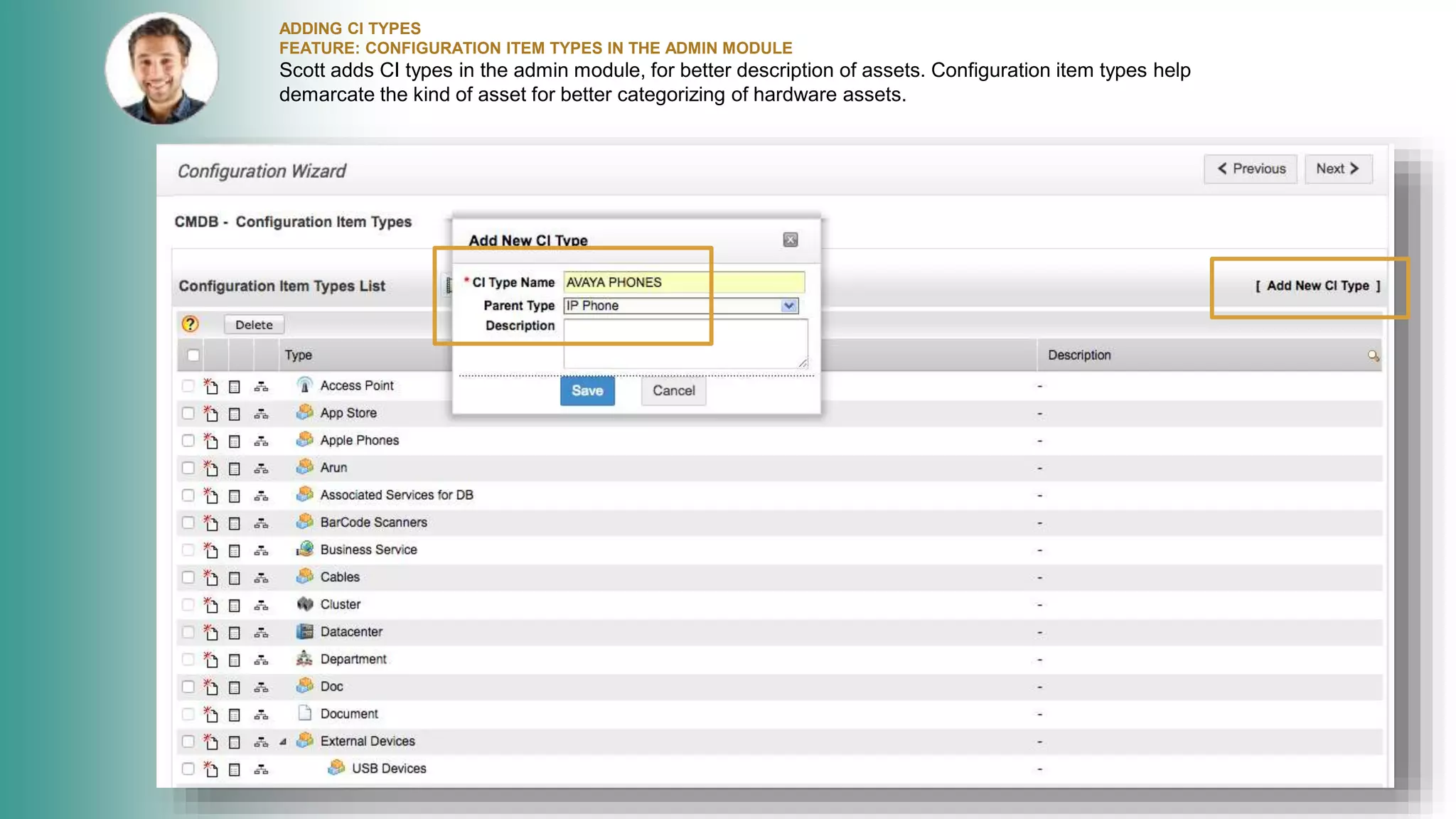
ADDING CI TYPES
FEATURE: CONFIGURATION ITEM TYPES IN THE ADMIN MODULE
Scott adds CI types in the admin module, for better description of assets. Configuration item types help
demarcate the kind of asset for better categorizing of hardware assets.
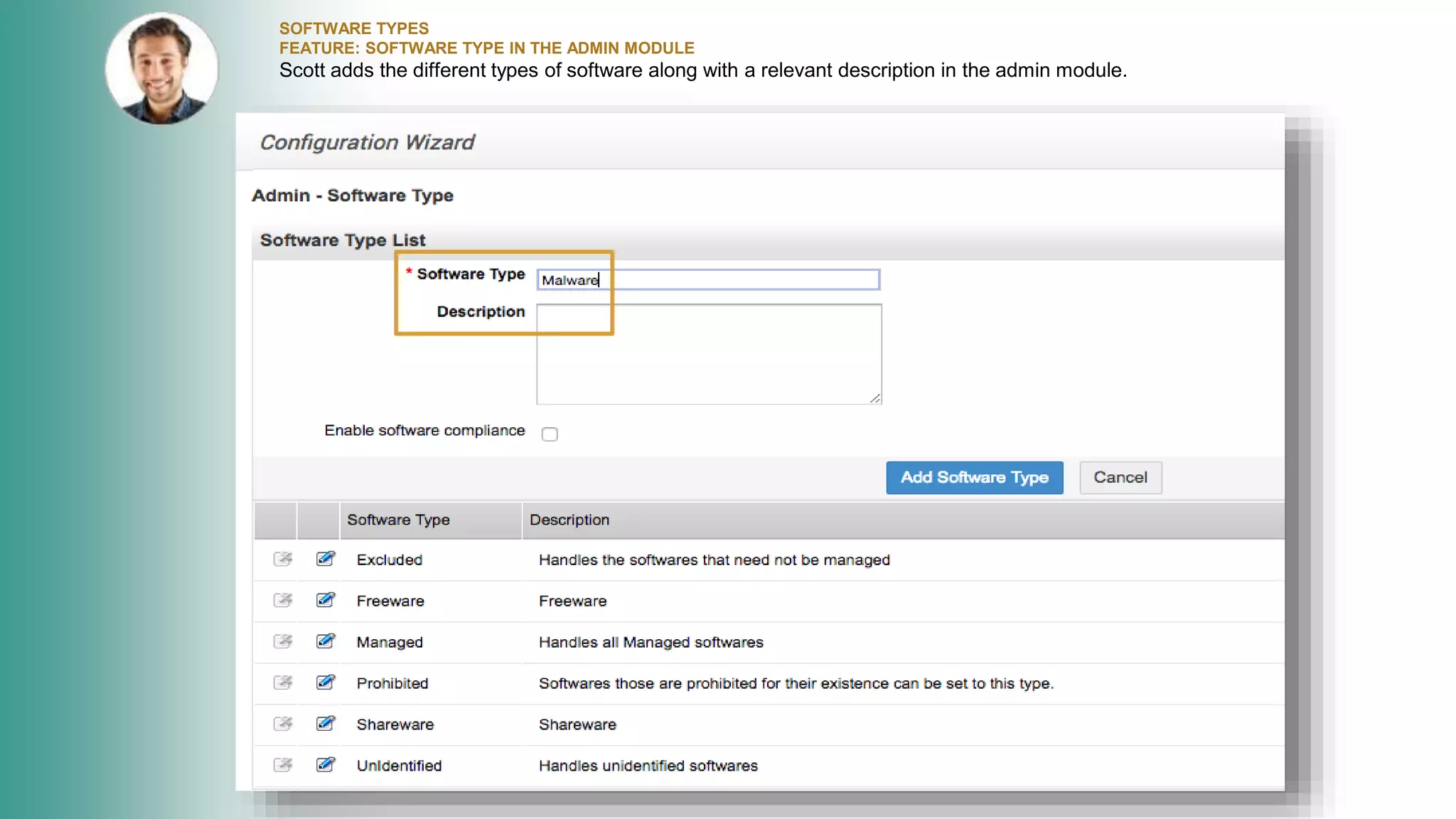
SOFTWARE TYPES
FEATURE: SOFTWARE TYPE IN THE ADMIN MODULE
Scott adds the different types of software along with a relevant description in the admin module.
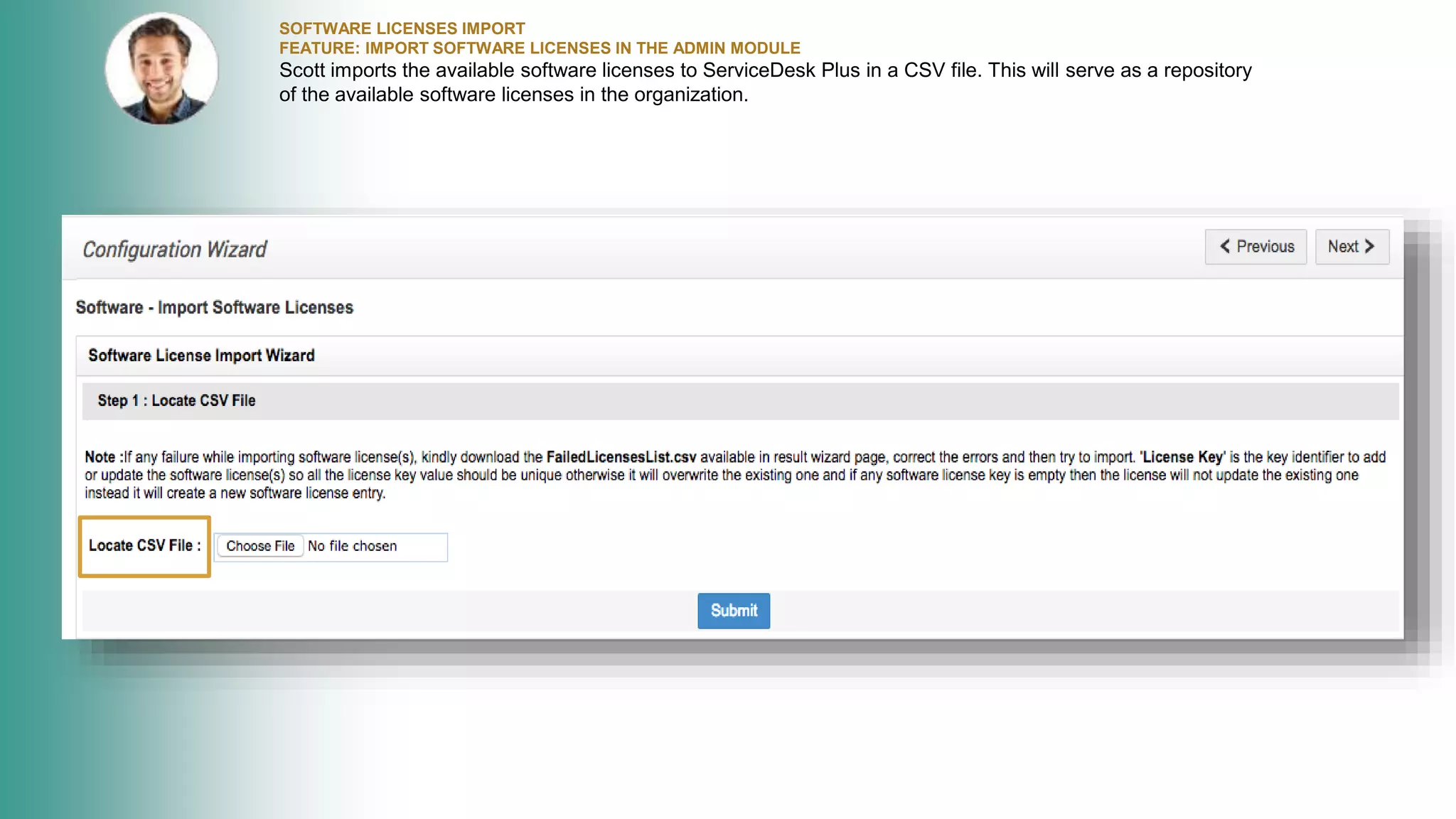
SOFTWARE LICENSES IMPORT
FEATURE: IMPORT SOFTWARE LICENSES IN THE ADMIN MODULE
Scott imports the available software licenses to ServiceDesk Plus in a CSV file. This will serve as a repository
of the available software licenses in the organization.
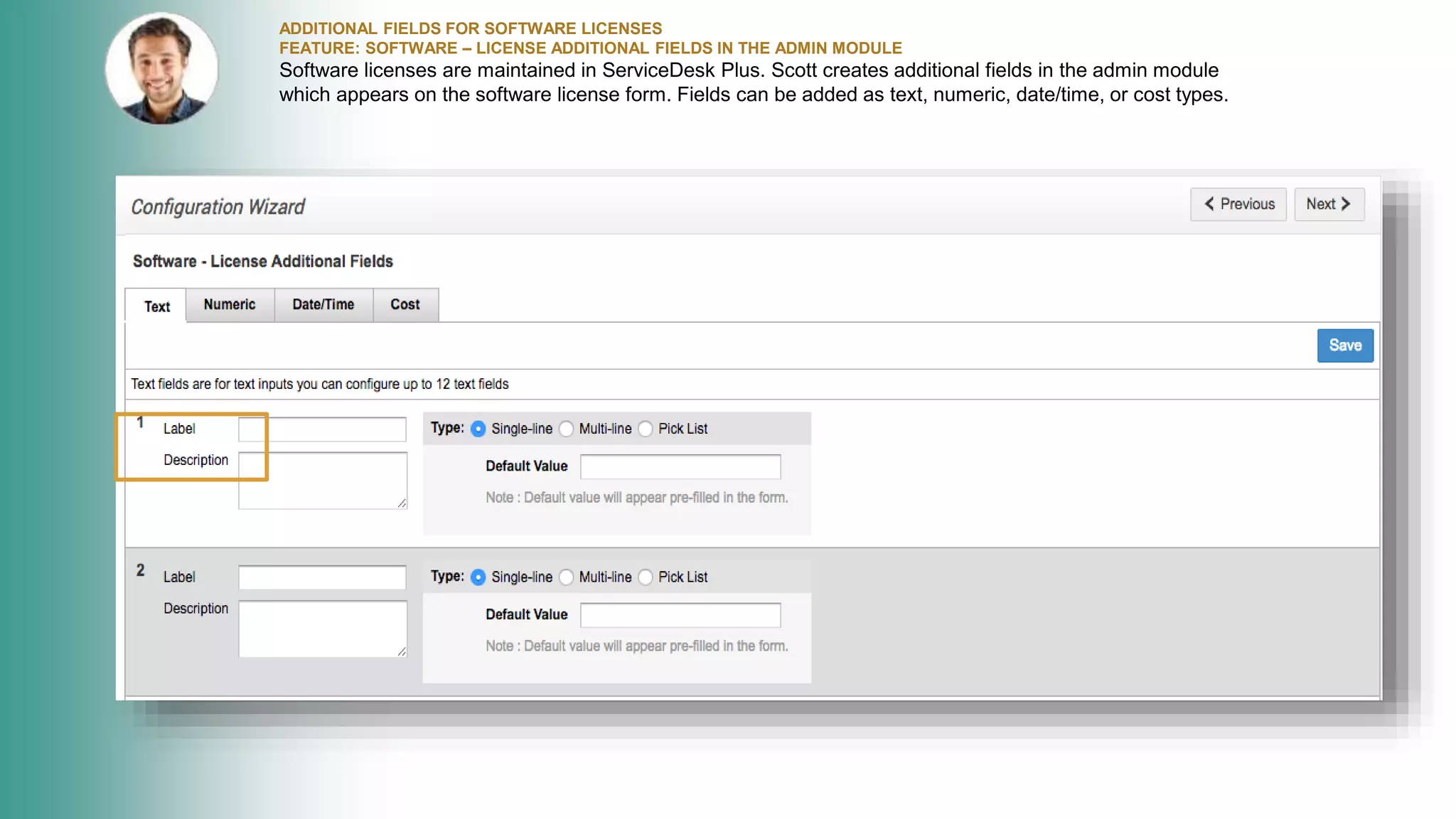
ADDITIONAL FIELDS FOR SOFTWARE LICENSES
FEATURE: SOFTWARE – LICENSE ADDITIONAL FIELDS IN THE ADMIN MODULE
Software licenses are maintained in ServiceDesk Plus. Scott creates additional fields in the admin module
which appears on the software license form. Fields can be added as text, numeric, date/time, or cost types.
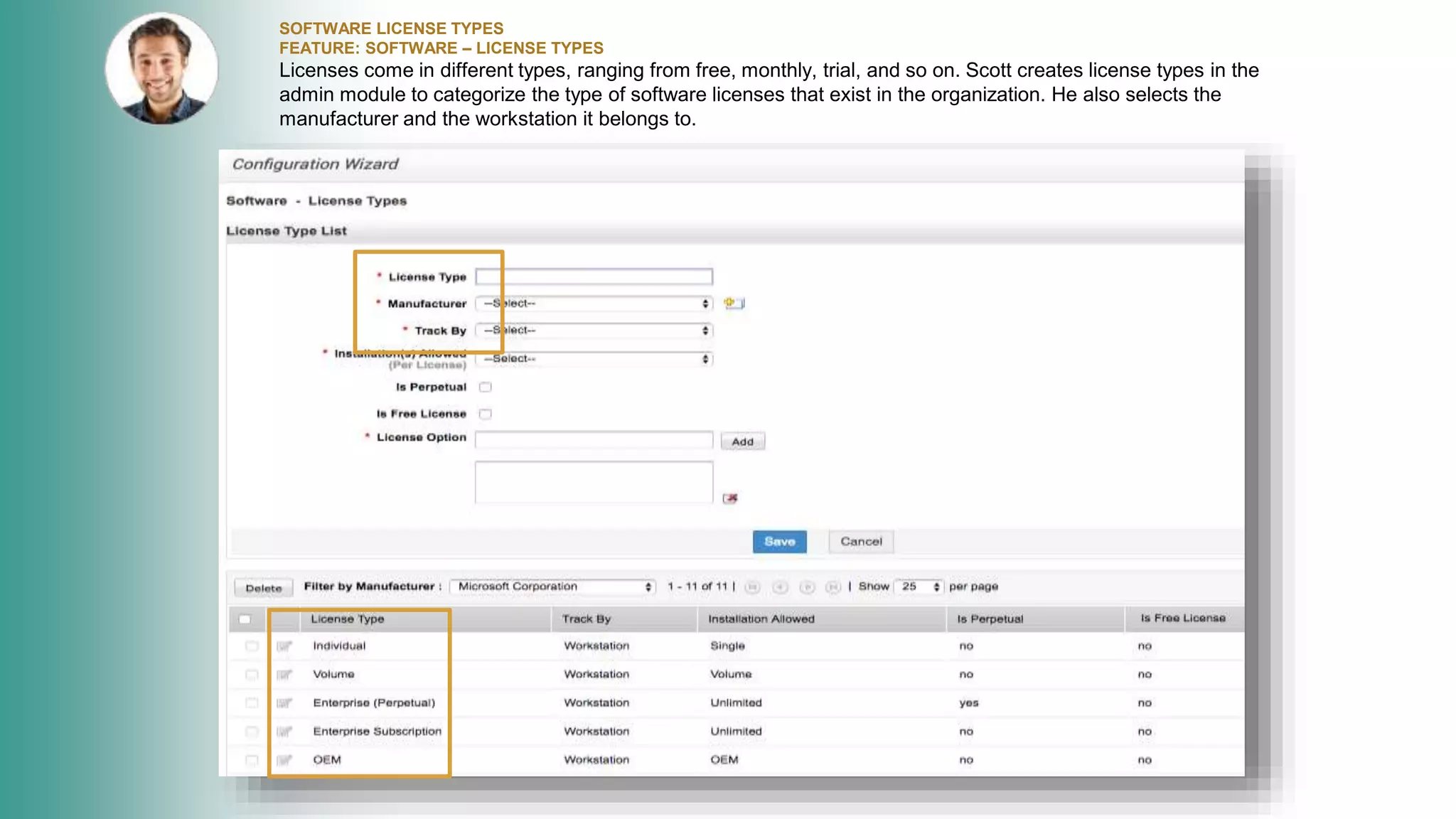
SOFTWARE LICENSE TYPES
FEATURE: SOFTWARE – LICENSE TYPES
Licenses come in different types, ranging from free, monthly, trial, and so on. Scott creates license types in the
admin module to categorize the type of software licenses that exist in the organization. He also selects the
manufacturer and the workstation it belongs to.
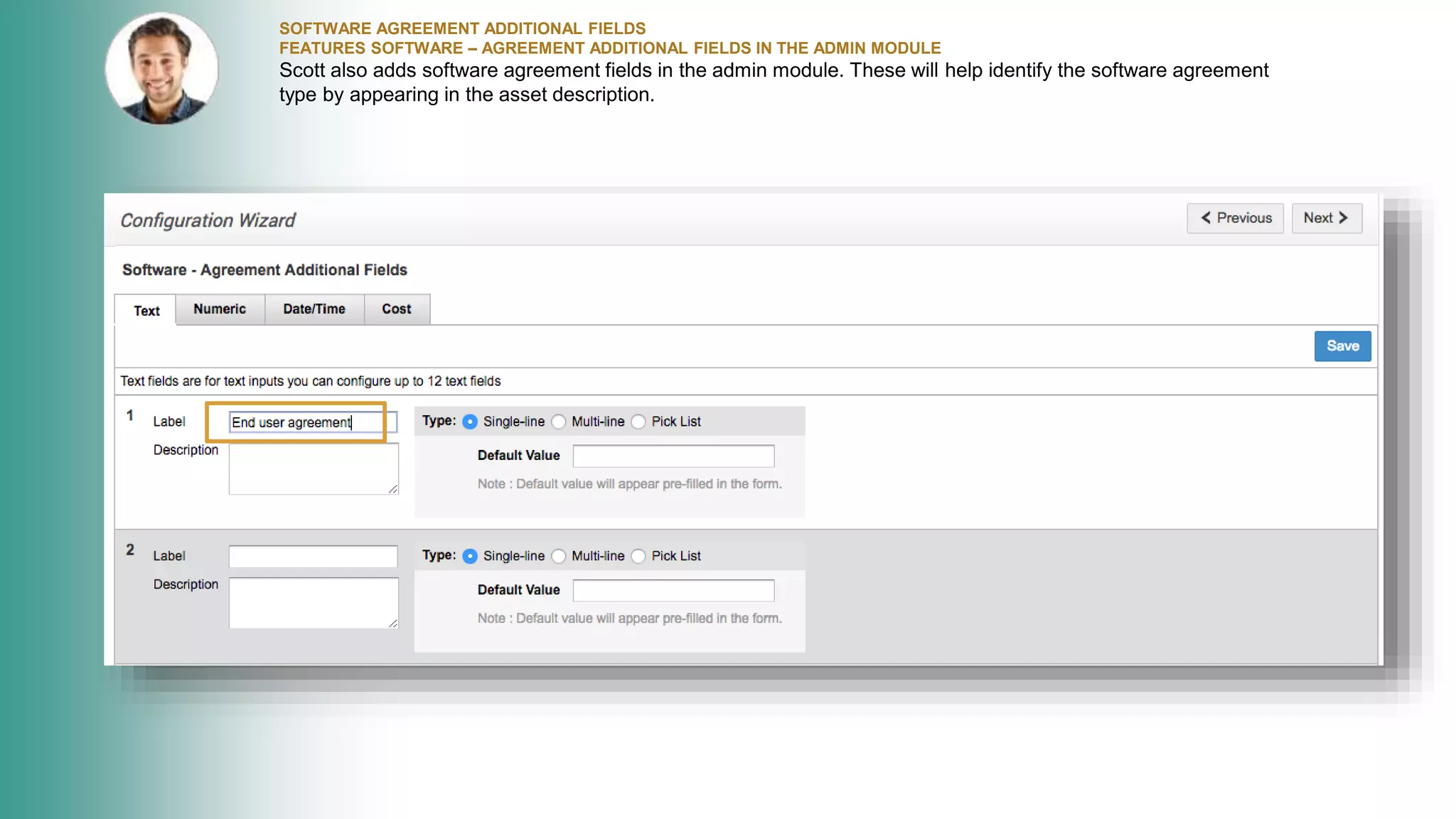
SOFTWARE AGREEMENT ADDITIONAL FIELDS
FEATURES SOFTWARE – AGREEMENT ADDITIONAL FIELDS IN THE ADMIN MODULE
Scott also adds software agreement fields in the admin module. These will help identify the software agreement
type by appearing in the asset description.
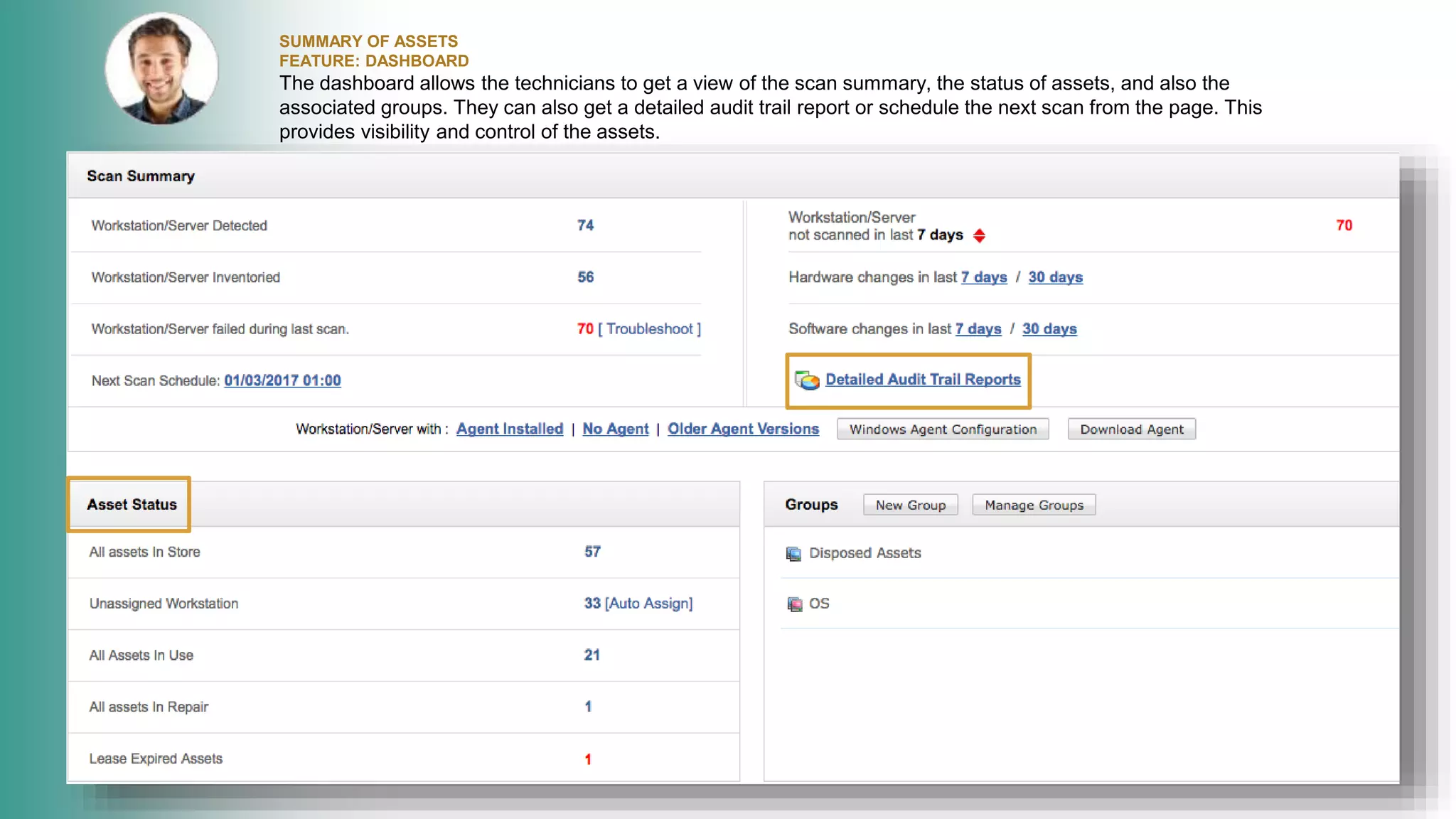
SUMMARY OF ASSETS
FEATURE: DASHBOARD
The dashboard allows the technicians to get a view of the scan summary, the status of assets, and also the
associated groups. They can also get a detailed audit trail report or schedule the next scan from the page. This
provides visibility and control of the assets.
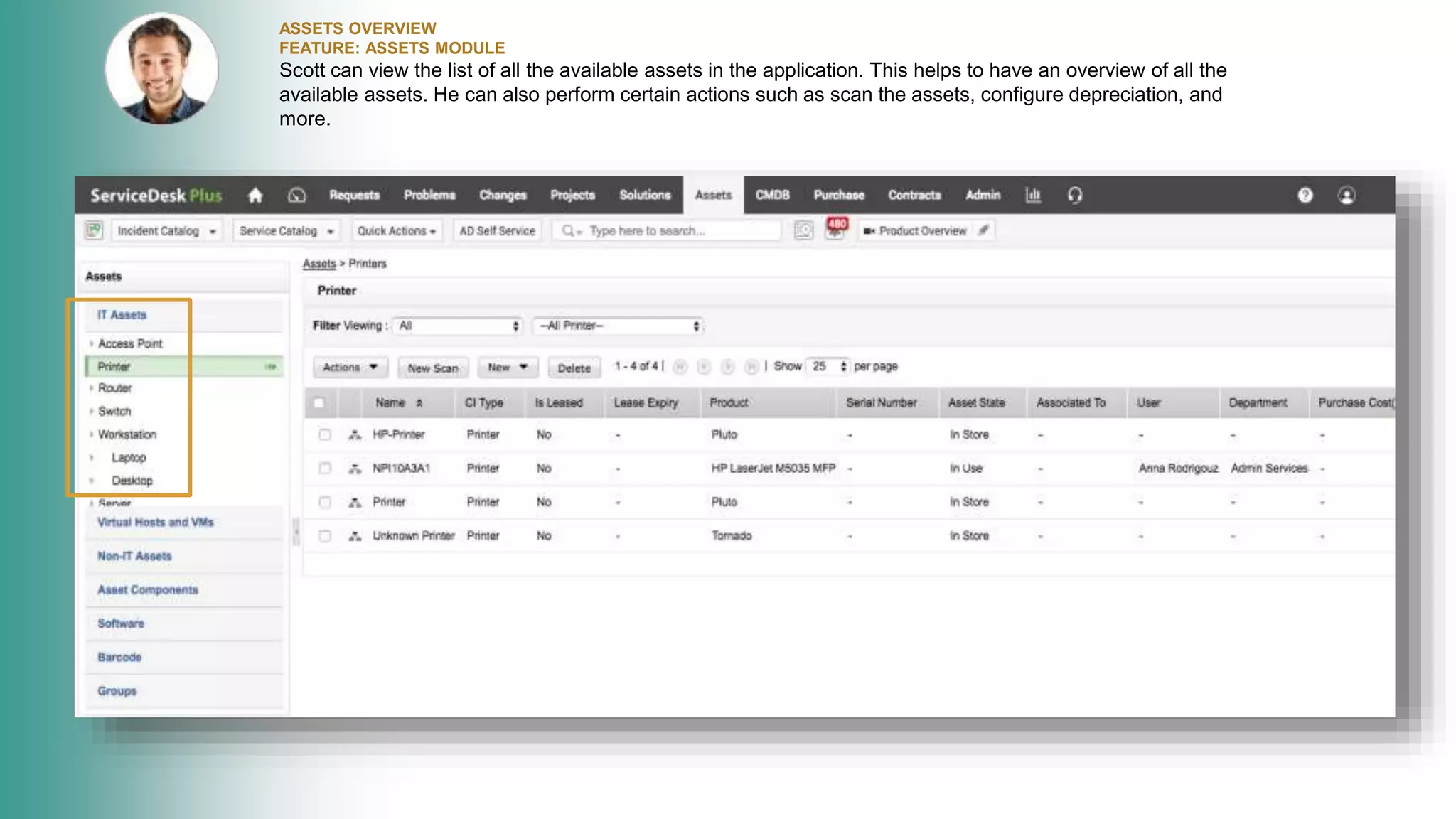
ASSETS OVERVIEW
FEATURE: ASSETS MODULE
Scott can view the list of all the available assets in the application. This helps to have an overview of all the
available assets. He can also perform certain actions such as scan the assets, configure depreciation, and
more.
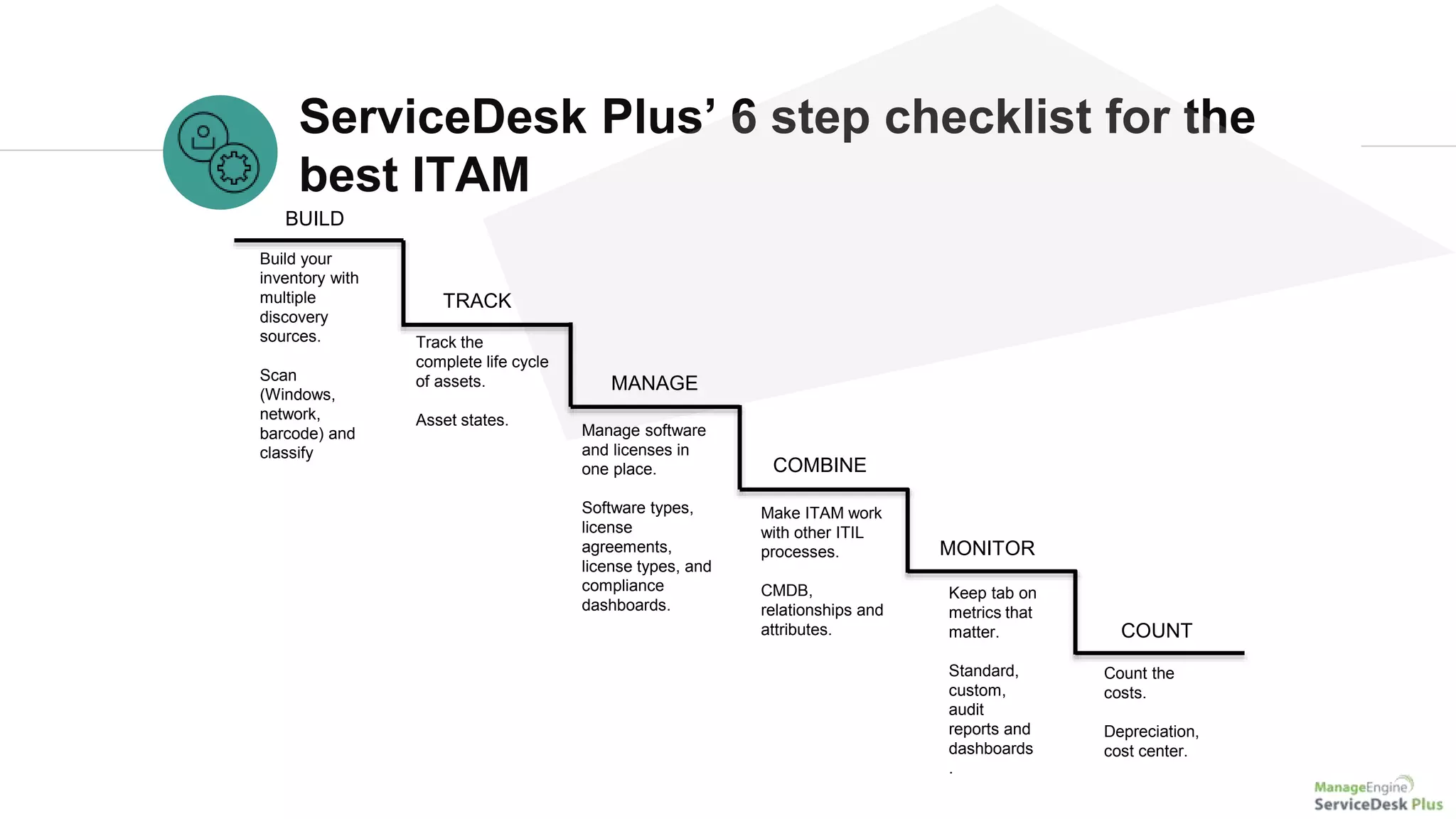
ServiceDesk Plus’ 6 step checklist for the
best ITAM
BUILD
Build your
inventory with
multiple
discovery
sources.
Scan
(Windows,
network,
barcode) and
classify
Make ITAM work
with other ITIL
processes.
CMDB,
relationships and
attributes.
COMBINE
TRACK
Track the
complete life cycle
of assets.
Asset states.
MANAGE
MONITOR
Manage software
and licenses in
one place.
Software types,
license
agreements,
license types, and
compliance
dashboards.
Keep tab on
metrics that
matter.
Standard,
custom,
audit
reports and
dashboards
.
COUNT
Count the
costs.
Depreciation,
cost center.
James Arnold
Service desk manager
Manhattan Associates
ServiceDesk Plus has been a great decision both functionally and financially.
What customers say
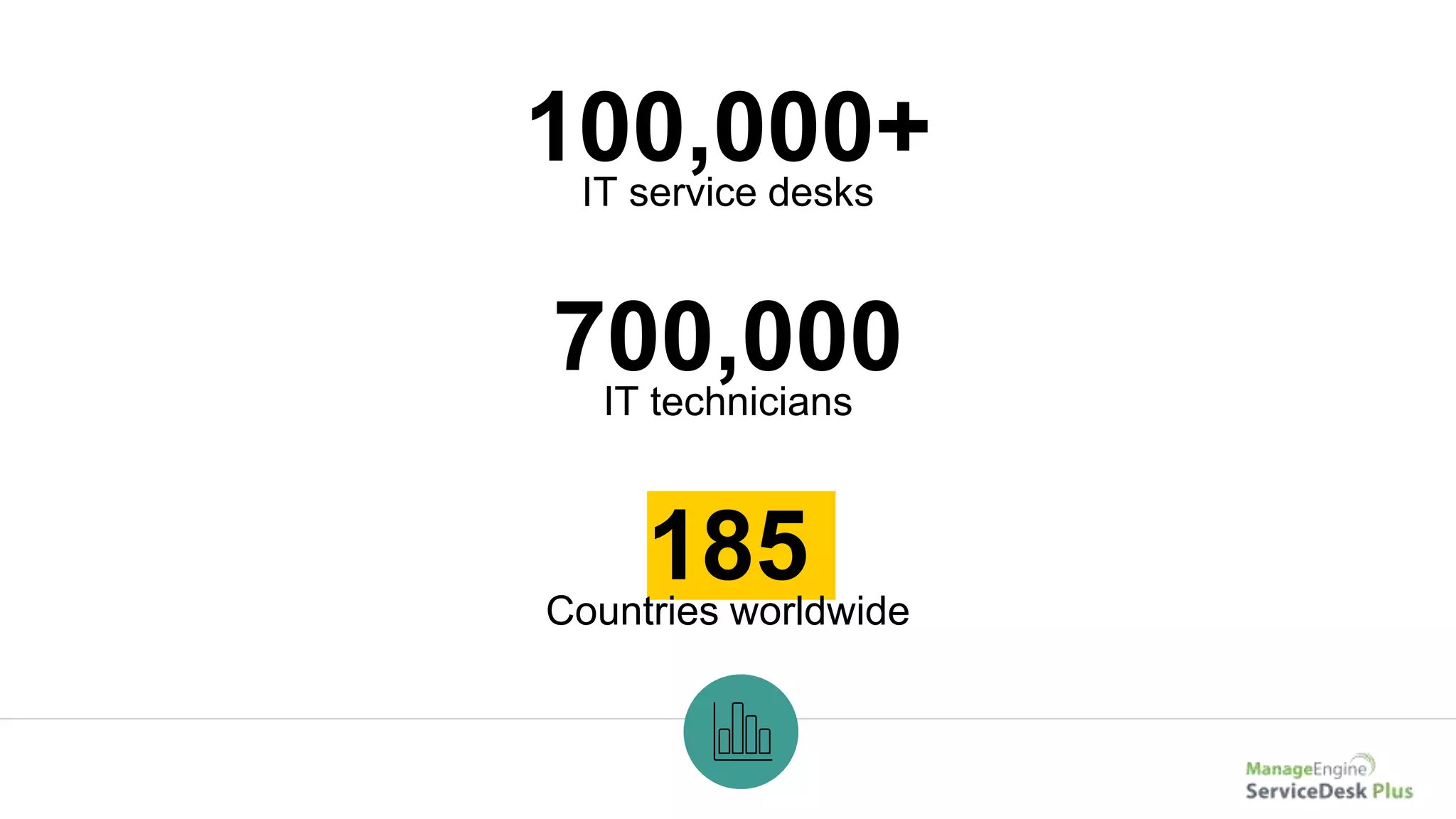
100,000+IT service desks
185Countries worldwide
700,000IT technicians
Get ServiceDesk
Plus
Sign up for a 30-day free trial.
Join the
100,000+ IT help
desks worldwide.
Have questions? Drop us a line at
hello@servicedeskplus.com

IT Asset Management in ServiceDesk Plus

  • 1.
    IT management, simplified. Real-time ITmanagement solutions for the new speed of business
  • 2.
    Underpinning of asuccessful IT help desk ServiceDesk Plus Asset management in
  • 3.
    Say hello toZylker WENDY HR DAVE HIRING MANAGER JOHN END USER BUSINESS USERS IT FOLKS CIO MARCUS SCOTT IT TECHNICIAN JASON IT TECHNICIAN ADAM IT TECHNICIAN CATRIN IT SERVICE MANAGER
  • 4.
    Asset management withServiceDesk Plus Zylker IT manages their assets
  • 5.
    Zylker’s guessing game The ITteam guesses the number of existing licenses Ooooh! We got MANY! So how many licenses do we have? And who’s right?
  • 6.
    Asset management with ServiceDeskPlus ServiceDesk Plus to the rescue! A
  • 7.
    IMPORTING ASSETS FEATURE: ASSETS Zylkeris a large organization with a large asset base. To manage all the assets in a common place, Catrin assigns technicians to add the assets to the application using the different options available in ServiceDesk Plus.
  • 8.
    IMPORTING ASSETS FEATURE: BARCODESSCANNING The technicians add new assets either by scanning the vendor’s barcode or by generating unique barcodes. They include the existing assets by generating barcodes for them.
  • 9.
    BARCODE GENERATION FEATURES: PRINTBARCODES Scott prints out the newly generated barcodes and sticks them to the asset. This makes it easier for future scanning and references.
  • 10.
    SCHEDULED SCANNING OFASSETS FEATURE: SCHEDULED SCAN Once all the assets are added in the application, Scott configures a scheduled scan. The application will automatically scan all networks and add the new assets to ServiceDesk Plus.
  • 11.
    CUSTOMIZING PRODUCT TYPES FEATURE:PRODUCT TYPES IN ADMIN Scott creates a list of default product types based on the available assets in Zylker using the ‘product type’ option in the admin module for easy categorization of the added assets.
  • 12.
    CONFIGURING DEPRECIATION FEATURE: CONFIGUREDEPRECIATION Scott adds new products and configures depreciation for each product in ServiceDesk Plus. He can also select multiple products at one time and configure a common depreciation, as applicable. He can choose the depreciation method, and further drilldown and choose between useful life or depreciation percent for each product.
  • 13.
    ADDING VENDORS FEATURE: VENDORSIN ADMIN Scott adds and associates vendors to the products, wherever applicable, for easy reference in future.
  • 14.
    ADDING FIELDS FORWORKSTATION FORMS FEATURE: WORKSTATION – ADDITIONAL FIELDS Scott adds the required fields that need to appear on workstation forms. This helps customize and personalize workstations according to the requirements.
  • 15.
    ADDITIONAL FIELDS FORASSETS FEATURE: ASSET ADDITIONAL FIELDS IN THE ADMIN MODULE Scott adds new fields to reflect on asset forms. The fields can be of text, numeric, or date/time types. This helps add specific description and more details of assets.
  • 16.
    MONITORING ASSETS FEATURE: ASSETSTATE IN THE ADMIN MODULE Scott adds new asset state description terms in the admin module. This helps track the asset state and promptly replace the assets.
  • 17.
    ADDING CI TYPES FEATURE:CONFIGURATION ITEM TYPES IN THE ADMIN MODULE Scott adds CI types in the admin module, for better description of assets. Configuration item types help demarcate the kind of asset for better categorizing of hardware assets.
  • 18.
    SOFTWARE TYPES FEATURE: SOFTWARETYPE IN THE ADMIN MODULE Scott adds the different types of software along with a relevant description in the admin module.
  • 19.
    SOFTWARE LICENSES IMPORT FEATURE:IMPORT SOFTWARE LICENSES IN THE ADMIN MODULE Scott imports the available software licenses to ServiceDesk Plus in a CSV file. This will serve as a repository of the available software licenses in the organization.
  • 20.
    ADDITIONAL FIELDS FORSOFTWARE LICENSES FEATURE: SOFTWARE – LICENSE ADDITIONAL FIELDS IN THE ADMIN MODULE Software licenses are maintained in ServiceDesk Plus. Scott creates additional fields in the admin module which appears on the software license form. Fields can be added as text, numeric, date/time, or cost types.
  • 21.
    SOFTWARE LICENSE TYPES FEATURE:SOFTWARE – LICENSE TYPES Licenses come in different types, ranging from free, monthly, trial, and so on. Scott creates license types in the admin module to categorize the type of software licenses that exist in the organization. He also selects the manufacturer and the workstation it belongs to.
  • 22.
    SOFTWARE AGREEMENT ADDITIONALFIELDS FEATURES SOFTWARE – AGREEMENT ADDITIONAL FIELDS IN THE ADMIN MODULE Scott also adds software agreement fields in the admin module. These will help identify the software agreement type by appearing in the asset description.
  • 23.
    SUMMARY OF ASSETS FEATURE:DASHBOARD The dashboard allows the technicians to get a view of the scan summary, the status of assets, and also the associated groups. They can also get a detailed audit trail report or schedule the next scan from the page. This provides visibility and control of the assets.
  • 24.
    ASSETS OVERVIEW FEATURE: ASSETSMODULE Scott can view the list of all the available assets in the application. This helps to have an overview of all the available assets. He can also perform certain actions such as scan the assets, configure depreciation, and more.
  • 25.
    ServiceDesk Plus’ 6step checklist for the best ITAM BUILD Build your inventory with multiple discovery sources. Scan (Windows, network, barcode) and classify Make ITAM work with other ITIL processes. CMDB, relationships and attributes. COMBINE TRACK Track the complete life cycle of assets. Asset states. MANAGE MONITOR Manage software and licenses in one place. Software types, license agreements, license types, and compliance dashboards. Keep tab on metrics that matter. Standard, custom, audit reports and dashboards . COUNT Count the costs. Depreciation, cost center.
  • 26.
    James Arnold Service deskmanager Manhattan Associates ServiceDesk Plus has been a great decision both functionally and financially. What customers say
  • 27.
    100,000+IT service desks 185Countriesworldwide 700,000IT technicians
  • 28.
    Get ServiceDesk Plus Sign upfor a 30-day free trial. Join the 100,000+ IT help desks worldwide. Have questions? Drop us a line at hello@servicedeskplus.com