Business Process Mapping for
Salesforce Admins
July 27, 2016
Speakers
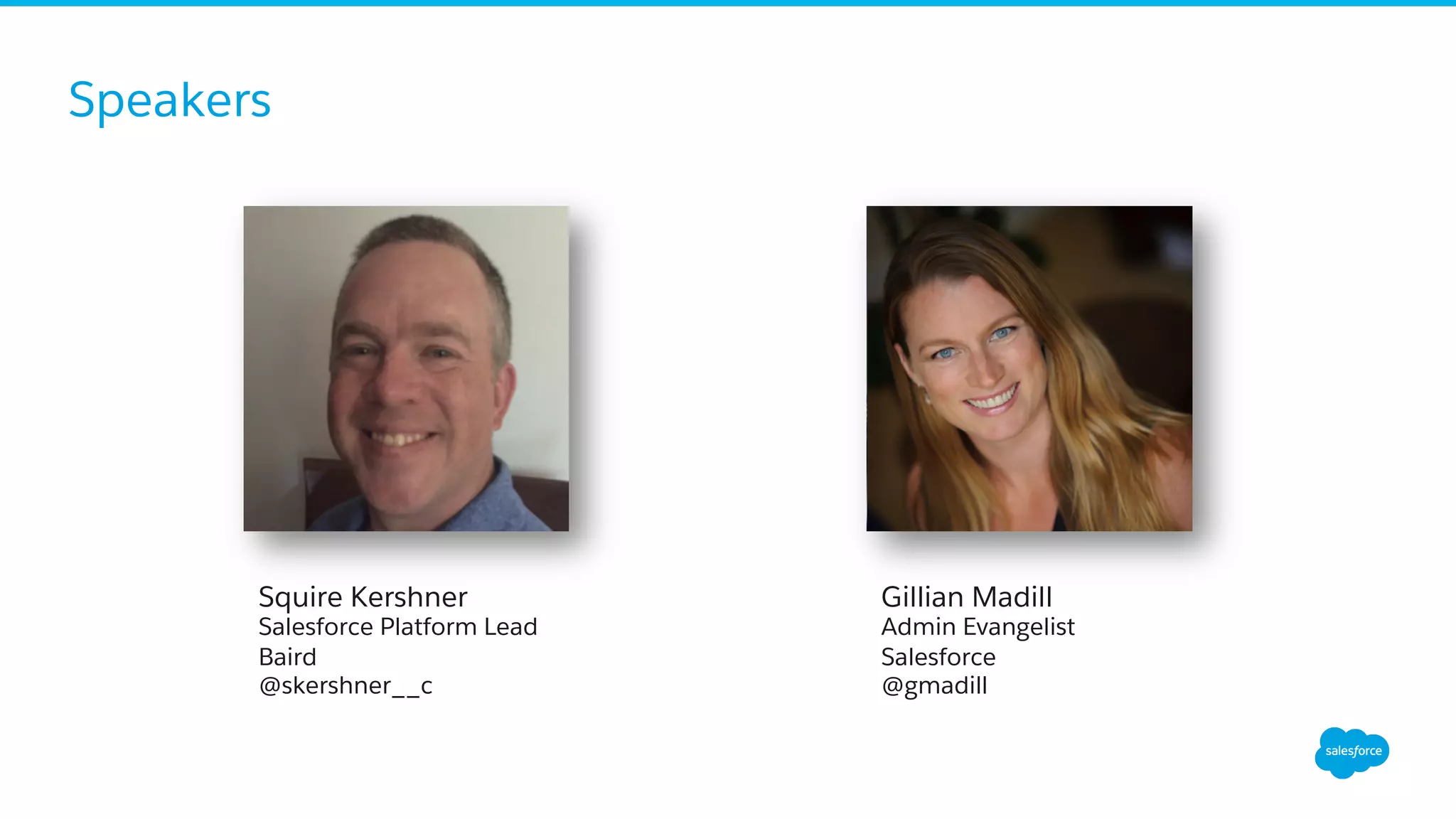
Gillian Madill
Admin Evangelist
Salesforce
@gmadill
Squire Kershner
Salesforce Platform Lead
Baird
@skershner__c
Forward-Looking Statements
​ Statement under the Private Securities Litigation Reform Act of 1995:
​ This presentation may contain forward-looking statements that involve risks, uncertainties, and assumptions. If any such uncertainties materialize or
if any of the assumptions proves incorrect, the results of salesforce.com, inc. could differ materially from the results expressed or implied by the
forward-looking statements we make. All statements other than statements of historical fact could be deemed forward-looking, including any
projections of product or service availability, subscriber growth, earnings, revenues, or other financial items and any statements regarding strategies
or plans of management for future operations, statements of belief, any statements concerning new, planned, or upgraded services or technology
developments and customer contracts or use of our services.
​ The risks and uncertainties referred to above include – but are not limited to – risks associated with developing and delivering new functionality for
our service, new products and services, our new business model, our past operating losses, possible fluctuations in our operating results and rate of
growth, interruptions or delays in our Web hosting, breach of our security measures, the outcome of any litigation, risks associated with completed
and any possible mergers and acquisitions, the immature market in which we operate, our relatively limited operating history, our ability to expand,
retain, and motivate our employees and manage our growth, new releases of our service and successful customer deployment, our limited history
reselling non-salesforce.com products, and utilization and selling to larger enterprise customers. Further information on potential factors that could
affect the financial results of salesforce.com, inc. is included in our annual report on Form 10-K for the most recent fiscal year and in our quarterly
report on Form 10-Q for the most recent fiscal quarter. These documents and others containing important disclosures are available on the SEC
Filings section of the Investor Information section of our Web site.
​ Any unreleased services or features referenced in this or other presentations, press releases or public statements are not currently available and may
not be delivered on time or at all. Customers who purchase our services should make the purchase decisions based upon features that are currently
available. Salesforce.com, inc. assumes no obligation and does not intend to update these forward-looking statements.
Get Social with Us!
@salesforceadmns
#awesomeadmin
Salesforce Admins
Salesforce Admins
The video will be posted to YouTube
& the webinar recap page
(same URL as registration).
This webinar is being recorded!
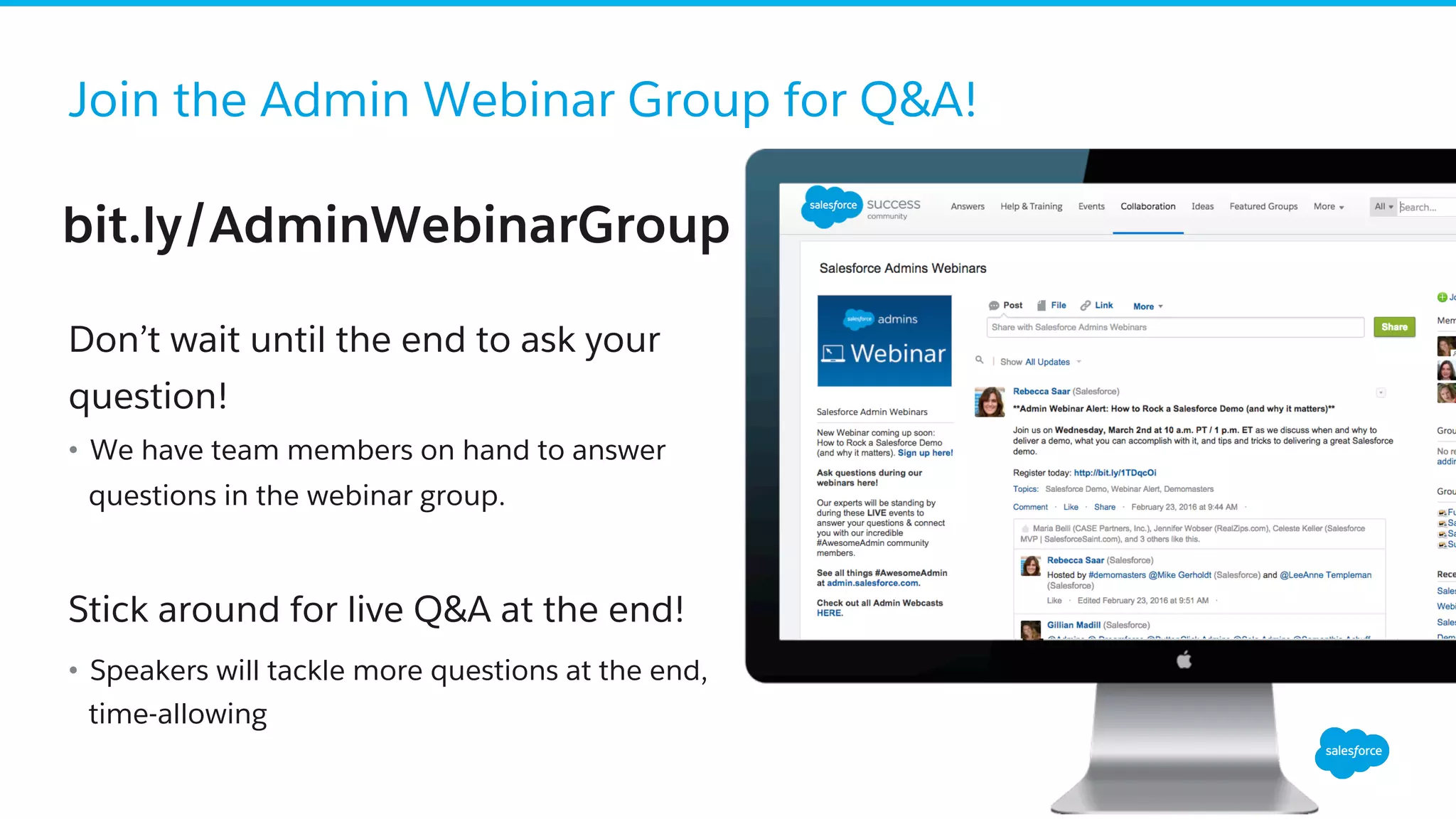
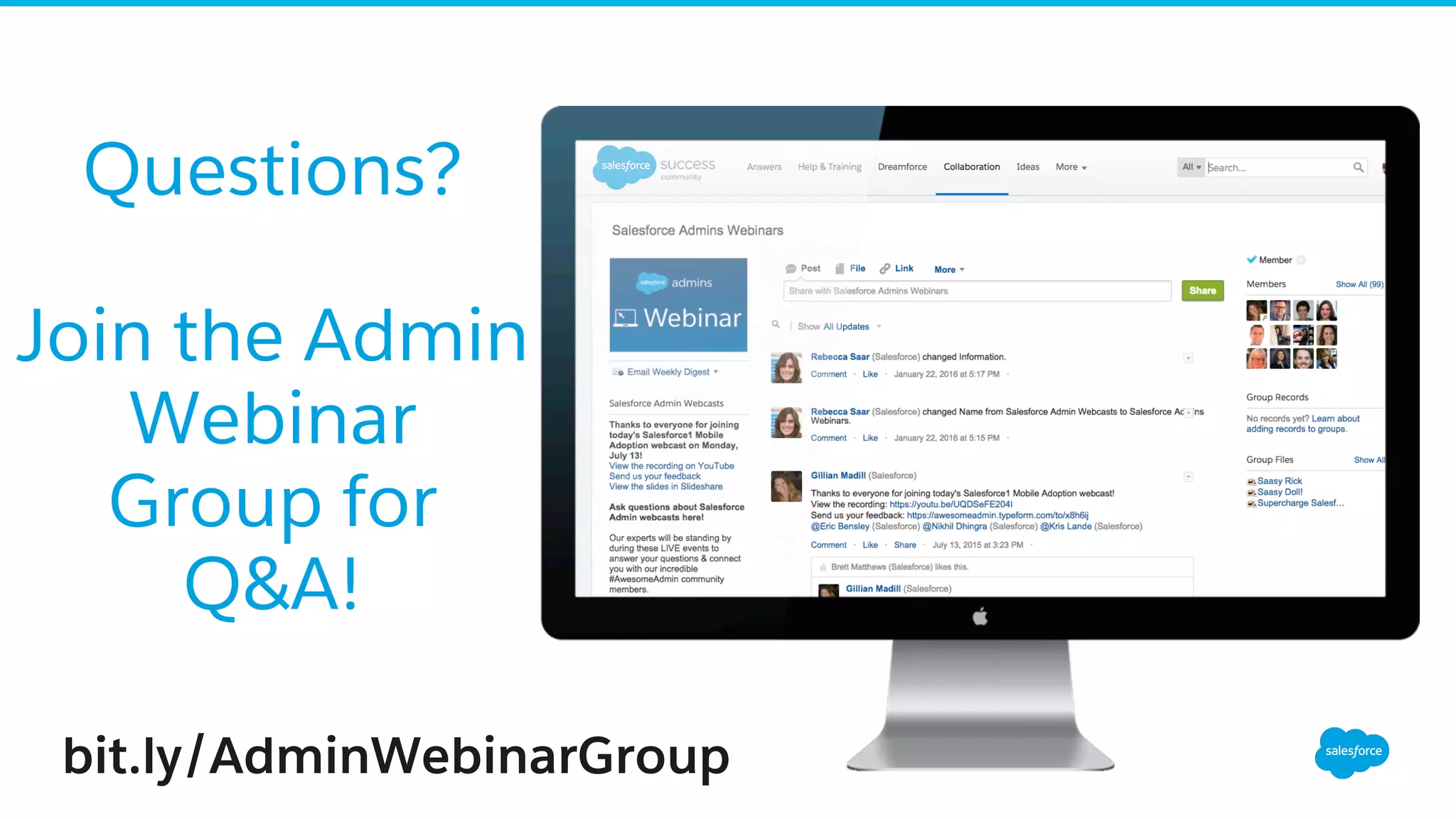
Join the Admin Webinar Group for Q&A!
​ Don’t wait until the end to ask your
question!
•  We have team members on hand to answer
questions in the webinar group.
Stick around for live Q&A at the end!
•  Speakers will tackle more questions at the end,
time-allowing
bit.ly/AdminWebinarGroup
Agenda
•  The Importance of Business Process
Mapping
•  What is Lean Methodology?
•  Putting it All Together
•  Resources
•  Q&A
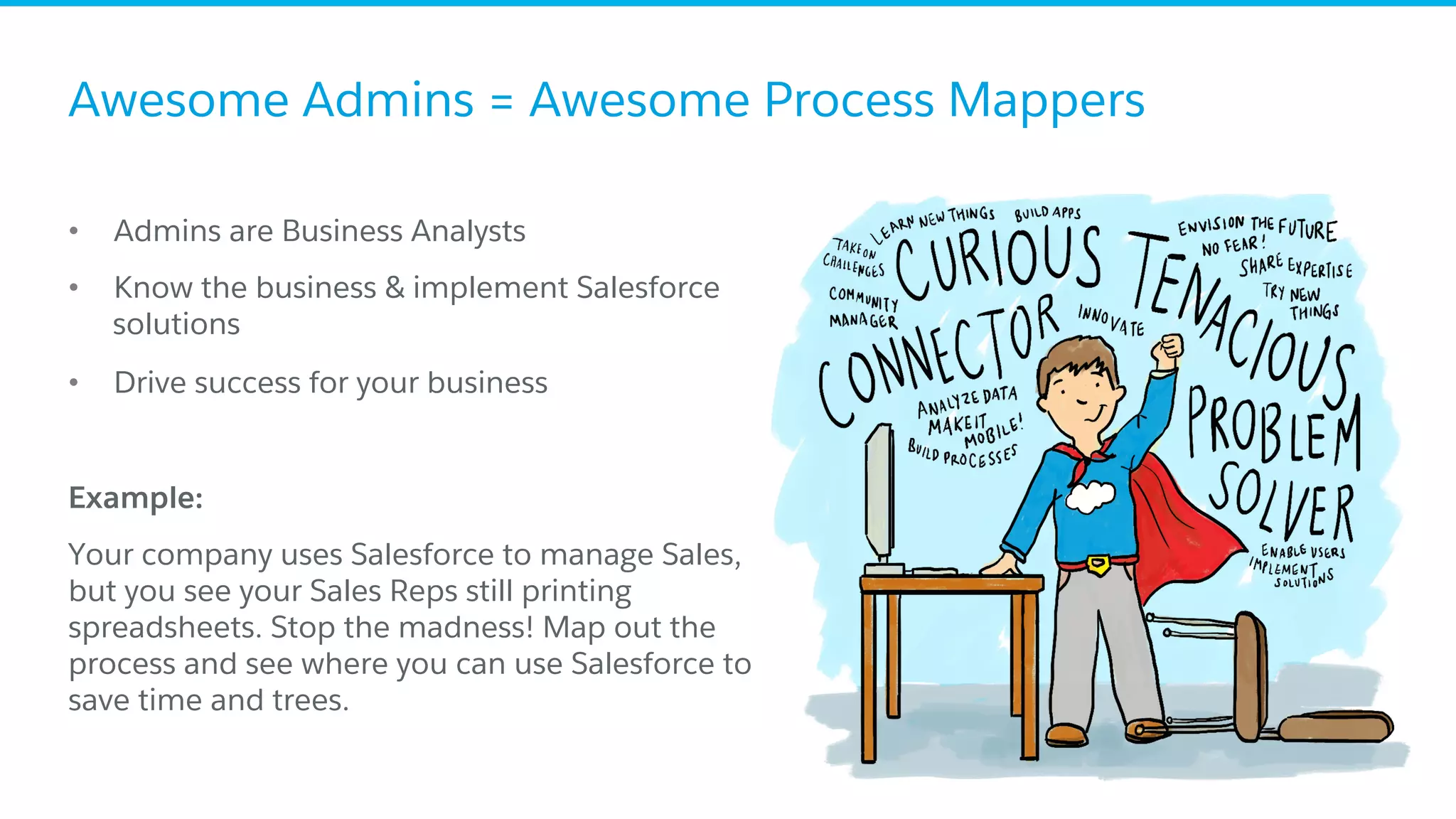
Awesome Admins = Awesome Process Mappers
•  Admins are Business Analysts
•  Know the business & implement Salesforce
solutions
•  Drive success for your business
​ Example:
​ Your company uses Salesforce to manage Sales,
but you see your Sales Reps still printing
spreadsheets. Stop the madness! Map out the
process and see where you can use Salesforce to
save time and trees.
Importance of Business
Process Mapping
Where It All Begins . . .
Compliance:
“When we go through our Deal Audit Process, it can be hard to find
all of the important information from the Deal. Can you help us find
a better way to report the information we need from the Deal
record?”
Admin:
“Sure! That’ll be a snap!”
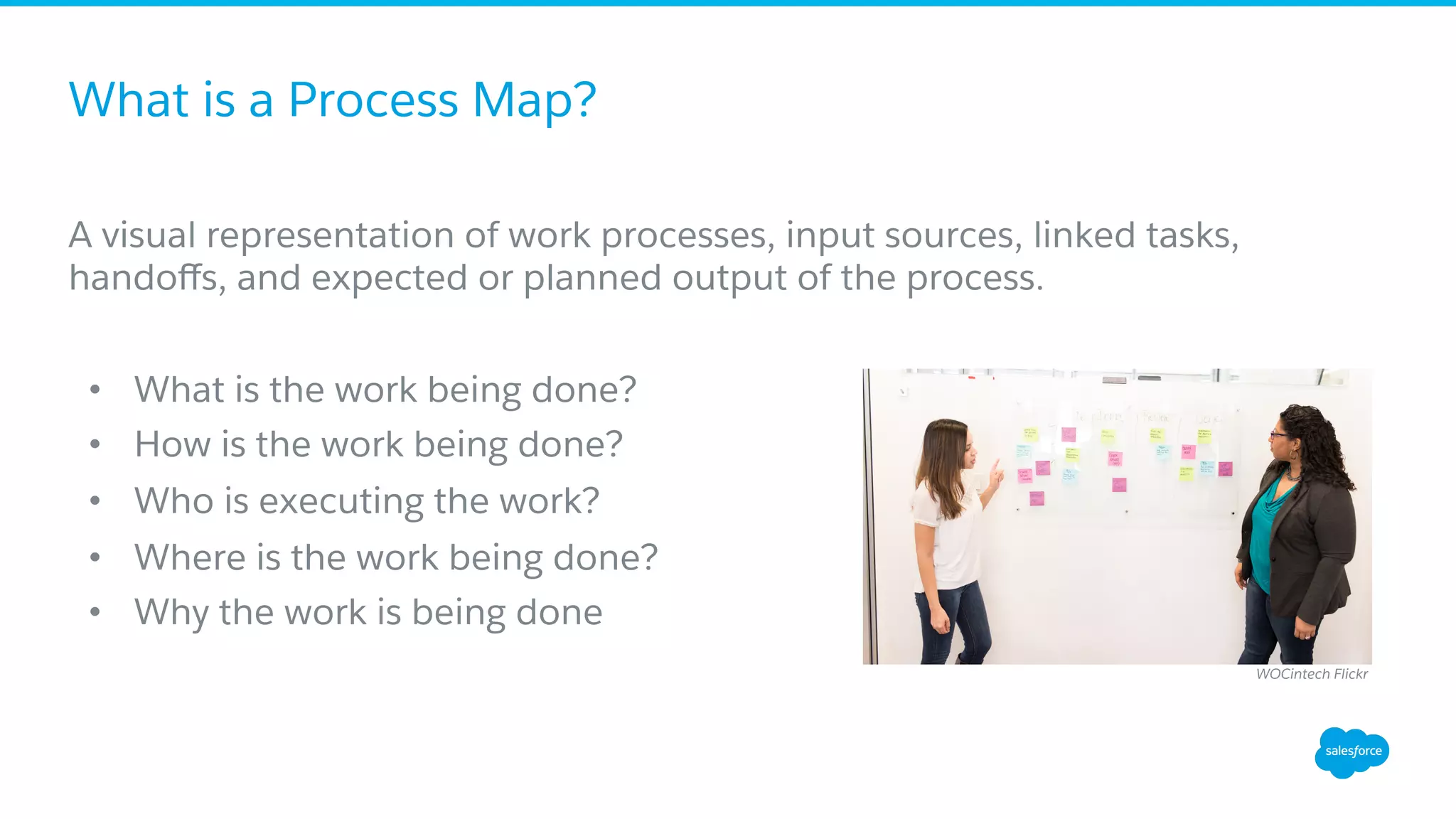
What is a Process Map?
A visual representation of work processes, input sources, linked tasks,
handoffs, and expected or planned output of the process.
•  What is the work being done?
•  How is the work being done?
•  Who is executing the work?
•  Where is the work being done?
•  Why the work is being done
WOCintech Flickr
Generating a Business Process
1.  Understand the Process, beginning to end.
•  Challenge: Map only what you ‘observe’ not what you ‘interpret’
•  Challenge: Be cognizant of the scope of the process, but do not ignore the
periphery
2.  Identify the consumers, points of control, reasoning for the process, as
well as the gaps and risks of the process.
•  Challenge: Do not limit the consumers to the ‘doers’ and the ‘recipients’.
•  Challenge: Gaps and risks are those that are observed. Analysis comes later.
Generating a Business Process
3.  Interview members or users of the process to understand all
requirements.
•  Challenge: Listen. Ask open ended questions.
•  Challenge: Don’t stop asking why, and don’t assume you understand why.
4.  Map the process
•  Challenge: Visio-paralysis.
5.  Analysis of the process
•  Challenge: Identify opportunities for improvement, not solutions (yet)
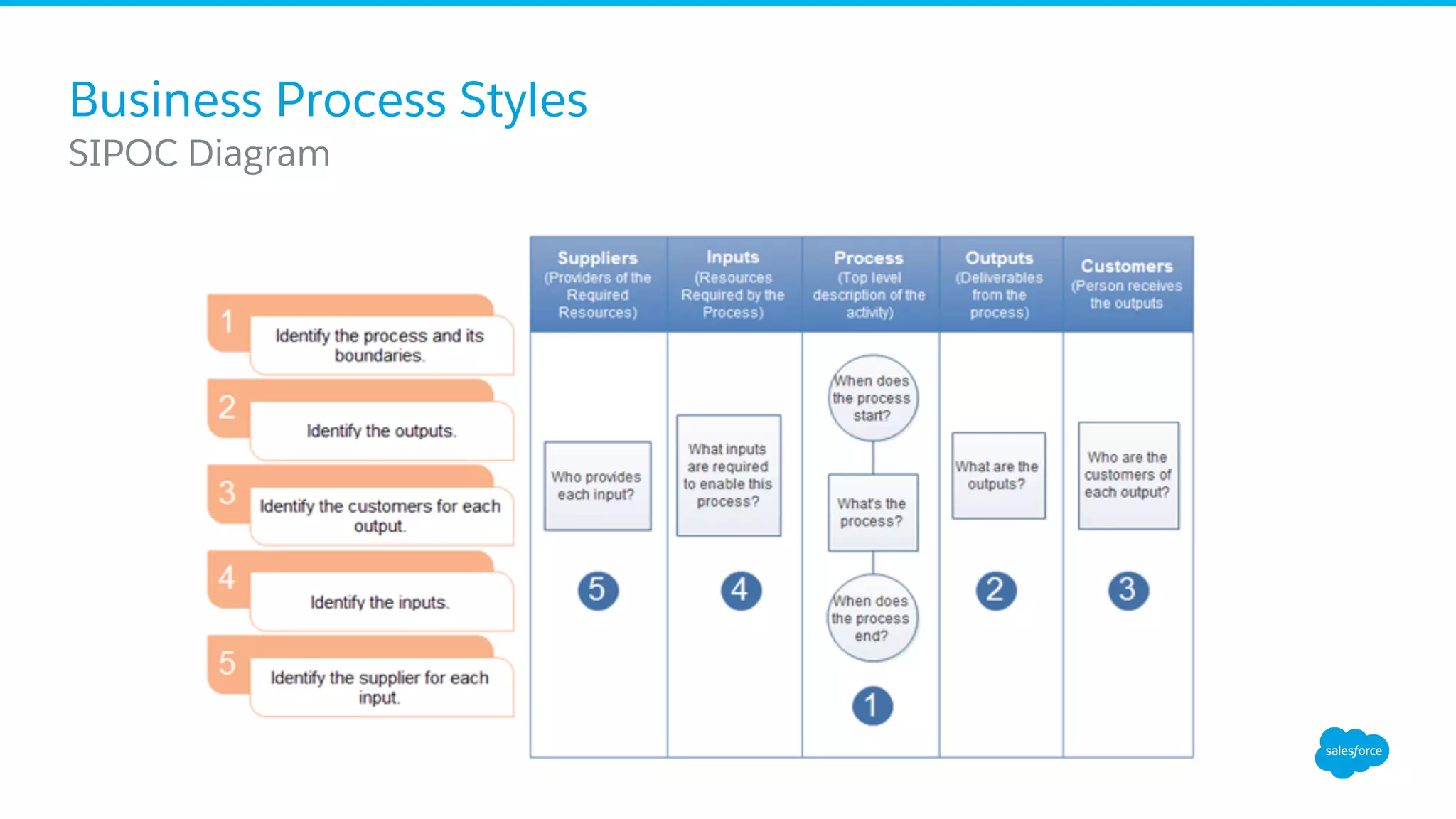
Business Process Styles
​ SIPOC Diagram
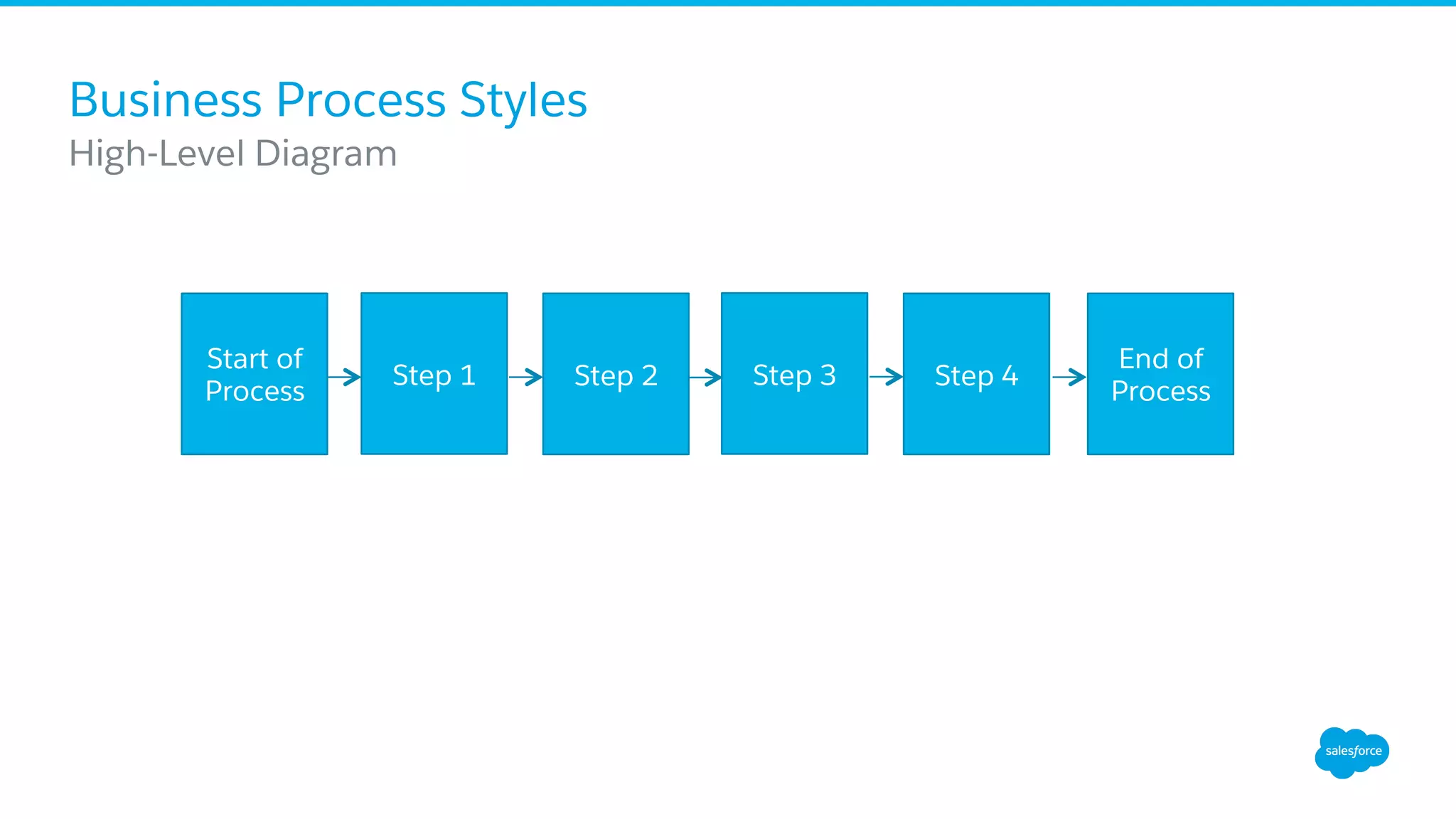
Business Process Styles
​ High-Level Diagram
Step 1 Step 2 Step 3 Step 4
End of
Process
Start of
Process
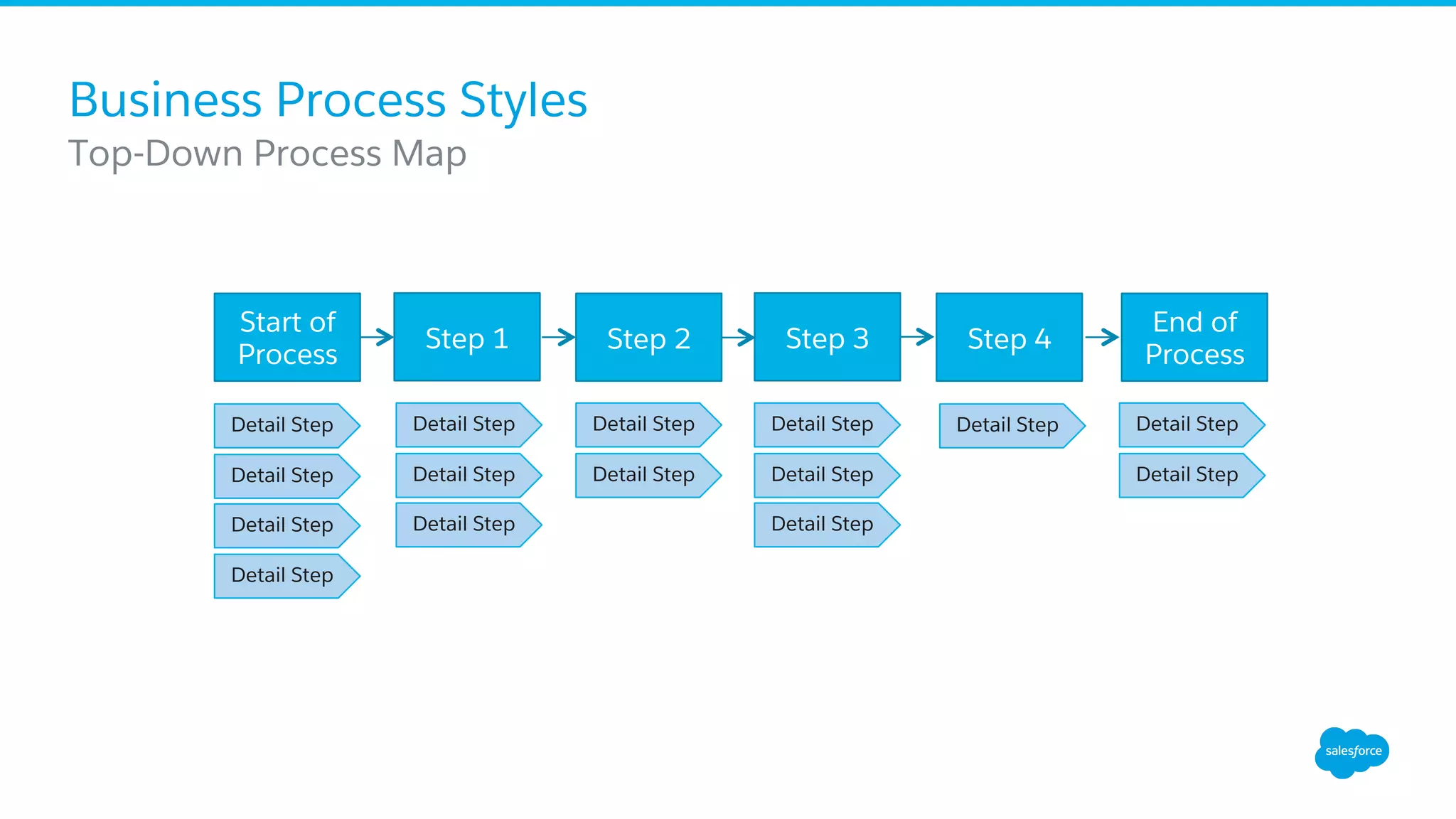
Business Process Styles
​ Top-Down Process Map
Step 1 Step 2 Step 3 Step 4
End of
Process
Start of
Process
Detail Step
Detail Step
Detail Step
Detail Step
Detail Step
Detail Step
Detail Step
Detail Step
Detail Step
Detail Step
Detail Step
Detail Step
Detail Step Detail Step
Detail Step
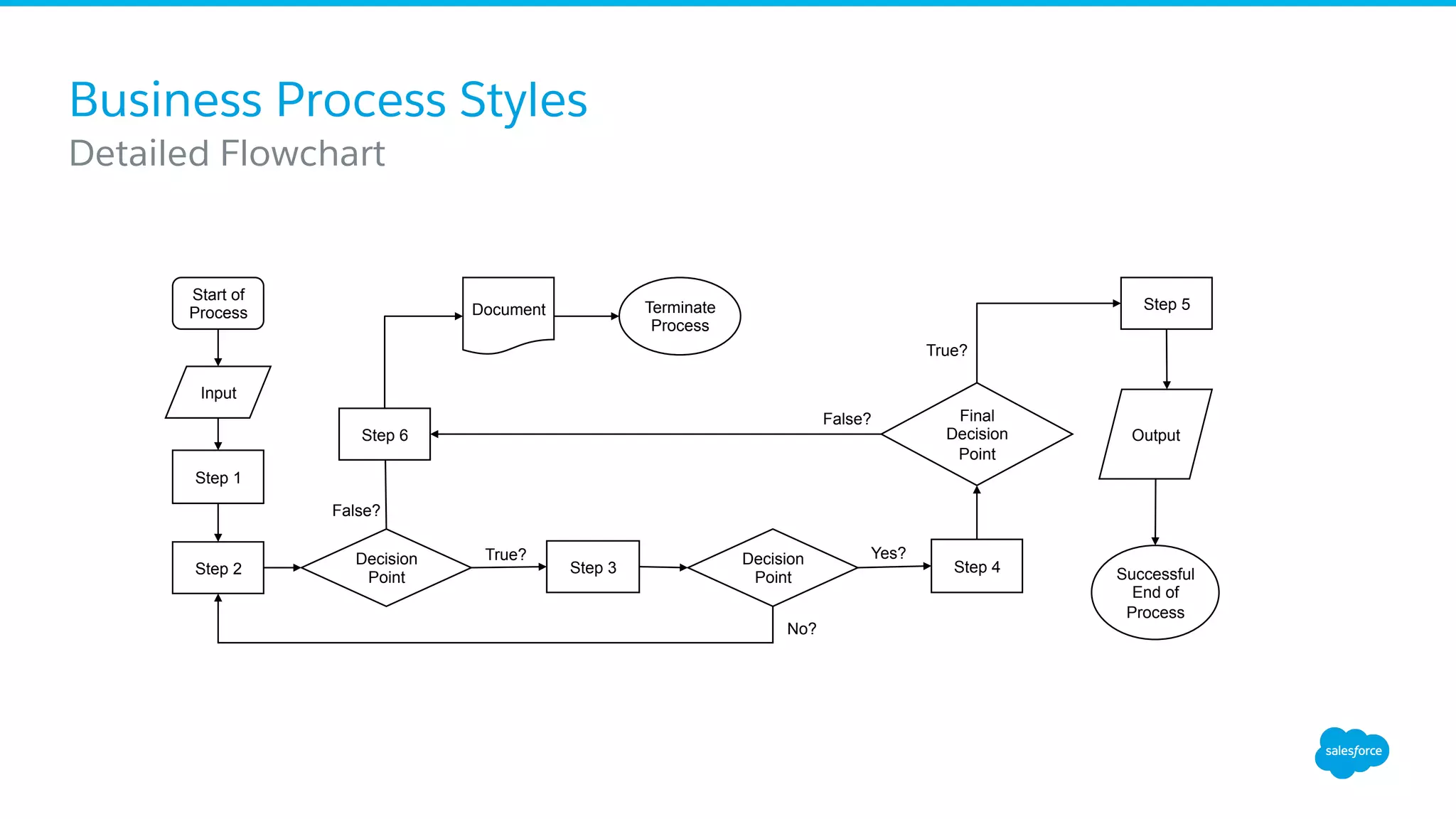
Business Process Styles
​ Detailed Flowchart
Start of
Process
Step 1
Step 2
Decision
Point
Terminate
Process
Step 3
Decision
Point
Step 4
True?
False?
Yes?
No?
Final
Decision
Point
Step 5
Successful
End of
Process
True?
False?
​ Input
Document
OutputStep 6
Business Process Styles
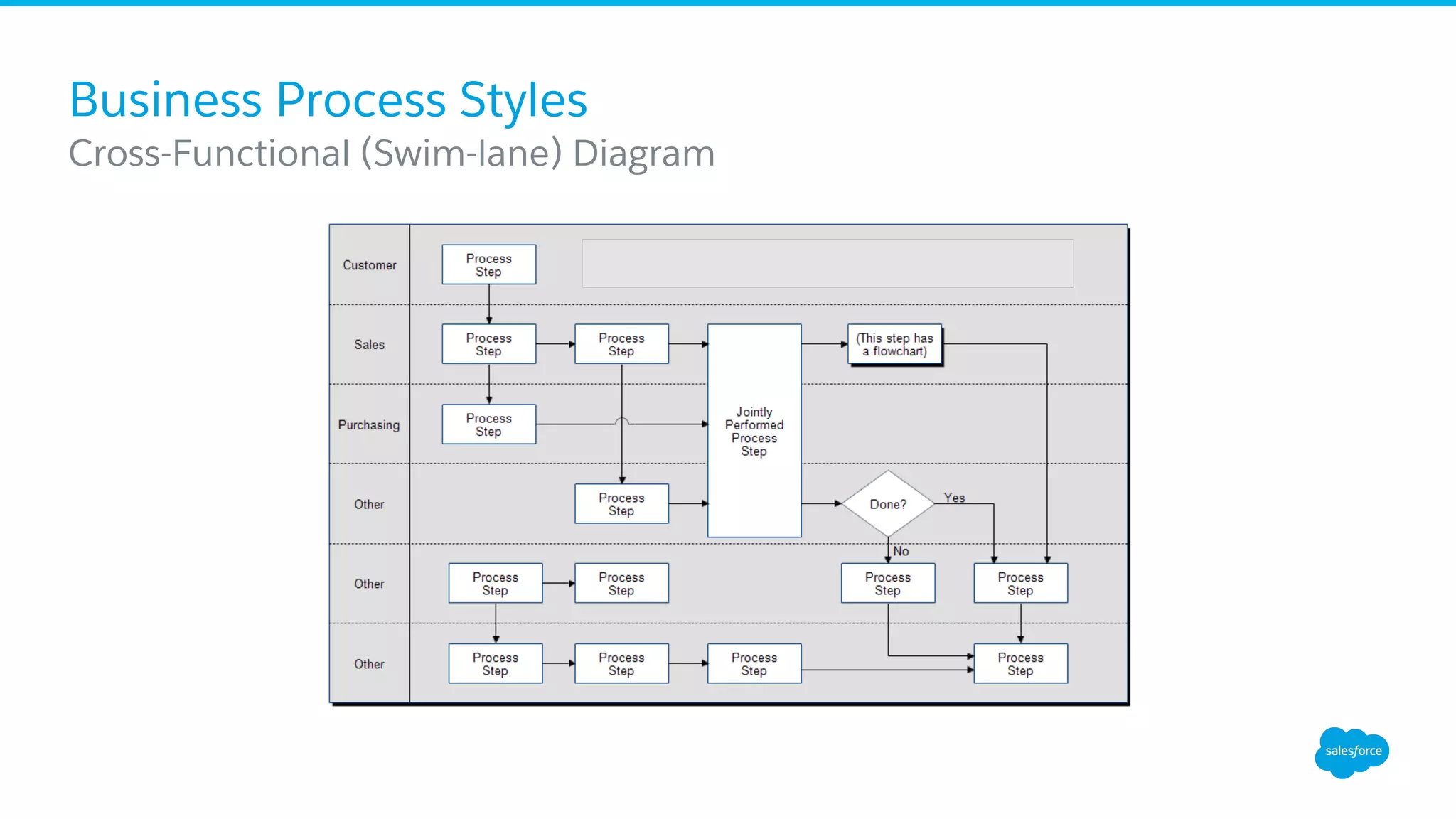
​ Cross-Functional (Swim-lane) Diagram
The Lean Methodology
What is Lean?
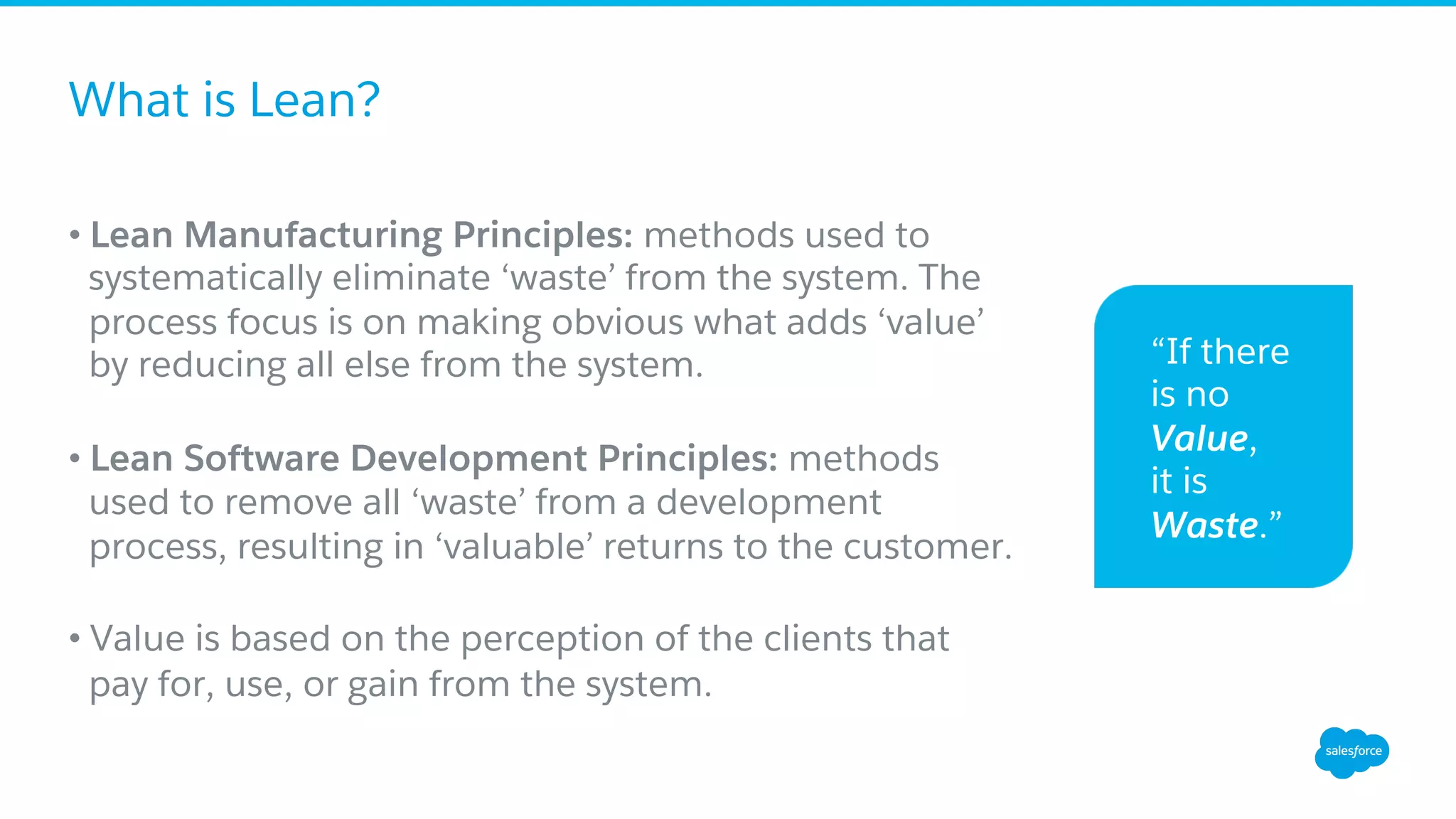
• Lean Manufacturing Principles: methods used to
systematically eliminate ‘waste’ from the system. The
process focus is on making obvious what adds ‘value’
by reducing all else from the system.
• Lean Software Development Principles: methods
used to remove all ‘waste’ from a development
process, resulting in ‘valuable’ returns to the customer.
• Value is based on the perception of the clients that
pay for, use, or gain from the system.
“If there
is no
Value,
it is
Waste.”
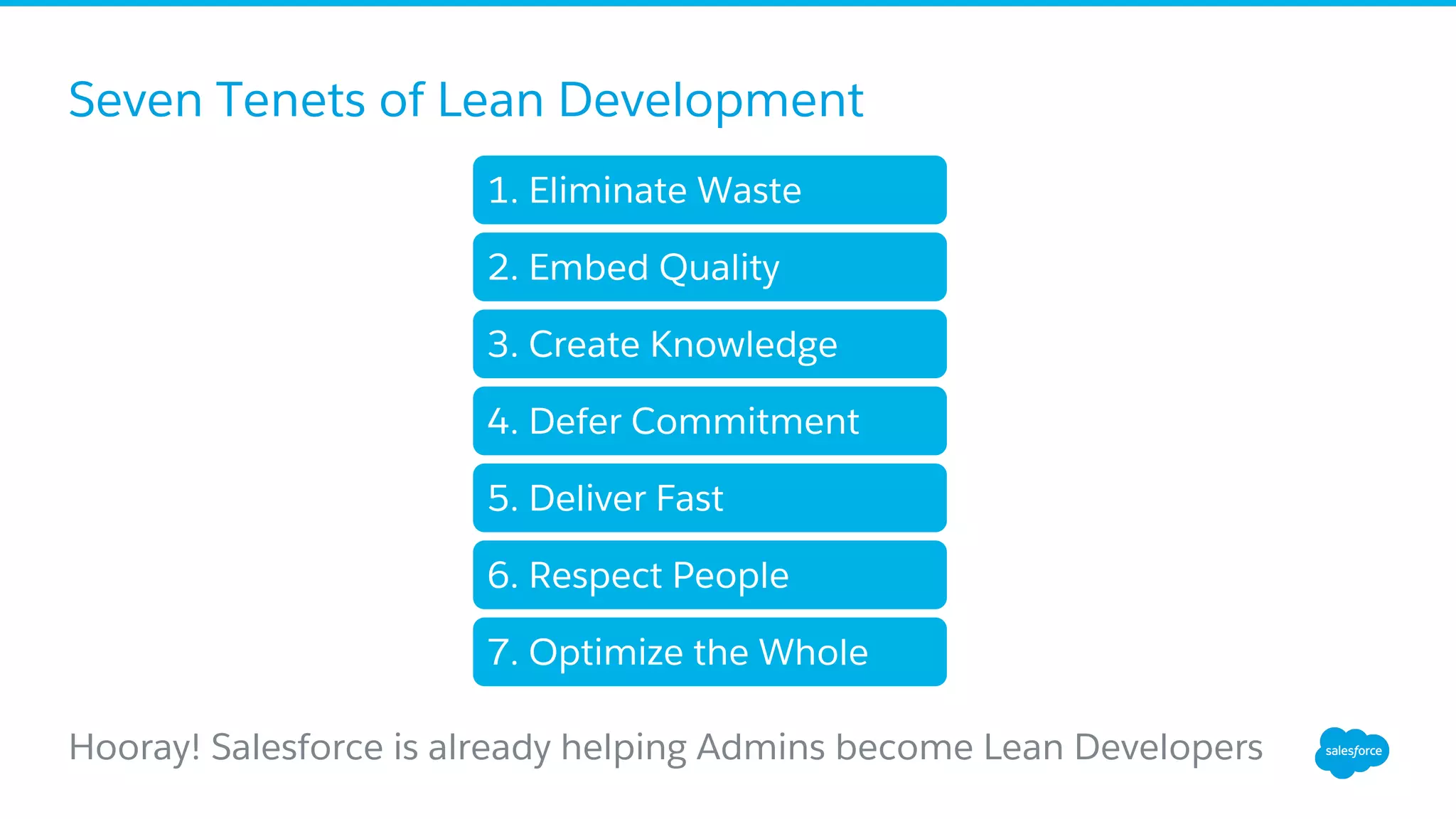
Seven Tenets of Lean Development
Hooray! Salesforce is already helping Admins become Lean Developers
1. Eliminate Waste
2. Embed Quality
3. Create Knowledge
4. Defer Commitment
5. Deliver Fast
6. Respect People
7. Optimize the Whole
1. Eliminate Waste
Anything that depletes the available time, effort, or
space from a project, or that increases the costs of a
project without returning value, is waste.
•  Extra Features
•  Incomplete work
•  Relearning
•  Handoffs
•  Task Switching
•  Defects
​ Seven Tenets of Lean Development
2. Embed Quality
Control conditions as to not allow defects in the
first place
•  Avoid defects early
•  Inspect or test for defects early and fix them
immediately
•  Tracking defects is waste, preventing or resolving
them generates value
•  “Write less code.” (aka 20/80 rule)
​ Seven Tenets of Lean Development
3. Create Knowledge
Declarative Development and Programmatic
Development are knowledge-creating processes
•  Minimum Feature Sets (MVP)
•  Feedback loops
•  Flexibility and willingness for change
•  Disciplined experimentation
•  Quality communication
•  Base decisions on facts, not speculation
​ Seven Tenets of Lean Development
4. Defer Commitment
Waiting until the end of the timebox to make a
decision allows for the greatest opportunity for
information gathering
•  Timebox (not “Scopebox”)
•  Pull not Push
•  Schedule irreversible decisions for the last possible
opportunity
•  Make decisions reversible whenever able
•  Plan thoughtfully and commit sparingly
​ Seven Tenets of Lean Development
“Many people like to get tough
decisions out of the way, to
address risks head-on, to reduce
the number of unknowns.
However, in the face of
uncertainty, especially when it is
accompanied by complexity the
more successful approach is to
tackle tough problems by
experimenting with various
solutions, leaving critical
options open until a decision
must be made.”
“Lean Software Development: An
Agile Toolkit” by Mary and Tom
Poppendieck
5. Deliver Fast
Deliver so quickly that the customer doesn’t have
time to change their mind.
•  Speed and Quality are not in opposition to each other
•  Short iterations require (and benefit) from fast and
informed decision making
​ Seven Tenets of Lean Development
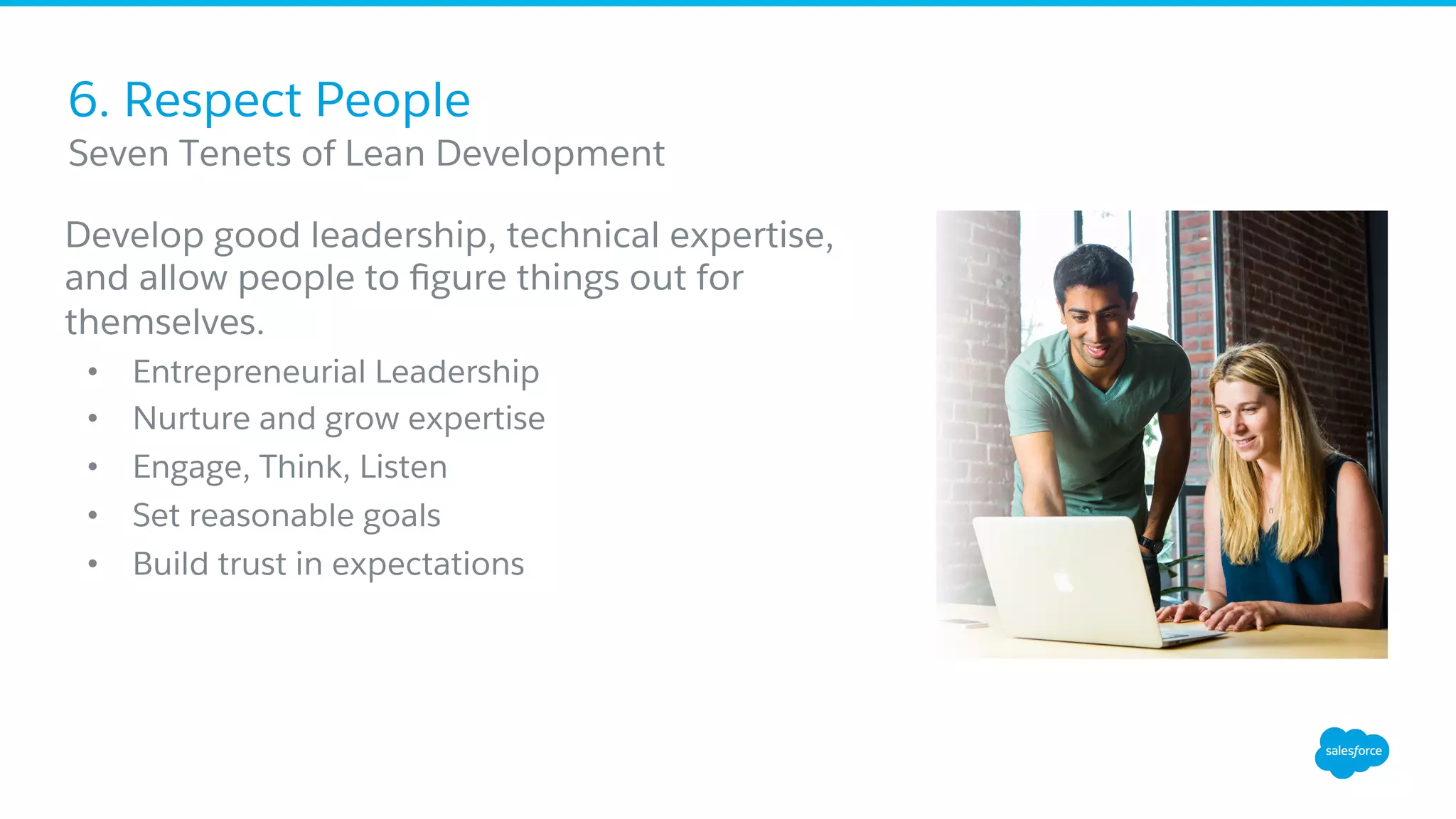
6. Respect People
Develop good leadership, technical expertise,
and allow people to figure things out for
themselves.
•  Entrepreneurial Leadership
•  Nurture and grow expertise
•  Engage, Think, Listen
•  Set reasonable goals
•  Build trust in expectations
​ Seven Tenets of Lean Development
7. Optimize the Whole
Optimize the entire value stream, from the moment a
request is made until the need is addressed.
•  Think bigger!
•  Breaking a value stream and optimizing its smallest
pieces will not likely optimize the whole
•  Measure ‘what matters’ not ‘everything’
​ Seven Tenets of Lean Development
Putting It All Together
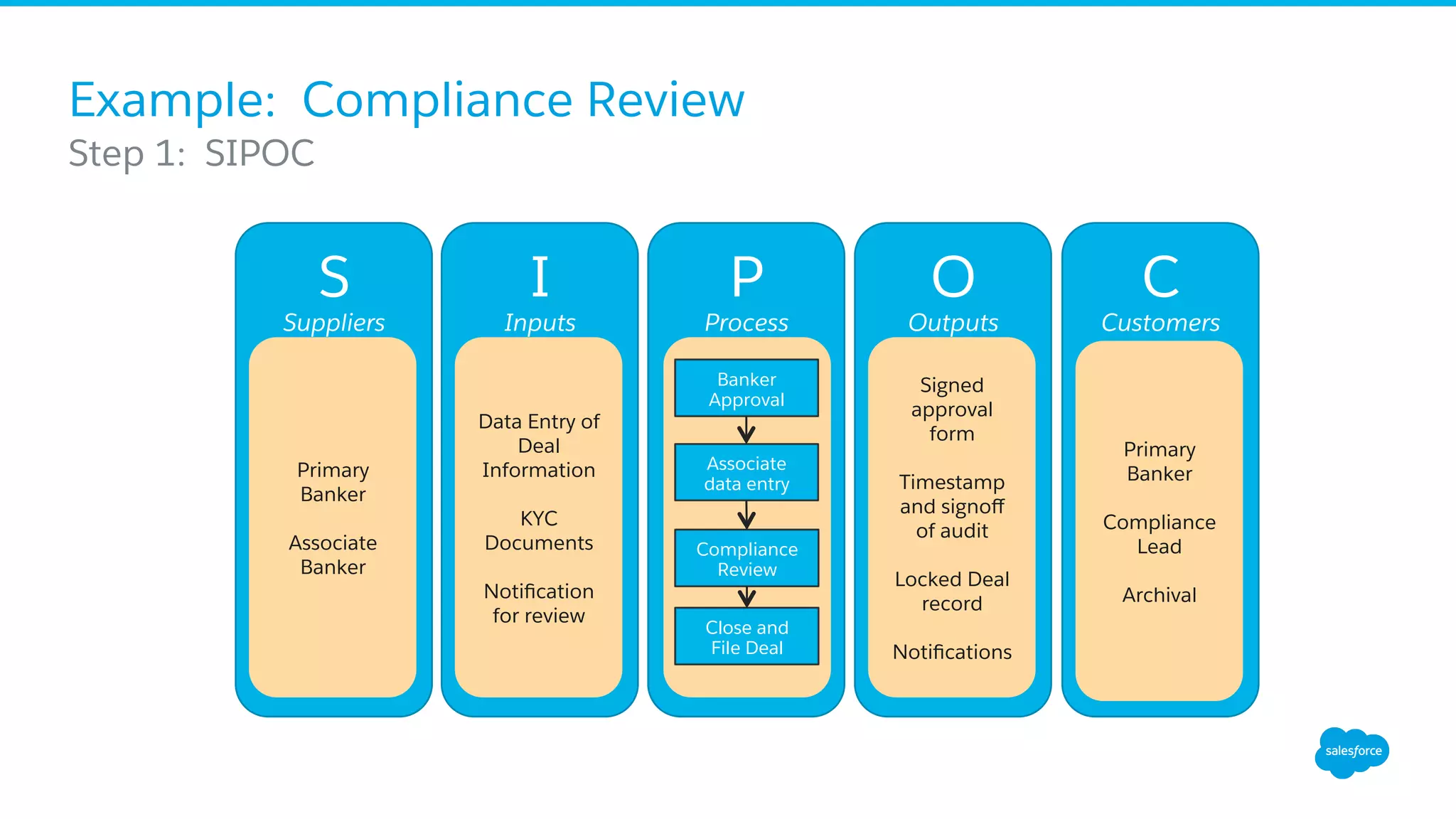
Example: Compliance Review
​ Step 1: SIPOC
S
Suppliers
Primary
Banker
Associate
Banker
I
Inputs
Data Entry of
Deal
Information
KYC
Documents
Notification
for review
P
Process
O
Outputs
Signed
approval
form
Timestamp
and signoff
of audit
Locked Deal
record
Notifications
C
Customers
Primary
Banker
Compliance
Lead
Archival
Banker
Approval
Associate
data entry
Compliance
Review
Close and
File Deal
Example: Compliance Review
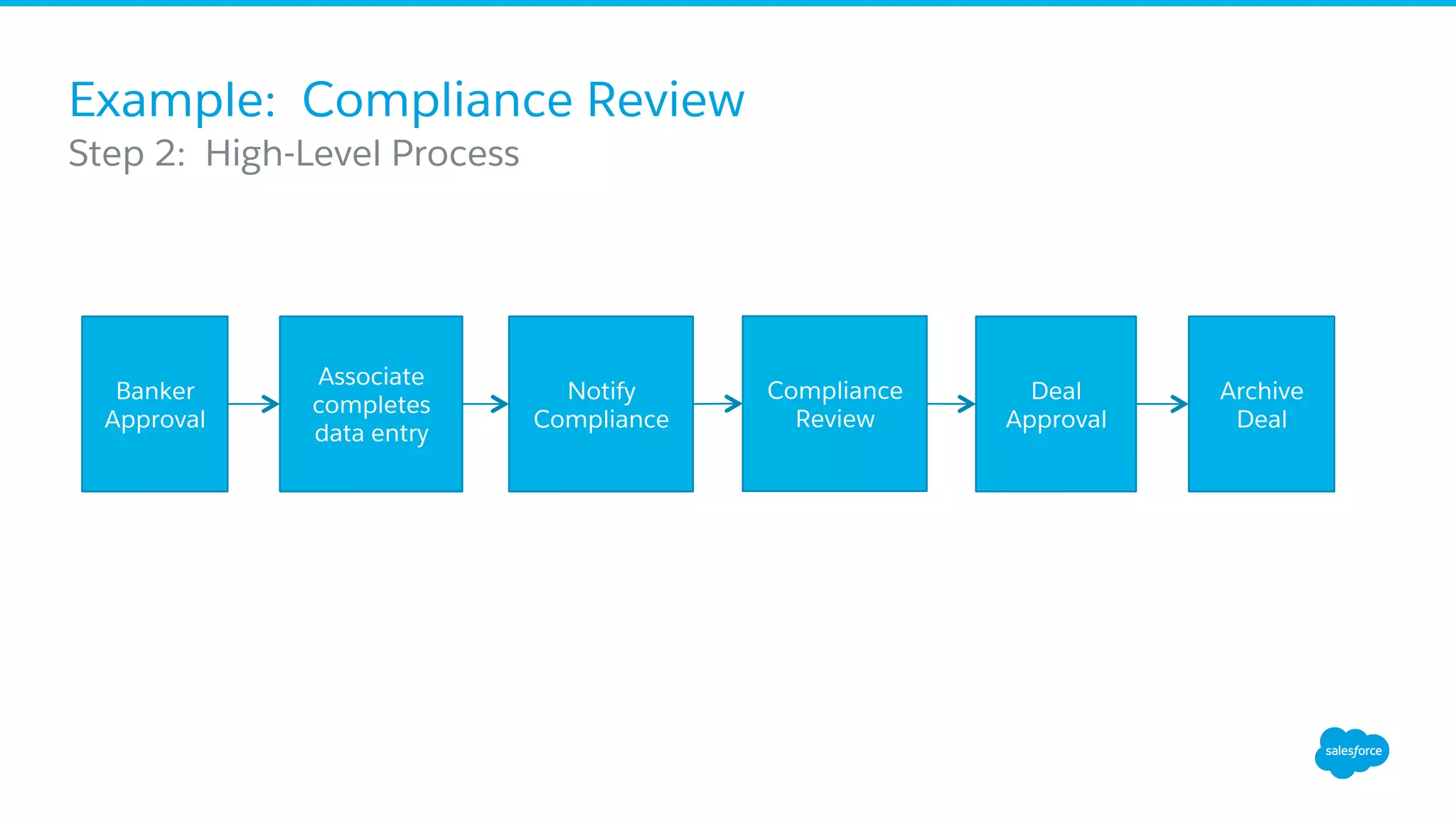
​ Step 2: High-Level Process
Associate
completes
data entry
Notify
Compliance
Deal
Approval
Archive
Deal
Banker
Approval
Compliance
Review
Example: Compliance Review
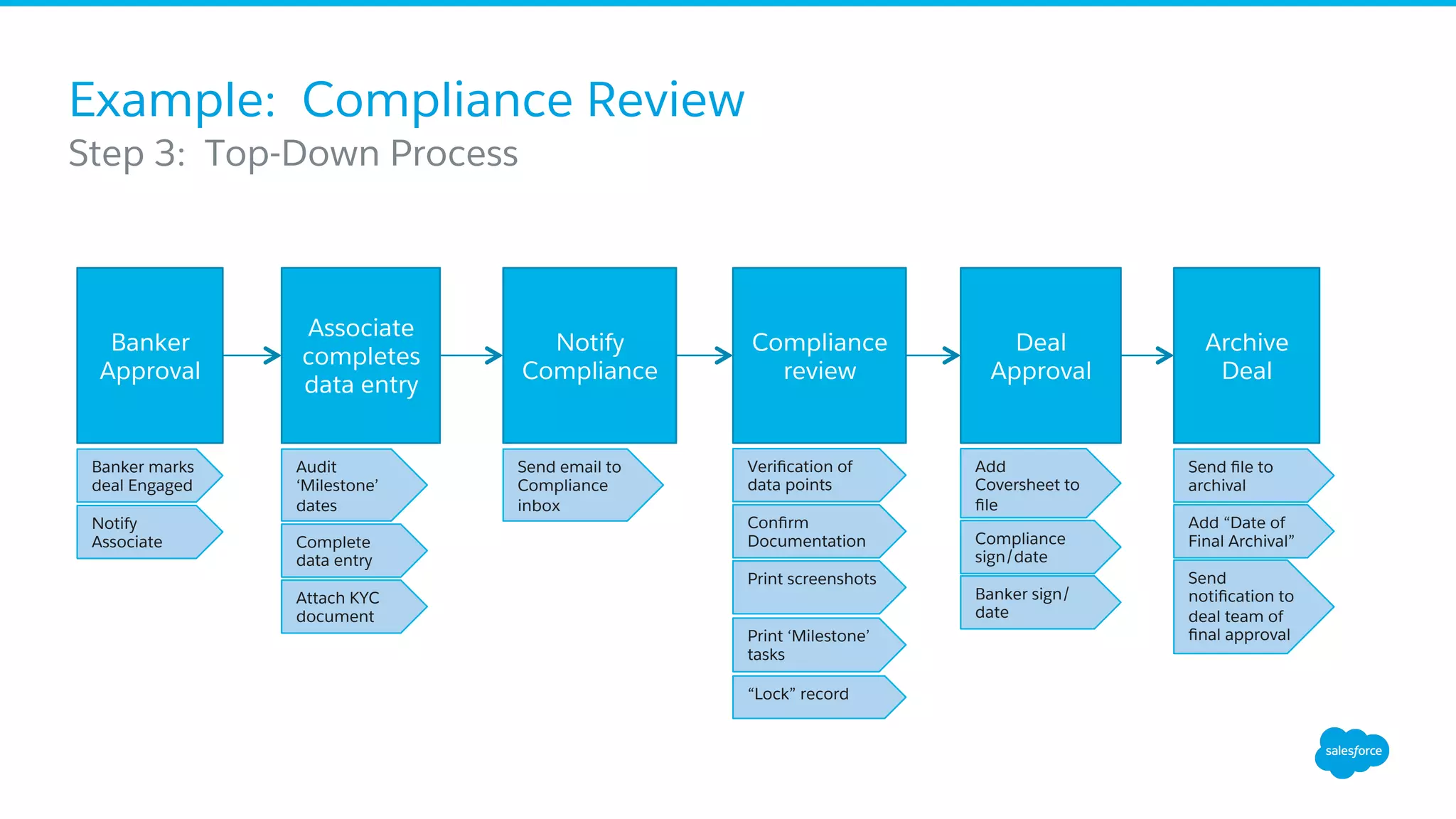
​ Step 3: Top-Down Process
Banker marks
deal Engaged
Notify
Associate
Verification of
data points
Associate
completes
data entry
Notify
Compliance
Compliance
review
Deal
Approval
Archive
Deal
Banker
Approval
Audit
‘Milestone’
dates
Attach KYC
document
Send email to
Compliance
inbox
Confirm
Documentation
Print screenshots
Print ‘Milestone’
tasks
Add
Coversheet to
file
Compliance
sign/date
Banker sign/
date
Send file to
archival
“Lock” record
Add “Date of
Final Archival”
Send
notification to
deal team of
final approval
Complete
data entry
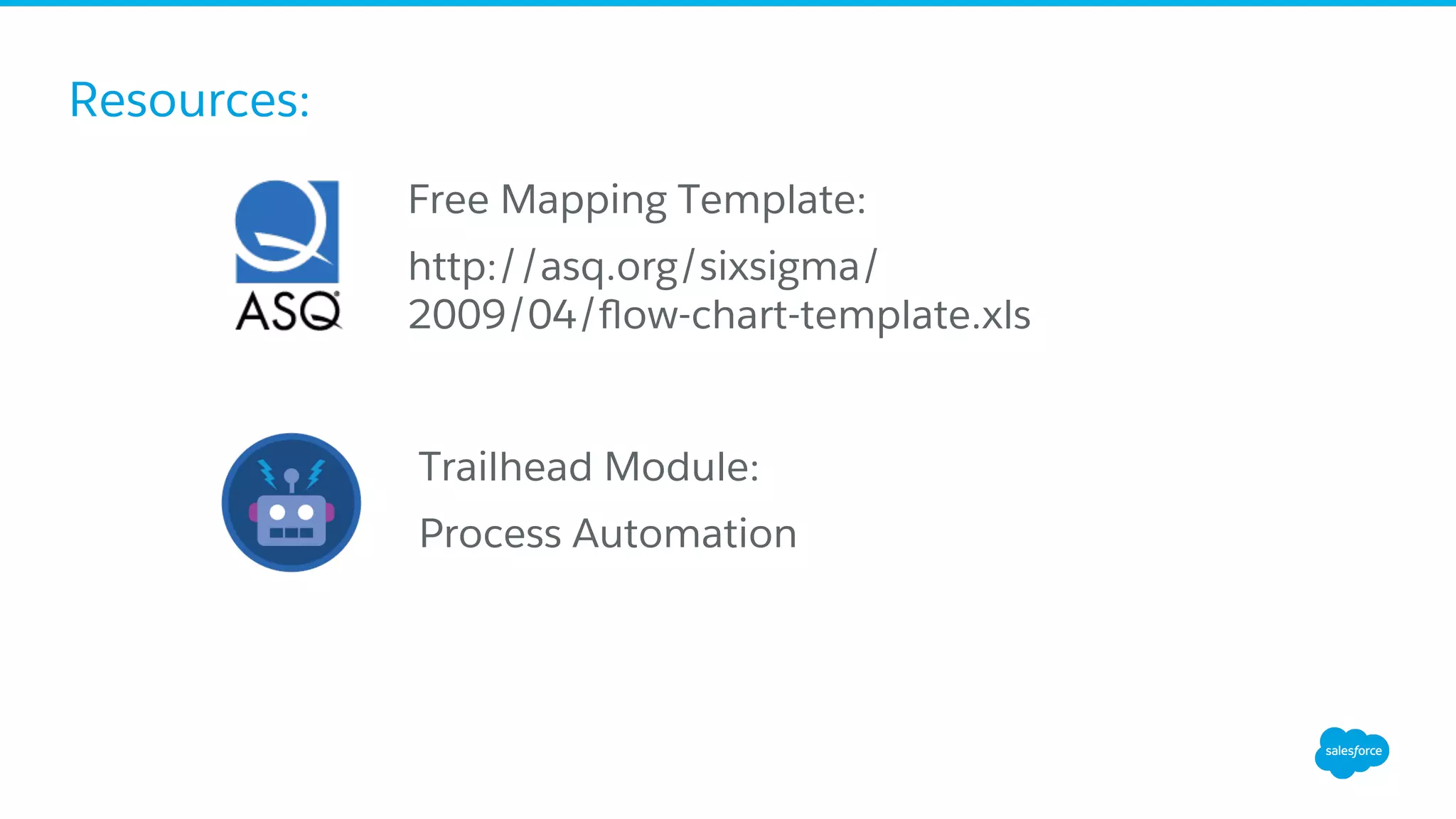
Resources:
Trailhead Module:
Process Automation
Free Mapping Template:
http://asq.org/sixsigma/
2009/04/flow-chart-template.xls
Questions?
Join the Admin
Webinar
Group for
Q&A!
bit.ly/AdminWebinarGroup
thank y u

Business Process Mapping for Salesforce Admins

  • 1.
    Business Process Mappingfor Salesforce Admins July 27, 2016
  • 2.
    Speakers Gillian Madill Admin Evangelist Salesforce @gmadill SquireKershner Salesforce Platform Lead Baird @skershner__c
  • 3.
    Forward-Looking Statements ​ Statement underthe Private Securities Litigation Reform Act of 1995: ​ This presentation may contain forward-looking statements that involve risks, uncertainties, and assumptions. If any such uncertainties materialize or if any of the assumptions proves incorrect, the results of salesforce.com, inc. could differ materially from the results expressed or implied by the forward-looking statements we make. All statements other than statements of historical fact could be deemed forward-looking, including any projections of product or service availability, subscriber growth, earnings, revenues, or other financial items and any statements regarding strategies or plans of management for future operations, statements of belief, any statements concerning new, planned, or upgraded services or technology developments and customer contracts or use of our services. ​ The risks and uncertainties referred to above include – but are not limited to – risks associated with developing and delivering new functionality for our service, new products and services, our new business model, our past operating losses, possible fluctuations in our operating results and rate of growth, interruptions or delays in our Web hosting, breach of our security measures, the outcome of any litigation, risks associated with completed and any possible mergers and acquisitions, the immature market in which we operate, our relatively limited operating history, our ability to expand, retain, and motivate our employees and manage our growth, new releases of our service and successful customer deployment, our limited history reselling non-salesforce.com products, and utilization and selling to larger enterprise customers. Further information on potential factors that could affect the financial results of salesforce.com, inc. is included in our annual report on Form 10-K for the most recent fiscal year and in our quarterly report on Form 10-Q for the most recent fiscal quarter. These documents and others containing important disclosures are available on the SEC Filings section of the Investor Information section of our Web site. ​ Any unreleased services or features referenced in this or other presentations, press releases or public statements are not currently available and may not be delivered on time or at all. Customers who purchase our services should make the purchase decisions based upon features that are currently available. Salesforce.com, inc. assumes no obligation and does not intend to update these forward-looking statements.
  • 4.
    Get Social withUs! @salesforceadmns #awesomeadmin Salesforce Admins Salesforce Admins The video will be posted to YouTube & the webinar recap page (same URL as registration). This webinar is being recorded!
  • 5.
    Join the AdminWebinar Group for Q&A! ​ Don’t wait until the end to ask your question! •  We have team members on hand to answer questions in the webinar group. Stick around for live Q&A at the end! •  Speakers will tackle more questions at the end, time-allowing bit.ly/AdminWebinarGroup
  • 6.
    Agenda •  The Importanceof Business Process Mapping •  What is Lean Methodology? •  Putting it All Together •  Resources •  Q&A
  • 7.
    Awesome Admins =Awesome Process Mappers •  Admins are Business Analysts •  Know the business & implement Salesforce solutions •  Drive success for your business ​ Example: ​ Your company uses Salesforce to manage Sales, but you see your Sales Reps still printing spreadsheets. Stop the madness! Map out the process and see where you can use Salesforce to save time and trees.
  • 8.
  • 9.
    Where It AllBegins . . . Compliance: “When we go through our Deal Audit Process, it can be hard to find all of the important information from the Deal. Can you help us find a better way to report the information we need from the Deal record?” Admin: “Sure! That’ll be a snap!”
  • 10.
    What is aProcess Map? A visual representation of work processes, input sources, linked tasks, handoffs, and expected or planned output of the process. •  What is the work being done? •  How is the work being done? •  Who is executing the work? •  Where is the work being done? •  Why the work is being done WOCintech Flickr
  • 11.
    Generating a BusinessProcess 1.  Understand the Process, beginning to end. •  Challenge: Map only what you ‘observe’ not what you ‘interpret’ •  Challenge: Be cognizant of the scope of the process, but do not ignore the periphery 2.  Identify the consumers, points of control, reasoning for the process, as well as the gaps and risks of the process. •  Challenge: Do not limit the consumers to the ‘doers’ and the ‘recipients’. •  Challenge: Gaps and risks are those that are observed. Analysis comes later.
  • 12.
    Generating a BusinessProcess 3.  Interview members or users of the process to understand all requirements. •  Challenge: Listen. Ask open ended questions. •  Challenge: Don’t stop asking why, and don’t assume you understand why. 4.  Map the process •  Challenge: Visio-paralysis. 5.  Analysis of the process •  Challenge: Identify opportunities for improvement, not solutions (yet)
  • 13.
  • 14.
    Business Process Styles ​ High-LevelDiagram Step 1 Step 2 Step 3 Step 4 End of Process Start of Process
  • 15.
    Business Process Styles ​ Top-DownProcess Map Step 1 Step 2 Step 3 Step 4 End of Process Start of Process Detail Step Detail Step Detail Step Detail Step Detail Step Detail Step Detail Step Detail Step Detail Step Detail Step Detail Step Detail Step Detail Step Detail Step Detail Step
  • 16.
    Business Process Styles ​ DetailedFlowchart Start of Process Step 1 Step 2 Decision Point Terminate Process Step 3 Decision Point Step 4 True? False? Yes? No? Final Decision Point Step 5 Successful End of Process True? False? ​ Input Document OutputStep 6
  • 17.
  • 18.
  • 19.
    What is Lean? • LeanManufacturing Principles: methods used to systematically eliminate ‘waste’ from the system. The process focus is on making obvious what adds ‘value’ by reducing all else from the system. • Lean Software Development Principles: methods used to remove all ‘waste’ from a development process, resulting in ‘valuable’ returns to the customer. • Value is based on the perception of the clients that pay for, use, or gain from the system. “If there is no Value, it is Waste.”
  • 20.
    Seven Tenets ofLean Development Hooray! Salesforce is already helping Admins become Lean Developers 1. Eliminate Waste 2. Embed Quality 3. Create Knowledge 4. Defer Commitment 5. Deliver Fast 6. Respect People 7. Optimize the Whole
  • 21.
    1. Eliminate Waste Anythingthat depletes the available time, effort, or space from a project, or that increases the costs of a project without returning value, is waste. •  Extra Features •  Incomplete work •  Relearning •  Handoffs •  Task Switching •  Defects ​ Seven Tenets of Lean Development
  • 22.
    2. Embed Quality Controlconditions as to not allow defects in the first place •  Avoid defects early •  Inspect or test for defects early and fix them immediately •  Tracking defects is waste, preventing or resolving them generates value •  “Write less code.” (aka 20/80 rule) ​ Seven Tenets of Lean Development
  • 23.
    3. Create Knowledge DeclarativeDevelopment and Programmatic Development are knowledge-creating processes •  Minimum Feature Sets (MVP) •  Feedback loops •  Flexibility and willingness for change •  Disciplined experimentation •  Quality communication •  Base decisions on facts, not speculation ​ Seven Tenets of Lean Development
  • 24.
    4. Defer Commitment Waitinguntil the end of the timebox to make a decision allows for the greatest opportunity for information gathering •  Timebox (not “Scopebox”) •  Pull not Push •  Schedule irreversible decisions for the last possible opportunity •  Make decisions reversible whenever able •  Plan thoughtfully and commit sparingly ​ Seven Tenets of Lean Development “Many people like to get tough decisions out of the way, to address risks head-on, to reduce the number of unknowns. However, in the face of uncertainty, especially when it is accompanied by complexity the more successful approach is to tackle tough problems by experimenting with various solutions, leaving critical options open until a decision must be made.” “Lean Software Development: An Agile Toolkit” by Mary and Tom Poppendieck
  • 25.
    5. Deliver Fast Deliverso quickly that the customer doesn’t have time to change their mind. •  Speed and Quality are not in opposition to each other •  Short iterations require (and benefit) from fast and informed decision making ​ Seven Tenets of Lean Development
  • 26.
    6. Respect People Developgood leadership, technical expertise, and allow people to figure things out for themselves. •  Entrepreneurial Leadership •  Nurture and grow expertise •  Engage, Think, Listen •  Set reasonable goals •  Build trust in expectations ​ Seven Tenets of Lean Development
  • 27.
    7. Optimize theWhole Optimize the entire value stream, from the moment a request is made until the need is addressed. •  Think bigger! •  Breaking a value stream and optimizing its smallest pieces will not likely optimize the whole •  Measure ‘what matters’ not ‘everything’ ​ Seven Tenets of Lean Development
  • 28.
  • 29.
    Example: Compliance Review ​ Step1: SIPOC S Suppliers Primary Banker Associate Banker I Inputs Data Entry of Deal Information KYC Documents Notification for review P Process O Outputs Signed approval form Timestamp and signoff of audit Locked Deal record Notifications C Customers Primary Banker Compliance Lead Archival Banker Approval Associate data entry Compliance Review Close and File Deal
  • 30.
    Example: Compliance Review ​ Step2: High-Level Process Associate completes data entry Notify Compliance Deal Approval Archive Deal Banker Approval Compliance Review
  • 31.
    Example: Compliance Review ​ Step3: Top-Down Process Banker marks deal Engaged Notify Associate Verification of data points Associate completes data entry Notify Compliance Compliance review Deal Approval Archive Deal Banker Approval Audit ‘Milestone’ dates Attach KYC document Send email to Compliance inbox Confirm Documentation Print screenshots Print ‘Milestone’ tasks Add Coversheet to file Compliance sign/date Banker sign/ date Send file to archival “Lock” record Add “Date of Final Archival” Send notification to deal team of final approval Complete data entry
  • 32.
    Resources: Trailhead Module: Process Automation FreeMapping Template: http://asq.org/sixsigma/ 2009/04/flow-chart-template.xls
  • 33.
    Questions? Join the Admin Webinar Groupfor Q&A! bit.ly/AdminWebinarGroup
  • 34.