Coding the Cloud: An Introduction
to Apex Code

       Force.com Platform Fundamentals


                     Andrew Albert, salesforce.com
Safe Harbor Statement
“Safe harbor” statement under the Private Securities Litigation Reform Act of 1995: This presentation may contain forward-
looking statements including but not limited to statements concerning the potential market for our existing service offerings
and future offerings. All of our forward looking statements involve risks, uncertainties and assumptions. If any such risks or
uncertainties materialize or if any of the assumptions proves incorrect, our results could differ materially from the results
expressed or implied by the forward-looking statements we make.

The risks and uncertainties referred to above include - but are not limited to - risks associated with possible fluctuations in
our operating results and cash flows, rate of growth and anticipated revenue run rate, errors, interruptions or delays in our
service or our Web hosting, our new business model, our history of operating losses, the possibility that we will not remain
profitable, breach of our security measures, the emerging market in which we operate, our relatively limited operating
history, our ability to hire, retain and motivate our employees and manage our growth, competition, our ability to continue to
release and gain customer acceptance of new and improved versions of our service, customer and partner acceptance of
the AppExchange, successful customer deployment and utilization of our services, unanticipated changes in our effective
tax rate, fluctuations in the number of shares outstanding, the price of such shares, foreign currency exchange rates and
interest rates.

Further information on these and other factors that could affect our financial results is included in the reports on Forms 10-
K, 10-Q and 8-K and in other filings we make with the Securities and Exchange Commission from time to time. These
documents are available on the SEC Filings section of the Investor Information section of our website at
www.salesforce.com/investor. Salesforce.com, inc. assumes no obligation and does not intend to update these forward-
looking statements, except as required by law.
Andrew Albert
Technical Evangelist
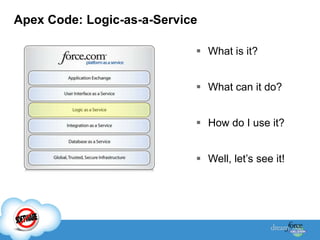
Apex Code: Logic-as-a-Service

                             What is it?


                             What can it do?


                             How do I use it?


                             Well, let‟s see it!
Introducing Apex
  Force.com allows many customizations through User
   Interface
  Force.com API allows developers to write client-side
   programs or integrations for more flexibility in their
   applications
    – Client side programs have performance costs
    – Lack transactional control across API requests
    – Cost and complexity of client hosting server code
  APEX was introduced to address those issues and to
   revolutionize the way developers create on-demand
   applications.
Apex Code Is
 Strongly-typed, object-based programming language
 Enables developers to execute logic and transaction
  control statements on Force.com
 Runs natively on the server
 Code executes on the server when initiated by User
  Interface via Buttons & Events, and data through the
  API
 Java or C#-like syntax
 Transactional
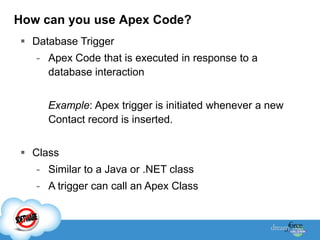
How can you use Apex Code?
 Database Trigger
   - Apex Code that is executed in response to a
     database interaction


     Example: Apex trigger is initiated whenever a new
     Contact record is inserted.


 Class
   - Similar to a Java or .NET class
   - A trigger can call an Apex Class
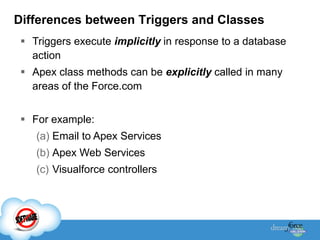
Differences between Triggers and Classes
  Triggers execute implicitly in response to a database
   action
  Apex class methods can be explicitly called in many
   areas of the Force.com


  For example:
    (a) Email to Apex Services
    (b) Apex Web Services
    (c) Visualforce controllers
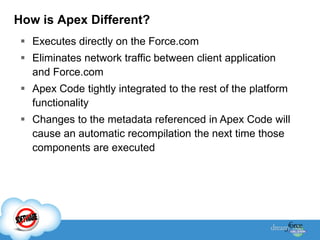
How is Apex Different?
  Executes directly on the Force.com
  Eliminates network traffic between client application
   and Force.com
  Apex Code tightly integrated to the rest of the platform
   functionality
  Changes to the metadata referenced in Apex Code will
   cause an automatic recompilation the next time those
   components are executed
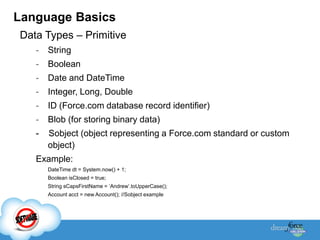
Language Basics
Data Types – Primitive
   -   String
   -   Boolean
   -   Date and DateTime
   -   Integer, Long, Double
   -   ID (Force.com database record identifier)
   -   Blob (for storing binary data)
   -   Sobject (object representing a Force.com standard or custom
       object)
   Example:
       DateTime dt = System.now() + 1;
       Boolean isClosed = true;
       String sCapsFirstName = „Andrew‟.toUpperCase();
       Account acct = new Account(); //Sobject example
Language Basics (cont)
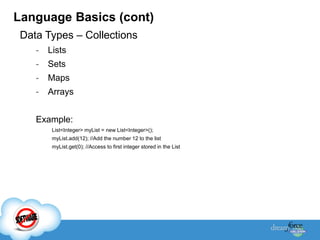
 Data Types – Collections
    -   Lists
    -   Sets
    -   Maps
    -   Arrays


    Example:
         List<Integer> myList = new List<Integer>();
         myList.add(12); //Add the number 12 to the list
         myList.get(0); //Access to first integer stored in the List
Language Basics (cont)
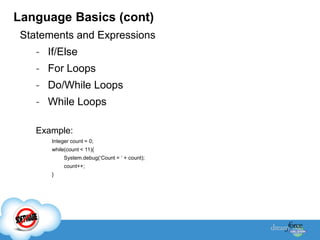
 Statements and Expressions
    - If/Else
    - For Loops
    - Do/While Loops
    - While Loops

    Example:
       Integer count = 0;
       while(count < 11){
            System.debug(„Count = „ + count);
            count++;
       }
Language Basics (cont)
 Exception Handling
    - Try/Catch/Finally statements
    - Ability to create and throw your own Exceptions

    Example:
       public class OtherException extends BaseException {}
       Try{
           //Add code here
           throw new OtherException(„Something went wrong here…‟);
       } Catch (OtherException oex) {
           //Caught a custom exception type here
       } Catch (Exception ex){
           //Caught all other exceptions here
       }
Force.com Query Languages
 SOQL – Salesforce object Query Language
   String myName = „Acme‟;
        Account[] accts = [select ID from Account where name =:myName] //Pass in a variable


 SOSL – Salesforce object Search Language
   List<List<SObject>> searchList = [FIND '415' IN PHONE FIELDS RETURNING Account, Contact ];
   Account [] accounts = ((List<Account>)searchList[0]);
   Contact [] contacts = ((List<Contact>)searchList[1]);
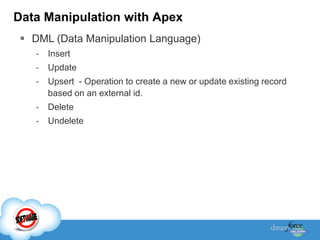
Data Manipulation with Apex
  DML (Data Manipulation Language)
    -   Insert
    -   Update
    -   Upsert - Operation to create a new or update existing record
        based on an external id.
    -   Delete
    -   Undelete
Here’s what it looks like                                                  Interface
                                                                        Implementation
                                                                                                     Function
                                                                                                    Declaration
 1 1 global class tasks implements Messaging.InboundEmailHandler {
 2 2
 3 3 global Messaging.InboundEmailResult handleInboundEmail(Messaging.inboundEmail email,
 4 4                                 Messaging.InboundEnvelope env){
 5 5
 6 6 // Create inboundEmailResult object for returning the result of the Force.com Email Service
 7 7 Messaging.InboundEmailResult result = new Messaging.InboundEmailResult();
 8 8
 9 9 String myPlainText = '‟;                                                                         Object
 101                                                                                               Instantiation
                                                    Variable Declaration
 111 // Add the email plain text into the local variable
 121 try {
 131      myPlainText = email.plainTextBody.substring(0, email.plainTextBody.indexOf('<stop>'));
 141 } catch (System.StringException e) {
 151      myPlainText = email.plainTextBody;                                           Exception
 161      System.debug('No <stop> in email: ' + e);                                     Handling
 171 }
 181
 191 // new Task object to be created                                    List Creation                   Comment
 202 List<Task> newTask = new List<Task>();                                                               Syntax
 212
 222 /* Try to lookup any contacts based on the email from address
 232 / If there is more than 1 contact with the same email address
 24      / an exception will be thrown and the catch statement will be called
 25     */
 262 try {
 272       Contact vCon = Id, Name, Email From Contact Where Email = :email.fromAddress]
                    [Select
 28
 29                  ...
                                                                               Query Language
Bulk data operations with Apex
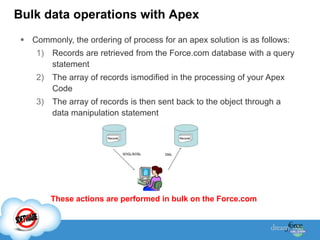
  Commonly, the ordering of process for an apex solution is as follows:
     1)   Records are retrieved from the Force.com database with a query
          statement
     2)   The array of records ismodified in the processing of your Apex
          Code
     3)   The array of records is then sent back to the object through a
          data manipulation statement


          These actions are performed in bulk on the Force.com
Bulk data operations with Apex (cont)

  Apex Code must be designed to handle bulk operations
  Why is this important?
     -   The Force.com enforces limits to how many records can be
         processed at a time (governor limits)
  Examples:
      Limit on the number of records that can be queried.
      Limit on the number of records that be modified.
  Limits are calculated by the number of records invoking the Apex
   Code code
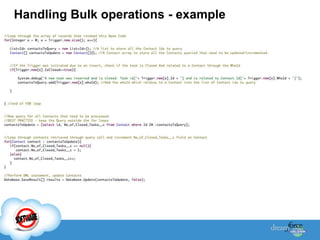
Handling Bulk operations - example
Testing

 Apex Code to test your Apex Code
 Code to help developers perform and automate unit testing
 Enables the platform to execute these “test methods” during
  deployment
 Force.com requires that at least 75% of your Apex is
  covered by testing before code can be deployed to a
  Production environment (100% is ideal!)
 Unit test methods are denoted with testMethod keyword.
 testMethods do not modify any data in your org
What can you do with Apex Code?
 Triggers
 Apex Web Services
 Email Services
 SOA (callouts)
 Visualforce Controllers
What can you do with Apex Code?
  Triggers
    – Code runs when data changes to ensure business logic is
      applied
    – Executes on the server when data changes in either the UI or API.


  Email Services
    – Send & Receive emails, including attachments, with custom
      logic to process contents.
    – Includes all standard email attributes, use email templates, and
      supports plain text or HTML.
    – Force.com generates a unique email address to process the
      contents.
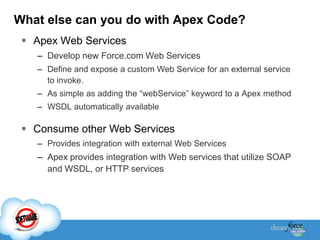
What else can you do with Apex Code?
  Apex Web Services
   – Develop new Force.com Web Services
   – Define and expose a custom Web Service for an external service
     to invoke.
   – As simple as adding the “webService” keyword to a Apex method
   – WSDL automatically available

  Consume other Web Services
   – Provides integration with external Web Services
   – Apex provides integration with Web services that utilize SOAP
     and WSDL, or HTTP services
What else can you do with Apex Code?
 Visualforce Controllers
   – Apex logic accessed by Visualforce pages through custom
     controllers and controller extensions.
   – Apex Class that drives the logic when a user interacts with the
     Visualforce pages.
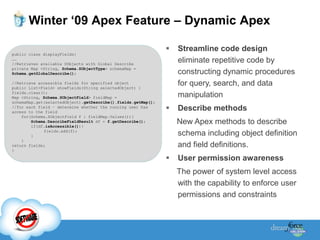
Winter ‘09 Apex Feature – Dynamic Apex

                                                                  Streamline code design
public class displayFields{
……
//Retrieves available SObjects with Global Describe
                                                                   eliminate repetitive code by
private Map <String, Schema.SObjectType> schemaMap =
Schema.getGlobalDescribe();                                        constructing dynamic procedures
//Retrieve accessible fields for specified object
public List<Field> showFields(String selectedObject) {
                                                                   for query, search, and data
fields.clear();
Map <String, Schema.SObjectField> fieldMap =                       manipulation
schemaMap.get(selectedObject).getDescribe().fields.getMap();
//for each field – determine whether the running user has
access to the field
                                                                  Describe methods
    for(Schema.SObjectField f : fieldMap.Values()){
        Schema.DescribeFieldResult df = f.getDescribe();
        if(df.isAccessible()){
                                                                   New Apex methods to describe
             fields.add(f);
        }                                                          schema including object definition
    }
return fields;                                                     and field definitions.
}

                                                                  User permission awareness
                                                                   The power of system level access
                                                                   with the capability to enforce user
                                                                   permissions and constraints
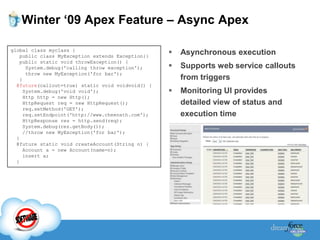
Winter ‘09 Apex Feature – Async Apex

global class myclass {
    public class MyException extends Exception{}
                                                      Asynchronous execution
    public static void throwException() {
      System.debug('calling throw exception');        Supports web service callouts
      throw new MyException('for bar');
    }                                                  from triggers
  @future(callout=true) static void voidvoid() {
     System.debug('void void');                       Monitoring UI provides
     Http http = new Http();
     HttpRequest req = new HttpRequest();              detailed view of status and
     req.setMethod('GET');
     req.setEndpoint('http://www.cheenath.com');       execution time
     HttpResponse res = http.send(req);
     System.debug(res.getBody());
     //throw new MyException('for bar');
  }
  @future static void createAccount(String n) {
     Account a = new Account(name=n);
     insert a;
  }
Additional Dreamforce 2008 Apex Sessions

 Apex Test Coverage Best Practices
   – Tuesday, 2:00-3:00PM, Esplanade 305
 Hands-On : Apex Code
   – Tuesday, 2:00-3:00PM, South 102
 Development As A Service – Building and Deploying Apps
  in the Cloud
   – Wednesday, 10:15-11:15AM, Esplanade 303
Force.com Library
 Books
  – Developer‟s Guide to the Force.com
  – Force.com Cookbook
  – Creating On-Demand Apps
 Apex Language Reference
Additional Resources
  Developer.Force.com
    – Force.com Developer Community
    – Apex Developer Guide & Language Reference
    – Recorded technical presentations and whitepapers
    – Apex Message Boards

   Sign up for free Developer Edition
   Training Courses & Certification
     – DEV401: Force.com essentials
     – DEV501: Visualforce, Apex, DaaS (Development As A Service)
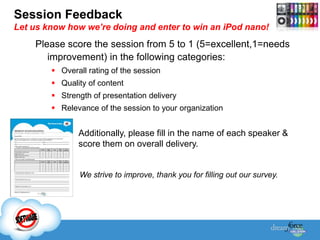
Session Feedback
Let us know how we’re doing and enter to win an iPod nano!
    Please score the session from 5 to 1 (5=excellent,1=needs
       improvement) in the following categories:
         Overall rating of the session
         Quality of content
         Strength of presentation delivery
         Relevance of the session to your organization


               Additionally, please fill in the name of each speaker &
               score them on overall delivery.


                We strive to improve, thank you for filling out our survey.
QUESTION & ANSWER
     SESSION

Introduction to apex code

  • 1.
    Coding the Cloud:An Introduction to Apex Code Force.com Platform Fundamentals Andrew Albert, salesforce.com
  • 2.
    Safe Harbor Statement “Safeharbor” statement under the Private Securities Litigation Reform Act of 1995: This presentation may contain forward- looking statements including but not limited to statements concerning the potential market for our existing service offerings and future offerings. All of our forward looking statements involve risks, uncertainties and assumptions. If any such risks or uncertainties materialize or if any of the assumptions proves incorrect, our results could differ materially from the results expressed or implied by the forward-looking statements we make. The risks and uncertainties referred to above include - but are not limited to - risks associated with possible fluctuations in our operating results and cash flows, rate of growth and anticipated revenue run rate, errors, interruptions or delays in our service or our Web hosting, our new business model, our history of operating losses, the possibility that we will not remain profitable, breach of our security measures, the emerging market in which we operate, our relatively limited operating history, our ability to hire, retain and motivate our employees and manage our growth, competition, our ability to continue to release and gain customer acceptance of new and improved versions of our service, customer and partner acceptance of the AppExchange, successful customer deployment and utilization of our services, unanticipated changes in our effective tax rate, fluctuations in the number of shares outstanding, the price of such shares, foreign currency exchange rates and interest rates. Further information on these and other factors that could affect our financial results is included in the reports on Forms 10- K, 10-Q and 8-K and in other filings we make with the Securities and Exchange Commission from time to time. These documents are available on the SEC Filings section of the Investor Information section of our website at www.salesforce.com/investor. Salesforce.com, inc. assumes no obligation and does not intend to update these forward- looking statements, except as required by law.
  • 3.
  • 4.
    Apex Code: Logic-as-a-Service  What is it?  What can it do?  How do I use it?  Well, let‟s see it!
  • 5.
    Introducing Apex Force.com allows many customizations through User Interface  Force.com API allows developers to write client-side programs or integrations for more flexibility in their applications – Client side programs have performance costs – Lack transactional control across API requests – Cost and complexity of client hosting server code  APEX was introduced to address those issues and to revolutionize the way developers create on-demand applications.
  • 6.
    Apex Code Is Strongly-typed, object-based programming language  Enables developers to execute logic and transaction control statements on Force.com  Runs natively on the server  Code executes on the server when initiated by User Interface via Buttons & Events, and data through the API  Java or C#-like syntax  Transactional
  • 7.
    How can youuse Apex Code?  Database Trigger - Apex Code that is executed in response to a database interaction Example: Apex trigger is initiated whenever a new Contact record is inserted.  Class - Similar to a Java or .NET class - A trigger can call an Apex Class
  • 8.
    Differences between Triggersand Classes  Triggers execute implicitly in response to a database action  Apex class methods can be explicitly called in many areas of the Force.com  For example: (a) Email to Apex Services (b) Apex Web Services (c) Visualforce controllers
  • 9.
    How is ApexDifferent?  Executes directly on the Force.com  Eliminates network traffic between client application and Force.com  Apex Code tightly integrated to the rest of the platform functionality  Changes to the metadata referenced in Apex Code will cause an automatic recompilation the next time those components are executed
  • 10.
    Language Basics Data Types– Primitive - String - Boolean - Date and DateTime - Integer, Long, Double - ID (Force.com database record identifier) - Blob (for storing binary data) - Sobject (object representing a Force.com standard or custom object) Example: DateTime dt = System.now() + 1; Boolean isClosed = true; String sCapsFirstName = „Andrew‟.toUpperCase(); Account acct = new Account(); //Sobject example
  • 11.
    Language Basics (cont) Data Types – Collections - Lists - Sets - Maps - Arrays Example: List<Integer> myList = new List<Integer>(); myList.add(12); //Add the number 12 to the list myList.get(0); //Access to first integer stored in the List
  • 12.
    Language Basics (cont) Statements and Expressions - If/Else - For Loops - Do/While Loops - While Loops Example: Integer count = 0; while(count < 11){ System.debug(„Count = „ + count); count++; }
  • 13.
    Language Basics (cont) Exception Handling - Try/Catch/Finally statements - Ability to create and throw your own Exceptions Example: public class OtherException extends BaseException {} Try{ //Add code here throw new OtherException(„Something went wrong here…‟); } Catch (OtherException oex) { //Caught a custom exception type here } Catch (Exception ex){ //Caught all other exceptions here }
  • 14.
    Force.com Query Languages SOQL – Salesforce object Query Language String myName = „Acme‟; Account[] accts = [select ID from Account where name =:myName] //Pass in a variable  SOSL – Salesforce object Search Language List<List<SObject>> searchList = [FIND '415' IN PHONE FIELDS RETURNING Account, Contact ]; Account [] accounts = ((List<Account>)searchList[0]); Contact [] contacts = ((List<Contact>)searchList[1]);
  • 15.
    Data Manipulation withApex  DML (Data Manipulation Language) - Insert - Update - Upsert - Operation to create a new or update existing record based on an external id. - Delete - Undelete
  • 16.
    Here’s what itlooks like Interface Implementation Function Declaration 1 1 global class tasks implements Messaging.InboundEmailHandler { 2 2 3 3 global Messaging.InboundEmailResult handleInboundEmail(Messaging.inboundEmail email, 4 4 Messaging.InboundEnvelope env){ 5 5 6 6 // Create inboundEmailResult object for returning the result of the Force.com Email Service 7 7 Messaging.InboundEmailResult result = new Messaging.InboundEmailResult(); 8 8 9 9 String myPlainText = '‟; Object 101 Instantiation Variable Declaration 111 // Add the email plain text into the local variable 121 try { 131 myPlainText = email.plainTextBody.substring(0, email.plainTextBody.indexOf('<stop>')); 141 } catch (System.StringException e) { 151 myPlainText = email.plainTextBody; Exception 161 System.debug('No <stop> in email: ' + e); Handling 171 } 181 191 // new Task object to be created List Creation Comment 202 List<Task> newTask = new List<Task>(); Syntax 212 222 /* Try to lookup any contacts based on the email from address 232 / If there is more than 1 contact with the same email address 24 / an exception will be thrown and the catch statement will be called 25 */ 262 try { 272 Contact vCon = Id, Name, Email From Contact Where Email = :email.fromAddress] [Select 28 29 ... Query Language
  • 17.
    Bulk data operationswith Apex  Commonly, the ordering of process for an apex solution is as follows: 1) Records are retrieved from the Force.com database with a query statement 2) The array of records ismodified in the processing of your Apex Code 3) The array of records is then sent back to the object through a data manipulation statement These actions are performed in bulk on the Force.com
  • 18.
    Bulk data operationswith Apex (cont)  Apex Code must be designed to handle bulk operations  Why is this important? - The Force.com enforces limits to how many records can be processed at a time (governor limits)  Examples:  Limit on the number of records that can be queried.  Limit on the number of records that be modified.  Limits are calculated by the number of records invoking the Apex Code code
  • 19.
  • 20.
    Testing  Apex Codeto test your Apex Code  Code to help developers perform and automate unit testing  Enables the platform to execute these “test methods” during deployment  Force.com requires that at least 75% of your Apex is covered by testing before code can be deployed to a Production environment (100% is ideal!)  Unit test methods are denoted with testMethod keyword.  testMethods do not modify any data in your org
  • 21.
    What can youdo with Apex Code?  Triggers  Apex Web Services  Email Services  SOA (callouts)  Visualforce Controllers
  • 22.
    What can youdo with Apex Code?  Triggers – Code runs when data changes to ensure business logic is applied – Executes on the server when data changes in either the UI or API.  Email Services – Send & Receive emails, including attachments, with custom logic to process contents. – Includes all standard email attributes, use email templates, and supports plain text or HTML. – Force.com generates a unique email address to process the contents.
  • 23.
    What else canyou do with Apex Code?  Apex Web Services – Develop new Force.com Web Services – Define and expose a custom Web Service for an external service to invoke. – As simple as adding the “webService” keyword to a Apex method – WSDL automatically available  Consume other Web Services – Provides integration with external Web Services – Apex provides integration with Web services that utilize SOAP and WSDL, or HTTP services
  • 24.
    What else canyou do with Apex Code?  Visualforce Controllers – Apex logic accessed by Visualforce pages through custom controllers and controller extensions. – Apex Class that drives the logic when a user interacts with the Visualforce pages.
  • 25.
    Winter ‘09 ApexFeature – Dynamic Apex  Streamline code design public class displayFields{ …… //Retrieves available SObjects with Global Describe eliminate repetitive code by private Map <String, Schema.SObjectType> schemaMap = Schema.getGlobalDescribe(); constructing dynamic procedures //Retrieve accessible fields for specified object public List<Field> showFields(String selectedObject) { for query, search, and data fields.clear(); Map <String, Schema.SObjectField> fieldMap = manipulation schemaMap.get(selectedObject).getDescribe().fields.getMap(); //for each field – determine whether the running user has access to the field  Describe methods for(Schema.SObjectField f : fieldMap.Values()){ Schema.DescribeFieldResult df = f.getDescribe(); if(df.isAccessible()){ New Apex methods to describe fields.add(f); } schema including object definition } return fields; and field definitions. }  User permission awareness The power of system level access with the capability to enforce user permissions and constraints
  • 26.
    Winter ‘09 ApexFeature – Async Apex global class myclass { public class MyException extends Exception{}  Asynchronous execution public static void throwException() { System.debug('calling throw exception');  Supports web service callouts throw new MyException('for bar'); } from triggers @future(callout=true) static void voidvoid() { System.debug('void void');  Monitoring UI provides Http http = new Http(); HttpRequest req = new HttpRequest(); detailed view of status and req.setMethod('GET'); req.setEndpoint('http://www.cheenath.com'); execution time HttpResponse res = http.send(req); System.debug(res.getBody()); //throw new MyException('for bar'); } @future static void createAccount(String n) { Account a = new Account(name=n); insert a; }
  • 27.
    Additional Dreamforce 2008Apex Sessions  Apex Test Coverage Best Practices – Tuesday, 2:00-3:00PM, Esplanade 305  Hands-On : Apex Code – Tuesday, 2:00-3:00PM, South 102  Development As A Service – Building and Deploying Apps in the Cloud – Wednesday, 10:15-11:15AM, Esplanade 303
  • 28.
    Force.com Library  Books – Developer‟s Guide to the Force.com – Force.com Cookbook – Creating On-Demand Apps  Apex Language Reference
  • 29.
    Additional Resources Developer.Force.com – Force.com Developer Community – Apex Developer Guide & Language Reference – Recorded technical presentations and whitepapers – Apex Message Boards  Sign up for free Developer Edition  Training Courses & Certification – DEV401: Force.com essentials – DEV501: Visualforce, Apex, DaaS (Development As A Service)
  • 30.
    Session Feedback Let usknow how we’re doing and enter to win an iPod nano! Please score the session from 5 to 1 (5=excellent,1=needs improvement) in the following categories:  Overall rating of the session  Quality of content  Strength of presentation delivery  Relevance of the session to your organization Additionally, please fill in the name of each speaker & score them on overall delivery. We strive to improve, thank you for filling out our survey.
  • 31.