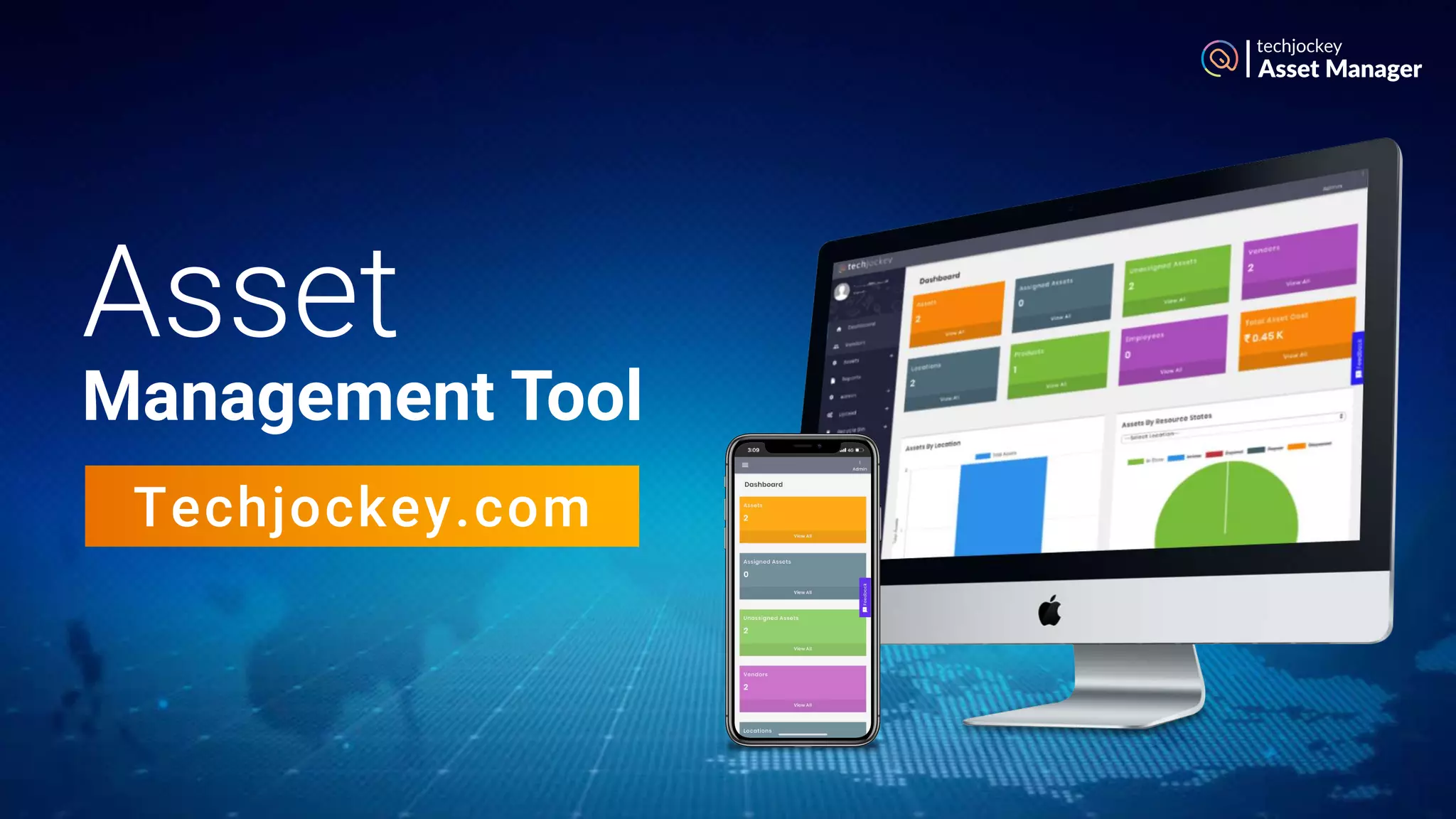

Asset
Management Tool
Techjockey.com
Asset Manager
Techjockey Asset Management Tool
Asset Manager
Enjoy Increased Visibility & Control
Over IT Assets with
Take a Smarter Step to
Better ROI & Business Growth
Asset Manager
Reduce the Cost Per Unit:
Track & Manage Your IT Assets Efficiently
Up to 30% of organizations don’t know what IT assets they own, where they are located &
who are using them.
By retiring unused assets, companies may reduce tax bills for assets by as much as
20–30%.
According to Gartner, enterprises that manage the lifecycle of their IT assets can reduce
the cost per asset by 30% in the first year, and between 5-10 percent annually during the
next five years.
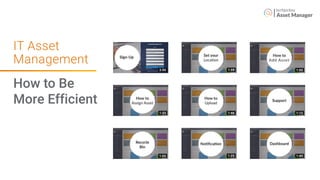
IT Asset Management: How to Be More Efficient
Try asset tracking with Techjockey Asset Management Tool. Reduce the total ownership cost
with efficient IT lifecycle management.
Asset Manager
Informed Purchasing &
Licensing Decisions
Documentation of All Devices
Within an Organization
Identifying A Device’s User &
Location at Any Time
License and Subscription
Compliance
Scheduling Maintenance &
Calculating Asset Depreciation
Asset Manager
Asset Management Tool
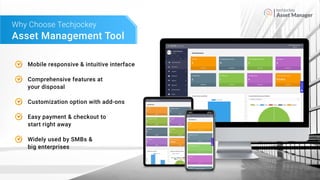
Why Choose Techjockey
Mobile responsive & intuitive interface
Comprehensive features at
your disposal
Customization option with add-ons
Easy payment & checkout to
start right away
Widely used by SMBs &
big enterprises
Asset Manager
01
02
03
04
05
0607
08
09
10
11
12
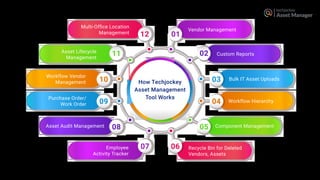
How Techjockey
Asset Management
Tool Works
Vendor Management
Custom Reports
Bulk IT Asset Uploads
Workflow Hierarchy
Component Management
Recycle Bin for Deleted
Vendors, Assets
Multi-Office Location
Management
Asset Lifecycle
Management
Workflow Vendor
Management
Purchase Order/
Work Order
Asset Audit Management
Employee
Activity Tracker
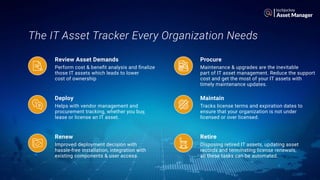
The IT Asset Tracker Every Organization Needs
Asset Manager
Perform cost & benefit analysis and finalize
those IT assets which leads to lower
cost of ownership
Helps with vendor management and
procurement tracking, whether you buy,
lease or license an IT asset.
Improved deployment decision with
hassle-free installation, integration with
existing components & user access.
Maintenance & upgrades are the inevitable
part of IT asset management. Reduce the support
cost and get the most of your IT assets with
timely maintenance updates.
Tracks license terms and expiration dates to
ensure that your organization is not under
licensed or over licensed.
Disposing retired IT assets, updating asset
records and terminating license renewals,
all these tasks can be automated.
Review Asset Demands Procure
Deploy Maintain
Renew Retire
Asset Manager
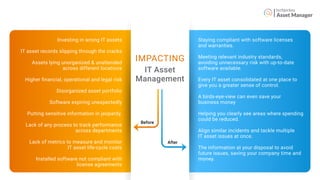
Staying compliant with software licenses
and warranties.
Meeting relevant industry standards,
avoiding unnecessary risk with up-to-date
software available.
Every IT asset consolidated at one place to
give you a greater sense of control.
A birds-eye-view can even save your
business money
Helping you clearly see areas where spending
could be reduced.
Align similar incidents and tackle multiple
IT asset issues at once.
The information at your disposal to avoid
future issues, saving your company time and
money.
Investing in wrong IT assets
IT asset records slipping through the cracks
Assets lying unorganized & unattended
across different locations
Higher financial, operational and legal risk
Disorganized asset portfolio
Software expiring unexpectedly
Putting sensitive information in jeopardy.
Lack of any process to track performance
across departments
Lack of metrics to measure and monitor
IT asset life-cycle costs
Installed software not compliant with
license agreements
IMPACTING
IT Asset
Management
Before
After
IT Asset
Management
Asset Manager
How to Be
More Efficient
So what’s next?
Asset Manager
Asset Manager
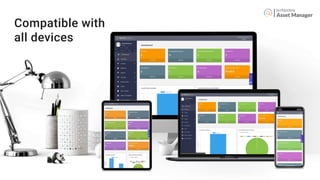
Compatible with
all devices
Asset Manager
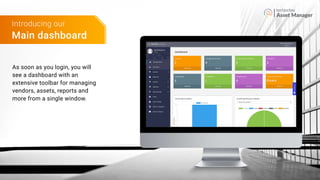
Main dashboard
Introducing our
As soon as you login, you will
see a dashboard with an
extensive toolbar for managing
vendors, assets, reports and
more from a single window.
Asset Manager
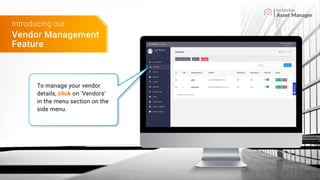
Vendor Management
Feature
Introducing our
To manage your vendor
details, click on ‘Vendors’
in the menu section on the
side menu.
Asset Manager
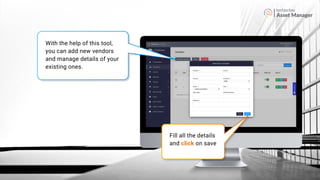
With the help of this tool,
you can add new vendors
and manage details of your
existing ones.
Fill all the details
and click on save
Asset Manager
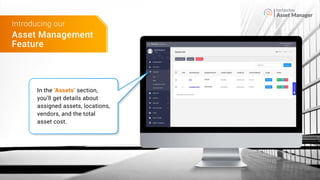
In the ‘Assets’ section,
you’ll get details about
assigned assets, locations,
vendors, and the total
asset cost.
Asset Management
Feature
Introducing our
Asset Manager
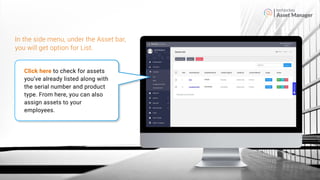
Click here to check for assets
you’ve already listed along with
the serial number and product
type. From here, you can also
assign assets to your
employees.
In the side menu, under the Asset bar,
you will get option for List.
Asset Manager
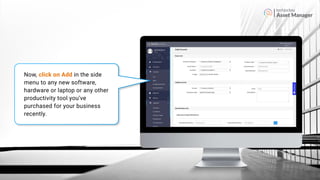
Now, click on Add in the side
menu to any new software,
hardware or laptop or any other
productivity tool you’ve
purchased for your business
recently.
Asset Manager
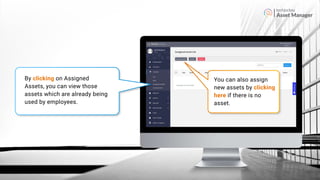
By clicking on Assigned
Assets, you can view those
assets which are already being
used by employees.
You can also assign
new assets by clicking
here if there is no
asset.
Asset Manager
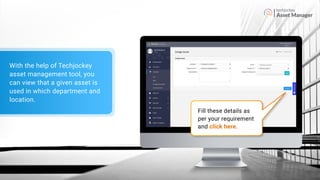
Fill these details as
per your requirement
and click here.
With the help of Techjockey
asset management tool, you
can view that a given asset is
used in which department and
location.
Asset Manager
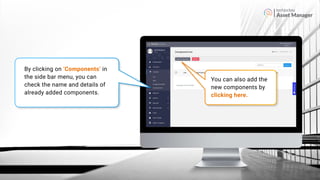
By clicking on ‘Components’ in
the side bar menu, you can
check the name and details of
already added components.
You can also add the
new components by
clicking here.
Asset Manager
Reports Feature
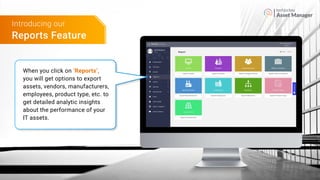
Introducing our
When you click on ‘Reports’,
you will get options to export
assets, vendors, manufacturers,
employees, product type, etc. to
get detailed analytic insights
about the performance of your
IT assets.
Asset Manager
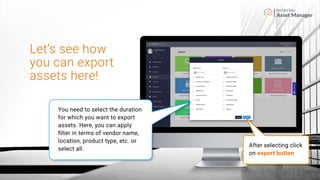
After selecting click
on export button
Let’s see how
you can export
assets here!
You need to select the duration
for which you want to export
assets. Here, you can apply
filter in terms of vendor name,
location, product type, etc. or
select all.
Asset Manager
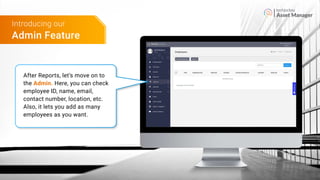
Admin Feature
Introducing our
After Reports, let’s move on to
the Admin. Here, you can check
employee ID, name, email,
contact number, location, etc.
Also, it lets you add as many
employees as you want.
Asset Manager
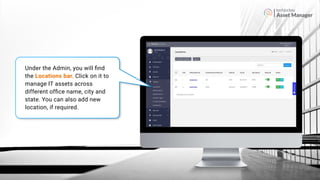
Under the Admin, you will find
the Locations bar. Click on it to
manage IT assets across
different office name, city and
state. You can also add new
location, if required.
Asset Manager
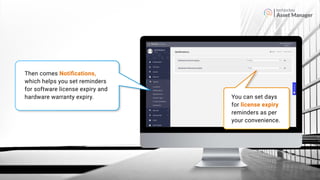
Then comes Notifications,
which helps you set reminders
for software license expiry and
hardware warranty expiry. You can set days
for license expiry
reminders as per
your convenience.
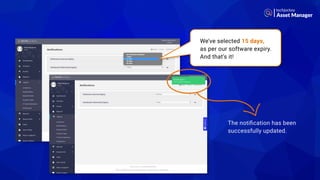
We’ve selected 15 days,
as per our software expiry.
And that’s it!
The notification has been
successfully updated.
Asset Manager
Asset Manager
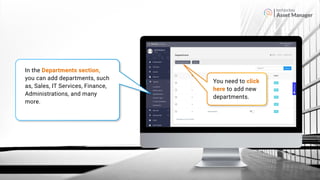
In the Departments section,
you can add departments, such
as, Sales, IT Services, Finance,
Administrations, and many
more.
You need to click
here to add new
departments.
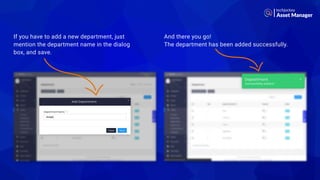
If you have to add a new department, just
mention the department name in the dialog
box, and save.
And there you go!
The department has been added successfully.
Asset Manager
Asset Manager
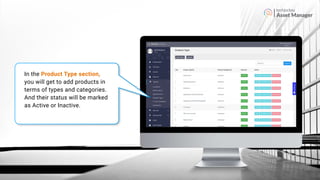
In the Product Type section,
you will get to add products in
terms of types and categories.
And their status will be marked
as Active or Inactive.
Asset Manager
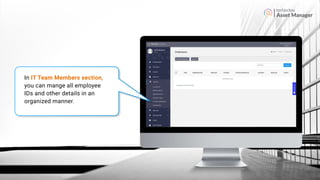
In IT Team Members section,
you can mange all employee
IDs and other details in an
organized manner.
Recycle Bin Feature
Introducing our
Asset Manager
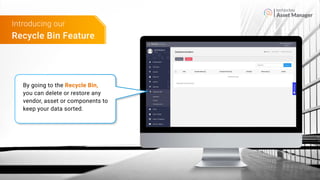
By going to the Recycle Bin,
you can delete or restore any
vendor, asset or components to
keep your data sorted.
Asset Manager
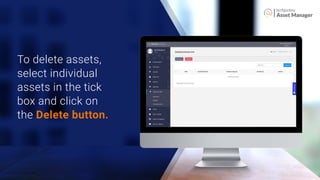
To delete assets,
select individual
assets in the tick
box and click on
the Delete button.
Asset Manager
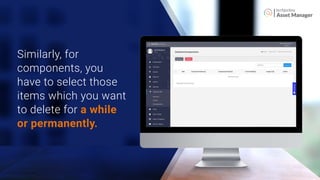
Similarly, for
components, you
have to select those
items which you want
to delete for a while
or permanently.
Asset Manager
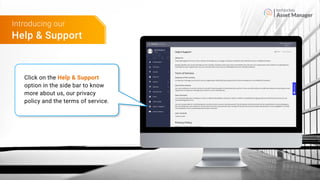
Click on the Help & Support
option in the side bar to know
more about us, our privacy
policy and the terms of service.
Help & Support
Introducing our
Techjockey Asset Management Software
Contact us at: tams@techjockey.com
Click here to Signup
or
Follow us on |
Buy Now

Techjockey Asset Management System

  • 1.
  • 2.
    Techjockey Asset ManagementTool Asset Manager Enjoy Increased Visibility & Control Over IT Assets with Take a Smarter Step to Better ROI & Business Growth
  • 3.
    Asset Manager Reduce theCost Per Unit: Track & Manage Your IT Assets Efficiently Up to 30% of organizations don’t know what IT assets they own, where they are located & who are using them. By retiring unused assets, companies may reduce tax bills for assets by as much as 20–30%. According to Gartner, enterprises that manage the lifecycle of their IT assets can reduce the cost per asset by 30% in the first year, and between 5-10 percent annually during the next five years.
  • 4.
    IT Asset Management:How to Be More Efficient Try asset tracking with Techjockey Asset Management Tool. Reduce the total ownership cost with efficient IT lifecycle management. Asset Manager Informed Purchasing & Licensing Decisions Documentation of All Devices Within an Organization Identifying A Device’s User & Location at Any Time License and Subscription Compliance Scheduling Maintenance & Calculating Asset Depreciation
  • 5.
    Asset Manager Asset ManagementTool Why Choose Techjockey Mobile responsive & intuitive interface Comprehensive features at your disposal Customization option with add-ons Easy payment & checkout to start right away Widely used by SMBs & big enterprises
  • 6.
    Asset Manager 01 02 03 04 05 0607 08 09 10 11 12 How Techjockey AssetManagement Tool Works Vendor Management Custom Reports Bulk IT Asset Uploads Workflow Hierarchy Component Management Recycle Bin for Deleted Vendors, Assets Multi-Office Location Management Asset Lifecycle Management Workflow Vendor Management Purchase Order/ Work Order Asset Audit Management Employee Activity Tracker
  • 7.
    The IT AssetTracker Every Organization Needs Asset Manager Perform cost & benefit analysis and finalize those IT assets which leads to lower cost of ownership Helps with vendor management and procurement tracking, whether you buy, lease or license an IT asset. Improved deployment decision with hassle-free installation, integration with existing components & user access. Maintenance & upgrades are the inevitable part of IT asset management. Reduce the support cost and get the most of your IT assets with timely maintenance updates. Tracks license terms and expiration dates to ensure that your organization is not under licensed or over licensed. Disposing retired IT assets, updating asset records and terminating license renewals, all these tasks can be automated. Review Asset Demands Procure Deploy Maintain Renew Retire
  • 8.
    Asset Manager Staying compliantwith software licenses and warranties. Meeting relevant industry standards, avoiding unnecessary risk with up-to-date software available. Every IT asset consolidated at one place to give you a greater sense of control. A birds-eye-view can even save your business money Helping you clearly see areas where spending could be reduced. Align similar incidents and tackle multiple IT asset issues at once. The information at your disposal to avoid future issues, saving your company time and money. Investing in wrong IT assets IT asset records slipping through the cracks Assets lying unorganized & unattended across different locations Higher financial, operational and legal risk Disorganized asset portfolio Software expiring unexpectedly Putting sensitive information in jeopardy. Lack of any process to track performance across departments Lack of metrics to measure and monitor IT asset life-cycle costs Installed software not compliant with license agreements IMPACTING IT Asset Management Before After
  • 9.
  • 10.
  • 11.
  • 12.
    Asset Manager Main dashboard Introducingour As soon as you login, you will see a dashboard with an extensive toolbar for managing vendors, assets, reports and more from a single window.
  • 13.
    Asset Manager Vendor Management Feature Introducingour To manage your vendor details, click on ‘Vendors’ in the menu section on the side menu.
  • 14.
    Asset Manager With thehelp of this tool, you can add new vendors and manage details of your existing ones. Fill all the details and click on save
  • 15.
    Asset Manager In the‘Assets’ section, you’ll get details about assigned assets, locations, vendors, and the total asset cost. Asset Management Feature Introducing our
  • 16.
    Asset Manager Click hereto check for assets you’ve already listed along with the serial number and product type. From here, you can also assign assets to your employees. In the side menu, under the Asset bar, you will get option for List.
  • 17.
    Asset Manager Now, clickon Add in the side menu to any new software, hardware or laptop or any other productivity tool you’ve purchased for your business recently.
  • 18.
    Asset Manager By clickingon Assigned Assets, you can view those assets which are already being used by employees. You can also assign new assets by clicking here if there is no asset.
  • 19.
    Asset Manager Fill thesedetails as per your requirement and click here. With the help of Techjockey asset management tool, you can view that a given asset is used in which department and location.
  • 20.
    Asset Manager By clickingon ‘Components’ in the side bar menu, you can check the name and details of already added components. You can also add the new components by clicking here.
  • 21.
    Asset Manager Reports Feature Introducingour When you click on ‘Reports’, you will get options to export assets, vendors, manufacturers, employees, product type, etc. to get detailed analytic insights about the performance of your IT assets.
  • 22.
    Asset Manager After selectingclick on export button Let’s see how you can export assets here! You need to select the duration for which you want to export assets. Here, you can apply filter in terms of vendor name, location, product type, etc. or select all.
  • 23.
    Asset Manager Admin Feature Introducingour After Reports, let’s move on to the Admin. Here, you can check employee ID, name, email, contact number, location, etc. Also, it lets you add as many employees as you want.
  • 24.
    Asset Manager Under theAdmin, you will find the Locations bar. Click on it to manage IT assets across different office name, city and state. You can also add new location, if required.
  • 25.
    Asset Manager Then comesNotifications, which helps you set reminders for software license expiry and hardware warranty expiry. You can set days for license expiry reminders as per your convenience.
  • 26.
    We’ve selected 15days, as per our software expiry. And that’s it! The notification has been successfully updated. Asset Manager
  • 27.
    Asset Manager In theDepartments section, you can add departments, such as, Sales, IT Services, Finance, Administrations, and many more. You need to click here to add new departments.
  • 28.
    If you haveto add a new department, just mention the department name in the dialog box, and save. And there you go! The department has been added successfully. Asset Manager
  • 29.
    Asset Manager In theProduct Type section, you will get to add products in terms of types and categories. And their status will be marked as Active or Inactive.
  • 30.
    Asset Manager In ITTeam Members section, you can mange all employee IDs and other details in an organized manner.
  • 31.
    Recycle Bin Feature Introducingour Asset Manager By going to the Recycle Bin, you can delete or restore any vendor, asset or components to keep your data sorted.
  • 32.
    Asset Manager To deleteassets, select individual assets in the tick box and click on the Delete button.
  • 33.
    Asset Manager Similarly, for components,you have to select those items which you want to delete for a while or permanently.
  • 34.
    Asset Manager Click onthe Help & Support option in the side bar to know more about us, our privacy policy and the terms of service. Help & Support Introducing our
  • 35.
    Techjockey Asset ManagementSoftware Contact us at: tams@techjockey.com Click here to Signup or Follow us on | Buy Now