www.opmanager.com ManageEngine The 3 aspects of  Network Performance Management
Agenda Network Management Vs Network monitoring Why network performance management? What affects the network performance? The 3 aspects of network performance management and how to manage them? Where to start? Q & A session
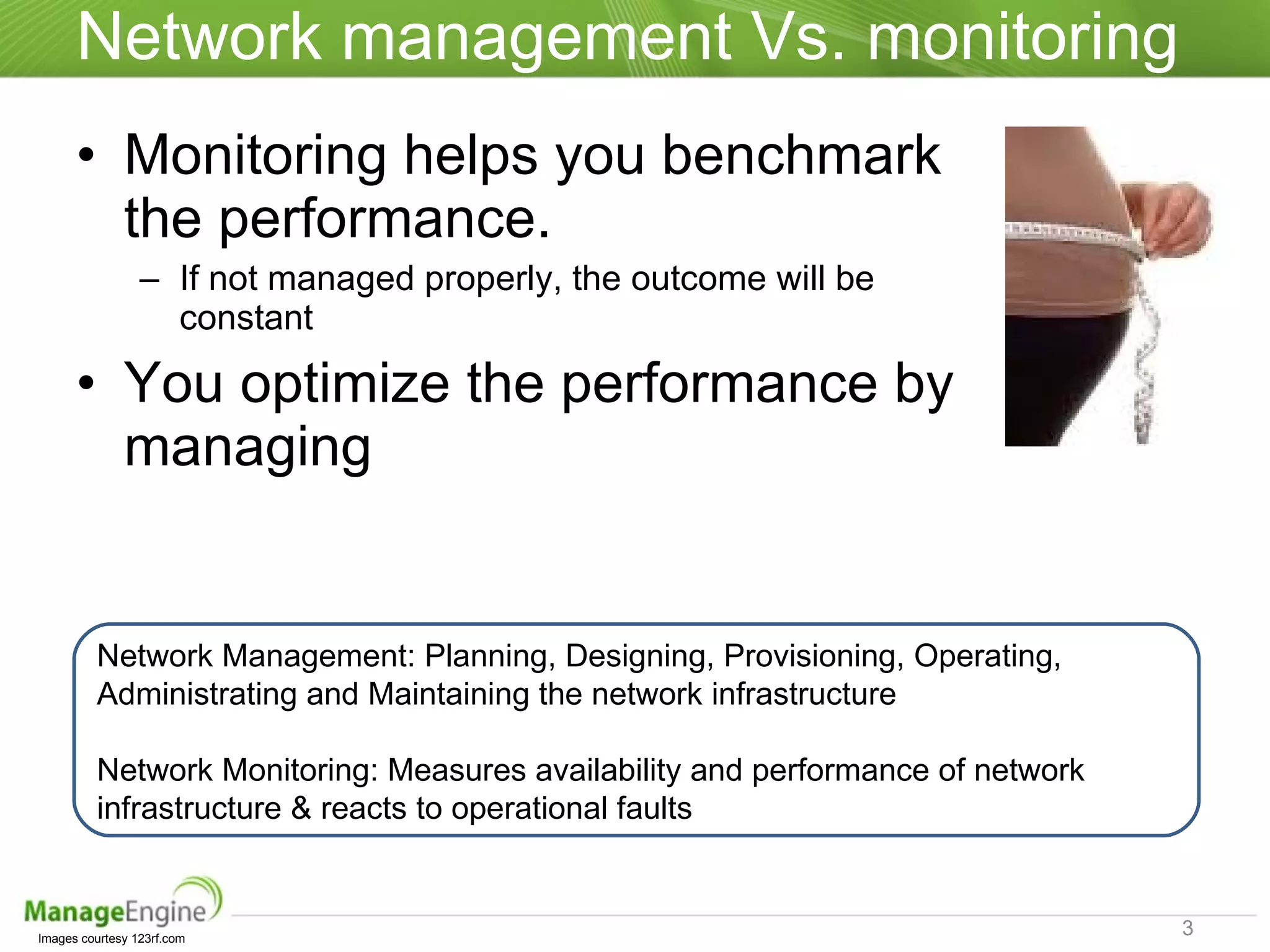
Network management Vs. monitoring Monitoring helps you benchmark the performance.  If not managed properly, the outcome will be constant You optimize the performance by managing Images courtesy 123rf.com Network Management: Planning, Designing, Provisioning, Operating, Administrating and Maintaining the network infrastructure Network Monitoring: Measures availability and performance of network infrastructure & reacts to operational faults
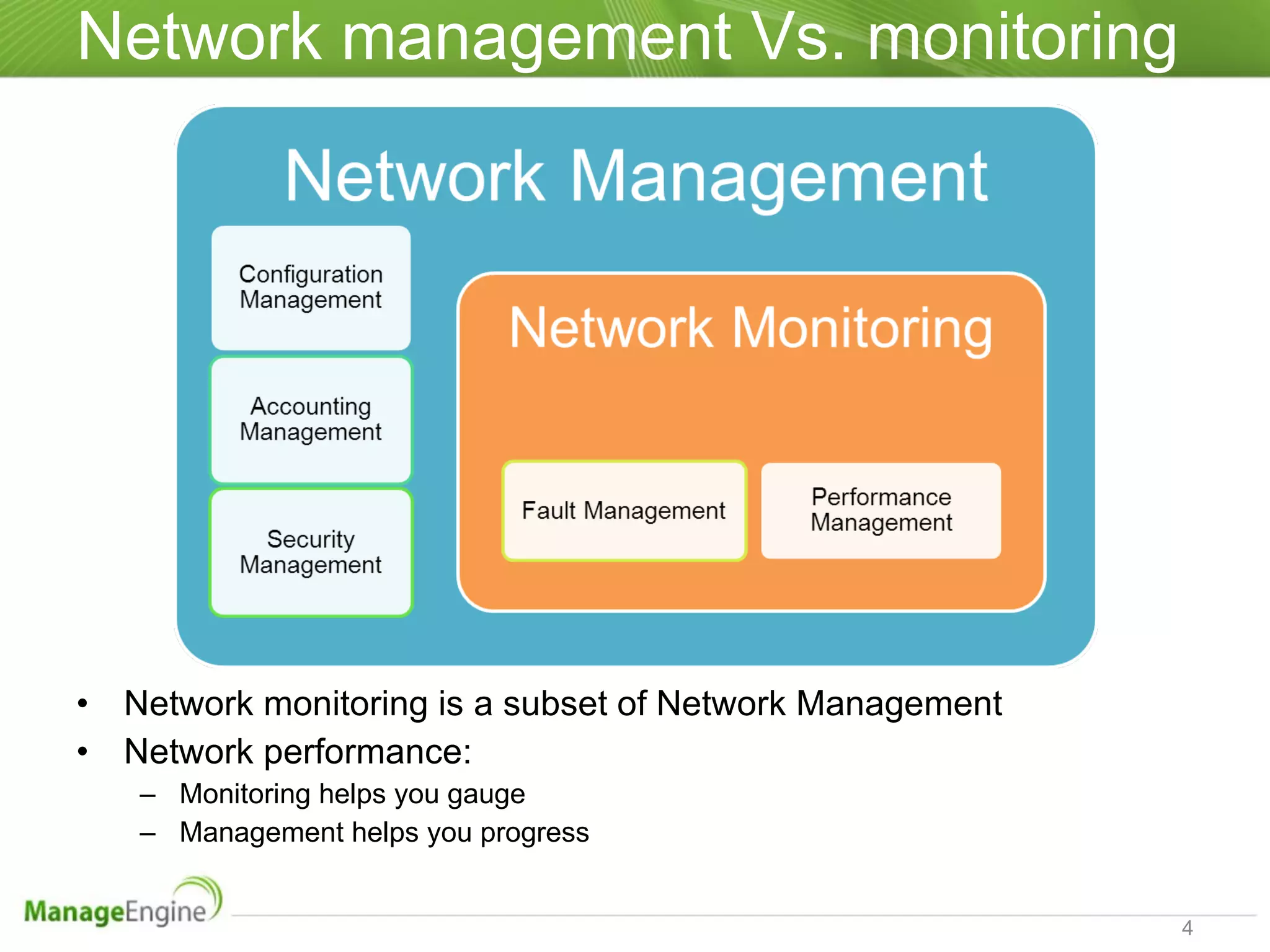
Network management Vs. monitoring Network monitoring is a subset of Network Management Network performance:  Monitoring helps you gauge  Management helps you progress
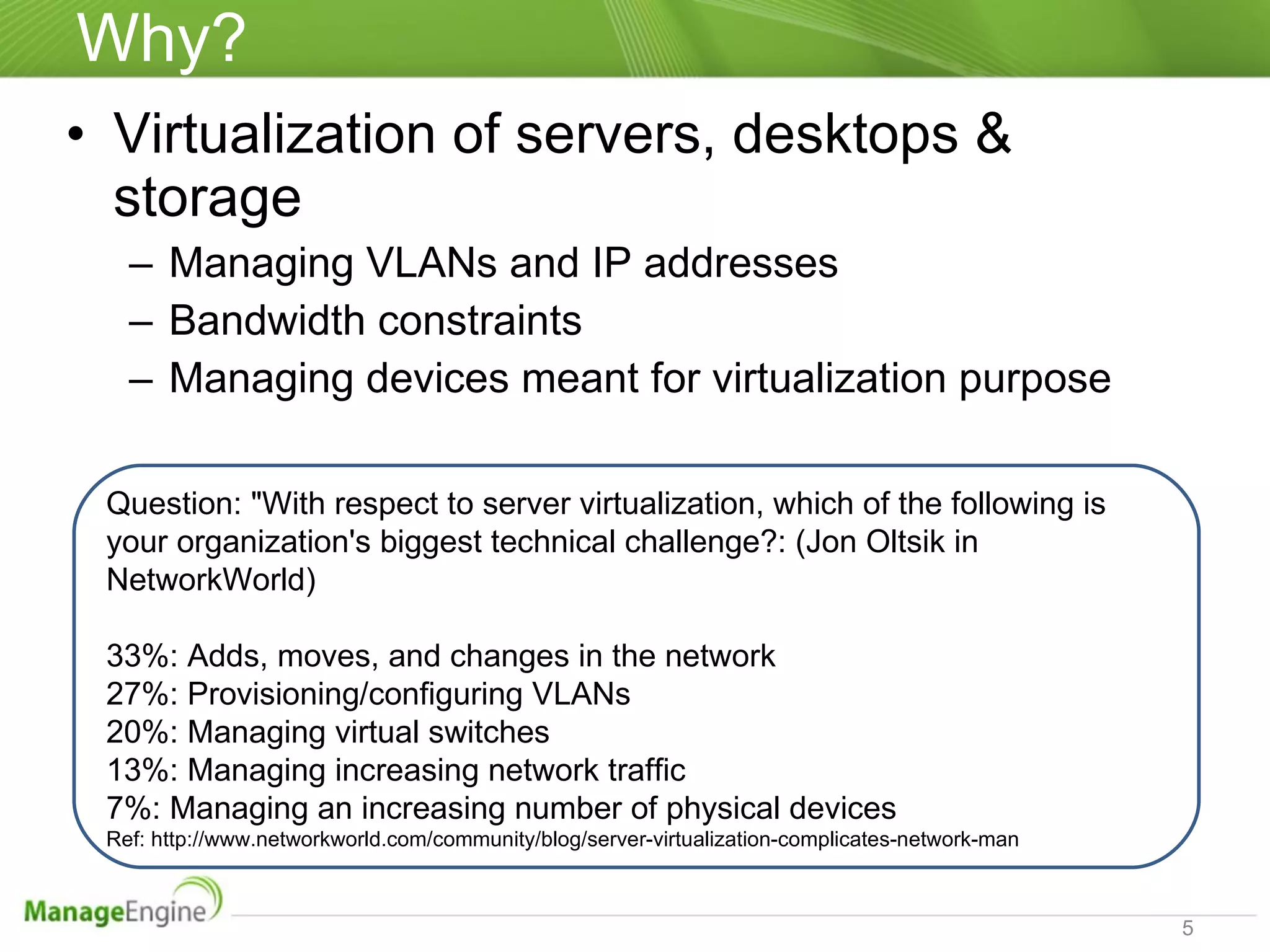
Why? Virtualization of servers, desktops &  storage Managing VLANs and IP addresses Bandwidth constraints Managing devices meant for virtualization purpose Question: "With respect to server virtualization, which of the following is your organization's biggest technical challenge?: (Jon Oltsik in NetworkWorld) 33%: Adds, moves, and changes in the network  27%: Provisioning/configuring VLANs  20%: Managing virtual switches 13%: Managing increasing network traffic 7%: Managing an increasing number of physical devices Ref: http://www.networkworld.com/community/blog/server-virtualization-complicates-network-man
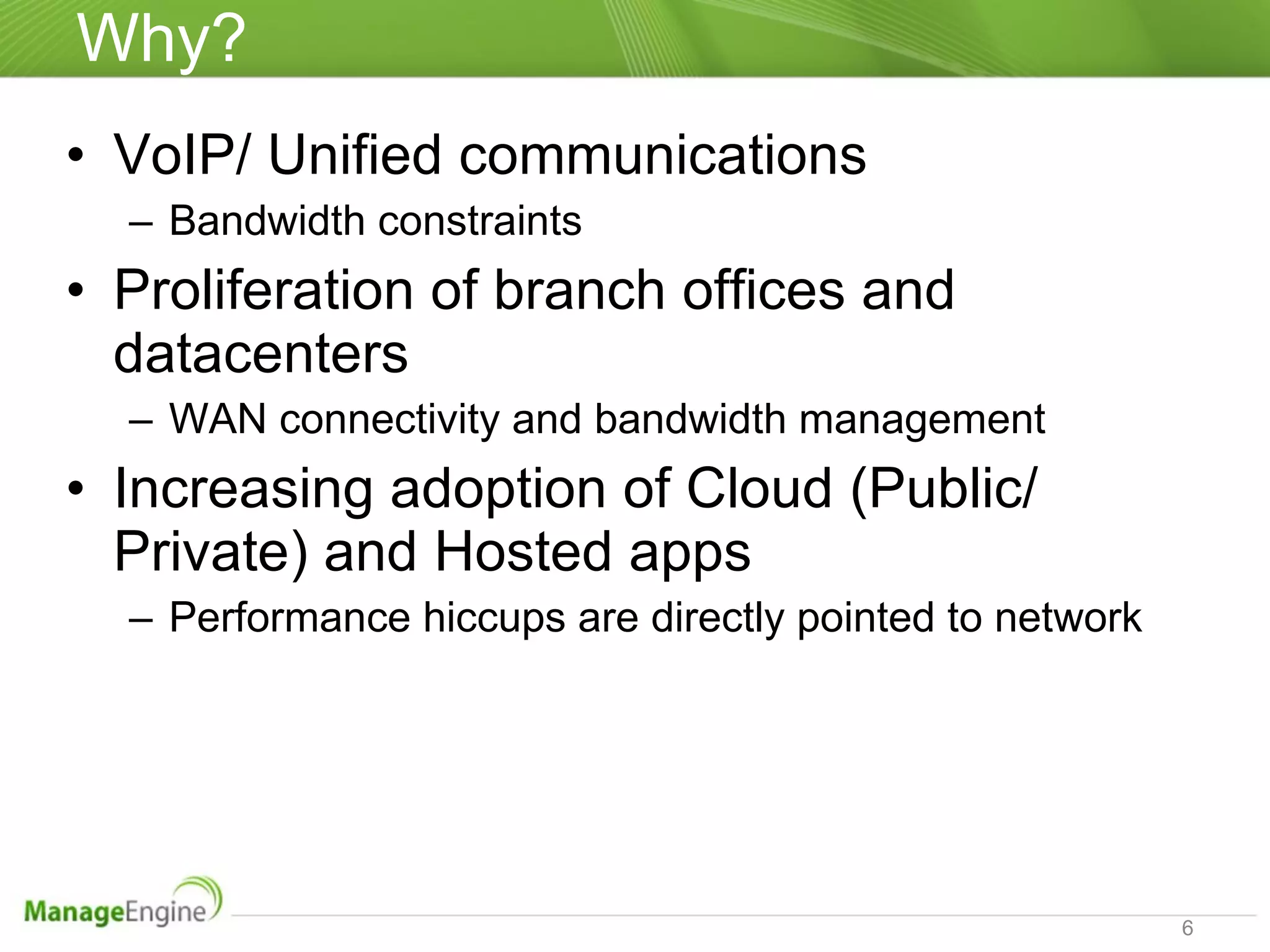
Why? VoIP/ Unified communications Bandwidth constraints  Proliferation of branch offices and datacenters  WAN connectivity and bandwidth management Increasing adoption of Cloud (Public/ Private) and Hosted apps Performance hiccups are directly pointed to network
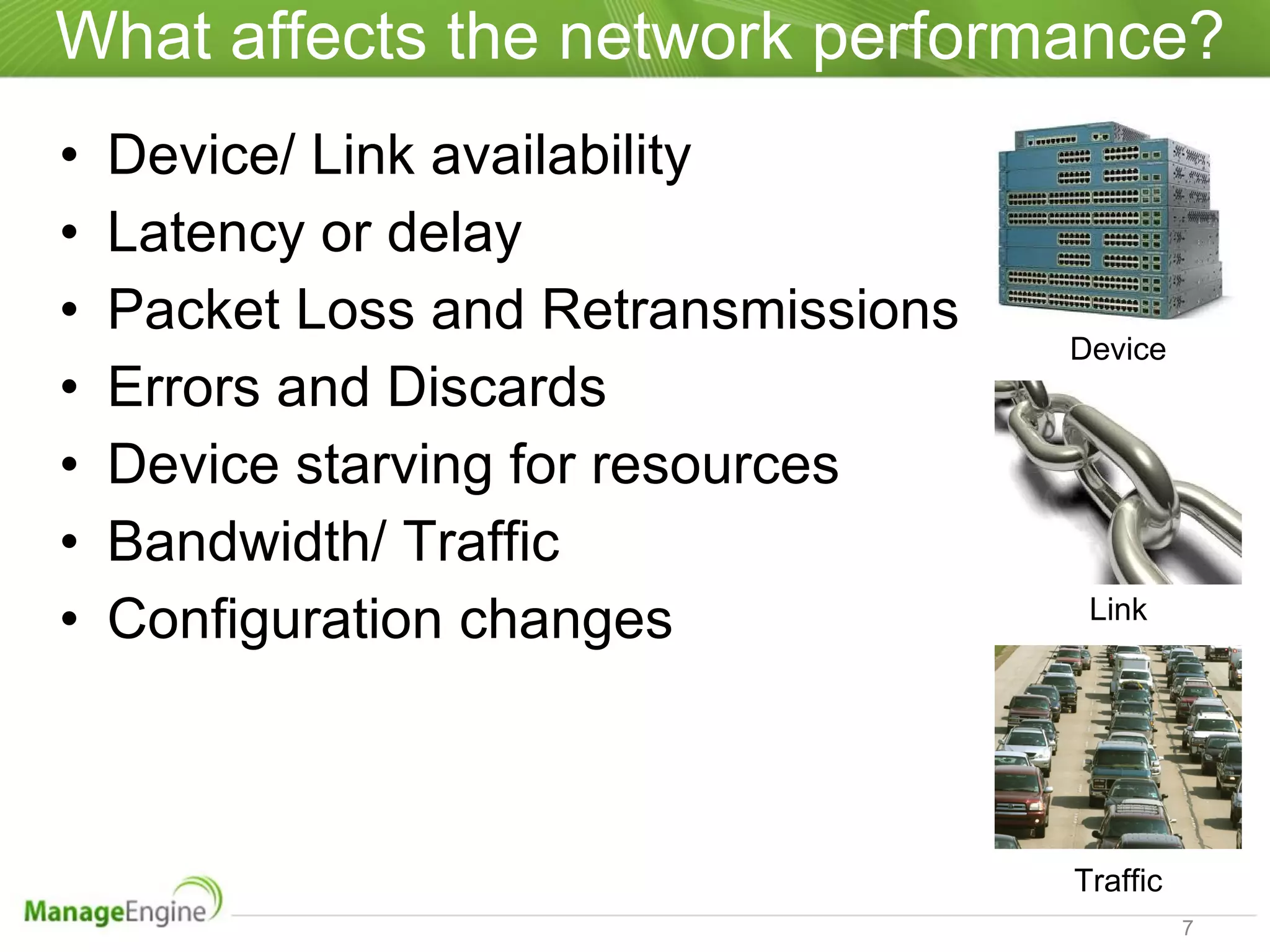
What affects the network performance? Device/ Link availability  Latency or delay Packet Loss and Retransmissions  Errors and Discards Device starving for resources Bandwidth/ Traffic Configuration changes Device Link Traffic
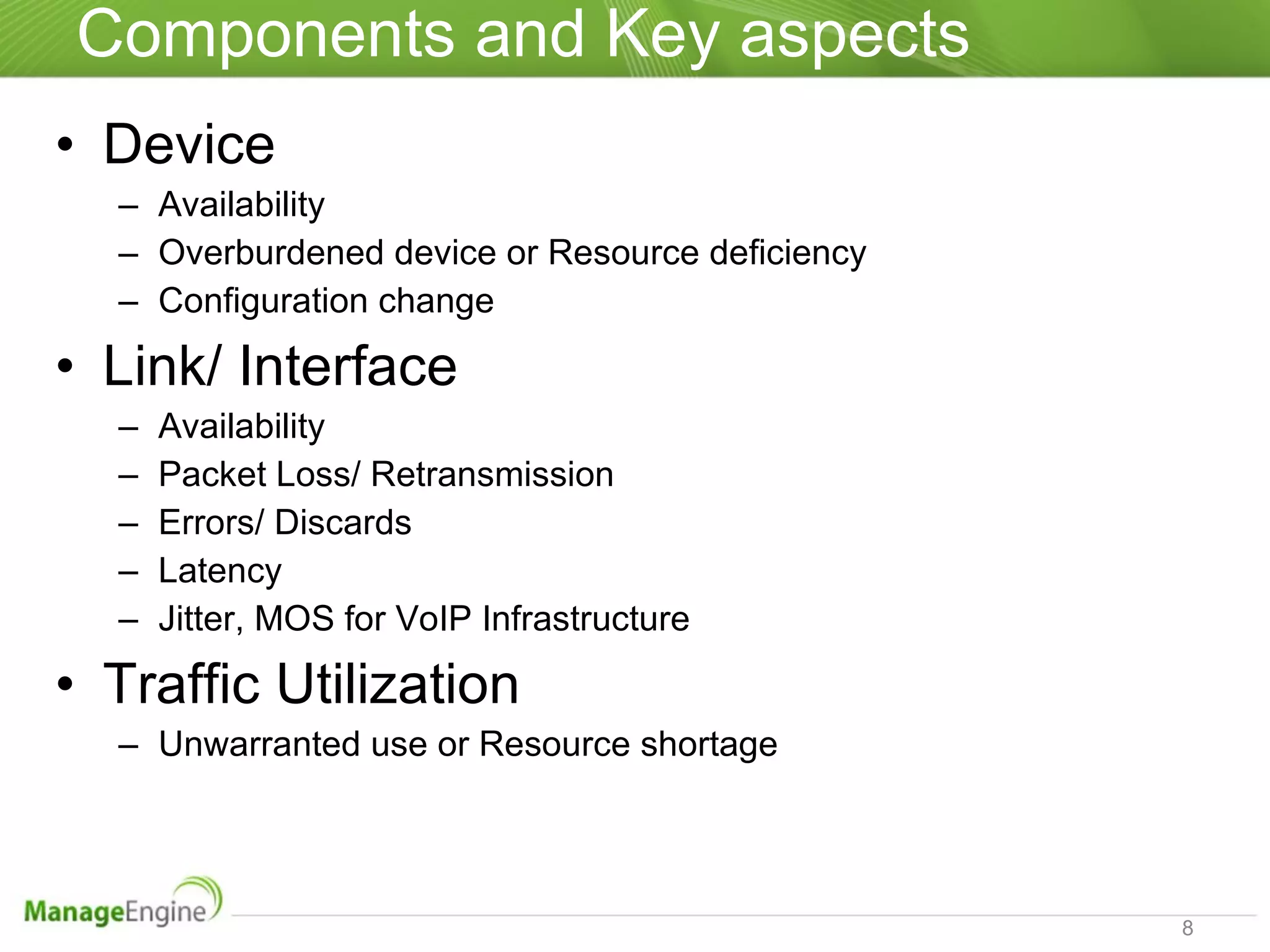
Components and Key aspects  Device Availability Overburdened device or Resource deficiency Configuration change Link/ Interface Availability  Packet Loss/ Retransmission Errors/ Discards Latency Jitter, MOS for VoIP Infrastructure Traffic Utilization Unwarranted use or Resource shortage
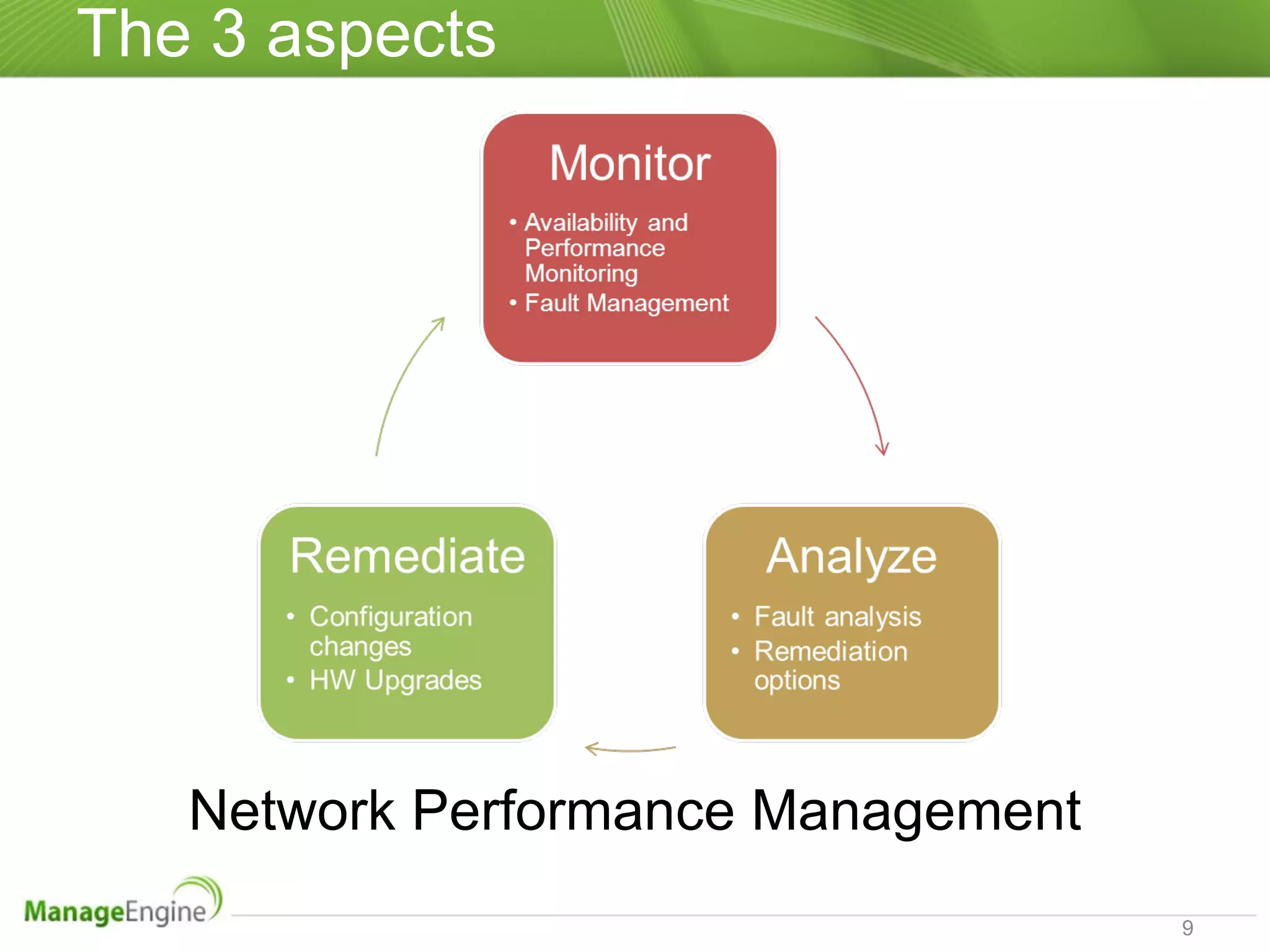
The 3 aspects Network Performance Management
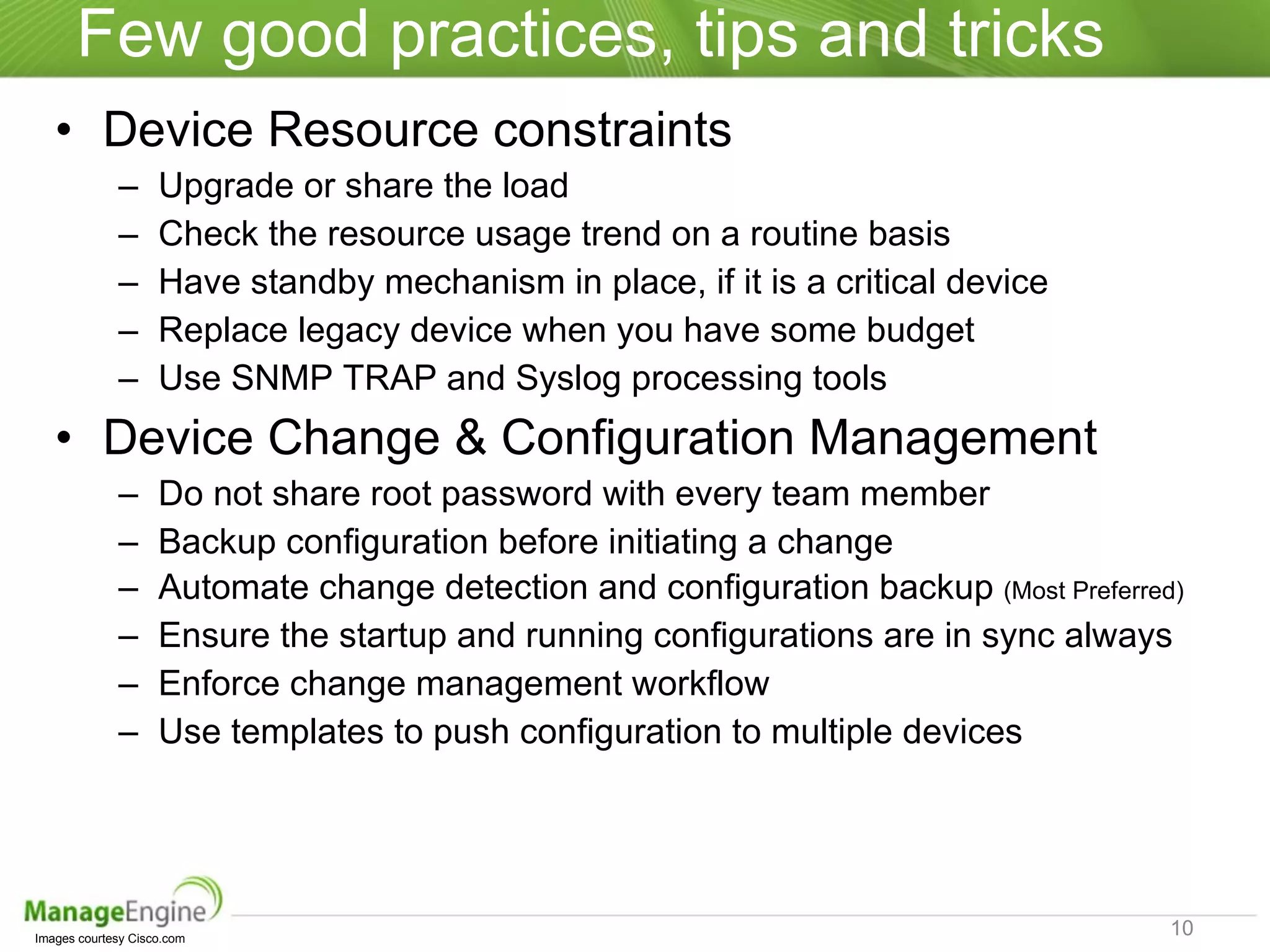
Few good practices, tips and tricks Device Resource constraints Upgrade or share the load Check the resource usage trend on a routine basis Have standby mechanism in place, if it is a critical device Replace legacy device when you have some budget Use SNMP TRAP and Syslog processing tools Device Change & Configuration Management Do not share root password with every team member Backup configuration before initiating a change Automate change detection and configuration backup  (Most Preferred) Ensure the startup and running configurations are in sync always Enforce change management workflow Use templates to push configuration to multiple devices Images courtesy Cisco.com
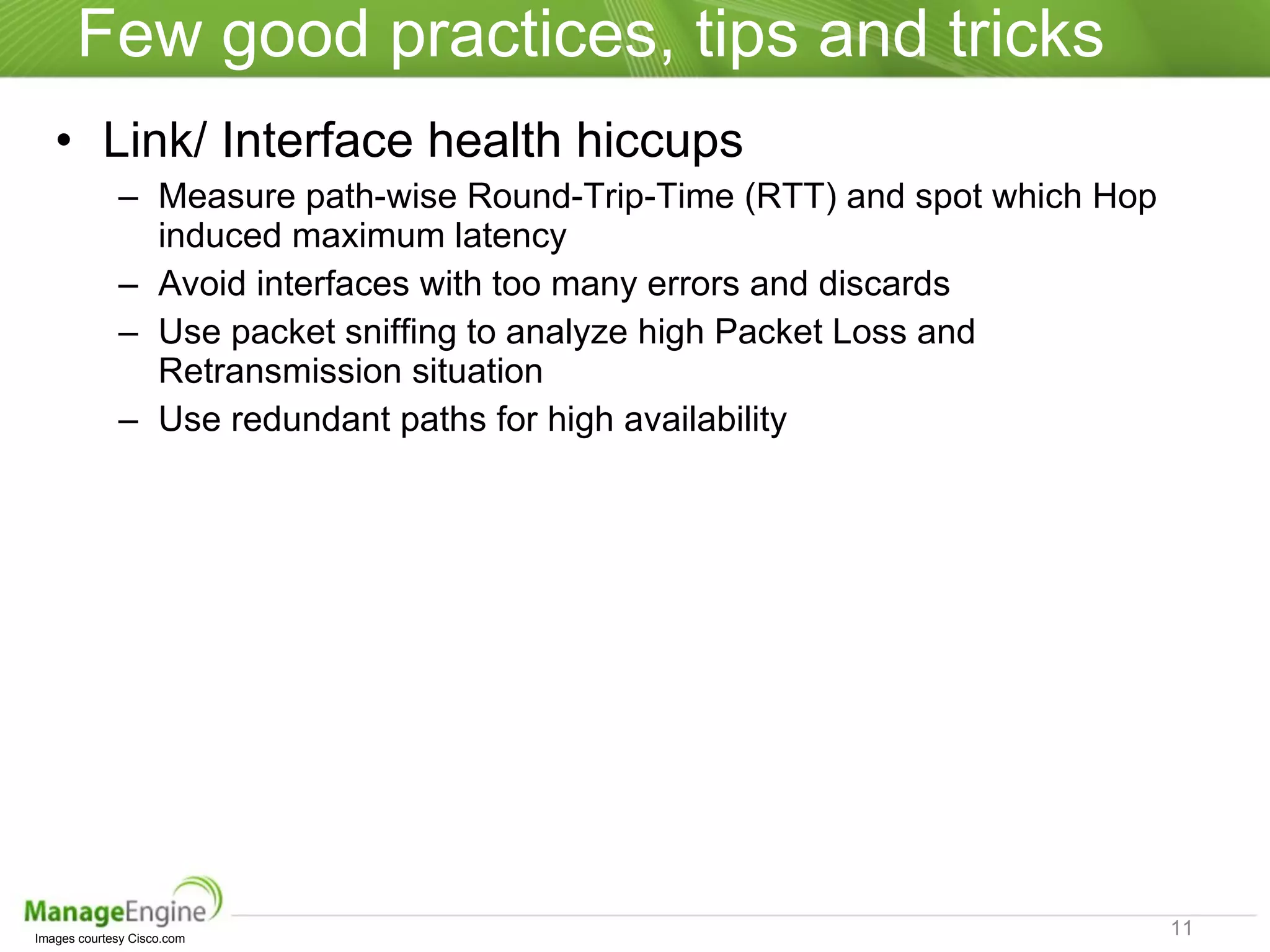
Few good practices, tips and tricks Link/ Interface health hiccups  Measure path-wise Round-Trip-Time (RTT) and spot which Hop induced maximum latency Avoid interfaces with too many errors and discards Use packet sniffing to analyze high Packet Loss and Retransmission situation Use redundant paths for high availability Images courtesy Cisco.com
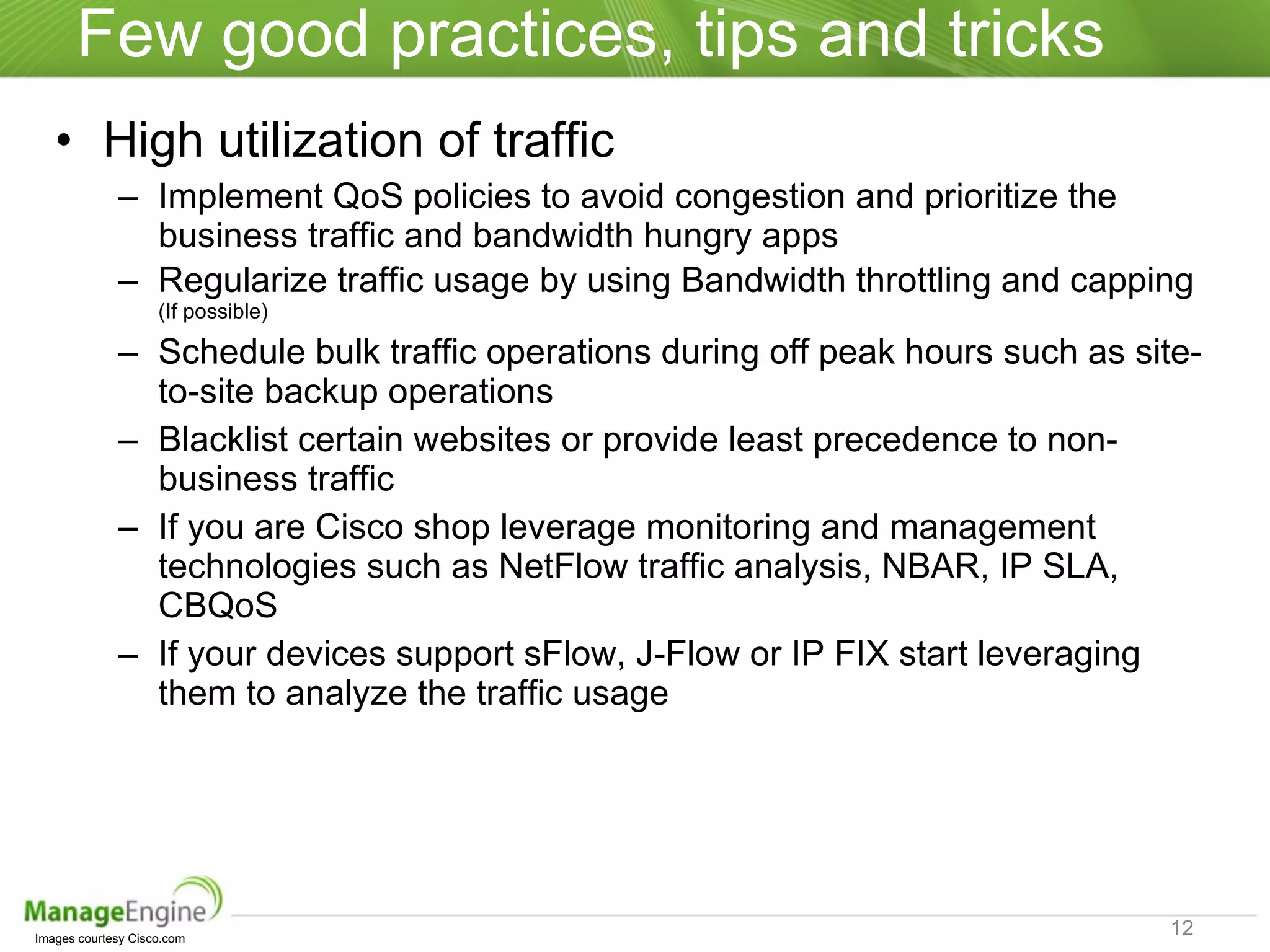
Few good practices, tips and tricks High utilization of traffic Implement QoS policies to avoid congestion and prioritize the business traffic and bandwidth hungry apps Regularize traffic usage by using Bandwidth throttling and capping  (If possible) Schedule bulk traffic operations during off peak hours such as site-to-site backup operations Blacklist certain websites or provide least precedence to non-business traffic If you are Cisco shop leverage monitoring and management technologies such as NetFlow traffic analysis, NBAR, IP SLA, CBQoS  If your devices support sFlow, J-Flow or IP FIX start leveraging them to analyze the traffic usage Images courtesy Cisco.com
Network Performance Management Using  ManageEngine OpManager
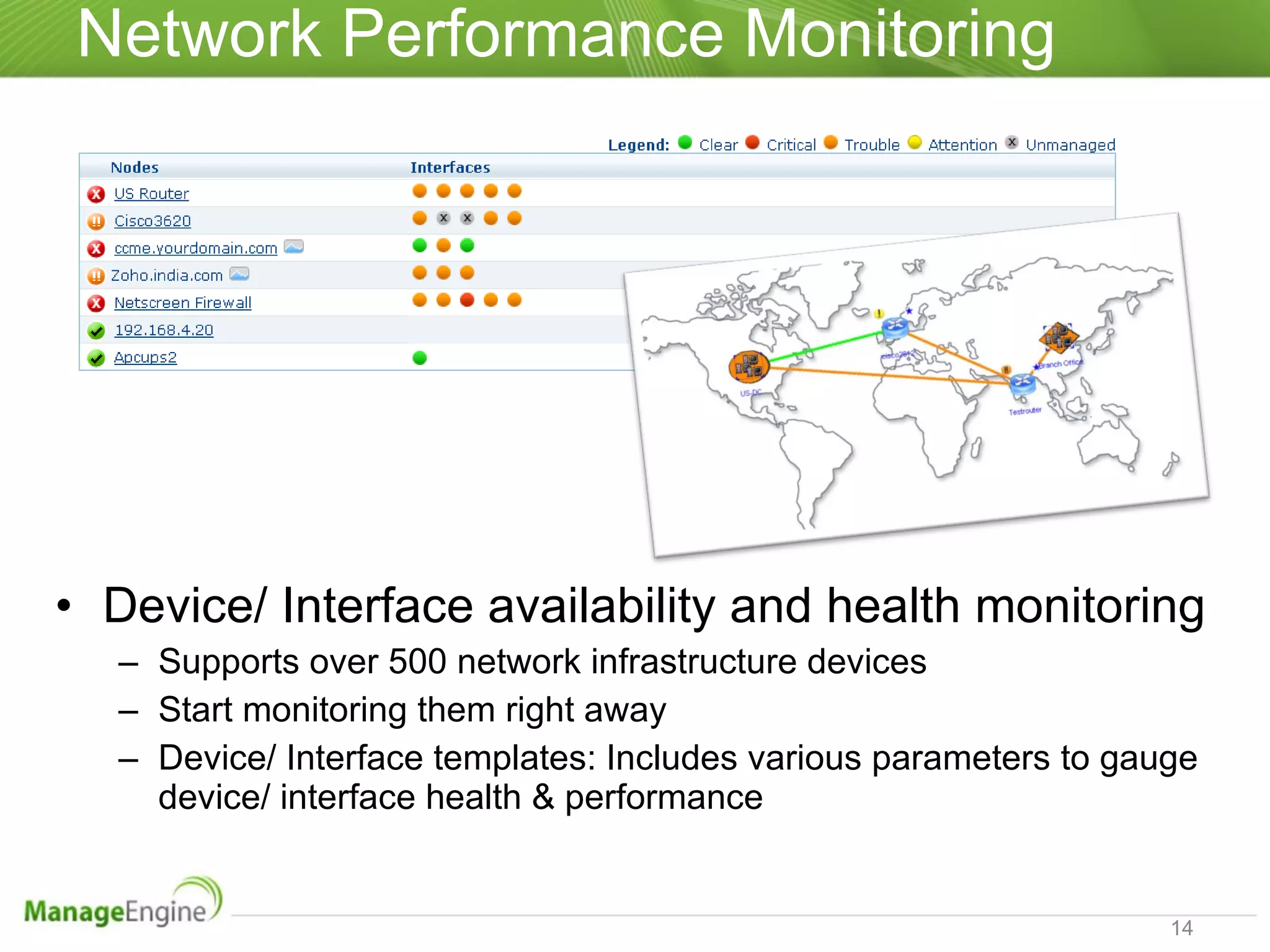
Network Performance Monitoring Device/ Interface availability and health monitoring Supports over 500 network infrastructure devices Start monitoring them right away Device/ Interface templates: Includes various parameters to gauge device/ interface health & performance
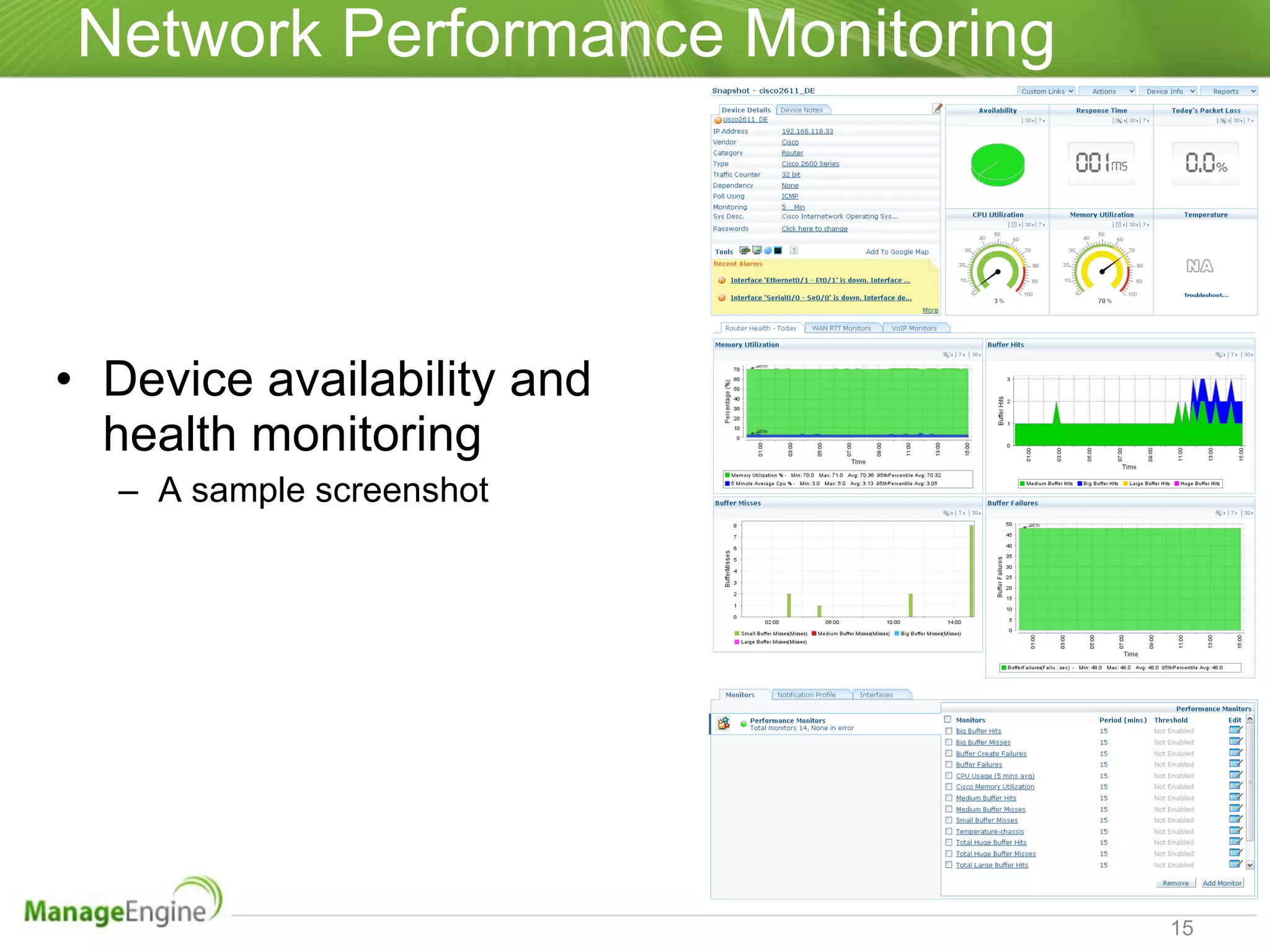
Network Performance Monitoring Device availability and health monitoring A sample screenshot
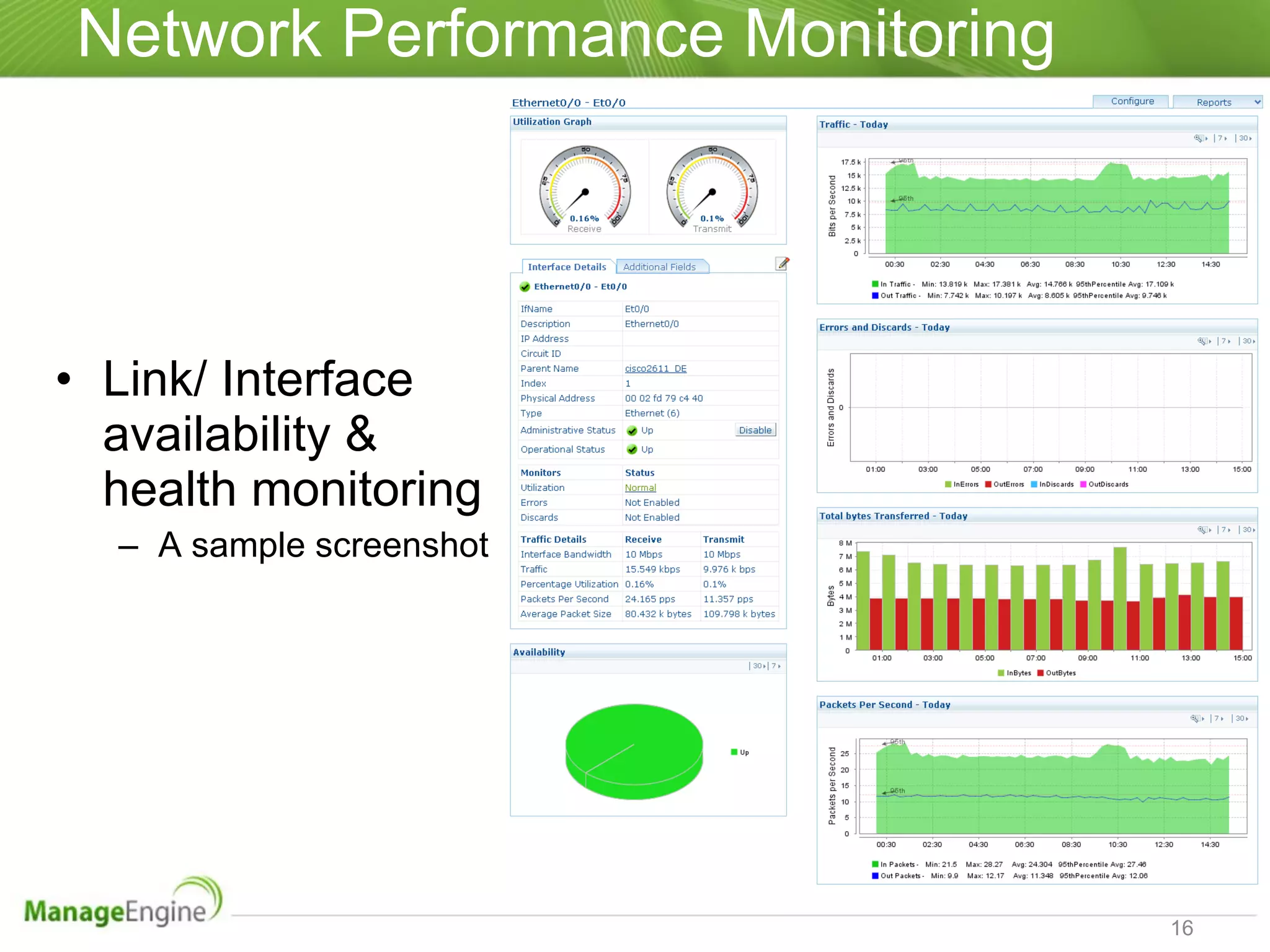
Network Performance Monitoring Link/ Interface availability & health monitoring A sample screenshot
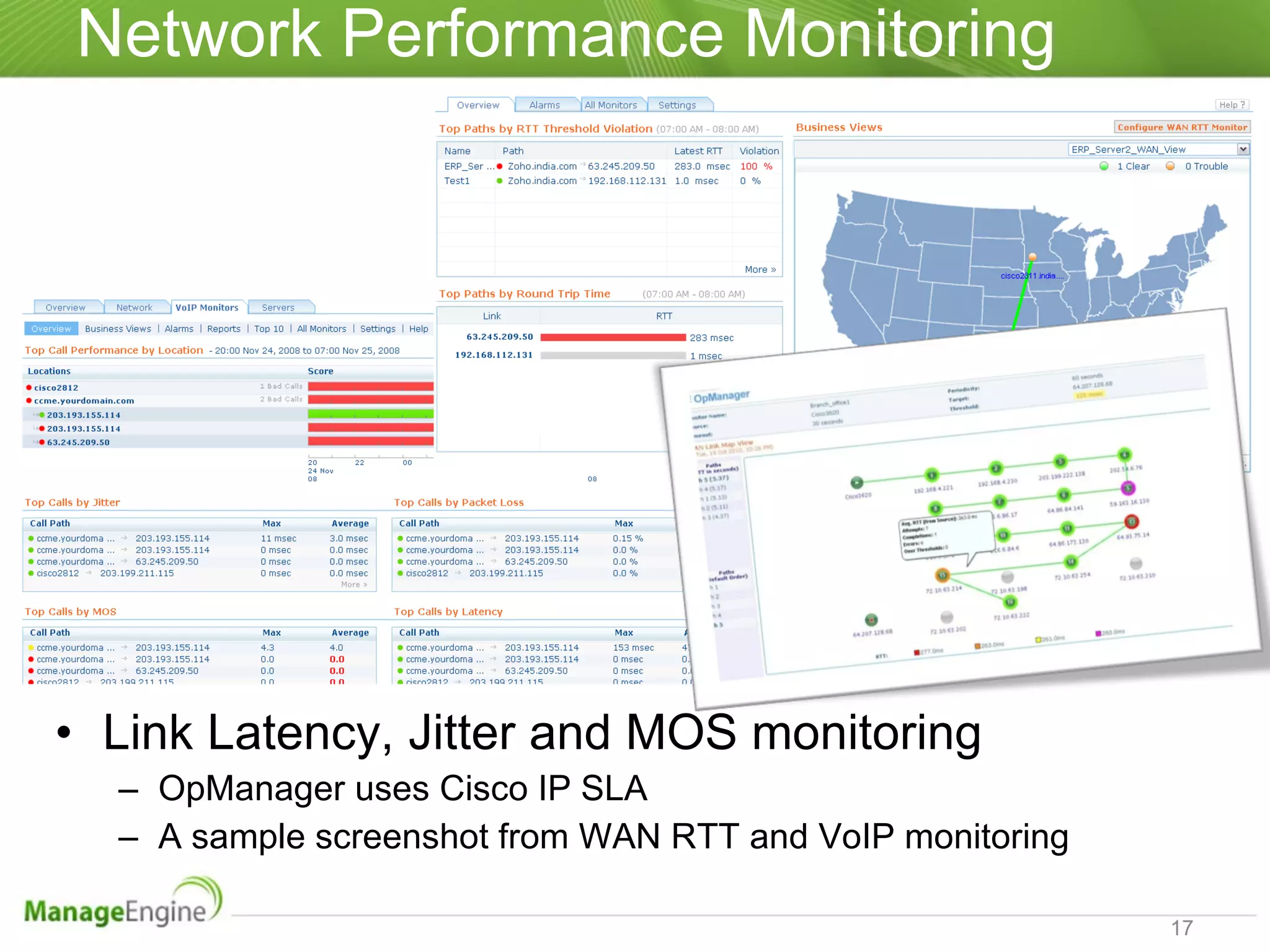
Network Performance Monitoring Link Latency, Jitter and MOS monitoring OpManager uses Cisco IP SLA A sample screenshot from WAN RTT and VoIP monitoring
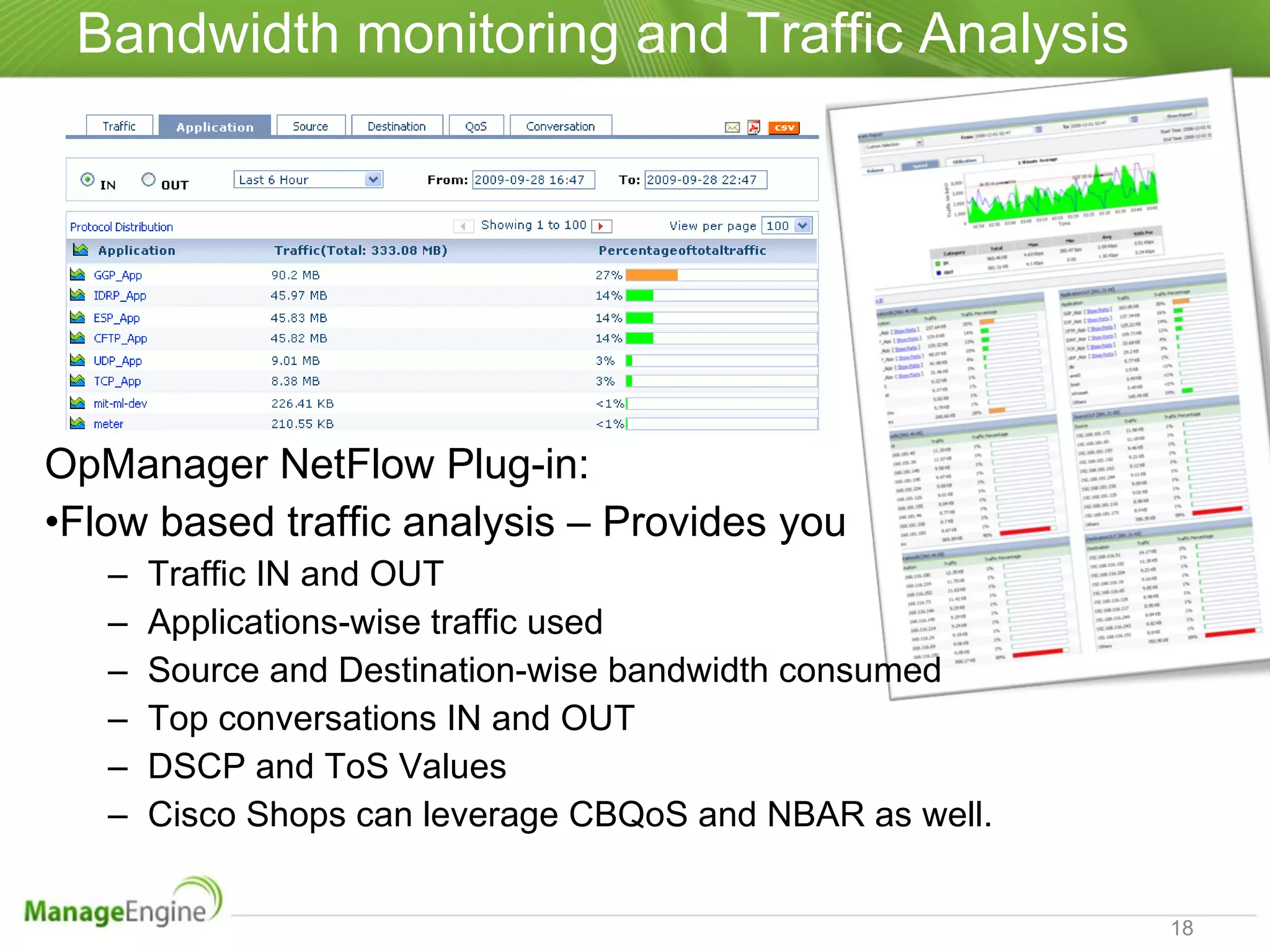
Bandwidth monitoring and Traffic Analysis OpManager NetFlow Plug-in: Flow based traffic analysis – Provides you Traffic IN and OUT Applications-wise traffic used Source and Destination-wise bandwidth consumed Top conversations IN and OUT DSCP and ToS Values Cisco Shops can leverage CBQoS and NBAR as well.
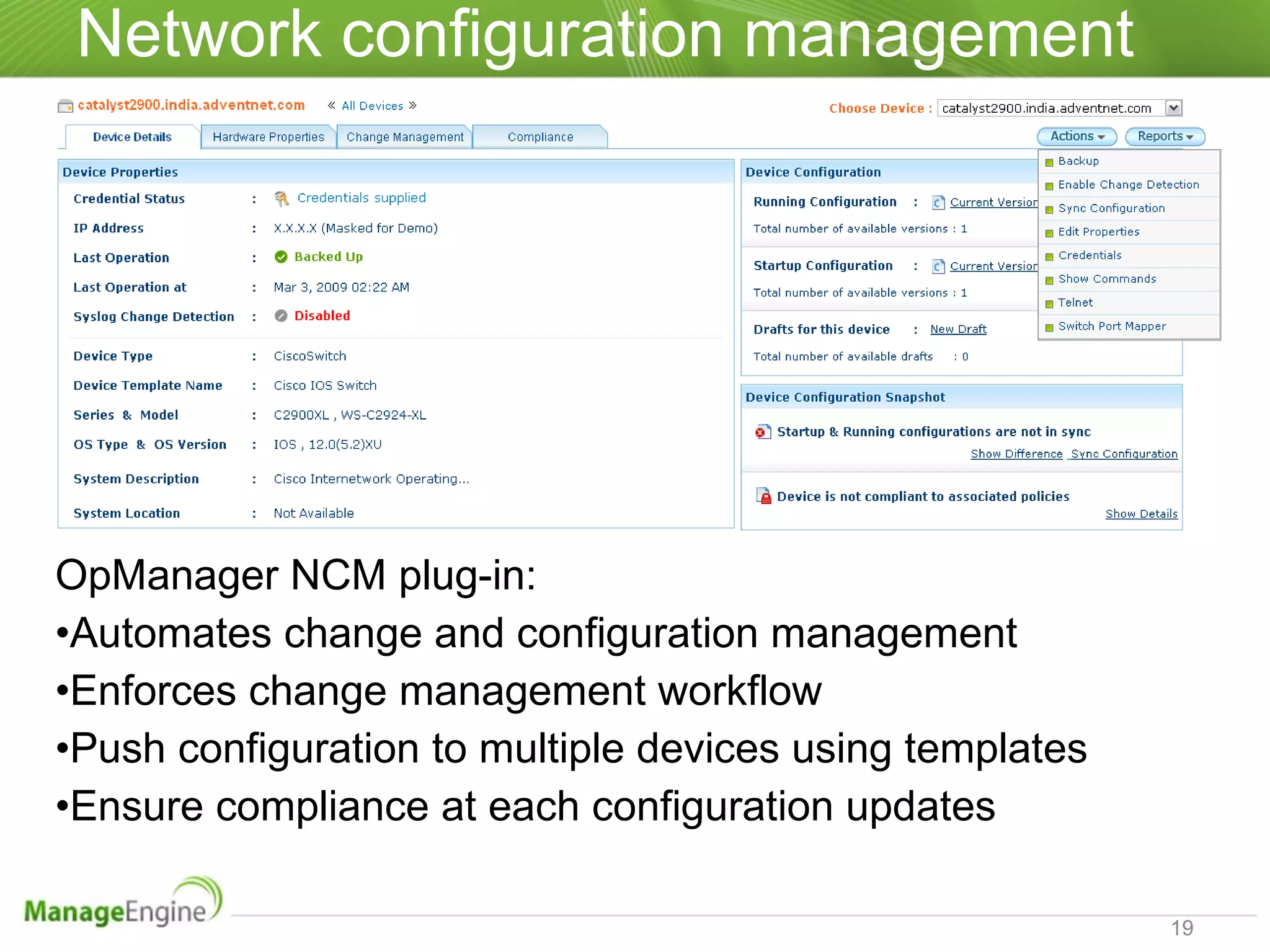
Network configuration management OpManager NCM plug-in: Automates change and configuration management Enforces change management workflow Push configuration to multiple devices using templates Ensure compliance at each configuration updates
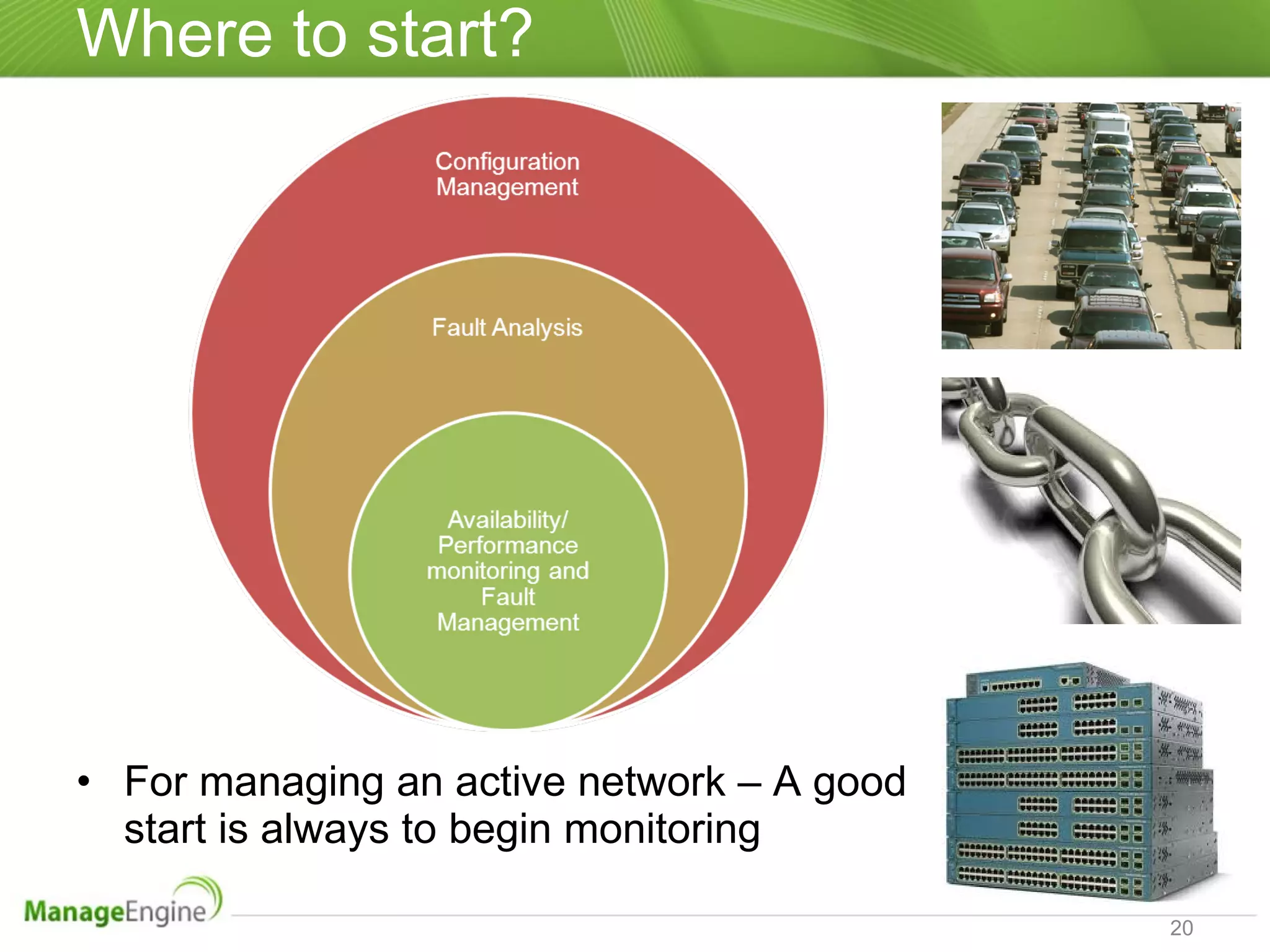
Where to start? For managing an active network – A good start is always to begin monitoring
Tons of features not talked about Automatic network discovery Layer 2/ Layer 3 Network Mapping Custom Maps Server Monitoring (Windows/ Linux/ UNIX flavor OSes) ESX VMware Monitoring MS Exchange, SQL and Active Directory Monitoring Service Monitoring, Process and File/ Folder monitoring Website monitoring Processing SNMP TRAPs, Syslogs & Event Log  Monitors any ping-able and SNMP enabled device Alerts through Email, SMS, TitterDM, RSS Feeds Smartphone GUI Customizable Dashboards & more… ManageEngine OpManager  is comprehensive, easy-to-use network monitoring & management software. For free trial visit - www.opmanager.com   For product demos -  Mail us at  [email_address]   Call at +1 888 720 9500
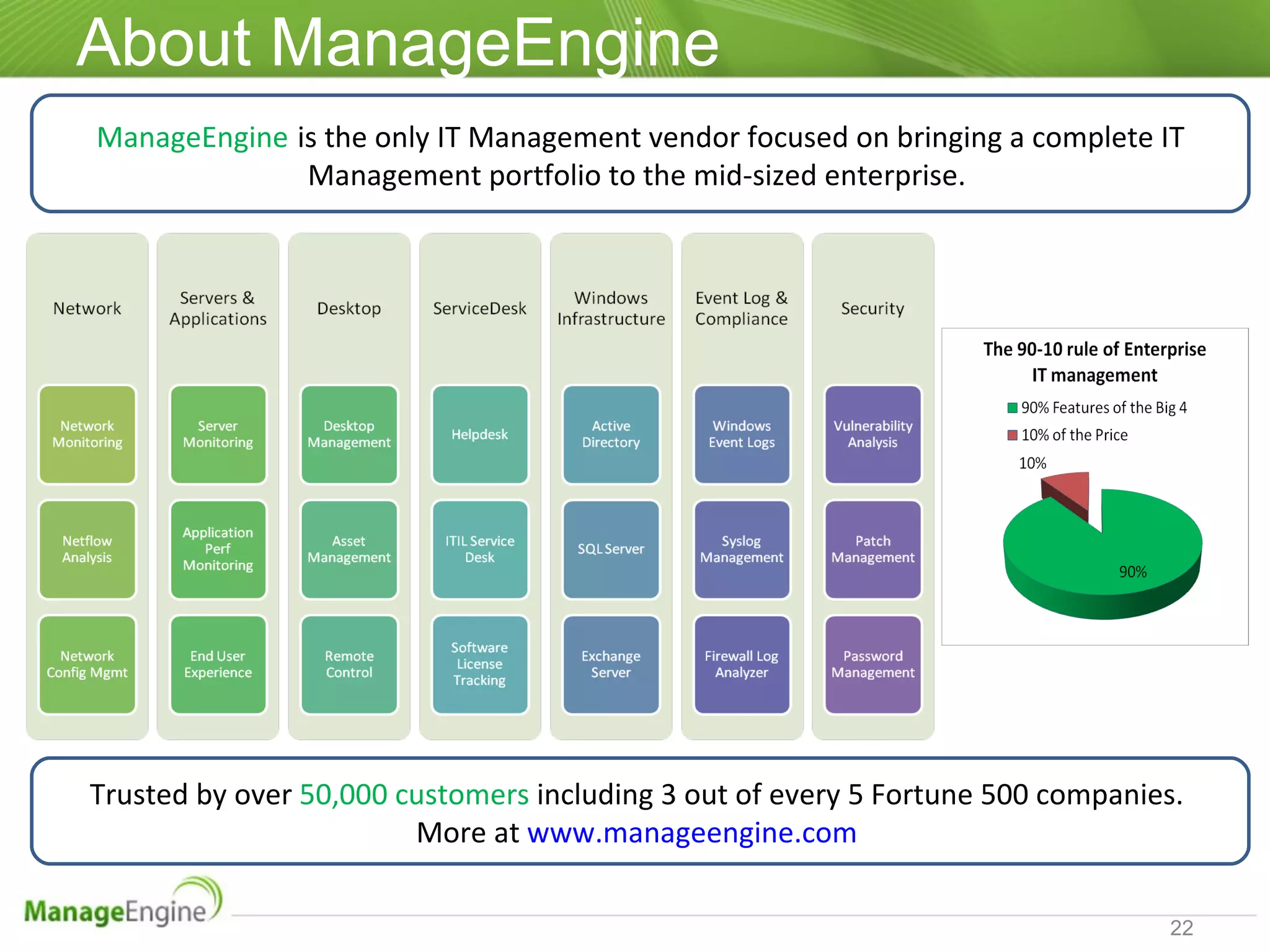
About ManageEngine ManageEngine   is the only IT Management vendor focused on bringing a complete IT Management portfolio to the mid-sized enterprise.  Trusted by over  50,000 customers  including 3 out of every 5 Fortune 500 companies.  More at  www.manageengine.com
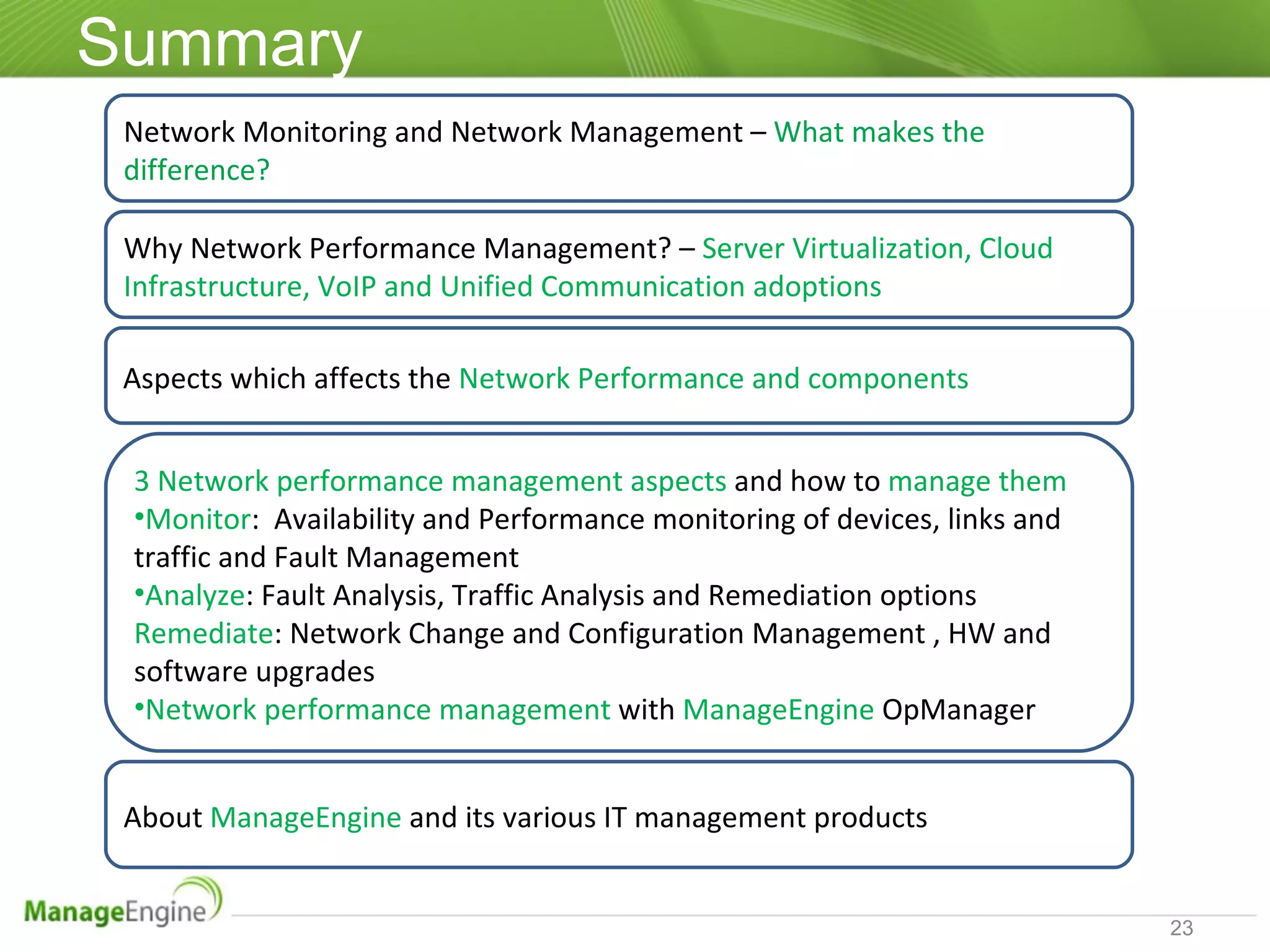
Summary Network Monitoring and Network Management –   What makes the difference? 3 Network performance management aspects  and how to  manage them Monitor :  Availability and Performance monitoring of devices, links and traffic and Fault Management Analyze : Fault Analysis, Traffic Analysis and Remediation options Remediate : Network Change and Configuration Management , HW and software upgrades Network performance management  with  ManageEngine  OpManager Aspects which affects the  Network Performance and components  About  ManageEngine  and its various IT management products Why Network Performance Management? –  Server Virtualization, Cloud Infrastructure, VoIP and Unified Communication adoptions
Questions? Thank you opmanager-marketing@ ManageEngine .com

The 3 aspects of network performance management

  • 1.
    www.opmanager.com ManageEngine The3 aspects of Network Performance Management
  • 2.
    Agenda Network ManagementVs Network monitoring Why network performance management? What affects the network performance? The 3 aspects of network performance management and how to manage them? Where to start? Q & A session
  • 3.
    Network management Vs.monitoring Monitoring helps you benchmark the performance. If not managed properly, the outcome will be constant You optimize the performance by managing Images courtesy 123rf.com Network Management: Planning, Designing, Provisioning, Operating, Administrating and Maintaining the network infrastructure Network Monitoring: Measures availability and performance of network infrastructure & reacts to operational faults
  • 4.
    Network management Vs.monitoring Network monitoring is a subset of Network Management Network performance: Monitoring helps you gauge Management helps you progress
  • 5.
    Why? Virtualization ofservers, desktops & storage Managing VLANs and IP addresses Bandwidth constraints Managing devices meant for virtualization purpose Question: "With respect to server virtualization, which of the following is your organization's biggest technical challenge?: (Jon Oltsik in NetworkWorld) 33%: Adds, moves, and changes in the network 27%: Provisioning/configuring VLANs 20%: Managing virtual switches 13%: Managing increasing network traffic 7%: Managing an increasing number of physical devices Ref: http://www.networkworld.com/community/blog/server-virtualization-complicates-network-man
  • 6.
    Why? VoIP/ Unifiedcommunications Bandwidth constraints Proliferation of branch offices and datacenters WAN connectivity and bandwidth management Increasing adoption of Cloud (Public/ Private) and Hosted apps Performance hiccups are directly pointed to network
  • 7.
    What affects thenetwork performance? Device/ Link availability Latency or delay Packet Loss and Retransmissions Errors and Discards Device starving for resources Bandwidth/ Traffic Configuration changes Device Link Traffic
  • 8.
    Components and Keyaspects Device Availability Overburdened device or Resource deficiency Configuration change Link/ Interface Availability Packet Loss/ Retransmission Errors/ Discards Latency Jitter, MOS for VoIP Infrastructure Traffic Utilization Unwarranted use or Resource shortage
  • 9.
    The 3 aspectsNetwork Performance Management
  • 10.
    Few good practices,tips and tricks Device Resource constraints Upgrade or share the load Check the resource usage trend on a routine basis Have standby mechanism in place, if it is a critical device Replace legacy device when you have some budget Use SNMP TRAP and Syslog processing tools Device Change & Configuration Management Do not share root password with every team member Backup configuration before initiating a change Automate change detection and configuration backup (Most Preferred) Ensure the startup and running configurations are in sync always Enforce change management workflow Use templates to push configuration to multiple devices Images courtesy Cisco.com
  • 11.
    Few good practices,tips and tricks Link/ Interface health hiccups Measure path-wise Round-Trip-Time (RTT) and spot which Hop induced maximum latency Avoid interfaces with too many errors and discards Use packet sniffing to analyze high Packet Loss and Retransmission situation Use redundant paths for high availability Images courtesy Cisco.com
  • 12.
    Few good practices,tips and tricks High utilization of traffic Implement QoS policies to avoid congestion and prioritize the business traffic and bandwidth hungry apps Regularize traffic usage by using Bandwidth throttling and capping (If possible) Schedule bulk traffic operations during off peak hours such as site-to-site backup operations Blacklist certain websites or provide least precedence to non-business traffic If you are Cisco shop leverage monitoring and management technologies such as NetFlow traffic analysis, NBAR, IP SLA, CBQoS If your devices support sFlow, J-Flow or IP FIX start leveraging them to analyze the traffic usage Images courtesy Cisco.com
  • 13.
    Network Performance ManagementUsing ManageEngine OpManager
  • 14.
    Network Performance MonitoringDevice/ Interface availability and health monitoring Supports over 500 network infrastructure devices Start monitoring them right away Device/ Interface templates: Includes various parameters to gauge device/ interface health & performance
  • 15.
    Network Performance MonitoringDevice availability and health monitoring A sample screenshot
  • 16.
    Network Performance MonitoringLink/ Interface availability & health monitoring A sample screenshot
  • 17.
    Network Performance MonitoringLink Latency, Jitter and MOS monitoring OpManager uses Cisco IP SLA A sample screenshot from WAN RTT and VoIP monitoring
  • 18.
    Bandwidth monitoring andTraffic Analysis OpManager NetFlow Plug-in: Flow based traffic analysis – Provides you Traffic IN and OUT Applications-wise traffic used Source and Destination-wise bandwidth consumed Top conversations IN and OUT DSCP and ToS Values Cisco Shops can leverage CBQoS and NBAR as well.
  • 19.
    Network configuration managementOpManager NCM plug-in: Automates change and configuration management Enforces change management workflow Push configuration to multiple devices using templates Ensure compliance at each configuration updates
  • 20.
    Where to start?For managing an active network – A good start is always to begin monitoring
  • 21.
    Tons of featuresnot talked about Automatic network discovery Layer 2/ Layer 3 Network Mapping Custom Maps Server Monitoring (Windows/ Linux/ UNIX flavor OSes) ESX VMware Monitoring MS Exchange, SQL and Active Directory Monitoring Service Monitoring, Process and File/ Folder monitoring Website monitoring Processing SNMP TRAPs, Syslogs & Event Log Monitors any ping-able and SNMP enabled device Alerts through Email, SMS, TitterDM, RSS Feeds Smartphone GUI Customizable Dashboards & more… ManageEngine OpManager is comprehensive, easy-to-use network monitoring & management software. For free trial visit - www.opmanager.com For product demos - Mail us at [email_address] Call at +1 888 720 9500
  • 22.
    About ManageEngine ManageEngine is the only IT Management vendor focused on bringing a complete IT Management portfolio to the mid-sized enterprise. Trusted by over 50,000 customers including 3 out of every 5 Fortune 500 companies. More at www.manageengine.com
  • 23.
    Summary Network Monitoringand Network Management – What makes the difference? 3 Network performance management aspects and how to manage them Monitor : Availability and Performance monitoring of devices, links and traffic and Fault Management Analyze : Fault Analysis, Traffic Analysis and Remediation options Remediate : Network Change and Configuration Management , HW and software upgrades Network performance management with ManageEngine OpManager Aspects which affects the Network Performance and components About ManageEngine and its various IT management products Why Network Performance Management? – Server Virtualization, Cloud Infrastructure, VoIP and Unified Communication adoptions
  • 24.
    Questions? Thank youopmanager-marketing@ ManageEngine .com

Editor's Notes

  • #10 All the 3 components of network performance has interlinked. Unnoticed Poor performance might impact the other component.
  • #19 IP Grouping in NFA – Use case Max out bandwidth – When is really a question? Is it during business hours or off-peak hours. NetFlix/ Online Radio
  • #22 ManageEngine OpManager is comprehensive, easy-to-use network monitoring & management software. For free 30 days trial visit - www.opmanager.com / For product demos - mail us at [email_address] / Call at +1 888 720 9500
  • #23 ManageEngine is the only IT Management vendor focused on bringing a complete IT Management portfolio to the mid-sized enterprise. Trusted by over 50,000 customers including 3 out of every 5 fortune 500 companies. More at www.manageengine.com