2017 ISRD
TECHNOLOGY
What Do You Believe?
Academic Supports
Handout
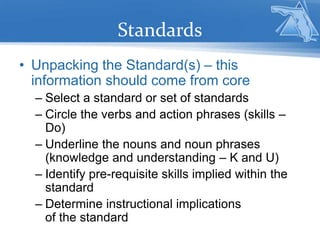
Standards
• Unpacking the Standard(s) – this
information should come from core
– Select a standard or set of standards
– Circle the verbs and action phrases (skills –
Do)
– Underline the nouns and noun phrases
(knowledge and understanding – K and U)
– Identify pre-requisite skills implied within the
standard
– Determine instructional implications
of the standard
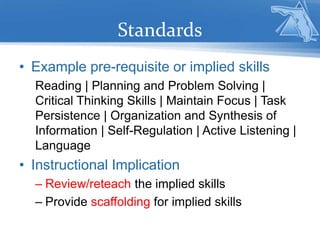
Standards
• Example pre-requisite or implied skills
Reading | Planning and Problem Solving |
Critical Thinking Skills | Maintain Focus | Task
Persistence | Organization and Synthesis of
Information | Self-Regulation | Active Listening |
Language
• Instructional Implication
– Review/reteach the implied skills
– Provide scaffolding for implied skills
Cognition & Neurology
Neurological, or cognitive, processes
(such as memory) can impact
engagement, learning, and achievement.
Students differ widely in their cognitive
processing skills.
Can This Make a Difference?
Information Mapping
• Pass out first business letter.
• Do not open the letter until instructed.
• Time the response.
• Pass out second business letter.
• Do not open the letter until instructed.
• Time the response.
Cognition – Input (visual/auditory)
• Recognizing size, shape, and placement
of text
• Recognizing line and paragraph
typography
• Distinguishing subtle differences in sounds
• Distinguishing figure and background
sounds
Instructional Scaffolds
• Input
– Reading/focus guides
– Fonts and font sizes
– Spacing between words, lines and
paragraphs
– Visually organizing text with
highlighters, comments, and
stamps
– Graph paper
– Text-to-speech
– Personal FM systems
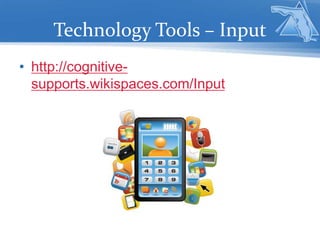
Technology Tools – Input
• http://cognitive-
supports.wikispaces.com/Input
Cognition – Integration
• Sequencing
– Ordering and sequencing information
– Organizing and relating information
• Abstraction
– Inferring meaning
– Generalizing a text
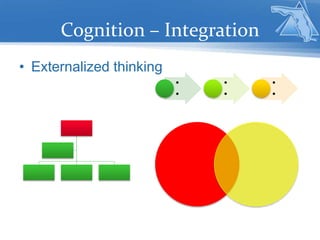
Cognition – Integration
• Externalized thinking
•
•
•
•
•
•
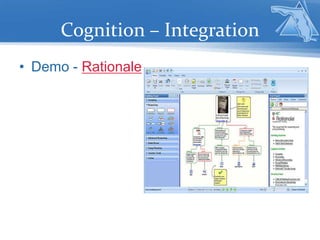
Cognition – Integration
• Demo - Rationale
Instructional Scaffolds
• Integration
– Graphic organizers
– Concept maps
– Mind maps
– Timelines
– Outlines
Technology Tools – Integration
• http://cognitive-
supports.wikispaces.com/Integration
Cognition – Memory
– Short-term memory
– Long-term memory
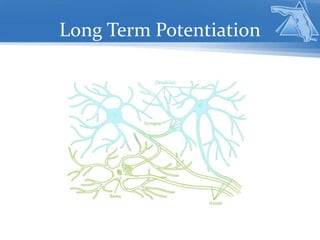
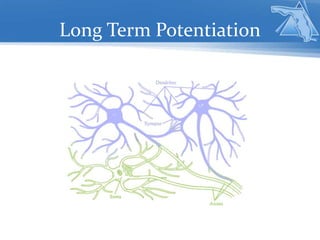
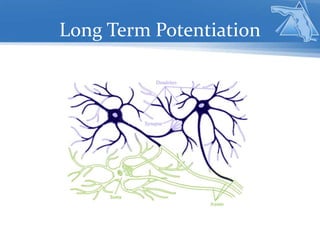
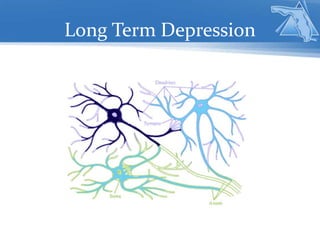
– Engrams
– Long-term potentiation
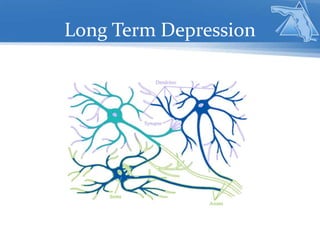
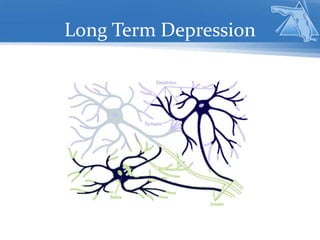
– Long-term depression
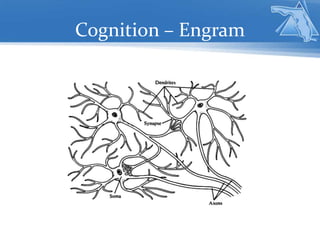
Cognition – Engram
Long Term Potentiation
Long Term Depression
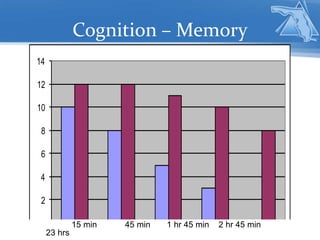
Cognition – Memory
0
2
4
6
8
10
12
14
15 min 45 min 1 hr 45 min 2 hr 45 min
23 hrs
Instructional Scaffolds
• Memory
– Multiple text processing
– Comparing/contrasting
– Spread information across
multiple media
– Self-selecting icons or
graphics (and sharing)
– Notebooks / Journals
– Review schedules
Technology Tools – Memory
• http://cognitive-
supports.wikispaces.com/Memory
Cognition – Output
• Spontaneous language
– Self-selecting subject and related information
– Organizing information and thoughts
• Demand language
– Selecting related information
– Organizing information and thoughts
Instructional Scaffolds
• Output
– Guided discussion questions
– Cue cards
– Graphic organizers
– Written notes with main
points highlighted
– Extra time to prepare
responses (with specific
strategies)
Technology Tools – Output
• http://cognitive-
supports.wikispaces.com/Output
Scaffold Integration
All of these types of scaffolds are most effective
when used in conjunction with each other. For
example, a student may be taught a strategy or
system for highlighting and visually marking complex
text. The text that was highlighted and marked may
then be used to fill out a graphic organizer, concept
map, timeline, etc. Further processing could include
illustrating some of the information on the graphic
organizer. That graphic organizer could then become
a discussion support tool.
Reflection
• What affirms what you already
know?
• What makes you uncomfortable or
would require additional
discussion with colleagues?
• What could result in changing a
way of work or changing a
process?

ISRD Technology

  • 1.
  • 2.
    What Do YouBelieve? Academic Supports Handout
  • 3.
    Standards • Unpacking theStandard(s) – this information should come from core – Select a standard or set of standards – Circle the verbs and action phrases (skills – Do) – Underline the nouns and noun phrases (knowledge and understanding – K and U) – Identify pre-requisite skills implied within the standard – Determine instructional implications of the standard
  • 4.
    Standards • Example pre-requisiteor implied skills Reading | Planning and Problem Solving | Critical Thinking Skills | Maintain Focus | Task Persistence | Organization and Synthesis of Information | Self-Regulation | Active Listening | Language • Instructional Implication – Review/reteach the implied skills – Provide scaffolding for implied skills
  • 5.
    Cognition & Neurology Neurological,or cognitive, processes (such as memory) can impact engagement, learning, and achievement. Students differ widely in their cognitive processing skills.
  • 6.
    Can This Makea Difference?
  • 7.
    Information Mapping • Passout first business letter. • Do not open the letter until instructed. • Time the response. • Pass out second business letter. • Do not open the letter until instructed. • Time the response.
  • 8.
    Cognition – Input(visual/auditory) • Recognizing size, shape, and placement of text • Recognizing line and paragraph typography • Distinguishing subtle differences in sounds • Distinguishing figure and background sounds
  • 9.
    Instructional Scaffolds • Input –Reading/focus guides – Fonts and font sizes – Spacing between words, lines and paragraphs – Visually organizing text with highlighters, comments, and stamps – Graph paper – Text-to-speech – Personal FM systems
  • 10.
    Technology Tools –Input • http://cognitive- supports.wikispaces.com/Input
  • 11.
    Cognition – Integration •Sequencing – Ordering and sequencing information – Organizing and relating information • Abstraction – Inferring meaning – Generalizing a text
  • 12.
    Cognition – Integration •Externalized thinking • • • • • •
  • 13.
  • 14.
    Instructional Scaffolds • Integration –Graphic organizers – Concept maps – Mind maps – Timelines – Outlines
  • 15.
    Technology Tools –Integration • http://cognitive- supports.wikispaces.com/Integration
  • 16.
    Cognition – Memory –Short-term memory – Long-term memory – Engrams – Long-term potentiation – Long-term depression
  • 17.
  • 18.
  • 19.
  • 20.
  • 21.
  • 22.
  • 23.
  • 24.
    Cognition – Memory 0 2 4 6 8 10 12 14 15min 45 min 1 hr 45 min 2 hr 45 min 23 hrs
  • 25.
    Instructional Scaffolds • Memory –Multiple text processing – Comparing/contrasting – Spread information across multiple media – Self-selecting icons or graphics (and sharing) – Notebooks / Journals – Review schedules
  • 26.
    Technology Tools –Memory • http://cognitive- supports.wikispaces.com/Memory
  • 27.
    Cognition – Output •Spontaneous language – Self-selecting subject and related information – Organizing information and thoughts • Demand language – Selecting related information – Organizing information and thoughts
  • 28.
    Instructional Scaffolds • Output –Guided discussion questions – Cue cards – Graphic organizers – Written notes with main points highlighted – Extra time to prepare responses (with specific strategies)
  • 29.
    Technology Tools –Output • http://cognitive- supports.wikispaces.com/Output
  • 30.
    Scaffold Integration All ofthese types of scaffolds are most effective when used in conjunction with each other. For example, a student may be taught a strategy or system for highlighting and visually marking complex text. The text that was highlighted and marked may then be used to fill out a graphic organizer, concept map, timeline, etc. Further processing could include illustrating some of the information on the graphic organizer. That graphic organizer could then become a discussion support tool.
  • 31.
    Reflection • What affirmswhat you already know? • What makes you uncomfortable or would require additional discussion with colleagues? • What could result in changing a way of work or changing a process?