Intensive
Intervention
Day 3
flmtss-day3.wikispaces.com
Please go ahead and get online
and go to today’s wiki
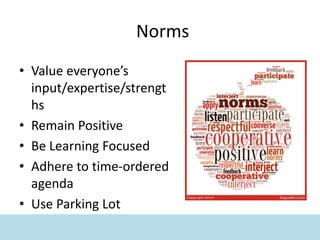
Norms
• Value everyone’s
input/expertise/strengt
hs
• Remain Positive
• Be Learning Focused
• Adhere to time-ordered
agenda
• Use Parking Lot
Getting Ready
• Getting online
• Puffin Browser
• Accessing the Wiki
flmtss-day3.wikispaces.com
• Testing web-based tools – Vacations
• Review Wiki and handouts
Goals & Objectives
• gain awareness of a continuum of supports
that address high probability and high
intensity barriers to student engagement and
learning
• problem-solve barriers to intensive
intervention design and implementation
• increase recognition of the critical
infrastructure necessary to support Tier 3
intervention design and implementation
Goals & Objectives
• determine how to provide intervention support
matched to students’ needs
• identify technology to reduce barriers to intensive
intervention and provide access to instruction
• apply skills to design and deliver effective Tier 3
intervention, integrated and aligned with core
instruction
• engage in action planning to support intervention
across a continuum
Day 2 Review
• Intensive Interventions
• Alignment to Core Instruction
• Level of Intensity
• Qualitative vs. Quantitative
• Generalizable Supports
• Problem Solving
• Strategies & Supports Matched to Student Need
• Instructional/Intervention Fidelity
Day 2 Review
• Table Discussion
– What top thoughts or
ideas did you take away
from Day 2?
• List top thoughts on the
Day 2 Review padlet
• Group Sharing
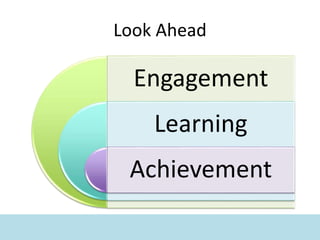
Look Ahead
Engagement
Learning
Achievement
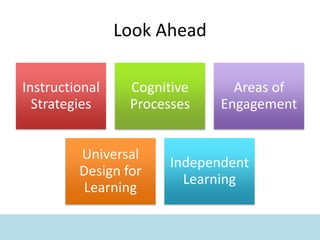
Look Ahead
Instructional
Strategies
Cognitive
Processes
Areas of
Engagement
Universal
Design for
Learning
Independent
Learning
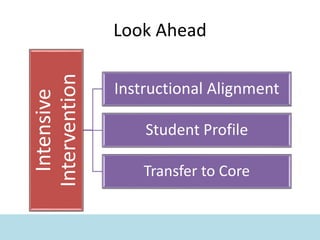
Look Ahead
Intensive
Intervention
Instructional Alignment
Student Profile
Transfer to Core
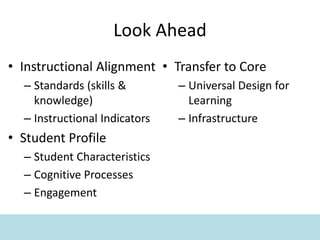
Look Ahead
• Instructional Alignment
– Standards (skills &
knowledge)
– Instructional Indicators
• Student Profile
– Student Characteristics
– Cognitive Processes
– Engagement
• Transfer to Core
– Universal Design for
Learning
– Infrastructure
Where are you now?
• Table Discussion
– What types of data do you
currently review when
problem solving intensive
intervention needs?
• List examples of the data
you review on the Problem
Solving Data padlet
• Group Sharing
What Do You Believe?
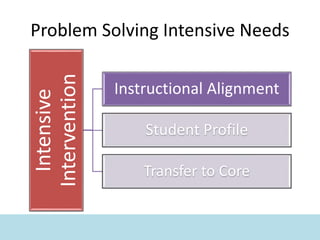
Problem Solving Intensive Needs
Intensive
Intervention
Instructional Alignment
Student Profile
Transfer to Core
Standards
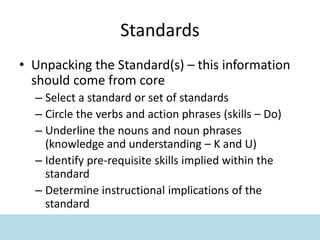
• Unpacking the Standard(s) – this information
should come from core
– Select a standard or set of standards
– Circle the verbs and action phrases (skills – Do)
– Underline the nouns and noun phrases
(knowledge and understanding – K and U)
– Identify pre-requisite skills implied within the
standard
– Determine instructional implications of the
standard
Standards
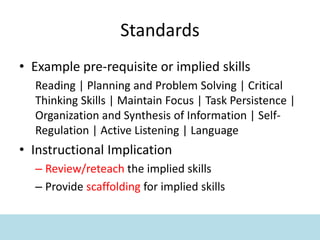
• Example pre-requisite or implied skills
Reading | Planning and Problem Solving | Critical
Thinking Skills | Maintain Focus | Task Persistence |
Organization and Synthesis of Information | Self-
Regulation | Active Listening | Language
• Instructional Implication
– Review/reteach the implied skills
– Provide scaffolding for implied skills
Standards
• Table Discussion
– How are you currently
identifying and addressing
implied skills?
• Group Sharing
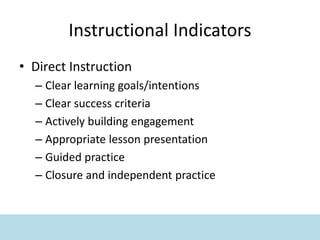
Instructional Indicators
• Direct Instruction
– Clear learning goals/intentions
– Clear success criteria
– Actively building engagement
– Appropriate lesson presentation
– Guided practice
– Closure and independent practice
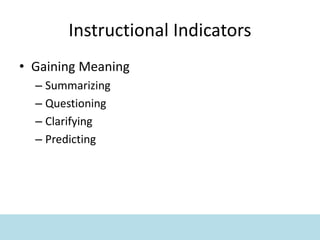
Instructional Indicators
• Gaining Meaning
– Summarizing
– Questioning
– Clarifying
– Predicting
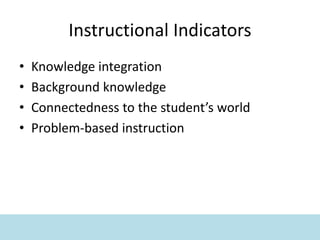
Instructional Indicators
• Knowledge integration
• Background knowledge
• Connectedness to the student’s world
• Problem-based instruction
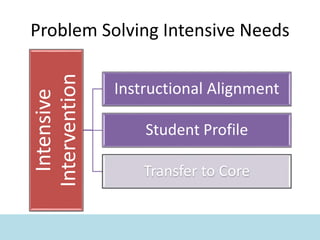
Problem Solving Intensive Needs
Intensive
Intervention
Instructional Alignment
Student Profile
Transfer to Core
Student Characteristics
• Self-efficacy | the confidence that we can
learn
• Self-handicapping | choosing obstacles to
avoid failure
• Self-motivation | ratio of intrinsic and
extrinsic motivation
• Self-goals | master, performance, and social
goals
Student Characteristics
• Self-dependence | being dependent on adults
for directions, goals, help, etc.
• Self-discounting | believing positive feedback
is invalid
• Hopelessness | feeling like there is no point in
trying
• Social Comparison | self-image is based on a
comparison with others
Student Characteristics
• Table Discussion
– Brainstorm ideas to
address student
characteristics such as
hopelessness or self-
handicapping behaviors
• List ideas on the Student
Characteristics padlet
• Group sharing
Student Characteristics
• Action Research - Algebra Study
– Flexible Testing
– 20 questions covering a range of difficulty
– Students select five to answer
Cognition & Neurology
Neurological, or cognitive, processes (such as
memory) can impact engagement, learning,
and achievement. Students differ widely in
their cognitive processing skills.
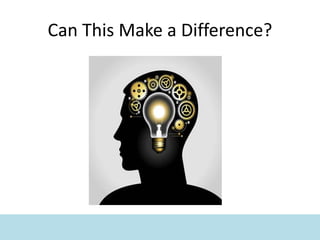
Can This Make a Difference?
Cognition – Input (visual/auditory)
• Recognizing size, shape, and placement of text
• Recognizing line and paragraph typography
• Distinguishing subtle differences in sounds
• Distinguishing figure and background sounds
Cognition – Input (visual/auditory)
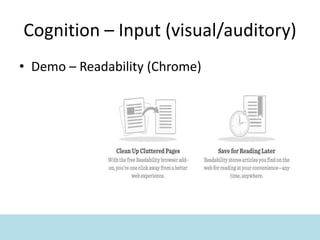
• Demo – Readability (Chrome)
Cognition – Integration
• Sequencing
– Ordering and sequencing information
– Organizing and relating information
• Abstraction
– Inferring meaning
– Generalizing a text
Cognition – Integration
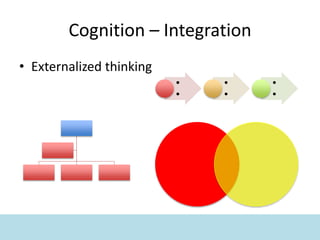
• Externalized thinking
•
•
•
•
•
•
Cognition – Integration
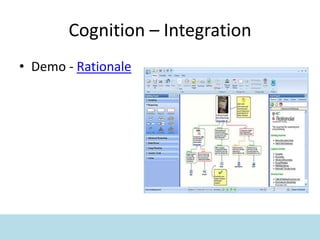
• Demo - Rationale
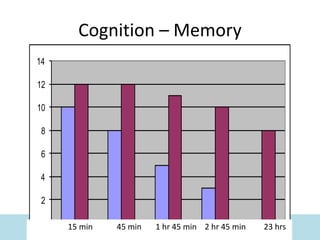
Cognition – Memory
– Short-term memory
– Long-term memory
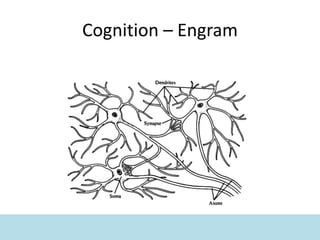
– Engrams
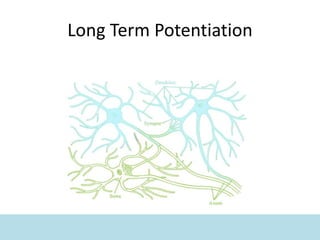
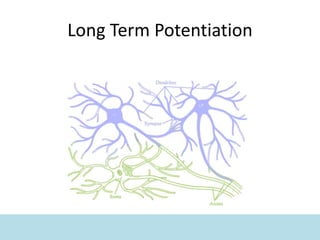
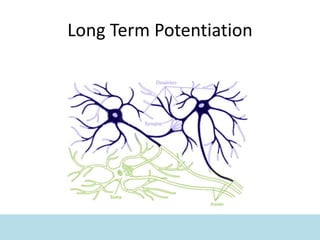
– Long-term potentiation
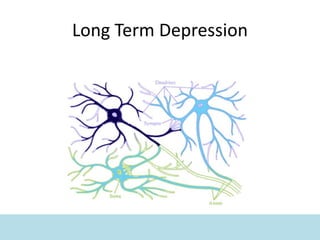
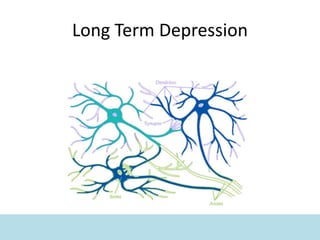
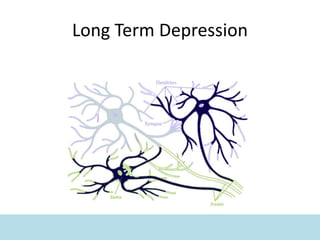
– Long-term depression
Cognition – Engram
Long Term Potentiation
Long Term Depression
Cognition – Memory
0
2
4
6
8
10
12
14
15 min 45 min 1 hr 45 min 2 hr 45 min 23 hrs
Cognition – Output
• Spontaneous language
– Self-selecting subject and related information
– Organizing information and thoughts
• Demand language
– Selecting related information
– Organizing information and thoughts
Cognition – Output
• Demo – Demand speech
Instructional Scaffolds
• Input
– Reading/focus guides
– Fonts and font sizes
– Spacing between words, lines and
paragraphs
– Visually organizing text with
highlighters, comments, and stamps
– Graph paper
– Text-to-speech
– Personal FM systems
Technology Tools – Input
Instructional Scaffolds
• Integration
– Graphic organizers
– Concept maps
– Mind maps
– Timelines
– Outlines
Technology Tools – Integration
Instructional Scaffolds
• Memory
– Multiple text processing
– Comparing/contrasting
– Spread information across
multiple media
– Self-selecting icons or graphics
(and sharing)
– Notebooks / Journals
– Review schedules
Technology Tools – Memory
Instructional Scaffolds
• Output
– Guided discussion questions
– Cue cards
– Graphic organizers
– Written notes with main points
highlighted
– Extra time to prepare responses
(with specific strategies)
Technology Tools – Output
Scaffold Integration
All of these types of scaffolds are most effective when
used in conjunction with each other. For example, a
student may be taught a strategy or system for
highlighting and visually marking complex text. The text
that was highlighted and marked may then be used to fill
out a graphic organizer, concept map, timeline, etc.
Further processing could include illustrating some of the
information on the graphic organizer. That graphic
organizer could then become a discussion support tool.
Adjusting Cognitive Loads
• Standards
• Identifying critical skills
• Finding the range of success
• Increasing complexity
Cognition
• Table Discussion
– How does the
consideration of cognitive
processes currently fit in
your intensive
intervention services?
How are you using
instructional scaffolding
for individuals at Tier 3?
Engagement
As students invest in learning they
can increase achievement within a
lesson, across curricula, and across
tiers of instruction.
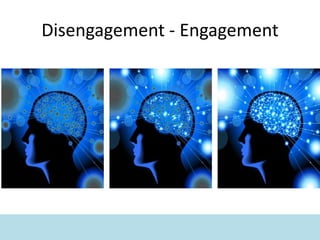
Disengagement - Engagement
Areas of Engagement
• Engagement has been shown to decline as
students move from elementary to middle to
high school.
• Some studies report that 40 to 60 percent of
students are disengaged by high school.
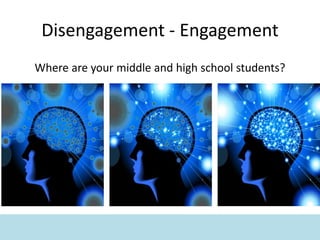
Disengagement - Engagement
Where are your middle and high school students?
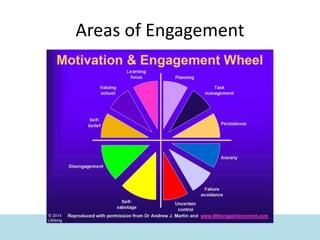
Areas of Engagement
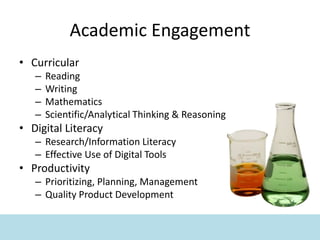
Academic Engagement
• Curricular
– Reading
– Writing
– Mathematics
– Scientific/Analytical Thinking & Reasoning
• Digital Literacy
– Research/Information Literacy
– Effective Use of Digital Tools
• Productivity
– Prioritizing, Planning, Management
– Quality Product Development
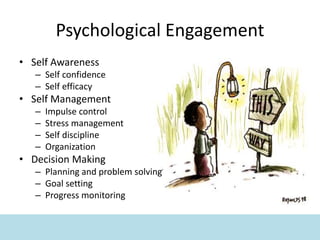
Psychological Engagement
• Self Awareness
– Self confidence
– Self efficacy
• Self Management
– Impulse control
– Stress management
– Self discipline
– Organization
• Decision Making
– Planning and problem solving
– Goal setting
– Progress monitoring
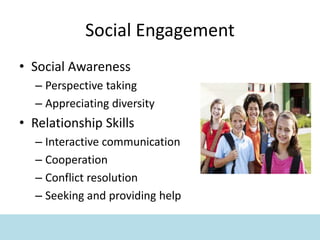
Social Engagement
• Social Awareness
– Perspective taking
– Appreciating diversity
• Relationship Skills
– Interactive communication
– Cooperation
– Conflict resolution
– Seeking and providing help
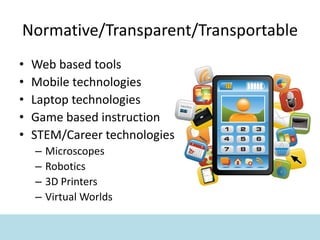
Normative/Transparent/Transportable
• Web based tools
• Mobile technologies
• Laptop technologies
• Game based instruction
• STEM/Career technologies
– Microscopes
– Robotics
– 3D Printers
– Virtual Worlds
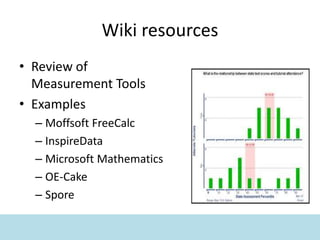
Wiki resources
• Review of
Measurement Tools
• Examples
– Moffsoft FreeCalc
– InspireData
– Microsoft Mathematics
– OE-Cake
– Spore
Technology Tools
Engagement
• Table Discussion
– How does the
consideration of various
areas of engagement
currently fit in your
intensive intervention
services? How are you
increasing student
investment?
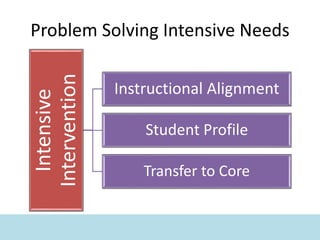
Problem Solving Intensive Needs
Intensive
Intervention
Instructional Alignment
Student Profile
Transfer to Core
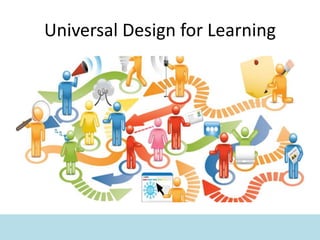
Universal Design for Learning
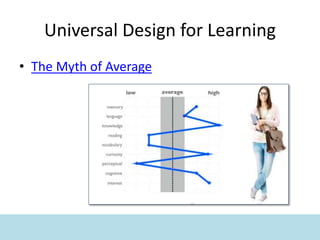
• The Myth of Average
Universal Design for Learning
• Options for Engagement
• Options for Representation
• Options for Expression
– Review links in wiki
Independent Learning Skills
The more a student can
independently customize a variety
of technology tools and strategies
to solve problems, the more that
student can problem solve barriers
to achievement.
Upside Down
Upside Down
Upside Down
Independent Learning Behaviors
• Self progress monitoring
• Goal setting
• Time management
• Task persistence
• Organization of instructional materials and work
• Self selection of problem solving and learning
tools and resources
• Self assessment of tools and resources
Independent Learners
• Table Discussion
– How are you currently
teaching and supporting
students with intensive
needs to be independent
learners? Do your
students participate in
problem solving their
learning needs?
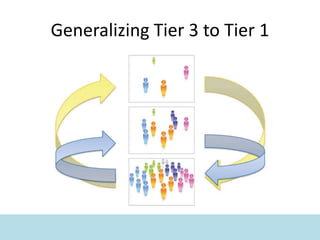
Generalizing Tier 3 to Tier 1
Using Tools
The more a student can self-customize a variety
of tools and strategies, the more intelligent that
student will be perceived, and the more
intelligent that student will be.
Using Tools
The more a teacher can self-customize a variety
of tools and strategies, the more professional
that teacher will be perceived, and the more
professional that teacher will be.
Using Tools
The more a school can self-customize a variety
of tools and strategies, the more successful that
school will be perceived, and the more
successful that school will be.
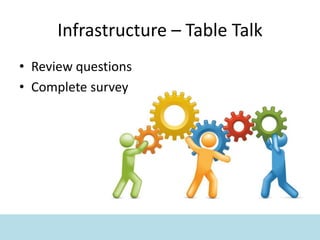
Infrastructure – Table Talk
• Review questions
• Complete survey
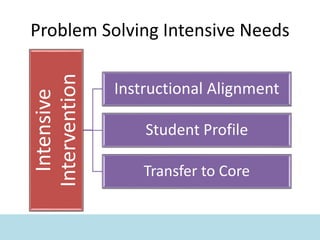
Problem Solving Intensive Needs
Intensive
Intervention
Instructional Alignment
Student Profile
Transfer to Core
Closing
• Wrap-up
– Recap with handout
– Review of Parking Lot
• Day 4/5 News
• Evaluation

Day 3 Problem Solving Intensive Intervention

  • 1.
    Intensive Intervention Day 3 flmtss-day3.wikispaces.com Please goahead and get online and go to today’s wiki
  • 2.
    Norms • Value everyone’s input/expertise/strengt hs •Remain Positive • Be Learning Focused • Adhere to time-ordered agenda • Use Parking Lot
  • 3.
    Getting Ready • Gettingonline • Puffin Browser • Accessing the Wiki flmtss-day3.wikispaces.com • Testing web-based tools – Vacations • Review Wiki and handouts
  • 4.
    Goals & Objectives •gain awareness of a continuum of supports that address high probability and high intensity barriers to student engagement and learning • problem-solve barriers to intensive intervention design and implementation • increase recognition of the critical infrastructure necessary to support Tier 3 intervention design and implementation
  • 5.
    Goals & Objectives •determine how to provide intervention support matched to students’ needs • identify technology to reduce barriers to intensive intervention and provide access to instruction • apply skills to design and deliver effective Tier 3 intervention, integrated and aligned with core instruction • engage in action planning to support intervention across a continuum
  • 6.
    Day 2 Review •Intensive Interventions • Alignment to Core Instruction • Level of Intensity • Qualitative vs. Quantitative • Generalizable Supports • Problem Solving • Strategies & Supports Matched to Student Need • Instructional/Intervention Fidelity
  • 7.
    Day 2 Review •Table Discussion – What top thoughts or ideas did you take away from Day 2? • List top thoughts on the Day 2 Review padlet • Group Sharing
  • 8.
  • 9.
  • 10.
  • 11.
    Look Ahead • InstructionalAlignment – Standards (skills & knowledge) – Instructional Indicators • Student Profile – Student Characteristics – Cognitive Processes – Engagement • Transfer to Core – Universal Design for Learning – Infrastructure
  • 12.
    Where are younow? • Table Discussion – What types of data do you currently review when problem solving intensive intervention needs? • List examples of the data you review on the Problem Solving Data padlet • Group Sharing
  • 13.
    What Do YouBelieve?
  • 14.
    What Do YouBelieve?
  • 15.
    What Do YouBelieve?
  • 16.
    Problem Solving IntensiveNeeds Intensive Intervention Instructional Alignment Student Profile Transfer to Core
  • 17.
    Standards • Unpacking theStandard(s) – this information should come from core – Select a standard or set of standards – Circle the verbs and action phrases (skills – Do) – Underline the nouns and noun phrases (knowledge and understanding – K and U) – Identify pre-requisite skills implied within the standard – Determine instructional implications of the standard
  • 18.
    Standards • Example pre-requisiteor implied skills Reading | Planning and Problem Solving | Critical Thinking Skills | Maintain Focus | Task Persistence | Organization and Synthesis of Information | Self- Regulation | Active Listening | Language • Instructional Implication – Review/reteach the implied skills – Provide scaffolding for implied skills
  • 19.
    Standards • Table Discussion –How are you currently identifying and addressing implied skills? • Group Sharing
  • 20.
    Instructional Indicators • DirectInstruction – Clear learning goals/intentions – Clear success criteria – Actively building engagement – Appropriate lesson presentation – Guided practice – Closure and independent practice
  • 21.
    Instructional Indicators • GainingMeaning – Summarizing – Questioning – Clarifying – Predicting
  • 22.
    Instructional Indicators • Knowledgeintegration • Background knowledge • Connectedness to the student’s world • Problem-based instruction
  • 23.
    Problem Solving IntensiveNeeds Intensive Intervention Instructional Alignment Student Profile Transfer to Core
  • 24.
    Student Characteristics • Self-efficacy| the confidence that we can learn • Self-handicapping | choosing obstacles to avoid failure • Self-motivation | ratio of intrinsic and extrinsic motivation • Self-goals | master, performance, and social goals
  • 25.
    Student Characteristics • Self-dependence| being dependent on adults for directions, goals, help, etc. • Self-discounting | believing positive feedback is invalid • Hopelessness | feeling like there is no point in trying • Social Comparison | self-image is based on a comparison with others
  • 26.
    Student Characteristics • TableDiscussion – Brainstorm ideas to address student characteristics such as hopelessness or self- handicapping behaviors • List ideas on the Student Characteristics padlet • Group sharing
  • 27.
    Student Characteristics • ActionResearch - Algebra Study – Flexible Testing – 20 questions covering a range of difficulty – Students select five to answer
  • 28.
    Cognition & Neurology Neurological,or cognitive, processes (such as memory) can impact engagement, learning, and achievement. Students differ widely in their cognitive processing skills.
  • 29.
    Can This Makea Difference?
  • 30.
    Cognition – Input(visual/auditory) • Recognizing size, shape, and placement of text • Recognizing line and paragraph typography • Distinguishing subtle differences in sounds • Distinguishing figure and background sounds
  • 31.
    Cognition – Input(visual/auditory) • Demo – Readability (Chrome)
  • 32.
    Cognition – Integration •Sequencing – Ordering and sequencing information – Organizing and relating information • Abstraction – Inferring meaning – Generalizing a text
  • 33.
    Cognition – Integration •Externalized thinking • • • • • •
  • 34.
  • 35.
    Cognition – Memory –Short-term memory – Long-term memory – Engrams – Long-term potentiation – Long-term depression
  • 36.
  • 37.
  • 38.
  • 39.
  • 40.
  • 41.
  • 42.
  • 43.
    Cognition – Memory 0 2 4 6 8 10 12 14 15min 45 min 1 hr 45 min 2 hr 45 min 23 hrs
  • 44.
    Cognition – Output •Spontaneous language – Self-selecting subject and related information – Organizing information and thoughts • Demand language – Selecting related information – Organizing information and thoughts
  • 45.
    Cognition – Output •Demo – Demand speech
  • 46.
    Instructional Scaffolds • Input –Reading/focus guides – Fonts and font sizes – Spacing between words, lines and paragraphs – Visually organizing text with highlighters, comments, and stamps – Graph paper – Text-to-speech – Personal FM systems
  • 47.
  • 48.
    Instructional Scaffolds • Integration –Graphic organizers – Concept maps – Mind maps – Timelines – Outlines
  • 49.
  • 50.
    Instructional Scaffolds • Memory –Multiple text processing – Comparing/contrasting – Spread information across multiple media – Self-selecting icons or graphics (and sharing) – Notebooks / Journals – Review schedules
  • 51.
  • 52.
    Instructional Scaffolds • Output –Guided discussion questions – Cue cards – Graphic organizers – Written notes with main points highlighted – Extra time to prepare responses (with specific strategies)
  • 53.
  • 54.
    Scaffold Integration All ofthese types of scaffolds are most effective when used in conjunction with each other. For example, a student may be taught a strategy or system for highlighting and visually marking complex text. The text that was highlighted and marked may then be used to fill out a graphic organizer, concept map, timeline, etc. Further processing could include illustrating some of the information on the graphic organizer. That graphic organizer could then become a discussion support tool.
  • 55.
    Adjusting Cognitive Loads •Standards • Identifying critical skills • Finding the range of success • Increasing complexity
  • 56.
    Cognition • Table Discussion –How does the consideration of cognitive processes currently fit in your intensive intervention services? How are you using instructional scaffolding for individuals at Tier 3?
  • 57.
    Engagement As students investin learning they can increase achievement within a lesson, across curricula, and across tiers of instruction.
  • 58.
  • 59.
    Areas of Engagement •Engagement has been shown to decline as students move from elementary to middle to high school. • Some studies report that 40 to 60 percent of students are disengaged by high school.
  • 60.
    Disengagement - Engagement Whereare your middle and high school students?
  • 61.
  • 62.
    Academic Engagement • Curricular –Reading – Writing – Mathematics – Scientific/Analytical Thinking & Reasoning • Digital Literacy – Research/Information Literacy – Effective Use of Digital Tools • Productivity – Prioritizing, Planning, Management – Quality Product Development
  • 63.
    Psychological Engagement • SelfAwareness – Self confidence – Self efficacy • Self Management – Impulse control – Stress management – Self discipline – Organization • Decision Making – Planning and problem solving – Goal setting – Progress monitoring
  • 64.
    Social Engagement • SocialAwareness – Perspective taking – Appreciating diversity • Relationship Skills – Interactive communication – Cooperation – Conflict resolution – Seeking and providing help
  • 65.
    Normative/Transparent/Transportable • Web basedtools • Mobile technologies • Laptop technologies • Game based instruction • STEM/Career technologies – Microscopes – Robotics – 3D Printers – Virtual Worlds
  • 66.
    Wiki resources • Reviewof Measurement Tools • Examples – Moffsoft FreeCalc – InspireData – Microsoft Mathematics – OE-Cake – Spore
  • 67.
  • 68.
    Engagement • Table Discussion –How does the consideration of various areas of engagement currently fit in your intensive intervention services? How are you increasing student investment?
  • 69.
    Problem Solving IntensiveNeeds Intensive Intervention Instructional Alignment Student Profile Transfer to Core
  • 70.
  • 71.
    Universal Design forLearning • The Myth of Average
  • 72.
    Universal Design forLearning • Options for Engagement • Options for Representation • Options for Expression – Review links in wiki
  • 73.
    Independent Learning Skills Themore a student can independently customize a variety of technology tools and strategies to solve problems, the more that student can problem solve barriers to achievement.
  • 74.
  • 75.
  • 76.
  • 77.
    Independent Learning Behaviors •Self progress monitoring • Goal setting • Time management • Task persistence • Organization of instructional materials and work • Self selection of problem solving and learning tools and resources • Self assessment of tools and resources
  • 78.
    Independent Learners • TableDiscussion – How are you currently teaching and supporting students with intensive needs to be independent learners? Do your students participate in problem solving their learning needs?
  • 79.
  • 80.
    Using Tools The morea student can self-customize a variety of tools and strategies, the more intelligent that student will be perceived, and the more intelligent that student will be.
  • 81.
    Using Tools The morea teacher can self-customize a variety of tools and strategies, the more professional that teacher will be perceived, and the more professional that teacher will be.
  • 82.
    Using Tools The morea school can self-customize a variety of tools and strategies, the more successful that school will be perceived, and the more successful that school will be.
  • 83.
    Infrastructure – TableTalk • Review questions • Complete survey
  • 84.
    Problem Solving IntensiveNeeds Intensive Intervention Instructional Alignment Student Profile Transfer to Core
  • 85.
    Closing • Wrap-up – Recapwith handout – Review of Parking Lot • Day 4/5 News • Evaluation

Editor's Notes

  • #3 Refer to list and solicit additions from participants