Charting a Course with
Naviance Course Planner
Wendy Webster
Consultant
Overview of Course Planner
What is Naviance Course Planner?
• Multi-year (max 4) planning tool: replaces
paper forms
• Course/Section Forecaster
• Graduation requirement tracker
What Course Planner is not…
• Course Requestor/Scheduler
• Semester Planner
• 6 Year Planner (available at either
high school or middle school, not a
cross between both)
Why is Course Planner an important
tool?
• Students understand their graduation requirements
early and often (increase graduation rates)
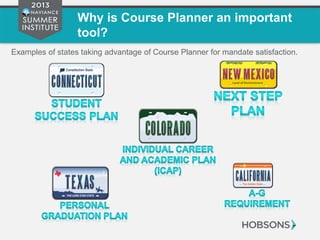
• Fulfills many state mandates
• Supports college and career planning, as well as
overall student success
• Connects learning to life!
Why is Course Planner an important
tool?
Examples of states taking advantage of Course Planner for mandate satisfaction.
Demonstration (what
SHOULD Course Planning
look like?)
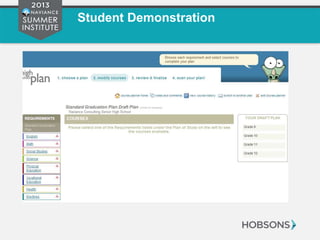
Student Demonstration
Administrative Demonstration
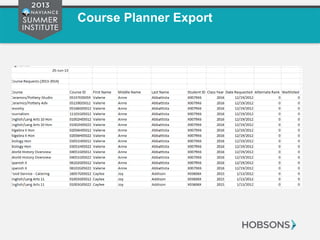
Course Planner Export
Set Up Tricks
•Professional
Development
•Consultation
Professional
Services
Planning
•People
•Documentation
Prepare
Resources
•Determine
District vs.
School Course
Planning
•Input Subject
Areas
•Import TONS of
information
Load
Catalog
•Keep tips in
mind!
•Use your
resources
Build
Plan/s of
Study
Getting Started
Professional Services Planning
Session Title Perquisites Duration Naviance Session
Leader
Attendees
Course Planner: Configuration Course Catalog loaded 2 hours Professional
Development
Those building plans of
study
Consulting Plan/s of Study
Workshop
Course Planner: Configuration
session completed, graduation
documentation gathered
2-4 hours Consultation Those building plans of
study
Managing Student Course Plans Plan/s of Study have been created
and tested
2 hours Professional
Development
Individuals working with
Students
•Professional
Development
•Consultation
Professional
Services
Planning
Prepare Resources
People
• IT/Data: Course Catalog
• Subject Matter Experts
o Registrar
o Counselors
o Other Counseling Staff
o Administrators
Documentation
• Graduation Requirements Document
•People
•Documentation
Prepare
Resources
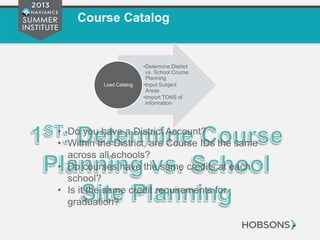
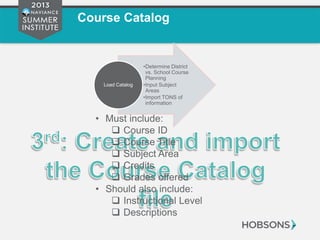
Course Catalog
• Do you have a District Account?
• Within the District, are Course IDs the same
across all schools?
• Do courses have the same credits at each
school?
• Is it the same credit requirements for
graduation?
•Determine District
vs. School Course
Planning
•Input Subject
Areas
•Import TONS of
information
Load Catalog
Course Catalog
•Determine District
vs. School Course
Planning
•Input Subject
Areas
•Import TONS of
information
Load Catalog
Course Catalog
•Determine District
vs. School Course
Planning
•Input Subject
Areas
•Import TONS of
information
Load Catalog
• Must include:
 Course ID
 Course Title
 Subject Area
 Credits
 Grades offered
• Should also include:
 Instructional Level
 Descriptions
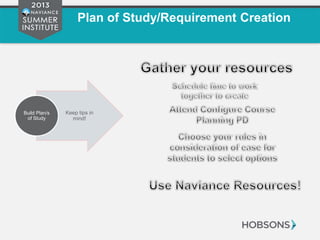
Plan of Study/Requirement Creation
Keep tips in
mind!
Build Plan/s
of Study
Naviance Resources
Professional
Development
And
Consultation
Questions?
Your Feedback Matters!
Thank you for attending the
Naviance Summer Institute 2013!
We greatly appreciate your feedback, please
complete a brief evaluation for this session at:
http://go.naviance.com/evaluations

Charting a Course with Naviance Course Planner

Editor's Notes

  • #6 Better align course content and course taking in high school to later in life