Module 1
Graphics Software
 Two classifications
 General programming package
 Special-purpose application package.
 A general graphics programming package provides an
extensive set of graphics functions that can be used in
high-level programming languages.
 Example GL(Graphics Library) system on silicon
graphics equipment.
Graphics Software
 Basic functions in a general package include
 Generating picture components (straight lines,
polygons, circles, and other figures)
 Setting color and intensity values
 Selecting views
 Applying transformations.
Graphics Software
 Application graphics packages are designed for
nonprogrammers, so that users can generate displays
without worrying about how graphics operations work.
 The interface to the graphics routines in such packages
allows users to communicate with the programs in
their own terms.
 Examples of such applications packages are the artist's
painting programs and various business, medical, and
CAD systems.
INPUT DEVICES
 Most systems have a keyboard and one or more
additional devices specially designed for interactive
input.
 These includes
 Mouse
 Trackball
 Graphics tablet
 Touch panels
 Light pens
Touch Panels
 Touch panels allow displayed objects or screen
positions to be selected with the touch of a finger.
 Touch input can be recorded using optical, electrical,
or acoustical methods.
Touch panels
 Optical touch panels employ a line of infrared light-
emitting diodes (LEDs) along one vertical edge and
along one horizontal edge of the frame
 The opposite vertical and horizontal edges contain
light detectors. These detectors are used to record
which beams are interrupted when the panel is
touched.
 The two crossing beams that are interrupted identify
the horizontal and vertical coordinates of the screen
position selected.
Touch panel
 An electrical touch panel is constructed with two
transparent plates separated by a small distance.
 One of the plates is coated with a conducting material,
and the other plate is coated with a resistive material.
 When the outer plate is touched, it is forced into
contact with the inner plate.
 This contact creates a voltage drop across the resistive
plate that is converted to the coordinate values of the
selected screen position.
Touch panel
 In acoustical touch panels, high-frequency sound
waves are generated in the horizontal and vertical
directions across a glass plate.
 Touching the screen causes part of each wave to be
reflected from the finger to the emitters.
 The screen position at the point of contact is
calculated from a measurement of the time interval
between the transmission of each wave and its
reflection to the emitter.
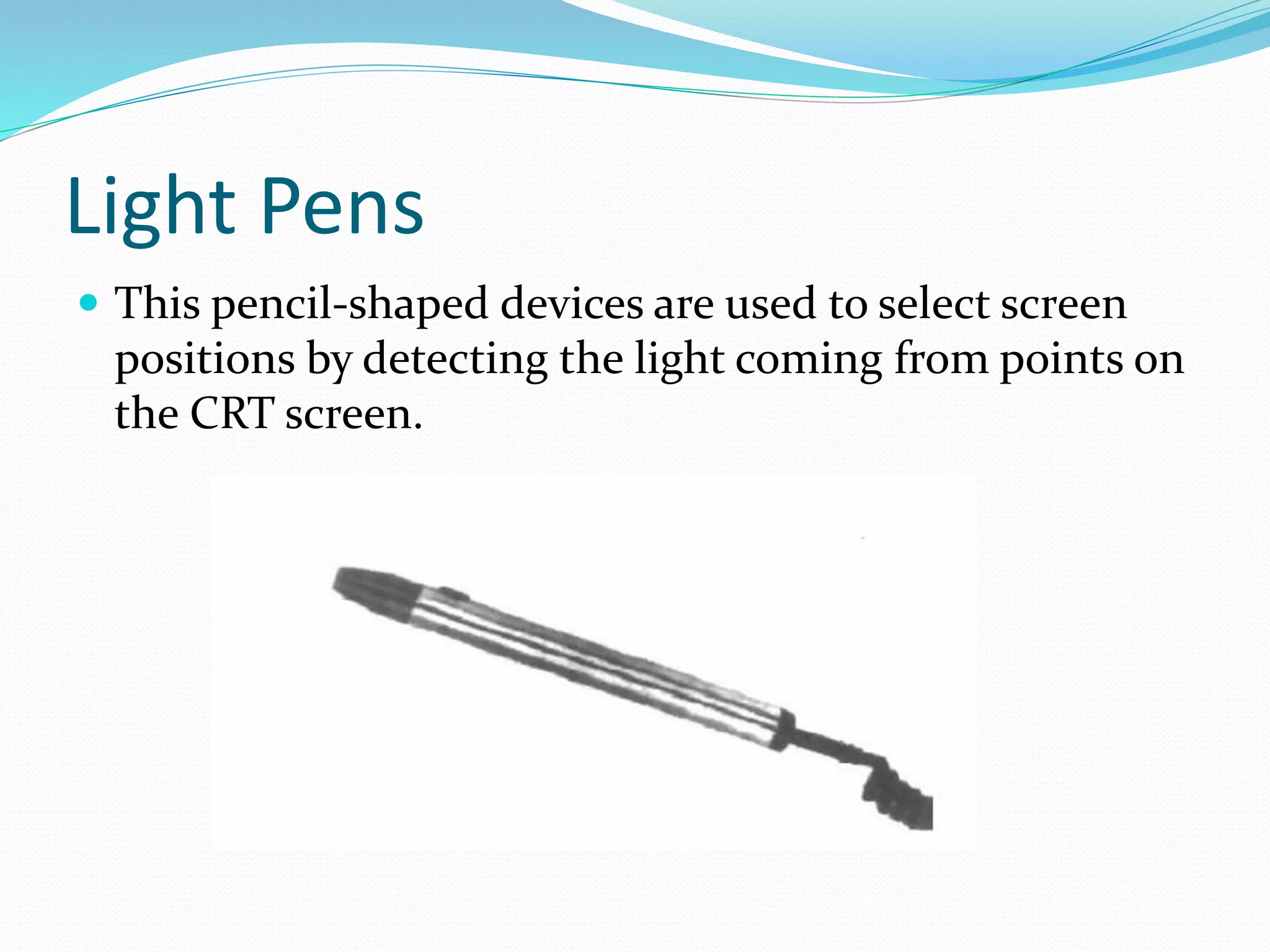
Light Pens
 This pencil-shaped devices are used to select screen
positions by detecting the light coming from points on
the CRT screen.
Light Pens
 They are sensitive to the short burst of light emitted
from the phosphor coating at the instant the electron
beam strikes a particular point.
 An activated light pen, pointed at a spot on the screen
as the electron beam lights up that spot, generates an
electrical pulse that causes the coordinate position of
the electron beam to be recorded.
 As with cursor-positioning devices, recorded Light-
pen coordinates can be used to position an object or to
select a processing option.
Light pens
 Disadvantages
 When a light pen is pointed at the screen, part of the
screen image is obscured by the hand and pen.
 Prolonged use of the light pen can cause arm fatigue.
 Light pens require special implementations for some
applications because they cannot detect positions within
black areas.
I/O devices -  Computer graphics

I/O devices - Computer graphics

  • 1.
  • 2.
    Graphics Software  Twoclassifications  General programming package  Special-purpose application package.  A general graphics programming package provides an extensive set of graphics functions that can be used in high-level programming languages.  Example GL(Graphics Library) system on silicon graphics equipment.
  • 3.
    Graphics Software  Basicfunctions in a general package include  Generating picture components (straight lines, polygons, circles, and other figures)  Setting color and intensity values  Selecting views  Applying transformations.
  • 4.
    Graphics Software  Applicationgraphics packages are designed for nonprogrammers, so that users can generate displays without worrying about how graphics operations work.  The interface to the graphics routines in such packages allows users to communicate with the programs in their own terms.  Examples of such applications packages are the artist's painting programs and various business, medical, and CAD systems.
  • 5.
    INPUT DEVICES  Mostsystems have a keyboard and one or more additional devices specially designed for interactive input.  These includes  Mouse  Trackball  Graphics tablet  Touch panels  Light pens
  • 6.
    Touch Panels  Touchpanels allow displayed objects or screen positions to be selected with the touch of a finger.  Touch input can be recorded using optical, electrical, or acoustical methods.
  • 7.
    Touch panels  Opticaltouch panels employ a line of infrared light- emitting diodes (LEDs) along one vertical edge and along one horizontal edge of the frame  The opposite vertical and horizontal edges contain light detectors. These detectors are used to record which beams are interrupted when the panel is touched.  The two crossing beams that are interrupted identify the horizontal and vertical coordinates of the screen position selected.
  • 8.
    Touch panel  Anelectrical touch panel is constructed with two transparent plates separated by a small distance.  One of the plates is coated with a conducting material, and the other plate is coated with a resistive material.  When the outer plate is touched, it is forced into contact with the inner plate.  This contact creates a voltage drop across the resistive plate that is converted to the coordinate values of the selected screen position.
  • 9.
    Touch panel  Inacoustical touch panels, high-frequency sound waves are generated in the horizontal and vertical directions across a glass plate.  Touching the screen causes part of each wave to be reflected from the finger to the emitters.  The screen position at the point of contact is calculated from a measurement of the time interval between the transmission of each wave and its reflection to the emitter.
  • 10.
    Light Pens  Thispencil-shaped devices are used to select screen positions by detecting the light coming from points on the CRT screen.
  • 11.
    Light Pens  Theyare sensitive to the short burst of light emitted from the phosphor coating at the instant the electron beam strikes a particular point.  An activated light pen, pointed at a spot on the screen as the electron beam lights up that spot, generates an electrical pulse that causes the coordinate position of the electron beam to be recorded.  As with cursor-positioning devices, recorded Light- pen coordinates can be used to position an object or to select a processing option.
  • 12.
    Light pens  Disadvantages When a light pen is pointed at the screen, part of the screen image is obscured by the hand and pen.  Prolonged use of the light pen can cause arm fatigue.  Light pens require special implementations for some applications because they cannot detect positions within black areas.