
Components

ď‚—Touch sensor
ď‚—Controller
ď‚—Software driver
RESISTIVE
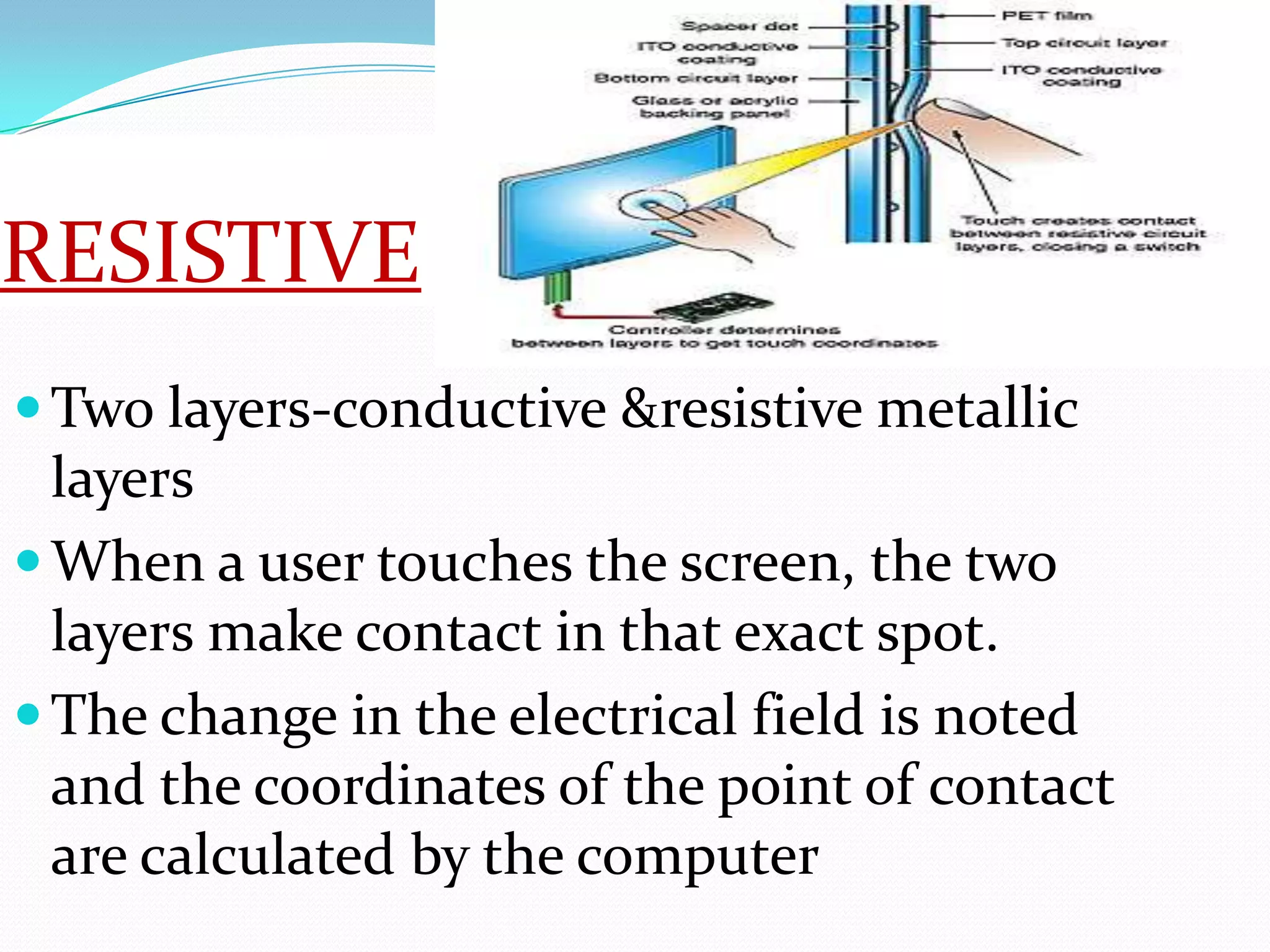
ď‚— Two layers-conductive &resistive metallic
  layers
ď‚— When a user touches the screen, the two
  layers make contact in that exact spot.
ď‚— The change in the electrical field is noted
  and the coordinates of the point of contact
  are calculated by the computer
Capacitive
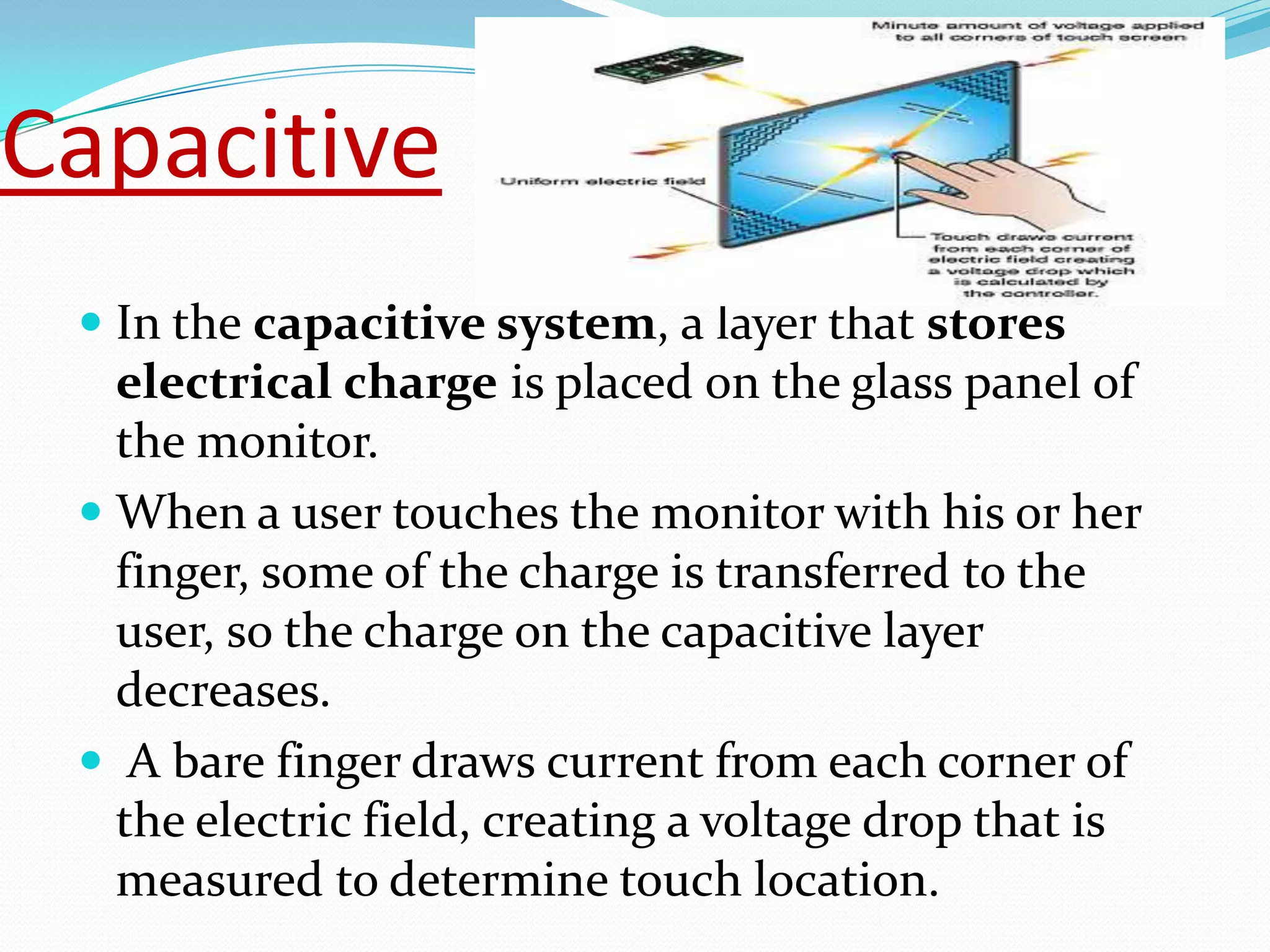
 ď‚— In the capacitive system, a layer that stores
   electrical charge is placed on the glass panel of
   the monitor.
 ď‚— When a user touches the monitor with his or her
   finger, some of the charge is transferred to the
   user, so the charge on the capacitive layer
   decreases.
 ď‚— A bare finger draws current from each corner of
   the electric field, creating a voltage drop that is
   measured to determine touch location.
Surface acoustic
wave

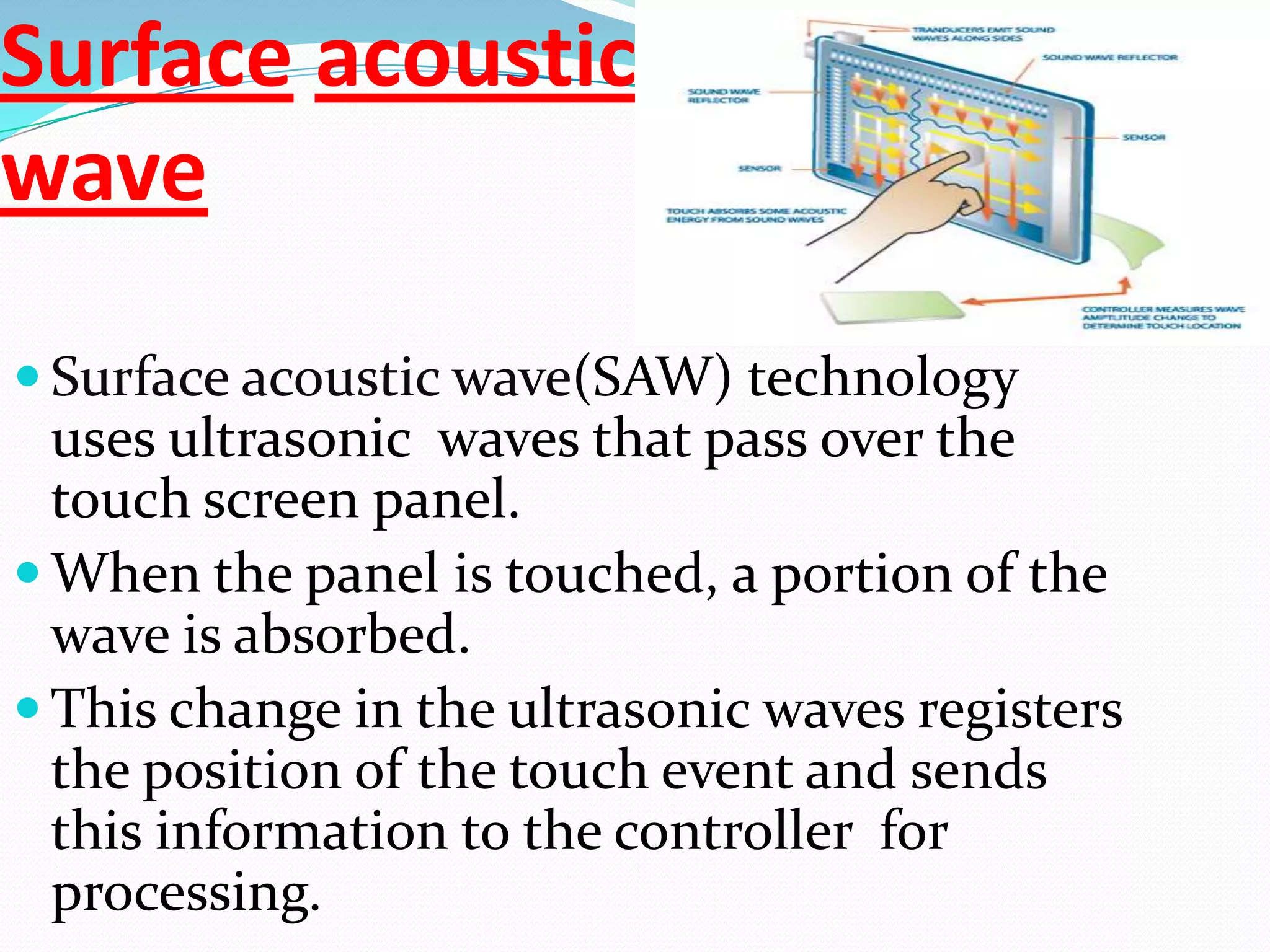
ď‚— Surface acoustic wave(SAW) technology
  uses ultrasonic waves that pass over the
  touch screen panel.
ď‚— When the panel is touched, a portion of the
  wave is absorbed.
ď‚— This change in the ultrasonic waves registers
  the position of the touch event and sends
  this information to the controller for
  processing.
Infrared Touch Screen
Technology
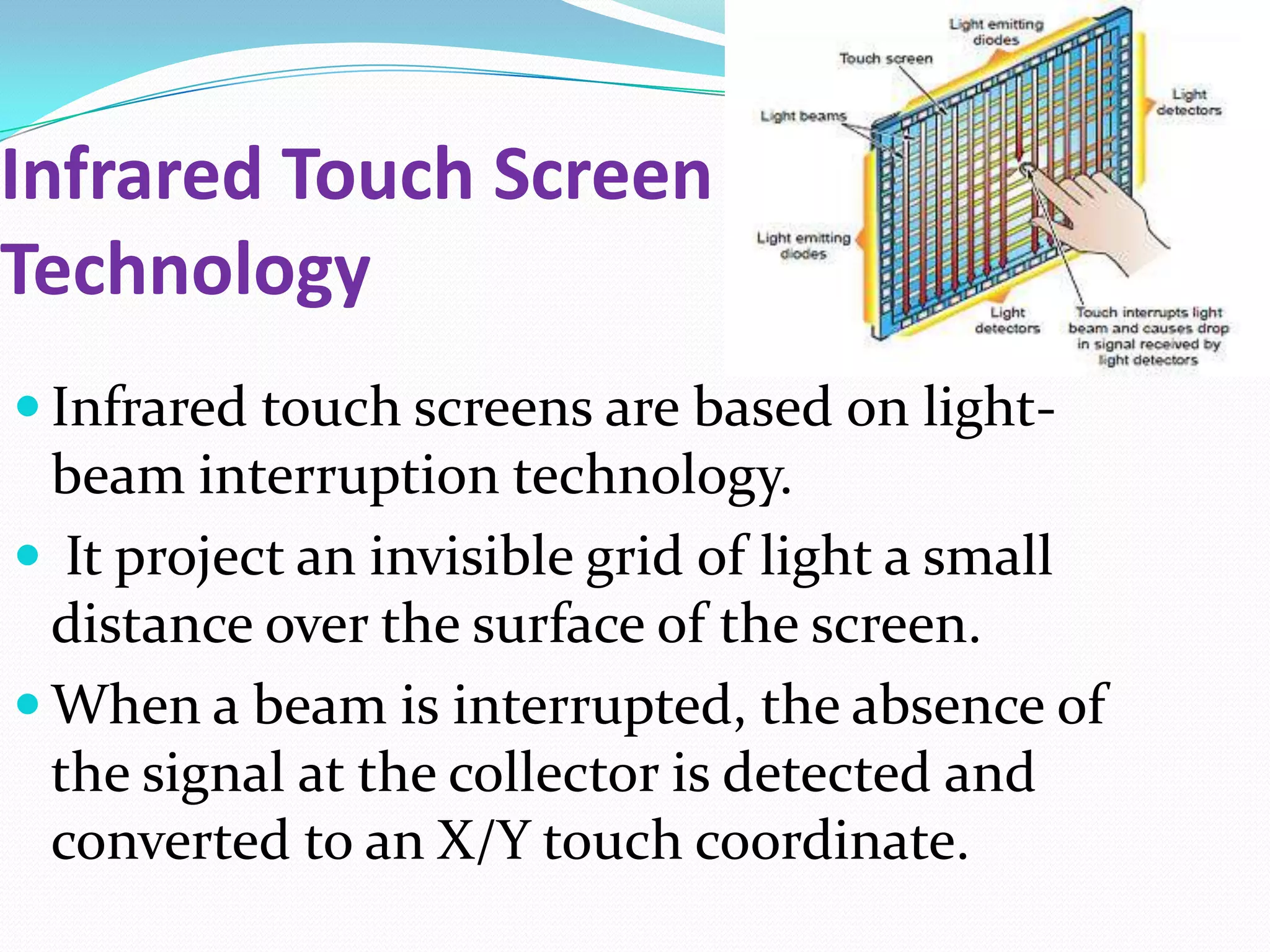
ď‚— Infrared touch screens are based on light-
  beam interruption technology.
ď‚— It project an invisible grid of light a small
  distance over the surface of the screen.
ď‚— When a beam is interrupted, the absence of
  the signal at the collector is detected and
  converted to an X/Y touch coordinate.
Optical
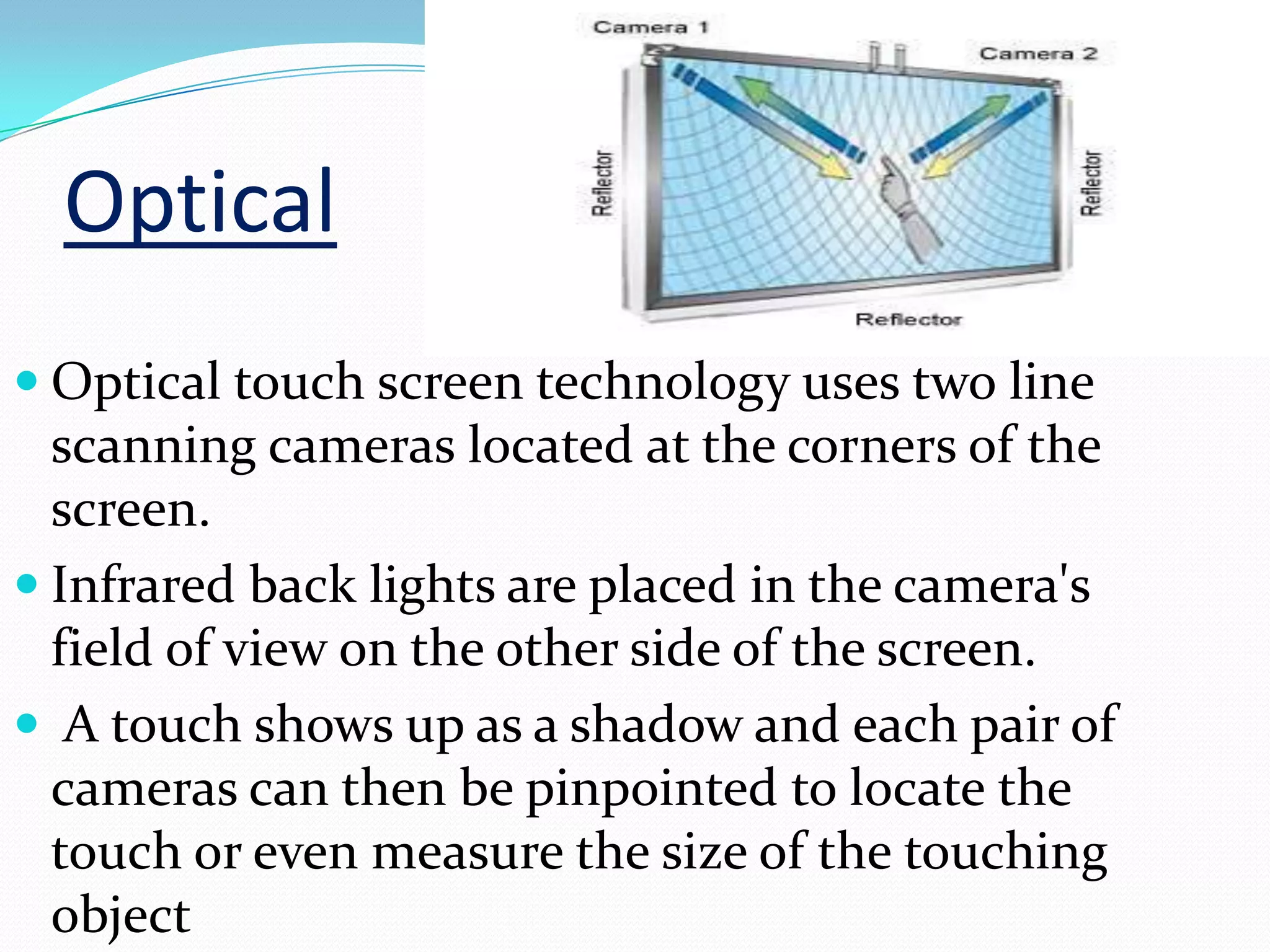
ď‚— Optical touch screen technology uses two line
  scanning cameras located at the corners of the
  screen.
ď‚— Infrared back lights are placed in the camera's
  field of view on the other side of the screen.
ď‚— A touch shows up as a shadow and each pair of
  cameras can then be pinpointed to locate the
  touch or even measure the size of the touching
  object
-rohith raj

Touch screen technology

  • 2.
  • 3.
    RESISTIVE ď‚— Two layers-conductive&resistive metallic layers ď‚— When a user touches the screen, the two layers make contact in that exact spot. ď‚— The change in the electrical field is noted and the coordinates of the point of contact are calculated by the computer
  • 4.
    Capacitive ď‚— Inthe capacitive system, a layer that stores electrical charge is placed on the glass panel of the monitor. ď‚— When a user touches the monitor with his or her finger, some of the charge is transferred to the user, so the charge on the capacitive layer decreases. ď‚— A bare finger draws current from each corner of the electric field, creating a voltage drop that is measured to determine touch location.
  • 5.
    Surface acoustic wave ď‚— Surfaceacoustic wave(SAW) technology uses ultrasonic waves that pass over the touch screen panel. ď‚— When the panel is touched, a portion of the wave is absorbed. ď‚— This change in the ultrasonic waves registers the position of the touch event and sends this information to the controller for processing.
  • 6.
    Infrared Touch Screen Technology ď‚—Infrared touch screens are based on light- beam interruption technology. ď‚— It project an invisible grid of light a small distance over the surface of the screen. ď‚— When a beam is interrupted, the absence of the signal at the collector is detected and converted to an X/Y touch coordinate.
  • 7.
    Optical ď‚— Optical touchscreen technology uses two line scanning cameras located at the corners of the screen. ď‚— Infrared back lights are placed in the camera's field of view on the other side of the screen. ď‚— A touch shows up as a shadow and each pair of cameras can then be pinpointed to locate the touch or even measure the size of the touching object
  • 9.