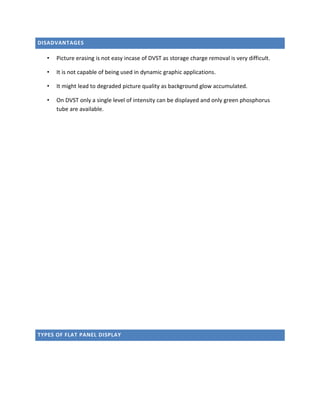
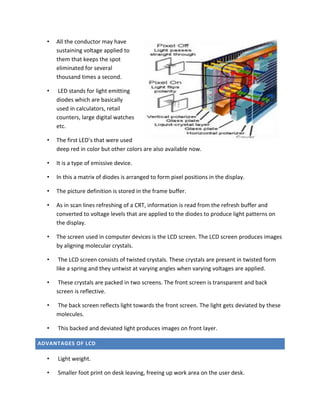
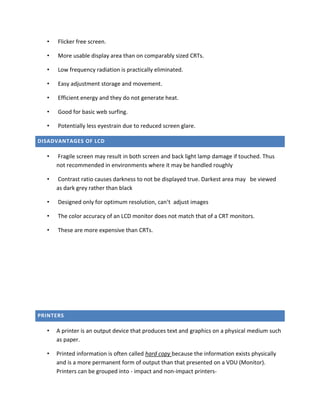
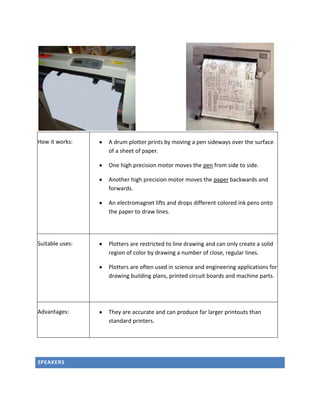
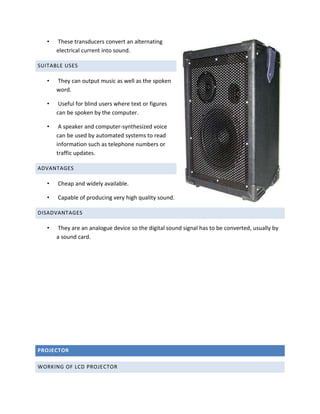
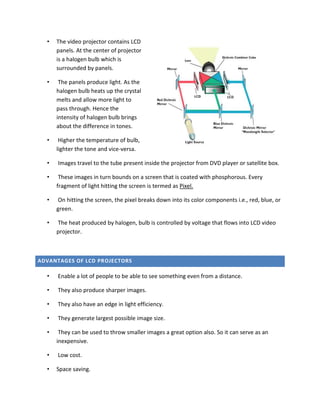
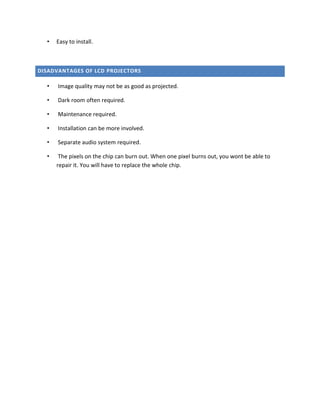
Working of input devices<br />Input devices : is any hardware that takes input from the user.<br />Types of input devices<br />Keyboard
Optical Mouse
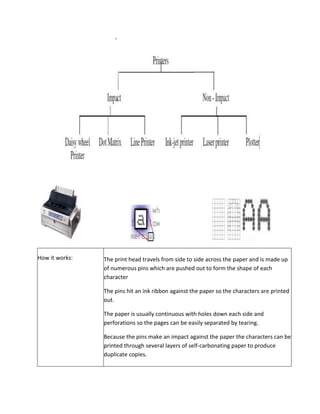
Trackball
Joystick
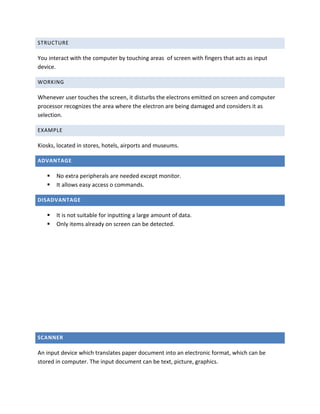
Light Pen
Touch Screen
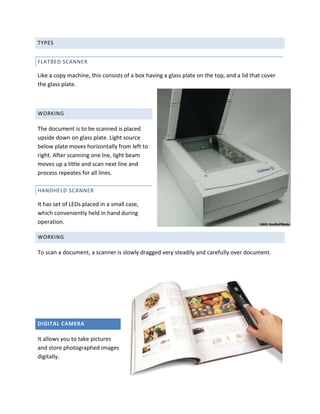
Scanner
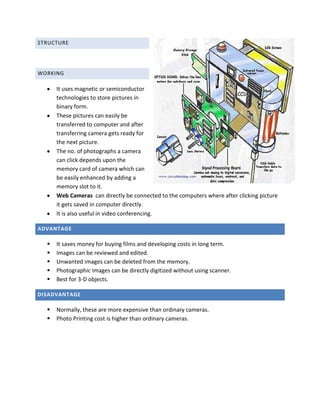
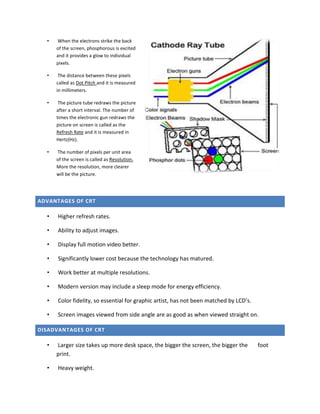
Digital CameraKeyboard: enters data into computer by pressing one key at a time.<br />Structure<br />Alphanumeric Keys :  (A-Z),(0-9),(+,-,*,/)
Numeric Keypad : (0-9) on right hand side
Function Keys : F1 – F12
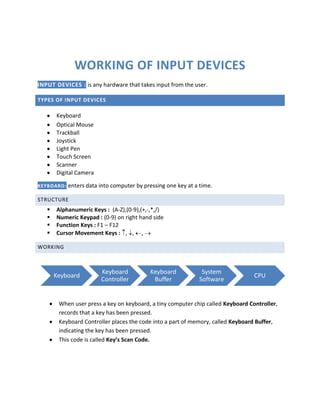
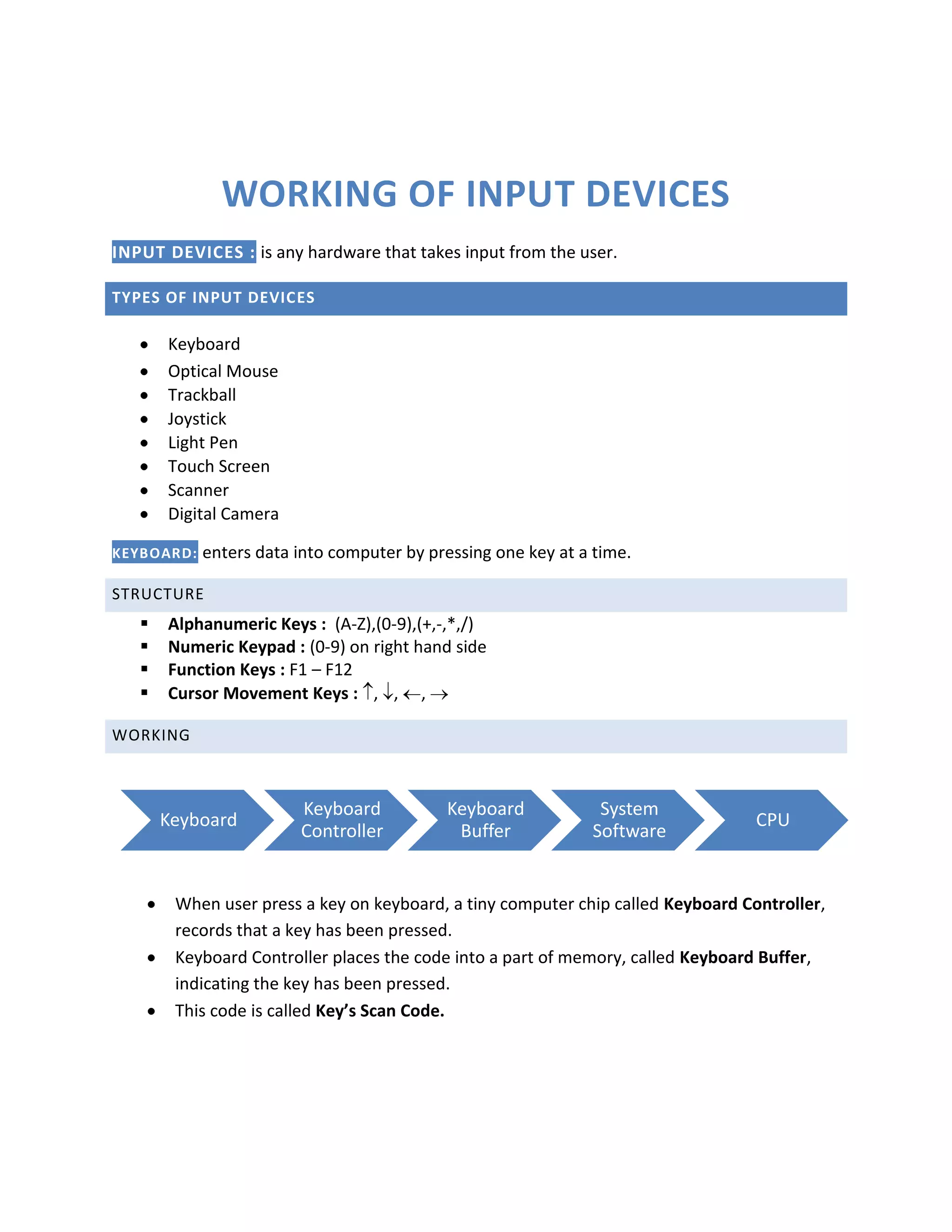
Cursor Movement Keys : , , , Working<br />When user press a key on keyboard, a tiny computer chip called Keyboard Controller, records that a key has been pressed.
Keyboard Controller places the code into a part of memory, called Keyboard Buffer, indicating the key has been pressed.
This code is called Key’s Scan Code.
2762250963295lefttopThen keyboard sends an Interrupt request (special message to computer system in form of signals) to the system software when it receives a complete key stroke.
When system software receives an interrupt request, it evaluates the request to determine an appropriate response.
It passes the scan code to CPU then.Advantage<br />Faster in entering data than in positioning devices.
More reliable and produce fewer error than others.Disadvantage<br />Take a lot of time in practice to type quickly.
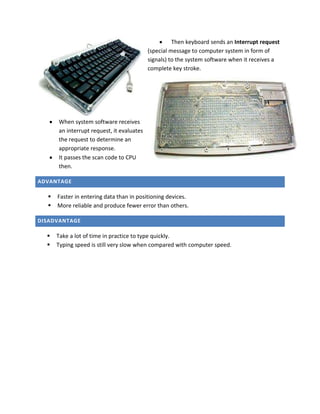
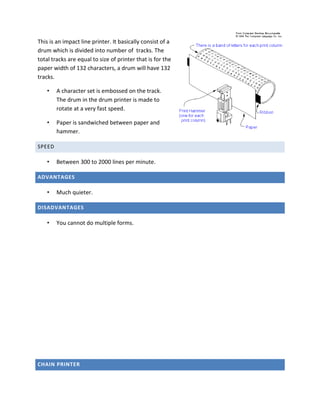
Typing speed is still very slow when compared with computer speed.Mouse<br />Pointing device that translates the motion of mouse into signals.<br />3339465980440Mechanical Mouse<br />Two rollers are placed attached to the mouse ball exactly at 90 degree to each other.
When mouse ball rotates, rollers also rotate.
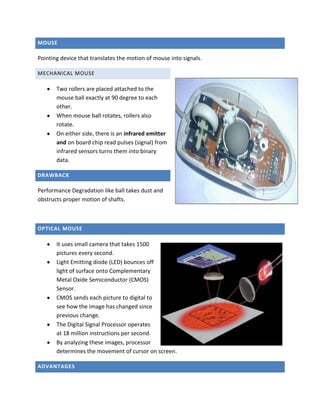
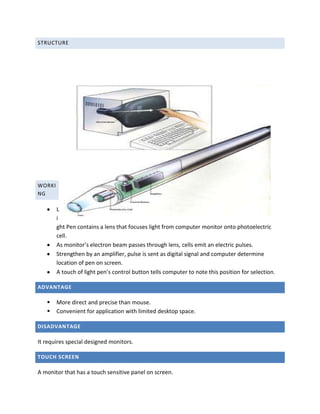
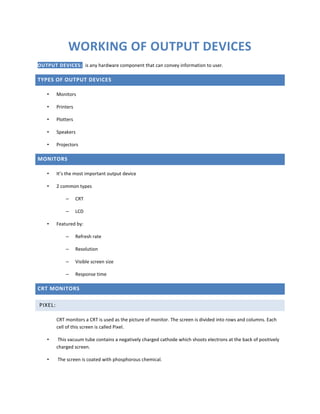
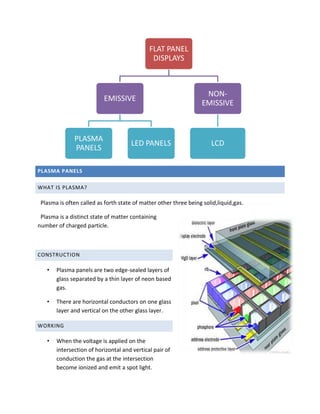
On either side, there is an infrared emitter and on board chip read pulses (signal) from infrared sensors turns them into binary data.Drawback<br />Performance Degradation like ball takes dust and obstructs proper motion of shafts.<br />OPTICAL MOUSE<br />right4983480It uses small camera that takes 1500 pictures every second.
Light Emitting diode (LED) bounces off light of surface onto Complementary Metal Oxide Semiconductor (CMOS) Sensor.
CMOS sends each picture to digital to see how the image has changed since previous change.
The Digital Signal Processor operates at 18 million instructions per second.
By analyzing these images, processor determines the movement of cursor on screen.ADVantages<br />User friendly for computer beginner.
Easy and convenient to use GUI.
Selection and movement on screen is faster than using keyboard.Disadvantage<br />Not easy and convenient to input text.
Issuing command is slower than keyboard.

Working of input and output devices

  • 1.
    Working of inputdevices<br />Input devices : is any hardware that takes input from the user.<br />Types of input devices<br />Keyboard
  • 2.
  • 3.
  • 4.
  • 5.
  • 6.
  • 7.
  • 8.
    Digital CameraKeyboard: entersdata into computer by pressing one key at a time.<br />Structure<br />Alphanumeric Keys : (A-Z),(0-9),(+,-,*,/)
  • 9.
    Numeric Keypad :(0-9) on right hand side
  • 10.
    Function Keys :F1 – F12
  • 11.
    Cursor Movement Keys: , , , Working<br />When user press a key on keyboard, a tiny computer chip called Keyboard Controller, records that a key has been pressed.
  • 12.
    Keyboard Controller placesthe code into a part of memory, called Keyboard Buffer, indicating the key has been pressed.
  • 13.
    This code iscalled Key’s Scan Code.
  • 14.
    2762250963295lefttopThen keyboard sendsan Interrupt request (special message to computer system in form of signals) to the system software when it receives a complete key stroke.
  • 15.
    When system softwarereceives an interrupt request, it evaluates the request to determine an appropriate response.
  • 16.
    It passes thescan code to CPU then.Advantage<br />Faster in entering data than in positioning devices.
  • 17.
    More reliable andproduce fewer error than others.Disadvantage<br />Take a lot of time in practice to type quickly.
  • 18.
    Typing speed isstill very slow when compared with computer speed.Mouse<br />Pointing device that translates the motion of mouse into signals.<br />3339465980440Mechanical Mouse<br />Two rollers are placed attached to the mouse ball exactly at 90 degree to each other.
  • 19.
    When mouse ballrotates, rollers also rotate.
  • 20.
    On either side,there is an infrared emitter and on board chip read pulses (signal) from infrared sensors turns them into binary data.Drawback<br />Performance Degradation like ball takes dust and obstructs proper motion of shafts.<br />OPTICAL MOUSE<br />right4983480It uses small camera that takes 1500 pictures every second.
  • 21.
    Light Emitting diode(LED) bounces off light of surface onto Complementary Metal Oxide Semiconductor (CMOS) Sensor.
  • 22.
    CMOS sends eachpicture to digital to see how the image has changed since previous change.
  • 23.
    The Digital SignalProcessor operates at 18 million instructions per second.
  • 24.
    By analyzing theseimages, processor determines the movement of cursor on screen.ADVantages<br />User friendly for computer beginner.
  • 25.
  • 26.
    Selection and movementon screen is faster than using keyboard.Disadvantage<br />Not easy and convenient to input text.
  • 27.
    Issuing command isslower than keyboard.