>
OVERTHEBOX
INTRODUCTION
WHAT  IS  IT?
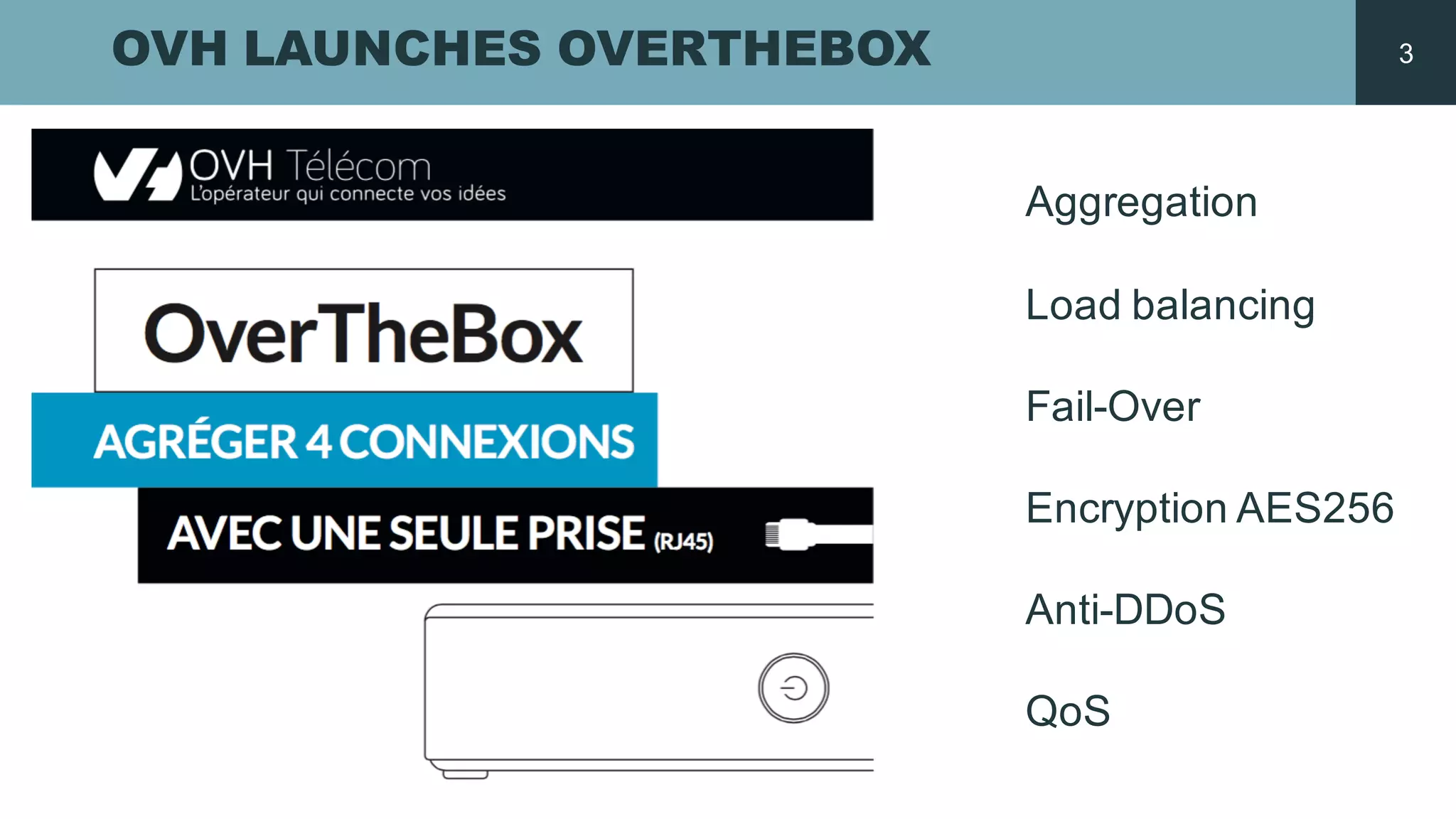
OVH LAUNCHES OVERTHEBOX
Aggregation
Load  balancing
Fail-­Over
Encryption AES256
Anti-­DDoS
QoS
3
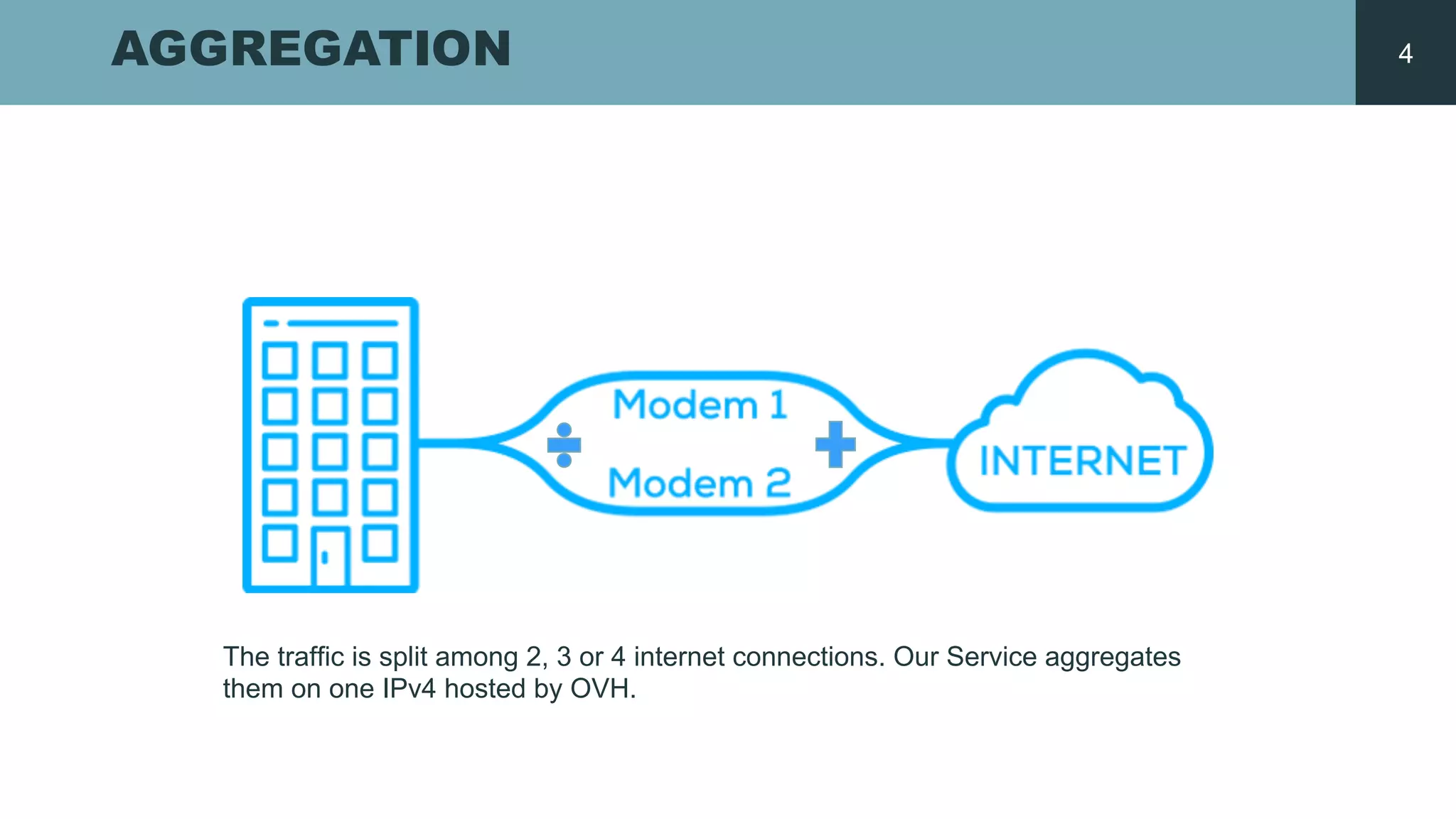
AGGREGATION
The  traffic is split  among 2,  3  or  4  internet  connections.  Our  Service  aggregates
them on  one  IPv4  hosted by  OVH.
4
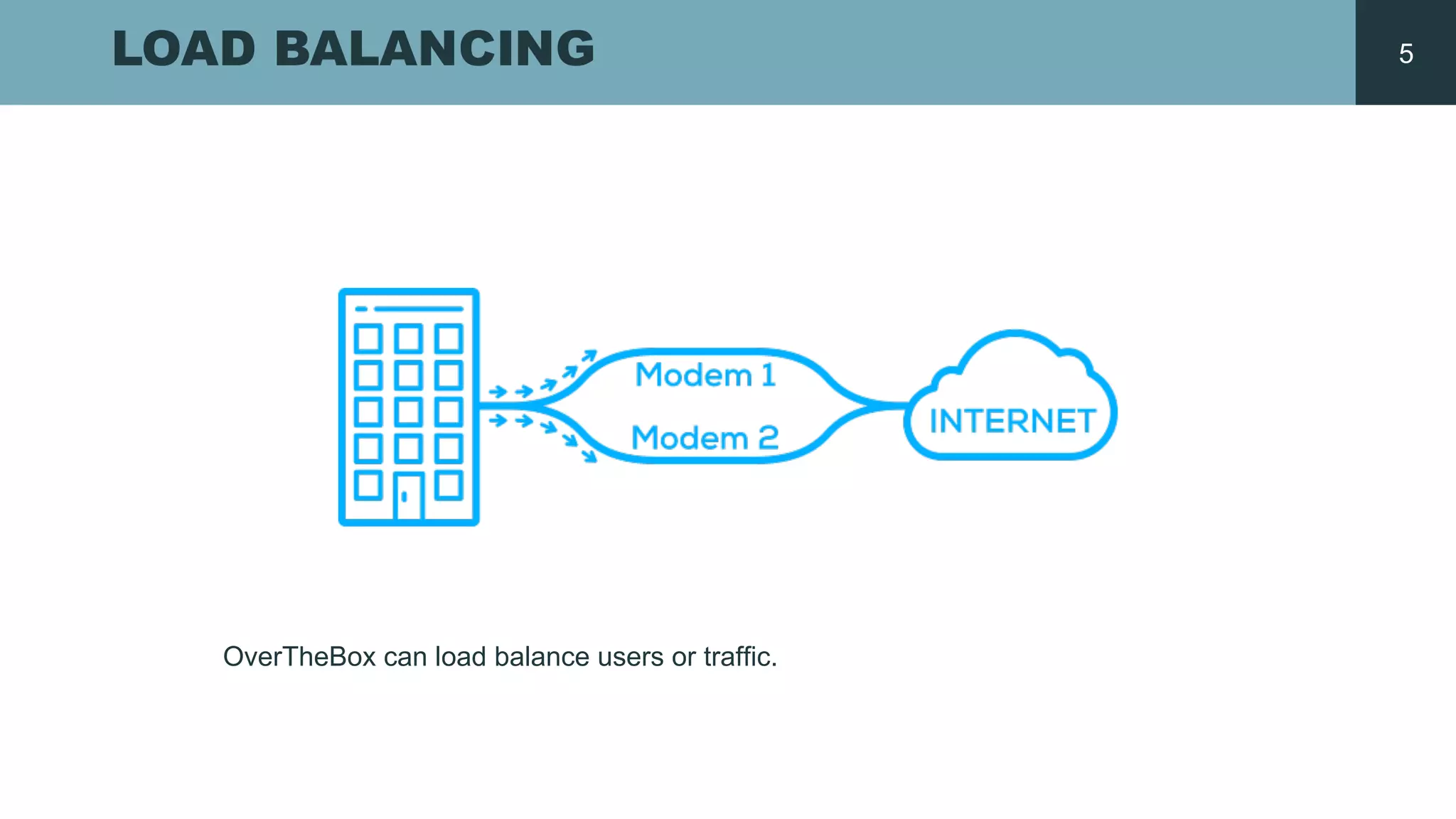
LOAD BALANCING
OverTheBox  can load balance  users or  traffic.
5
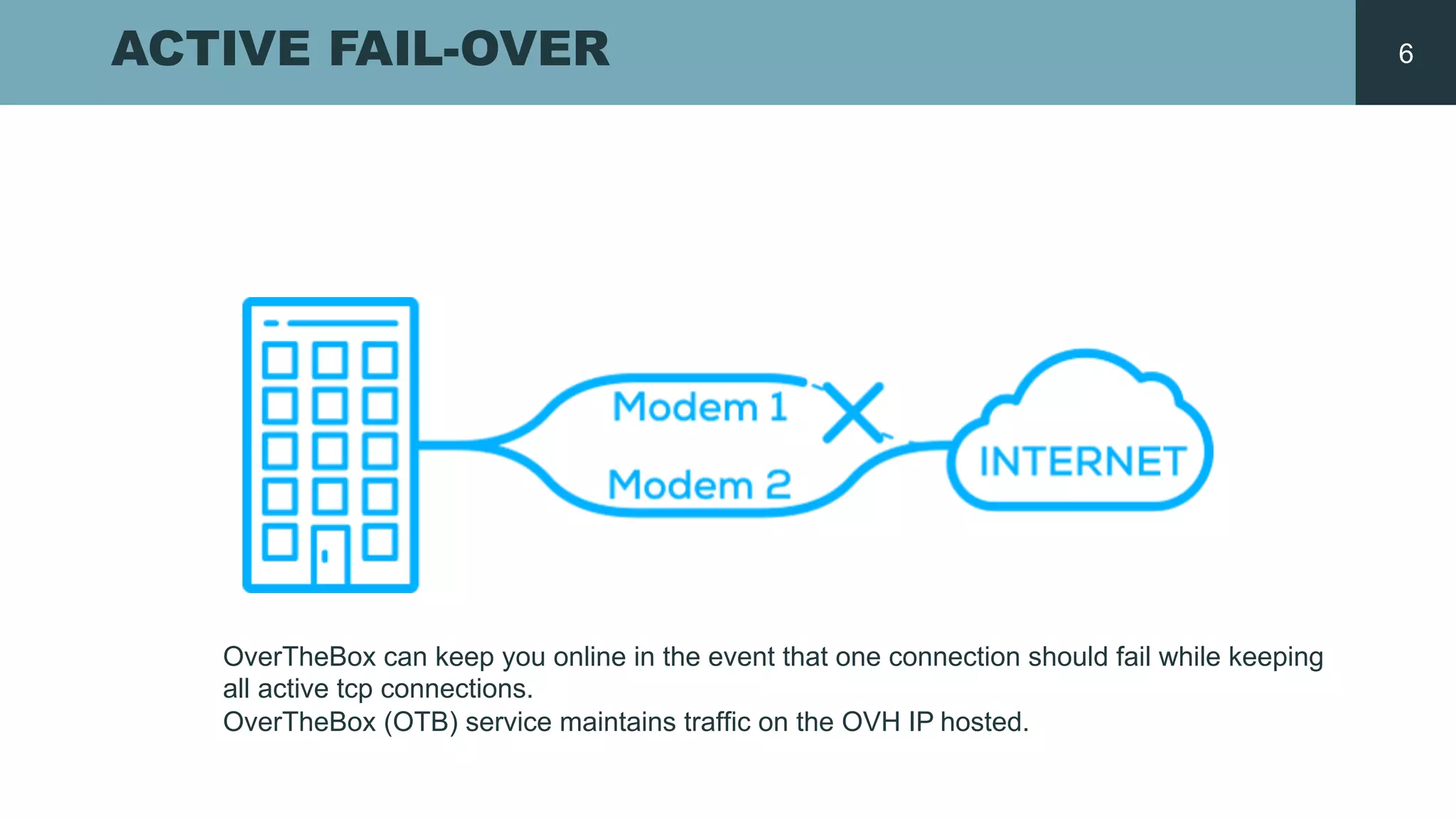
ACTIVE FAIL-­OVER
OverTheBox can  keep  you  online  in  the  event  that  one  connection  should  fail  while  keeping  
all  active  tcp connections.  
OverTheBox (OTB)  service  maintains traffic on  the  OVH  IP  hosted.  
6
OVERTHEBOX
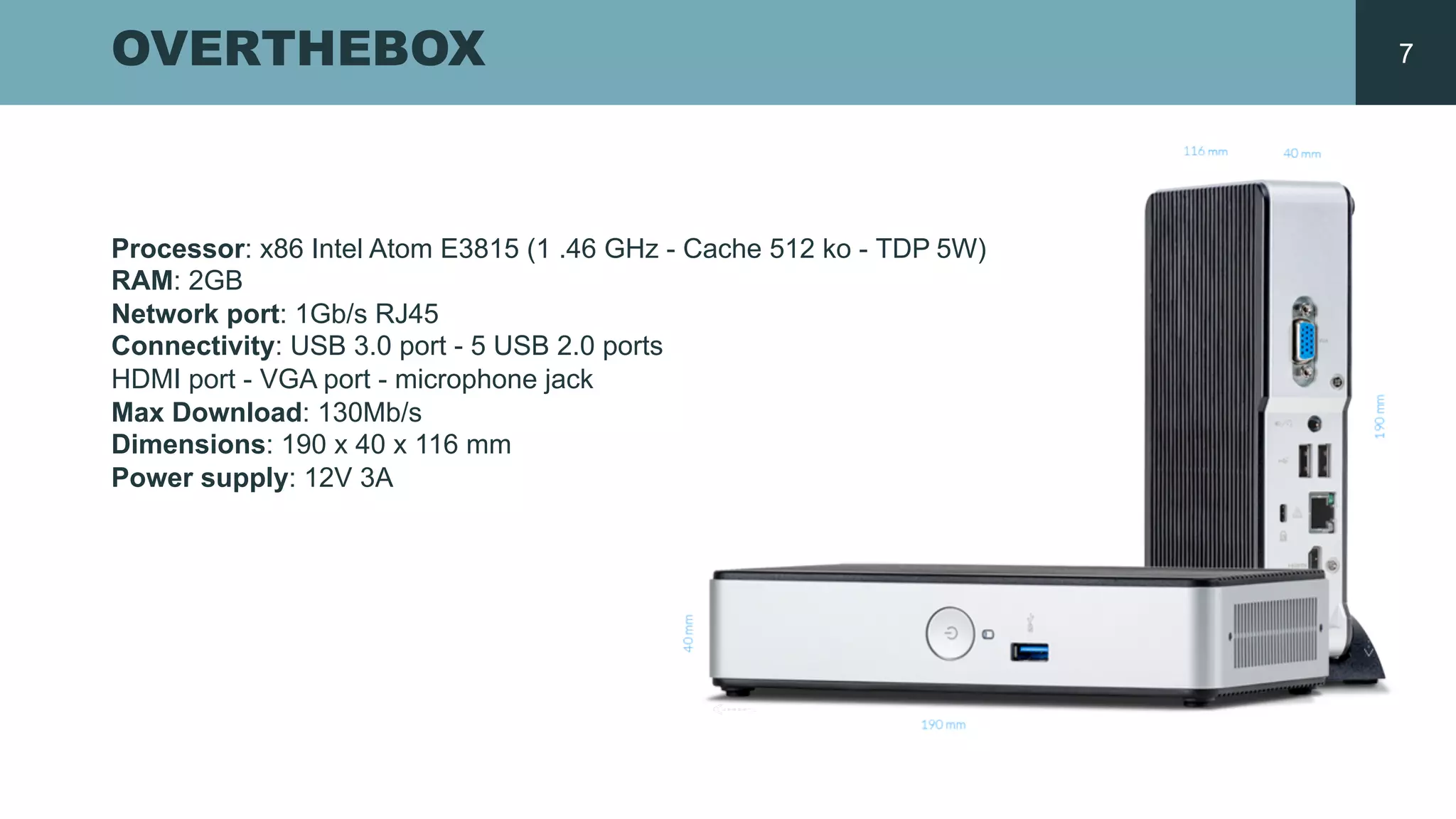
Processor:  x86  Intel  Atom  E3815  (1  .46  GHz  -­ Cache  512  ko  -­ TDP  5W)  
RAM:  2GB
Network  port:  1Gb/s  RJ45  
Connectivity:  USB  3.0  port  -­ 5  USB  2.0  ports  
HDMI  port  -­ VGA  port  -­ microphone  jack
Max  Download:  130Mb/s  
Dimensions:  190  x  40  x  116  mm  
Power  supply:  12V  3A  
7
WHY  DID  WE  DO  IT?
THE CHOICE IS A LUXURY
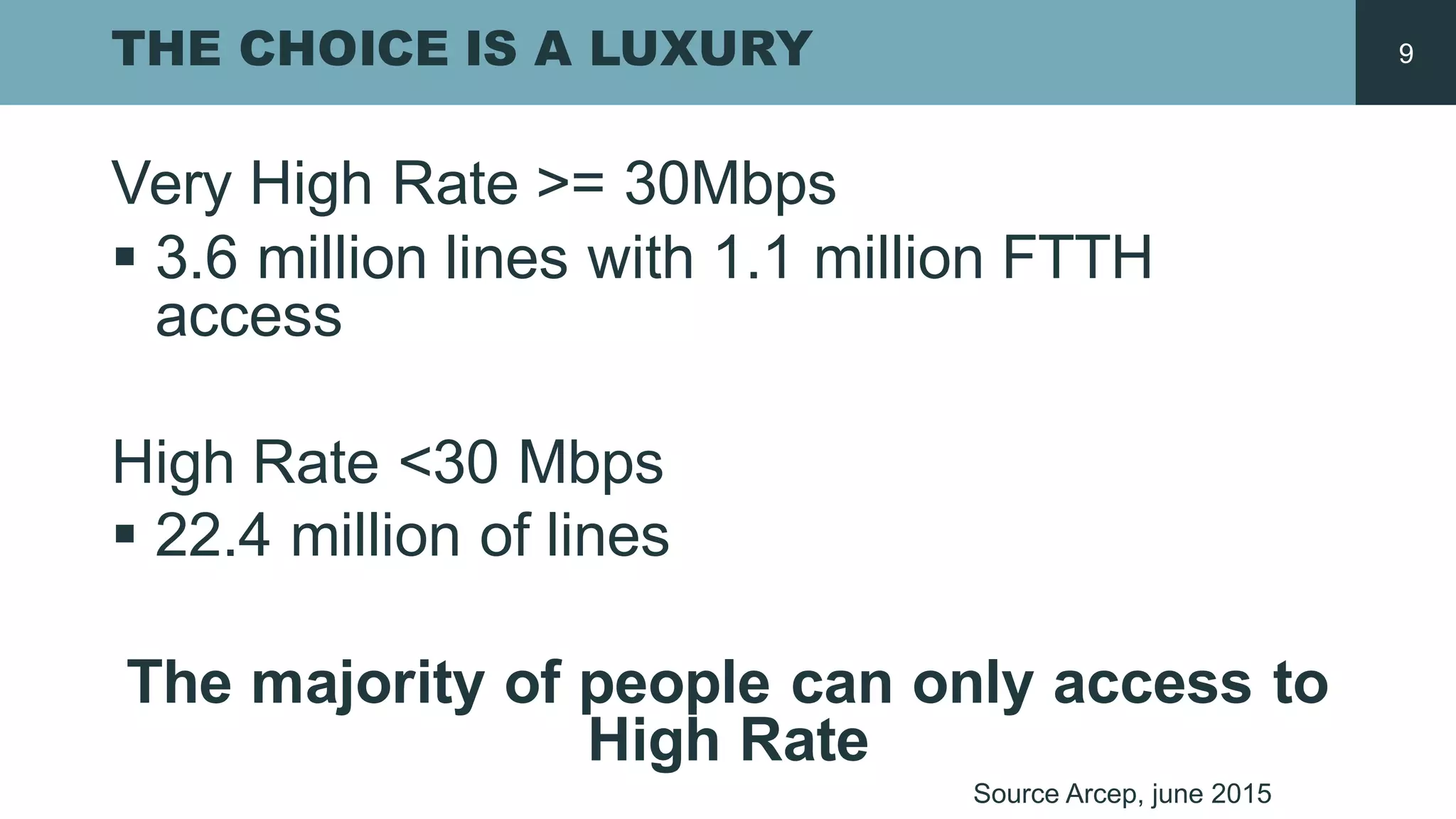
Very High  Rate  >=  30Mbps
§ 3.6  million  lines with 1.1  million  FTTH  
access
High  Rate  <30  Mbps
§ 22.4  million  of  lines
The  majority of  people  can only access to  
High  Rate
Source  Arcep,  june 2015
9
DO YOU MIX ?
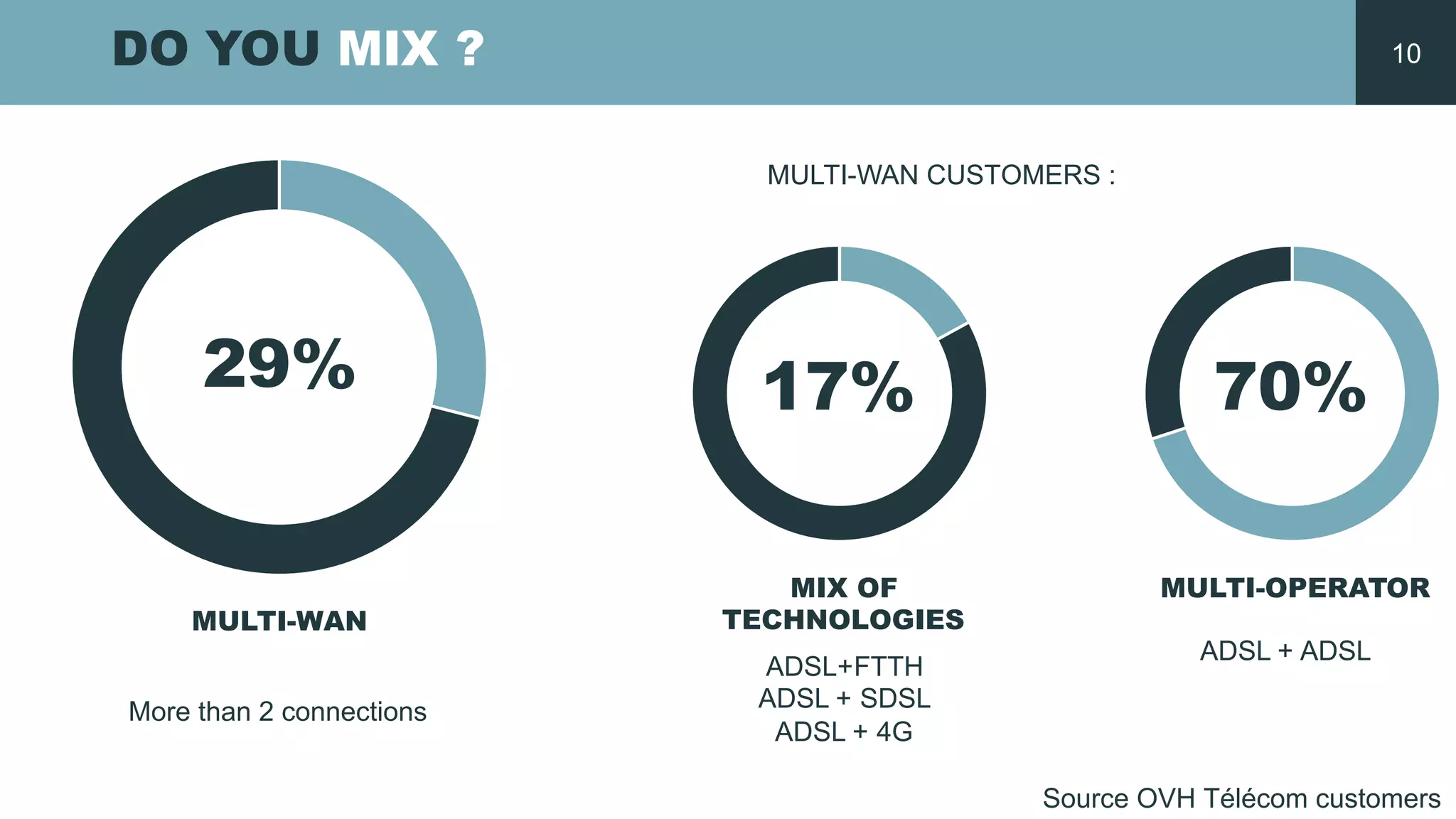
29% 17% 70%
MULTI-­WAN
MIX OF
TECHNOLOGIES
MULTI-­OPERATOR
ADSL+FTTH
ADSL  +  SDSL
ADSL  +  4G
ADSL  +  ADSL
Source  OVH  Télécom  customers
More  than 2  connections
MULTI-­WAN  CUSTOMERS  :  
10
DIFFERENT COMBINATIONS
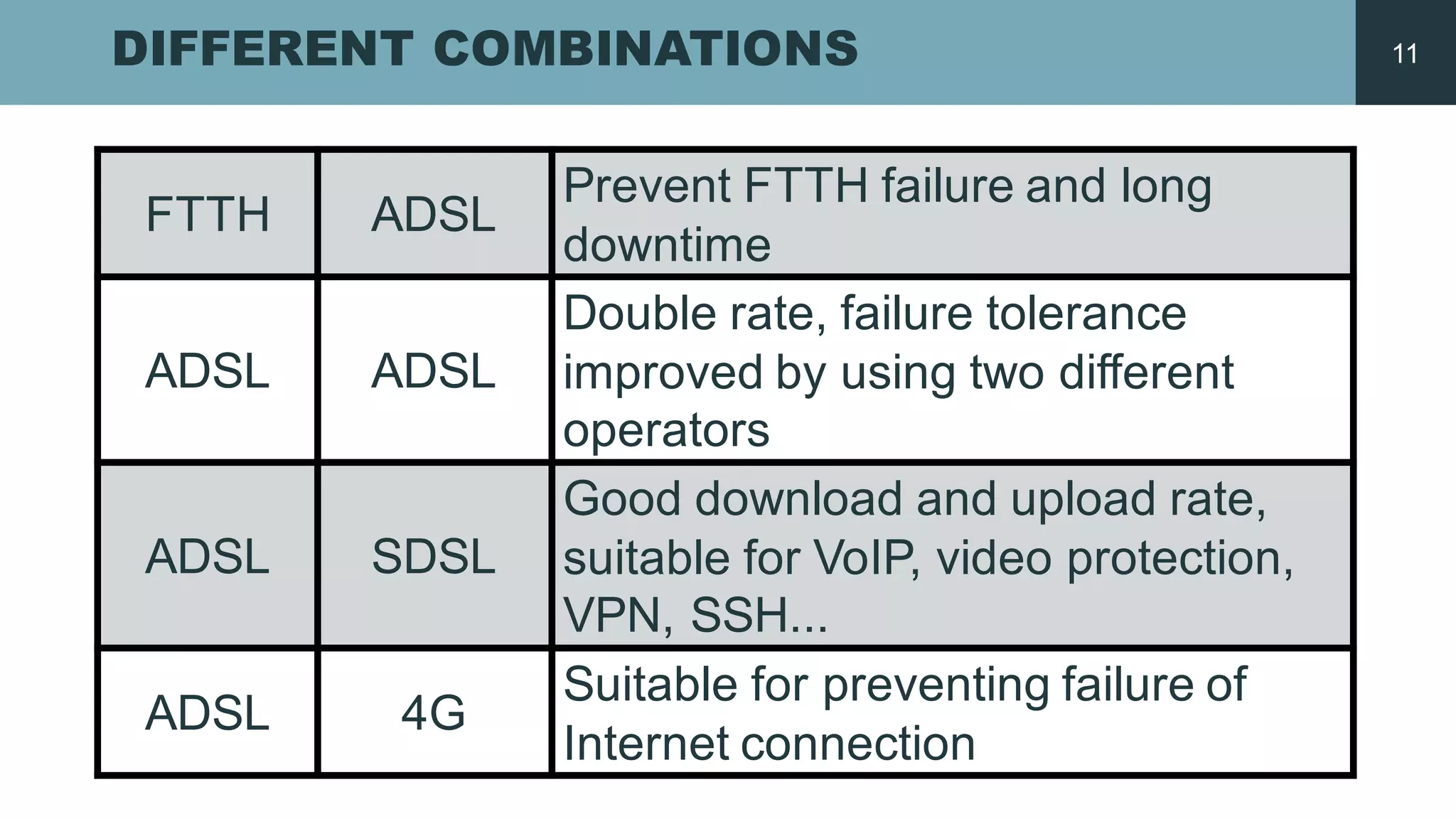
FTTH ADSL
Prevent FTTH  failure and  long  
downtime
ADSL ADSL
Double rate,  failure tolerance
improved by  using two different
operators
ADSL SDSL
Good  download and  upload rate,  
suitable for  VoIP,  video protection,  
VPN,  SSH...
ADSL 4G
Suitable for  preventing failure of  
Internet  connection
11
HOW  DOES  IT  WORK
1 RJ45 ETHERNET PORT
1GBIT/S
14
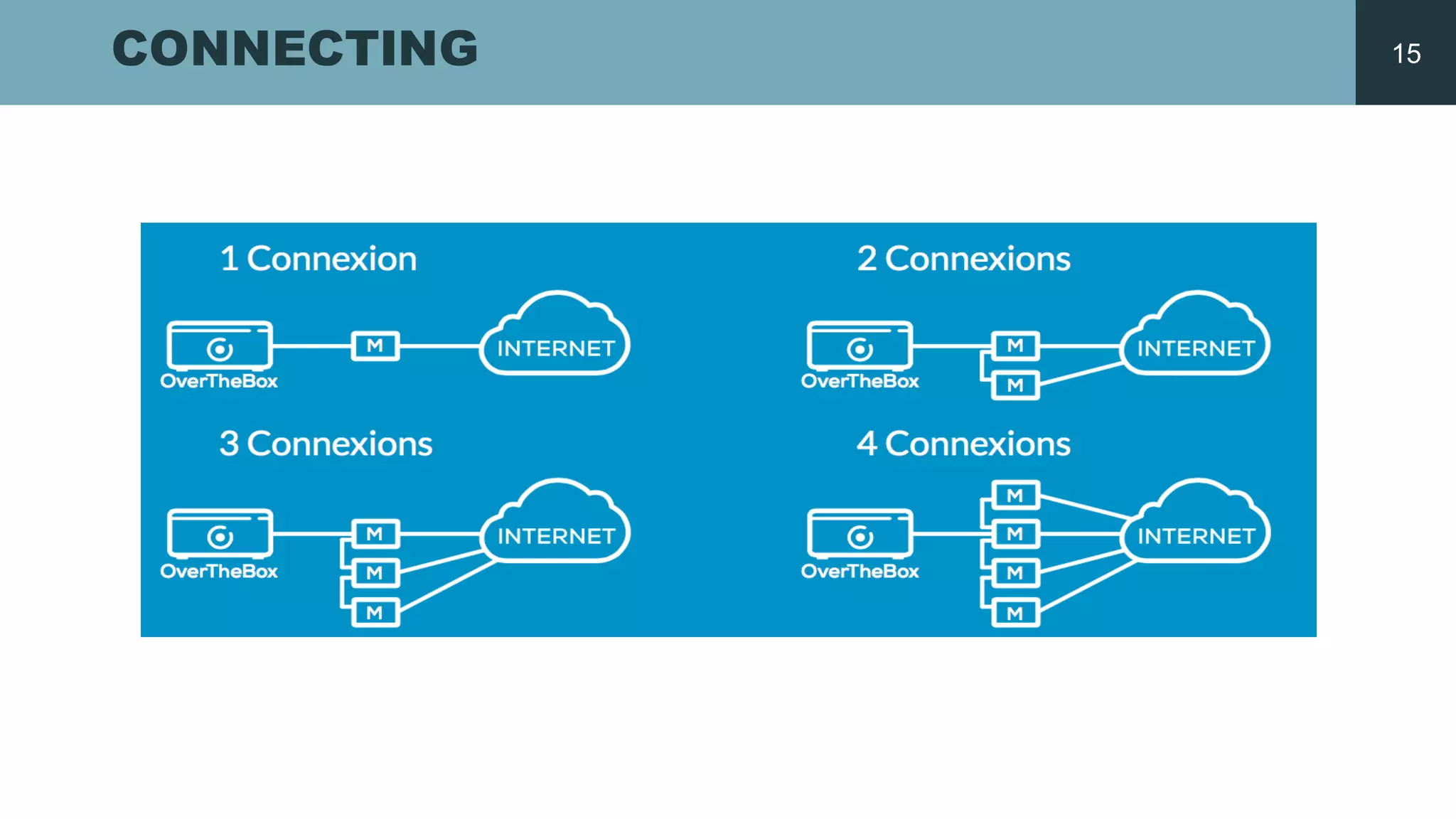
CONNECTING 15
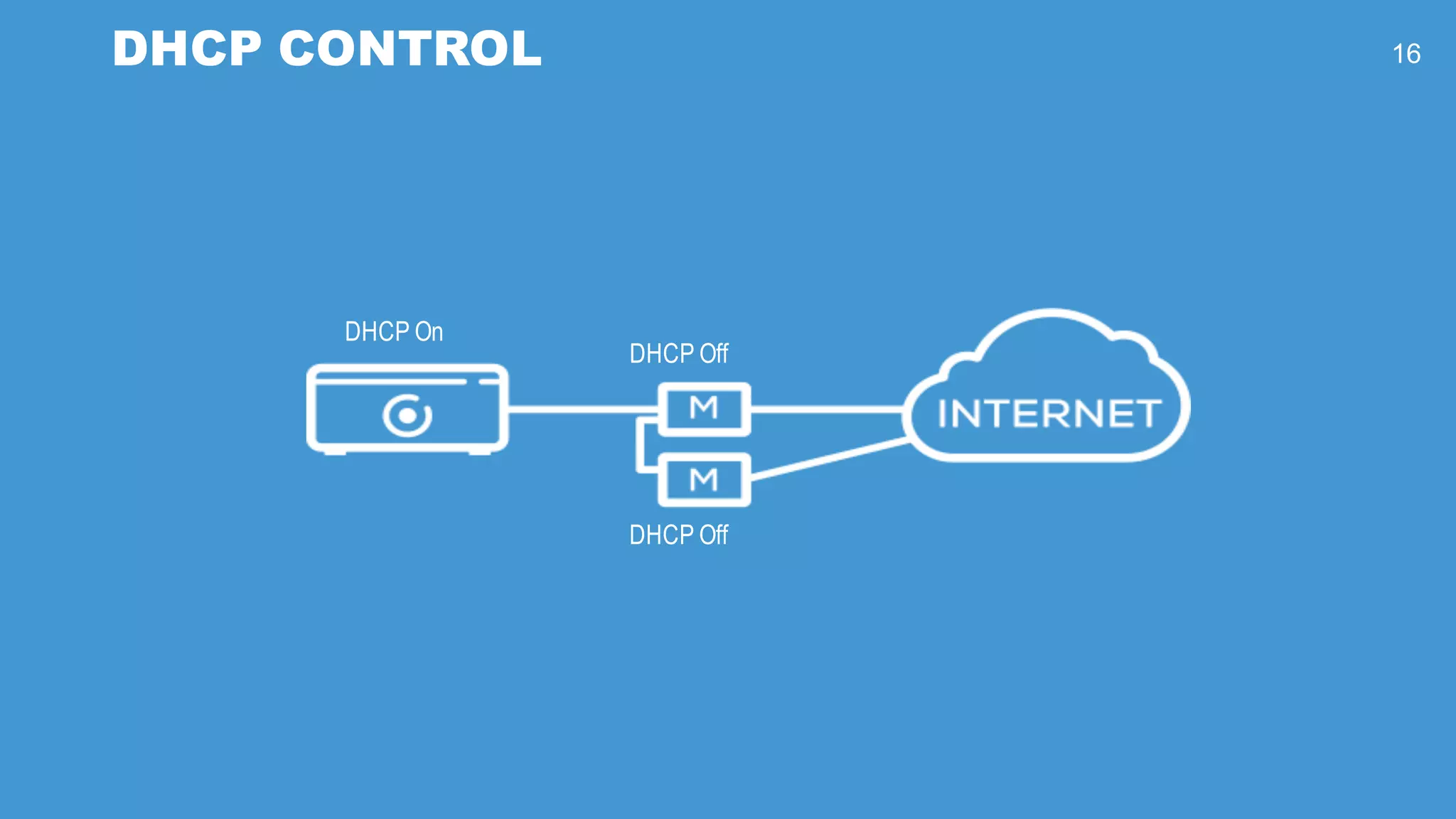
DHCP On
DHCP Off
DHCP Off
DHCP CONTROL 16
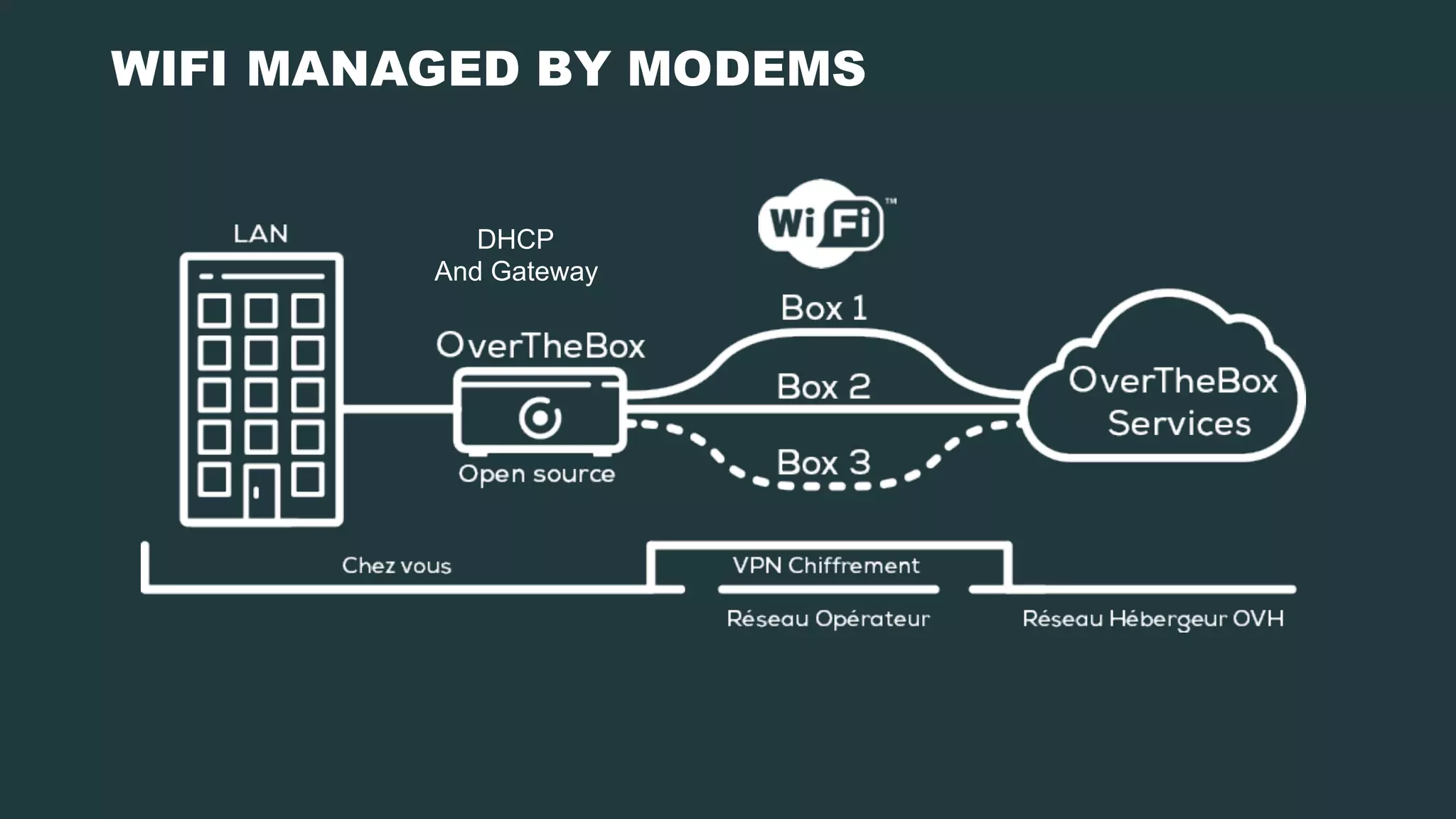
DHCP
And  Gateway
WIFI MANAGED BY MODEMS
OUR  RECIPE
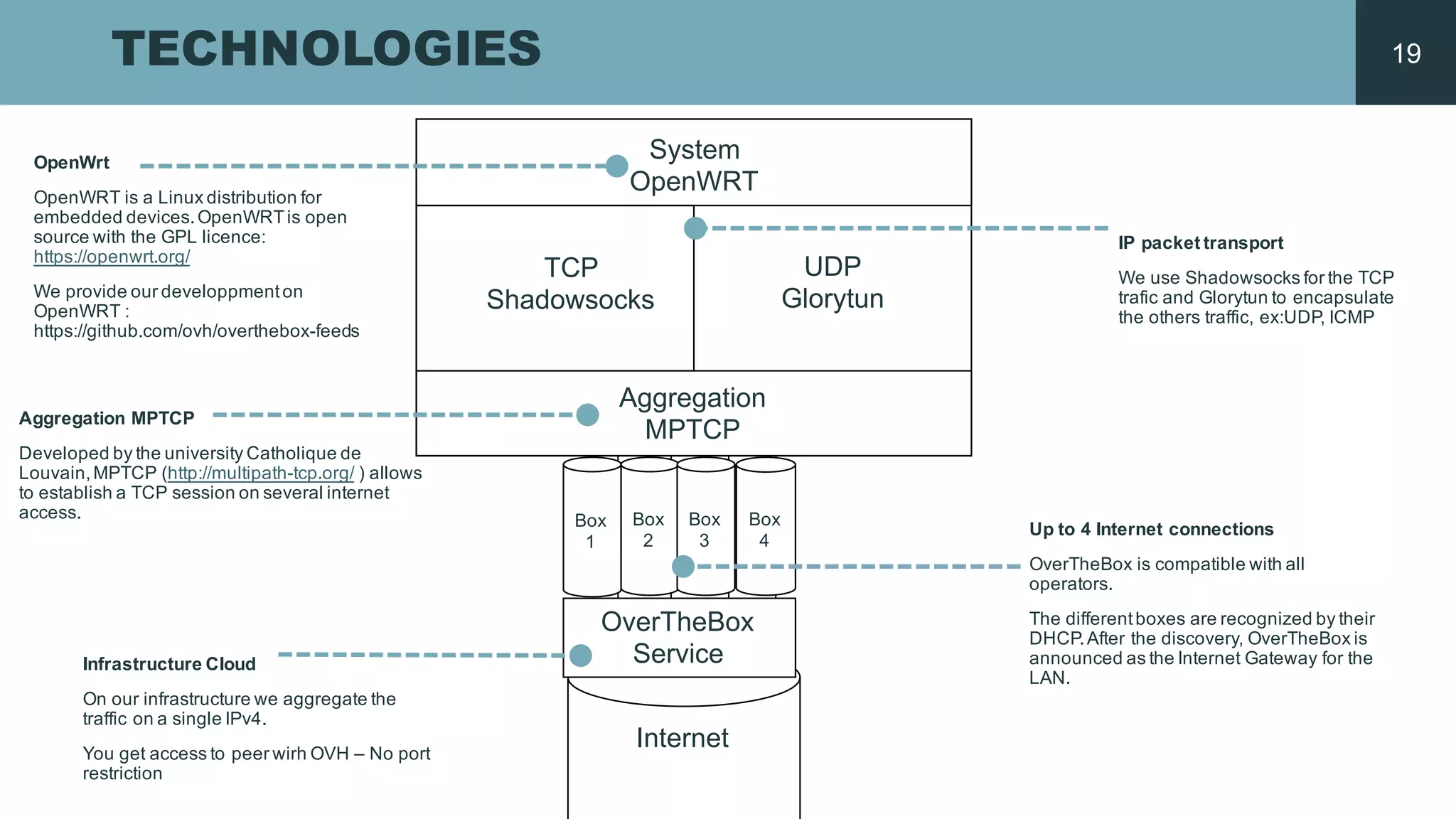
TECHNOLOGIES
Aggregation MPTCP
Developed by  the  university Catholique  de  
Louvain,  MPTCP  (http://multipath-­tcp.org/ )  allows
to  establish a  TCP  session  on  several internet  
access.
System
OpenWRT
TCP
Shadowsocks
UDP
Glorytun
Aggregation
MPTCP
IP  packet transport
We use  Shadowsocks for  the  TCP  
trafic  and  Glorytun to  encapsulate
the  others traffic,  ex:UDP,  ICMP
OpenWrt
OpenWRT is a  Linux  distribution  for  
embedded devices.  OpenWRTis open  
source  with the  GPL  licence:  
https://openwrt.org/
We provide our developpmenton  
OpenWRT :  
https://github.com/ovh/overthebox-­feeds
Infrastructure  Cloud
On  our infrastructure  we aggregate the  
traffic on  a  single  IPv4.  
You  get access to  peer wirh OVH  – No  port  
restriction
Up  to  4  Internet  connections
OverTheBox  is compatible  with all  
operators.
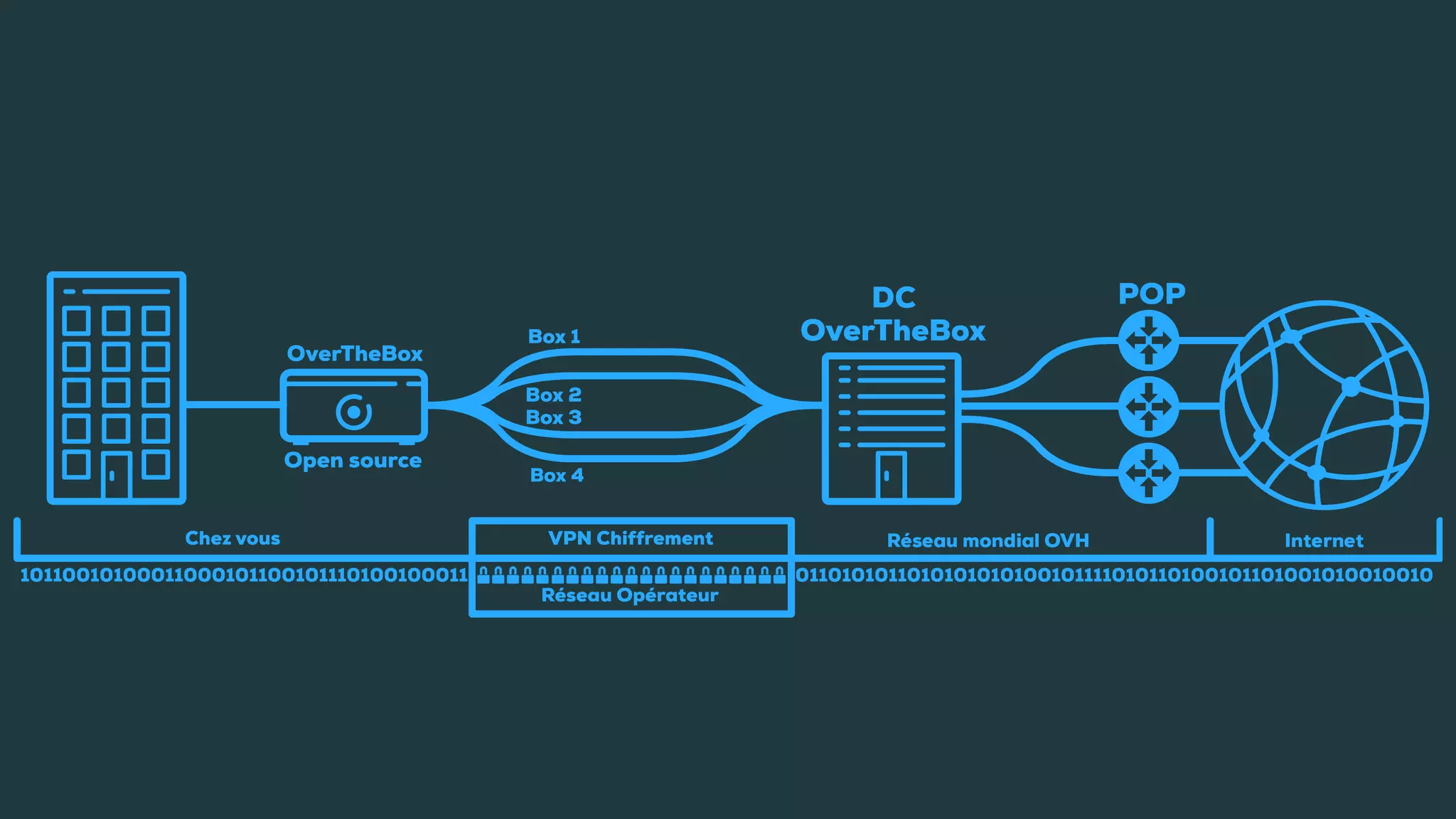
The  differentboxes  are  recognized by  their
DHCP.  After the  discovery,  OverTheBox  is
announced as  the  Internet  Gateway  for  the  
LAN.
Box
1
Box  
2
Box  
3
Box  
4
OverTheBox  
Service
Internet
19
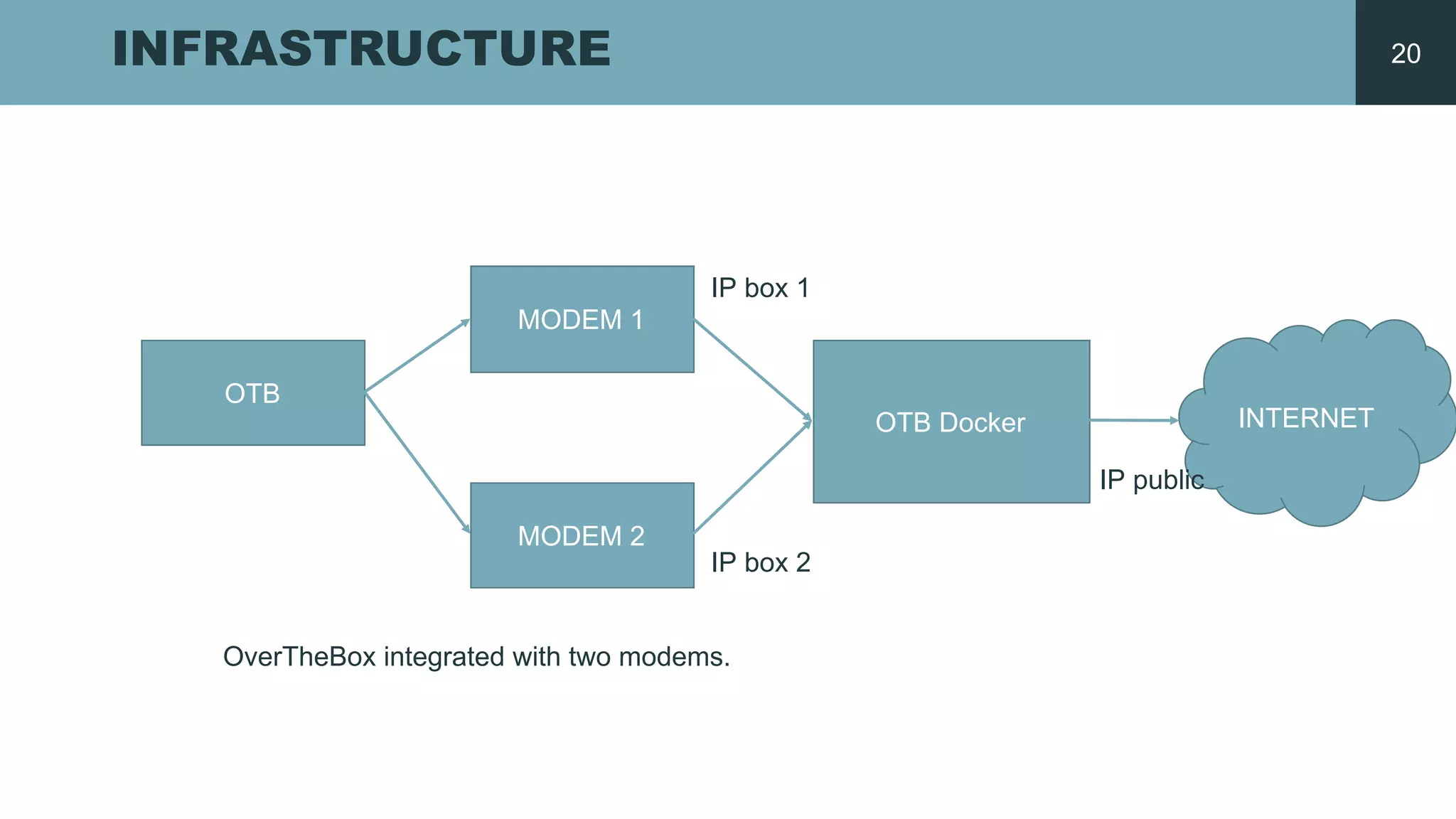
INFRASTRUCTURE
OTB
MODEM  1
MODEM  2
OTB  Docker INTERNET
IP  public
IP  box  1
IP  box  2
OverTheBox  integrated with two modems.
20
QUICK  START
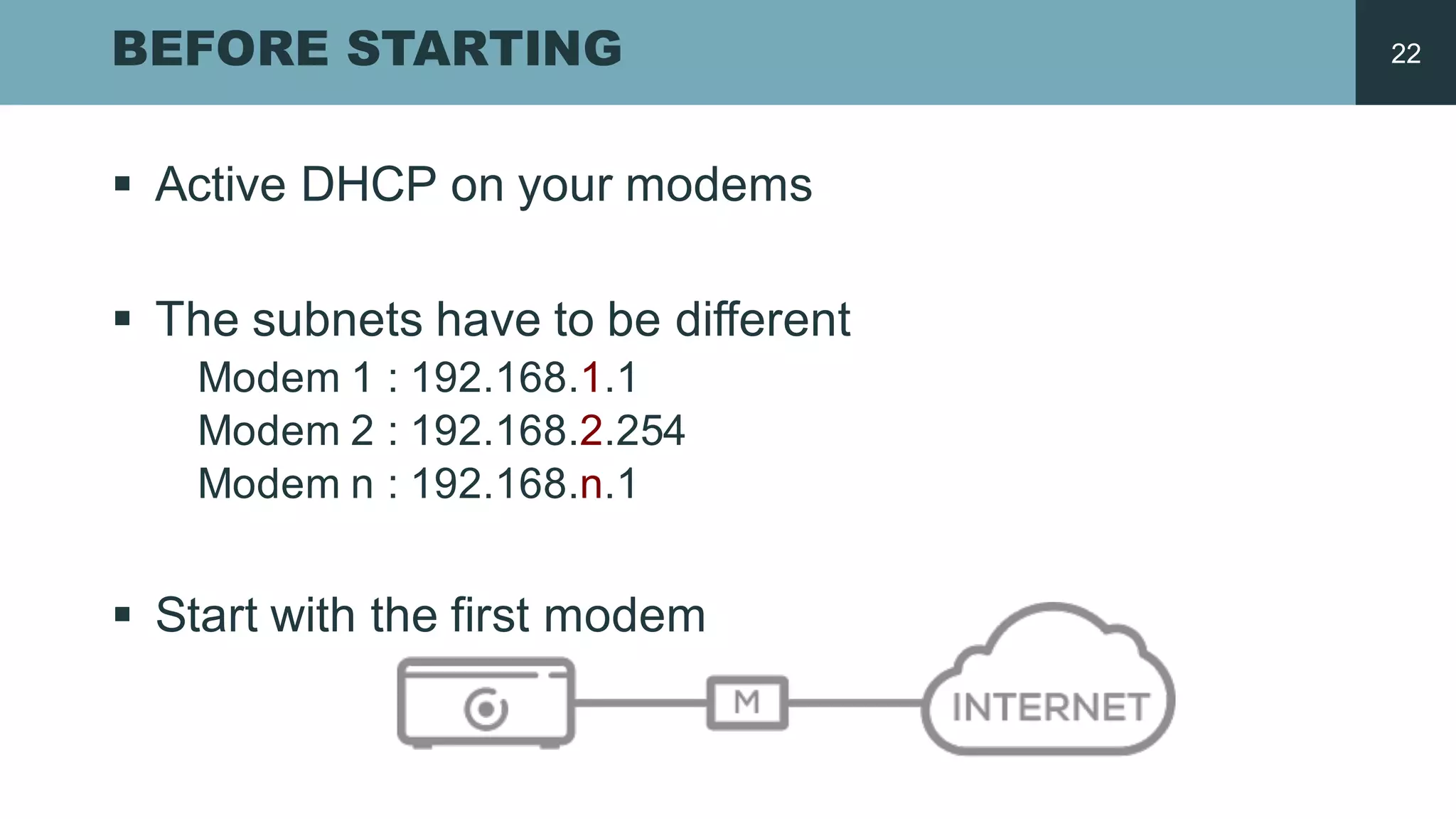
BEFORE STARTING
§ Active  DHCP  on  your modems
§ The  subnets have  to  be different
Modem  1  :  192.168.1.1
Modem  2  :  192.168.2.254
Modem  n  :  192.168.n.1
§ Start  with the  first  modem
22
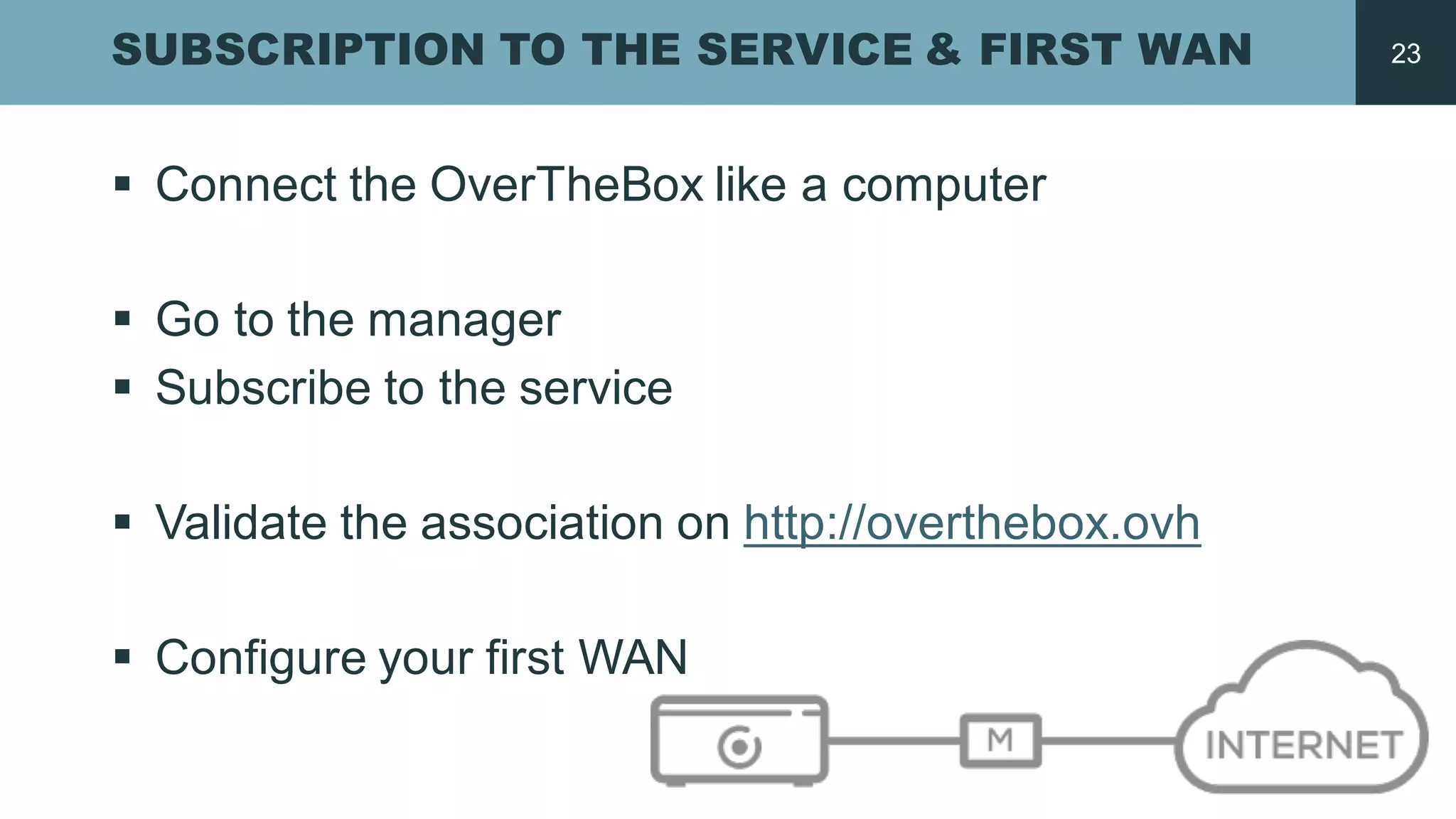
SUBSCRIPTION TO THE SERVICE & FIRST WAN
§ Connect the  OverTheBox like a  computer
§ Go  to  the  manager
§ Subscribe to  the  service
§ Validate the  association  on  http://overthebox.ovh
§ Configure  your first  WAN
23
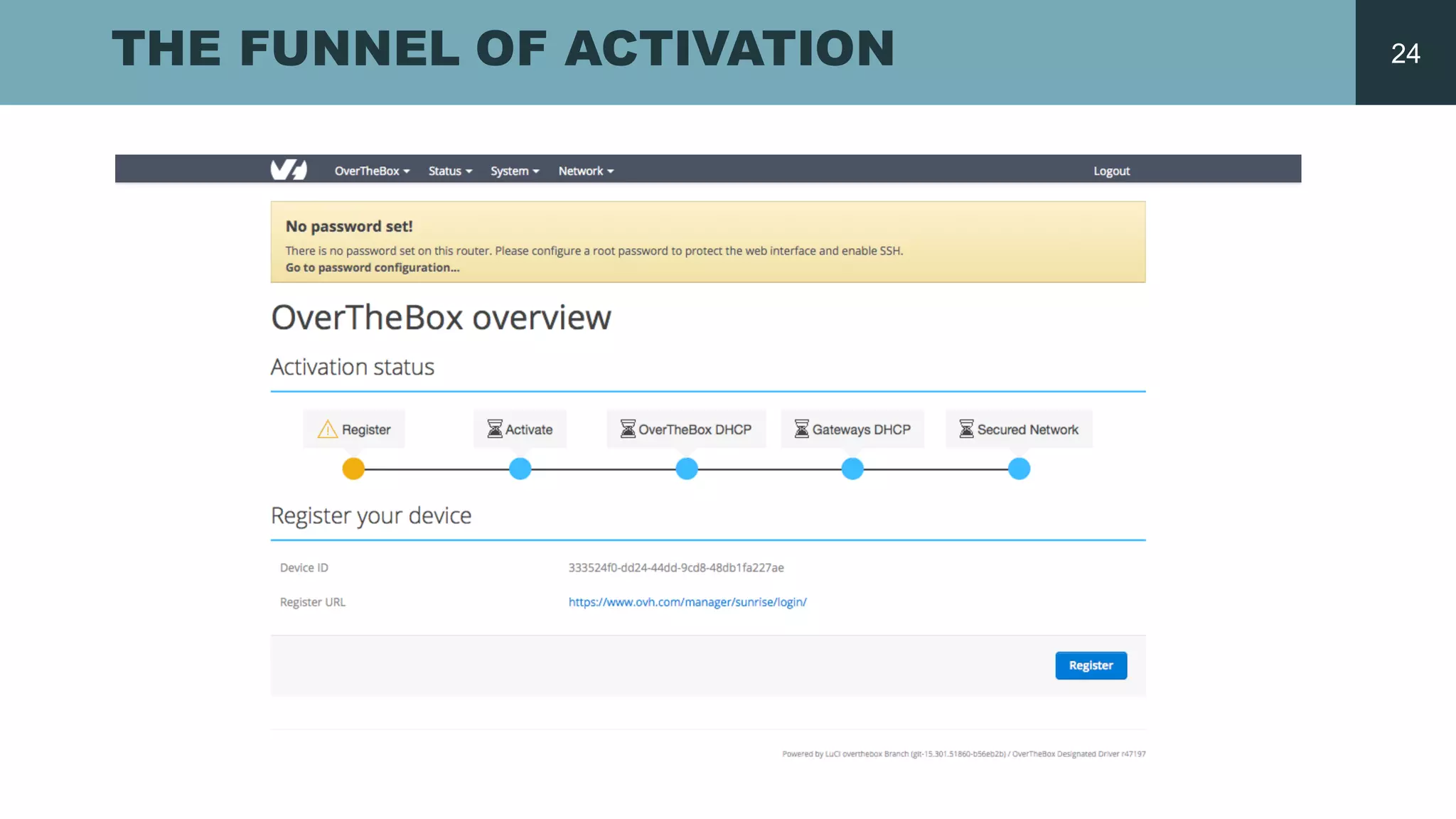
THE FUNNEL OF ACTIVATION 24
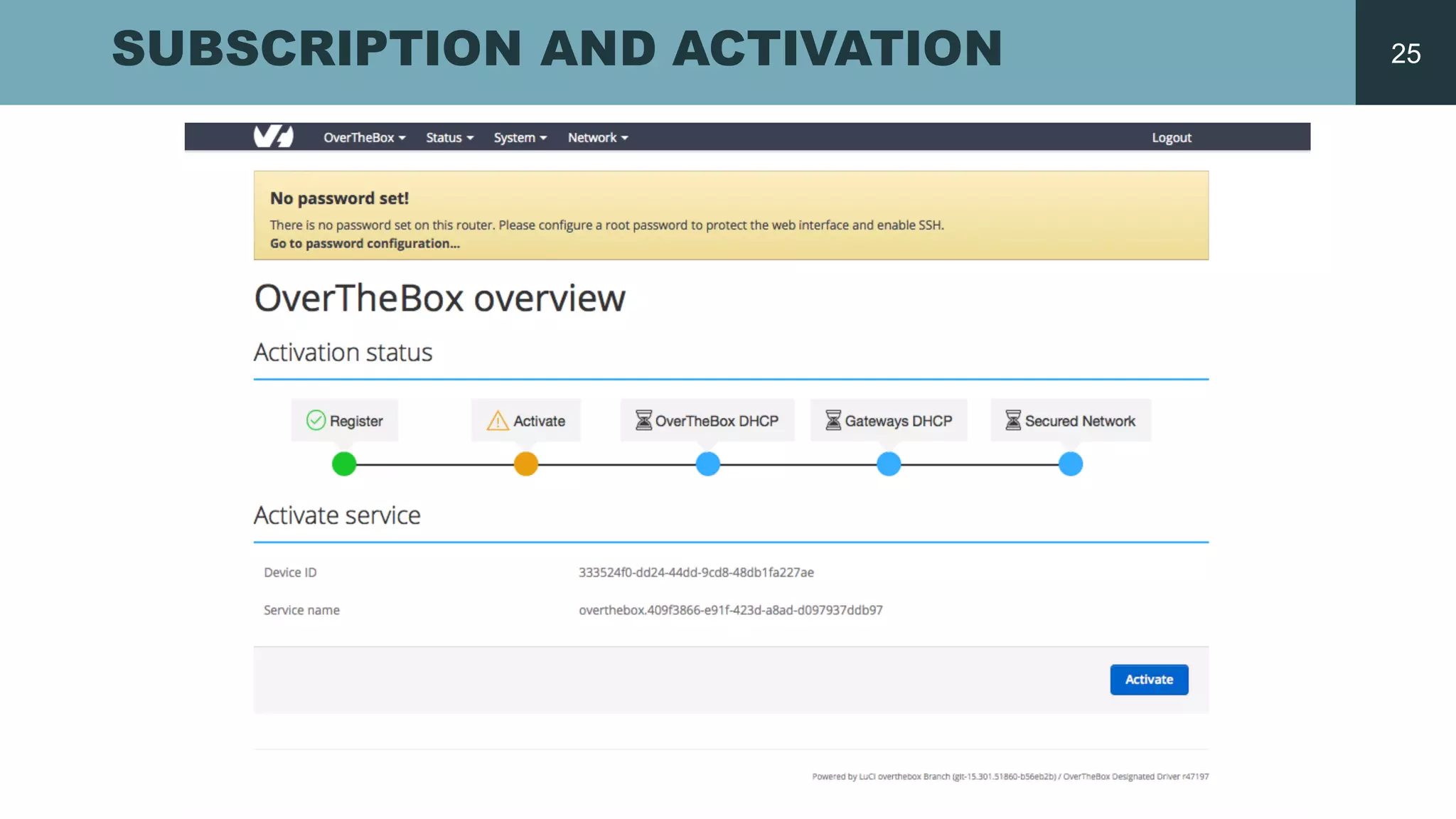
SUBSCRIPTION AND ACTIVATION 25
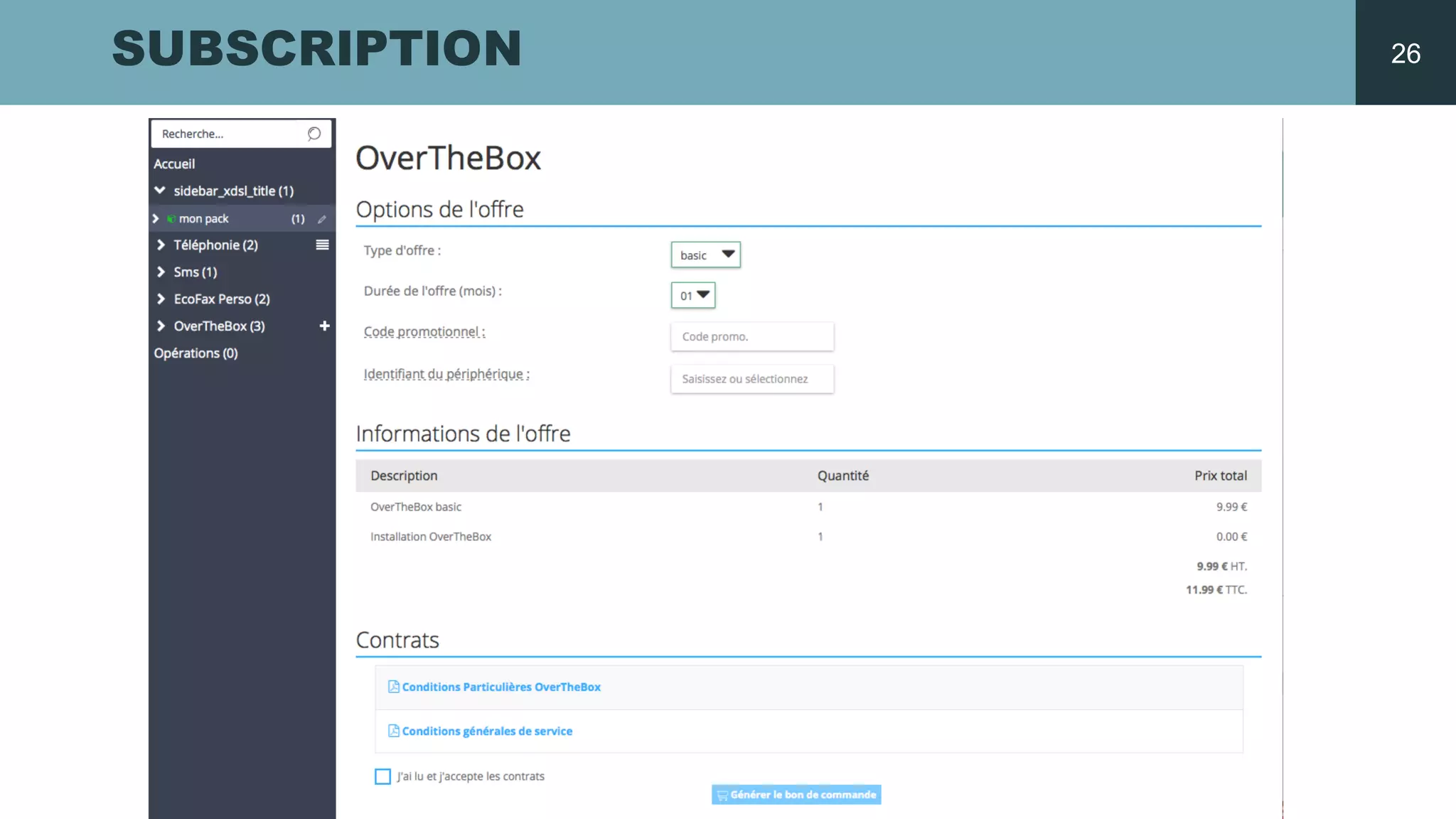
SUBSCRIPTION 26
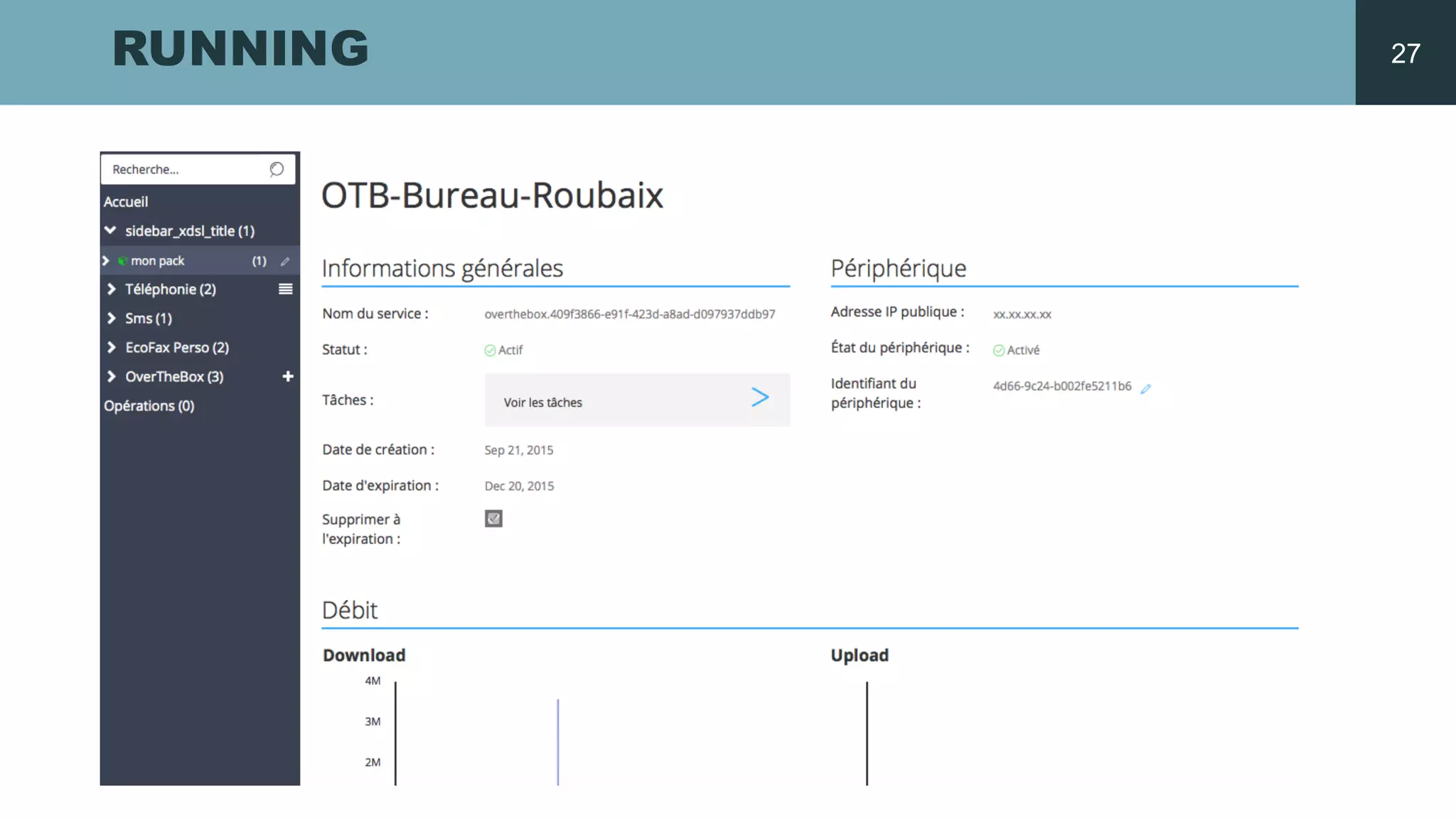
RUNNING 27
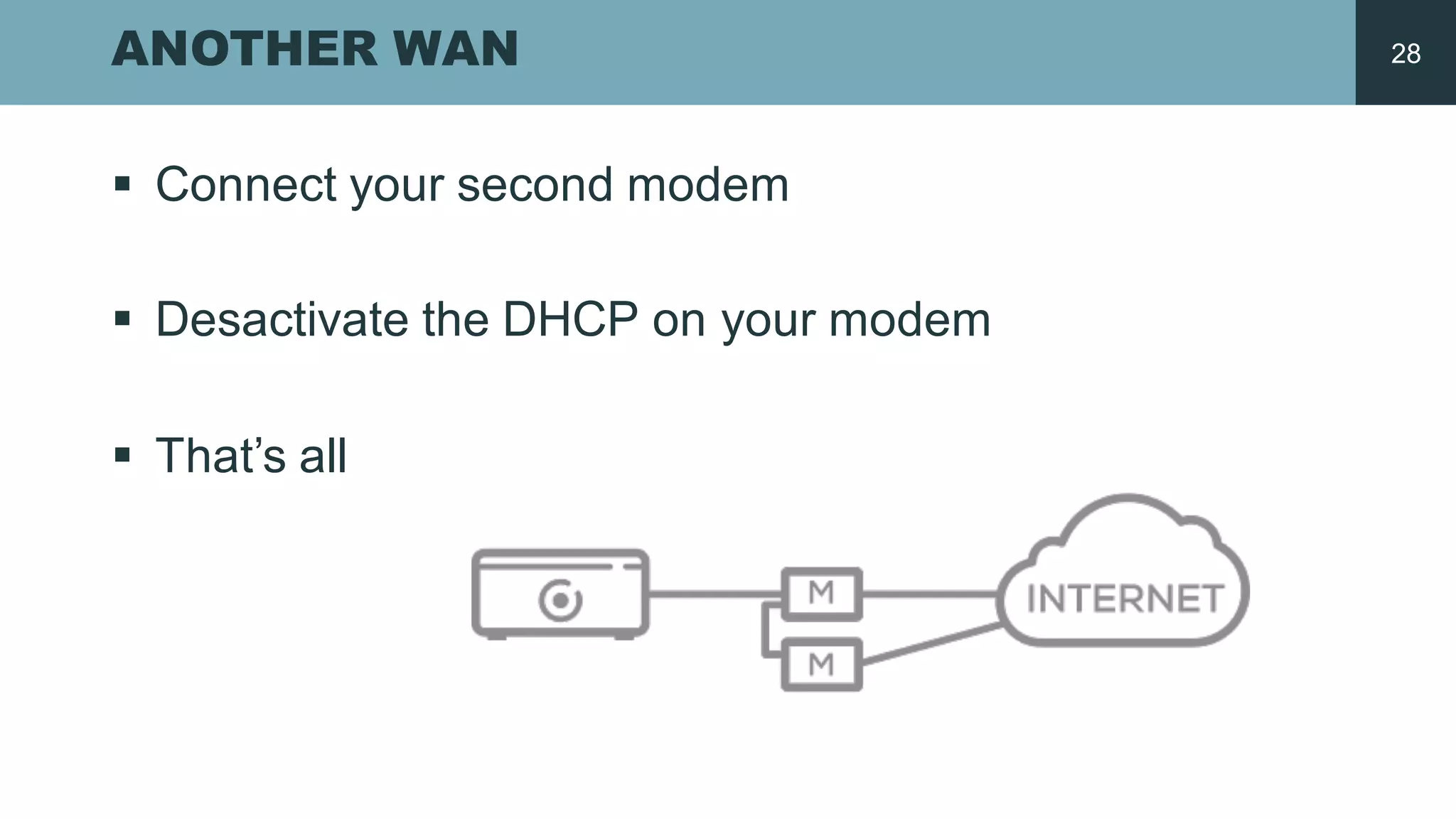
ANOTHER WAN
§ Connect your second  modem
§ Desactivate the  DHCP  on  your modem
§ That’s all
28
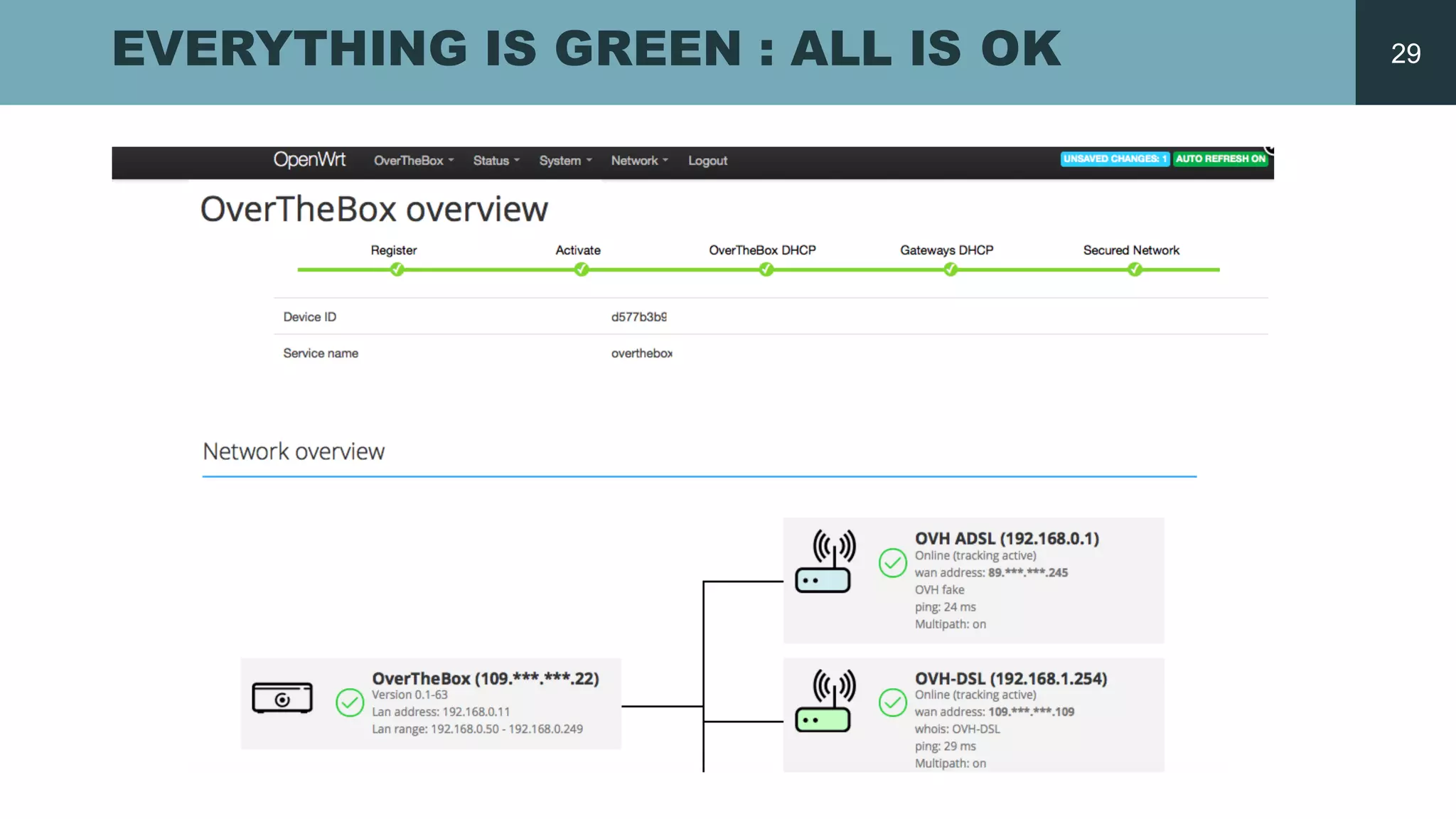
EVERYTHING IS GREEN : ALL IS OK 29
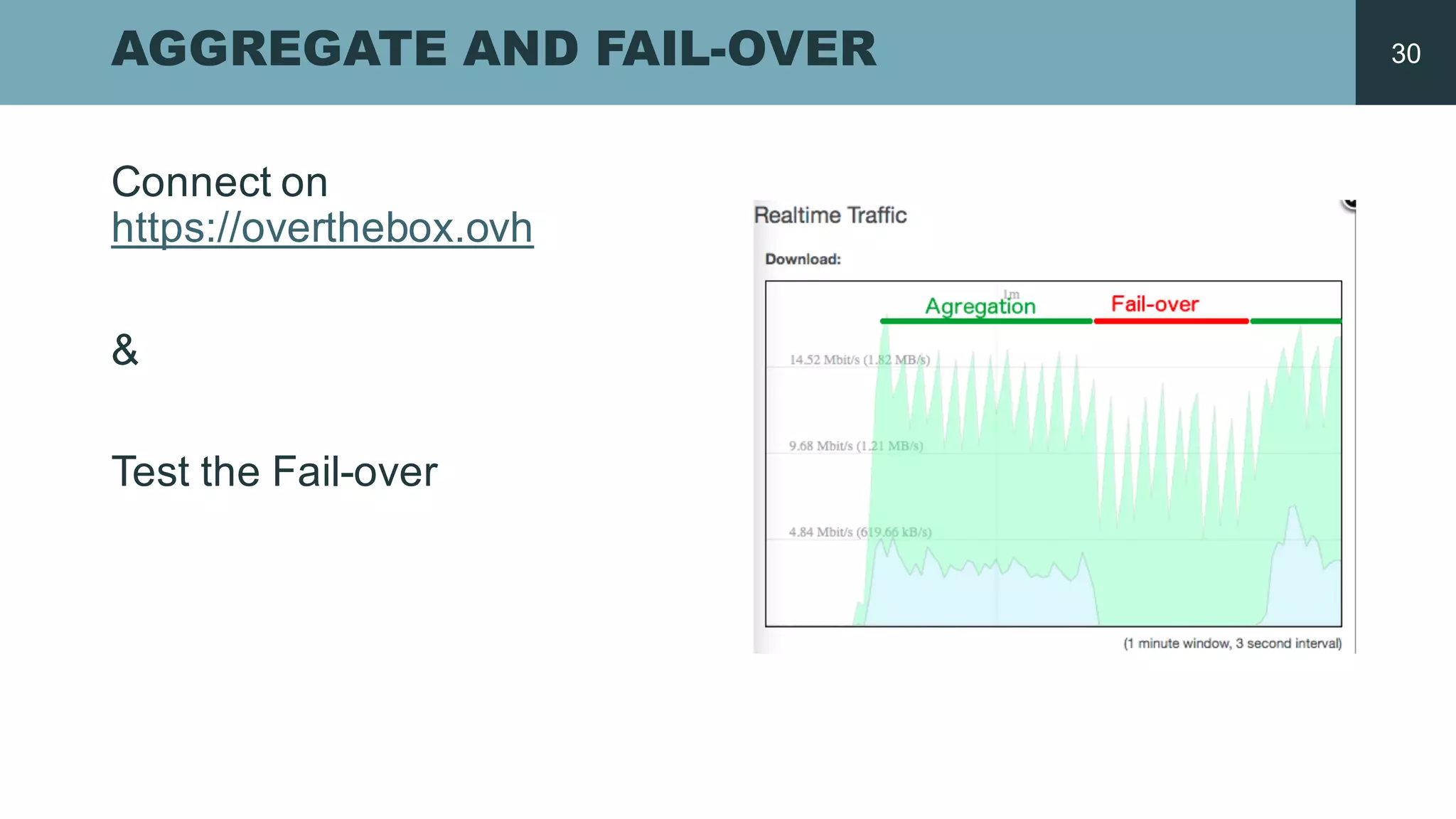
AGGREGATE AND FAIL-­OVER
Connect on  
https://overthebox.ovh
&
Test  the  Fail-­over
30
GO  FURTHER
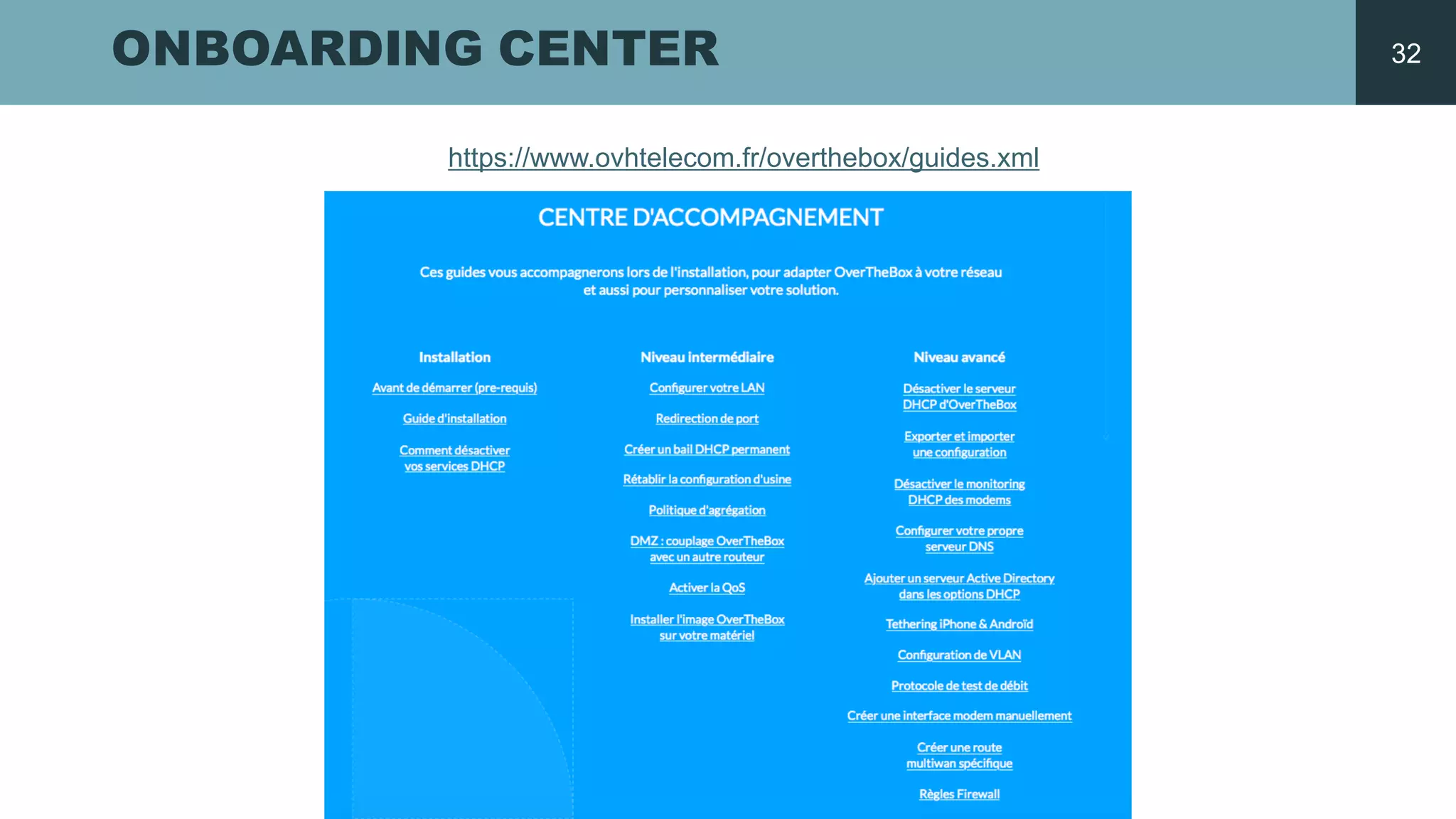
ONBOARDING CENTER
https://www.ovhtelecom.fr/overthebox/guides.xml
32
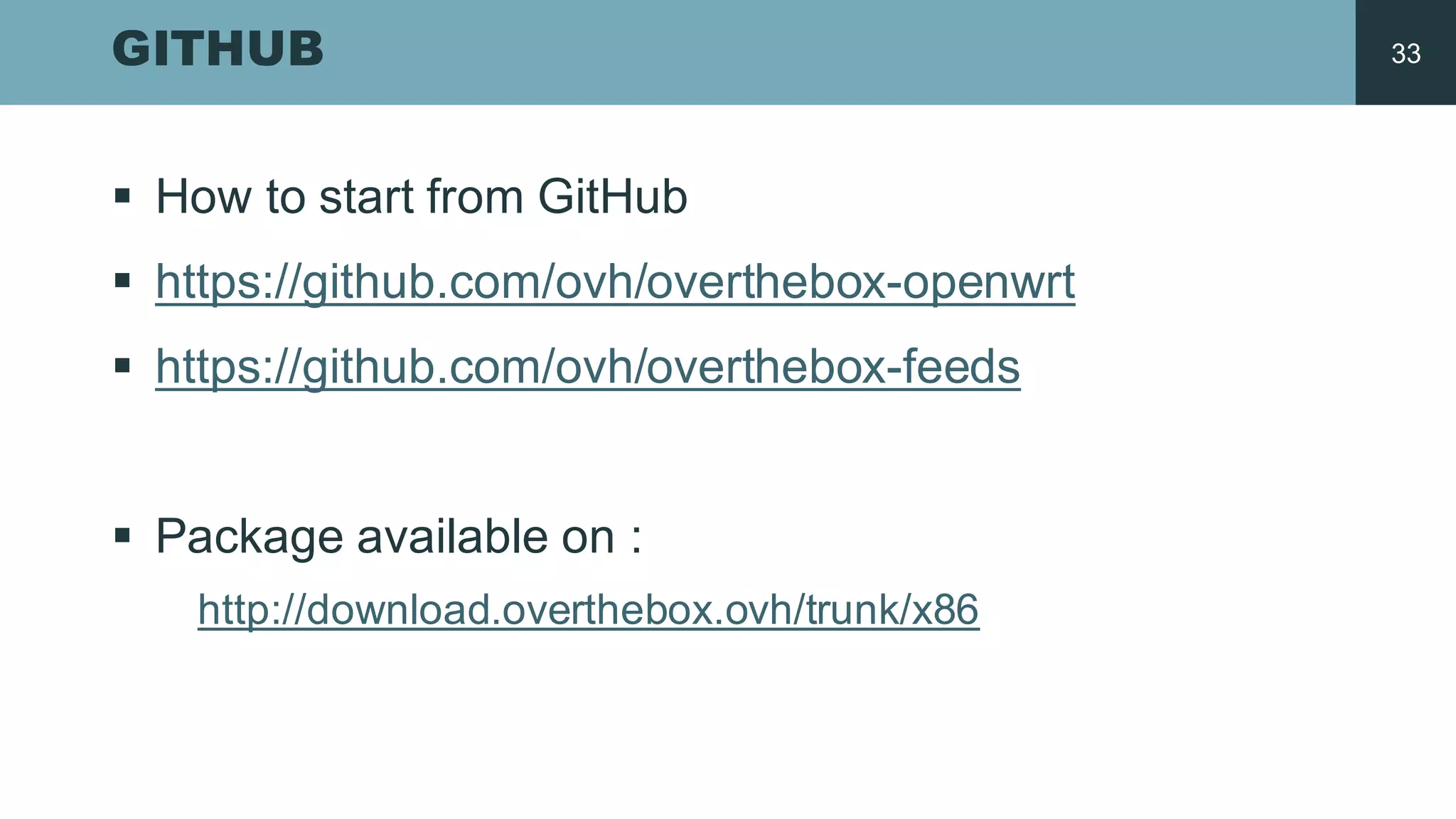
GITHUB
§ How  to  start from GitHub
§ https://github.com/ovh/overthebox-­openwrt
§ https://github.com/ovh/overthebox-­feeds
§ Package  available on  :
http://download.overthebox.ovh/trunk/x86
33
>
THANK
YOU
HTTPS://WWW.OVHTELECOM.FR
ovh_telecom

Introduction to OverTheBox

  • 1.
  • 2.
  • 3.
    OVH LAUNCHES OVERTHEBOX Aggregation Load balancing Fail-­Over Encryption AES256 Anti-­DDoS QoS 3
  • 4.
    AGGREGATION The  traffic issplit  among 2,  3  or  4  internet  connections.  Our  Service  aggregates them on  one  IPv4  hosted by  OVH. 4
  • 5.
    LOAD BALANCING OverTheBox  canload balance  users or  traffic. 5
  • 6.
    ACTIVE FAIL-­OVER OverTheBox can keep  you  online  in  the  event  that  one  connection  should  fail  while  keeping   all  active  tcp connections.   OverTheBox (OTB)  service  maintains traffic on  the  OVH  IP  hosted.   6
  • 7.
    OVERTHEBOX Processor:  x86  Intel Atom  E3815  (1  .46  GHz  -­ Cache  512  ko  -­ TDP  5W)   RAM:  2GB Network  port:  1Gb/s  RJ45   Connectivity:  USB  3.0  port  -­ 5  USB  2.0  ports   HDMI  port  -­ VGA  port  -­ microphone  jack Max  Download:  130Mb/s   Dimensions:  190  x  40  x  116  mm   Power  supply:  12V  3A   7
  • 8.
    WHY  DID  WE DO  IT?
  • 9.
    THE CHOICE ISA LUXURY Very High  Rate  >=  30Mbps § 3.6  million  lines with 1.1  million  FTTH   access High  Rate  <30  Mbps § 22.4  million  of  lines The  majority of  people  can only access to   High  Rate Source  Arcep,  june 2015 9
  • 10.
    DO YOU MIX? 29% 17% 70% MULTI-­WAN MIX OF TECHNOLOGIES MULTI-­OPERATOR ADSL+FTTH ADSL  +  SDSL ADSL  +  4G ADSL  +  ADSL Source  OVH  Télécom  customers More  than 2  connections MULTI-­WAN  CUSTOMERS  :   10
  • 11.
    DIFFERENT COMBINATIONS FTTH ADSL PreventFTTH  failure and  long   downtime ADSL ADSL Double rate,  failure tolerance improved by  using two different operators ADSL SDSL Good  download and  upload rate,   suitable for  VoIP,  video protection,   VPN,  SSH... ADSL 4G Suitable for  preventing failure of   Internet  connection 11
  • 12.
  • 14.
    1 RJ45 ETHERNETPORT 1GBIT/S 14
  • 15.
  • 16.
    DHCP On DHCP Off DHCPOff DHCP CONTROL 16
  • 17.
  • 18.
  • 19.
    TECHNOLOGIES Aggregation MPTCP Developed by the  university Catholique  de   Louvain,  MPTCP  (http://multipath-­tcp.org/ )  allows to  establish a  TCP  session  on  several internet   access. System OpenWRT TCP Shadowsocks UDP Glorytun Aggregation MPTCP IP  packet transport We use  Shadowsocks for  the  TCP   trafic  and  Glorytun to  encapsulate the  others traffic,  ex:UDP,  ICMP OpenWrt OpenWRT is a  Linux  distribution  for   embedded devices.  OpenWRTis open   source  with the  GPL  licence:   https://openwrt.org/ We provide our developpmenton   OpenWRT :   https://github.com/ovh/overthebox-­feeds Infrastructure  Cloud On  our infrastructure  we aggregate the   traffic on  a  single  IPv4.   You  get access to  peer wirh OVH  – No  port   restriction Up  to  4  Internet  connections OverTheBox  is compatible  with all   operators. The  differentboxes  are  recognized by  their DHCP.  After the  discovery,  OverTheBox  is announced as  the  Internet  Gateway  for  the   LAN. Box 1 Box   2 Box   3 Box   4 OverTheBox   Service Internet 19
  • 20.
    INFRASTRUCTURE OTB MODEM  1 MODEM  2 OTB Docker INTERNET IP  public IP  box  1 IP  box  2 OverTheBox  integrated with two modems. 20
  • 21.
  • 22.
    BEFORE STARTING § Active DHCP  on  your modems § The  subnets have  to  be different Modem  1  :  192.168.1.1 Modem  2  :  192.168.2.254 Modem  n  :  192.168.n.1 § Start  with the  first  modem 22
  • 23.
    SUBSCRIPTION TO THESERVICE & FIRST WAN § Connect the  OverTheBox like a  computer § Go  to  the  manager § Subscribe to  the  service § Validate the  association  on  http://overthebox.ovh § Configure  your first  WAN 23
  • 24.
    THE FUNNEL OFACTIVATION 24
  • 25.
  • 26.
  • 27.
  • 28.
    ANOTHER WAN § Connectyour second  modem § Desactivate the  DHCP  on  your modem § That’s all 28
  • 29.
    EVERYTHING IS GREEN: ALL IS OK 29
  • 30.
    AGGREGATE AND FAIL-­OVER Connecton   https://overthebox.ovh & Test  the  Fail-­over 30
  • 31.
  • 32.
  • 33.
    GITHUB § How  to start from GitHub § https://github.com/ovh/overthebox-­openwrt § https://github.com/ovh/overthebox-­feeds § Package  available on  : http://download.overthebox.ovh/trunk/x86 33
  • 34.