Discover the OVH Dedicated Cloud Webinar
?Slides Recorded Questions
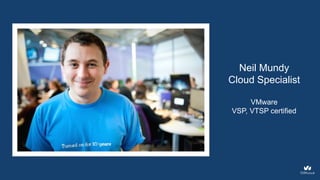
Neil Mundy
Cloud Specialist
VMware
VSP, VTSP certified
Agenda
The OVH Dedicated Cloud
1. General overview of the product
2. vCenter / vSphere demonstration
3. Q&A session
4
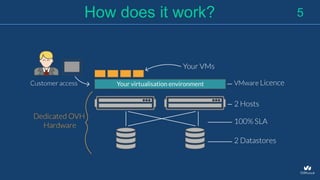
5How does it work?
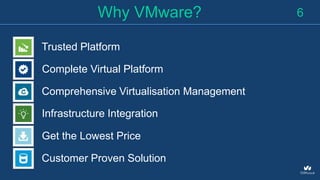
Trusted Platform
Complete Virtual Platform
Comprehensive Virtualisation Management
Infrastructure Integration
Get the Lowest Price
Customer Proven Solution
Why VMware? 6
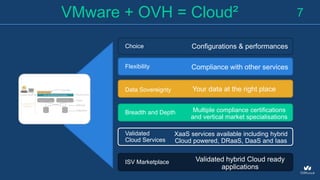
Choice
Flexibility
Data Sovereignty
Breadth and Depth
Validated
Cloud Services
ISV Marketplace
7VMware + OVH = Cloud²
Configurations & performances
Compliance with other services
Your data at the right place
Multiple compliance certifications
and vertical market specialisations
XaaS services available including hybrid
Cloud powered, DRaaS, DaaS and Iaas
Validated hybrid Cloud ready
applications
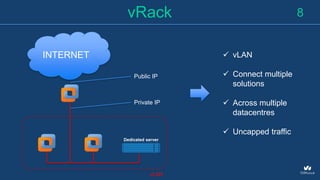
8vRack
INTERNET
vLAN
 vLAN
 Connect multiple
solutions
 Across multiple
datacentres
 Uncapped traffic
Public IP
Private IP
Dedicated server
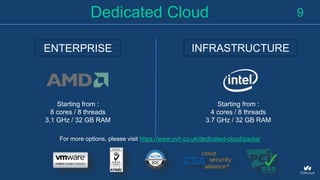
9Dedicated Cloud
Starting from :
8 cores / 8 threads
3.1 GHz / 32 GB RAM
Starting from :
4 cores / 8 threads
3.7 GHz / 32 GB RAM
ENTERPRISE INFRASTRUCTURE
For more options, please visit https://www.ovh.co.uk/dedicated-cloud/packs/
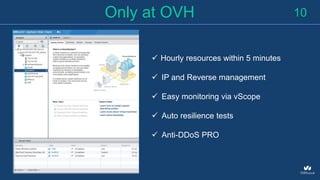
10Only at OVH
 Hourly resources within 5 minutes
 IP and Reverse management
 Easy monitoring via vScope
 Auto resilience tests
 Anti-DDoS PRO
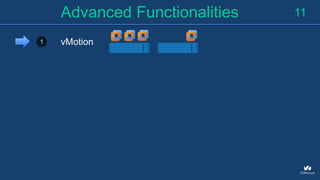
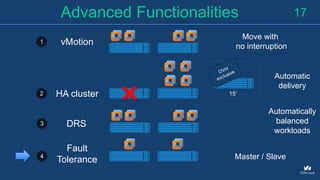
11Advanced Functionalities
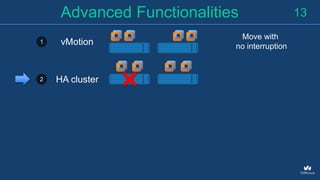
1 vMotion
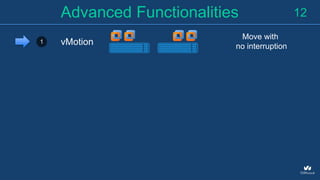
12Advanced Functionalities
1 vMotion
Move with
no interruption
13Advanced Functionalities
1 vMotion
Move with
no interruption
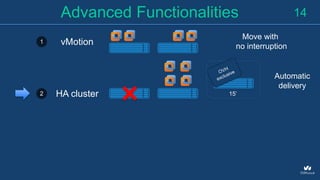
2 HA cluster
14Advanced Functionalities
1 vMotion
Move with
no interruption
2 HA cluster
Automatic
delivery
15’
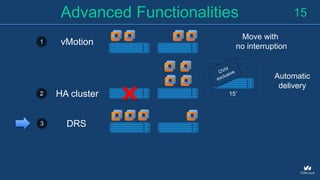
15Advanced Functionalities
1 vMotion
Move with
no interruption
2 HA cluster
Automatic
delivery
15’
DRS3
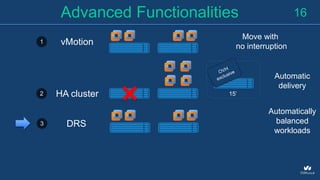
16Advanced Functionalities
1 vMotion
Move with
no interruption
2 HA cluster
Automatic
delivery
15’
DRS3
Automatically
balanced
workloads
17Advanced Functionalities
1 vMotion
Move with
no interruption
2 HA cluster
Automatic
delivery
15’
DRS3
Automatically
balanced
workloads
4
Fault
Tolerance Master / Slave
18What‘s Next?
vCenter / vSphere
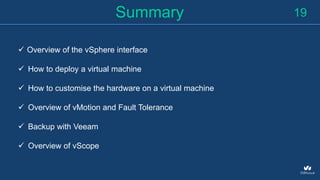
19Summary
 Overview of the vSphere interface
 How to deploy a virtual machine
 How to customise the hardware on a virtual machine
 Overview of vMotion and Fault Tolerance
 Backup with Veeam
 Overview of vScope
Q&A session
Questions
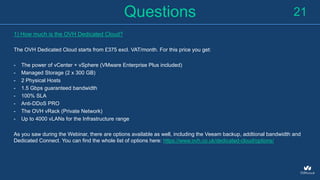
1) How much is the OVH Dedicated Cloud?
The OVH Dedicated Cloud starts from £375 excl. VAT/month. For this price you get:
- The power of vCenter + vSphere (VMware Enterprise Plus included)
- Managed Storage (2 x 300 GB)
- 2 Physical Hosts
- 1.5 Gbps guaranteed bandwidth
- 100% SLA
- Anti-DDoS PRO
- The OVH vRack (Private Network)
- Up to 4000 vLANs for the Infrastructure range
As you saw during the Webinar, there are options available as well, including the Veeam backup, addtional bandwidth and
Dedicated Connect. You can find the whole list of options here: https://www.ovh.co.uk/dedicated-cloud/options/
21
Questions
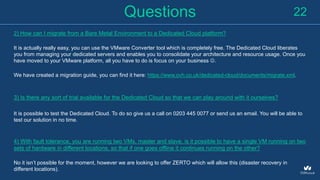
2) How can I migrate from a Bare Metal Environment to a Dedicated Cloud platform?
It is actually really easy, you can use the VMware Converter tool which is completely free. The Dedicated Cloud liberates
you from managing your dedicated servers and enables you to consolidate your architecture and resource usage. Once you
have moved to your VMware platform, all you have to do is focus on your business .
We have created a migration guide, you can find it here: https://www.ovh.co.uk/dedicated-cloud/documents/migrate.xml.
3) Is there any sort of trial available for the Dedicated Cloud so that we can play around with it ourselves?
It is possible to test the Dedicated Cloud. To do so give us a call on 0203 445 0077 or send us an email. You will be able to
test our solution in no time.
4) With fault tolerance, you are running two VMs, master and slave, is it possible to have a single VM running on two
sets of hardware in different locations, so that if one goes offline it continues running on the other?
No it isn’t possible for the moment, however we are looking to offer ZERTO which will allow this (disaster recovery in
different locations).
22
Questions
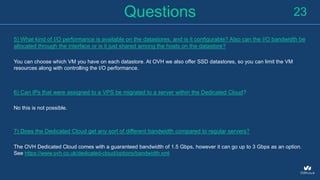
5) What kind of I/O performance is available on the datastores, and is it configurable? Also can the I/O bandwidth be
allocated through the interface or is it just shared among the hosts on the datastore?
You can choose which VM you have on each datastore. At OVH we also offer SSD datastores, so you can limit the VM
resources along with controlling the I/O performance.
6) Can IPs that were assigned to a VPS be migrated to a server within the Dedicated Cloud?
No this is not possible.
7) Does the Dedicated Cloud get any sort of different bandwidth compared to regular servers?
The OVH Dedicated Cloud comes with a guaranteed bandwidth of 1.5 Gbps, however it can go up to 3 Gbps as an option.
See https://www.ovh.co.uk/dedicated-cloud/options/bandwidth.xml
23
Questions
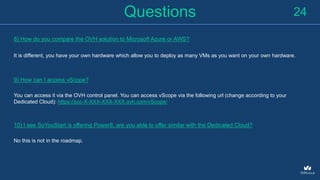
8) How do you compare the OVH solution to Microsoft Azure or AWS?
It is different, you have your own hardware which allow you to deploy as many VMs as you want on your own hardware.
9) How can I access vScope?
You can access it via the OVH control panel. You can access vScope via the following url (change according to your
Dedicated Cloud): https://pcc-X-XXX-XXX-XXX.ovh.com/vScope/
10) I see SoYouStart is offering Power8, are you able to offer similar with the Dedicated Cloud?
No this is not in the roadmap.
24
Questions
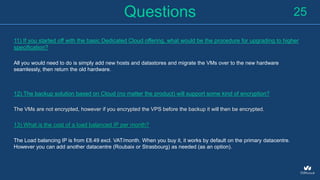
11) If you started off with the basic Dedicated Cloud offering, what would be the procedure for upgrading to higher
specification?
All you would need to do is simply add new hosts and datastores and migrate the VMs over to the new hardware
seamlessly, then return the old hardware.
12) The backup solution based on Cloud (no matter the product) will support some kind of encryption?
The VMs are not encrypted, however if you encrypted the VPS before the backup it will then be encrypted.
13) What is the cost of a load balanced IP per month?
The Load balancing IP is from £8.49 excl. VAT/month. When you buy it, it works by default on the primary datacentre.
However you can add another datacentre (Roubaix or Strasbourg) as needed (as an option).
25
Questions
You can find some more information in the following links:
- Dedicated Cloud: https://www.ovh.co.uk/dedicated-cloud/
- Some additional documentation / use cases: https://www.ovh.co.uk/dedicated-cloud/documents/
- You can read everything about migration to Dedicated Cloud here: https://www.ovh.co.uk/dedicated-
cloud/documents/migrate.xml
- The OVH Academy and how to register: https://www.ovh.co.uk/events/academy/ (search the London event, just sign up
 )
We also invite you to have a look at our case studies webpage, we are sure that you will find some interesting ideas that
you can replicate with your Cloud environment: https://www.ovh.co.uk/community/casestudies/
26
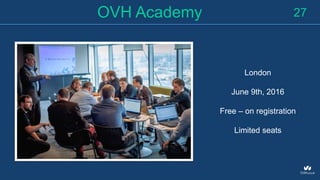
27OVH Academy
London
June 9th, 2016
Free – on registration
Limited seats
Keep in Touch
+44 (0)20 7357 6616
@
28
customersupport@ovh.co.uk
@ovh_uk
Thank you
The OVH Team
April 21st, 2016

Discover the OVH Dedicated Cloud Webinar

  • 1.
    Discover the OVHDedicated Cloud Webinar
  • 2.
  • 3.
  • 4.
    Agenda The OVH DedicatedCloud 1. General overview of the product 2. vCenter / vSphere demonstration 3. Q&A session 4
  • 5.
  • 6.
    Trusted Platform Complete VirtualPlatform Comprehensive Virtualisation Management Infrastructure Integration Get the Lowest Price Customer Proven Solution Why VMware? 6
  • 7.
    Choice Flexibility Data Sovereignty Breadth andDepth Validated Cloud Services ISV Marketplace 7VMware + OVH = Cloud² Configurations & performances Compliance with other services Your data at the right place Multiple compliance certifications and vertical market specialisations XaaS services available including hybrid Cloud powered, DRaaS, DaaS and Iaas Validated hybrid Cloud ready applications
  • 8.
    8vRack INTERNET vLAN  vLAN  Connectmultiple solutions  Across multiple datacentres  Uncapped traffic Public IP Private IP Dedicated server
  • 9.
    9Dedicated Cloud Starting from: 8 cores / 8 threads 3.1 GHz / 32 GB RAM Starting from : 4 cores / 8 threads 3.7 GHz / 32 GB RAM ENTERPRISE INFRASTRUCTURE For more options, please visit https://www.ovh.co.uk/dedicated-cloud/packs/
  • 10.
    10Only at OVH Hourly resources within 5 minutes  IP and Reverse management  Easy monitoring via vScope  Auto resilience tests  Anti-DDoS PRO
  • 11.
  • 12.
  • 13.
    13Advanced Functionalities 1 vMotion Movewith no interruption 2 HA cluster
  • 14.
    14Advanced Functionalities 1 vMotion Movewith no interruption 2 HA cluster Automatic delivery 15’
  • 15.
    15Advanced Functionalities 1 vMotion Movewith no interruption 2 HA cluster Automatic delivery 15’ DRS3
  • 16.
    16Advanced Functionalities 1 vMotion Movewith no interruption 2 HA cluster Automatic delivery 15’ DRS3 Automatically balanced workloads
  • 17.
    17Advanced Functionalities 1 vMotion Movewith no interruption 2 HA cluster Automatic delivery 15’ DRS3 Automatically balanced workloads 4 Fault Tolerance Master / Slave
  • 18.
  • 19.
    19Summary  Overview ofthe vSphere interface  How to deploy a virtual machine  How to customise the hardware on a virtual machine  Overview of vMotion and Fault Tolerance  Backup with Veeam  Overview of vScope
  • 20.
  • 21.
    Questions 1) How muchis the OVH Dedicated Cloud? The OVH Dedicated Cloud starts from £375 excl. VAT/month. For this price you get: - The power of vCenter + vSphere (VMware Enterprise Plus included) - Managed Storage (2 x 300 GB) - 2 Physical Hosts - 1.5 Gbps guaranteed bandwidth - 100% SLA - Anti-DDoS PRO - The OVH vRack (Private Network) - Up to 4000 vLANs for the Infrastructure range As you saw during the Webinar, there are options available as well, including the Veeam backup, addtional bandwidth and Dedicated Connect. You can find the whole list of options here: https://www.ovh.co.uk/dedicated-cloud/options/ 21
  • 22.
    Questions 2) How canI migrate from a Bare Metal Environment to a Dedicated Cloud platform? It is actually really easy, you can use the VMware Converter tool which is completely free. The Dedicated Cloud liberates you from managing your dedicated servers and enables you to consolidate your architecture and resource usage. Once you have moved to your VMware platform, all you have to do is focus on your business . We have created a migration guide, you can find it here: https://www.ovh.co.uk/dedicated-cloud/documents/migrate.xml. 3) Is there any sort of trial available for the Dedicated Cloud so that we can play around with it ourselves? It is possible to test the Dedicated Cloud. To do so give us a call on 0203 445 0077 or send us an email. You will be able to test our solution in no time. 4) With fault tolerance, you are running two VMs, master and slave, is it possible to have a single VM running on two sets of hardware in different locations, so that if one goes offline it continues running on the other? No it isn’t possible for the moment, however we are looking to offer ZERTO which will allow this (disaster recovery in different locations). 22
  • 23.
    Questions 5) What kindof I/O performance is available on the datastores, and is it configurable? Also can the I/O bandwidth be allocated through the interface or is it just shared among the hosts on the datastore? You can choose which VM you have on each datastore. At OVH we also offer SSD datastores, so you can limit the VM resources along with controlling the I/O performance. 6) Can IPs that were assigned to a VPS be migrated to a server within the Dedicated Cloud? No this is not possible. 7) Does the Dedicated Cloud get any sort of different bandwidth compared to regular servers? The OVH Dedicated Cloud comes with a guaranteed bandwidth of 1.5 Gbps, however it can go up to 3 Gbps as an option. See https://www.ovh.co.uk/dedicated-cloud/options/bandwidth.xml 23
  • 24.
    Questions 8) How doyou compare the OVH solution to Microsoft Azure or AWS? It is different, you have your own hardware which allow you to deploy as many VMs as you want on your own hardware. 9) How can I access vScope? You can access it via the OVH control panel. You can access vScope via the following url (change according to your Dedicated Cloud): https://pcc-X-XXX-XXX-XXX.ovh.com/vScope/ 10) I see SoYouStart is offering Power8, are you able to offer similar with the Dedicated Cloud? No this is not in the roadmap. 24
  • 25.
    Questions 11) If youstarted off with the basic Dedicated Cloud offering, what would be the procedure for upgrading to higher specification? All you would need to do is simply add new hosts and datastores and migrate the VMs over to the new hardware seamlessly, then return the old hardware. 12) The backup solution based on Cloud (no matter the product) will support some kind of encryption? The VMs are not encrypted, however if you encrypted the VPS before the backup it will then be encrypted. 13) What is the cost of a load balanced IP per month? The Load balancing IP is from £8.49 excl. VAT/month. When you buy it, it works by default on the primary datacentre. However you can add another datacentre (Roubaix or Strasbourg) as needed (as an option). 25
  • 26.
    Questions You can findsome more information in the following links: - Dedicated Cloud: https://www.ovh.co.uk/dedicated-cloud/ - Some additional documentation / use cases: https://www.ovh.co.uk/dedicated-cloud/documents/ - You can read everything about migration to Dedicated Cloud here: https://www.ovh.co.uk/dedicated- cloud/documents/migrate.xml - The OVH Academy and how to register: https://www.ovh.co.uk/events/academy/ (search the London event, just sign up  ) We also invite you to have a look at our case studies webpage, we are sure that you will find some interesting ideas that you can replicate with your Cloud environment: https://www.ovh.co.uk/community/casestudies/ 26
  • 27.
    27OVH Academy London June 9th,2016 Free – on registration Limited seats
  • 28.
    Keep in Touch +44(0)20 7357 6616 @ 28 customersupport@ovh.co.uk @ovh_uk
  • 29.
    Thank you The OVHTeam April 21st, 2016