Logs @ OVHcloud
Babacar Diassé
28 novembre 2019
Observability @ OVH
whoami
Babacar Diassé
Software Engineer @ OVH
@ghostdiasse
github.com/jehuty0shift
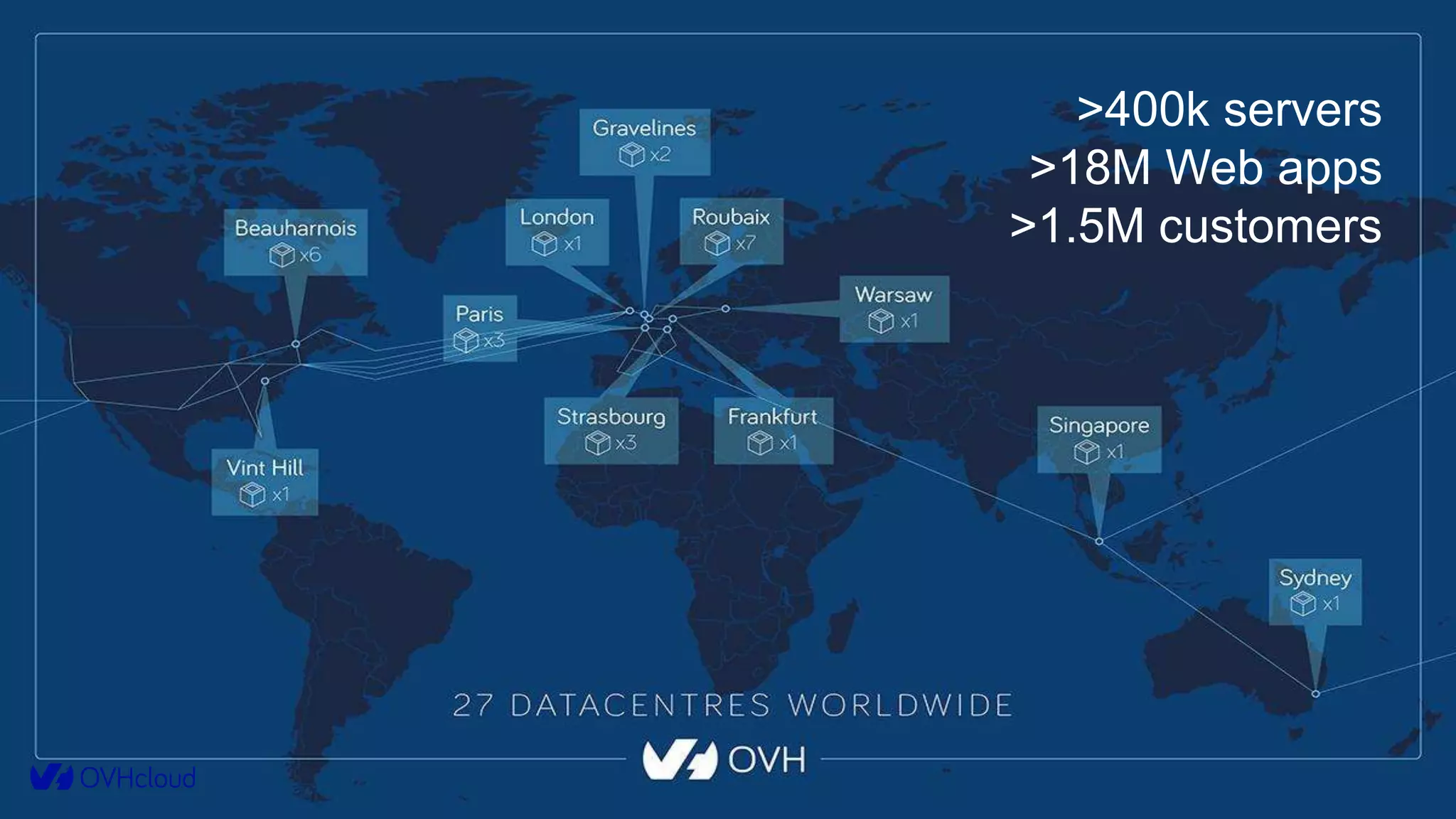
>400k servers
>18M Web apps
>1.5M customers
more and more managed products
Presience
Our product family: Platform
Observability
(6 persons)
IO Team
(4 persons)
Managed Kubernetes
(8 persons)
Agenda
1. The Mission
Why and how we built the platform.
1. Deep Dives
How we managed to scale.
1. Extra Bits
What’s more.
The Mission
7
The Mission
“Provide a platform allowing OVH to collect, retrieve and analyze logs from any
infrastructure or application” (end 2014)
The Mission
“Provide a platform allowing OVH to collect, retrieve and analyze logs from any
infrastructure or application”.
● Available as a Service
● All OVH personas, multi-tenant
● Centralized, queryable, analytics capabilities
● Servers, network, devices
● Software from OVH and others
The Mission
● 2 people at start.
● First P.O.C leveraging Big Data ecosystem :
The Mission : POC challenges
● Complexity
● Multi tenancy
● Orchestration
The Mission
Too much work, so little time:
A wonderful person (@jedisct1) showed us :
The Mission: Graylog
The Mission : Graylog
✔ Elasticsearch As Backend
✔ Features : Search, Data Viz, Alerting, Extensible
✔ Built-in Multi tenancy
✔ Scalable By Design
✔ Standards formats (Syslog, Gelf)
✔ API Available
Elasticsearch Basics
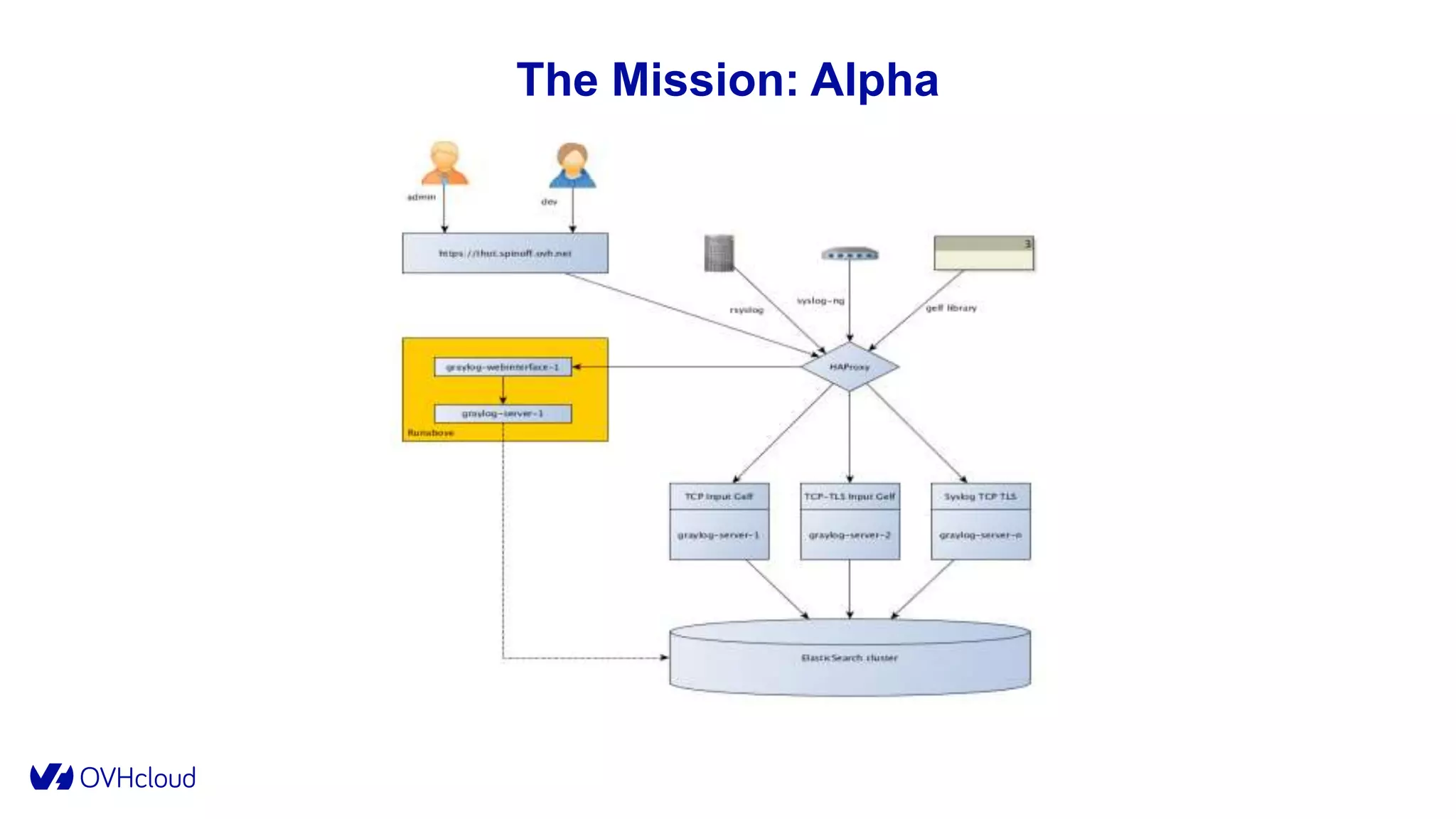
The Mission: Alpha
The Mission: Graylog
● Alpha (early 2015):
○ CDN logs: 70k logs/sec (~1KB bytes/log)
○ 3 Graylog servers
■ Xeon E5-2620 v2 (12 cores, 2.1 Ghz) / 48 GB
■ Graylog 1.1
○ 3 Elasticsearch nodes
■ Xeon E5-2650 (16 cores, 2.6 Ghz) / 64 GB (30 GB for JVM) /
HDD Raid 0 (7 To)
■ Elasticsearch 1.7.2
■ 3 shards / 1 replica
The Mission: Alpha
● Alpha (early 2015):
○ 1 VM for Graylog web interface
○ 3 VM for MongoDB
○ 1 HA Proxy
The Mission : Alpha
● The Good :
😁 Performance
😁 Practicality
😁 Stability
● The Bad:
☹️ Not Self Service
☹️ Mutualized Indexes
● The Ugly:
🤮 1 socket = 1 Graylog Server
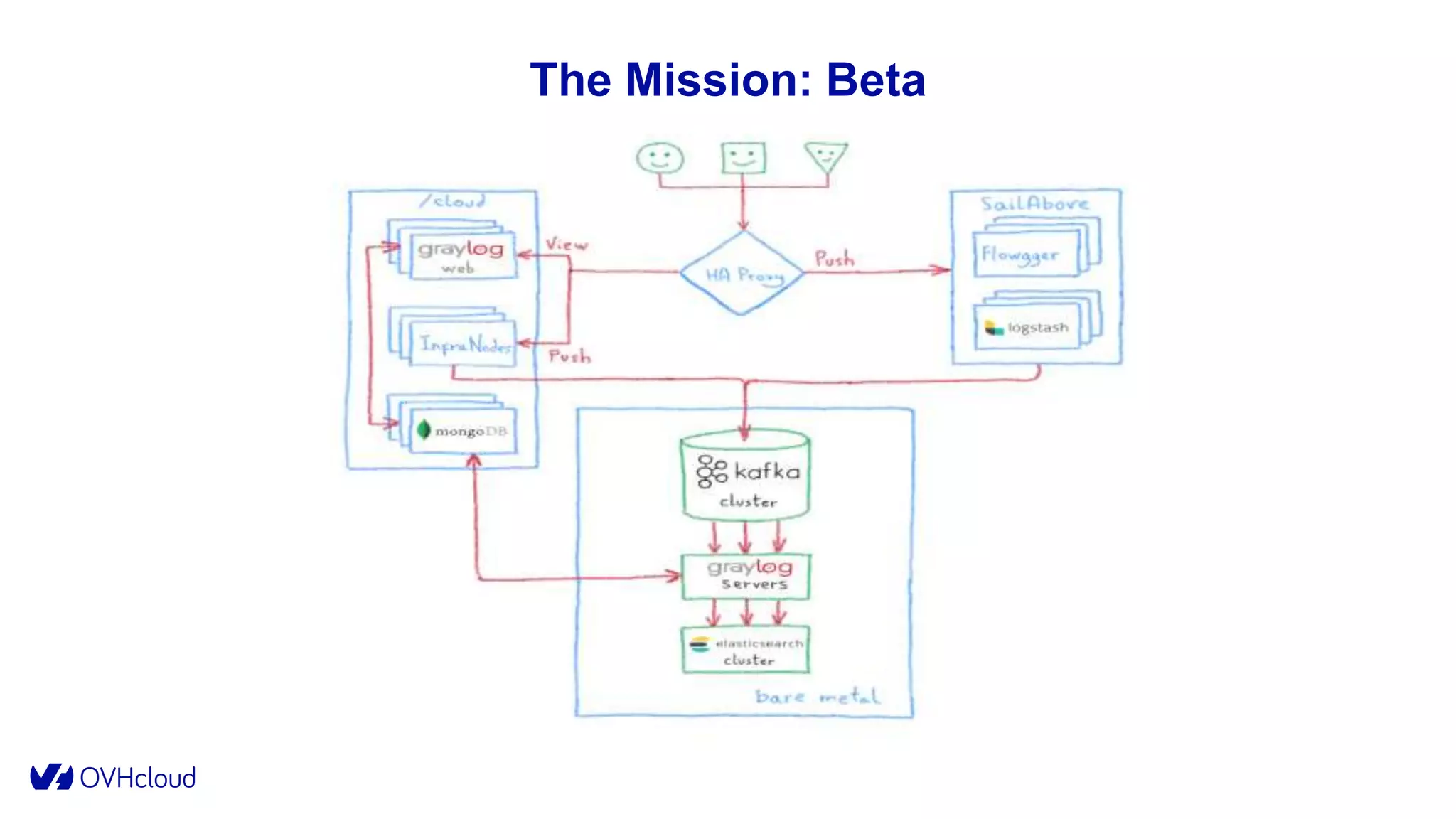
The Mission: Beta
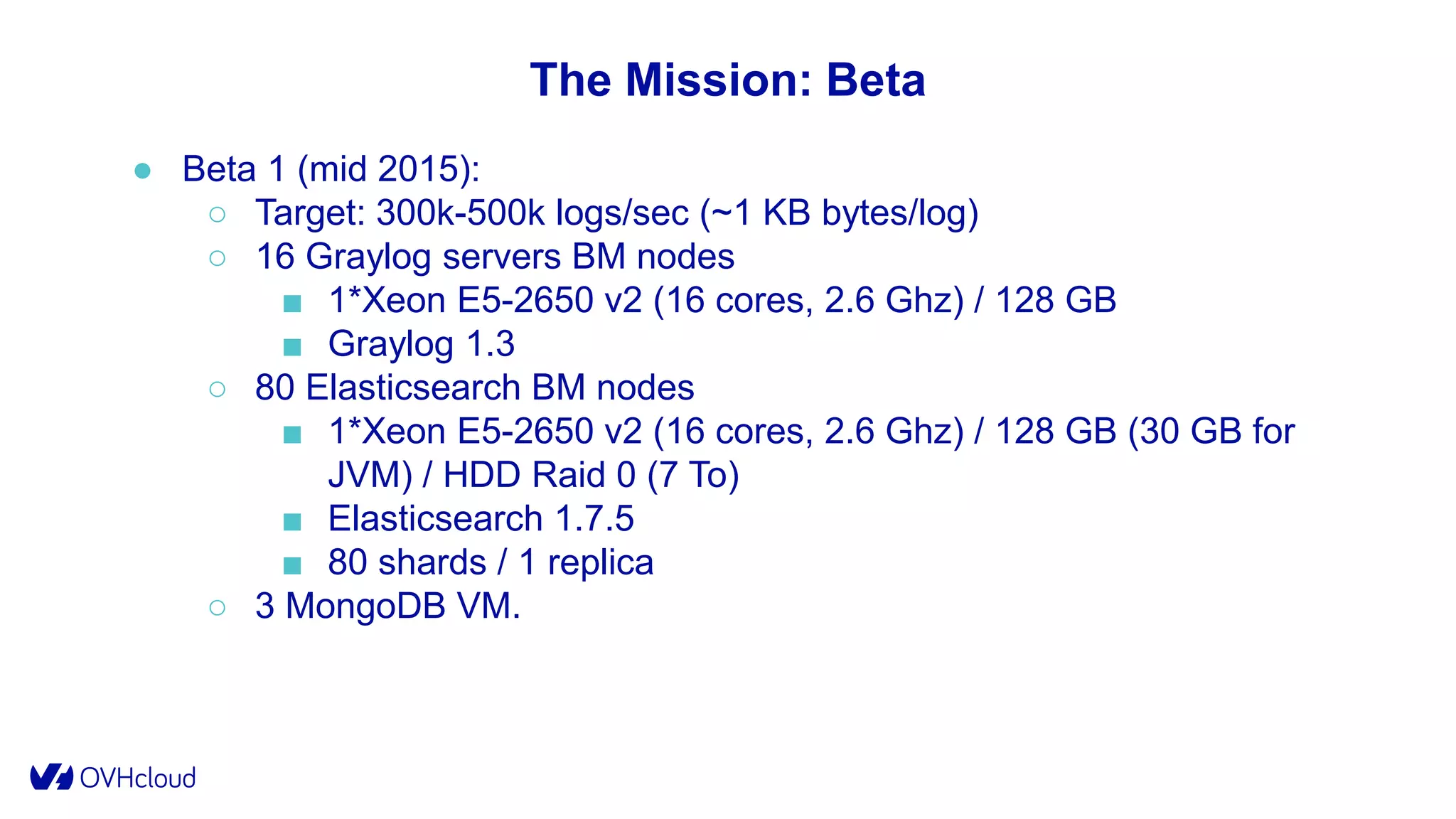
The Mission: Beta
● Beta 1 (mid 2015):
○ Target: 300k-500k logs/sec (~1 KB bytes/log)
○ 16 Graylog servers BM nodes
■ 1*Xeon E5-2650 v2 (16 cores, 2.6 Ghz) / 128 GB
■ Graylog 1.3
○ 80 Elasticsearch BM nodes
■ 1*Xeon E5-2650 v2 (16 cores, 2.6 Ghz) / 128 GB (30 GB for
JVM) / HDD Raid 0 (7 To)
■ Elasticsearch 1.7.5
■ 80 shards / 1 replica
○ 3 MongoDB VM.
● Beta 1 (mid 2015):
○ 3 VM Graylog web
○ 16 Kafka Nodes (0.8)
○ Flowgger (0.1)
○ Dedicated Logstash and Flowgger on SailAbove (Container As A
Service)
○ 3 infrastructure nodes:
■ Zookeeper/Flowgger/ES masters/Engine/Admin Tools
○ Syslog RFC 5424/LTSV/GELF/Cap’n’Proto standards
The Mission: Beta
The Mission: Beta
At first:
The Mission: Beta
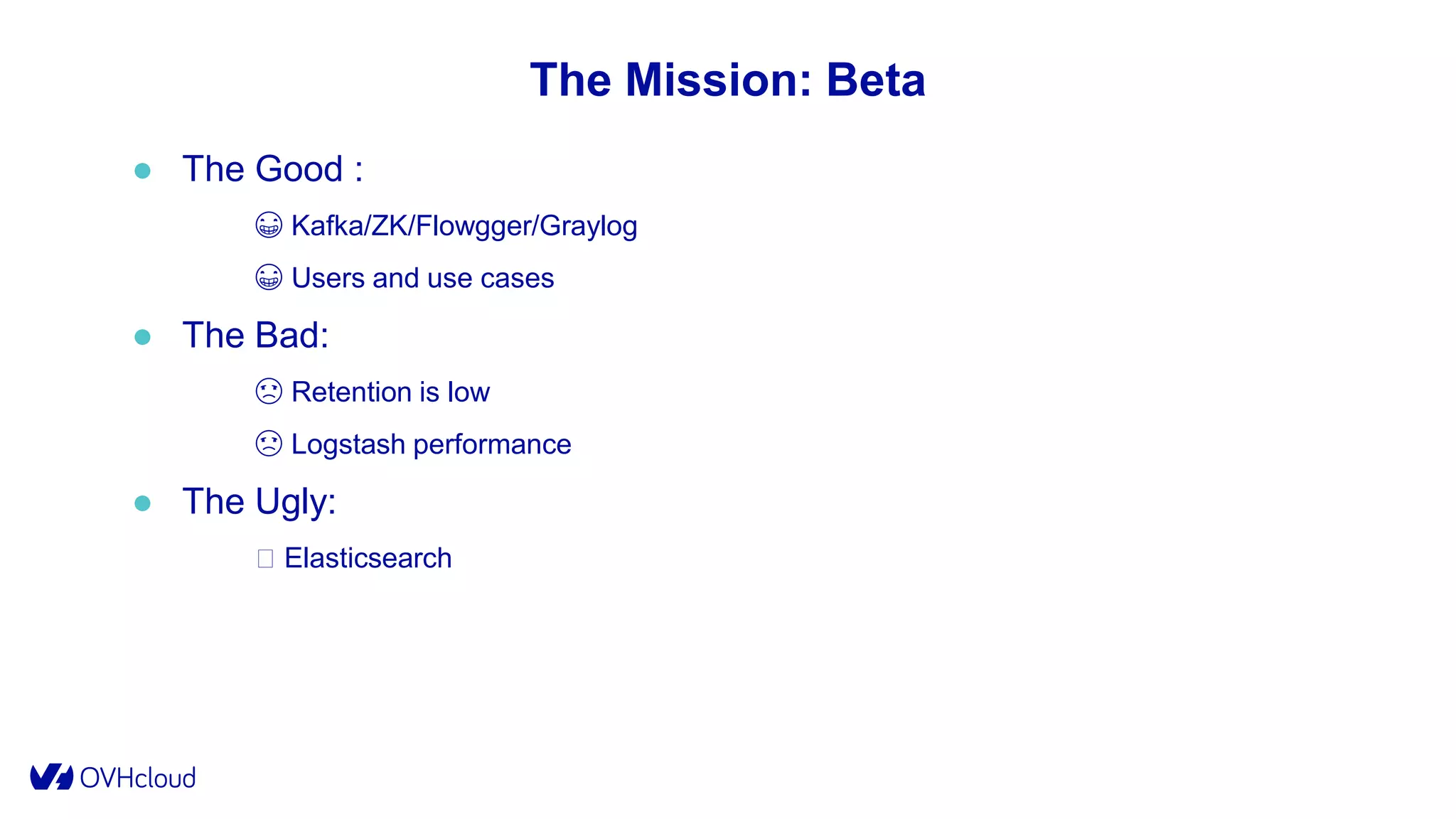
The Mission: Beta
● The Good :
😁 Kafka/ZK/Flowgger/Graylog
😁 Users and use cases
● The Bad:
☹️ Retention is low
☹️ Logstash performance
● The Ugly:
🤮 Elasticsearch
The Mission: Beta
● Too many shards (250 indexes *160 shards = 40 000 shards):
○ Initialization and Rebalancing issues.
○ Memory consumption in data structures.
○ Big Cluster State Update (slow recovery/slow pending tasks).
● CMS GC:
○ Long STW GC Pauses => nodes out of the cluster.
○ G1GC was not deemed prod ready for Lucene (LUCENE-
5168/LUCENE-6098).
● Resources Usage:
○ Big Queries => I/O Wait => Lag
○ Indexing burst => No search performance
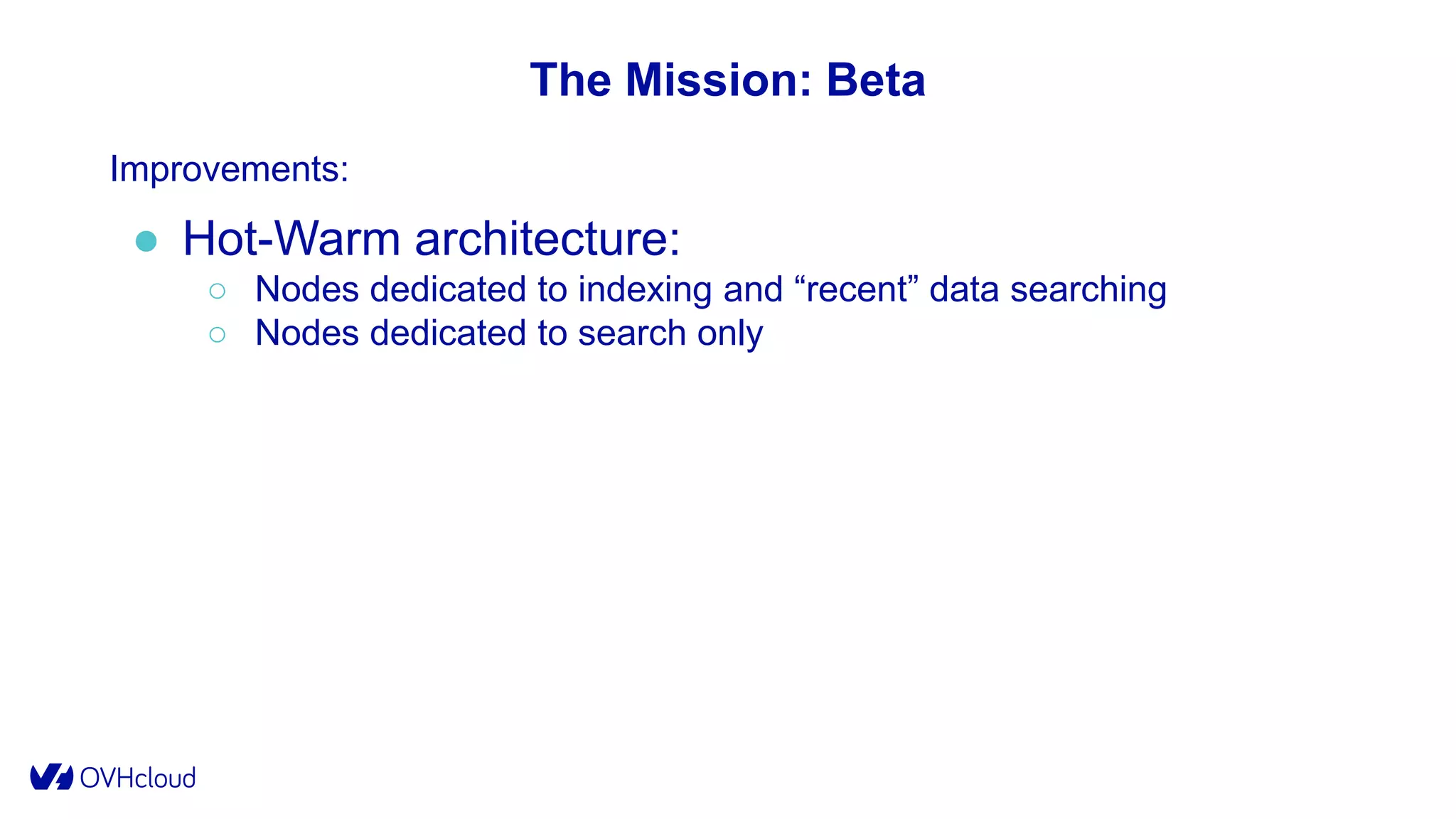
The Mission: Beta
Improvements:
● Hot-Warm architecture:
○ Nodes dedicated to indexing and “recent” data searching
○ Nodes dedicated to search only
The Mission: Beta
Improvements:
● G1GC:
○ Few STWs collection
○ Better suited for medium sized heaps
The Mission: Beta
Improvements:
● Elasticsearch:
○ Upgrade to 2.X: better, faster, stronger.
○ Divide the number of shards by 2.
○ Configuration changes: breakers, threadpool, index settings,
mapping...
The Mission: Gamma
● From Beta to Gamma (2015-2017):
○ SSD on Hot-Nodes
○ Streams and Dashboards Sharing
○ Better performance on ES
○ Graylog upgrade and plugins
○ SailAbove to Mesos
○ Additional Features: Cold Storage, Index As a service
The Mission: Gamma
● But, big outages on the way:
○ Unexplained issues:
■ “ghost” indexes
■ hot spot
■ memory leaks
○ Explained issues:
■ OS, JVM, ES Settings
■ MongoDB
■ Bugs
The Mission: Gamma
● Problems:
○ Domain of failure
○ Different user needs
■ Low latency
■ High indexing write
■ High retention
○ Inefficiency
○ Scalability
● Solution:
Multi-Cluster
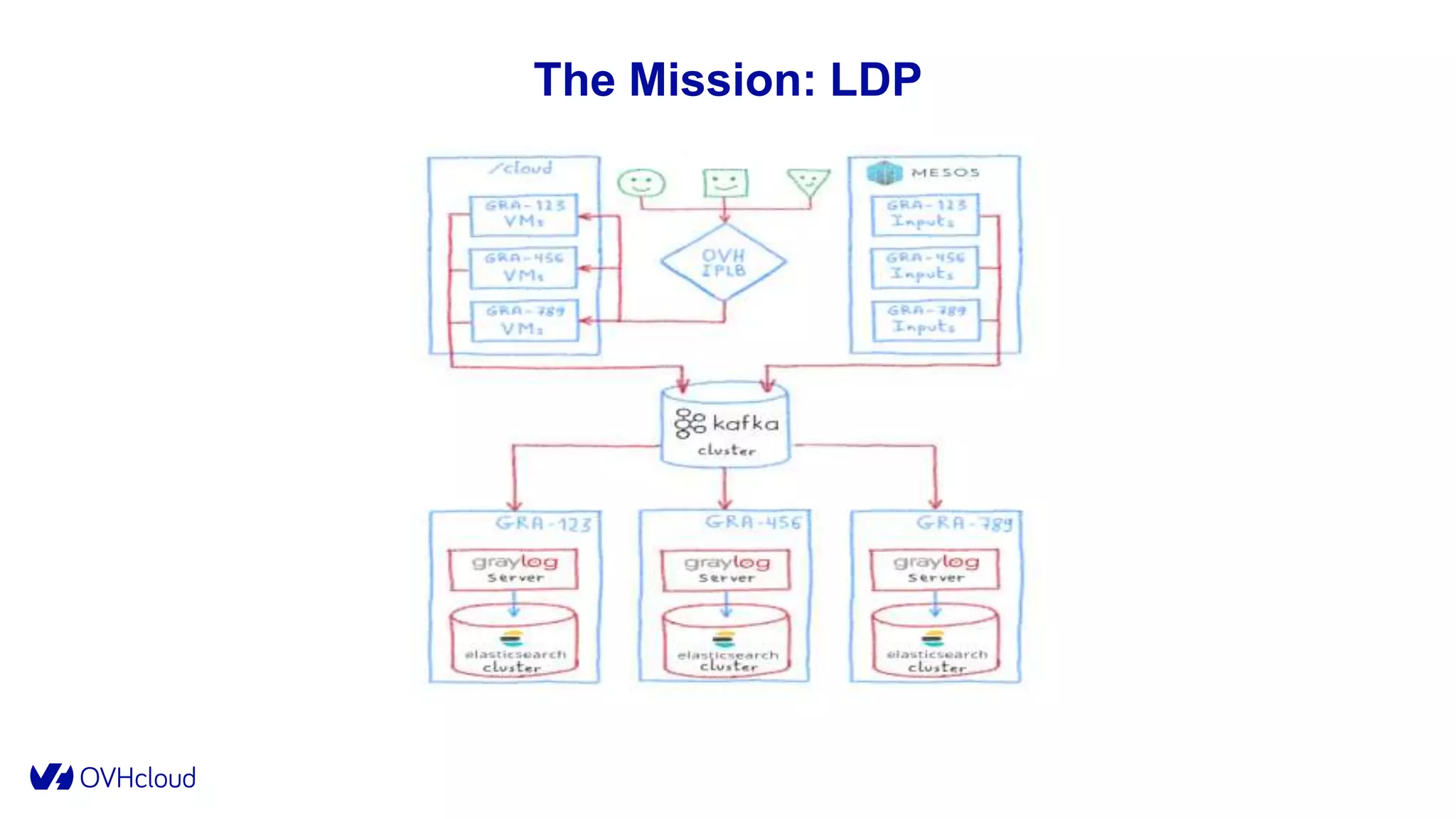
The Mission: LDP
The Mission: LDP
✔ Global multi-tenancy
✔ Independent scaling
✔ All features
✔ Customization
✔ OVH API
The Mission: LDP
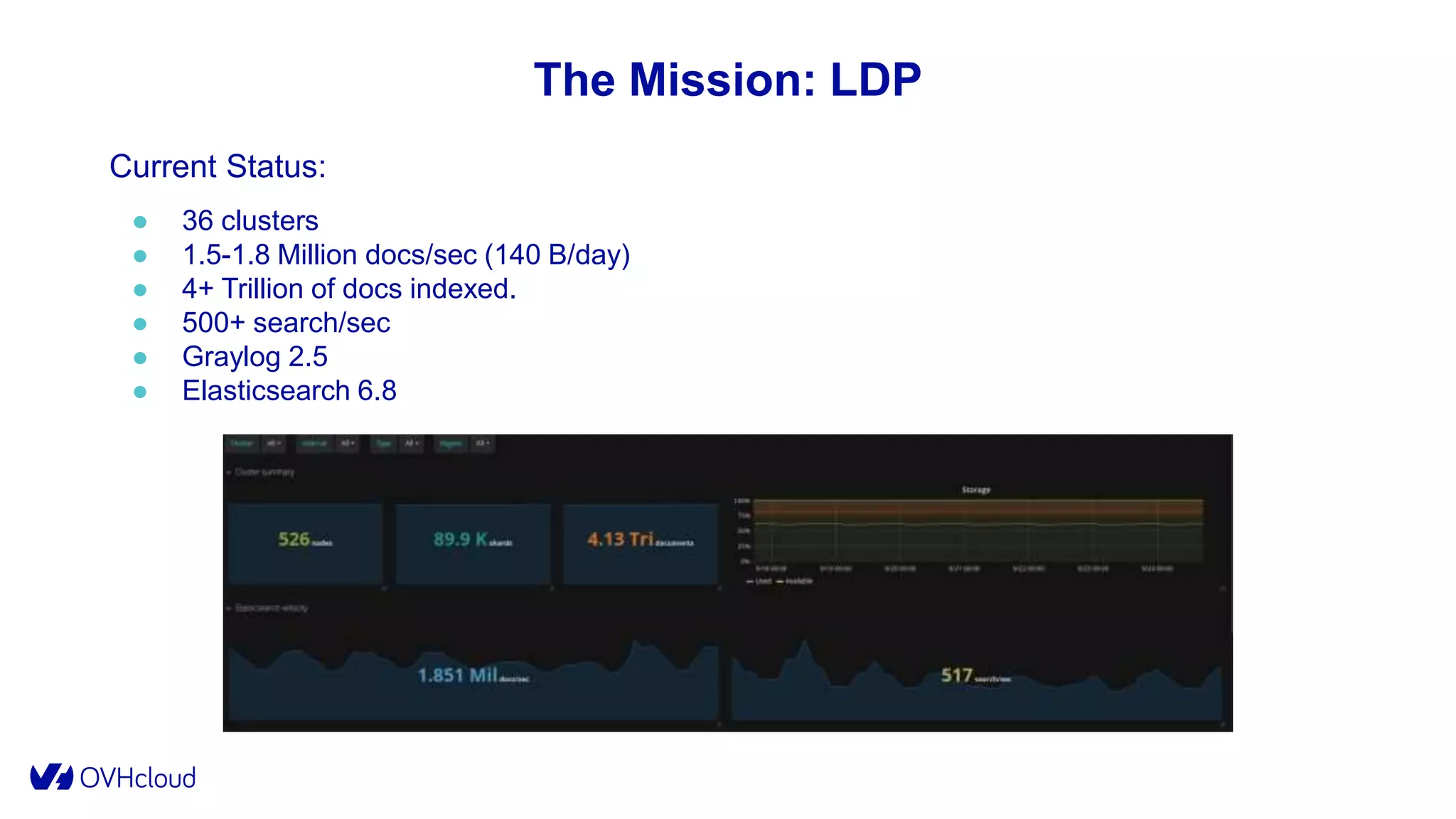
Current Status:
● 36 clusters
● 1.5-1.8 Million docs/sec (140 B/day)
● 4+ Trillion of docs indexed.
● 500+ search/sec
● Graylog 2.5
● Elasticsearch 6.8
Deep Dives
37
Disclaimer
● “It works !™” for OUR use case : Logging with mutualized indexes.
● “It works !™” until our next upgrade or our next rendezvous.
● “It works !™” within our budget:
○ Budget == infrastructure cost + SREs time.
Elasticsearch @ Scale
Know your infrastructure
Know your stack
Deep Dives
● Kafka and Zookeeper
● MongoDB
● Graylog
● Elasticsearch
Deep Dives: Zookeeper
● Use dedicated nodes for Zookeeper
● Use decent I/O storage
Deep Dives: Kafka
● IO scheduler: prefer deadline/mqdeadline
● Rack awareness
● Compress on producer side and on topics (ZSTD
available in 2.1).
● Keep the number of partition as low as possible
● Setup I/O threads and network threads
● Monitor partition assignment
● Use modern consumers
Deep Dives: MongoDB
● Primary only for R/W
● Indexes
● Journaled writes
● Write Concern
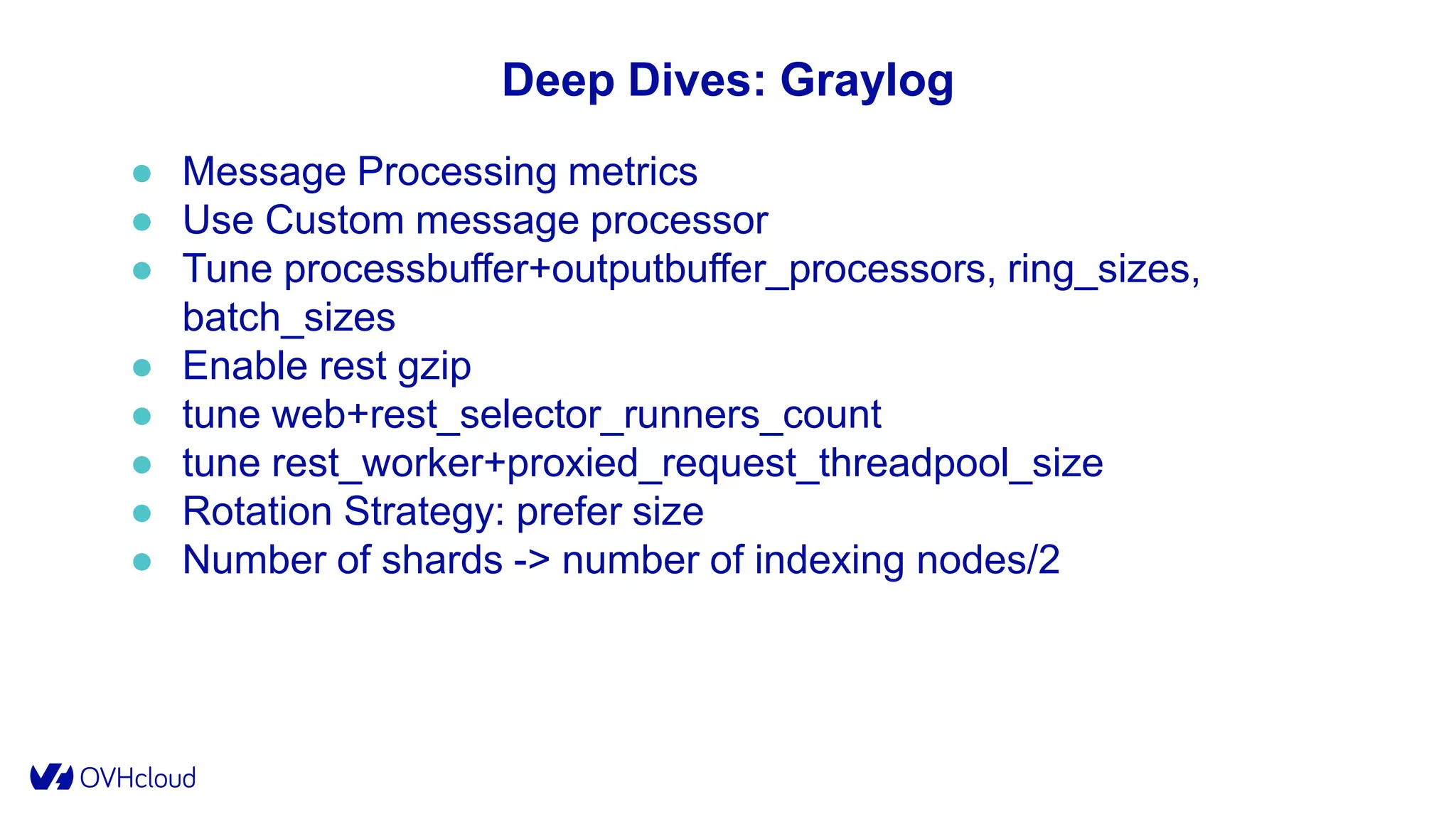
Deep Dives: Graylog
● Message Processing metrics
● Use Custom message processor
● Tune processbuffer+outputbuffer_processors, ring_sizes,
batch_sizes
● Enable rest gzip
● tune web+rest_selector_runners_count
● tune rest_worker+proxied_request_threadpool_size
● Rotation Strategy: prefer size
● Number of shards -> number of indexing nodes/2
Deep Dives: Elasticsearch
● Indexing is CPU Heavy
● Raid 0 or SSD
● SSD: use deadline
● No Swap
● Tune, net.ipv4.tcp_tw_reuse, fs.file-max, fs.nr_open, fs.aio-max-
nr, vm.max_map_count
Deep Dives: Elasticsearch
● JDK 13
● Xms == Xmx, -XX:+AlwaysPreTouch, -XX:-OmitStackTraceInFastThrow
● -Xss=1m
● Heap < 30 GB (oops)
● Heap < ½ Host RAM.
● Use G1GC
○ XX:ConcGCThreads=n/4
○ XX:ParallelGCThreads=n<8?8:8+(n-8)*0.625
○ XX:+ParallelRefProcEnabled
○ XX:MaxGCPauseMillis=250
○ XX:InitiatingHeapOccupancyPercent=<70-80>
○ GC Logging
● bi-socket: -XX:+UseNUMA
● -XX:+ExitOnOutOfMemoryError -XX:+HeapDumpOnOutOfMemoryError
● -Djdk.nio.maxCachedBufferSize -XX:MaxDirectMemorySize
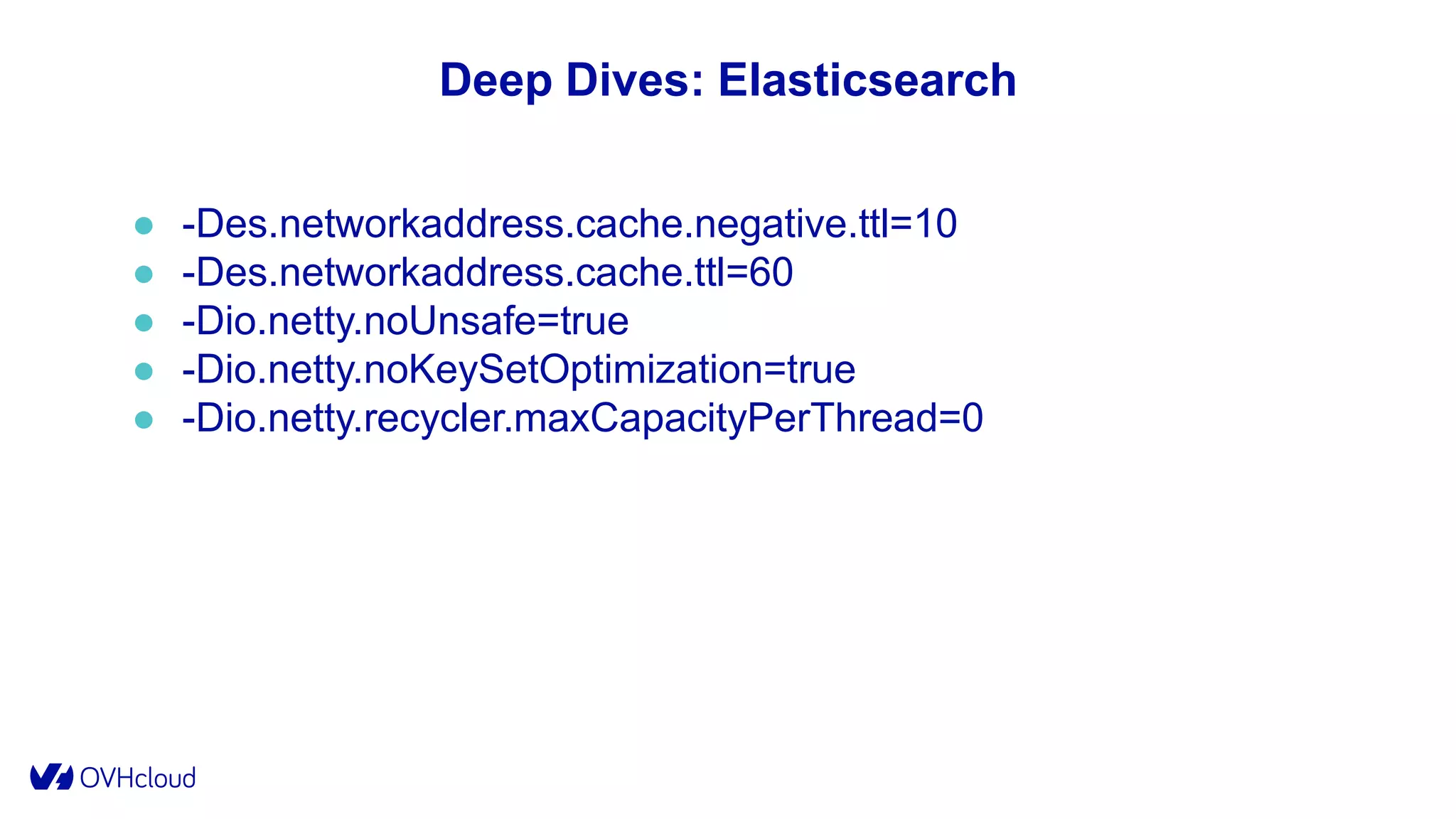
Deep Dives: Elasticsearch
● -Des.networkaddress.cache.negative.ttl=10
● -Des.networkaddress.cache.ttl=60
● -Dio.netty.noUnsafe=true
● -Dio.netty.noKeySetOptimization=true
● -Dio.netty.recycler.maxCapacityPerThread=0
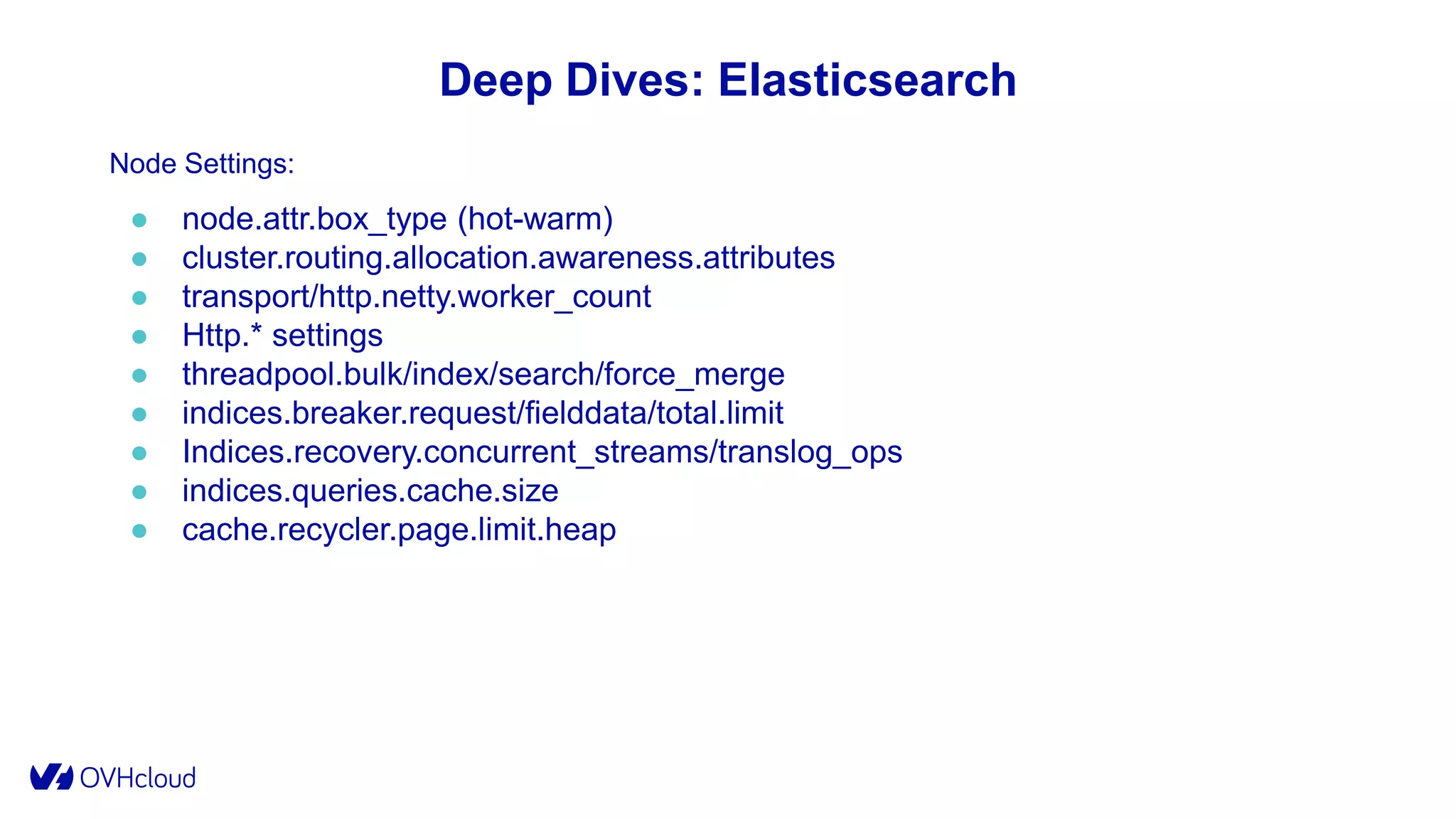
Deep Dives: Elasticsearch
Node Settings:
● node.attr.box_type (hot-warm)
● cluster.routing.allocation.awareness.attributes
● transport/http.netty.worker_count
● Http.* settings
● threadpool.bulk/index/search/force_merge
● indices.breaker.request/fielddata/total.limit
● Indices.recovery.concurrent_streams/translog_ops
● indices.queries.cache.size
● cache.recycler.page.limit.heap
Deep Dives: Elasticsearch
Cluster Settings:
● Cluster.routing.allocation:
○ Node_concurrent_recoveries
○ Node_initial_primaries_recoveries
○ Cluster_concurrent_rebalance
● cluster.routing.allocation.balance:
○ Raise *.balance.threshold
○ *.balance.index >> *.balance.shard
Deep Dives: Elasticsearch
Indices Settings:
● index.mapping.total_fields.limit
● Index.requests.cache.enable
● index.codec
● Index.translog.flush_threashold_size
● index.translog.durability
● Index.merge.scheduler.max_thread_count
● Index.merge.scheduler.max_merge_count
● index.unassigned.node_left.delayed_timeout
Deep Dives: Elasticsearch
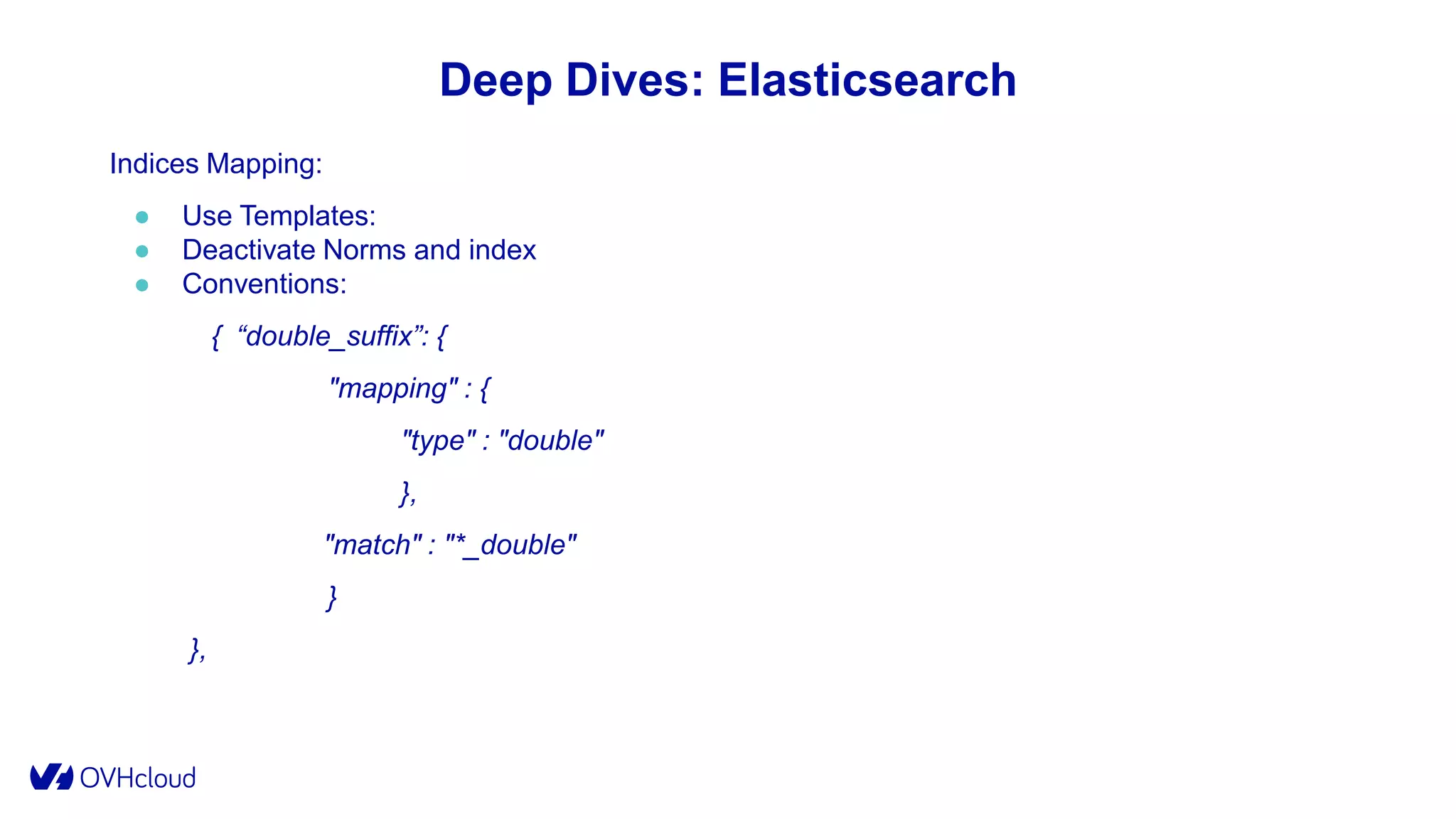
Indices Mapping:
● Use Templates:
● Deactivate Norms and index
● Conventions:
{ “double_suffix”: {
"mapping" : {
"type" : "double"
},
"match" : "*_double"
}
},
Deep Dives: Improve
● Observability
○ System metrics
○ JVM GC Logging
○ Jstack, jmap are your friends
○ Software KPI
Deep Dives: Improve
● Try new settings
○ Breaking a node must be easy
○ Breaking a cluster should be possible
○ Try/Fail/Try again
○ Try with real workload
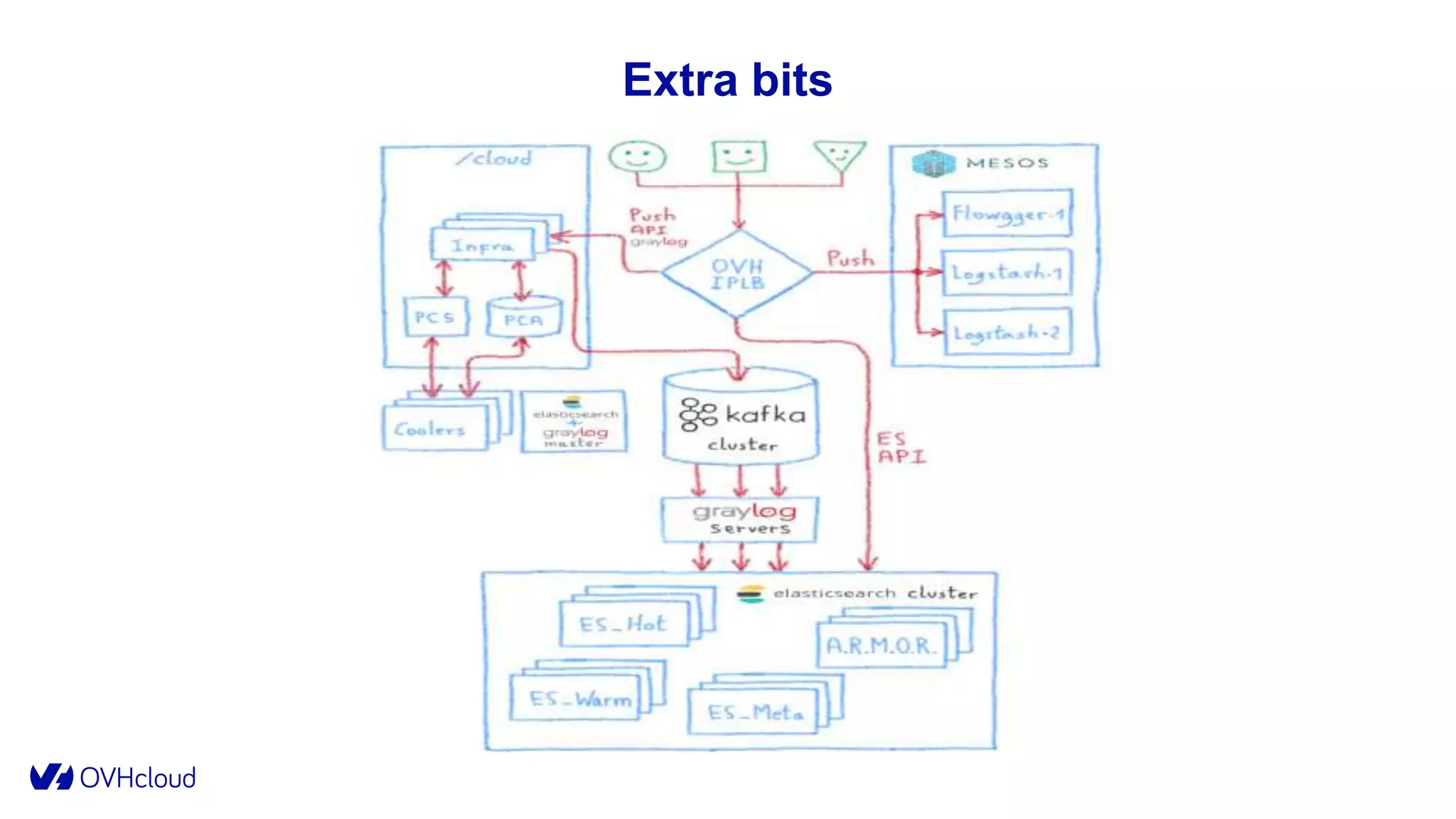
Extra bits
Extra
Bits
55
Extra Bits
Extra Features:
● ES API to search streams
● Cold Storage on PCA
● Index as a Service
● Kibana as a Service
● Real time tail over WebSocket
Extra Bits: Under the Hood
● Engine: 100k LOC
● Monitoring: Ganglia, Shinken, Opsgenie
● Metrics Data Platform for business metrics
Extra Bits
● Low Latency Cluster for SOC
○ 100-200 logs/sec => Small cluster (4 data nodes)
○ Must answer < 200 ms on queries spanning on millions of data
○ One user login at OVH == One query
○ SSD + high cache sizes
○ Tweak queries to most efficient aggregations.
Extra Bits
● High Writing Cluster for DNS
○ 800k logs/sec (burst > 1.2 M)
○ Hot-Warm cluster (54 hot/14 warm)
○ Hot CPU => 2X Xeon E5-2640v3 (16c 40-60 % CPU usage)
○ 737 Billions of DNS Record
○ 150 TB of Data for primaries
Extra Bits
● High Writing Cluster for Mail
○ 112k logs/sec (burst > 200k)
○ Hot-Warm cluster (30 hot/22 warm)
○ Hot CPU => 2X Xeon E5-2640v3 (16c 30-50 % CPU usage)
○ 152 Billions of logs
○ 135 TB of Data for primaries
○ ~2KB by message
Closing
● Know your users
○ Write Workload vs Low Latency vs Read Workload
○ Expectations (retention, performance)
○ Gather Feedback
○ Teach/Document good user practices
Closing
● Know your stack
○ Read documentation, read blogs
○ Read Code
○ Observe software metrics and logs
○ Try, fail, try, fail, try, fail...until success
○ Upgrade your software to latest versions
Closing
● Know your infrastructure
○ Prefer Bare Metal for predictability
○ Prepare for failure
○ Scale only when everything else fails
○ Observe system metrics
Thank you.

Logs @ OVHcloud

  • 1.
    Logs @ OVHcloud BabacarDiassé 28 novembre 2019 Observability @ OVH
  • 2.
    whoami Babacar Diassé Software Engineer@ OVH @ghostdiasse github.com/jehuty0shift
  • 3.
    >400k servers >18M Webapps >1.5M customers
  • 4.
    more and moremanaged products Presience
  • 5.
    Our product family:Platform Observability (6 persons) IO Team (4 persons) Managed Kubernetes (8 persons)
  • 6.
    Agenda 1. The Mission Whyand how we built the platform. 1. Deep Dives How we managed to scale. 1. Extra Bits What’s more.
  • 7.
  • 8.
    The Mission “Provide aplatform allowing OVH to collect, retrieve and analyze logs from any infrastructure or application” (end 2014)
  • 9.
    The Mission “Provide aplatform allowing OVH to collect, retrieve and analyze logs from any infrastructure or application”. ● Available as a Service ● All OVH personas, multi-tenant ● Centralized, queryable, analytics capabilities ● Servers, network, devices ● Software from OVH and others
  • 10.
    The Mission ● 2people at start. ● First P.O.C leveraging Big Data ecosystem :
  • 11.
    The Mission :POC challenges ● Complexity ● Multi tenancy ● Orchestration
  • 12.
    The Mission Too muchwork, so little time: A wonderful person (@jedisct1) showed us :
  • 13.
  • 14.
    The Mission :Graylog ✔ Elasticsearch As Backend ✔ Features : Search, Data Viz, Alerting, Extensible ✔ Built-in Multi tenancy ✔ Scalable By Design ✔ Standards formats (Syslog, Gelf) ✔ API Available
  • 15.
  • 16.
  • 17.
    The Mission: Graylog ●Alpha (early 2015): ○ CDN logs: 70k logs/sec (~1KB bytes/log) ○ 3 Graylog servers ■ Xeon E5-2620 v2 (12 cores, 2.1 Ghz) / 48 GB ■ Graylog 1.1 ○ 3 Elasticsearch nodes ■ Xeon E5-2650 (16 cores, 2.6 Ghz) / 64 GB (30 GB for JVM) / HDD Raid 0 (7 To) ■ Elasticsearch 1.7.2 ■ 3 shards / 1 replica
  • 18.
    The Mission: Alpha ●Alpha (early 2015): ○ 1 VM for Graylog web interface ○ 3 VM for MongoDB ○ 1 HA Proxy
  • 19.
    The Mission :Alpha ● The Good : 😁 Performance 😁 Practicality 😁 Stability ● The Bad: ☹️ Not Self Service ☹️ Mutualized Indexes ● The Ugly: 🤮 1 socket = 1 Graylog Server
  • 20.
  • 21.
    The Mission: Beta ●Beta 1 (mid 2015): ○ Target: 300k-500k logs/sec (~1 KB bytes/log) ○ 16 Graylog servers BM nodes ■ 1*Xeon E5-2650 v2 (16 cores, 2.6 Ghz) / 128 GB ■ Graylog 1.3 ○ 80 Elasticsearch BM nodes ■ 1*Xeon E5-2650 v2 (16 cores, 2.6 Ghz) / 128 GB (30 GB for JVM) / HDD Raid 0 (7 To) ■ Elasticsearch 1.7.5 ■ 80 shards / 1 replica ○ 3 MongoDB VM.
  • 22.
    ● Beta 1(mid 2015): ○ 3 VM Graylog web ○ 16 Kafka Nodes (0.8) ○ Flowgger (0.1) ○ Dedicated Logstash and Flowgger on SailAbove (Container As A Service) ○ 3 infrastructure nodes: ■ Zookeeper/Flowgger/ES masters/Engine/Admin Tools ○ Syslog RFC 5424/LTSV/GELF/Cap’n’Proto standards The Mission: Beta
  • 23.
  • 24.
  • 25.
    The Mission: Beta ●The Good : 😁 Kafka/ZK/Flowgger/Graylog 😁 Users and use cases ● The Bad: ☹️ Retention is low ☹️ Logstash performance ● The Ugly: 🤮 Elasticsearch
  • 26.
    The Mission: Beta ●Too many shards (250 indexes *160 shards = 40 000 shards): ○ Initialization and Rebalancing issues. ○ Memory consumption in data structures. ○ Big Cluster State Update (slow recovery/slow pending tasks). ● CMS GC: ○ Long STW GC Pauses => nodes out of the cluster. ○ G1GC was not deemed prod ready for Lucene (LUCENE- 5168/LUCENE-6098). ● Resources Usage: ○ Big Queries => I/O Wait => Lag ○ Indexing burst => No search performance
  • 27.
    The Mission: Beta Improvements: ●Hot-Warm architecture: ○ Nodes dedicated to indexing and “recent” data searching ○ Nodes dedicated to search only
  • 28.
    The Mission: Beta Improvements: ●G1GC: ○ Few STWs collection ○ Better suited for medium sized heaps
  • 29.
    The Mission: Beta Improvements: ●Elasticsearch: ○ Upgrade to 2.X: better, faster, stronger. ○ Divide the number of shards by 2. ○ Configuration changes: breakers, threadpool, index settings, mapping...
  • 30.
    The Mission: Gamma ●From Beta to Gamma (2015-2017): ○ SSD on Hot-Nodes ○ Streams and Dashboards Sharing ○ Better performance on ES ○ Graylog upgrade and plugins ○ SailAbove to Mesos ○ Additional Features: Cold Storage, Index As a service
  • 31.
    The Mission: Gamma ●But, big outages on the way: ○ Unexplained issues: ■ “ghost” indexes ■ hot spot ■ memory leaks ○ Explained issues: ■ OS, JVM, ES Settings ■ MongoDB ■ Bugs
  • 32.
    The Mission: Gamma ●Problems: ○ Domain of failure ○ Different user needs ■ Low latency ■ High indexing write ■ High retention ○ Inefficiency ○ Scalability
  • 33.
  • 34.
  • 35.
    The Mission: LDP ✔Global multi-tenancy ✔ Independent scaling ✔ All features ✔ Customization ✔ OVH API
  • 36.
    The Mission: LDP CurrentStatus: ● 36 clusters ● 1.5-1.8 Million docs/sec (140 B/day) ● 4+ Trillion of docs indexed. ● 500+ search/sec ● Graylog 2.5 ● Elasticsearch 6.8
  • 37.
  • 38.
    Disclaimer ● “It works!™” for OUR use case : Logging with mutualized indexes. ● “It works !™” until our next upgrade or our next rendezvous. ● “It works !™” within our budget: ○ Budget == infrastructure cost + SREs time.
  • 39.
    Elasticsearch @ Scale Knowyour infrastructure Know your stack
  • 40.
    Deep Dives ● Kafkaand Zookeeper ● MongoDB ● Graylog ● Elasticsearch
  • 41.
    Deep Dives: Zookeeper ●Use dedicated nodes for Zookeeper ● Use decent I/O storage
  • 42.
    Deep Dives: Kafka ●IO scheduler: prefer deadline/mqdeadline ● Rack awareness ● Compress on producer side and on topics (ZSTD available in 2.1). ● Keep the number of partition as low as possible ● Setup I/O threads and network threads ● Monitor partition assignment ● Use modern consumers
  • 43.
    Deep Dives: MongoDB ●Primary only for R/W ● Indexes ● Journaled writes ● Write Concern
  • 44.
    Deep Dives: Graylog ●Message Processing metrics ● Use Custom message processor ● Tune processbuffer+outputbuffer_processors, ring_sizes, batch_sizes ● Enable rest gzip ● tune web+rest_selector_runners_count ● tune rest_worker+proxied_request_threadpool_size ● Rotation Strategy: prefer size ● Number of shards -> number of indexing nodes/2
  • 45.
    Deep Dives: Elasticsearch ●Indexing is CPU Heavy ● Raid 0 or SSD ● SSD: use deadline ● No Swap ● Tune, net.ipv4.tcp_tw_reuse, fs.file-max, fs.nr_open, fs.aio-max- nr, vm.max_map_count
  • 46.
    Deep Dives: Elasticsearch ●JDK 13 ● Xms == Xmx, -XX:+AlwaysPreTouch, -XX:-OmitStackTraceInFastThrow ● -Xss=1m ● Heap < 30 GB (oops) ● Heap < ½ Host RAM. ● Use G1GC ○ XX:ConcGCThreads=n/4 ○ XX:ParallelGCThreads=n<8?8:8+(n-8)*0.625 ○ XX:+ParallelRefProcEnabled ○ XX:MaxGCPauseMillis=250 ○ XX:InitiatingHeapOccupancyPercent=<70-80> ○ GC Logging ● bi-socket: -XX:+UseNUMA ● -XX:+ExitOnOutOfMemoryError -XX:+HeapDumpOnOutOfMemoryError ● -Djdk.nio.maxCachedBufferSize -XX:MaxDirectMemorySize
  • 47.
    Deep Dives: Elasticsearch ●-Des.networkaddress.cache.negative.ttl=10 ● -Des.networkaddress.cache.ttl=60 ● -Dio.netty.noUnsafe=true ● -Dio.netty.noKeySetOptimization=true ● -Dio.netty.recycler.maxCapacityPerThread=0
  • 48.
    Deep Dives: Elasticsearch NodeSettings: ● node.attr.box_type (hot-warm) ● cluster.routing.allocation.awareness.attributes ● transport/http.netty.worker_count ● Http.* settings ● threadpool.bulk/index/search/force_merge ● indices.breaker.request/fielddata/total.limit ● Indices.recovery.concurrent_streams/translog_ops ● indices.queries.cache.size ● cache.recycler.page.limit.heap
  • 49.
    Deep Dives: Elasticsearch ClusterSettings: ● Cluster.routing.allocation: ○ Node_concurrent_recoveries ○ Node_initial_primaries_recoveries ○ Cluster_concurrent_rebalance ● cluster.routing.allocation.balance: ○ Raise *.balance.threshold ○ *.balance.index >> *.balance.shard
  • 50.
    Deep Dives: Elasticsearch IndicesSettings: ● index.mapping.total_fields.limit ● Index.requests.cache.enable ● index.codec ● Index.translog.flush_threashold_size ● index.translog.durability ● Index.merge.scheduler.max_thread_count ● Index.merge.scheduler.max_merge_count ● index.unassigned.node_left.delayed_timeout
  • 51.
    Deep Dives: Elasticsearch IndicesMapping: ● Use Templates: ● Deactivate Norms and index ● Conventions: { “double_suffix”: { "mapping" : { "type" : "double" }, "match" : "*_double" } },
  • 52.
    Deep Dives: Improve ●Observability ○ System metrics ○ JVM GC Logging ○ Jstack, jmap are your friends ○ Software KPI
  • 53.
    Deep Dives: Improve ●Try new settings ○ Breaking a node must be easy ○ Breaking a cluster should be possible ○ Try/Fail/Try again ○ Try with real workload
  • 54.
  • 55.
  • 56.
    Extra Bits Extra Features: ●ES API to search streams ● Cold Storage on PCA ● Index as a Service ● Kibana as a Service ● Real time tail over WebSocket
  • 57.
    Extra Bits: Underthe Hood ● Engine: 100k LOC ● Monitoring: Ganglia, Shinken, Opsgenie ● Metrics Data Platform for business metrics
  • 58.
    Extra Bits ● LowLatency Cluster for SOC ○ 100-200 logs/sec => Small cluster (4 data nodes) ○ Must answer < 200 ms on queries spanning on millions of data ○ One user login at OVH == One query ○ SSD + high cache sizes ○ Tweak queries to most efficient aggregations.
  • 59.
    Extra Bits ● HighWriting Cluster for DNS ○ 800k logs/sec (burst > 1.2 M) ○ Hot-Warm cluster (54 hot/14 warm) ○ Hot CPU => 2X Xeon E5-2640v3 (16c 40-60 % CPU usage) ○ 737 Billions of DNS Record ○ 150 TB of Data for primaries
  • 60.
    Extra Bits ● HighWriting Cluster for Mail ○ 112k logs/sec (burst > 200k) ○ Hot-Warm cluster (30 hot/22 warm) ○ Hot CPU => 2X Xeon E5-2640v3 (16c 30-50 % CPU usage) ○ 152 Billions of logs ○ 135 TB of Data for primaries ○ ~2KB by message
  • 61.
    Closing ● Know yourusers ○ Write Workload vs Low Latency vs Read Workload ○ Expectations (retention, performance) ○ Gather Feedback ○ Teach/Document good user practices
  • 62.
    Closing ● Know yourstack ○ Read documentation, read blogs ○ Read Code ○ Observe software metrics and logs ○ Try, fail, try, fail, try, fail...until success ○ Upgrade your software to latest versions
  • 63.
    Closing ● Know yourinfrastructure ○ Prefer Bare Metal for predictability ○ Prepare for failure ○ Scale only when everything else fails ○ Observe system metrics
  • 64.

Editor's Notes

  • #12 Complexity of stack : two devs (and no Ops) for too much new products to operate
  • #15 EAB=> Near real Time Basic but useful Built in Multitenancy. More Graylog, more power Can build an API which pilots this API Cold storage