Advanced
Web hosting
Vincent Cassé
@vcasse
Webhosting lead tech
OVH
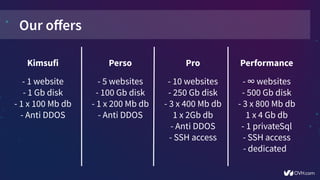
Our offers
Perso
- 5 websites
- 100 Gb disk
- 1 x 200 Mb db
- Anti DDOS
Kimsufi
- 1 website
- 1 Gb disk
- 1 x 100 Mb db
- Anti DDOS
Pro
- 10 websites
- 250 Gb disk
- 3 x 400 Mb db
1 x 2Gb db
- Anti DDOS
- SSH access
Performance
- ∞ websites
- 500 Gb disk
- 3 x 800 Mb db
1 x 4 Gb db
- 1 privateSql
- SSH access
- dedicated
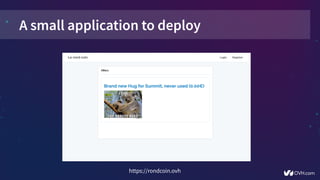
A small application to deploy
https://rondcoin.ovh
Laravel
- Framework PHP to don’t reinvent the wheel
- Use a lot of existing PHP library and composer
- Just few hours to develop the “rond coin” app
- https://github.com/ovh/summit2016-webhosting-example-rondcoin
How to deploy this
application?
Order a web hosting
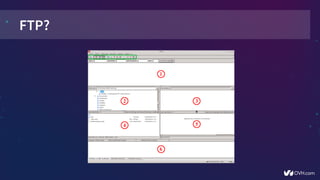
FTP?
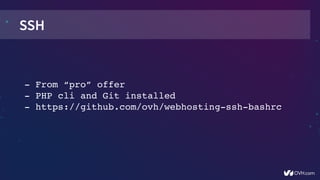
SSH
­ From “pro” offer
­ PHP cli and Git installed
­ https://github.com/ovh/webhosting­ssh­bashrc
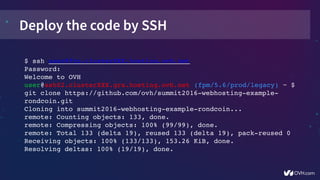
Deploy the code by SSH
$ ssh user@ftp.clusterXXX.hosting.ovh.net
Password:
Welcome to OVH
user@ssh02.clusterXXX.gra.hosting.ovh.net (fpm/5.6/prod/legacy) ~ $ 
git clone https://github.com/ovh/summit2016­webhosting­example­
rondcoin.git
Cloning into summit2016­webhosting­example­rondcoin...
remote: Counting objects: 133, done.
remote: Compressing objects: 100% (99/99), done.
remote: Total 133 (delta 19), reused 133 (delta 19), pack­reused 0
Receiving objects: 100% (133/133), 153.26 KiB, done.
Resolving deltas: 100% (19/19), done.
 
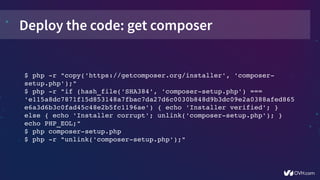
Deploy the code: get composer
$ php ­r "copy('https://getcomposer.org/installer', 'composer­
setup.php');"
$ php ­r "if (hash_file('SHA384', 'composer­setup.php') === 
'e115a8dc7871f15d853148a7fbac7da27d6c0030b848d9b3dc09e2a0388afed865
e6a3d6b3c0fad45c48e2b5fc1196ae') { echo 'Installer verified'; } 
else { echo 'Installer corrupt'; unlink('composer­setup.php'); } 
echo PHP_EOL;"
$ php composer­setup.php
$ php ­r "unlink('composer­setup.php');"
 
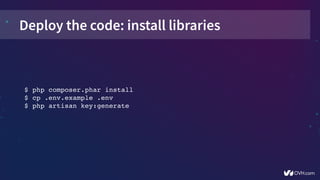
Deploy the code: install libraries
$ php composer.phar install
$ cp .env.example .env
$ php artisan key:generate
 
What is multisite?
- Link multiple domains or subdomains
- For tech: like add a virtualhost
- No isolation
Laravel structure
.env
api/
app/
artisan
assets/
bootstrap/
composer.json
config/
database/
public/
resources/
routes/
storage/
tests/
vendor/
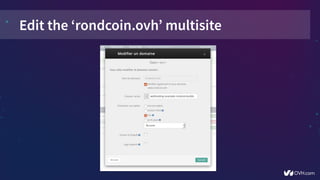
Edit the ‘rondcoin.ovh’ multisite
What about the
database?
Get the private SQL
­ Better max_connexions
­ No neighbors issues
­ Dedicated resources (CPU / RAM)
­ For performance offer: 1 privateSQL included
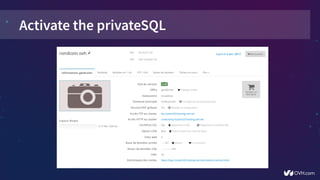
Activate the privateSQL
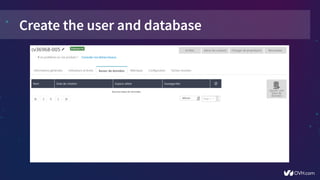
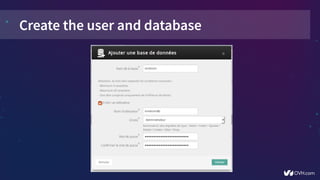
Create the user and database
Update laravel
$ vim .env
…
DB_CONNECTION=mysql
DB_HOST=your_db_host
DB_PORT=your_db_port
DB_DATABASE=your_db_name
DB_USERNAME=your_db_user
DB_PASSWORD=your_db_password
…
$ php artisan migrate
 
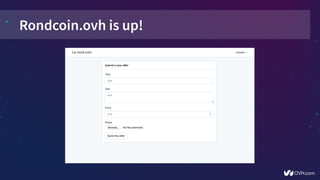
Rondcoin.ovh is up!
Deploy the
API
API?
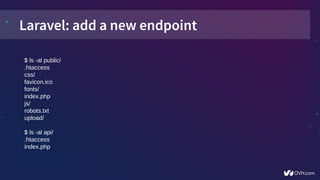
Laravel: add a new endpoint
$ ls -al public/
.htaccess
css/
favicon.ico
fonts/
index.php
js/
robots.txt
upload/
$ ls -al api/
.htaccess
index.php
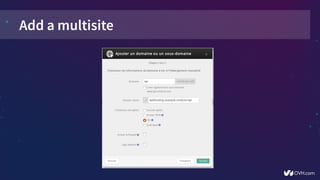
Add a multisite
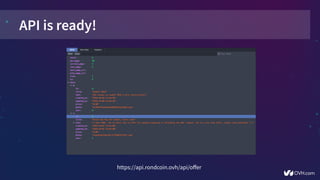
API is ready!
https://api.rondcoin.ovh/api/offer
Add a
CDN
Content Delivery Network
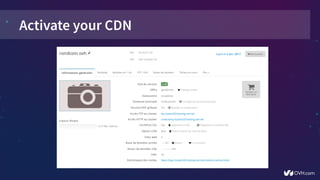
- Store your static content all around the world
- Images / JS / CSS load fastest
- Included into ‘performance’ offer
Activate your CDN
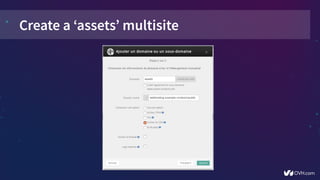
Create a ‘assets’ multisite
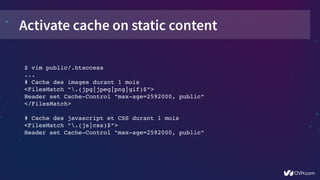
Activate cache on static content
$ vim public/.htaccess
...
# Cache des images durant 1 mois
<FilesMatch ".(jpg|jpeg|png|gif)$">
Header set Cache­Control "max­age=2592000, public"
</FilesMatch>
# Cache des javascript et CSS durant 1 mois
<FilesMatch ".(js|css)$">
Header set Cache­Control "max­age=2592000, public"
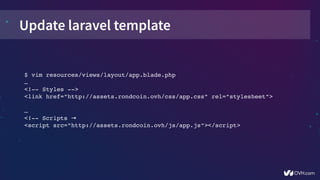
Update laravel template
$ vim resources/views/layout/app.blade.php
… 
<!­­ Styles ­­>
<link href="http://assets.rondcoin.ovh/css/app.css" rel="stylesheet">
… 
<!­­ Scripts →
<script src="http://assets.rondcoin.ovh/js/app.js"></script>
Environment
configuration
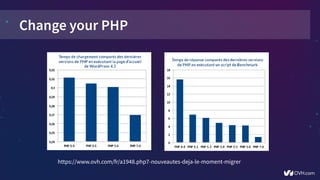
Change your PHP
https://www.ovh.com/fr/a1948.php7-nouveautes-deja-le-moment-migrer
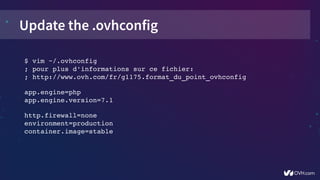
Update the .ovhconfig
$ vim ~/.ovhconfig
; pour plus d'informations sur ce fichier:
; http://www.ovh.com/fr/g1175.format_du_point_ovhconfig
app.engine=php
app.engine.version=7.1
http.firewall=none
environment=production
container.image=stable
 
RAM
cache
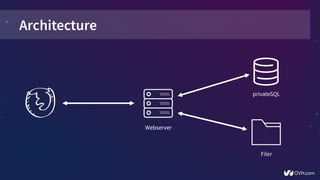
Architecture
Webserver
privateSQL
Webserver
Filer
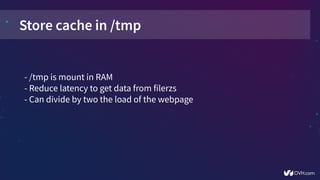
Store cache in /tmp
- /tmp is mount in RAM
- Reduce latency to get data from filerzs
- Can divide by two the load of the webpage
Store laravel cache in /tmp
$ vim config/cache.php
…
'file' => [
       'driver' => 'file',
       'path' => '/tmp',
],
$ vim config/session.php
…
'files' => '/tmp',
$ vim config/view.php
…
'compiled' => '/tmp',
Another tips
- Use “cron” for asynchronous tasks
- You can see all your logs in logs.clusterXXX.hosting.ovh.net
- Use “boost” if you have previsible load peaks
- Check external connexions from PHP (APIs like twitter...)
Vincent Cassé
@vcasse

Advanced Web Hosting