Concept of Internet
What is Internet? 
Internet is a worldwide 
collection of networks, 
gateways, servers and 
computers using a common set 
of telecommunications 
protocols to link them together.
What is Internet? 
Its best known feature is the 
World Wide Web – presents 
rich content that includes 
multimedia clip, and even live 
radio and video.
What is Internet? 
• You view its content on web 
pages by using the web 
browser. 
• Typically the top-level page 
of a website is called home 
page, from which each pages 
are branch off.
Internet Concepts 
• Each web pages has a 
specific address known as 
URL (Uniform Source 
Locator).
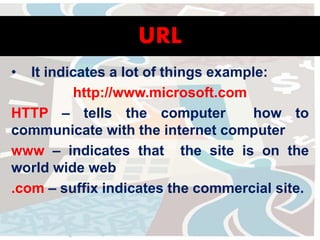
URL 
• It indicates a lot of things example: 
http://www.microsoft.com 
HTTP – tells the computer how to 
communicate with the internet computer 
www – indicates that the site is on the 
world wide web 
.com – suffix indicates the commercial site.
HTTP (HyperText Transfer Protocol) 
• The Hypertext Transfer Protocol (HTTP) is an 
application protocol for distributed, collaborative, 
hypermedia information systems. 
• HTTP is the foundation of data communication for the 
World Wide Web. 
• Hypertext is structured text that uses logical links 
(hyperlinks) between nodes containing text. 
• HTTP is the protocol to exchange or transfer hypertext.
HTTP (HyperText Transfer Protocol) 
• It is set of rules in exchanging files on 
the world wide web. 
• Relative to TCP/IP suite of protocols, 
HTTP is an application protocol.
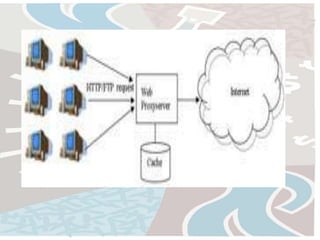
How HTTP works? 
• HTTP daemon – a program designed 
to wait for HTTP requests and handle 
them when they arrive. 
• HTTP Client – Web browser that 
sending request by either opening or 
clicking hyperlink, the browser builds 
an HTTP request and sends IP address 
indicated in URL.
How does one find a website? 
• URL is the full address used by the 
web browser to request information 
on the WWW. 
• The format of URL begins with specific 
protocol, domain name, the path to 
the requested information and then 
the name of the file.
FTP (File Transfer Protocol) 
• FTP or File Transfer Protocol is used to transfer data 
from one computer to another over the Internet, or 
through a network. 
• Specifically, FTP is a commonly used protocol for 
exchanging files over any network that supports the 
TCP/IP protocol (such as the Internet or an intranet). 
• There are two computers involved in an FTP transfer: 
a server and a client. 
• FTP server- running FTP server software, listens on the 
network for connection requests from other 
computers.
FTP (File Transfer Protocol) 
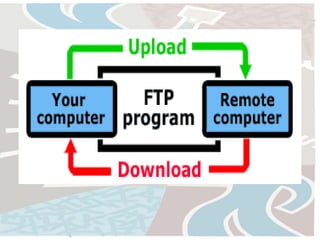
• Client Computer - running FTP client 
software, initiates a connection to the 
server. Once connected, the client can do a 
number of file manipulation operations 
such as uploading files to the server, 
download files from the server, rename or 
delete files on the server and so on.
Difference of HTTP and FTP 
• HTTP (Hypertext Transfer Protocol) 
and FTP (File Transfer Protocol) are 
only two of the multitude of protocols 
that are being used in the internet, 
each with its own function. 
• The purpose of HTTP is to serve as a 
means of accessing the world 
wide web.
Difference of HTTP and FTP 
• Websites are accessed using http with 
the help of browsers. FTP, as the name 
implies, is used in transferring files 
from one computer to another. 
• It is a less popular protocol due to 
small number of people who actually 
use FTP, and even fewer people who 
know that they are using it.
More about HTTP 
• Most people don’t actually know it, 
but the HTTP protocol is in use every 
time we open a site, check our email, 
or update our blogs. 
• This can be easily checked by looking 
at the address bar and looking at the 
very first few letters; chances are its 
HTTP.
More about FTP 
• The great majority of people who 
use the FTP protocol are the people 
who maintain and routinely upload 
files to websites. 
• FTP provides an easy and hassle 
free method of site maintenance.
Details about FTP 
• FTP is also a good option for people 
who want to download files. 
• There are FTP servers 
who host files and allow people to 
anonymously login to their site and 
download huge files.
Difference of HTTP and FTP 
• The rise in popularity of downloads in 
HTTP is due largely to its linkage with 
the world wide web. 
• Most sites that offer content for 
downloads have their files hosted in an 
HTTP server so that visitors can easily 
browse and select their files.
E-mail 
• Referred to as email or e-mail since 1993, is a 
method of exchanging digital messages from an 
author to one or more recipients. 
• Modern email operates across the Internet or 
other computer networks. 
• Some early email systems required that the 
author and the recipient both be online at the 
same time, in common with instant messaging.
E-mail 
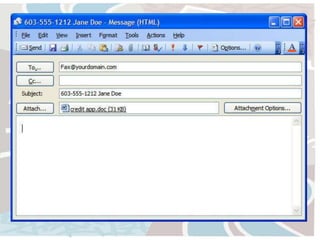
• An Internet email message[consists of three 
components, the message envelope, the 
message header, and the message body. 
• The message header 
contains control information, 
including, minimally, an originator's email 
address and one or more recipient addresses. 
• Usually descriptive information is also added, 
such as a subject header field and a message 
submission date/time stamp.
Different types of E-mail 
• Email Program 
Ex: applets@cal.net.ph 
• Web-based Email 
Ex: applets@yahoo.com 
applets@gmail.com 
• Free Dial-up Email 
Ex: applets@edsamail.com.ph
Internet Relay Chat 
• Internet Relay Chat (IRC) is an application 
layer protocol that facilitates transfer of 
messages in the form of text. 
The chat process works on a client/server 
model of networking. 
• IRC clients are computer programs that a 
user can install on their system. These 
clients are able to communicate with chat 
servers to transfer messages to other 
clients.
Internet Relay Chat 
• It is mainly designed for group 
communication in discussion forums, 
called channels, but also allows one-to- 
one communication via private 
message as well as chat and data 
transfer, ]including file sharing.
Example of Chat Software 
a. Messenger 
Yahoo Messenger 
ICQ 
AOL Messenger 
Windows Messenger 
b. Third Party downloadable software 
MIRC 
PITCH 
c. On-line chat website
Gopher 
• The Gopher protocol is a TCP/IP application 
layer protocol designed for distributing, 
searching, and retrieving documents over 
the Internet. 
• The Gopher protocol was strongly oriented 
towards a menu-document design and 
presented an alternative to the World Wide 
Web in its early stages, but 
ultimately HTTP became the dominant protocol. 
• The Gopher ecosystem is often regarded as the 
effective predecessor of theWorld WideWeb.
Gopher 
• Provides a distributed delivery system 
around which a campus-wide 
information system can readily be 
constructed. 
• It facilitates access to other gopher 
and information server through out 
the world.
WAIS 
• Wide Area Information Services (WAIS) is a 
networked information retrieval system 
wherein client applications are able to 
retrieve text or multimedia documents 
stored on the servers. 
• Client applications request documents 
using keyword. 
• Servers- search a full text index for the 
documents containing the keyword.

Internet tools and services

  • 1.
  • 2.
    What is Internet? Internet is a worldwide collection of networks, gateways, servers and computers using a common set of telecommunications protocols to link them together.
  • 3.
    What is Internet? Its best known feature is the World Wide Web – presents rich content that includes multimedia clip, and even live radio and video.
  • 4.
    What is Internet? • You view its content on web pages by using the web browser. • Typically the top-level page of a website is called home page, from which each pages are branch off.
  • 5.
    Internet Concepts •Each web pages has a specific address known as URL (Uniform Source Locator).
  • 6.
    URL • Itindicates a lot of things example: http://www.microsoft.com HTTP – tells the computer how to communicate with the internet computer www – indicates that the site is on the world wide web .com – suffix indicates the commercial site.
  • 8.
    HTTP (HyperText TransferProtocol) • The Hypertext Transfer Protocol (HTTP) is an application protocol for distributed, collaborative, hypermedia information systems. • HTTP is the foundation of data communication for the World Wide Web. • Hypertext is structured text that uses logical links (hyperlinks) between nodes containing text. • HTTP is the protocol to exchange or transfer hypertext.
  • 9.
    HTTP (HyperText TransferProtocol) • It is set of rules in exchanging files on the world wide web. • Relative to TCP/IP suite of protocols, HTTP is an application protocol.
  • 10.
    How HTTP works? • HTTP daemon – a program designed to wait for HTTP requests and handle them when they arrive. • HTTP Client – Web browser that sending request by either opening or clicking hyperlink, the browser builds an HTTP request and sends IP address indicated in URL.
  • 11.
    How does onefind a website? • URL is the full address used by the web browser to request information on the WWW. • The format of URL begins with specific protocol, domain name, the path to the requested information and then the name of the file.
  • 12.
    FTP (File TransferProtocol) • FTP or File Transfer Protocol is used to transfer data from one computer to another over the Internet, or through a network. • Specifically, FTP is a commonly used protocol for exchanging files over any network that supports the TCP/IP protocol (such as the Internet or an intranet). • There are two computers involved in an FTP transfer: a server and a client. • FTP server- running FTP server software, listens on the network for connection requests from other computers.
  • 13.
    FTP (File TransferProtocol) • Client Computer - running FTP client software, initiates a connection to the server. Once connected, the client can do a number of file manipulation operations such as uploading files to the server, download files from the server, rename or delete files on the server and so on.
  • 14.
    Difference of HTTPand FTP • HTTP (Hypertext Transfer Protocol) and FTP (File Transfer Protocol) are only two of the multitude of protocols that are being used in the internet, each with its own function. • The purpose of HTTP is to serve as a means of accessing the world wide web.
  • 15.
    Difference of HTTPand FTP • Websites are accessed using http with the help of browsers. FTP, as the name implies, is used in transferring files from one computer to another. • It is a less popular protocol due to small number of people who actually use FTP, and even fewer people who know that they are using it.
  • 16.
    More about HTTP • Most people don’t actually know it, but the HTTP protocol is in use every time we open a site, check our email, or update our blogs. • This can be easily checked by looking at the address bar and looking at the very first few letters; chances are its HTTP.
  • 17.
    More about FTP • The great majority of people who use the FTP protocol are the people who maintain and routinely upload files to websites. • FTP provides an easy and hassle free method of site maintenance.
  • 18.
    Details about FTP • FTP is also a good option for people who want to download files. • There are FTP servers who host files and allow people to anonymously login to their site and download huge files.
  • 19.
    Difference of HTTPand FTP • The rise in popularity of downloads in HTTP is due largely to its linkage with the world wide web. • Most sites that offer content for downloads have their files hosted in an HTTP server so that visitors can easily browse and select their files.
  • 22.
    E-mail • Referredto as email or e-mail since 1993, is a method of exchanging digital messages from an author to one or more recipients. • Modern email operates across the Internet or other computer networks. • Some early email systems required that the author and the recipient both be online at the same time, in common with instant messaging.
  • 23.
    E-mail • AnInternet email message[consists of three components, the message envelope, the message header, and the message body. • The message header contains control information, including, minimally, an originator's email address and one or more recipient addresses. • Usually descriptive information is also added, such as a subject header field and a message submission date/time stamp.
  • 25.
    Different types ofE-mail • Email Program Ex: applets@cal.net.ph • Web-based Email Ex: applets@yahoo.com applets@gmail.com • Free Dial-up Email Ex: applets@edsamail.com.ph
  • 26.
    Internet Relay Chat • Internet Relay Chat (IRC) is an application layer protocol that facilitates transfer of messages in the form of text. The chat process works on a client/server model of networking. • IRC clients are computer programs that a user can install on their system. These clients are able to communicate with chat servers to transfer messages to other clients.
  • 27.
    Internet Relay Chat • It is mainly designed for group communication in discussion forums, called channels, but also allows one-to- one communication via private message as well as chat and data transfer, ]including file sharing.
  • 28.
    Example of ChatSoftware a. Messenger Yahoo Messenger ICQ AOL Messenger Windows Messenger b. Third Party downloadable software MIRC PITCH c. On-line chat website
  • 29.
    Gopher • TheGopher protocol is a TCP/IP application layer protocol designed for distributing, searching, and retrieving documents over the Internet. • The Gopher protocol was strongly oriented towards a menu-document design and presented an alternative to the World Wide Web in its early stages, but ultimately HTTP became the dominant protocol. • The Gopher ecosystem is often regarded as the effective predecessor of theWorld WideWeb.
  • 30.
    Gopher • Providesa distributed delivery system around which a campus-wide information system can readily be constructed. • It facilitates access to other gopher and information server through out the world.
  • 31.
    WAIS • WideArea Information Services (WAIS) is a networked information retrieval system wherein client applications are able to retrieve text or multimedia documents stored on the servers. • Client applications request documents using keyword. • Servers- search a full text index for the documents containing the keyword.