Event Handling in Netbeans IDE: 
Area of Triangle, Square and Rectangle 
User will input the following: 
o Length and Width of Rectangle 
o Side of Square 
o Base and Height of a Triangle 
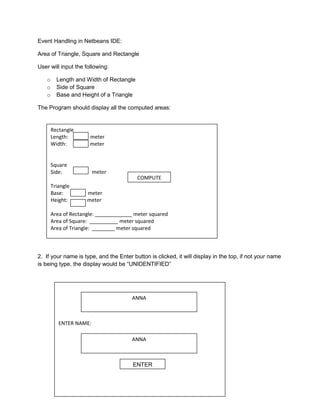
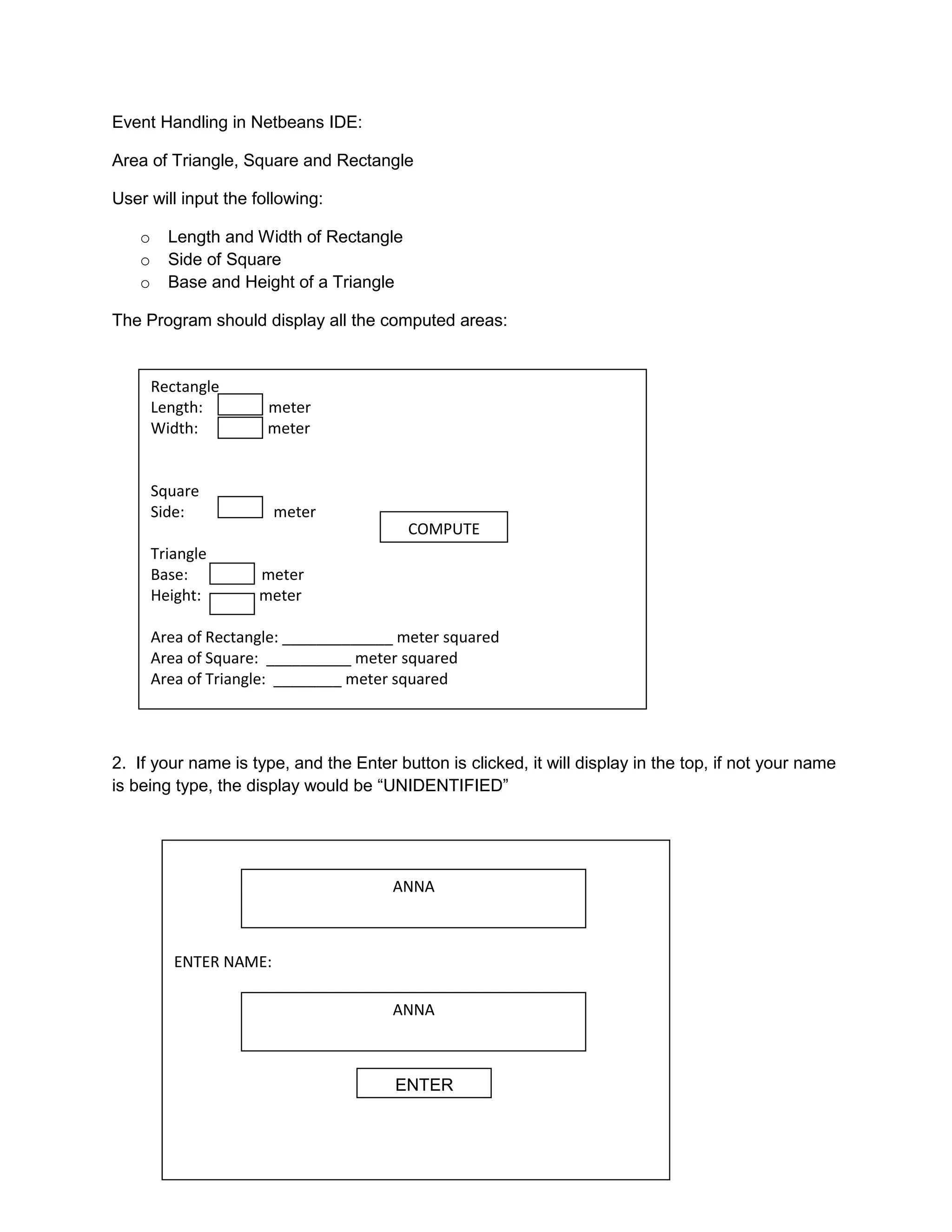
The Program should display all the computed areas: 
Rectangle 
Length: meter 
Width: meter 
Square 
Side: meter 
Triangle 
Base: meter 
Height: meter 
COMPUTE 
Area of Rectangle: _____________ meter squared 
Area of Square: __________ meter squared 
Area of Triangle: ________ meter squared 
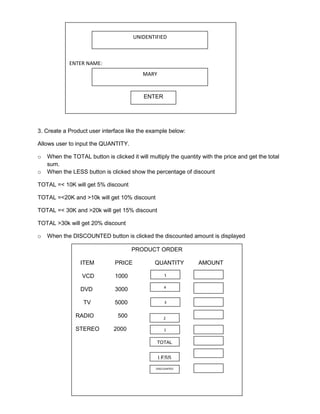
2. If your name is type, and the Enter button is clicked, it will display in the top, if not your name 
is being type, the display would be “UNIDENTIFIED” 
ENTER NAME: 
ANNA 
ANNA 
ENTER
ENTER NAME: 
UNIDENTIFIED 
MARY 
ENTER 
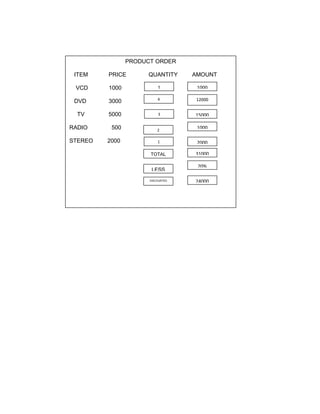
3. Create a Product user interface like the example below: 
Allows user to input the QUANTITY. 
o When the TOTAL button is clicked it will multiply the quantity with the price and get the total 
sum. 
o When the LESS button is clicked show the percentage of discount 
TOTAL =< 10K will get 5% discount 
TOTAL =<20K and >10k will get 10% discount 
TOTAL =< 30K and >20k will get 15% discount 
TOTAL >30k will get 20% discount 
o When the DISCOUNTED button is clicked the discounted amount is displayed 
PRODUCT ORDER 
ITEM PRICE QUANTITY AMOUNT 
VCD 1000 
DVD 3000 
TV 5000 
RADIO 500 
STEREO 2000 
1 
4 
3 
2 
1 
TOTAL 
LESS 
DISCOUNTED
PRODUCT ORDER 
ITEM PRICE QUANTITY AMOUNT 
VCD 1000 
DVD 3000 
TV 5000 
RADIO 500 
STEREO 2000 
1 
4 
3 
2 
1 
TOTAL 
LESS 
DISCOUNTED 
1000 
12000 
15000 
1000 
2000 
31000 
20% 
24000

Event handling in netbeans ide

  • 1.
    Event Handling inNetbeans IDE: Area of Triangle, Square and Rectangle User will input the following: o Length and Width of Rectangle o Side of Square o Base and Height of a Triangle The Program should display all the computed areas: Rectangle Length: meter Width: meter Square Side: meter Triangle Base: meter Height: meter COMPUTE Area of Rectangle: _____________ meter squared Area of Square: __________ meter squared Area of Triangle: ________ meter squared 2. If your name is type, and the Enter button is clicked, it will display in the top, if not your name is being type, the display would be “UNIDENTIFIED” ENTER NAME: ANNA ANNA ENTER
  • 2.
    ENTER NAME: UNIDENTIFIED MARY ENTER 3. Create a Product user interface like the example below: Allows user to input the QUANTITY. o When the TOTAL button is clicked it will multiply the quantity with the price and get the total sum. o When the LESS button is clicked show the percentage of discount TOTAL =< 10K will get 5% discount TOTAL =<20K and >10k will get 10% discount TOTAL =< 30K and >20k will get 15% discount TOTAL >30k will get 20% discount o When the DISCOUNTED button is clicked the discounted amount is displayed PRODUCT ORDER ITEM PRICE QUANTITY AMOUNT VCD 1000 DVD 3000 TV 5000 RADIO 500 STEREO 2000 1 4 3 2 1 TOTAL LESS DISCOUNTED
  • 3.
    PRODUCT ORDER ITEMPRICE QUANTITY AMOUNT VCD 1000 DVD 3000 TV 5000 RADIO 500 STEREO 2000 1 4 3 2 1 TOTAL LESS DISCOUNTED 1000 12000 15000 1000 2000 31000 20% 24000