A Brief Historyof the Internet
• The Internet started in the 1960s as a way for government researchers to share
information. Computers in the '60s were large and immobile and in order to make use of
information stored in any one computer, one had to either travel to the site of the
computer or have magnetic computer tapes sent through the conventional postal system.
• Another catalyst in the formation of the Internet was the heating up of the Cold War. The
Soviet Union's launch of the Sputnik satellite spurred the U.S. Defence Department to
consider ways information could still be disseminated even after a nuclear attack.
• This eventually led to the formation of the ARPANET (Advanced Research Projects Agency
Network), the network that ultimately evolved into what we now know as the Internet.
• ARPANET was a great success but membership was limited to certain academic and
research organizations who had contracts with the Defence Department. In response to
this, other networks were created to provide information sharing.
3.
• January 1,1983 is considered the official birthday of the Internet. Prior
to this, the various computer networks did not have a standard way to
communicate with each other.
• A new communications protocol was established called Transfer
Control Protocol/Internetwork Protocol (TCP/IP). This allowed different
kinds of computers on different networks to "talk" to each other.
• ARPANET and the Defense Data Network officially changed to the
TCP/IP standard on January 1, 1983, hence the birth of the Internet. All
networks could now be connected by a universal language.
4.
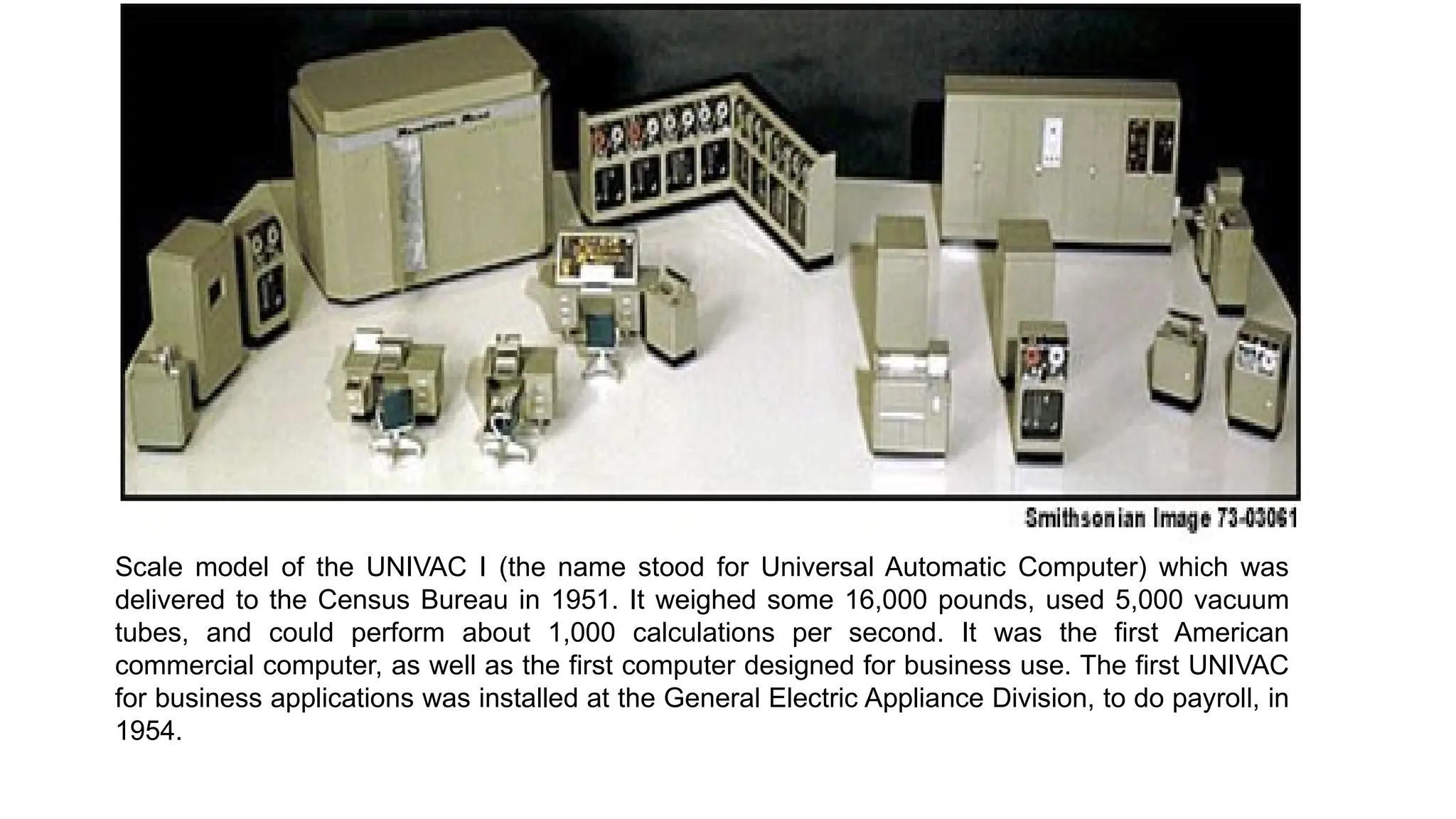
Scale model ofthe UNIVAC I (the name stood for Universal Automatic Computer) which was
delivered to the Census Bureau in 1951. It weighed some 16,000 pounds, used 5,000 vacuum
tubes, and could perform about 1,000 calculations per second. It was the first American
commercial computer, as well as the first computer designed for business use. The first UNIVAC
for business applications was installed at the General Electric Appliance Division, to do payroll, in
1954.
5.
Types of InternetProtocols
There's more to the Internet than the World Wide Web
• When we think of the Internet we often think only of the World Wide Web.
The Web is one of several ways to retrieve information from the Internet.
These different types of Internet connections are known as protocols.
• Many Internet Web browsers allow users to access files using most of the
protocols.
Following are three categories of Internet services and examples of types of
services in each category.
1. File retrieval protocols
This type of service was one of the earliest ways of retrieving information from
computers connected to the Internet. You could view the names of the files
stored on the serving computer, but you didn't have any type of graphics and
sometimes no description of a file's content. You would need to have advanced
knowledge of which files contained the information you sought.
6.
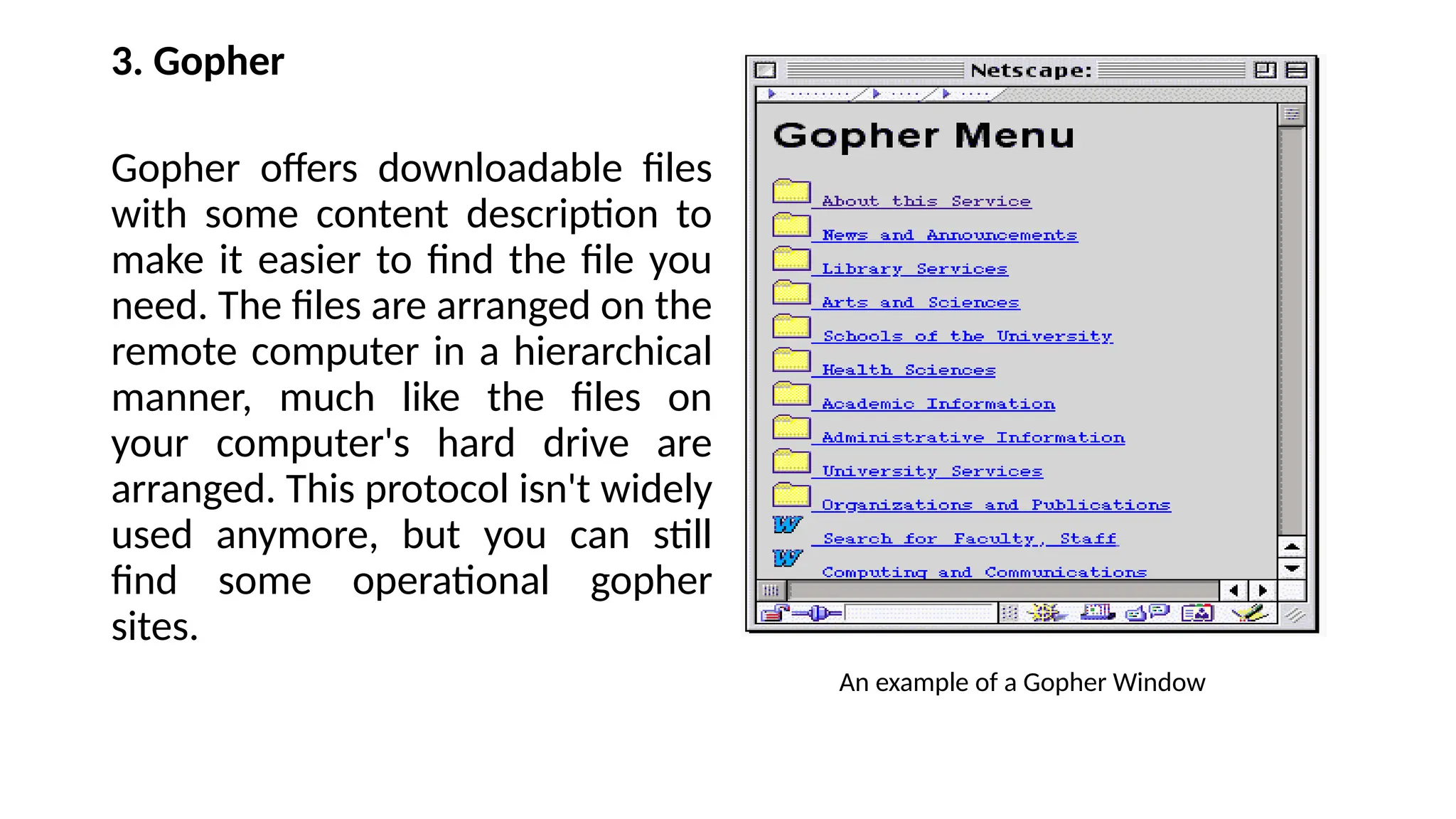
2. FTP (FileTransfer Protocol)
This was one of the first Internet services developed and it allows users to move
files from one computer to another. Using the FTP program, a user can logon to a
remote computer, browse through its files, and either download or upload files (if
the remote computer allows). These can be any type of file, but the user is only
allowed to see the file name; no description of the file content is included. You
might encounter the FTP protocol if you try to download any software applications
from the World Wide Web. Many sites that offer downloadable applications use
the FTP protocol.
An example of a FTP Protocol Window:
7.
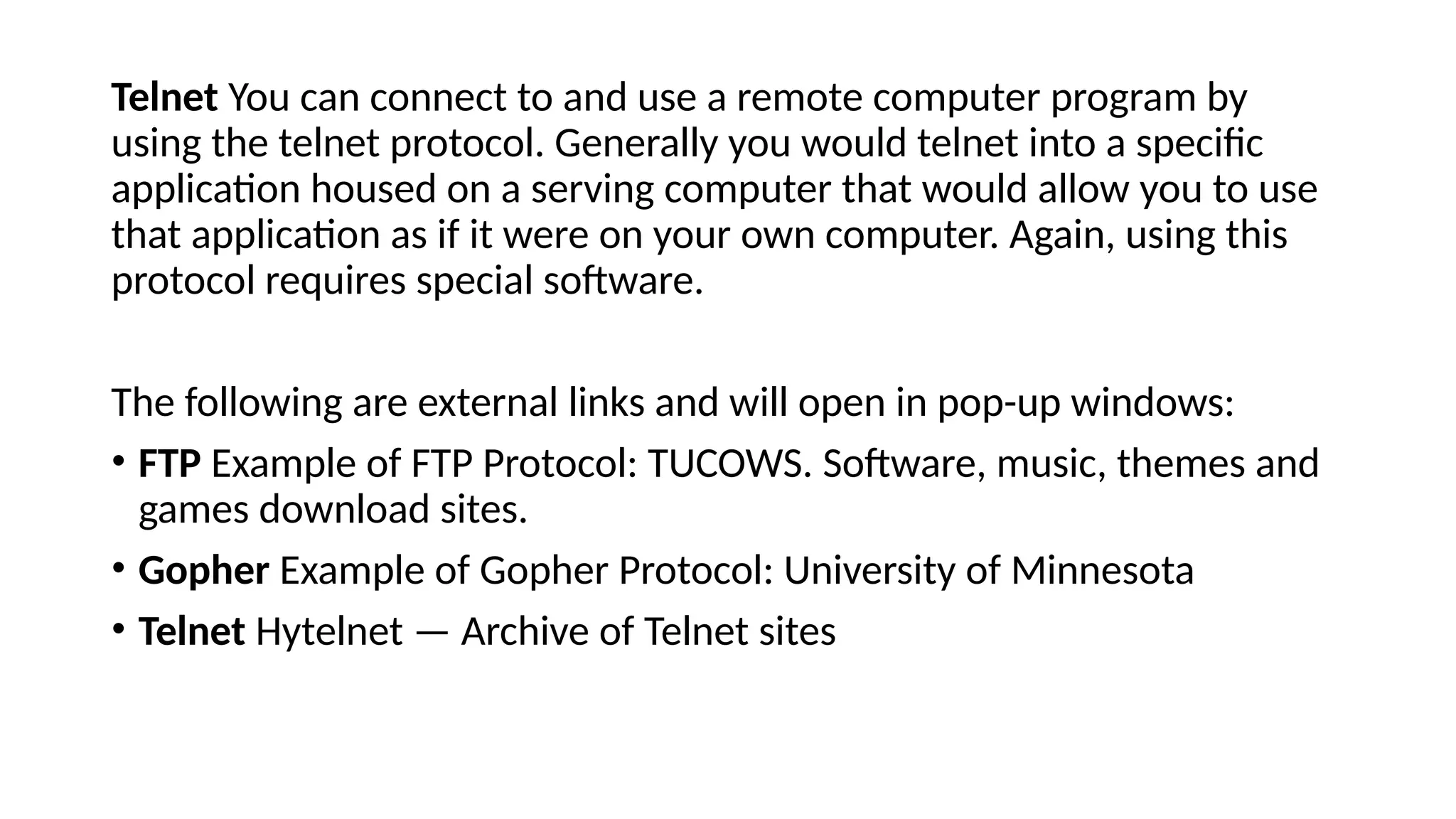
3. Gopher
Gopher offersdownloadable files
with some content description to
make it easier to find the file you
need. The files are arranged on the
remote computer in a hierarchical
manner, much like the files on
your computer's hard drive are
arranged. This protocol isn't widely
used anymore, but you can still
find some operational gopher
sites.
An example of a Gopher Window
8.
Telnet You canconnect to and use a remote computer program by
using the telnet protocol. Generally you would telnet into a specific
application housed on a serving computer that would allow you to use
that application as if it were on your own computer. Again, using this
protocol requires special software.
The following are external links and will open in pop-up windows:
• FTP Example of FTP Protocol: TUCOWS. Software, music, themes and
games download sites.
• Gopher Example of Gopher Protocol: University of Minnesota
• Telnet Hytelnet — Archive of Telnet sites
9.
Communications Protocols
email, newsgroupsand chat
These are the messaging protocols that allow users to communicate both
asynchronously (sender and receiver aren't required to both be connected to
the Internet at the same time; e.g. email) and synchronously (as with chatting
in "real time").
• Email This method of Internet communication has become the standard. A
main computer acts as a "post office" by sending and receiving mail for those
who have accounts. This mail can be retrieved through any number of email
software applications (MS Outlook, Eudora, etc.) or from Web based email
accounts (Yahoo, Hotmail). Email is an example of asynchronous Internet
communication.
• Email also provides the ability to access email lists. You can subscribe to an
email list covering any number of topics or interests and will receive
messages posted by other subscribers. Email communities evolve from
interaction between subscribers who have similar interests or obsessions.
10.
• Usenet Usenetis something like a bulletin board or an email list without the
subscription. Anyone can post a message to or browse through a Usenet newsgroup.
Usenet messages are retained on the serving computer only for a predetermined length
of time and then are automatically deleted, whereas email list messages are retained on
the serving computer until the account holder downloads them. Many email
applications, as well as Web browsers, allow you to set up Usenet newsgroup accounts.
• IRC (Internet Relay Chat) This protocol allows for synchronous communication: users on
different computers anywhere in the world can communicate in "real time" or
simultaneously. You can instantly see a response to a typed message by several people at
the same time. This protocol requires a special software application that can be
downloaded from the Web, generally for free. The following are external links and will
open in pop-up windows:
• email There are many free email services currently available including Yahoo mail Gmail
• Newsgroups Yahoo newsgroups
• Google newsgroups Interbulletin newsgroups
• Chat Internet Relay Chat (IRC) Help page AIM Google Talk Meebo
11.
Multimedia Information Protocol
Hypertexttransfer protocol — a.k.a. "The Web"
• The World Wide Web is the new kid on the block having only been developed in the late
1980s by the European Lab for Particle Physics in Switzerland. This Internet protocol was
quickly embraced by the public and has become the most popular way to provide and
obtain information from the Internet. The Web offers not only access to files to download,
but offers a way to jump from site to site through a series of connecting hyperlinks.
• The most distinguishing feature of the Web is the way that text is formatted. A series of
"tags" is used to encode and format text, graphics, animation, sound, and other types of
files. These tags are called HTML (HyperText Markup Language).
• These HTML files appear on your computer screen as determined by the tags used in its
coding. You can see the "source" HTML coding for any Web page by choosing to "View
Source" from your browser's menu bar.
• Most browsers allow for access through FTP, Gopher, telnet, and email as well as through
the hypertext transfer protocol, although installation of helper applications may be
required. These are programs that work with the browser and allow access to a variety of
protocols and file types.
12.
Browsers and Navigation
Yourtransports around the World Wide Web
• A browser is an application you use to view files on the World Wide
Web. There are text or terminal-based browsers (such as Lynx) that
allow you to view only the text of a file on the Web. Most browsers
now are graphical browsers that can be used to view text, graphics,
and other multimedia information.
• There are many types of Web browsers available, but the most widely
used are MS Internet Explorer and Netscape.
• Because some Web pages are created for specific browsers, it can be
important which browser you use. Web pages may look different
when accessed by different browsers.
13.
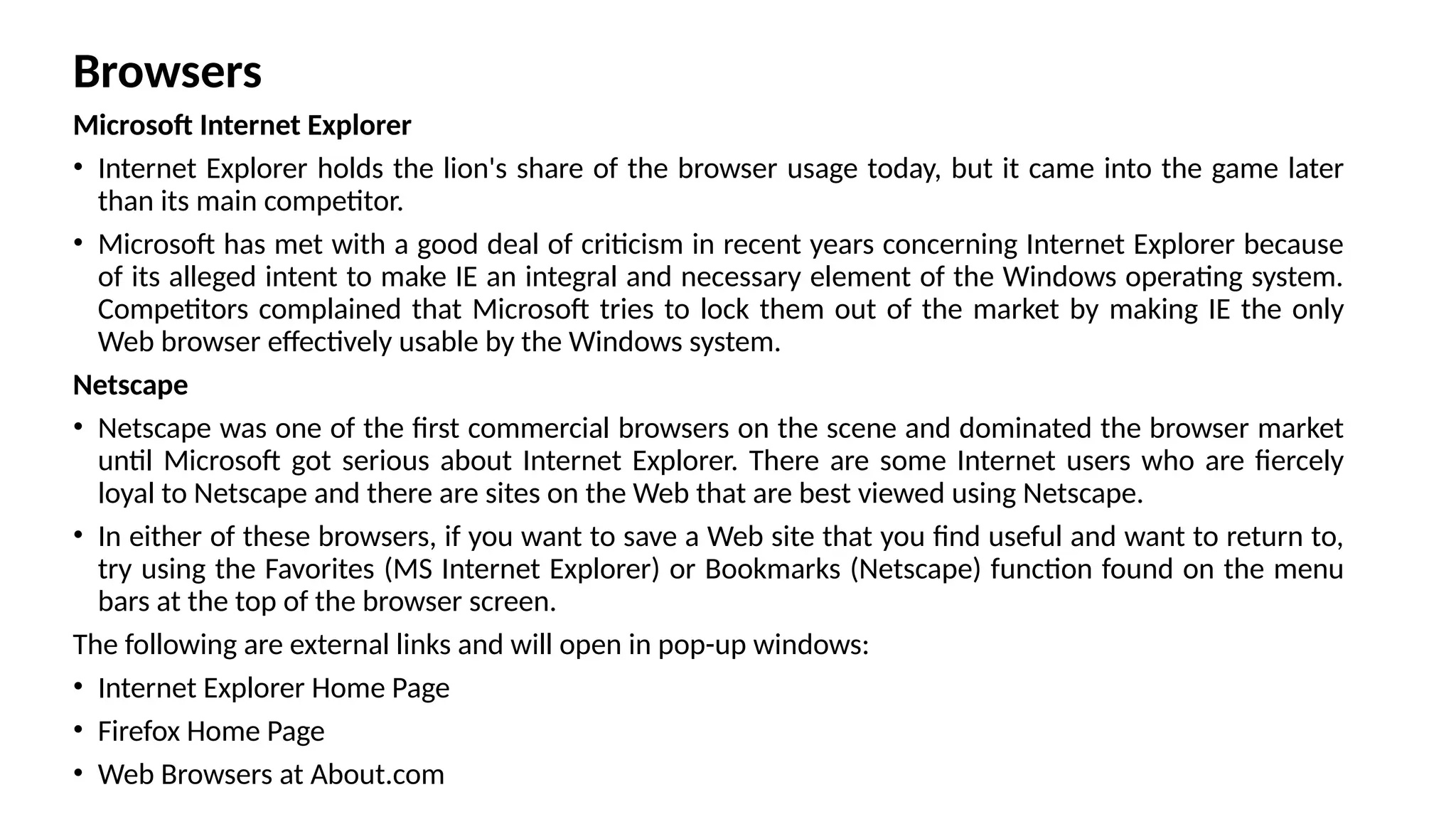
Browsers
Microsoft Internet Explorer
•Internet Explorer holds the lion's share of the browser usage today, but it came into the game later
than its main competitor.
• Microsoft has met with a good deal of criticism in recent years concerning Internet Explorer because
of its alleged intent to make IE an integral and necessary element of the Windows operating system.
Competitors complained that Microsoft tries to lock them out of the market by making IE the only
Web browser effectively usable by the Windows system.
Netscape
• Netscape was one of the first commercial browsers on the scene and dominated the browser market
until Microsoft got serious about Internet Explorer. There are some Internet users who are fiercely
loyal to Netscape and there are sites on the Web that are best viewed using Netscape.
• In either of these browsers, if you want to save a Web site that you find useful and want to return to,
try using the Favorites (MS Internet Explorer) or Bookmarks (Netscape) function found on the menu
bars at the top of the browser screen.
The following are external links and will open in pop-up windows:
• Internet Explorer Home Page
• Firefox Home Page
• Web Browsers at About.com
14.
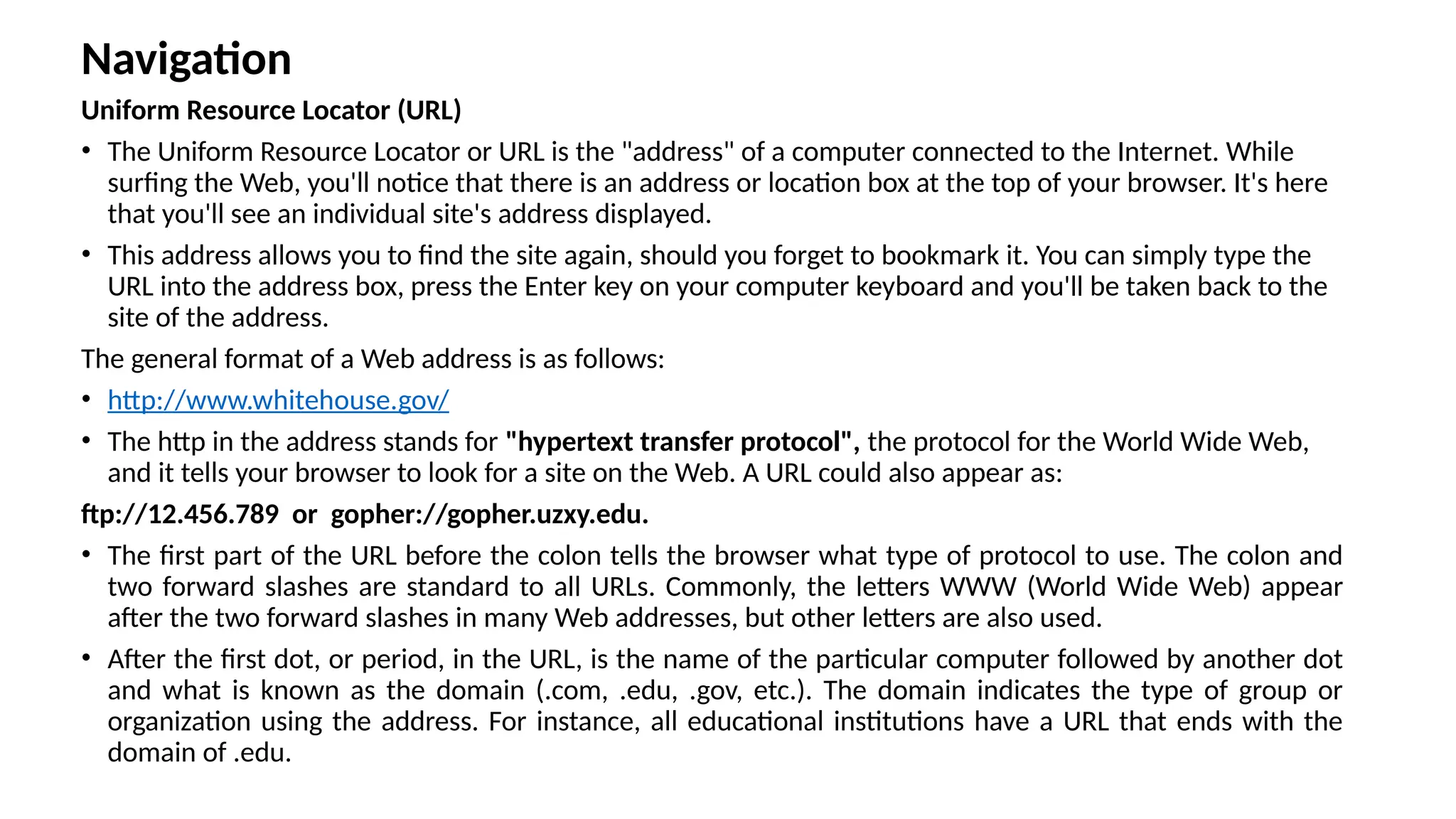
Navigation
Uniform Resource Locator(URL)
• The Uniform Resource Locator or URL is the "address" of a computer connected to the Internet. While
surfing the Web, you'll notice that there is an address or location box at the top of your browser. It's here
that you'll see an individual site's address displayed.
• This address allows you to find the site again, should you forget to bookmark it. You can simply type the
URL into the address box, press the Enter key on your computer keyboard and you'll be taken back to the
site of the address.
The general format of a Web address is as follows:
• http://www.whitehouse.gov/
• The http in the address stands for "hypertext transfer protocol", the protocol for the World Wide Web,
and it tells your browser to look for a site on the Web. A URL could also appear as:
ftp://12.456.789 or gopher://gopher.uzxy.edu.
• The first part of the URL before the colon tells the browser what type of protocol to use. The colon and
two forward slashes are standard to all URLs. Commonly, the letters WWW (World Wide Web) appear
after the two forward slashes in many Web addresses, but other letters are also used.
• After the first dot, or period, in the URL, is the name of the particular computer followed by another dot
and what is known as the domain (.com, .edu, .gov, etc.). The domain indicates the type of group or
organization using the address. For instance, all educational institutions have a URL that ends with the
domain of .edu.
15.
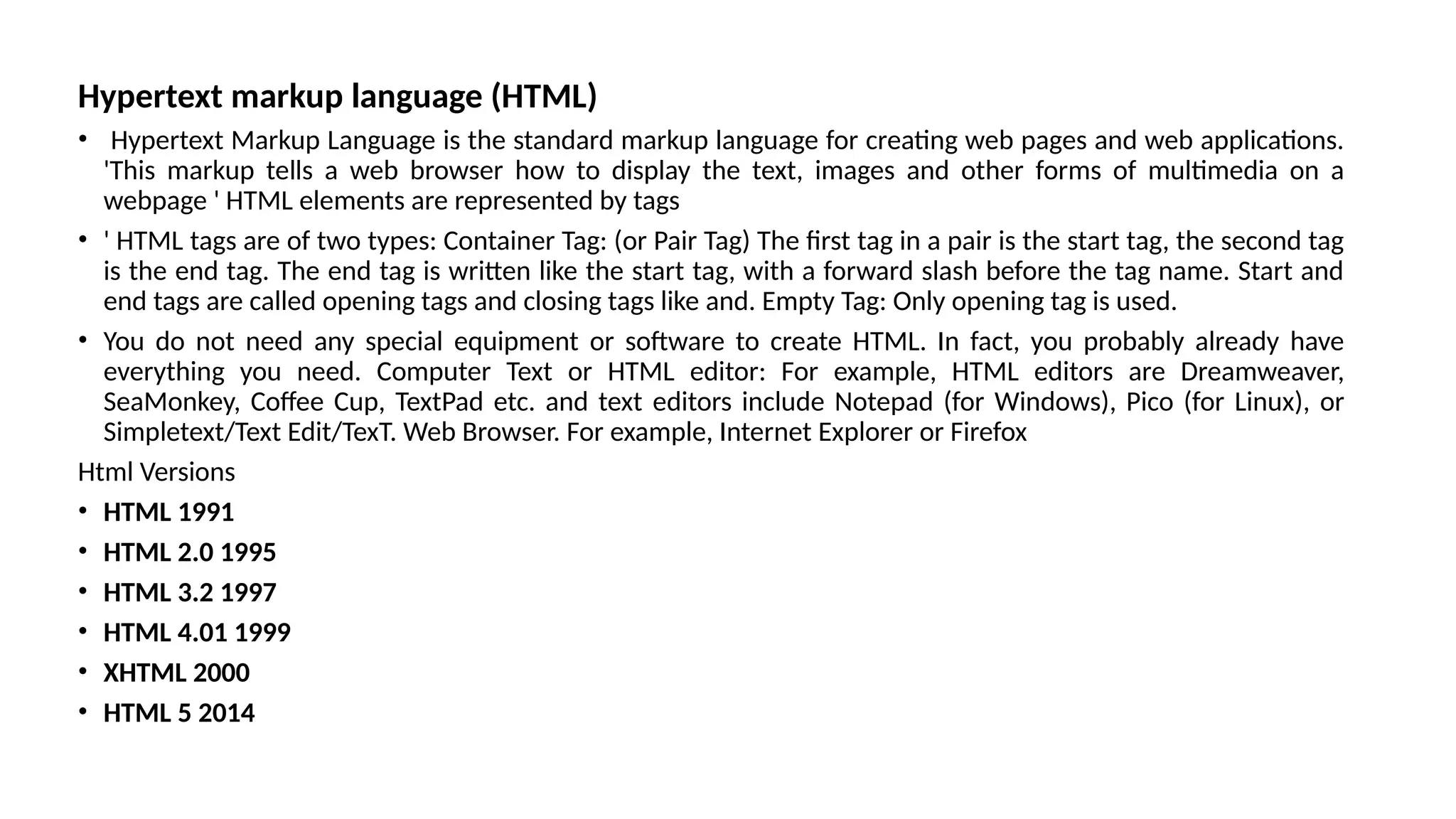
Hypertext markup language(HTML)
• Hypertext Markup Language is the standard markup language for creating web pages and web applications.
'This markup tells a web browser how to display the text, images and other forms of multimedia on a
webpage ' HTML elements are represented by tags
• ' HTML tags are of two types: Container Tag: (or Pair Tag) The first tag in a pair is the start tag, the second tag
is the end tag. The end tag is written like the start tag, with a forward slash before the tag name. Start and
end tags are called opening tags and closing tags like and. Empty Tag: Only opening tag is used.
• You do not need any special equipment or software to create HTML. In fact, you probably already have
everything you need. Computer Text or HTML editor: For example, HTML editors are Dreamweaver,
SeaMonkey, Coffee Cup, TextPad etc. and text editors include Notepad (for Windows), Pico (for Linux), or
Simpletext/Text Edit/TexT. Web Browser. For example, Internet Explorer or Firefox
Html Versions
• HTML 1991
• HTML 2.0 1995
• HTML 3.2 1997
• HTML 4.01 1999
• XHTML 2000
• HTML 5 2014
16.
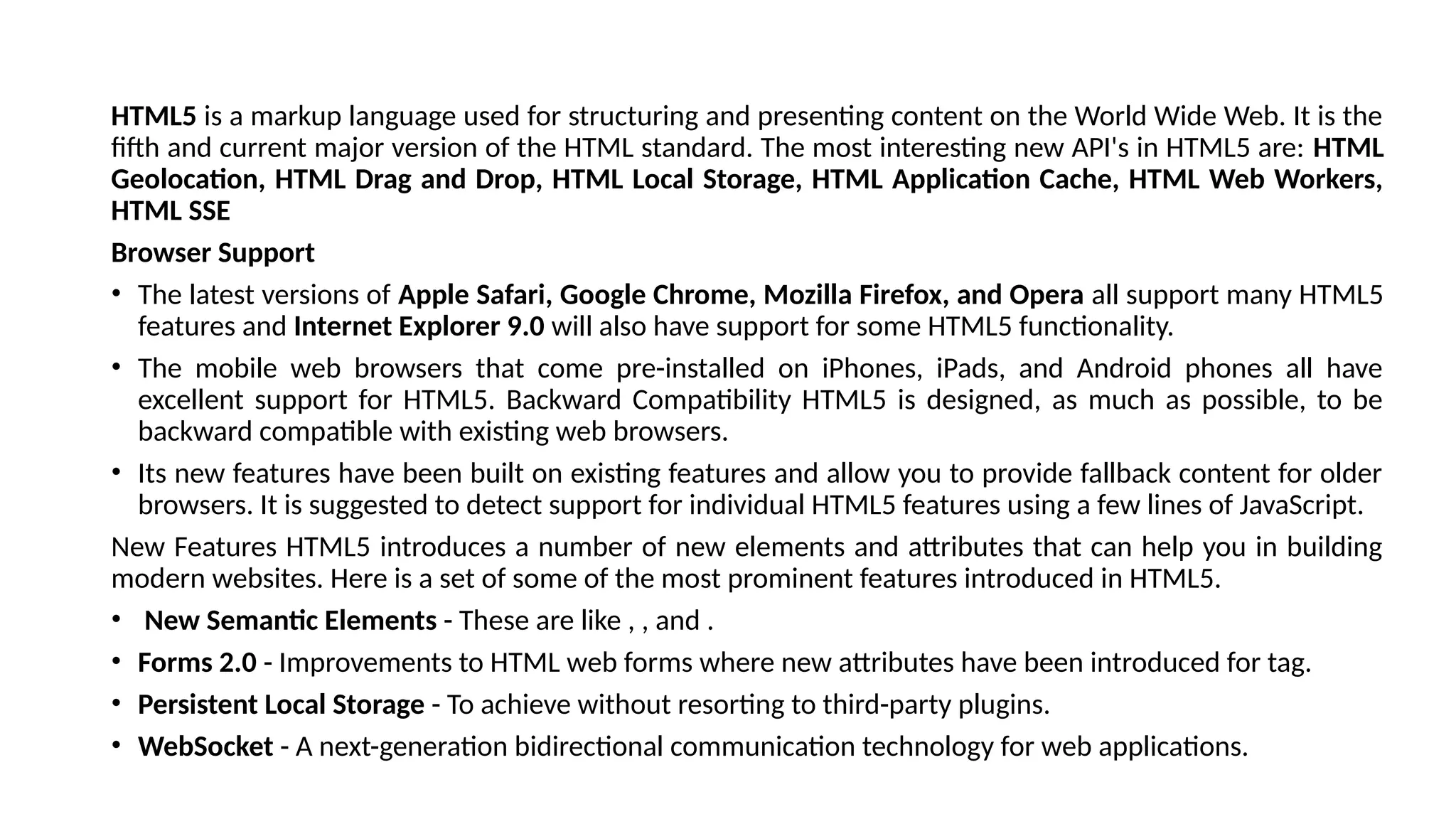
HTML5 is amarkup language used for structuring and presenting content on the World Wide Web. It is the
fifth and current major version of the HTML standard. The most interesting new API's in HTML5 are: HTML
Geolocation, HTML Drag and Drop, HTML Local Storage, HTML Application Cache, HTML Web Workers,
HTML SSE
Browser Support
• The latest versions of Apple Safari, Google Chrome, Mozilla Firefox, and Opera all support many HTML5
features and Internet Explorer 9.0 will also have support for some HTML5 functionality.
• The mobile web browsers that come pre-installed on iPhones, iPads, and Android phones all have
excellent support for HTML5. Backward Compatibility HTML5 is designed, as much as possible, to be
backward compatible with existing web browsers.
• Its new features have been built on existing features and allow you to provide fallback content for older
browsers. It is suggested to detect support for individual HTML5 features using a few lines of JavaScript.
New Features HTML5 introduces a number of new elements and attributes that can help you in building
modern websites. Here is a set of some of the most prominent features introduced in HTML5.
• New Semantic Elements - These are like , , and .
• Forms 2.0 - Improvements to HTML web forms where new attributes have been introduced for tag.
• Persistent Local Storage - To achieve without resorting to third-party plugins.
• WebSocket - A next-generation bidirectional communication technology for web applications.
17.
Server-Sent Events -HTML5 introduces events which flow from web server to the web browsers and they are called
Server-Sent Events (SSE).
Canvas - This supports a two-dimensional drawing surface that you can program with JavaScript.
Audio & Video - You can embed audio or video on your webpages without resorting to third-party plugins.
Geolocation - Now visitors can choose to share their physical location with your web application.
Microdata - This lets you create your own vocabularies beyond HTML5 and extend your web pages with custom
semantics.
Drag and drop - Drag and drop the items from one location to another location on the same webpage.
HTML5 Document
The following tags have been introduced for better structure –
• section - This tag represents a generic document or application section. It can be used together with h1-h6 to indicate
the document structure.
• article - This tag represents an independent piece of content of a document, such as a blog entry or newspaper
article.
• aside - This tag represents a piece of content that is only slightly related to the rest of the page.
• header - This tag represents the header of a section.
• footer - This tag represents a footer for a section and can contain information about the author, copyright
information, et cetera.
• nav - This tag represents a section of the document intended for navigation.
• dialog - This tag can be used to mark up a conversation.
• figure - This tag can be used to associate a caption together with some embedded content, such as a graphic or video.