Topic: Instructional Technology &
Computer Assisted Learning
Ways to Define Instructional Technology
According to AECT definition
“Instructional Technology is the theory and practice
of design, development, utilization, management
and evaluation of processes and resources for
learning.” (Seels & Richey)
According to Morrison, ross
“instructional technology is a growing field of study
which use technology as a means to solve
educational challenges both in the class room”
Domains of IT
• Instructional Design seeks to teach how to plan,
develop, evaluate and manage the instructional
process effectively to ensure improved performance by
learners.
• Instructional Technology's goal is to understand how
people learn and how to best design instructional
systems and instructional materials to facilitate that
learning
Cont.…
• Instructional Technologists are today's problem
solvers. They look to understand performance
problems and design solutions to those problems
and design solution
About IT
• Instructional Technology (IT) is a field concerned
with improving the efficiency and effectiveness of
learning, performance improvement and
instruction through:
• Designing instruction (including all the phases of
activity from needs assessment to evaluation)
Cont.…
• Applying learning theory to instructional design
• Selecting delivery systems and designing
techniques for a given delivery system
• Assessing human characteristics
• Conducting process and product evaluation
• Managing change and adopting innovations
Cont.…
• Integrating instruction with other factors that
influence human performance
• Implementing delivery to reach learners when
they need it
• Using technology in support of the development
and delivery of instruction
Examples of Instructional
Technologies
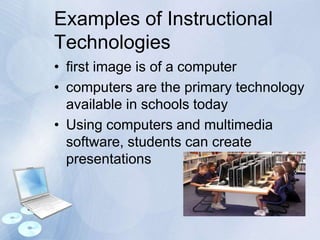
• first image is of a computer
• computers are the primary technology
available in schools today
• Using computers and multimedia
software, students can create
presentations
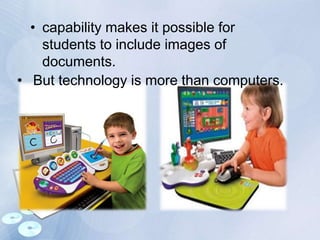
• capability makes it possible for
students to include images of
documents.
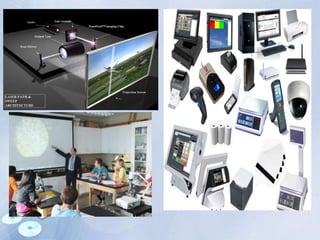
• But technology is more than computers.
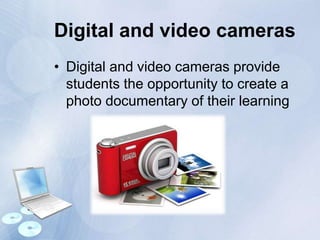
Digital and video cameras
• Digital and video cameras provide
students the opportunity to create a
photo documentary of their learning
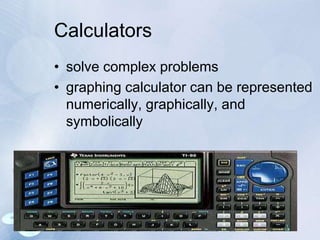
Calculators
• solve complex problems
• graphing calculator can be represented
numerically, graphically, and
symbolically
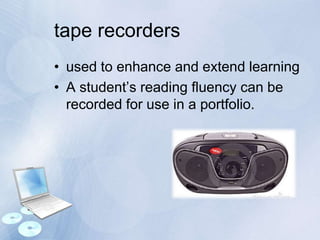
tape recorders
• used to enhance and extend learning
• A student’s reading fluency can be
recorded for use in a portfolio.
National Educational Technology
Standards for Students
1. Basic operations and concepts
Students are proficient in the use of
technology
2. Social, ethical, and human issues
cultural, and societal issues related to
technology.
3. Technology productivity tools
promote creativity
4. Technology communication tools
communicate information and ideas
effectively to multiple audiences.
5. Technology research tools
Students use technology tools to process
data and report results.
6. Technology problem-solving and
decision-making tools
Types of technology, It’s functions
and Benefits”
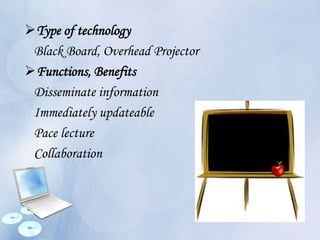
Type of technology
Black Board, Overhead Projector
Functions, Benefits
Disseminate information
Immediately updateable
Pace lecture
Collaboration
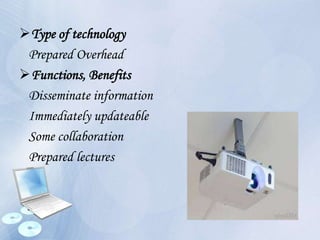
Type of technology
Prepared Overhead
Functions, Benefits
Disseminate information
Immediately updateable
Some collaboration
Prepared lectures
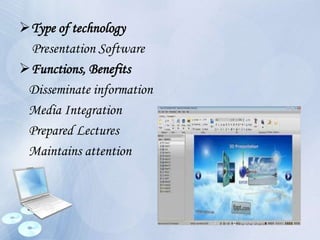
Type of technology
Presentation Software
Functions, Benefits
Disseminate information
Media Integration
Prepared Lectures
Maintains attention
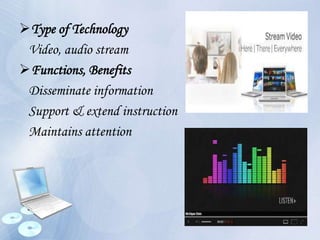
Type of Technology
Video, audio stream
Functions, Benefits
Disseminate information
Support & extend instruction
Maintains attention
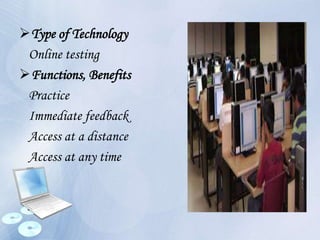
Type of Technology
Online testing
Functions, Benefits
Practice
Immediate feedback
Access at a distance
Access at any time
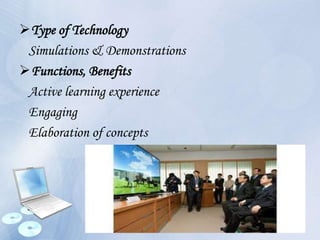
Type of Technology
Simulations & Demonstrations
Functions, Benefits
Active learning experience
Engaging
Elaboration of concepts
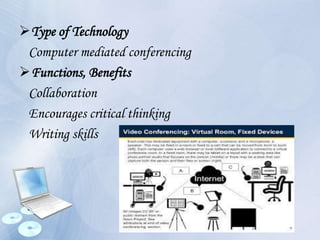
Type of Technology
Computer mediated conferencing
Functions, Benefits
Collaboration
Encourages critical thinking
Writing skills
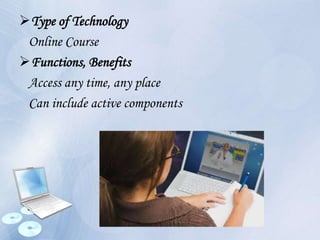
Type of Technology
Online Course
Functions, Benefits
Access any time, any place
Can include active components
What does CAL
stand for ?
“Computer assisted learning”
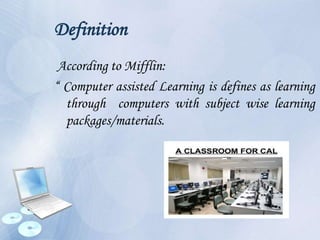
Definition
According to Mifflin:
“ Computer assisted Learning is defines as learning
through computers with subject wise learning
packages/materials.
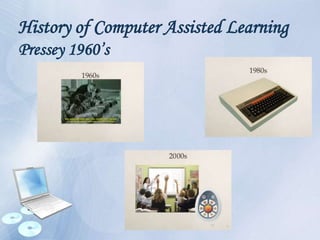
History of Computer Assisted Learning
Pressey 1960’s
Computer-Assisted learning
CAL is convey vast amount of
information in very short time .
Computer-assisted learning enable you
in a powerful way to comprehend
complex concepts .
Functions of CAL are:
 Tutoring
 Use of a computer as a calculator
 Use of a computer as a laboratory
Modes & Types of CAL
The major modes of CAL can be given
as follows:
Drill and Practice
 Narrative/Presentational
 Games
Traditional Teaching Vs. CAL
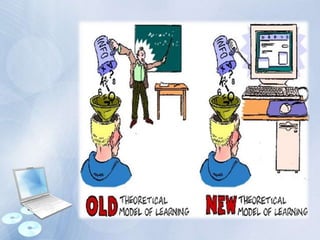
• The traditional teaching environment is a
classroom: a single teacher giving lectures to a
group of students.
• The use of computers in education shifts the focus
away from the teacher to the students themselves
who learn through experimentation on the
computer with the teacher acting only as a guide.
Advantages of CAL
• It involves any student actively in the learning
process.
• Reinforcement of learning in such situations is
immediate and systematized.
• CAL is individualized, that is each student is free
to work at his own place
• CAL offers a wide range of experiences
• It enables the student to understand concepts
clearly
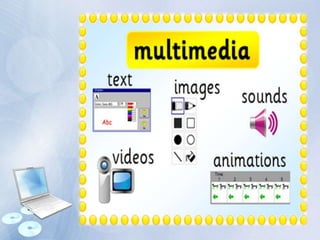
• It works as multimedia providing audio as
well as visual inputs
• It enables the student to understand
concepts clearly with the use of stimulating
techniques such as animation, blinking,
graphical displays etc.
Disadvantages of CAL
• The need for teachers and training directors to
move from accepted methods
• CAL packages may not fulfil expectations of
teachers.
• Motivating and training teachers to make use of
computers in education is a challenging task.
• They may be unwilling to spend extra time for
preparation
Cont..
• There are administrative problems associated
with computer installation
• The problems particularly related to the physical
location of the computer resources
• The cost of hardware maintenance and insurance
and time-tabling.
Instructional Technology & Computer Assisted Learning

Instructional Technology & Computer Assisted Learning

  • 1.
    Topic: Instructional Technology& Computer Assisted Learning
  • 2.
    Ways to DefineInstructional Technology According to AECT definition “Instructional Technology is the theory and practice of design, development, utilization, management and evaluation of processes and resources for learning.” (Seels & Richey)
  • 3.
    According to Morrison,ross “instructional technology is a growing field of study which use technology as a means to solve educational challenges both in the class room”
  • 4.
    Domains of IT •Instructional Design seeks to teach how to plan, develop, evaluate and manage the instructional process effectively to ensure improved performance by learners. • Instructional Technology's goal is to understand how people learn and how to best design instructional systems and instructional materials to facilitate that learning
  • 5.
    Cont.… • Instructional Technologistsare today's problem solvers. They look to understand performance problems and design solutions to those problems and design solution
  • 6.
    About IT • InstructionalTechnology (IT) is a field concerned with improving the efficiency and effectiveness of learning, performance improvement and instruction through: • Designing instruction (including all the phases of activity from needs assessment to evaluation)
  • 7.
    Cont.… • Applying learningtheory to instructional design • Selecting delivery systems and designing techniques for a given delivery system • Assessing human characteristics • Conducting process and product evaluation • Managing change and adopting innovations
  • 8.
    Cont.… • Integrating instructionwith other factors that influence human performance • Implementing delivery to reach learners when they need it • Using technology in support of the development and delivery of instruction
  • 9.
    Examples of Instructional Technologies •first image is of a computer • computers are the primary technology available in schools today • Using computers and multimedia software, students can create presentations
  • 10.
    • capability makesit possible for students to include images of documents. • But technology is more than computers.
  • 11.
    Digital and videocameras • Digital and video cameras provide students the opportunity to create a photo documentary of their learning
  • 12.
    Calculators • solve complexproblems • graphing calculator can be represented numerically, graphically, and symbolically
  • 13.
    tape recorders • usedto enhance and extend learning • A student’s reading fluency can be recorded for use in a portfolio.
  • 15.
    National Educational Technology Standardsfor Students 1. Basic operations and concepts Students are proficient in the use of technology 2. Social, ethical, and human issues cultural, and societal issues related to technology. 3. Technology productivity tools promote creativity
  • 16.
    4. Technology communicationtools communicate information and ideas effectively to multiple audiences. 5. Technology research tools Students use technology tools to process data and report results. 6. Technology problem-solving and decision-making tools
  • 17.
    Types of technology,It’s functions and Benefits”
  • 18.
    Type of technology BlackBoard, Overhead Projector Functions, Benefits Disseminate information Immediately updateable Pace lecture Collaboration
  • 19.
    Type of technology PreparedOverhead Functions, Benefits Disseminate information Immediately updateable Some collaboration Prepared lectures
  • 20.
    Type of technology PresentationSoftware Functions, Benefits Disseminate information Media Integration Prepared Lectures Maintains attention
  • 21.
    Type of Technology Video,audio stream Functions, Benefits Disseminate information Support & extend instruction Maintains attention
  • 22.
    Type of Technology Onlinetesting Functions, Benefits Practice Immediate feedback Access at a distance Access at any time
  • 23.
    Type of Technology Simulations& Demonstrations Functions, Benefits Active learning experience Engaging Elaboration of concepts
  • 24.
    Type of Technology Computermediated conferencing Functions, Benefits Collaboration Encourages critical thinking Writing skills
  • 25.
    Type of Technology OnlineCourse Functions, Benefits Access any time, any place Can include active components
  • 26.
    What does CAL standfor ? “Computer assisted learning”
  • 27.
    Definition According to Mifflin: “Computer assisted Learning is defines as learning through computers with subject wise learning packages/materials.
  • 28.
    History of ComputerAssisted Learning Pressey 1960’s
  • 29.
    Computer-Assisted learning CAL isconvey vast amount of information in very short time . Computer-assisted learning enable you in a powerful way to comprehend complex concepts .
  • 30.
    Functions of CALare:  Tutoring  Use of a computer as a calculator  Use of a computer as a laboratory
  • 31.
    Modes & Typesof CAL The major modes of CAL can be given as follows: Drill and Practice  Narrative/Presentational  Games
  • 32.
    Traditional Teaching Vs.CAL • The traditional teaching environment is a classroom: a single teacher giving lectures to a group of students. • The use of computers in education shifts the focus away from the teacher to the students themselves who learn through experimentation on the computer with the teacher acting only as a guide.
  • 34.
    Advantages of CAL •It involves any student actively in the learning process. • Reinforcement of learning in such situations is immediate and systematized. • CAL is individualized, that is each student is free to work at his own place • CAL offers a wide range of experiences • It enables the student to understand concepts clearly
  • 35.
    • It worksas multimedia providing audio as well as visual inputs • It enables the student to understand concepts clearly with the use of stimulating techniques such as animation, blinking, graphical displays etc.
  • 38.
    Disadvantages of CAL •The need for teachers and training directors to move from accepted methods • CAL packages may not fulfil expectations of teachers. • Motivating and training teachers to make use of computers in education is a challenging task. • They may be unwilling to spend extra time for preparation
  • 39.
    Cont.. • There areadministrative problems associated with computer installation • The problems particularly related to the physical location of the computer resources • The cost of hardware maintenance and insurance and time-tabling.