A uniquely accessible e-Portfolio that
enables learners with difficulties and/or
disabilities to store, arrange multi media
content into simple online pages.
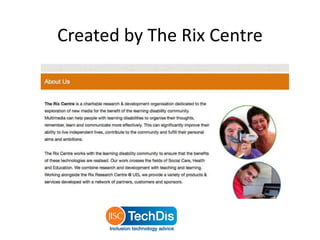
Created by The Rix Centre
What is it?
• Provides the means for a ‘digital entity’.
• Record and store evidence in the form of
video, audio or graphics.
• Built in text to speech.
• Alternative literacy using rich digital media.
• Learner owned content.
We’re going to look at…
• What In Folio looks like.
• Admin features.
• How have colleges used In Folio.
• What students think.
What does In Folio look like?
In-Folio log in
From http://infolio2.jisctechdis.ac.uk/ to tiny.cc/infolio
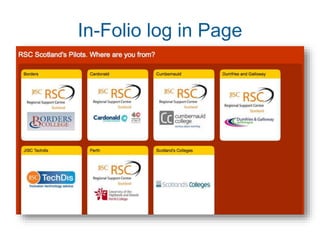
In-Folio log in Page
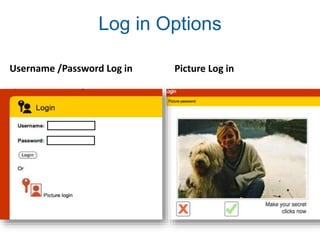
Log in Options
Username /Password Log in Picture Log in
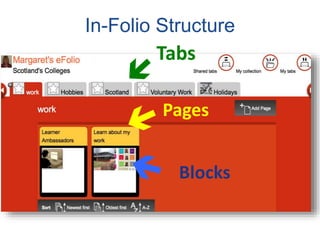
In-Folio Structure
Tabs
Pages
Blocks
Tabs
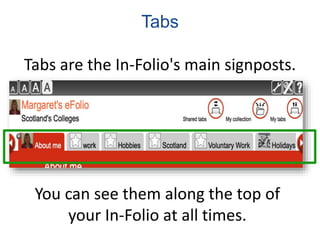
Tabs are the In-Folio's main signposts.
You can see them along the top of
your In-Folio at all times.
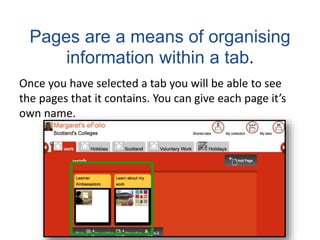
Pages are a means of organising
information within a tab.
Once you have selected a tab you will be able to see
the pages that it contains. You can give each page it’s
own name.
Blocks
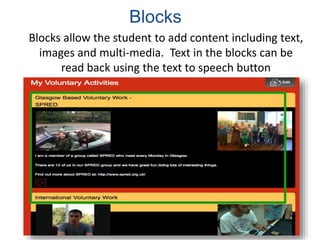
Blocks allow the student to add content including text,
images and multi-media. Text in the blocks can be
read back using the text to speech button
Text to Speech
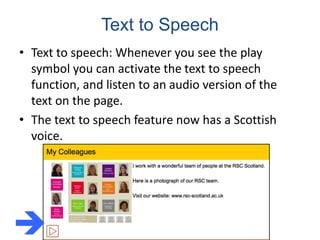
• Text to speech: Whenever you see the play
symbol you can activate the text to speech
function, and listen to an audio version of the
text on the page.
• The text to speech feature now has a Scottish
voice.

Populating In Folio with multimedia
My Collection
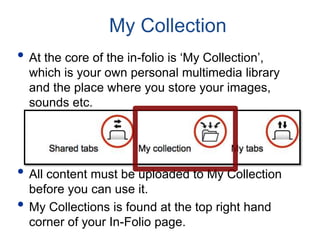
• At the core of the in-folio is ‘My Collection’,
which is your own personal multimedia library
and the place where you store your images,
sounds etc.
• All content must be uploaded to My Collection
before you can use it.
• My Collections is found at the top right hand
corner of your In-Folio page.
Adding Your Images
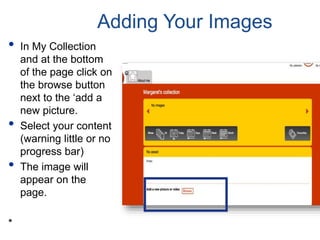
• In My Collection
and at the bottom
of the page click on
the browse button
next to the ‘add a
new picture.
• Select your content
(warning little or no
progress bar)
• The image will
appear on the
page.
*
Admin Features
Admin Features - User Manager
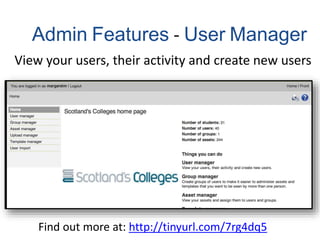
View your users, their activity and create new users
Find out more at: http://tinyurl.com/7rg4dq5
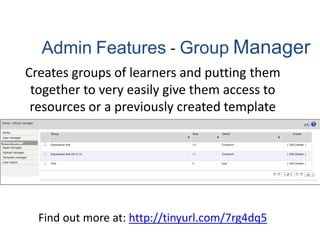
Admin Features - Group Manager
Creates groups of learners and putting them
together to very easily give them access to
resources or a previously created template
Find out more at: http://tinyurl.com/7rg4dq5
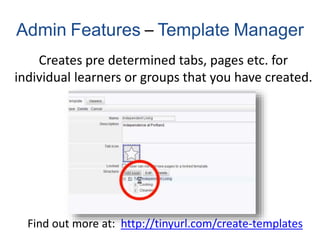
Admin Features – Template Manager
Creates pre determined tabs, pages etc. for
individual learners or groups that you have created.
Find out more at: http://tinyurl.com/create-templates
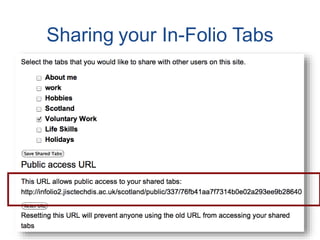
Sharing your In-Folio Tabs
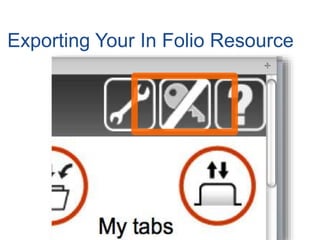
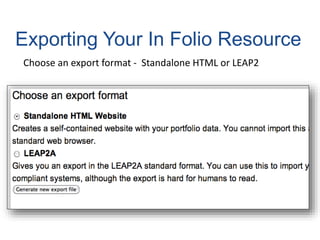
Exporting Your In Folio Resource
Choose an export format - Standalone HTML or LEAP2
How have FE colleges used In Folio?
Perth UHI College
http://tiny.cc/PerthUHI-InFolio
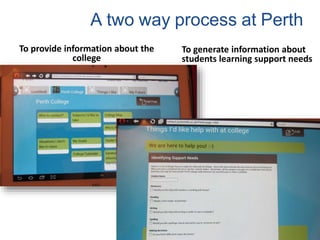
A two way process at Perth
To provide information about the
college
To generate information about
students learning support needs
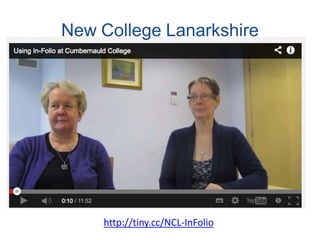
http://tiny.cc/NCL-InFolio
New College Lanarkshire
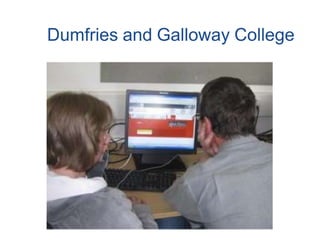
Dumfries and Galloway College
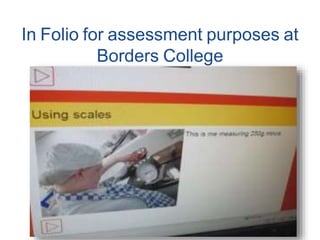
In Folio for assessment purposes at
Borders College
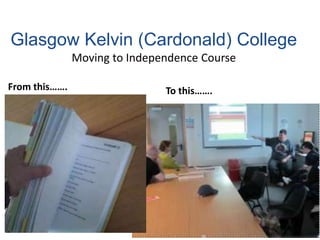
Glasgow Kelvin (Cardonald) College
Moving to Independence Course
From this……. To this…….
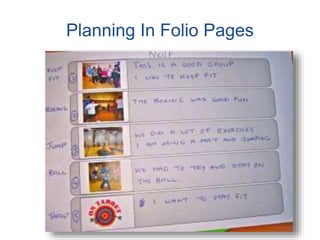
Planning In Folio Pages
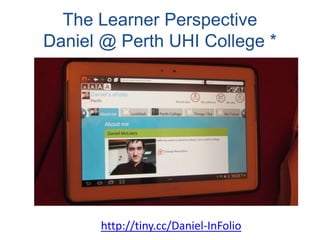
The Learner Perspective
Daniel @ Perth UHI College *
http://tiny.cc/Daniel-InFolio
Exporting In Folio in Practice: The
benefit for students
I have had a contact from a Social Services
department relating to an ex student of an
Independent Specialist College(Portland College)
who has taken their In folio with them as they left
college and wants to carry on using it now as they
return to their home authority , the comment being
that they liked the freedom it gave them and also
allowed them to taken their history of achievements
and likes and dislikes.
Sal Cooke, Director of JISC Techdis
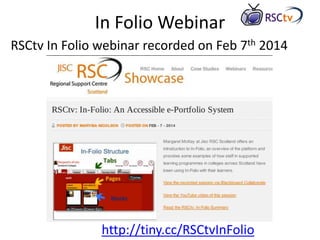
In Folio Webinar
RSCtv In Folio webinar recorded on Feb 7th 2014
http://tiny.cc/RSCtvInFolio
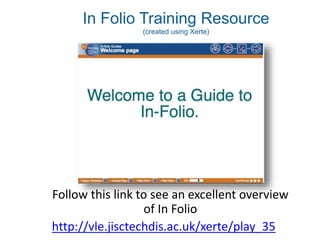
In Folio Training Resource
(created using Xerte)
Follow this link to see an excellent overview
of In Folio
http://vle.jisctechdis.ac.uk/xerte/play_35
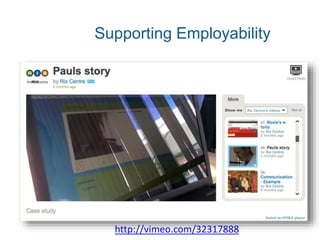
Supporting Employability
http://vimeo.com/32317888
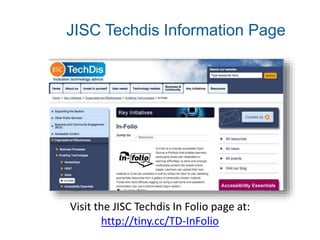
JISC Techdis Information Page
Visit the JISC Techdis In Folio page at:
http://tiny.cc/TD-InFolio
Thank you

In Folio: Accessible ePortfolio System developed with Jisc Techdis

  • 1.
    A uniquely accessiblee-Portfolio that enables learners with difficulties and/or disabilities to store, arrange multi media content into simple online pages.
  • 2.
    Created by TheRix Centre
  • 3.
    What is it? •Provides the means for a ‘digital entity’. • Record and store evidence in the form of video, audio or graphics. • Built in text to speech. • Alternative literacy using rich digital media. • Learner owned content.
  • 4.
    We’re going tolook at… • What In Folio looks like. • Admin features. • How have colleges used In Folio. • What students think.
  • 5.
    What does InFolio look like?
  • 6.
    In-Folio log in Fromhttp://infolio2.jisctechdis.ac.uk/ to tiny.cc/infolio
  • 7.
  • 8.
    Log in Options Username/Password Log in Picture Log in
  • 9.
  • 10.
    Tabs Tabs are theIn-Folio's main signposts. You can see them along the top of your In-Folio at all times.
  • 11.
    Pages are ameans of organising information within a tab. Once you have selected a tab you will be able to see the pages that it contains. You can give each page it’s own name.
  • 12.
    Blocks Blocks allow thestudent to add content including text, images and multi-media. Text in the blocks can be read back using the text to speech button
  • 13.
    Text to Speech •Text to speech: Whenever you see the play symbol you can activate the text to speech function, and listen to an audio version of the text on the page. • The text to speech feature now has a Scottish voice. 
  • 14.
    Populating In Foliowith multimedia
  • 15.
    My Collection • Atthe core of the in-folio is ‘My Collection’, which is your own personal multimedia library and the place where you store your images, sounds etc. • All content must be uploaded to My Collection before you can use it. • My Collections is found at the top right hand corner of your In-Folio page.
  • 16.
    Adding Your Images •In My Collection and at the bottom of the page click on the browse button next to the ‘add a new picture. • Select your content (warning little or no progress bar) • The image will appear on the page. *
  • 17.
  • 18.
    Admin Features -User Manager View your users, their activity and create new users Find out more at: http://tinyurl.com/7rg4dq5
  • 19.
    Admin Features -Group Manager Creates groups of learners and putting them together to very easily give them access to resources or a previously created template Find out more at: http://tinyurl.com/7rg4dq5
  • 20.
    Admin Features –Template Manager Creates pre determined tabs, pages etc. for individual learners or groups that you have created. Find out more at: http://tinyurl.com/create-templates
  • 21.
  • 22.
    Exporting Your InFolio Resource
  • 23.
    Exporting Your InFolio Resource Choose an export format - Standalone HTML or LEAP2
  • 24.
    How have FEcolleges used In Folio?

  • 25.
  • 26.
    A two wayprocess at Perth To provide information about the college To generate information about students learning support needs
  • 27.
  • 28.
  • 29.
    In Folio forassessment purposes at Borders College
  • 30.
    Glasgow Kelvin (Cardonald)College Moving to Independence Course From this……. To this…….
  • 31.
  • 32.
    The Learner Perspective Daniel@ Perth UHI College * http://tiny.cc/Daniel-InFolio
  • 33.
    Exporting In Folioin Practice: The benefit for students I have had a contact from a Social Services department relating to an ex student of an Independent Specialist College(Portland College) who has taken their In folio with them as they left college and wants to carry on using it now as they return to their home authority , the comment being that they liked the freedom it gave them and also allowed them to taken their history of achievements and likes and dislikes. Sal Cooke, Director of JISC Techdis
  • 34.
    In Folio Webinar RSCtvIn Folio webinar recorded on Feb 7th 2014 http://tiny.cc/RSCtvInFolio
  • 35.
    In Folio TrainingResource (created using Xerte) Follow this link to see an excellent overview of In Folio http://vle.jisctechdis.ac.uk/xerte/play_35
  • 36.
  • 37.
    JISC Techdis InformationPage Visit the JISC Techdis In Folio page at: http://tiny.cc/TD-InFolio
  • 38.