Celeste McLaughlin
Finding, organising & sharing online content
Finding, organising & sharing online content 2
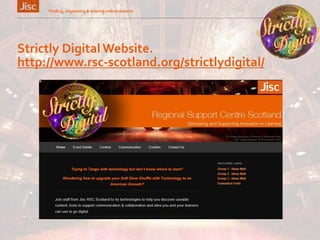
Strictly Digital Website.
http://www.rsc-scotland.org/strictlydigital/
Finding suitable resources
»Define your search strategy
»Using search engines
»Using your library’s resources
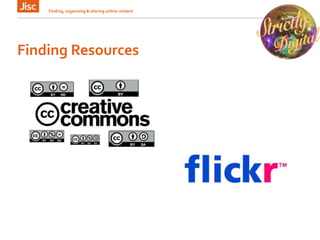
»Creative Commons / Attribution
»Open Educational Resources (OER)
Finding, organising & sharing online content 3
Define your search strategy
»Do you need primary or secondary sources
»Popular or scholarly publications
»Up to the minute information or resources
that cover a specific time period
»Covering a specific geographical area or
that were published in a particular place
»What language is the material required in
Finding, organising & sharing online content 4
Finding Resources
Finding, organising & sharing online content 5
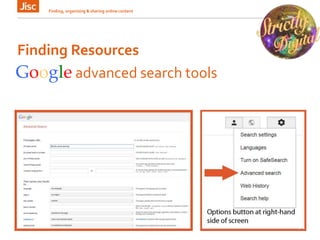
Google advanced search tools
Finding Resources
Finding, organising & sharing online content 6
Googleofferings
»Advanced search tools
»Google Scholar - http://scholar.google.co.uk/
»Google News - http://news.google.co.uk
»Google Blog Search -
http://www.google.co.uk/blogsearch?hl=en-GB
Finding Resources
Finding, organising & sharing online content 7
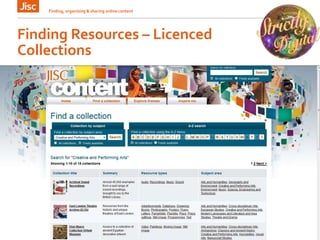
Finding Resources – Licenced
Collections
Finding, organising & sharing online content 8
Finding Resources
Finding, organising & sharing online content 9
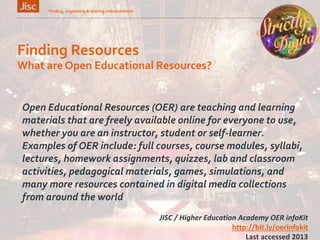
What are Open Educational Resources?
Open Educational Resources (OER) are teaching and learning
materials that are freely available online for everyone to use,
whether you are an instructor, student or self-learner.
Examples of OER include: full courses, course modules, syllabi,
lectures, homework assignments, quizzes, lab and classroom
activities, pedagogical materials, games, simulations, and
many more resources contained in digital media collections
from around the world
JISC / Higher Education Academy OER infoKit
http://bit.ly/oerinfokit
Last accessed 2013
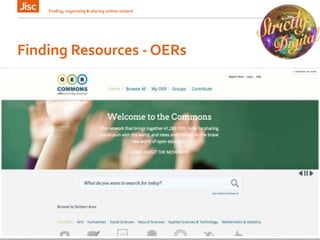
Finding Resources - OERs
Finding, organising & sharing online content 10
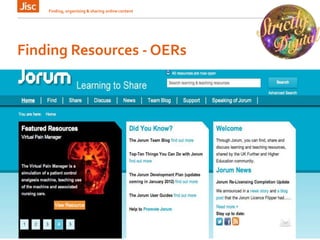
Finding Resources - OERs
Finding, organising & sharing online content 11
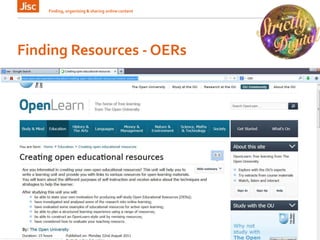
Finding Resources - OERs
Finding, organising & sharing online content 12
• An open resource-sharing service developed for
the college sector in Scotland
• The platform developed in partnership with
Jorum
• Will provide free access to a wide range of open
resources (including Jorum)
Finding Resources - OERs
Finding, organising & sharing online content 13
Managing and Sharing Resources
»Organise topic based collections using
online tools
»Add “bookmarklets” to you browser
toolbar
Finding, organising & sharing online content 14
Bookmarking Alternatives = Digital Curation
Managing and Sharing Resources
Finding, organising & sharing online content 15
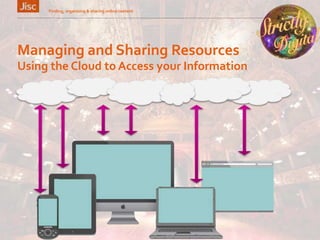
Using the Cloud to Access your Information
Managing and Sharing Resources
Finding, organising & sharing online content 16
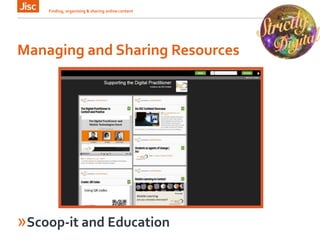
»Scoop-it and Education
Digital Curation
»Enables storing, organising & sharing
favourite websites
»Meaningful keywords added so collections
are searchable
»Bookmarks can be shared with students or
colleagues
»Sets of resources can be presented in
visually stimulating formats
Finding, organising & sharing online content 17
Managing and Sharing Resources
Finding, organising & sharing online content 18
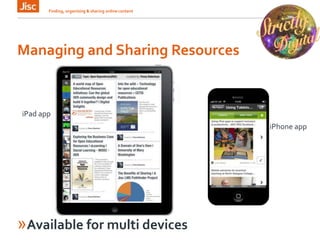
iPad app
»Available for multi devices
iPhone app
Activity – Digital Cuartion
Create an account in Scoop.it and start to curate a
selection of resources on a specific subject of your choice.
Remember to tag your selections with key words and add
some of your own insight and comments to
contextualize, add value to each resource.
www.scoop.it

Strictly Digital - finding content workshop slides

  • 1.
  • 2.
    Finding, organising &sharing online content 2 Strictly Digital Website. http://www.rsc-scotland.org/strictlydigital/
  • 3.
    Finding suitable resources »Defineyour search strategy »Using search engines »Using your library’s resources »Creative Commons / Attribution »Open Educational Resources (OER) Finding, organising & sharing online content 3
  • 4.
    Define your searchstrategy »Do you need primary or secondary sources »Popular or scholarly publications »Up to the minute information or resources that cover a specific time period »Covering a specific geographical area or that were published in a particular place »What language is the material required in Finding, organising & sharing online content 4
  • 5.
    Finding Resources Finding, organising& sharing online content 5 Google advanced search tools
  • 6.
    Finding Resources Finding, organising& sharing online content 6 Googleofferings »Advanced search tools »Google Scholar - http://scholar.google.co.uk/ »Google News - http://news.google.co.uk »Google Blog Search - http://www.google.co.uk/blogsearch?hl=en-GB
  • 7.
    Finding Resources Finding, organising& sharing online content 7
  • 8.
    Finding Resources –Licenced Collections Finding, organising & sharing online content 8
  • 9.
    Finding Resources Finding, organising& sharing online content 9 What are Open Educational Resources? Open Educational Resources (OER) are teaching and learning materials that are freely available online for everyone to use, whether you are an instructor, student or self-learner. Examples of OER include: full courses, course modules, syllabi, lectures, homework assignments, quizzes, lab and classroom activities, pedagogical materials, games, simulations, and many more resources contained in digital media collections from around the world JISC / Higher Education Academy OER infoKit http://bit.ly/oerinfokit Last accessed 2013
  • 10.
    Finding Resources -OERs Finding, organising & sharing online content 10
  • 11.
    Finding Resources -OERs Finding, organising & sharing online content 11
  • 12.
    Finding Resources -OERs Finding, organising & sharing online content 12 • An open resource-sharing service developed for the college sector in Scotland • The platform developed in partnership with Jorum • Will provide free access to a wide range of open resources (including Jorum)
  • 13.
    Finding Resources -OERs Finding, organising & sharing online content 13
  • 14.
    Managing and SharingResources »Organise topic based collections using online tools »Add “bookmarklets” to you browser toolbar Finding, organising & sharing online content 14 Bookmarking Alternatives = Digital Curation
  • 15.
    Managing and SharingResources Finding, organising & sharing online content 15 Using the Cloud to Access your Information
  • 16.
    Managing and SharingResources Finding, organising & sharing online content 16 »Scoop-it and Education
  • 17.
    Digital Curation »Enables storing,organising & sharing favourite websites »Meaningful keywords added so collections are searchable »Bookmarks can be shared with students or colleagues »Sets of resources can be presented in visually stimulating formats Finding, organising & sharing online content 17
  • 18.
    Managing and SharingResources Finding, organising & sharing online content 18 iPad app »Available for multi devices iPhone app
  • 19.
    Activity – DigitalCuartion Create an account in Scoop.it and start to curate a selection of resources on a specific subject of your choice. Remember to tag your selections with key words and add some of your own insight and comments to contextualize, add value to each resource. www.scoop.it