Storybird! A fast & easy way To create your own story…. Learn how to use it
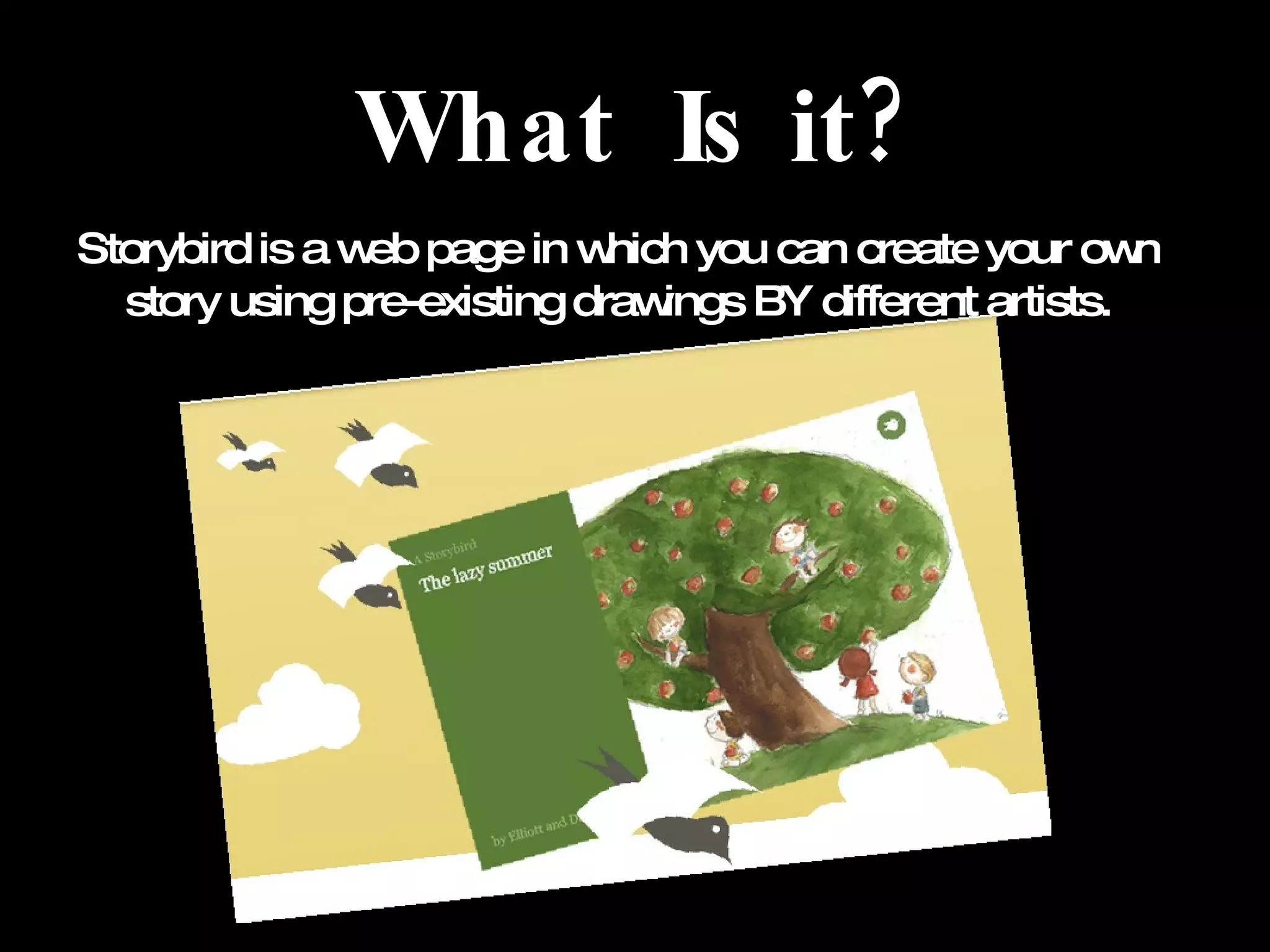
What  Is it? Storybird is a web page in which you can create your own story using pre-existing drawings BY different artists.
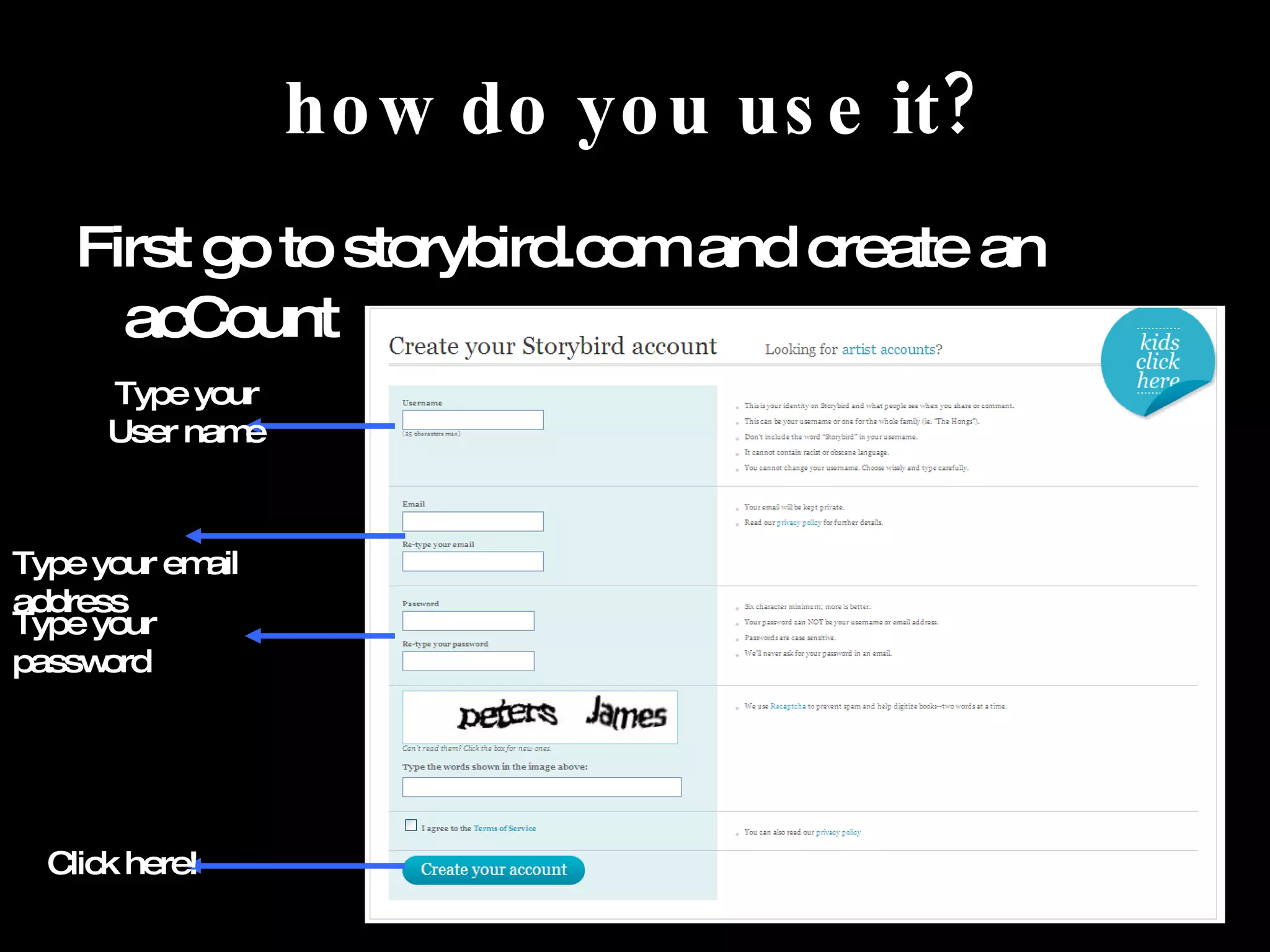
how do you use it? First go to storybird.com and create an acCount Type your User name Type your email address Type your password Click here!
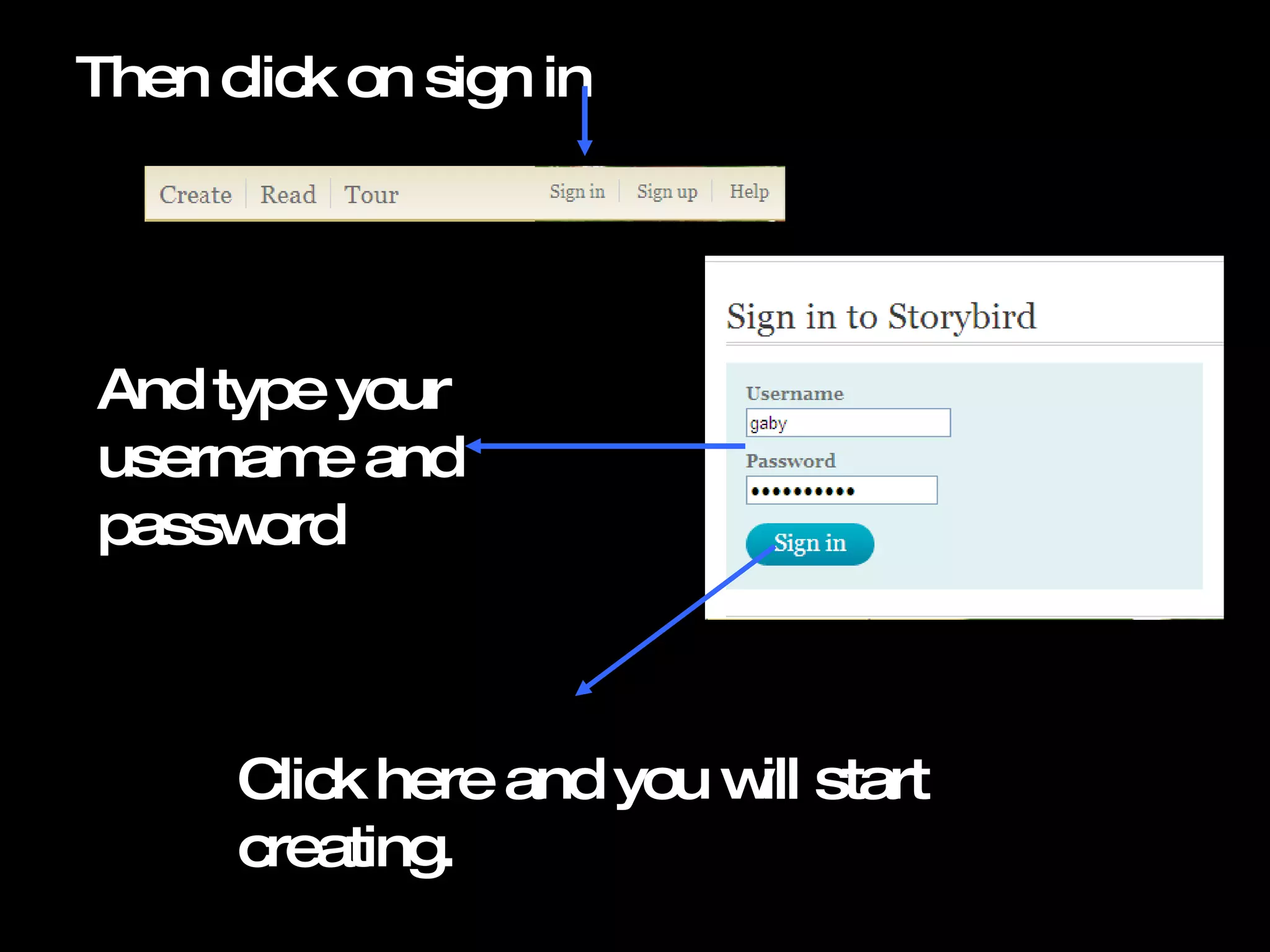
Then click on sign in And type your username and password Click here and you will start  creating.
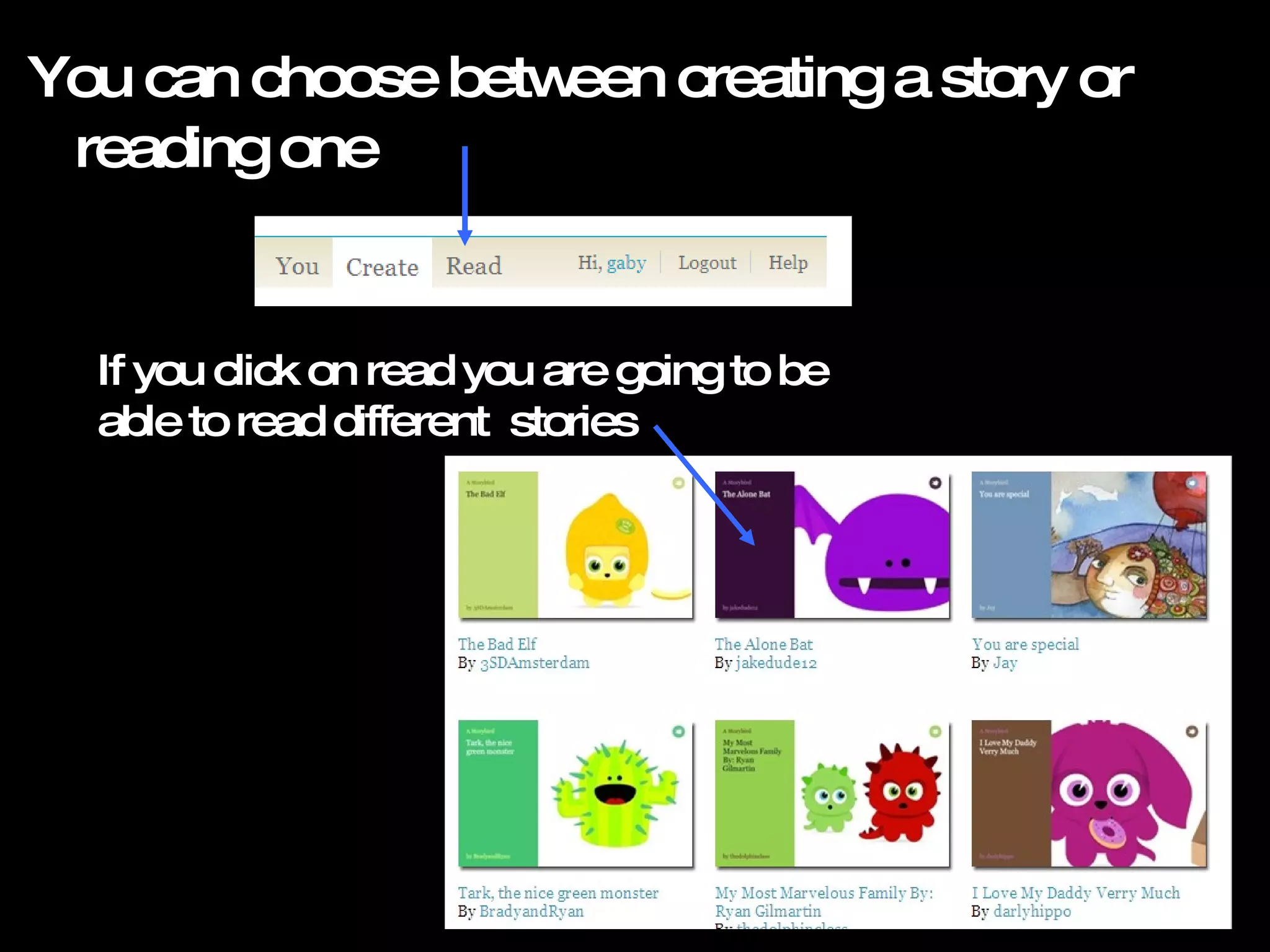
You can choose between creating a story or reading one If you click on read you are going to be able to read different  stories
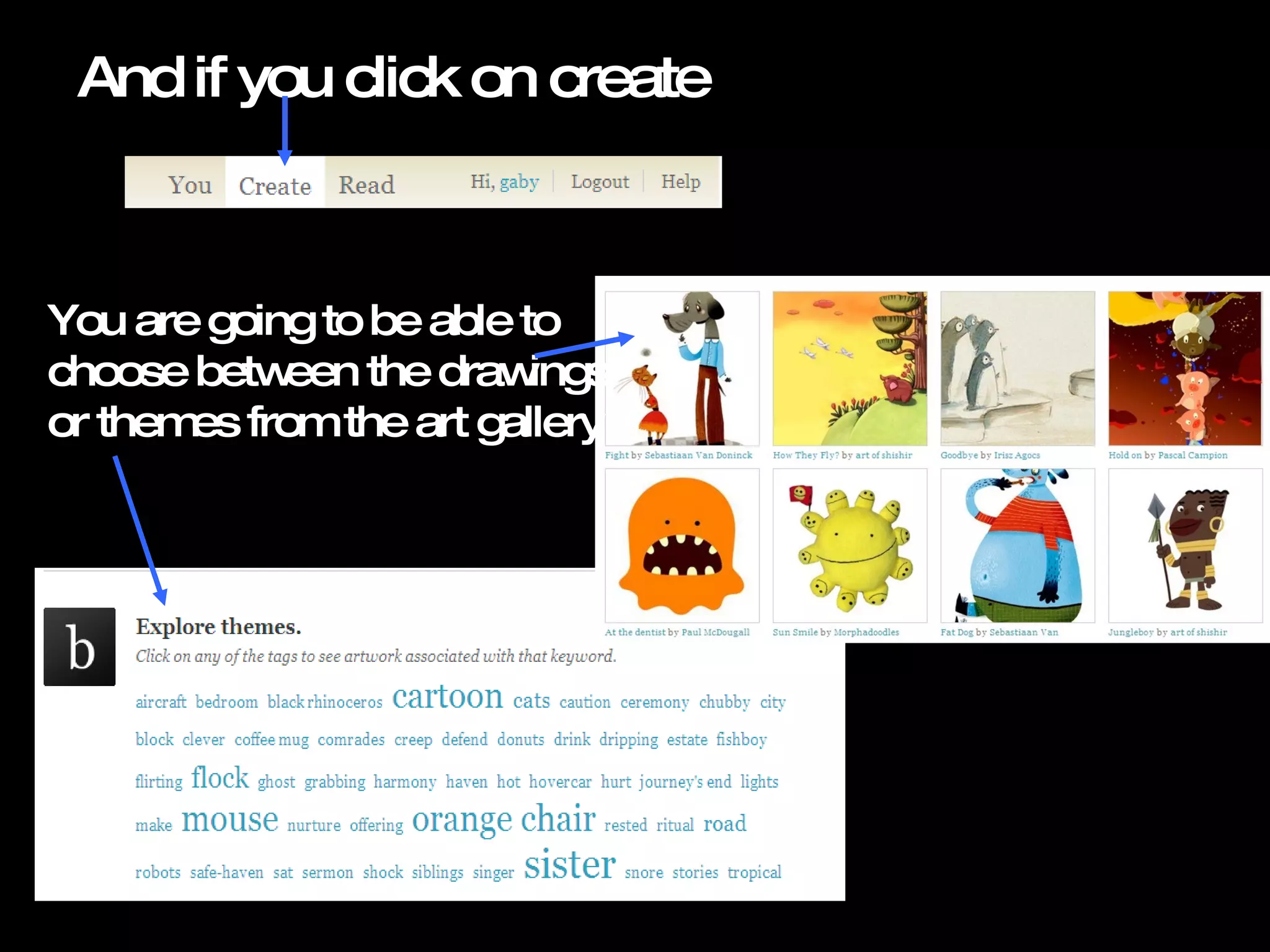
And if you click on create You are going to be able to choose between the drawings or themes from the art gallery
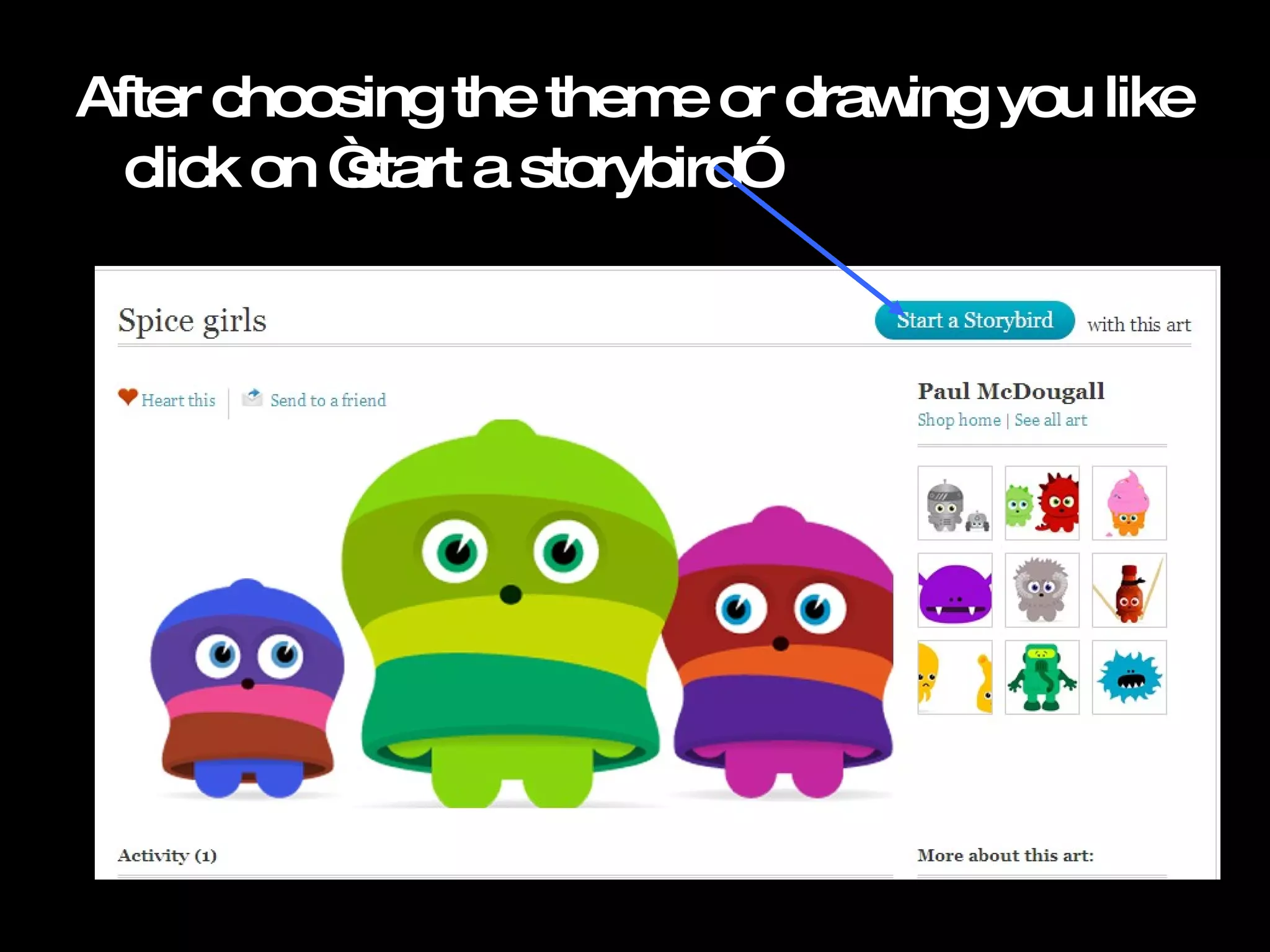
After choosing the theme or drawing you like click on ā€œstart a storybirdā€
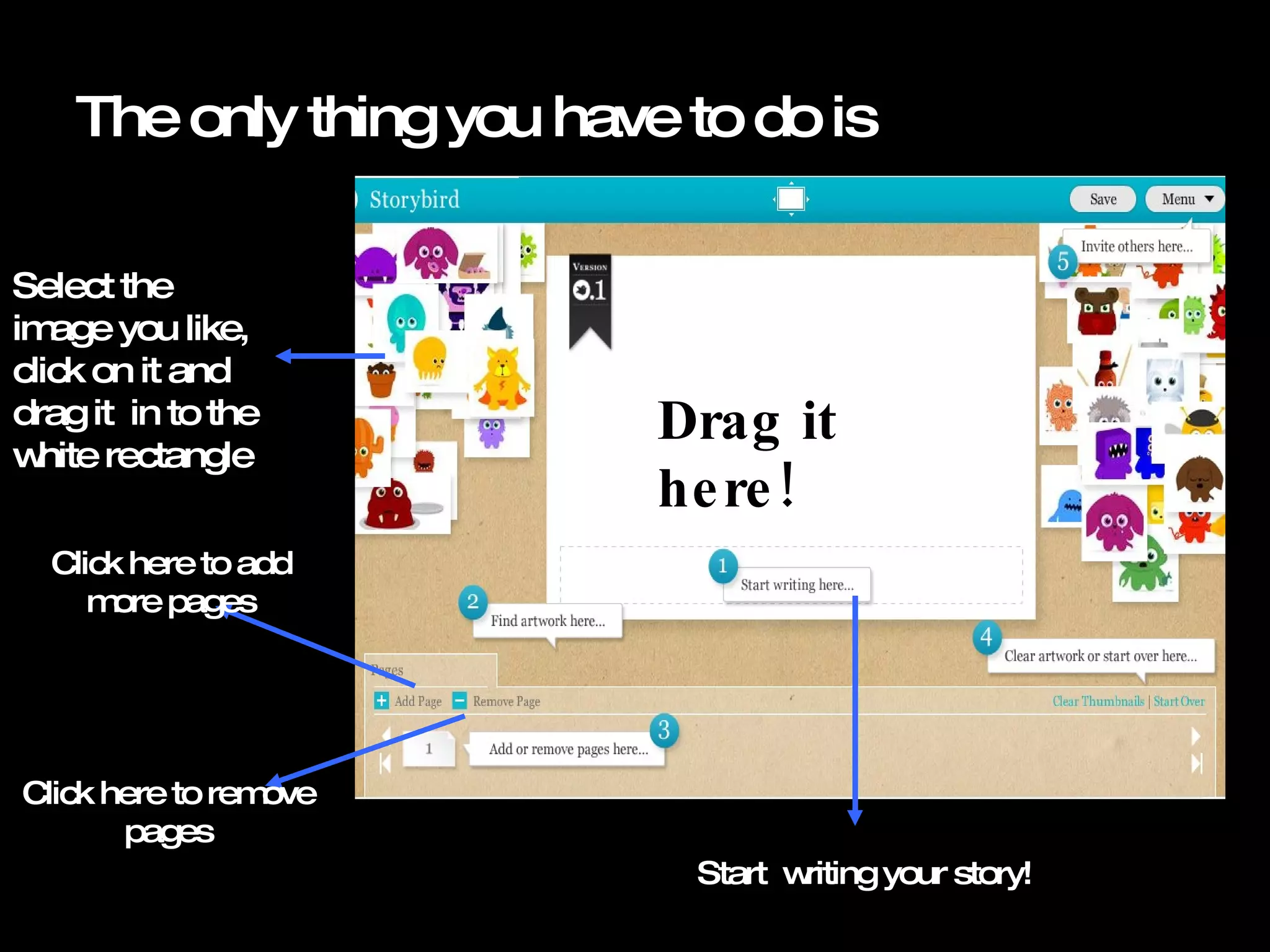
The only thing you have to do is  Select the image you like, click on it and drag it  in to the white rectangle  Drag it here! Start  writing your story! Click here to add more pages Click here to remove pages
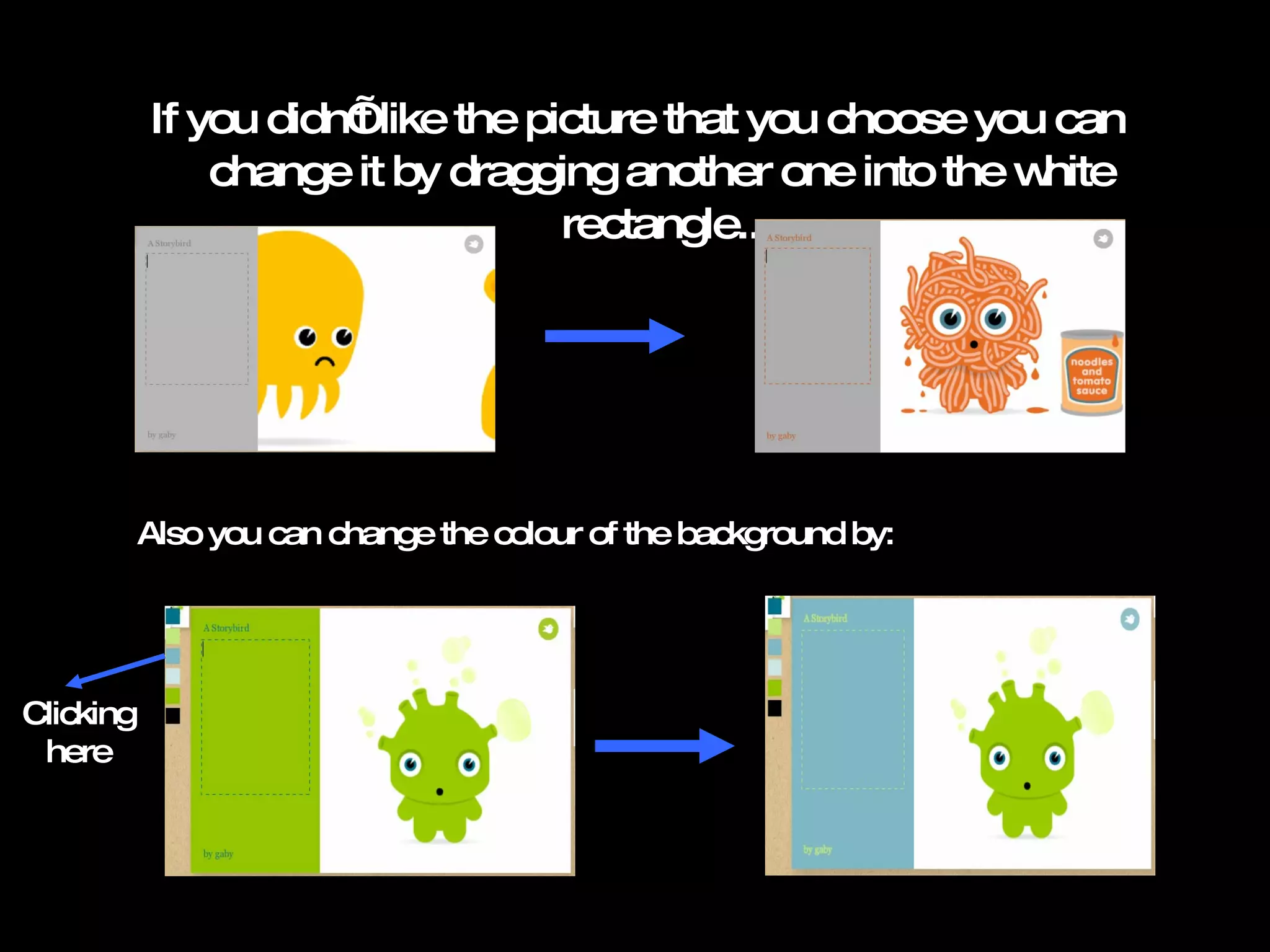
If you didn’t like the picture that you choose you can change it by dragging another one into the white rectangle.. Also you can change the colour of the background by: Clicking here
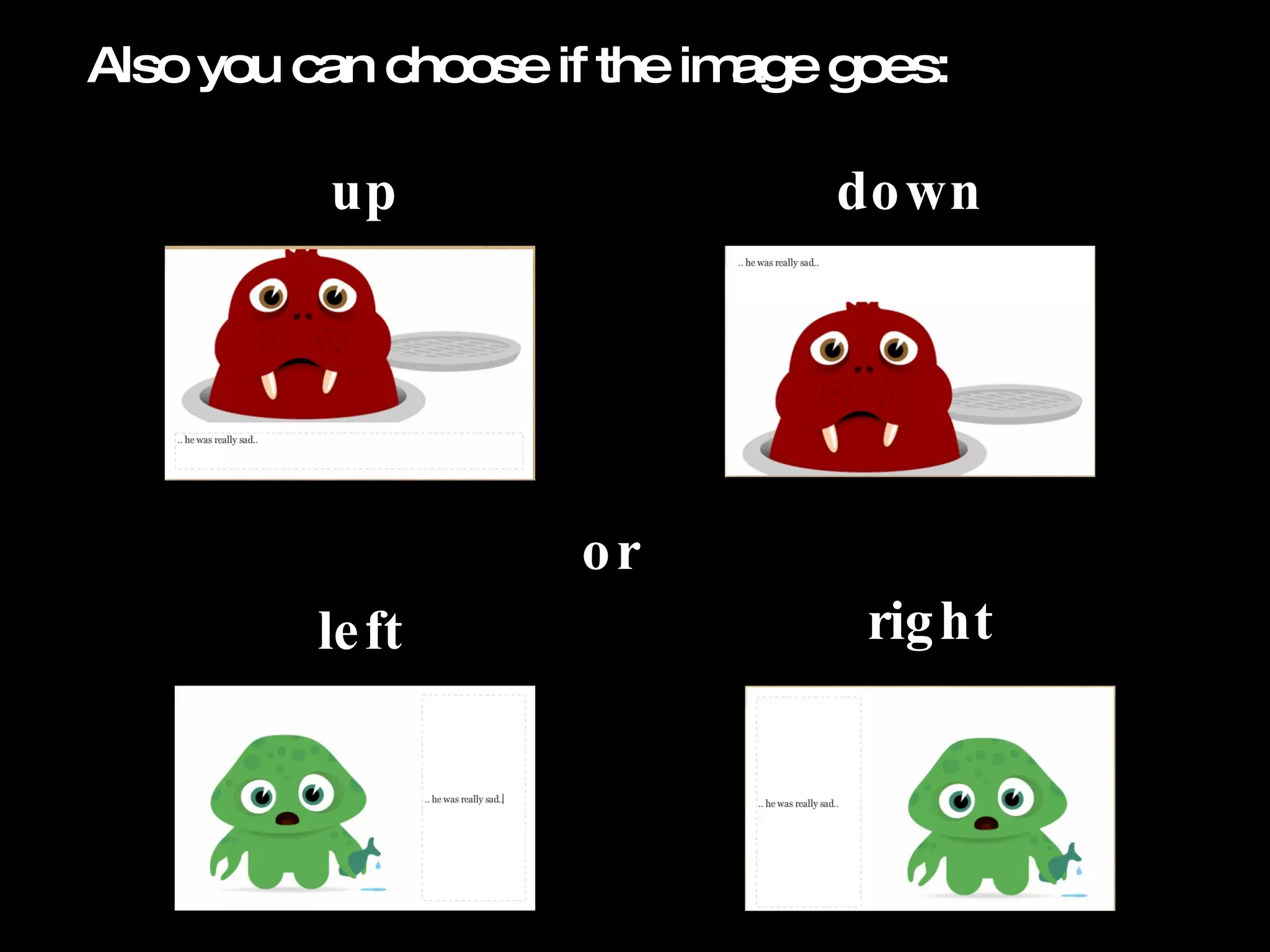
Also you can choose if the image goes: up or down left right
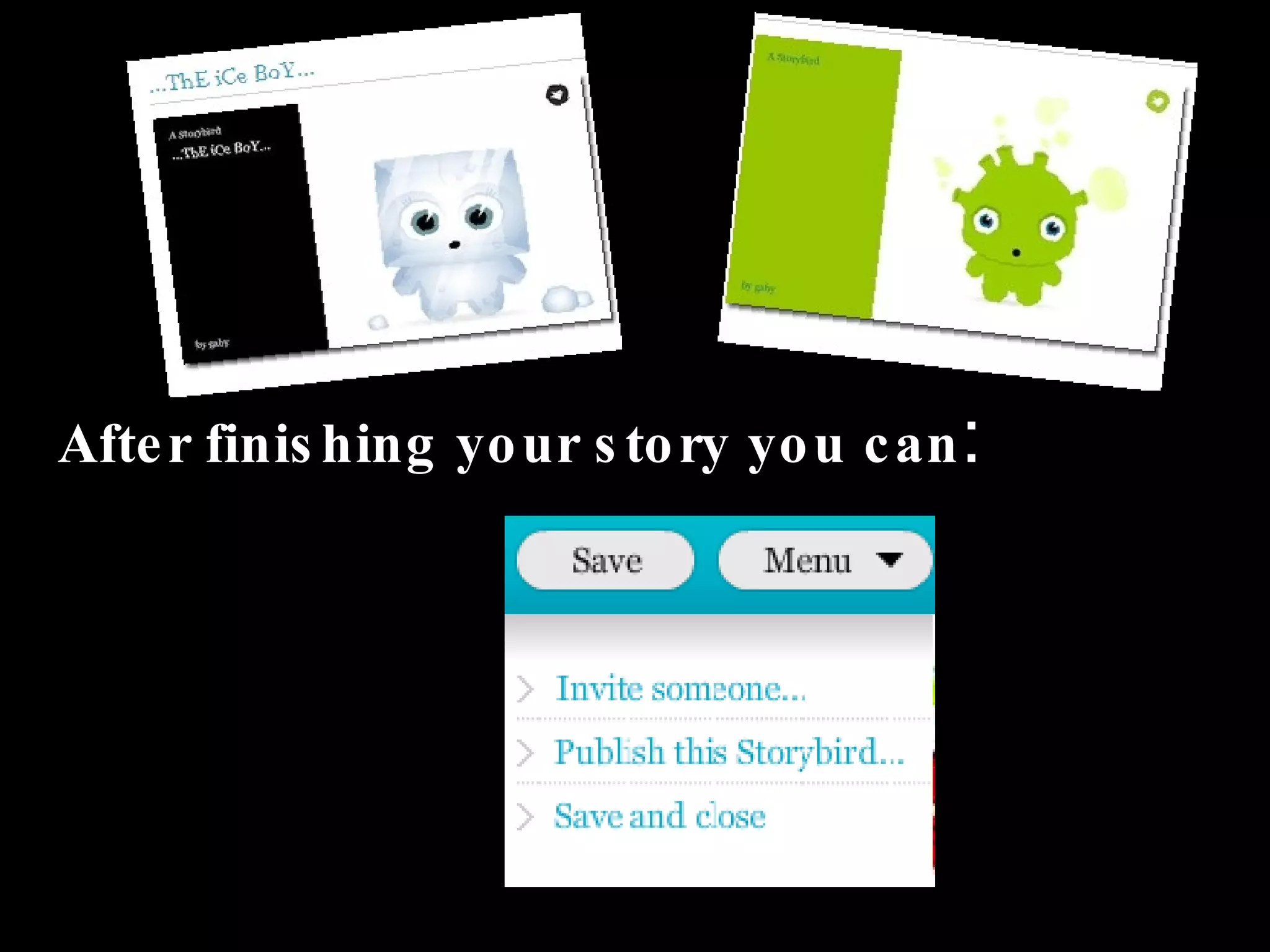
After finishing your story you can :
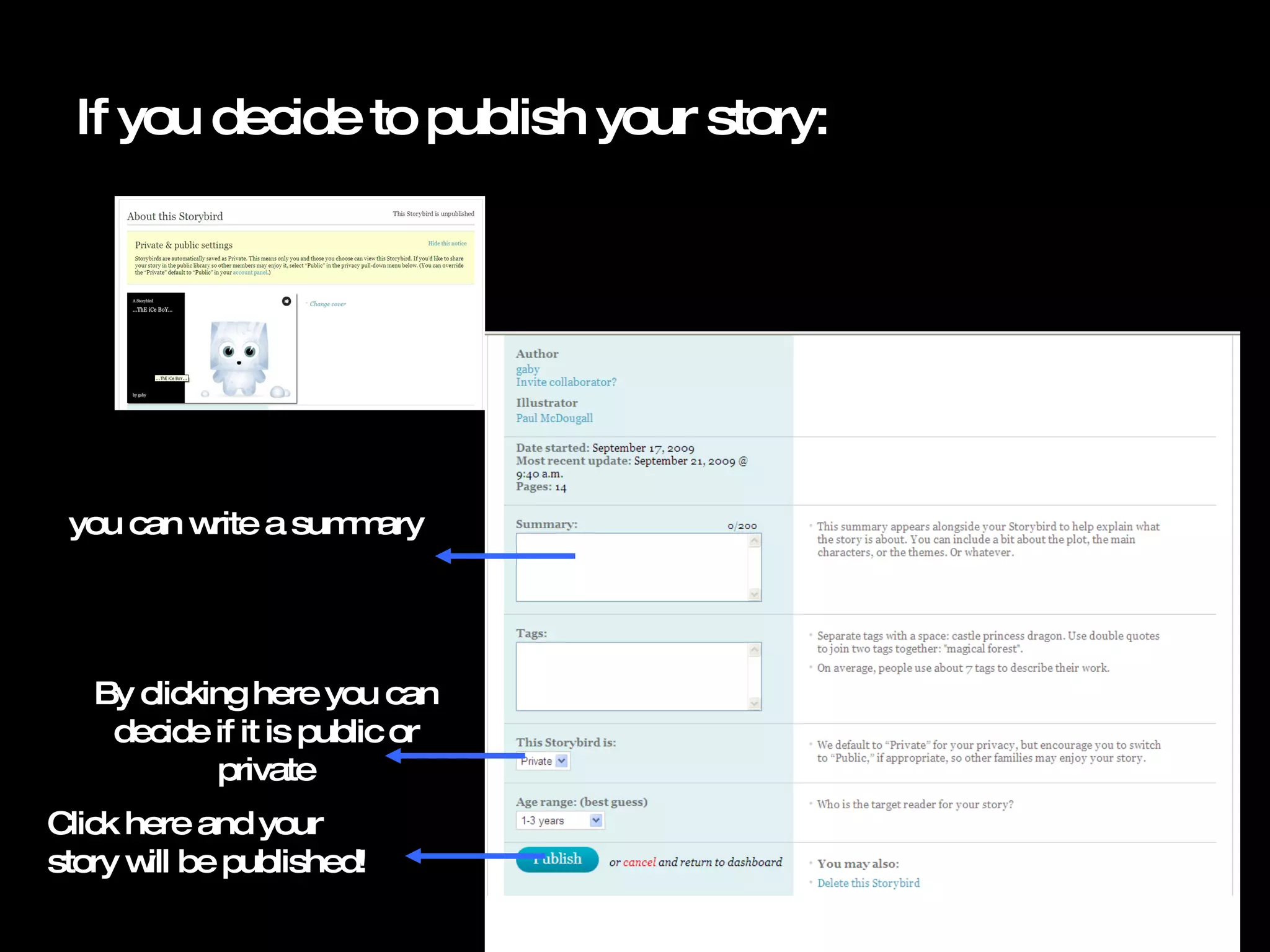
If you decide to publish your story: you can write a summary Click here and your story will be published! By clicking here you can decide if it is public or private
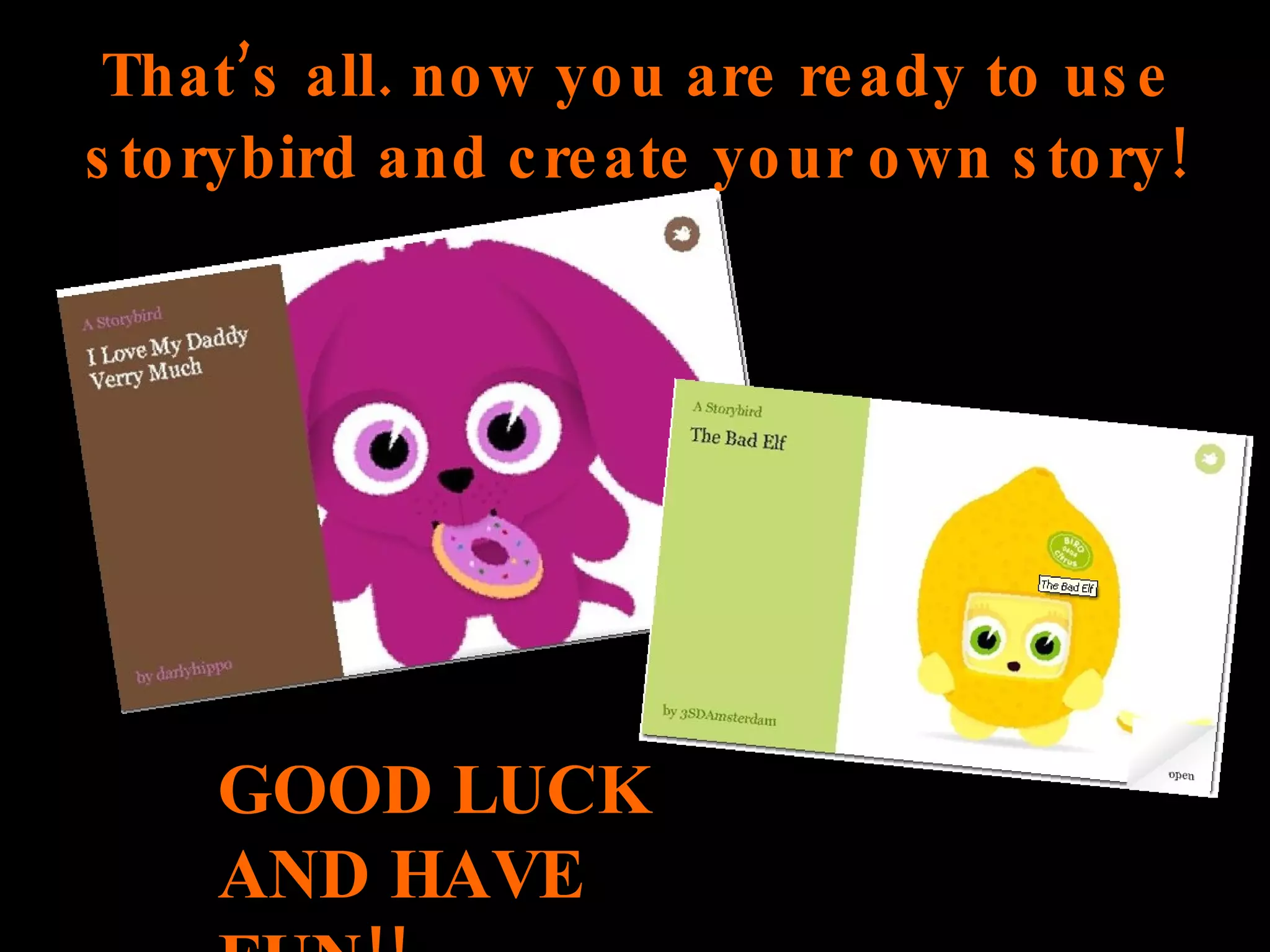
That’s all. now you are ready to use storybird and create your own story! GOOD LUCK AND HAVE FUN!!

How to use Storybird

  • 1.
    Storybird! A fast& easy way To create your own story…. Learn how to use it
  • 2.
    What Isit? Storybird is a web page in which you can create your own story using pre-existing drawings BY different artists.
  • 3.
    how do youuse it? First go to storybird.com and create an acCount Type your User name Type your email address Type your password Click here!
  • 4.
    Then click onsign in And type your username and password Click here and you will start creating.
  • 5.
    You can choosebetween creating a story or reading one If you click on read you are going to be able to read different stories
  • 6.
    And if youclick on create You are going to be able to choose between the drawings or themes from the art gallery
  • 7.
    After choosing thetheme or drawing you like click on ā€œstart a storybirdā€
  • 8.
    The only thingyou have to do is Select the image you like, click on it and drag it in to the white rectangle Drag it here! Start writing your story! Click here to add more pages Click here to remove pages
  • 9.
    If you didn’tlike the picture that you choose you can change it by dragging another one into the white rectangle.. Also you can change the colour of the background by: Clicking here
  • 10.
    Also you canchoose if the image goes: up or down left right
  • 11.
    After finishing yourstory you can :
  • 12.
    If you decideto publish your story: you can write a summary Click here and your story will be published! By clicking here you can decide if it is public or private
  • 13.
    That’s all. nowyou are ready to use storybird and create your own story! GOOD LUCK AND HAVE FUN!!