

Welcome!
The Paperless Law Office Webinar
Will Begin in a Few Minutes
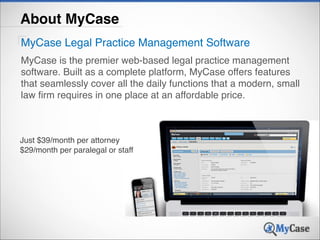
About MyCase
MyCase Legal Practice Management Software
MyCase is the premier web-based legal practice management
software. Built as a complete platform, MyCase offers features
that seamlessly cover all the daily functions that a modern, small
law firm requires in one place at an affordable price.

Just $39/month per attorney !
$29/month per paralegal or staff
About MyCase
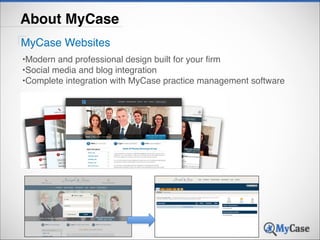
MyCase Websites
•Modern and professional design built for your firm!
•Social media and blog integration!
•Complete integration with MyCase practice management software
How to Cr eate & Maintain

Paperless

The

Law Office

Ernie Svenson
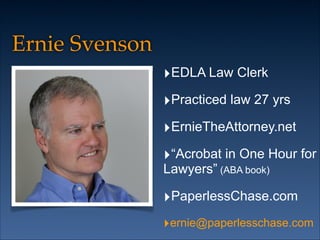
Ernie Svenson
‣EDLA Law Clerk
‣Practiced law 27 yrs
‣ErnieTheAttorney.net
‣“Acrobat in One Hour for
Lawyers” (ABA book)

‣PaperlessChase.com
‣ernie@paperlesschase.com
Paper less
sin ce 2005
3	
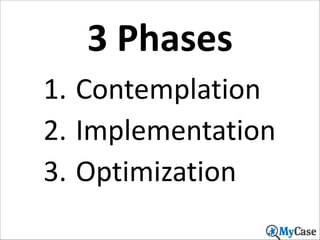
  Phases
1. Contemplation	
  
2. Implementation	
  
3. Optimization
9
Poll	
  Question	
  #2
What	
  best	
  describes	
  your	
  paperless	
  
state	
  now?

10
Contemplation
You	
  may	
  be	
  surprised	
  to	
  learn	
  you’re	
  already	
  on	
  your	
  way

11
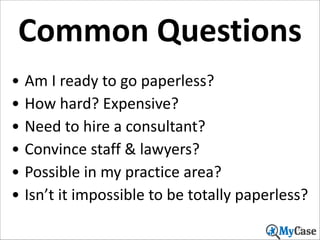
Common	
  Questions
• Am	
  I	
  ready	
  to	
  go	
  paperless?	
  
• How	
  hard?	
  Expensive?	
  
• Need	
  to	
  hire	
  a	
  consultant?	
  
• Convince	
  staff	
  &	
  lawyers?	
  
• Possible	
  in	
  my	
  practice	
  area?	
  
• Isn’t	
  it	
  impossible	
  to	
  be	
  totally	
  paperless?
12
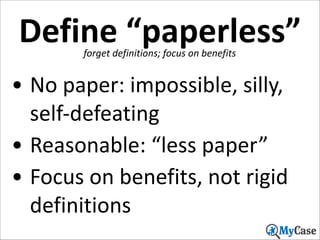
Define	
  “paperless”
forget	
  definitions;	
  focus	
  on	
  benefits

• No	
  paper:	
  impossible,	
  silly,	
  
self-­‐defeating	
  
• Reasonable:	
  “less	
  paper”	
  
• Focus	
  on	
  benefits,	
  not	
  rigid	
  
definitions
13
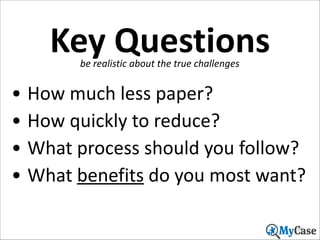
Key	
  Questions
be	
  realistic	
  about	
  the	
  true	
  challenges

• How	
  much	
  less	
  paper?	
  
• How	
  quickly	
  to	
  reduce?	
  
• What	
  process	
  should	
  you	
  follow?	
  
• What	
  benefits	
  do	
  you	
  most	
  want?
14
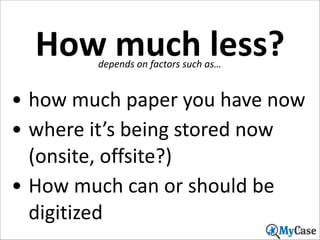
How	
  much	
  less?
depends	
  on	
  factors	
  such	
  as…

• how	
  much	
  paper	
  you	
  have	
  now	
  
• where	
  it’s	
  being	
  stored	
  now	
  
(onsite,	
  offsite?)	
  
• How	
  much	
  can	
  or	
  should	
  be	
  
digitized
15
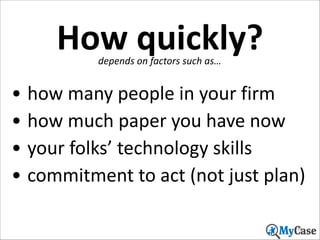
How	
  quickly?
depends	
  on	
  factors	
  such	
  as…

• how	
  many	
  people	
  in	
  your	
  firm	
  
• how	
  much	
  paper	
  you	
  have	
  now	
  
• your	
  folks’	
  technology	
  skills	
  
• commitment	
  to	
  act	
  (not	
  just	
  plan)
16
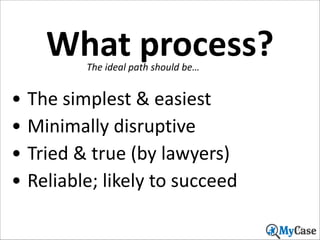
What	
  process?
The	
  ideal	
  path	
  should	
  be…

• The	
  simplest	
  &	
  easiest	
  
• Minimally	
  disruptive	
  
• Tried	
  &	
  true	
  (by	
  lawyers)	
  
• Reliable;	
  likely	
  to	
  succeed
17
Which	
  benefits?
Keep	
  in	
  mind	
  the	
  things	
  you	
  most	
  want	
  to	
  attain

• Organization	
  &	
  efficiency	
  
• Information	
  retrieval	
  
• Remote	
  access	
  to	
  files
19
Benefits	
  Summary
reasons	
  why	
  digital	
  documents	
  are	
  better

• Easier	
  to	
  store,	
  retrieve	
  	
  
• Cheaper	
  to	
  store	
  
• Oversight	
  is	
  possible	
  
• Access	
  from	
  anywhere	
  (e.g.	
  iPad)	
  
• Backup	
  &	
  remote	
  synchronization
20
Some	
  downsides
it’s	
  true:	
  paper	
  is	
  easier	
  in	
  certain	
  situations

• Easier	
  to	
  reorder	
  pages	
  
• Easier	
  to	
  browse	
  certain	
  kinds	
  of	
  
information	
  
• Easier	
  to	
  read	
  (but	
  eInk	
  technology	
  is	
  
changing	
  this)	
  
• Need	
  to	
  practice	
  “digital	
  hygiene”
21
Poor	
  excuses
Bad	
  reasons	
  to	
  dismiss	
  becoming	
  paperless

• E-­‐filing	
  isn’t	
  allowed	
  
• Judge	
  requires	
  paper	
  in	
  court	
  
• My	
  practice	
  isn’t	
  conducive	
  to	
  
being	
  paperless	
  
• Other	
  attorneys	
  send	
  me	
  paper
22
Ethics	
  issues
aren’t	
  an	
  impediment,	
  but	
  require	
  attention

• Rule	
  1.1:	
  competence	
  
• ABA	
  20/20:	
  tech	
  requires	
  attention	
  
• But	
  what	
  about	
  wills	
  and	
  
promissory	
  notes	
  etc.?	
  
• Create	
  a	
  good	
  engagement	
  letter
23
Engagement	
  letter
should	
  make	
  it	
  clear	
  to	
  the	
  client	
  that…

• You’ll	
  scan	
  all	
  files	
  to	
  PDF	
  
• You’ll	
  destroy	
  all	
  paper	
  you	
  receive	
  
• You’ll	
  only	
  keep	
  digital	
  files	
  for	
  X	
  years	
  (but	
  
actually	
  keep	
  longer)	
  
• You’ll	
  give	
  client	
  digital	
  copy	
  upon	
  written	
  
request	
  (via	
  digital	
  download)	
  
• Engagement	
  letter	
  is	
  valid	
  in	
  PDF	
  format
24
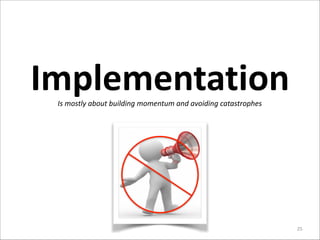
Implementation
Is	
  mostly	
  about	
  building	
  momentum	
  and	
  avoiding	
  catastrophes

25
Getting	
  Started
Is	
  not	
  as	
  hard	
  as	
  you’d	
  expect,	
  because:

• You’ve	
  already	
  started,	
  so…	
  
• Build	
  momentum	
  steadily	
  
• Use	
  consultants	
  for	
  “digital	
  
hygiene”	
  &	
  training.
27
Keys	
  to	
  Success
grab	
  low-­‐hanging	
  fruit	
  &	
  avoid	
  land	
  mines

• Tackle	
  the	
  easy	
  stuff	
  first	
  
• Avoid	
  premature	
  (or	
  
unnecessary)	
  challenges	
  
• Use	
  consultants	
  appropriately
28
Two	
  Principles
to	
  keep	
  in	
  mind	
  as	
  you	
  steadily	
  move	
  forward

1. Keep	
  digital	
  things	
  digital	
  
2. Make	
  paper	
  into	
  digital

29
Keep	
  it	
  digital
Is	
  not	
  as	
  hard	
  as	
  you’d	
  expect

• Don’t	
  print	
  emails	
  
• “Print	
  to	
  PDF”	
  more	
  often	
  
• Capture	
  faxes	
  to	
  PDF	
  
• Think	
  digital	
  at	
  all	
  times
30
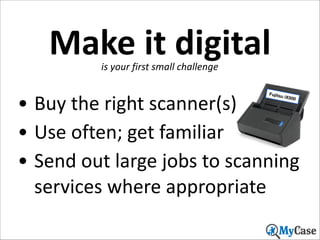
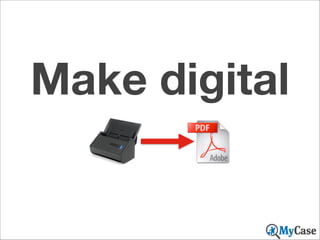
Make	
  it	
  digital
is	
  your	
  first	
  small	
  challenge

• Buy	
  the	
  right	
  scanner(s)	
  
• Use	
  often;	
  get	
  familiar	
  
• Send	
  out	
  large	
  jobs	
  to	
  scanning	
  
services	
  where	
  appropriate
Fujitsu

iX500

31
Make digital
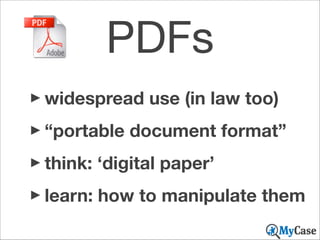
PDFs
‣widespread use (in law too)
‣“portable document format”
‣think: ‘digital paper’
‣learn: how to manipulate them
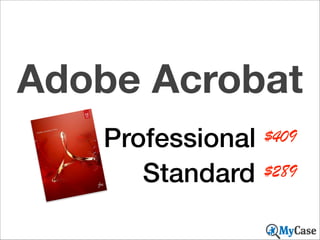
Adobe Acrobat
Professional $409
Standard $289
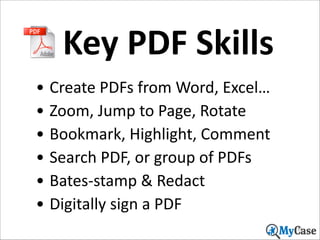
Key	
  PDF	
  Skills
• Create	
  PDFs	
  from	
  Word,	
  Excel…	
  
• Zoom,	
  Jump	
  to	
  Page,	
  Rotate	
  
• Bookmark,	
  Highlight,	
  Comment	
  
• Search	
  PDF,	
  or	
  group	
  of	
  PDFs	
  
• Bates-­‐stamp	
  &	
  Redact	
  
• Digitally	
  sign	
  a	
  PDF
35
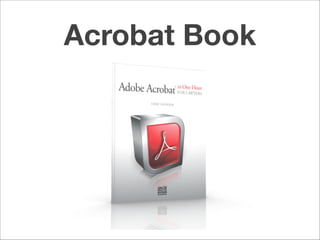
Acrobat Book
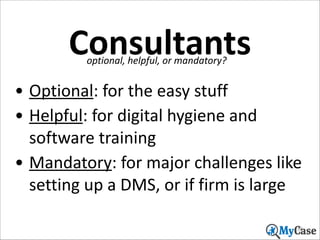
Consultants
optional,	
  helpful,	
  or	
  mandatory?

• Optional:	
  for	
  the	
  easy	
  stuff	
  
• Helpful:	
  for	
  digital	
  hygiene	
  and	
  
software	
  training	
  
• Mandatory:	
  for	
  major	
  challenges	
  like	
  
setting	
  up	
  a	
  DMS,	
  or	
  if	
  firm	
  is	
  large
38
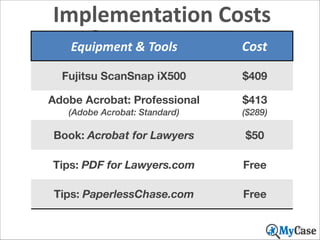
Implementation	
  Costs

Summary

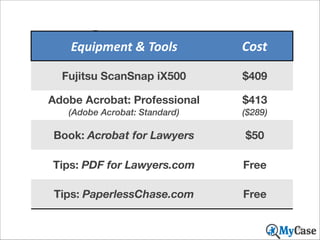
Equipment	
  &	
  Tools

Stuff	
  you	
  need,	
  or	
  should,	
  buy
Fujitsu ScanSnap iX500

Cost
$409

Adobe Acrobat: Professional

$413

(Adobe Acrobat: Standard)

($289)

Book: Acrobat for Lawyers

$50

Tips: PDF for Lawyers.com

Free

Tips: PaperlessChase.com

Free
39
Optimization

40
Document	
  Mgt
Key	
  questions	
  ask	
  in	
  deciding	
  how	
  to	
  manage

• How	
  big	
  is	
  your	
  law	
  firm?	
  
• How	
  many	
  attorneys?	
  How	
  
many	
  users?	
  
• How	
  many	
  separate	
  offices?
41
Digital	
  Workflow
how	
  will	
  you	
  work	
  in	
  a	
  less	
  paper-­‐centric	
  world?

• Start	
  with	
  a	
  simple	
  model	
  
• Refine	
  based	
  on	
  need	
  &	
  real	
  
world	
  experiences	
  
• Continue	
  refining	
  as	
  new	
  
technologies	
  are	
  adopted
42
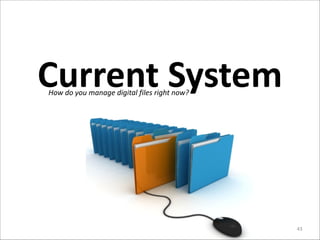
Current	
  System
How	
  do	
  you	
  manage	
  digital	
  files	
  right	
  now?

43
Doc	
  Mgt	
  101
nested	
  folders

special	
  software

• Phase	
  1:	
  Nested	
  folders	
  
• Phase	
  2:	
  DMS	
  software
44
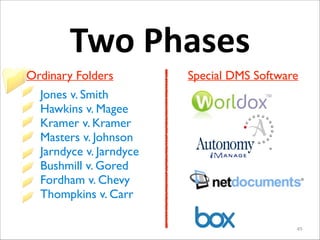
Two	
  Phases
Ordinary Folders

Special DMS Software

Jones v. Smith	

Hawkins v. Magee	

Kramer v. Kramer	

Masters v. Johnson	

Jarndyce v. Jarndyce	

Bushmill v. Gored	

Fordham v. Chevy	

Thompkins v. Carr
45
Simple folders
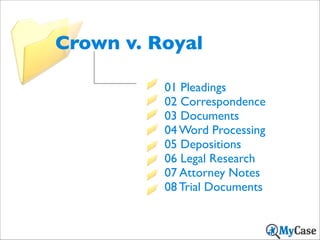
Crown v. Royal
01 Pleadings	

02 Correspondence	

03 Documents	

04 Word Processing	

05 Depositions	

06 Legal Research	

07 Attorney Notes	

08 Trial Documents
Simple file names
[Date] [Description]
[Date] [Description]
2014-02-27 Motion for Summary Judgment…
2014/02/27

Motion for Summary Judgment…

2014_02_27 Motion for Summary Judgment…
2014.02.27

Motion for Summary Judgment…
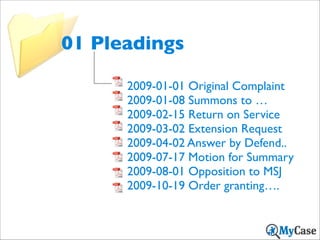
01 Pleadings
2009-01-01 Original Complaint	

2009-01-08 Summons to …	

2009-02-15 Return on Service	

2009-03-02 Extension Request	

2009-04-02 Answer by Defend..	

2009-07-17 Motion for Summary	

2009-08-01 Opposition to MSJ	

2009-10-19 Order granting….
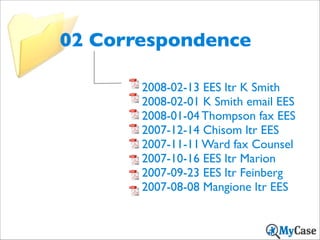
02 Correspondence
2008-02-13 EES ltr K Smith	

2008-02-01 K Smith email EES	

2008-01-04 Thompson fax EES	

2007-12-14 Chisom ltr EES	

2007-11-11 Ward fax Counsel	

2007-10-16 EES ltr Marion	

2007-09-23 EES ltr Feinberg	

2007-08-08 Mangione ltr EES
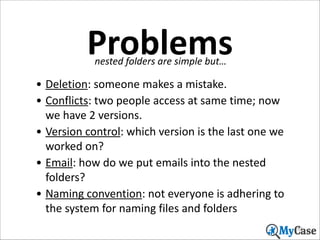
Problems
nested	
  folders	
  are	
  simple	
  but…

• Deletion:	
  someone	
  makes	
  a	
  mistake.	
  	
  
• Conflicts:	
  two	
  people	
  access	
  at	
  same	
  time;	
  now	
  
we	
  have	
  2	
  versions.	
  
• Version	
  control:	
  which	
  version	
  is	
  the	
  last	
  one	
  we	
  
worked	
  on?	
  
• Email:	
  how	
  do	
  we	
  put	
  emails	
  into	
  the	
  nested	
  
folders?	
  
• Naming	
  convention:	
  not	
  everyone	
  is	
  adhering	
  to	
  
the	
  system	
  for	
  naming	
  files	
  and	
  folders
52
Firm	
  Size
More	
  than	
  3	
  -­‐	
  5	
  users:	
  time	
  for	
  DMS

53
DMS	
  Software
Leading	
  “Document	
  Management	
  Systems”

54
Benefits
DMS	
  imposes	
  organization

• Forced	
  save:	
  have	
  to	
  save	
  to	
  the	
  system,	
  and	
  have	
  
to	
  profile	
  document	
  to	
  an	
  open	
  matter	
  	
  
• Conflicts:	
  are	
  no	
  longer	
  possible.	
  
• Version	
  control:	
  system	
  automatically	
  creates	
  and	
  
keeps	
  track	
  of	
  versions	
  
• Email:	
  can	
  be	
  saved	
  to	
  DMS,	
  and	
  shared	
  with	
  
everyone	
  as	
  needed.	
  
• PDFs:	
  can	
  handle	
  storage	
  &	
  manipulation	
  
• Remote	
  access:	
  pull	
  files	
  from	
  outside	
  of	
  office
55
Bottom	
  Line
regarding	
  DMS	
  systems

• You	
  can	
  now	
  afford	
  it	
  
• You	
  almost	
  certainly	
  need	
  
it	
  now	
  (or	
  soon)	
  
• You	
  may	
  need	
  a	
  consultant	
  
to	
  help	
  you
56
Wrap	
  Up

Things	
  you	
  can	
  work	
  on	
  now	
  to	
  build	
  momentum

57
Summary

Equipment	
  &	
  Tools

Stuff	
  you	
  need,	
  or	
  should,	
  buy
Fujitsu ScanSnap iX500

Cost
$409

Adobe Acrobat: Professional

$413

(Adobe Acrobat: Standard)

($289)

Book: Acrobat for Lawyers

$50

Tips: PDF for Lawyers.com

Free

Tips: PaperlessChase.com

Free
58
5	
  Takeaways
the	
  best	
  keys	
  to	
  getting	
  started	
  now

59
60
ernie@ernestsvenson.com

If you have questions feel free to email me

Interested in MyCase?!
www.MyCase.com!
www.MyCase.com/blog!

Get 10% off your first 6 months !
with MyCase for attending.!
Use promo code: PAPER14

63
62

How to Create & Maintain The Paperless Law Office

  • 1.
    Welcome! The Paperless LawOffice Webinar Will Begin in a Few Minutes
  • 2.
    About MyCase MyCase LegalPractice Management Software MyCase is the premier web-based legal practice management software. Built as a complete platform, MyCase offers features that seamlessly cover all the daily functions that a modern, small law firm requires in one place at an affordable price. Just $39/month per attorney ! $29/month per paralegal or staff
  • 3.
    About MyCase MyCase Websites •Modernand professional design built for your firm! •Social media and blog integration! •Complete integration with MyCase practice management software
  • 4.
    How to Create & Maintain Paperless The Law Office Ernie Svenson
  • 5.
    Ernie Svenson ‣EDLA LawClerk ‣Practiced law 27 yrs ‣ErnieTheAttorney.net ‣“Acrobat in One Hour for Lawyers” (ABA book) ‣PaperlessChase.com ‣ernie@paperlesschase.com
  • 6.
  • 7.
    3  Phases 1. Contemplation   2. Implementation   3. Optimization 9
  • 8.
    Poll  Question  #2 What  best  describes  your  paperless   state  now? 10
  • 9.
    Contemplation You  may  be  surprised  to  learn  you’re  already  on  your  way 11
  • 10.
    Common  Questions • Am  I  ready  to  go  paperless?   • How  hard?  Expensive?   • Need  to  hire  a  consultant?   • Convince  staff  &  lawyers?   • Possible  in  my  practice  area?   • Isn’t  it  impossible  to  be  totally  paperless? 12
  • 11.
    Define  “paperless” forget  definitions;  focus  on  benefits • No  paper:  impossible,  silly,   self-­‐defeating   • Reasonable:  “less  paper”   • Focus  on  benefits,  not  rigid   definitions 13
  • 12.
    Key  Questions be  realistic  about  the  true  challenges • How  much  less  paper?   • How  quickly  to  reduce?   • What  process  should  you  follow?   • What  benefits  do  you  most  want? 14
  • 13.
    How  much  less? depends  on  factors  such  as… • how  much  paper  you  have  now   • where  it’s  being  stored  now   (onsite,  offsite?)   • How  much  can  or  should  be   digitized 15
  • 14.
    How  quickly? depends  on  factors  such  as… • how  many  people  in  your  firm   • how  much  paper  you  have  now   • your  folks’  technology  skills   • commitment  to  act  (not  just  plan) 16
  • 15.
    What  process? The  ideal  path  should  be… • The  simplest  &  easiest   • Minimally  disruptive   • Tried  &  true  (by  lawyers)   • Reliable;  likely  to  succeed 17
  • 16.
    Which  benefits? Keep  in  mind  the  things  you  most  want  to  attain • Organization  &  efficiency   • Information  retrieval   • Remote  access  to  files 19
  • 17.
    Benefits  Summary reasons  why  digital  documents  are  better • Easier  to  store,  retrieve     • Cheaper  to  store   • Oversight  is  possible   • Access  from  anywhere  (e.g.  iPad)   • Backup  &  remote  synchronization 20
  • 18.
    Some  downsides it’s  true:  paper  is  easier  in  certain  situations • Easier  to  reorder  pages   • Easier  to  browse  certain  kinds  of   information   • Easier  to  read  (but  eInk  technology  is   changing  this)   • Need  to  practice  “digital  hygiene” 21
  • 19.
    Poor  excuses Bad  reasons  to  dismiss  becoming  paperless • E-­‐filing  isn’t  allowed   • Judge  requires  paper  in  court   • My  practice  isn’t  conducive  to   being  paperless   • Other  attorneys  send  me  paper 22
  • 20.
    Ethics  issues aren’t  an  impediment,  but  require  attention • Rule  1.1:  competence   • ABA  20/20:  tech  requires  attention   • But  what  about  wills  and   promissory  notes  etc.?   • Create  a  good  engagement  letter 23
  • 21.
    Engagement  letter should  make  it  clear  to  the  client  that… • You’ll  scan  all  files  to  PDF   • You’ll  destroy  all  paper  you  receive   • You’ll  only  keep  digital  files  for  X  years  (but   actually  keep  longer)   • You’ll  give  client  digital  copy  upon  written   request  (via  digital  download)   • Engagement  letter  is  valid  in  PDF  format 24
  • 22.
    Implementation Is  mostly  about  building  momentum  and  avoiding  catastrophes 25
  • 23.
    Getting  Started Is  not  as  hard  as  you’d  expect,  because: • You’ve  already  started,  so…   • Build  momentum  steadily   • Use  consultants  for  “digital   hygiene”  &  training. 27
  • 24.
    Keys  to  Success grab  low-­‐hanging  fruit  &  avoid  land  mines • Tackle  the  easy  stuff  first   • Avoid  premature  (or   unnecessary)  challenges   • Use  consultants  appropriately 28
  • 25.
    Two  Principles to  keep  in  mind  as  you  steadily  move  forward 1. Keep  digital  things  digital   2. Make  paper  into  digital 29
  • 26.
    Keep  it  digital Is  not  as  hard  as  you’d  expect • Don’t  print  emails   • “Print  to  PDF”  more  often   • Capture  faxes  to  PDF   • Think  digital  at  all  times 30
  • 27.
    Make  it  digital is  your  first  small  challenge • Buy  the  right  scanner(s)   • Use  often;  get  familiar   • Send  out  large  jobs  to  scanning   services  where  appropriate Fujitsu iX500 31
  • 28.
  • 29.
    PDFs ‣widespread use (inlaw too) ‣“portable document format” ‣think: ‘digital paper’ ‣learn: how to manipulate them
  • 30.
  • 31.
    Key  PDF  Skills •Create  PDFs  from  Word,  Excel…   • Zoom,  Jump  to  Page,  Rotate   • Bookmark,  Highlight,  Comment   • Search  PDF,  or  group  of  PDFs   • Bates-­‐stamp  &  Redact   • Digitally  sign  a  PDF 35
  • 33.
  • 34.
    Consultants optional,  helpful,  or  mandatory? • Optional:  for  the  easy  stuff   • Helpful:  for  digital  hygiene  and   software  training   • Mandatory:  for  major  challenges  like   setting  up  a  DMS,  or  if  firm  is  large 38
  • 35.
    Implementation  Costs Summary Equipment  &  Tools Stuff  you  need,  or  should,  buy Fujitsu ScanSnap iX500 Cost $409 Adobe Acrobat: Professional $413 (Adobe Acrobat: Standard) ($289) Book: Acrobat for Lawyers $50 Tips: PDF for Lawyers.com Free Tips: PaperlessChase.com Free 39
  • 36.
  • 37.
    Document  Mgt Key  questions  ask  in  deciding  how  to  manage • How  big  is  your  law  firm?   • How  many  attorneys?  How   many  users?   • How  many  separate  offices? 41
  • 38.
    Digital  Workflow how  will  you  work  in  a  less  paper-­‐centric  world? • Start  with  a  simple  model   • Refine  based  on  need  &  real   world  experiences   • Continue  refining  as  new   technologies  are  adopted 42
  • 39.
    Current  System How  do  you  manage  digital  files  right  now? 43
  • 40.
    Doc  Mgt  101 nested  folders special  software • Phase  1:  Nested  folders   • Phase  2:  DMS  software 44
  • 41.
    Two  Phases Ordinary Folders SpecialDMS Software Jones v. Smith Hawkins v. Magee Kramer v. Kramer Masters v. Johnson Jarndyce v. Jarndyce Bushmill v. Gored Fordham v. Chevy Thompkins v. Carr 45
  • 42.
  • 43.
    Crown v. Royal 01Pleadings 02 Correspondence 03 Documents 04 Word Processing 05 Depositions 06 Legal Research 07 Attorney Notes 08 Trial Documents
  • 44.
  • 45.
    [Date] [Description] 2014-02-27 Motionfor Summary Judgment… 2014/02/27 Motion for Summary Judgment… 2014_02_27 Motion for Summary Judgment… 2014.02.27 Motion for Summary Judgment…
  • 46.
    01 Pleadings 2009-01-01 OriginalComplaint 2009-01-08 Summons to … 2009-02-15 Return on Service 2009-03-02 Extension Request 2009-04-02 Answer by Defend.. 2009-07-17 Motion for Summary 2009-08-01 Opposition to MSJ 2009-10-19 Order granting….
  • 47.
    02 Correspondence 2008-02-13 EESltr K Smith 2008-02-01 K Smith email EES 2008-01-04 Thompson fax EES 2007-12-14 Chisom ltr EES 2007-11-11 Ward fax Counsel 2007-10-16 EES ltr Marion 2007-09-23 EES ltr Feinberg 2007-08-08 Mangione ltr EES
  • 48.
    Problems nested  folders  are  simple  but… • Deletion:  someone  makes  a  mistake.     • Conflicts:  two  people  access  at  same  time;  now   we  have  2  versions.   • Version  control:  which  version  is  the  last  one  we   worked  on?   • Email:  how  do  we  put  emails  into  the  nested   folders?   • Naming  convention:  not  everyone  is  adhering  to   the  system  for  naming  files  and  folders 52
  • 49.
    Firm  Size More  than  3  -­‐  5  users:  time  for  DMS 53
  • 50.
    DMS  Software Leading  “Document  Management  Systems” 54
  • 51.
    Benefits DMS  imposes  organization •Forced  save:  have  to  save  to  the  system,  and  have   to  profile  document  to  an  open  matter     • Conflicts:  are  no  longer  possible.   • Version  control:  system  automatically  creates  and   keeps  track  of  versions   • Email:  can  be  saved  to  DMS,  and  shared  with   everyone  as  needed.   • PDFs:  can  handle  storage  &  manipulation   • Remote  access:  pull  files  from  outside  of  office 55
  • 52.
    Bottom  Line regarding  DMS  systems • You  can  now  afford  it   • You  almost  certainly  need   it  now  (or  soon)   • You  may  need  a  consultant   to  help  you 56
  • 53.
    Wrap  Up Things  you  can  work  on  now  to  build  momentum 57
  • 54.
    Summary Equipment  &  Tools Stuff  you  need,  or  should,  buy Fujitsu ScanSnap iX500 Cost $409 Adobe Acrobat: Professional $413 (Adobe Acrobat: Standard) ($289) Book: Acrobat for Lawyers $50 Tips: PDF for Lawyers.com Free Tips: PaperlessChase.com Free 58
  • 55.
    5  Takeaways the  best  keys  to  getting  started  now 59
  • 56.
  • 57.
    ernie@ernestsvenson.com If you havequestions feel free to email me Interested in MyCase?! www.MyCase.com! www.MyCase.com/blog! Get 10% off your first 6 months ! with MyCase for attending.! Use promo code: PAPER14 63
  • 58.