Mr. Rajasekar Ramalingam
Lecturer – Department of Information Technology,
College of Applied Sciences – Sur,
Sultanate of Oman.
1. Storage devices & media
2. Characteristics of magnetic storage
3. Characteristics of hard disks
4. Characteristics of optical storage
5. Characteristics of optical disks
6. Use of tape storage
7. Types of mobile storage media
2
Refer to Chapter 7, Shelly, Cashman and Vermaat
 Memory usually refers to chips on the
motherboard inside the computer
◦ It is the computers thinking space
 Random Access Memory (RAM)
◦ It holds the data the computer is using 'right now'
◦ It is short-term, temporary and volatile
◦ It is emptied when power is turned off
◦ It is storage, and is called primary storage
◦ But usually called memory rather than storage
3
4
 Storage is often called secondary storage
 Permanent, stable, on-going
 Many different storage devices, can be
categorised by:
◦ Capacity - how much data can it hold?
◦ Technology e.g. magnetic, optical, flash
◦ Speed - how fast can it transfer data?
5
6
 Magnetic particles store data
 Different alignment = either zero or one
 Disk is formatted (see next slide)
◦ Divided into tracks and sectors
◦ Sectors are grouped into clusters
 Even if a file is very small, it will use an entire
cluster
 A large file may span several clusters
 Example - hard disk
7
Magnetic
Optical
Flash
8
 Maybe inside the system
unit…
 or portable
 Enclosed in an airtight
dustproof case
 Capacity is always
growing
9
Magnetic
Optical
Flash
 Has more than one disk - multiple platters
 Platters spin at 5 400 to
15 000 rpm
 Each platter has two read/write heads (one for each side)
 The read/write head is very close to the platter but doesn't
actually touch
 Arms move the read/write heads to the correct location on
the platter
10
Magnetic
Optical
Flash
11
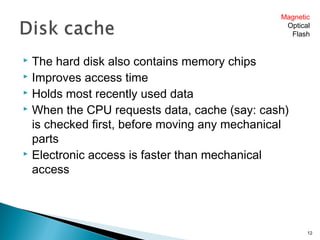
 The hard disk also contains memory chips
 Improves access time
 Holds most recently used data
 When the CPU requests data, cache (say: cash)
is checked first, before moving any mechanical
parts
 Electronic access is faster than mechanical
access
12
Magnetic
Optical
Flash
 Uses a laser to read and
write data
 Usually 12 cm diameter
 Cheap and portable
 CD, DVD etc all share the
same underlying
technology:
 A track spirals from the
centre out to the edge
13
Magnetic
Optical
Flash
 When the laser passes over a flat area (land), the
beam is reflected. This is read as a 1.
 When the beam passes over a hollow (pit), the
light is bounced away. This is read as a 0.
14
Magnetic
Optical
Flash
15
16
17
 Miniature, mobile storage
 Data is stored electronically
on a memory chip
 Non-volatile
 Many form-factors
18
Magnetic
Optical
Flash
19
Magnetic
Optical
Flash
 USB drives, USB pen, pen drive etc
 Large range of shapes and capacities
 All connect through the computer's USB port
 The USB port may also be used to connect other
"storage" such as cameras, video cameras etc
 An an alternative to using a USB connection is a
FireWire connection
◦ Also called Sony i.Link or IEEE 1394
◦ Faster but more expensive (see table next slide)
20
Magnetic
Optical
Flash
 Usually, faster is more expensive
 Smaller and more portable is usually more
expensive
21
 Secondary storage is called permanent storage…
but it isn't really permanent
 Some paper storage devices are over 1000 years
old…will computer storage last that long?
22
 Large-scale storage
 One or more
servers provide
storage
 Storage needs are
always growing, so
system must be
able to expand
23
 Personal backups
◦ USB drive
◦ CD/DVD
◦ Portable hard disk
 Business backups
◦ Tape storage
 Magnetic, like video tape
 Slow but cheap and reliable
◦ Special backup servers
24

Digital storage

  • 1.
    Mr. Rajasekar Ramalingam Lecturer– Department of Information Technology, College of Applied Sciences – Sur, Sultanate of Oman.
  • 2.
    1. Storage devices& media 2. Characteristics of magnetic storage 3. Characteristics of hard disks 4. Characteristics of optical storage 5. Characteristics of optical disks 6. Use of tape storage 7. Types of mobile storage media 2 Refer to Chapter 7, Shelly, Cashman and Vermaat
  • 3.
     Memory usuallyrefers to chips on the motherboard inside the computer ◦ It is the computers thinking space  Random Access Memory (RAM) ◦ It holds the data the computer is using 'right now' ◦ It is short-term, temporary and volatile ◦ It is emptied when power is turned off ◦ It is storage, and is called primary storage ◦ But usually called memory rather than storage 3
  • 4.
  • 5.
     Storage isoften called secondary storage  Permanent, stable, on-going  Many different storage devices, can be categorised by: ◦ Capacity - how much data can it hold? ◦ Technology e.g. magnetic, optical, flash ◦ Speed - how fast can it transfer data? 5
  • 6.
  • 7.
     Magnetic particlesstore data  Different alignment = either zero or one  Disk is formatted (see next slide) ◦ Divided into tracks and sectors ◦ Sectors are grouped into clusters  Even if a file is very small, it will use an entire cluster  A large file may span several clusters  Example - hard disk 7 Magnetic Optical Flash
  • 8.
  • 9.
     Maybe insidethe system unit…  or portable  Enclosed in an airtight dustproof case  Capacity is always growing 9 Magnetic Optical Flash
  • 10.
     Has morethan one disk - multiple platters  Platters spin at 5 400 to 15 000 rpm  Each platter has two read/write heads (one for each side)  The read/write head is very close to the platter but doesn't actually touch  Arms move the read/write heads to the correct location on the platter 10 Magnetic Optical Flash
  • 11.
  • 12.
     The harddisk also contains memory chips  Improves access time  Holds most recently used data  When the CPU requests data, cache (say: cash) is checked first, before moving any mechanical parts  Electronic access is faster than mechanical access 12 Magnetic Optical Flash
  • 13.
     Uses alaser to read and write data  Usually 12 cm diameter  Cheap and portable  CD, DVD etc all share the same underlying technology:  A track spirals from the centre out to the edge 13 Magnetic Optical Flash
  • 14.
     When thelaser passes over a flat area (land), the beam is reflected. This is read as a 1.  When the beam passes over a hollow (pit), the light is bounced away. This is read as a 0. 14 Magnetic Optical Flash
  • 15.
  • 16.
  • 17.
  • 18.
     Miniature, mobilestorage  Data is stored electronically on a memory chip  Non-volatile  Many form-factors 18 Magnetic Optical Flash
  • 19.
  • 20.
     USB drives,USB pen, pen drive etc  Large range of shapes and capacities  All connect through the computer's USB port  The USB port may also be used to connect other "storage" such as cameras, video cameras etc  An an alternative to using a USB connection is a FireWire connection ◦ Also called Sony i.Link or IEEE 1394 ◦ Faster but more expensive (see table next slide) 20 Magnetic Optical Flash
  • 21.
     Usually, fasteris more expensive  Smaller and more portable is usually more expensive 21
  • 22.
     Secondary storageis called permanent storage… but it isn't really permanent  Some paper storage devices are over 1000 years old…will computer storage last that long? 22
  • 23.
     Large-scale storage One or more servers provide storage  Storage needs are always growing, so system must be able to expand 23
  • 24.
     Personal backups ◦USB drive ◦ CD/DVD ◦ Portable hard disk  Business backups ◦ Tape storage  Magnetic, like video tape  Slow but cheap and reliable ◦ Special backup servers 24

Editor's Notes

  • #10 Discuss current HD capacity and price.
  • #11 Rpm = revolutions per minute Discuss diagram - ask students to locate: Track, sector, top view of platter, side view of platter, read/write head, how many platters (2), how many sides available for storage (4)
  • #20 Discuss how the capacities on this table from the text are already outdated… ask students to discuss current capacity and what types they use.
  • #23 Many firms and organisations (e.g. libraries) are now realising that every 10-20 years or so they need to they need to re-record their archives. This is a serious issue for the transmission of cultural records, arts, literature and other history…all civilisations are able to look back on their recorded history in one medium or another, but given today's ubiquity of computer-based records, will this be able to happen in 500 years from now?
  • #25 Remind students of the importance of keeping backups in a different place