Processing Devices
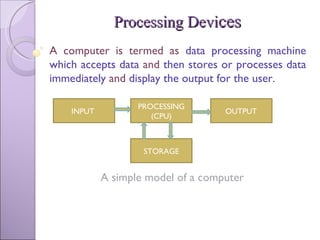
Processing Devi ces A computer is termed as  data processing machine which accepts data  and  then stores or processes data immediately  and  display the output for the user .  A simple model of a computer INPUT  PROCESSING (CPU) OUTPUT STORAGE
 
Central Processing Unit(CPU) CPU  is called as the  brain of the computer , where most  calculations take place .  It is also called as  Processor  and has electronic circuitry. It  controls  and  coordinate  the activities of all other components of computer system and  performs all the arithmetic and logical operations  to be applied to the data. For  large machines , CPU’s require  one or more printed circuit boards (Ex: NASA Servers or  Super computers ) and for  PC’s , the CPU is housed in  single chip  called  microprocessor.
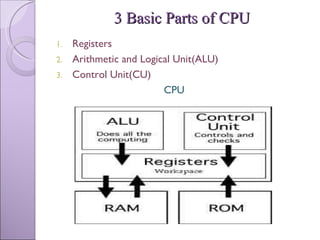
3 Basic Parts of CPU Registers Arithmetic and Logical Unit(ALU) Control Unit(CU) CPU
Registers They  hold  various types of  information  such as  data, instructions, addresses  and  intermediate results  of calculations. They  hold the material  that the  CPU is currently working with  and they can be thought of as being  the CPU’s workspace.  As soon as a particular instruction or piece of data is finished, the next one immediately replace it and information that results from the processing is returned to main memory. Size of the registers  can effect the  speed  and  performance  of the processor.
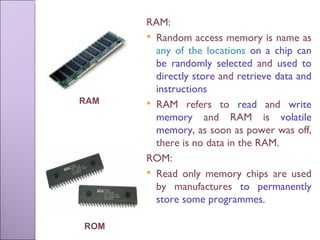
RAM:  Random access memory is name as  any of the locations  on a chip can be randomly selected  and  used to directly store  and  retrieve data and instructions RAM refers to  read  and  write memory  and RAM is  volatile memory , as soon as power was off, there is no data in the RAM. ROM:  Read only memory chips are used by manufactures  to permanently store some programmes . ROM RAM
Arithmetic and Logic Unit(ALU) It’s the  place where the actual execution of the instructions take place  during the processing operation. All  calculations  are performed and all  comparisons  are made in ALU. Arithmetic operations   include  addition, subtraction, multiplication  and  division. Logical operations  compare numbers, letters and special characters. Comparison operations test for  three  conditions:  equal to  condition,  less than  conditions and  greater than  conditions where two values will be compared.
Relational operations (=, <, >)  are used to describe the comparison operations used by the  arithmetic logic unit . The  arithmetic logic unit  performs logic functions such as  AND, OR and NOT . The data and instruction , stored in primary storage prior to processing, are transferred as and when needed to the ALU where processing takes place. Data may move from primary storage to ALU and back again to memory many times before the processing is over. After the processing is complete, the final result which are stored in main memory unit are released to an output device.
Control Unit It contains an electronic circuit that uses electrical signals  to direct the entire computer system to carry out, or execute, stored program instructions.  It communicates with all other devices. It manages and coordinates the entire computer system. It  obtains instructions from the programme stored in main memory, interprets the instructions  and  issues signals that cause other units   of the system to execute them.
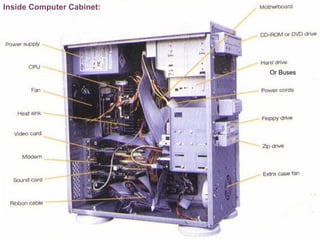
Inside Computer Cabinet: Or Buses
Buses Buses  connect address, data and control instructions together.   A bus is a  collection of wires through which data is transmitted from one part of computer to another. In  PC’s , the term  bus  usually refers to  internal bus.  This is a bus that connects all the internal computer components to the CPU  and  main memory . There is also an  expansion bus  that enables  expansion board  to access the CPU and memory. There are  3 types  of buses. Address bus Data bus  Control bus.
Data bus  used  to transfer actual data . Address bus  is used  to identify particular locations(addresses) in the main memory  and  input/output lines . The width of the address bus determines how many unique memory locations can be addressed.  To know how much  data is transferred at one time is determined by size of data bus . Ex: 16 / 32 bit data bus can transfer 16 / 32 bits of data. The control bus  is used  to control flow of data . Ex: to read or write from or to memory.  Every bus has a clock speed measured in MHz  A fastest bus allows data to be transferred faster, which makes applications run faster.
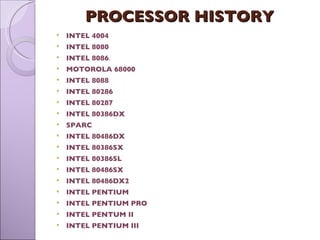
PROCESSOR HISTORY  INTEL 4004 INTEL 8080 INTEL 8086 . MOTOROLA 68000 INTEL 8088 INTEL 80286 INTEL 80287  INTEL 80386DX  SPARC INTEL 80486DX  INTEL 80386SX  INTEL 80386SL  INTEL 80486SX  INTEL 80486DX2  INTEL PENTIUM INTEL PENTIUM PRO INTEL PENTUM II INTEL PENTIUM III
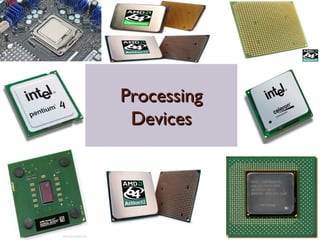
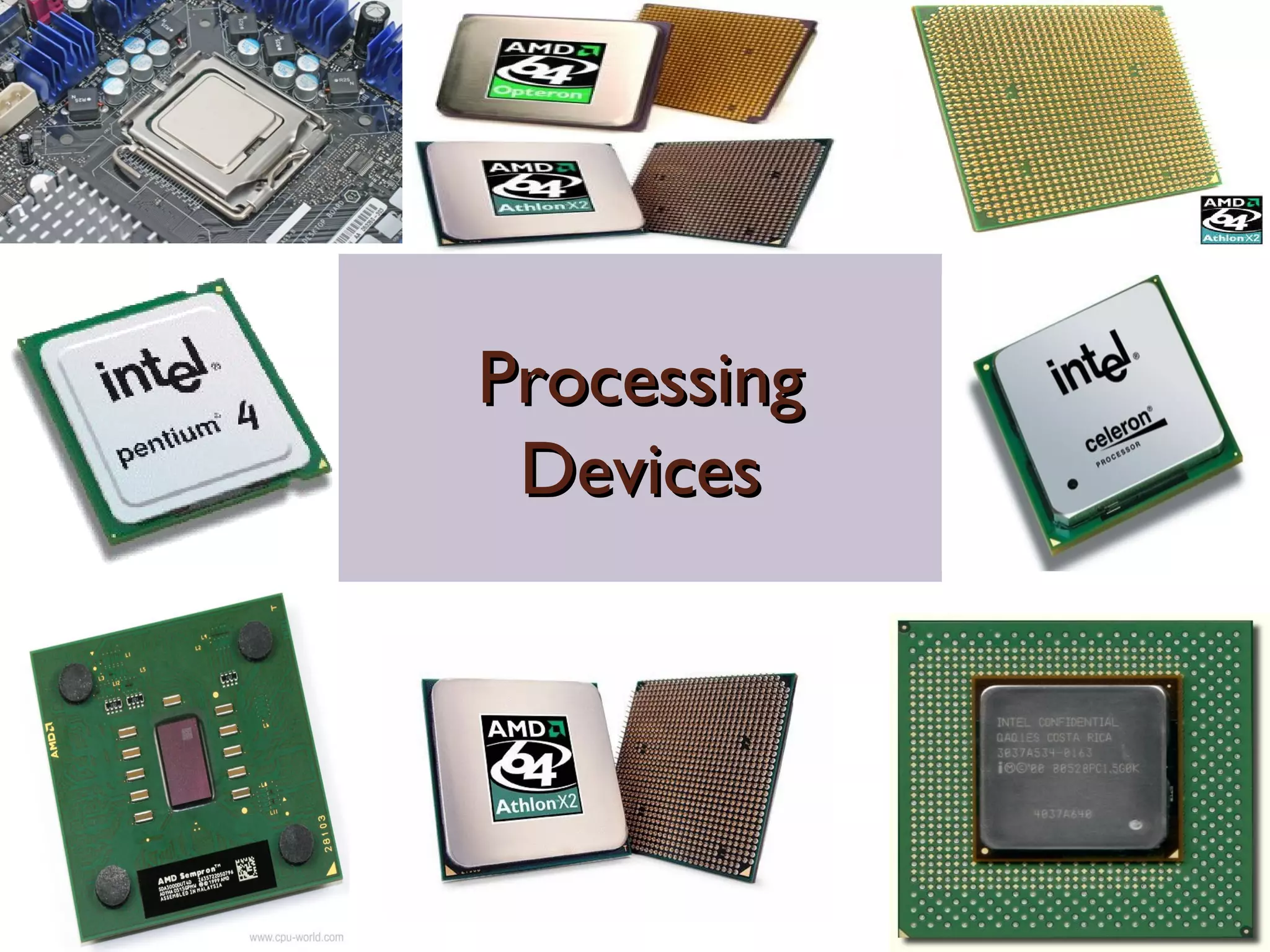
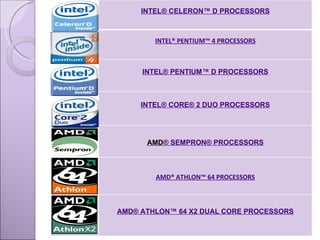
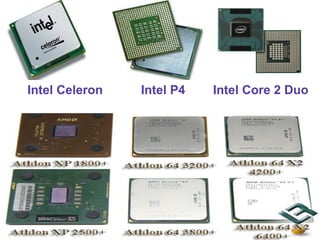
INTEL® CELERON™ D PROCESSORS INTEL® PENTIUM™ 4 PROCESSORS INTEL® PENTIUM™ D PROCESSORS INTEL® CORE® 2 DUO PROCESSORS AMD ® SEMPRON® PROCESSORS AMD® ATHLON™ 64  PROCESSORS AMD® ATHLON™ 64 X2 DUAL CORE PROCESSORS
Intel Celeron  Intel P4  Intel Core 2 Duo
Conclusion CPU is the brain of the computer that it controls and coordinates the activities of all the components of the computer.
Thank you!

Processing Devices

  • 1.
  • 2.
    Processing Devi cesA computer is termed as data processing machine which accepts data and then stores or processes data immediately and display the output for the user . A simple model of a computer INPUT PROCESSING (CPU) OUTPUT STORAGE
  • 3.
  • 4.
    Central Processing Unit(CPU)CPU is called as the brain of the computer , where most calculations take place . It is also called as Processor and has electronic circuitry. It controls and coordinate the activities of all other components of computer system and performs all the arithmetic and logical operations to be applied to the data. For large machines , CPU’s require one or more printed circuit boards (Ex: NASA Servers or Super computers ) and for PC’s , the CPU is housed in single chip called microprocessor.
  • 5.
    3 Basic Partsof CPU Registers Arithmetic and Logical Unit(ALU) Control Unit(CU) CPU
  • 6.
    Registers They hold various types of information such as data, instructions, addresses and intermediate results of calculations. They hold the material that the CPU is currently working with and they can be thought of as being the CPU’s workspace. As soon as a particular instruction or piece of data is finished, the next one immediately replace it and information that results from the processing is returned to main memory. Size of the registers can effect the speed and performance of the processor.
  • 7.
    RAM: Randomaccess memory is name as any of the locations on a chip can be randomly selected and used to directly store and retrieve data and instructions RAM refers to read and write memory and RAM is volatile memory , as soon as power was off, there is no data in the RAM. ROM: Read only memory chips are used by manufactures to permanently store some programmes . ROM RAM
  • 8.
    Arithmetic and LogicUnit(ALU) It’s the place where the actual execution of the instructions take place during the processing operation. All calculations are performed and all comparisons are made in ALU. Arithmetic operations include addition, subtraction, multiplication and division. Logical operations compare numbers, letters and special characters. Comparison operations test for three conditions: equal to condition, less than conditions and greater than conditions where two values will be compared.
  • 9.
    Relational operations (=,<, >) are used to describe the comparison operations used by the arithmetic logic unit . The arithmetic logic unit performs logic functions such as AND, OR and NOT . The data and instruction , stored in primary storage prior to processing, are transferred as and when needed to the ALU where processing takes place. Data may move from primary storage to ALU and back again to memory many times before the processing is over. After the processing is complete, the final result which are stored in main memory unit are released to an output device.
  • 10.
    Control Unit Itcontains an electronic circuit that uses electrical signals to direct the entire computer system to carry out, or execute, stored program instructions. It communicates with all other devices. It manages and coordinates the entire computer system. It obtains instructions from the programme stored in main memory, interprets the instructions and issues signals that cause other units of the system to execute them.
  • 11.
  • 12.
    Buses Buses connect address, data and control instructions together. A bus is a collection of wires through which data is transmitted from one part of computer to another. In PC’s , the term bus usually refers to internal bus. This is a bus that connects all the internal computer components to the CPU and main memory . There is also an expansion bus that enables expansion board to access the CPU and memory. There are 3 types of buses. Address bus Data bus Control bus.
  • 13.
    Data bus used to transfer actual data . Address bus is used to identify particular locations(addresses) in the main memory and input/output lines . The width of the address bus determines how many unique memory locations can be addressed. To know how much data is transferred at one time is determined by size of data bus . Ex: 16 / 32 bit data bus can transfer 16 / 32 bits of data. The control bus is used to control flow of data . Ex: to read or write from or to memory. Every bus has a clock speed measured in MHz A fastest bus allows data to be transferred faster, which makes applications run faster.
  • 14.
    PROCESSOR HISTORY INTEL 4004 INTEL 8080 INTEL 8086 . MOTOROLA 68000 INTEL 8088 INTEL 80286 INTEL 80287 INTEL 80386DX SPARC INTEL 80486DX INTEL 80386SX INTEL 80386SL INTEL 80486SX INTEL 80486DX2 INTEL PENTIUM INTEL PENTIUM PRO INTEL PENTUM II INTEL PENTIUM III
  • 15.
    INTEL® CELERON™ DPROCESSORS INTEL® PENTIUM™ 4 PROCESSORS INTEL® PENTIUM™ D PROCESSORS INTEL® CORE® 2 DUO PROCESSORS AMD ® SEMPRON® PROCESSORS AMD® ATHLON™ 64 PROCESSORS AMD® ATHLON™ 64 X2 DUAL CORE PROCESSORS
  • 16.
    Intel Celeron Intel P4 Intel Core 2 Duo
  • 17.
    Conclusion CPU isthe brain of the computer that it controls and coordinates the activities of all the components of the computer.
  • 18.