TURNING  FIELD  DATA  INTO RESULTS  YOU  CAN  ANALYSE OR AN  IDIOTS  GUIDE  TO  DRAWING  GRAPHS  FOR  MS  RICHARDS  GCSE  GEOGRAPHY  CLASS
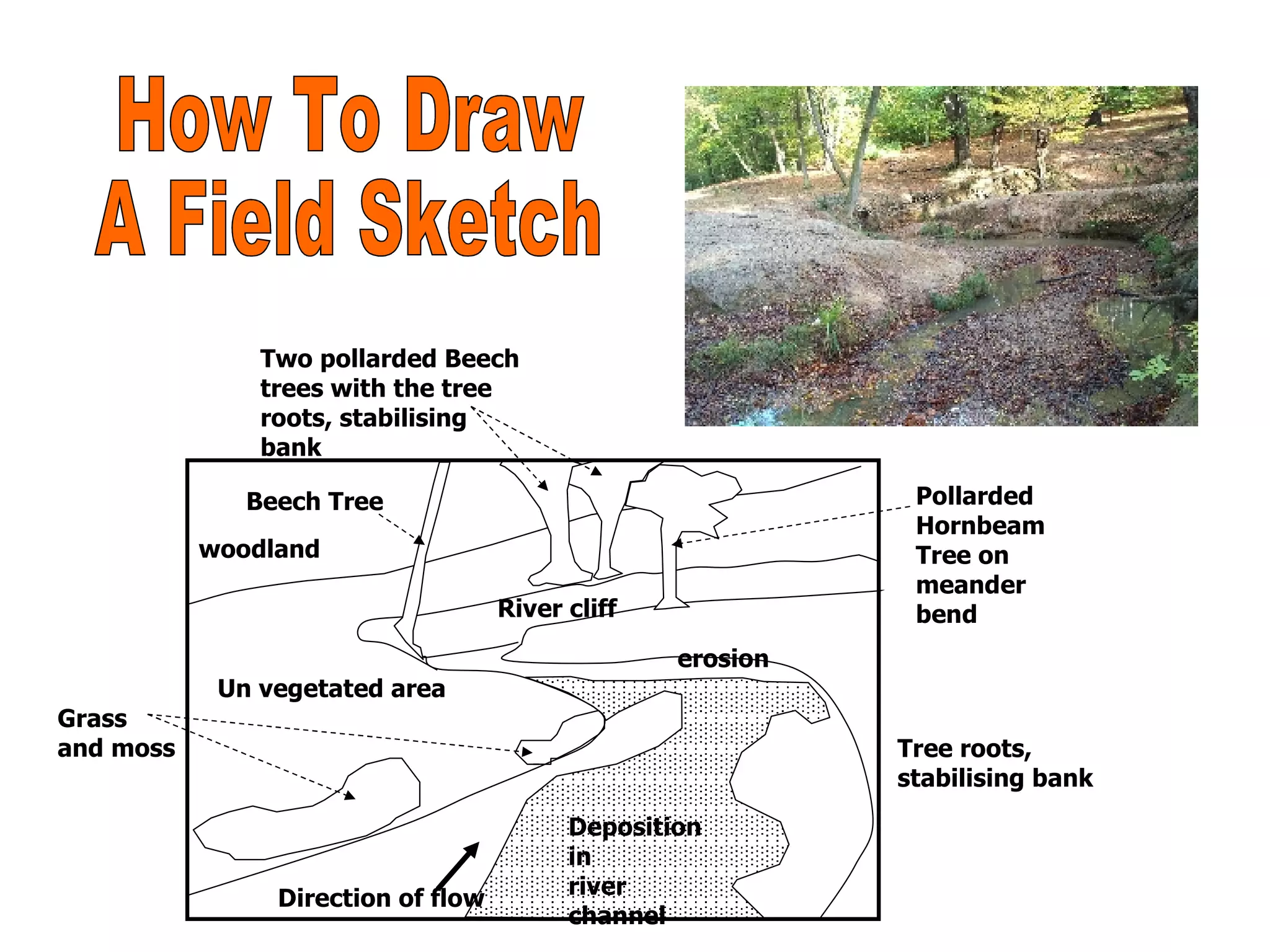
Deposition in river channel Direction of flow Grass and moss Tree roots, stabilising bank Two pollarded Beech trees with the tree roots, stabilising bank erosion Pollarded Hornbeam Tree on meander bend Un vegetated area woodland River cliff Beech Tree How To Draw A Field Sketch
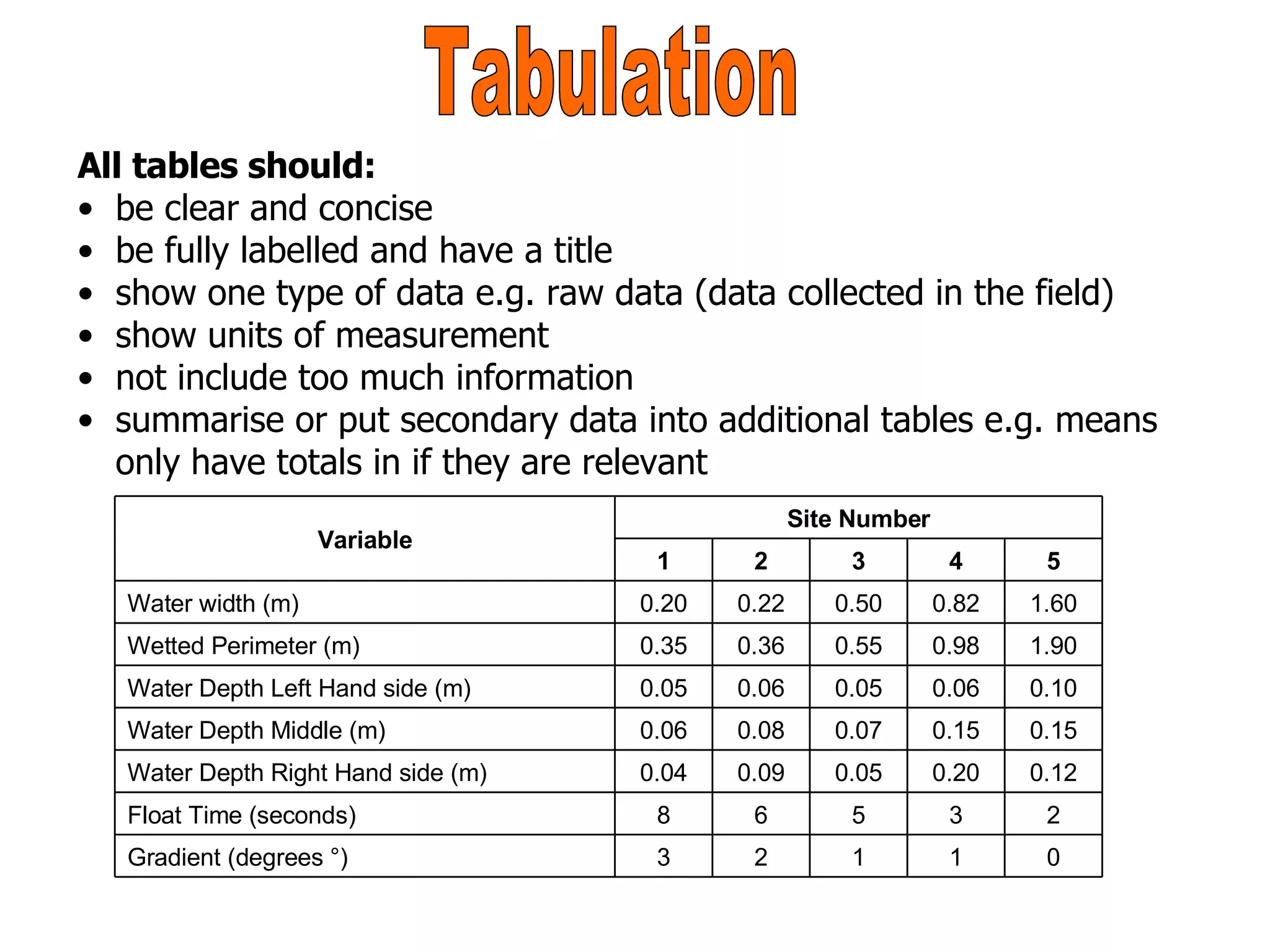
Tabulation All tables should: be clear and concise be fully labelled and have a title show one type of data e.g. raw data (data collected in the field) show units of measurement not include too much information summarise or put secondary data into additional tables e.g. means only have totals in if they are relevant 0 1 1 2 3 Gradient (degrees °) 2 3 5 6 8 Float Time (seconds) 0.12 0.20 0.05 0.09 0.04 Water Depth Right Hand side (m) 0.15 0.15 0.07 0.08 0.06 Water Depth Middle (m) 0.10 0.06 0.05 0.06 0.05 Water Depth Left Hand side (m) 1.90 0.98 0.55 0.36 0.35 Wetted Perimeter (m) 1.60 0.82 0.50 0.22 0.20 Water width (m) 5 4 3 2 1 Site Number Variable
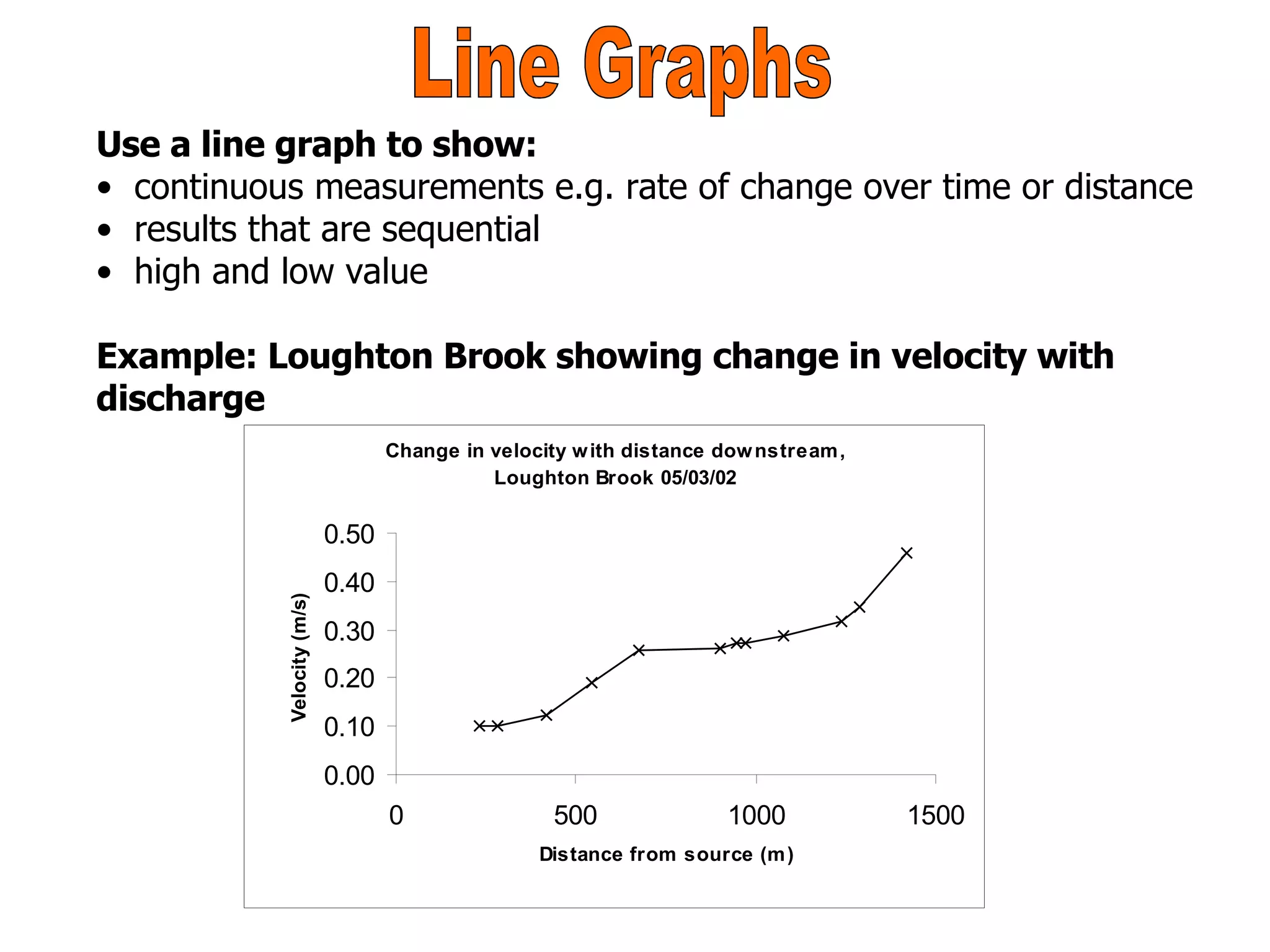
Line Graphs Use a line graph to show: continuous measurements e.g. rate of change over time or distance results that are sequential high and low value Example: Loughton Brook showing change in velocity with  discharge
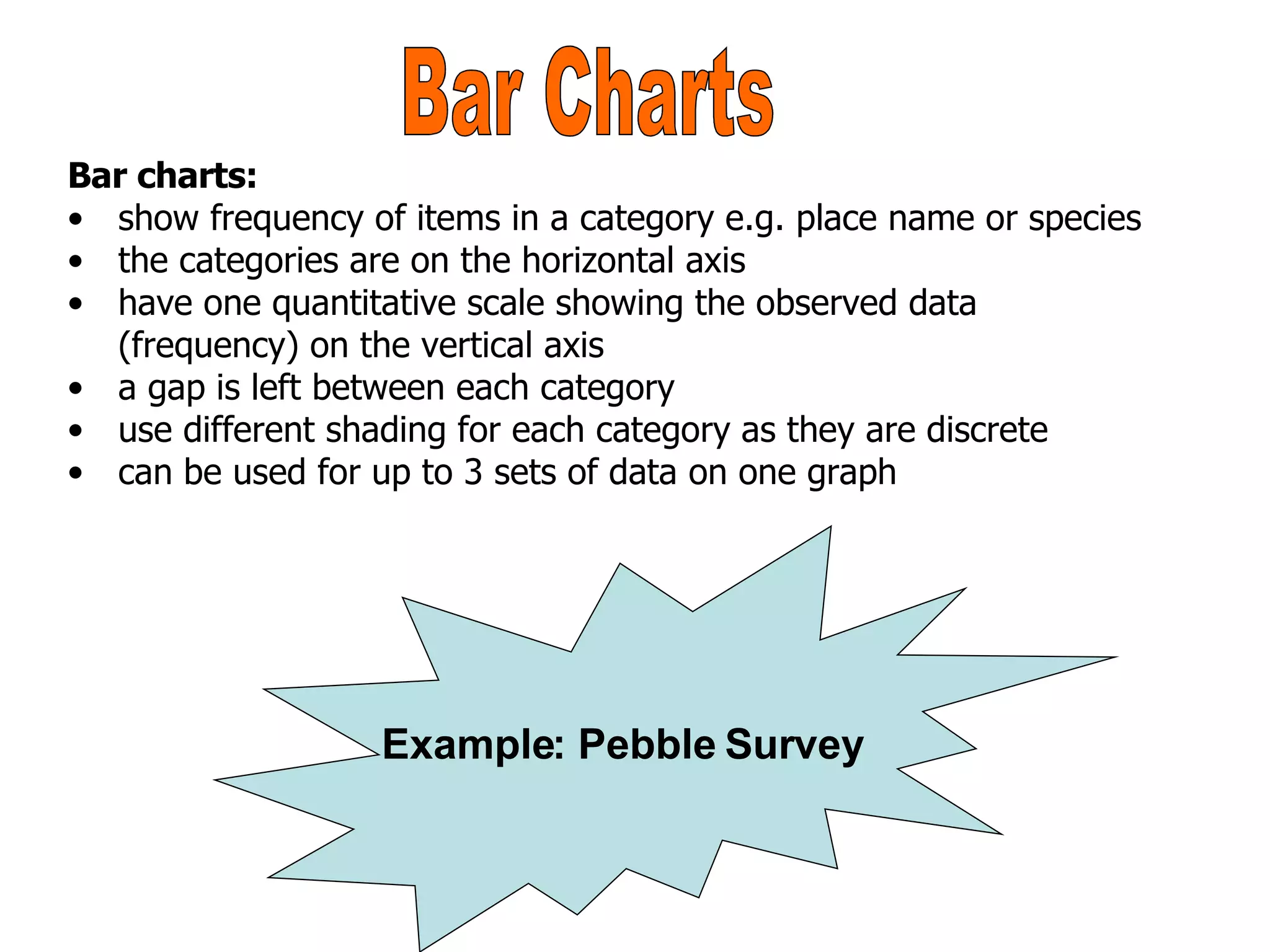
Bar charts: show frequency of items in a category e.g. place name or species the categories are on the horizontal axis have one quantitative scale showing the observed data (frequency) on the vertical axis a gap is left between each category use different shading for each category as they are discrete can be used for up to 3 sets of data on one graph  Bar Charts Example: Pebble Survey
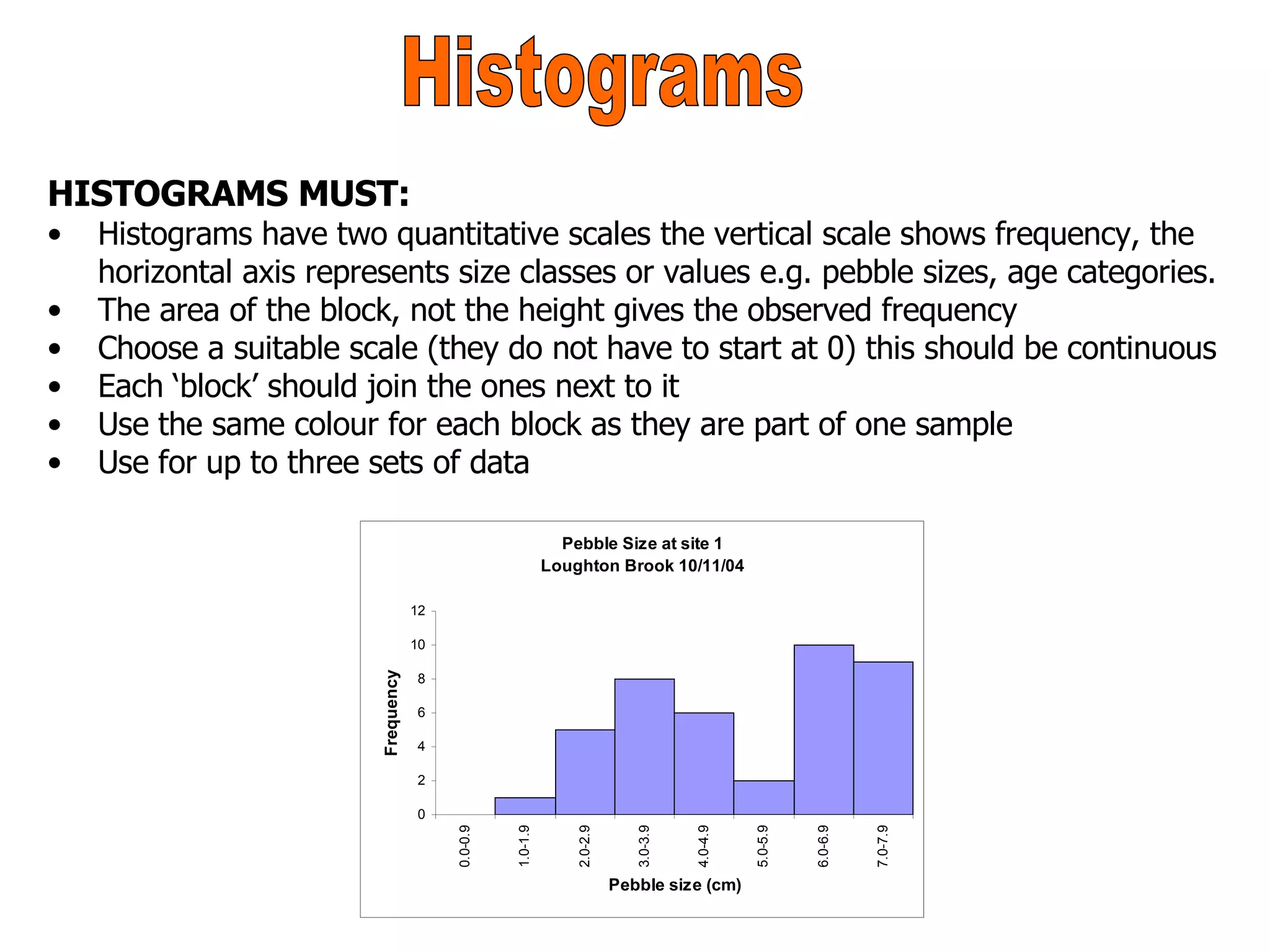
HISTOGRAMS MUST: Histograms have two quantitative scales the vertical scale shows frequency, the horizontal axis represents size classes or values e.g. pebble sizes, age categories. The area of the block, not the height gives the observed frequency Choose a suitable scale (they do not have to start at 0) this should be continuous Each ‘block’ should join the ones next to it Use the same colour for each block as they are part of one sample Use for up to three sets of data Histograms
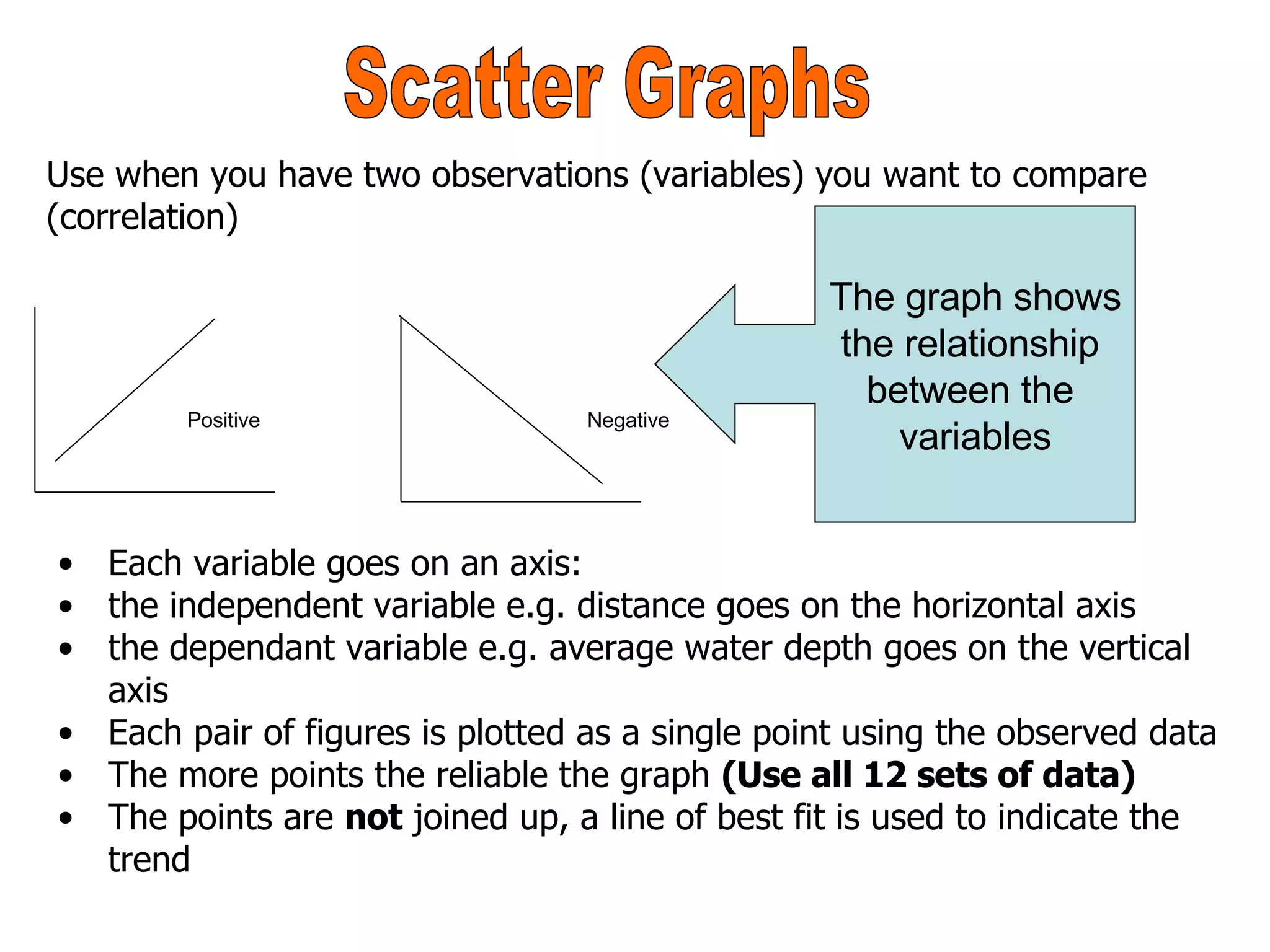
Scatter Graphs Use when you have two observations (variables) you want to compare (correlation) The graph shows the relationship  between the  variables Each variable goes on an axis: the independent variable e.g. distance goes on the horizontal axis the dependant variable e.g. average water depth goes on the vertical axis Each pair of figures is plotted as a single point using the observed data The more points the reliable the graph  (Use all 12 sets of data) The points are  not  joined up, a line of best fit is used to indicate the trend Positive Negative
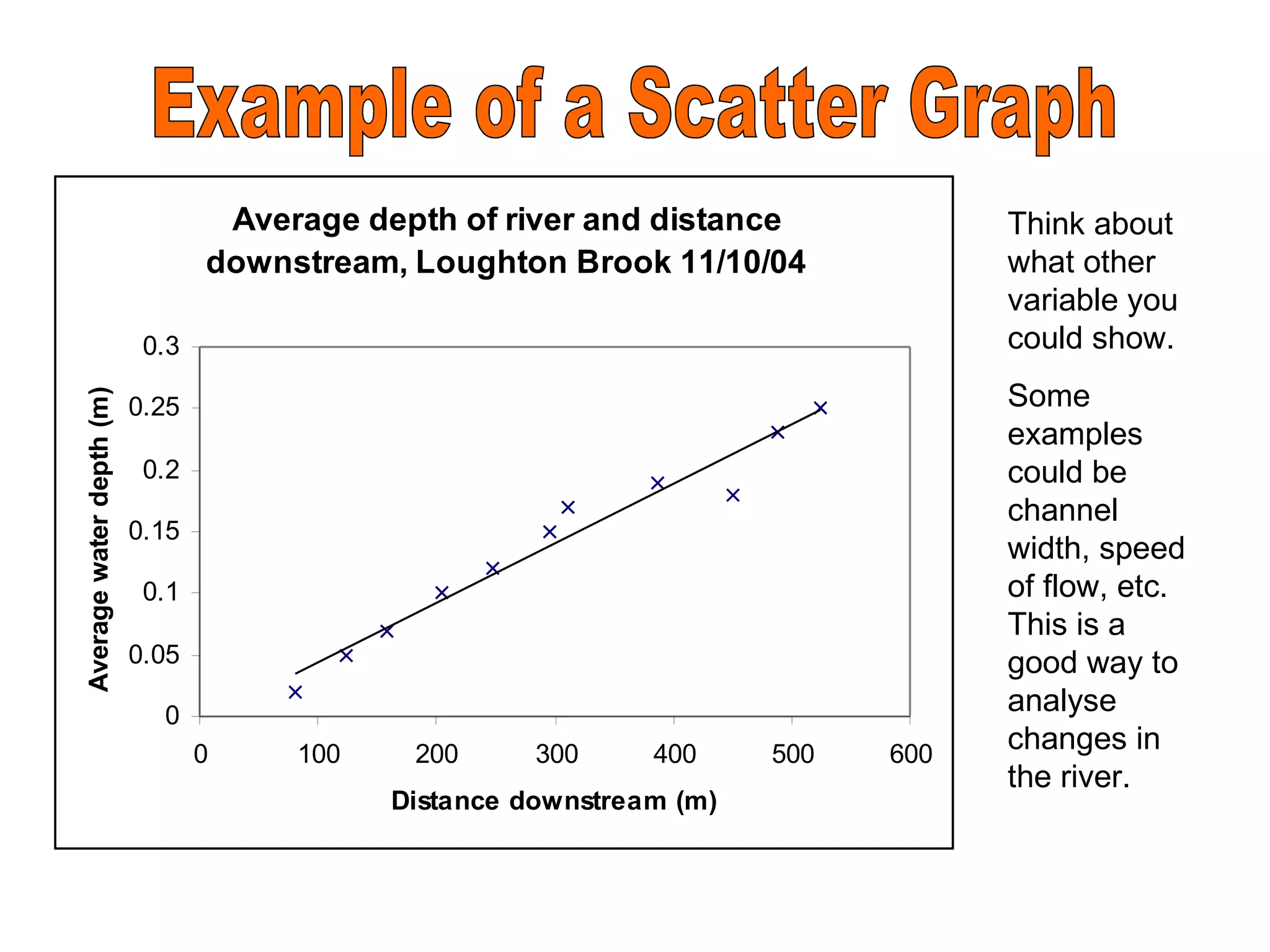
Example of a Scatter Graph Think about what other variable you could show. Some examples could be channel width, speed of flow, etc.  This is a good way to analyse changes in the river.
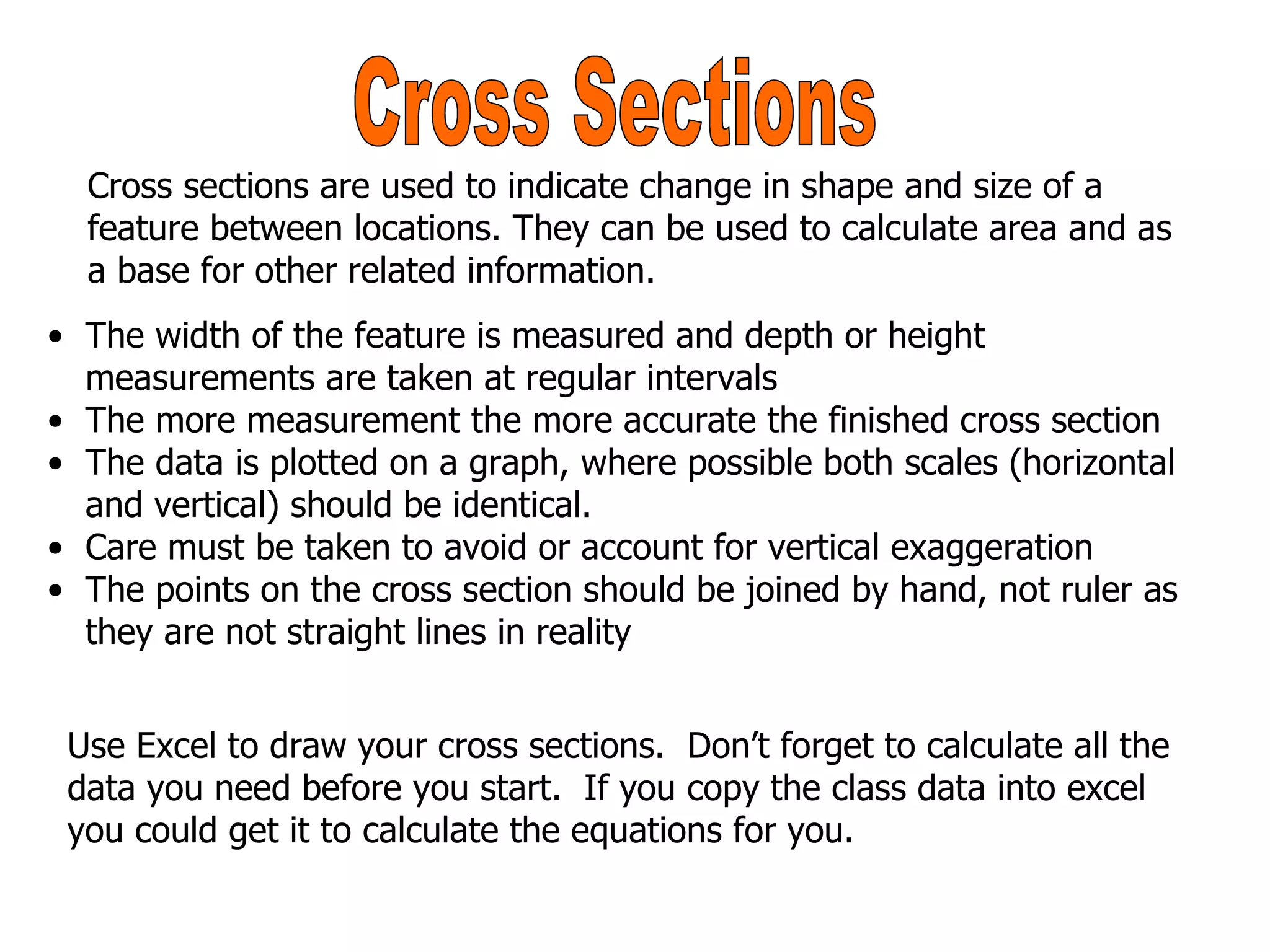
Cross Sections The width of the feature is measured and depth or height measurements are taken at regular intervals The more measurement the more accurate the finished cross section The data is plotted on a graph, where possible both scales (horizontal and vertical) should be identical. Care must be taken to avoid or account for vertical exaggeration The points on the cross section should be joined by hand, not ruler as they are not straight lines in reality Cross sections are used to indicate change in shape and size of a feature between locations. They can be used to calculate area and as a base for other related information. Use Excel to draw your cross sections.  Don’t forget to calculate all the data you need before you start.  If you copy the class data into excel you could get it to calculate the equations for you.
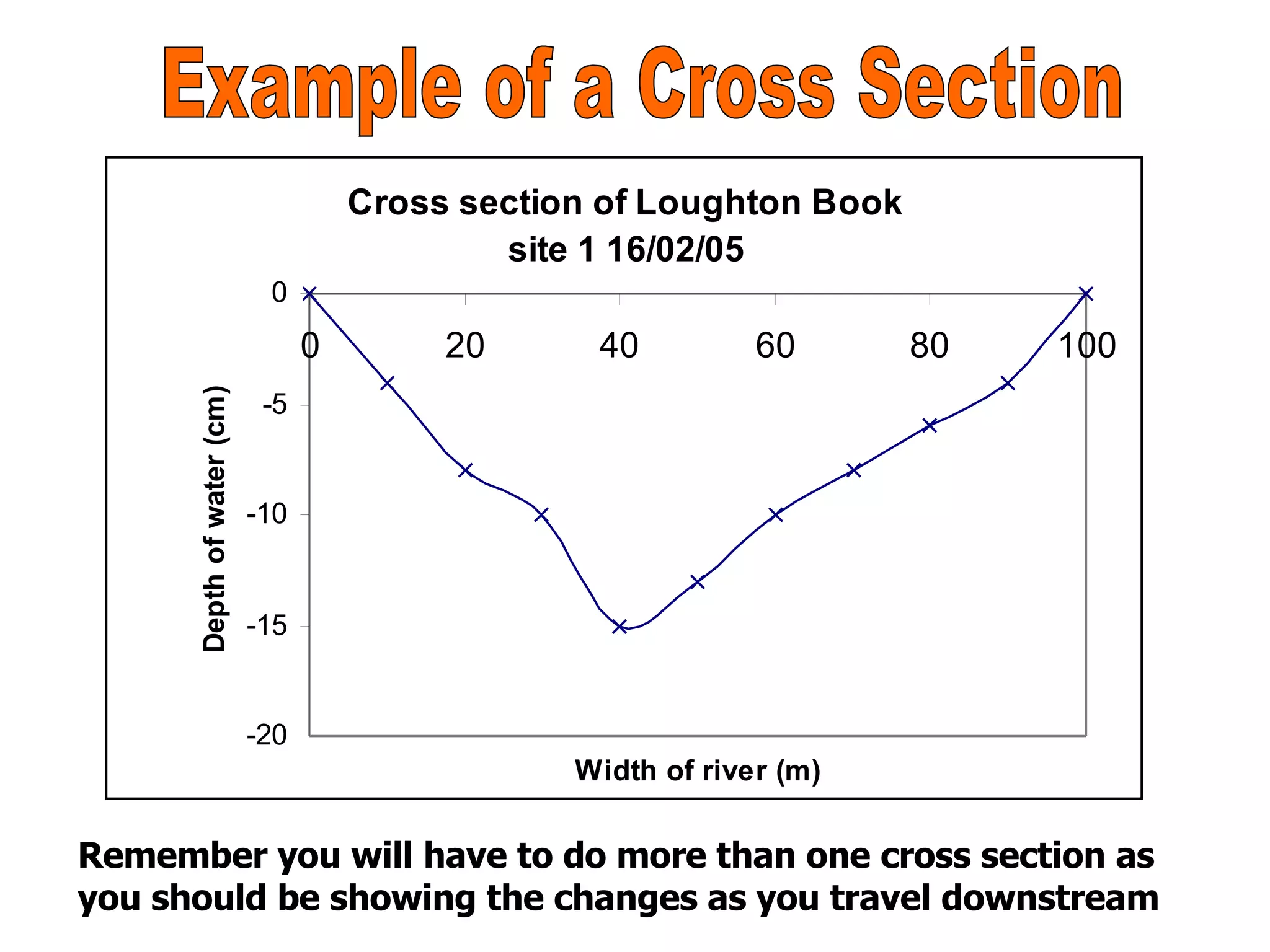
Example of a Cross Section Remember you will have to do more than one cross section as you should be showing the changes as you travel downstream

Data Analysis Section

  • 1.
    TURNING FIELD DATA INTO RESULTS YOU CAN ANALYSE OR AN IDIOTS GUIDE TO DRAWING GRAPHS FOR MS RICHARDS GCSE GEOGRAPHY CLASS
  • 2.
    Deposition in riverchannel Direction of flow Grass and moss Tree roots, stabilising bank Two pollarded Beech trees with the tree roots, stabilising bank erosion Pollarded Hornbeam Tree on meander bend Un vegetated area woodland River cliff Beech Tree How To Draw A Field Sketch
  • 3.
    Tabulation All tablesshould: be clear and concise be fully labelled and have a title show one type of data e.g. raw data (data collected in the field) show units of measurement not include too much information summarise or put secondary data into additional tables e.g. means only have totals in if they are relevant 0 1 1 2 3 Gradient (degrees °) 2 3 5 6 8 Float Time (seconds) 0.12 0.20 0.05 0.09 0.04 Water Depth Right Hand side (m) 0.15 0.15 0.07 0.08 0.06 Water Depth Middle (m) 0.10 0.06 0.05 0.06 0.05 Water Depth Left Hand side (m) 1.90 0.98 0.55 0.36 0.35 Wetted Perimeter (m) 1.60 0.82 0.50 0.22 0.20 Water width (m) 5 4 3 2 1 Site Number Variable
  • 4.
    Line Graphs Usea line graph to show: continuous measurements e.g. rate of change over time or distance results that are sequential high and low value Example: Loughton Brook showing change in velocity with discharge
  • 5.
    Bar charts: showfrequency of items in a category e.g. place name or species the categories are on the horizontal axis have one quantitative scale showing the observed data (frequency) on the vertical axis a gap is left between each category use different shading for each category as they are discrete can be used for up to 3 sets of data on one graph Bar Charts Example: Pebble Survey
  • 6.
    HISTOGRAMS MUST: Histogramshave two quantitative scales the vertical scale shows frequency, the horizontal axis represents size classes or values e.g. pebble sizes, age categories. The area of the block, not the height gives the observed frequency Choose a suitable scale (they do not have to start at 0) this should be continuous Each ‘block’ should join the ones next to it Use the same colour for each block as they are part of one sample Use for up to three sets of data Histograms
  • 7.
    Scatter Graphs Usewhen you have two observations (variables) you want to compare (correlation) The graph shows the relationship between the variables Each variable goes on an axis: the independent variable e.g. distance goes on the horizontal axis the dependant variable e.g. average water depth goes on the vertical axis Each pair of figures is plotted as a single point using the observed data The more points the reliable the graph (Use all 12 sets of data) The points are not joined up, a line of best fit is used to indicate the trend Positive Negative
  • 8.
    Example of aScatter Graph Think about what other variable you could show. Some examples could be channel width, speed of flow, etc. This is a good way to analyse changes in the river.
  • 9.
    Cross Sections Thewidth of the feature is measured and depth or height measurements are taken at regular intervals The more measurement the more accurate the finished cross section The data is plotted on a graph, where possible both scales (horizontal and vertical) should be identical. Care must be taken to avoid or account for vertical exaggeration The points on the cross section should be joined by hand, not ruler as they are not straight lines in reality Cross sections are used to indicate change in shape and size of a feature between locations. They can be used to calculate area and as a base for other related information. Use Excel to draw your cross sections. Don’t forget to calculate all the data you need before you start. If you copy the class data into excel you could get it to calculate the equations for you.
  • 10.
    Example of aCross Section Remember you will have to do more than one cross section as you should be showing the changes as you travel downstream