Computer crime, or cybercrime, is crime that involves
a computer and a network. The computer may have been
used in the commission of a crime, or it may be the target.
Cyber security is the body of technologies, processes and
practices designed to protect networks, computers
programs and data from attack, damage or unauthorized
access.
OR
Cyber Security is the protection of information
systems from theft or damage to the hardware, the
software, and to the information on them.
NEED FOR CYBER SECURITY
Cyber security is necessary since it helps in securing data from
threats such as data theft or misuse, also safeguards your
system from viruses.
A vulnerability is a system susceptibility or flaw. To secure a
computer system, it is important to understand the attacks that
can be made against it, and these threats can typically be
classified into one of the categories below:
Backdoors: It is a cryptosystem or an algorithm, is any
secret method of bypassing normal authentication or
security controls.
Denial-of-Service Attack: It is designed to make a machine
or network resource unavailable to its intended users.
Eavesdropping: It is the act of surreptitiously listening to a
private conversation, typically between hosts on a network.
Spoofing: It is a fraudulent or malicious practice in which
communication is sent from an unknown source disguised
as a source known to the receiver.
Phishing: It is the attempt to acquire sensitive information
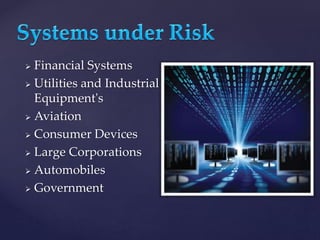
 Financial Systems
 Utilities and Industrial
Equipment's
 Aviation
 Consumer Devices
 Large Corporations
 Automobiles
 Government
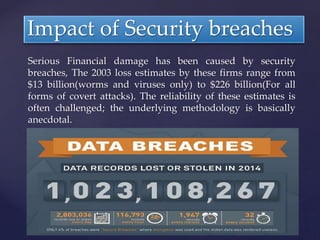
Serious Financial damage has been caused by security
breaches, The 2003 loss estimates by these firms range from
$13 billion(worms and viruses only) to $226 billion(For all
forms of covert attacks). The reliability of these estimates is
often challenged; the underlying methodology is basically
anecdotal.
Impact of Security breaches
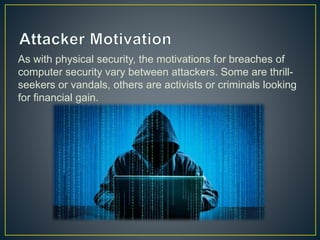
As with physical security, the motivations for breaches of
computer security vary between attackers. Some are thrill-
seekers or vandals, others are activists or criminals looking
for financial gain.
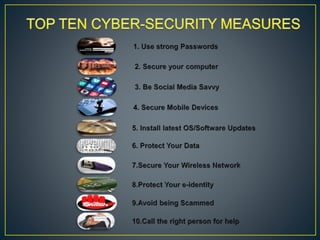
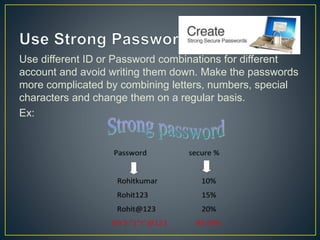
Use different ID or Password combinations for different
account and avoid writing them down. Make the passwords
more complicated by combining letters, numbers, special
characters and change them on a regular basis.
Ex:
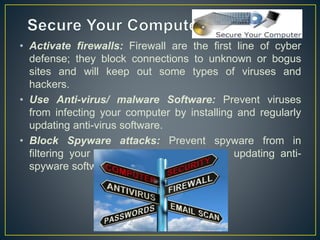
• Activate firewalls: Firewall are the first line of cyber
defense; they block connections to unknown or bogus
sites and will keep out some types of viruses and
hackers.
• Use Anti-virus/ malware Software: Prevent viruses
from infecting your computer by installing and regularly
updating anti-virus software.
• Block Spyware attacks: Prevent spyware from in
filtering your computer by installing and updating anti-
spyware software.
Make sure your social networking profiles (e.g. Facebook,
Twitter, YouTube, MSN, etc.) are set to private. Check your
security settings. Be careful what information you post
online. Once it is on the Internet, it is there forever!
Be aware that your mobile device is vulnerable to viruses
and hackers. Download applications from trusted sources.
Keep your applications and operating system (e.g.
Windows, Mac, Linux) current with the latest system
updates. Turn on automatic updates to prevent potential
attacks on older software.
Use encryption for your most sensitive files such as tax
returns or financial records, make regular back-ups of all
your important data, and store it in another location.
Wi-Fi (wireless) networks at home are vulnerable to
intrusion if they are not properly secured. Review and
modify default settings. Public Wi-Fi, “Hot Spots”, are also
vulnerable. Avoid conducting financial or corporate
transactions on these networks.
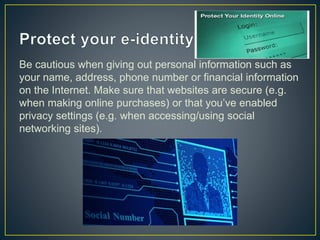
Be cautious when giving out personal information such as
your name, address, phone number or financial information
on the Internet. Make sure that websites are secure (e.g.
when making online purchases) or that you’ve enabled
privacy settings (e.g. when accessing/using social
networking sites).
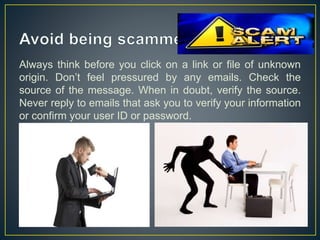
Always think before you click on a link or file of unknown
origin. Don’t feel pressured by any emails. Check the
source of the message. When in doubt, verify the source.
Never reply to emails that ask you to verify your information
or confirm your user ID or password.
Don’t panic! If you are a victim, if you encounter illegal
Internet content (e.g. child exploitation) or if you suspect a
computer crime, identity theft or a commercial scam, report
this to your local police. If you need help with maintenance
or software installation on your computer, consult with your
service provider or a certified computer technician.
Cyber crime and security

Cyber crime and security

  • 2.
    Computer crime, orcybercrime, is crime that involves a computer and a network. The computer may have been used in the commission of a crime, or it may be the target.
  • 3.
    Cyber security isthe body of technologies, processes and practices designed to protect networks, computers programs and data from attack, damage or unauthorized access. OR Cyber Security is the protection of information systems from theft or damage to the hardware, the software, and to the information on them.
  • 4.
    NEED FOR CYBERSECURITY Cyber security is necessary since it helps in securing data from threats such as data theft or misuse, also safeguards your system from viruses.
  • 5.
    A vulnerability isa system susceptibility or flaw. To secure a computer system, it is important to understand the attacks that can be made against it, and these threats can typically be classified into one of the categories below: Backdoors: It is a cryptosystem or an algorithm, is any secret method of bypassing normal authentication or security controls. Denial-of-Service Attack: It is designed to make a machine or network resource unavailable to its intended users. Eavesdropping: It is the act of surreptitiously listening to a private conversation, typically between hosts on a network. Spoofing: It is a fraudulent or malicious practice in which communication is sent from an unknown source disguised as a source known to the receiver. Phishing: It is the attempt to acquire sensitive information
  • 6.
     Financial Systems Utilities and Industrial Equipment's  Aviation  Consumer Devices  Large Corporations  Automobiles  Government
  • 7.
    Serious Financial damagehas been caused by security breaches, The 2003 loss estimates by these firms range from $13 billion(worms and viruses only) to $226 billion(For all forms of covert attacks). The reliability of these estimates is often challenged; the underlying methodology is basically anecdotal. Impact of Security breaches
  • 9.
    As with physicalsecurity, the motivations for breaches of computer security vary between attackers. Some are thrill- seekers or vandals, others are activists or criminals looking for financial gain.
  • 11.
    Use different IDor Password combinations for different account and avoid writing them down. Make the passwords more complicated by combining letters, numbers, special characters and change them on a regular basis. Ex:
  • 12.
    • Activate firewalls:Firewall are the first line of cyber defense; they block connections to unknown or bogus sites and will keep out some types of viruses and hackers. • Use Anti-virus/ malware Software: Prevent viruses from infecting your computer by installing and regularly updating anti-virus software. • Block Spyware attacks: Prevent spyware from in filtering your computer by installing and updating anti- spyware software.
  • 13.
    Make sure yoursocial networking profiles (e.g. Facebook, Twitter, YouTube, MSN, etc.) are set to private. Check your security settings. Be careful what information you post online. Once it is on the Internet, it is there forever!
  • 14.
    Be aware thatyour mobile device is vulnerable to viruses and hackers. Download applications from trusted sources.
  • 15.
    Keep your applicationsand operating system (e.g. Windows, Mac, Linux) current with the latest system updates. Turn on automatic updates to prevent potential attacks on older software.
  • 16.
    Use encryption foryour most sensitive files such as tax returns or financial records, make regular back-ups of all your important data, and store it in another location.
  • 17.
    Wi-Fi (wireless) networksat home are vulnerable to intrusion if they are not properly secured. Review and modify default settings. Public Wi-Fi, “Hot Spots”, are also vulnerable. Avoid conducting financial or corporate transactions on these networks.
  • 18.
    Be cautious whengiving out personal information such as your name, address, phone number or financial information on the Internet. Make sure that websites are secure (e.g. when making online purchases) or that you’ve enabled privacy settings (e.g. when accessing/using social networking sites).
  • 19.
    Always think beforeyou click on a link or file of unknown origin. Don’t feel pressured by any emails. Check the source of the message. When in doubt, verify the source. Never reply to emails that ask you to verify your information or confirm your user ID or password.
  • 20.
    Don’t panic! Ifyou are a victim, if you encounter illegal Internet content (e.g. child exploitation) or if you suspect a computer crime, identity theft or a commercial scam, report this to your local police. If you need help with maintenance or software installation on your computer, consult with your service provider or a certified computer technician.