How to protect your
information.
CUSTOMER
INFORMATION
SECURITY AWARENESS
TRAINING
Sharek Guidelines
Introduction
This presentation is designed to provide you with the knowledge
to protect your personal and mostly sensitive data from cyber
threats. In your daily activities, you routinely provide sensitive
data like names, Social Security numbers, and other confidential
records to successfully carry out your day-to-day activities. YOU
are critical to the defense and protection of sensitive information
systems and data. You will be well equipped to protect the
sensitive data by incorporating the information technology
security objectives learned in this presentation into your daily
activities.
Information Security is
YOUR responsibility.
WHAT IS INFORMATION
SECURITY?
The protection of information and
information systems from unauthorized
access, use, disclosure, disruption,
modification, or destruction in order to
provide confidentiality, integrity, and
availability
Information security is achieved
through implementing technical,
management, and operational
measures designed to protect the
confidentiality, integrity and
availability of information.
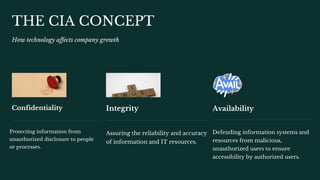
Availability
Defending information systems and
resources from malicious,
unauthorized users to ensure
accessibility by authorized users.
Integrity
Assuring the reliability and accuracy
of information and IT resources.
THE CIA CONCEPT
How technology affects company growth
Confidentiality
Protecting information from
unauthorized disclosure to people
or processes.
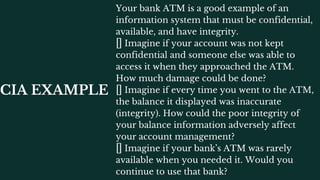
CIA EXAMPLE
Your bank ATM is a good example of an
information system that must be confidential,
available, and have integrity.
Imagine if your account was not kept
confidential and someone else was able to
access it when they approached the ATM.
How much damage could be done?
Imagine if every time you went to the ATM,
the balance it displayed was inaccurate
(integrity). How could the poor integrity of
your balance information adversely affect
your account management?
Imagine if your bank’s ATM was rarely
available when you needed it. Would you
continue to use that bank?
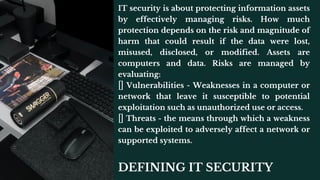
DEFINING IT SECURITY
IT security is about protecting information assets
by effectively managing risks. How much
protection depends on the risk and magnitude of
harm that could result if the data were lost,
misused, disclosed, or modified. Assets are
computers and data. Risks are managed by
evaluating:
Vulnerabilities - Weaknesses in a computer or
network that leave it susceptible to potential
exploitation such as unauthorized use or access.
Threats - the means through which a weakness
can be exploited to adversely affect a network or
supported systems.
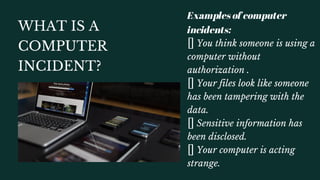
WHAT IS A
COMPUTER
INCIDENT?
Examples of computer
incidents:
You think someone is using a
computer without
authorization .
Your files look like someone
has been tampering with the
data.
Sensitive information has
been disclosed.
Your computer is acting
strange.
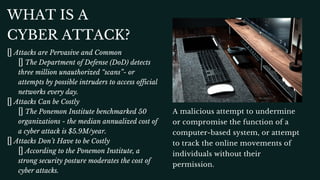
WHAT IS A
CYBER ATTACK?
Attacks are Pervasive and Common
The Department of Defense (DoD) detects
three million unauthorized “scans”- or
attempts by possible intruders to access official
networks every day.
Attacks Can be Costly
The Ponemon Institute benchmarked 50
organizations - the median annualized cost of
a cyber attack is $5.9M/year.
Attacks Don’t Have to be Costly
According to the Ponemon Institute, a
strong security posture moderates the cost of
cyber attacks.
A malicious attempt to undermine
or compromise the function of a
computer-based system, or attempt
to track the online movements of
individuals without their
permission.
1- Ensure that anti-virus software and
patches are up to date on al l computers and
laptops.
2- Ensure that laptops and mobile devices are
encrypted with t r u s t e d software.
Information assets have become a great
source of value and wealth for individuals
with malicious intent. Cyber attacks are a
dangerous threat to the networks and data,
however there are so me steps you can take
to prevent them.
3- Never share passwords with anyone.
4- Be vigilant about slow running applications.
It could be a sign of a computer virus.
PREVENTING
CYBER
ATTACKS
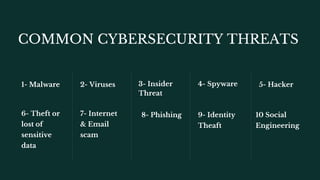
COMMON CYBERSECURITY THREATS
6- Theft or
lost of
sensitive
data
1- Malware
7- Internet
& Email
scam
2- Viruses
8- Phishing
3- Insider
Threat
9- Identity
Theaft
4- Spyware
10 Social
Engineering
5- Hacker
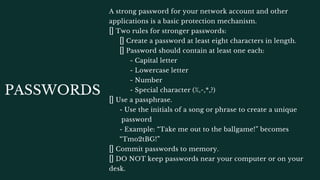
PASSWORDS
DO NOT keep passwords near your computer or on your
desk.
A strong password for your network account and other
applications is a basic protection mechanism.
Two rules for stronger passwords:
Create a password at least eight characters in length.
Password should contain at least one each:
- Capital letter
- Lowercase letter
- Number
- Special character (%,^,*,?)
Use a passphrase.
- Use the initials of a song or phrase to create a unique
password
- Example: “Take me out to the ballgame!” becomes
“Tmo2tBG!”
Commit passwords to memory.
Change passwords often. Most applications will
remind you to do this but if not, set up a
reminder in your calendar at least every 60
days.
Change password immediately if you suspect
it is compromised.
Create a different password for each system or
application .
Do not reuse passwords.
Do not use generic information that can be
easily obtained like family member names, pet
names, birth dates, phone numbers, vehicle
information, etc.
NEVER share your password with anyone.
PASSWORD PROTECTION
TIPS
TAILGATING
Report any suspicious activity to the proper personnel.
When an unauthorized person follows someone to a restricted area
without the consent of the authorized person.
Never allow anyone to follow you into a secure area without proper
authorization.
Be aware of procedures for entering a secure area, securing your
workstation when you leave the office, and securing your workstation
during emergencies.
Do not be afraid to challenge or report anyone who does not appear
to be an authorized individual/visitor.
Escort visitors to and from your office and around the facility.
PHYSICAL SECURITY PROTECTION TIPS
- Quickly retrieve faxes and print jobs containing
sensitive information.
- Lock your computer when it is not in use by using
CTRL+ALT+DEL.
- Encrypt all devices which contain sensitive
information.
- Keep sensitive information out of sight when
visitors are present.
Emails that
contain sensitive
data must be encr
ypted before
being sent.
EMAIL SECURITY
SOCIAL ENGINEERING
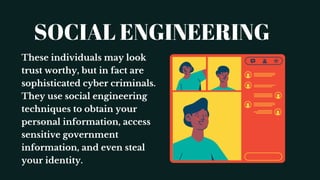
These individuals may look
trust worthy, but in fact are
sophisticated cyber criminals.
They use social engineering
techniques to obtain your
personal information, access
sensitive government
information, and even steal
your identity.
SOCIAL ENGINEERING
Social engineering is classically defined as the art of manipulating
and exploiting human behavior to gain unauthorized access to
systems and information for fraudulent or criminal purposes.
Social engineering attacks are more common and more successful
than computer hacking attacks against the network. Social
engineers will gain information by exploiting the desire of humans
to trust and help each other.
Criminals can bypass network firewalls and building access
systems to steal data and disrupt operations with a successful social
engineering attack.
SOCIAL ENGINEERING
Social engineering attacks are based on natural
human desires like:
Trust
Desire to help
Desire to avoid conflict
Fear
Curiosity
Ignorance and carelessness
SOCIAL ENGINEERING
Social engineers want any information that will
give them access to secure systems or facilities.
Common targets are:
Passwords
Security badges
Access to secure areas of the building
Smart phones
Wallets
Personal information
COMBAT SOCIAL ENGINEERING
Be careful about discussing work, your
family, or personal information in public. You
never know who is listening.
Be cautious of the personal information that
you share on social media sites like Facebook.
Criminals can use the information you post in
a social engineering scam.
PHISHING ATTACKS
Phishing is a social engineering scam whereby intruders seek access to your
personal information or passwords by posing as a legitimate business or
organization with legitimate reason to request information.
Usually an email (or text) alerts you to a problem with your account and asks
you to click on a link and provide information to correct the situation.
These emails look real and often contain the organization’s logo and
trademark. The URL in the email resembles the legitimate web address. For
example “Amazons.com”.
Spear phishing is an attack that targets a specific individual or business. The
email is addressed to you and appears to be sent from an organization you
know and trust, like a government agency or a professional association.
Whaling is a phishing or spear phishing attack aimed at a senior official in
the organization.
COMBAT PHISHING
NEVER provide your password to anyone via email .
Be suspicious of any email that:
- Requests personal information.
- Contains spelling and grammatical errors.
- Asks you to click on a link or image or open an attachment.
- Is unexpected or from a company or organization with whom you do not
have a relationship.
If you are suspicious of an email:
- Do not click on the links provided in the email.
- Do not open any attachments in the email.
- Do not provide personal information or financial data.
- Do not forward the email.
- Delete it from your Inbox.
MALWARE
Malware (short for malicious
software) does damage to, steals
information from, or disrupts a
computer system.
Malware is commonly
installed through email
attachments, downloading
infected files, or visiting an
infected web site.
It can corrupt files, erase your
hard drive, or give a hacker
access to your computer.
COMBAT MALWARE
Scan attachments with antivirus
software before downloading. Do not
trust any attachments, even those that
come from recognized senders .
Delete suspicious emails without
opening them.
If you believe your computer is
infected, contact the appropriate IT
personnel.
if any, please don't hesitate to contact Sharek
Security Team:
Sharek.com.sa
+966 55 912 1124
info@sharek.com.sa
Do you have any questions?

Customer information security awareness training

  • 1.
    How to protectyour information. CUSTOMER INFORMATION SECURITY AWARENESS TRAINING Sharek Guidelines
  • 2.
    Introduction This presentation isdesigned to provide you with the knowledge to protect your personal and mostly sensitive data from cyber threats. In your daily activities, you routinely provide sensitive data like names, Social Security numbers, and other confidential records to successfully carry out your day-to-day activities. YOU are critical to the defense and protection of sensitive information systems and data. You will be well equipped to protect the sensitive data by incorporating the information technology security objectives learned in this presentation into your daily activities.
  • 3.
  • 4.
    WHAT IS INFORMATION SECURITY? Theprotection of information and information systems from unauthorized access, use, disclosure, disruption, modification, or destruction in order to provide confidentiality, integrity, and availability Information security is achieved through implementing technical, management, and operational measures designed to protect the confidentiality, integrity and availability of information.
  • 5.
    Availability Defending information systemsand resources from malicious, unauthorized users to ensure accessibility by authorized users. Integrity Assuring the reliability and accuracy of information and IT resources. THE CIA CONCEPT How technology affects company growth Confidentiality Protecting information from unauthorized disclosure to people or processes.
  • 6.
    CIA EXAMPLE Your bankATM is a good example of an information system that must be confidential, available, and have integrity. Imagine if your account was not kept confidential and someone else was able to access it when they approached the ATM. How much damage could be done? Imagine if every time you went to the ATM, the balance it displayed was inaccurate (integrity). How could the poor integrity of your balance information adversely affect your account management? Imagine if your bank’s ATM was rarely available when you needed it. Would you continue to use that bank?
  • 7.
    DEFINING IT SECURITY ITsecurity is about protecting information assets by effectively managing risks. How much protection depends on the risk and magnitude of harm that could result if the data were lost, misused, disclosed, or modified. Assets are computers and data. Risks are managed by evaluating: Vulnerabilities - Weaknesses in a computer or network that leave it susceptible to potential exploitation such as unauthorized use or access. Threats - the means through which a weakness can be exploited to adversely affect a network or supported systems.
  • 8.
    WHAT IS A COMPUTER INCIDENT? Examplesof computer incidents: You think someone is using a computer without authorization . Your files look like someone has been tampering with the data. Sensitive information has been disclosed. Your computer is acting strange.
  • 9.
    WHAT IS A CYBERATTACK? Attacks are Pervasive and Common The Department of Defense (DoD) detects three million unauthorized “scans”- or attempts by possible intruders to access official networks every day. Attacks Can be Costly The Ponemon Institute benchmarked 50 organizations - the median annualized cost of a cyber attack is $5.9M/year. Attacks Don’t Have to be Costly According to the Ponemon Institute, a strong security posture moderates the cost of cyber attacks. A malicious attempt to undermine or compromise the function of a computer-based system, or attempt to track the online movements of individuals without their permission.
  • 10.
    1- Ensure thatanti-virus software and patches are up to date on al l computers and laptops. 2- Ensure that laptops and mobile devices are encrypted with t r u s t e d software. Information assets have become a great source of value and wealth for individuals with malicious intent. Cyber attacks are a dangerous threat to the networks and data, however there are so me steps you can take to prevent them. 3- Never share passwords with anyone. 4- Be vigilant about slow running applications. It could be a sign of a computer virus. PREVENTING CYBER ATTACKS
  • 11.
    COMMON CYBERSECURITY THREATS 6-Theft or lost of sensitive data 1- Malware 7- Internet & Email scam 2- Viruses 8- Phishing 3- Insider Threat 9- Identity Theaft 4- Spyware 10 Social Engineering 5- Hacker
  • 12.
    PASSWORDS DO NOT keeppasswords near your computer or on your desk. A strong password for your network account and other applications is a basic protection mechanism. Two rules for stronger passwords: Create a password at least eight characters in length. Password should contain at least one each: - Capital letter - Lowercase letter - Number - Special character (%,^,*,?) Use a passphrase. - Use the initials of a song or phrase to create a unique password - Example: “Take me out to the ballgame!” becomes “Tmo2tBG!” Commit passwords to memory.
  • 13.
    Change passwords often.Most applications will remind you to do this but if not, set up a reminder in your calendar at least every 60 days. Change password immediately if you suspect it is compromised. Create a different password for each system or application . Do not reuse passwords. Do not use generic information that can be easily obtained like family member names, pet names, birth dates, phone numbers, vehicle information, etc. NEVER share your password with anyone. PASSWORD PROTECTION TIPS
  • 14.
    TAILGATING Report any suspiciousactivity to the proper personnel. When an unauthorized person follows someone to a restricted area without the consent of the authorized person. Never allow anyone to follow you into a secure area without proper authorization. Be aware of procedures for entering a secure area, securing your workstation when you leave the office, and securing your workstation during emergencies. Do not be afraid to challenge or report anyone who does not appear to be an authorized individual/visitor. Escort visitors to and from your office and around the facility.
  • 15.
    PHYSICAL SECURITY PROTECTIONTIPS - Quickly retrieve faxes and print jobs containing sensitive information. - Lock your computer when it is not in use by using CTRL+ALT+DEL. - Encrypt all devices which contain sensitive information. - Keep sensitive information out of sight when visitors are present.
  • 16.
    Emails that contain sensitive datamust be encr ypted before being sent. EMAIL SECURITY
  • 17.
    SOCIAL ENGINEERING These individualsmay look trust worthy, but in fact are sophisticated cyber criminals. They use social engineering techniques to obtain your personal information, access sensitive government information, and even steal your identity.
  • 18.
    SOCIAL ENGINEERING Social engineeringis classically defined as the art of manipulating and exploiting human behavior to gain unauthorized access to systems and information for fraudulent or criminal purposes. Social engineering attacks are more common and more successful than computer hacking attacks against the network. Social engineers will gain information by exploiting the desire of humans to trust and help each other. Criminals can bypass network firewalls and building access systems to steal data and disrupt operations with a successful social engineering attack.
  • 19.
    SOCIAL ENGINEERING Social engineeringattacks are based on natural human desires like: Trust Desire to help Desire to avoid conflict Fear Curiosity Ignorance and carelessness
  • 20.
    SOCIAL ENGINEERING Social engineerswant any information that will give them access to secure systems or facilities. Common targets are: Passwords Security badges Access to secure areas of the building Smart phones Wallets Personal information
  • 21.
    COMBAT SOCIAL ENGINEERING Becareful about discussing work, your family, or personal information in public. You never know who is listening. Be cautious of the personal information that you share on social media sites like Facebook. Criminals can use the information you post in a social engineering scam.
  • 22.
    PHISHING ATTACKS Phishing isa social engineering scam whereby intruders seek access to your personal information or passwords by posing as a legitimate business or organization with legitimate reason to request information. Usually an email (or text) alerts you to a problem with your account and asks you to click on a link and provide information to correct the situation. These emails look real and often contain the organization’s logo and trademark. The URL in the email resembles the legitimate web address. For example “Amazons.com”. Spear phishing is an attack that targets a specific individual or business. The email is addressed to you and appears to be sent from an organization you know and trust, like a government agency or a professional association. Whaling is a phishing or spear phishing attack aimed at a senior official in the organization.
  • 23.
    COMBAT PHISHING NEVER provideyour password to anyone via email . Be suspicious of any email that: - Requests personal information. - Contains spelling and grammatical errors. - Asks you to click on a link or image or open an attachment. - Is unexpected or from a company or organization with whom you do not have a relationship. If you are suspicious of an email: - Do not click on the links provided in the email. - Do not open any attachments in the email. - Do not provide personal information or financial data. - Do not forward the email. - Delete it from your Inbox.
  • 24.
    MALWARE Malware (short formalicious software) does damage to, steals information from, or disrupts a computer system. Malware is commonly installed through email attachments, downloading infected files, or visiting an infected web site. It can corrupt files, erase your hard drive, or give a hacker access to your computer.
  • 25.
    COMBAT MALWARE Scan attachmentswith antivirus software before downloading. Do not trust any attachments, even those that come from recognized senders . Delete suspicious emails without opening them. If you believe your computer is infected, contact the appropriate IT personnel.
  • 26.
    if any, pleasedon't hesitate to contact Sharek Security Team: Sharek.com.sa +966 55 912 1124 info@sharek.com.sa Do you have any questions?