Ekta Vaswani
Assistant Professor,
CDAC, M.Sc.IT
 Computer Security is the protection of
computing systems and the data that they store
or access.
 Computer security, also known as cyber
security or IT security, is the protection
of computer systems from the theft or damage
to their hardware, software or information.
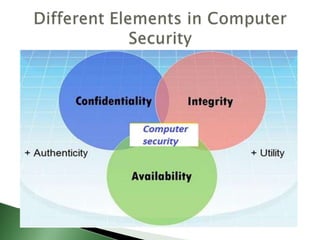
Confidentiality
 Confidentiality is the concealment of information
or resources.
Integrity
 Integrity is the trustworthiness of data in the
systems or resources by the point of view of
preventing unauthorized and improper changes.
Availability
 Availability refers to the ability to access data of
a resource when it is needed, as such the
information has value only if the authorized
people can access at right time.
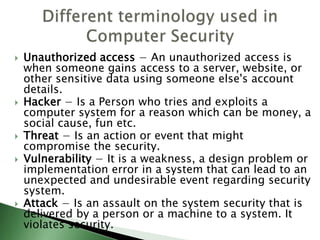
 Unauthorized access − An unauthorized access is
when someone gains access to a server, website, or
other sensitive data using someone else's account
details.
 Hacker − Is a Person who tries and exploits a
computer system for a reason which can be money, a
social cause, fun etc.
 Threat − Is an action or event that might
compromise the security.
 Vulnerability − It is a weakness, a design problem or
implementation error in a system that can lead to an
unexpected and undesirable event regarding security
system.
 Attack − Is an assault on the system security that is
delivered by a person or a machine to a system. It
violates security.
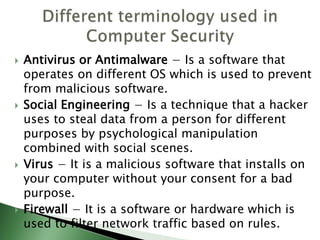
 Antivirus or Antimalware − Is a software that
operates on different OS which is used to prevent
from malicious software.
 Social Engineering − Is a technique that a hacker
uses to steal data from a person for different
purposes by psychological manipulation
combined with social scenes.
 Virus − It is a malicious software that installs on
your computer without your consent for a bad
purpose.
 Firewall − It is a software or hardware which is
used to filter network traffic based on rules.
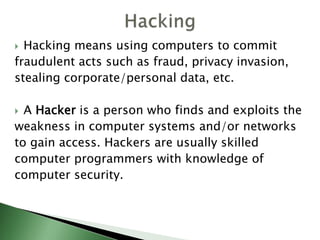
 Hacking means using computers to commit
fraudulent acts such as fraud, privacy invasion,
stealing corporate/personal data, etc.
 A Hacker is a person who finds and exploits the
weakness in computer systems and/or networks
to gain access. Hackers are usually skilled
computer programmers with knowledge of
computer security.
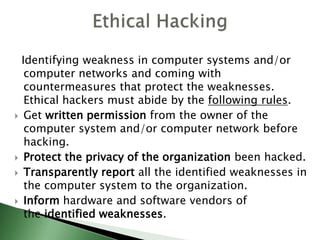
Identifying weakness in computer systems and/or
computer networks and coming with
countermeasures that protect the weaknesses.
Ethical hackers must abide by the following rules.
 Get written permission from the owner of the
computer system and/or computer network before
hacking.
 Protect the privacy of the organization been hacked.
 Transparently report all the identified weaknesses in
the computer system to the organization.
 Inform hardware and software vendors of
the identified weaknesses.
 Cyber crime is the use of computers and
networks to perform illegal activities such as
spreading computer viruses, online bullying,
performing unauthorized electronic fund
transfers, etc.
 Most cybercrimes are committed through the
internet.
 Some cybercrimes can also be carried out
using Mobile phones via SMS and online chatting
applications.
Types of Cybercrime
 Privacy violation: Exposing personal information such as email
addresses, phone number, account details, etc. on social media,
websites, etc.
 Identity Theft: Stealing personal information from somebody and
impersonating that person.
 Sharing copyrighted files/information: This involves distributing
copyright protected files such as eBooks and computer programs
etc.
 Electronic funds transfer: This involves gaining an un-authorized
access to bank computer networks and making illegal fund
transfers.
 ATM Fraud: This involves intercepting ATM card details such as
account number and PIN numbers. These details are then used to
withdraw funds from the intercepted accounts.
 Spam: Sending unauthorized emails. These emails usually contain
advertisements.
 A computer virus is a type malware that, when
executed, replicates itself by modifying
other computer programs and inserting its own
code.
 A computer virus is written to alter the way a
computer operates and that is designed to
spread from one computer to another.
 In order for a virus to infect your computer, you
have to run the infected program, which in turn
causes the virus code to be executed.
How do computer viruses spread?
 Email and text message attachments
 Internet file downloads
 Social media links
 Mobile devices and smart phones can become
infected with mobile viruses through shady App
downloads.
 As attachments of socially shareable content
such as funny images, greeting cards, or audio
and video files.
 Inserting or connecting an infected disk, disc, or
drive
 Visiting unknown links
Possible effects of virus attack on a computer
 Delete data
 Overwrite information
 Display messages
 Add itself to other files on the computer
 Stealing passwords or data
 Logging keystrokes
 Corrupting files
 spamming email contacts
 even taking over the machine
 Anti-virus software is a program or set of programs that are
designed to prevent, search for, detect, and remove software
viruses.
 There are several different companies that build and offer anti-
virus software and what each offers can vary but all perform some
basic functions:
 Scan specific files or directories for any malware or known malicious
patterns.
 Allow you to schedule scans to automatically run for you.
 Allow you to initiate a scan of a specific file or of your computer, or of
a CD or flash drive at any time.
 Remove any malicious code detected –sometimes you will be notified
of an infection and asked if you want to clean the file, other programs
will automatically do this behind the scenes.
 Show you the ‘health’ of your computer
 Always be sure you have the best, up-to-date security software
installed to protect your computers, laptops, tablets and smart
phones.
 Spyware is software that aims to gather
information about a person or organization
without their knowledge, that may send such
information to another entity without the
consumer's consent.
 "Spyware" is mostly classified into four
types: adware, system monitors,
tracking cookies, and trojans;
 Spyware that is installed for innocuous reasons is
sometimes referred to as tracking software.
 Spyware can collect almost any type of data,
including personal information like internet
surfing habits, user logins, and bank or credit
account information.
 Spyware can also interfere with a user's control
of a computer by installing additional software or
redirecting web browsers.
 Some spyware can change computer settings,
which can result in slow Internet connection
speeds, un-authorized changes in browser
settings, or changes to software settings.
 If a smart phone gets infected with mobile
spyware that was sideloaded with a third party
app, the phone's camera and microphone can be
used to spy on nearby activity, record phone
calls, log browsing activity and keystrokes, and
monitor the phone owner's location.
How to recognize spyware
 New and/or unidentifiable icons may appear in
the task bar at the bottom of your screen.
 Searches may result in you being redirected to a
different search engine.
 Random error messages appear when you
perform operations that previously worked fine.
 But the best way to identify if you have been
infected is to use a spyware scanner, which will
be included in any spyware removal software.
Spyware Prevention
 Install a security program that lets you know
when any program is being installed, so that you
can choose to authorize or stop the installation.
 In computing, a firewall is a network
security system that monitors and controls the
incoming and outgoing network traffic based on
predetermined security rules.
 A firewall acts as a barrier between a trusted
network and non-trusted network.
 This means that the only traffic allowed onto the
network is defined in the firewall policy; all other
traffic is denied.
 Computer Application Whitelistening − The idea
is to install just a restricted number of
applications in your computers, which are useful
as well as are genuine.
 Computer System Restore Solution − In case
your computer is hacked and your files are
damaged, you should have the possibility to
again have access to your files. An example is
Windows System Restore or Backup.
 Computer and Network Authentication − The
data that is accessed over the network is best to
be provided only to the authorized users. Use
usernames and passwords!!!
 Update Your Software. Keep your software –
including your operating system, the web
browsers you use to connect to the Internet, and
your apps – up to date to protect against the
latest threats.
 Outdated software is easier for criminals to
break into. If you think you have a virus or bad
software on your computer, check out how to
detect and get rid of malware.
 Protect Your Personal Information. Don’t hand it
out to just anyone. Your Social Security number,
credit card numbers, and bank and utility
account numbers can be used to steal your
money or open new accounts in your name. So
every time you are asked for your personal
information – whether in a web form, an email, a
text, or a phone message – think about why
someone needs it and whether you can really
trust the request.
 Give Personal Information Over Encrypted
Websites Only. If you’re shopping or banking
online, stick to sites that use encryption to
protect your information as it travels from your
computer to their server. To determine if a
website is encrypted, look for https at the
beginning of the web address. That means the
site is secure.
 Back Up Your Files. No system is completely
secure. Copy your files to an external hard drive
or cloud storage. If your computer is attacked by
malware, you’ll still have access to your files.

Computer security

  • 1.
  • 2.
     Computer Securityis the protection of computing systems and the data that they store or access.  Computer security, also known as cyber security or IT security, is the protection of computer systems from the theft or damage to their hardware, software or information.
  • 4.
    Confidentiality  Confidentiality isthe concealment of information or resources. Integrity  Integrity is the trustworthiness of data in the systems or resources by the point of view of preventing unauthorized and improper changes. Availability  Availability refers to the ability to access data of a resource when it is needed, as such the information has value only if the authorized people can access at right time.
  • 5.
     Unauthorized access− An unauthorized access is when someone gains access to a server, website, or other sensitive data using someone else's account details.  Hacker − Is a Person who tries and exploits a computer system for a reason which can be money, a social cause, fun etc.  Threat − Is an action or event that might compromise the security.  Vulnerability − It is a weakness, a design problem or implementation error in a system that can lead to an unexpected and undesirable event regarding security system.  Attack − Is an assault on the system security that is delivered by a person or a machine to a system. It violates security.
  • 6.
     Antivirus orAntimalware − Is a software that operates on different OS which is used to prevent from malicious software.  Social Engineering − Is a technique that a hacker uses to steal data from a person for different purposes by psychological manipulation combined with social scenes.  Virus − It is a malicious software that installs on your computer without your consent for a bad purpose.  Firewall − It is a software or hardware which is used to filter network traffic based on rules.
  • 7.
     Hacking meansusing computers to commit fraudulent acts such as fraud, privacy invasion, stealing corporate/personal data, etc.  A Hacker is a person who finds and exploits the weakness in computer systems and/or networks to gain access. Hackers are usually skilled computer programmers with knowledge of computer security.
  • 8.
    Identifying weakness incomputer systems and/or computer networks and coming with countermeasures that protect the weaknesses. Ethical hackers must abide by the following rules.  Get written permission from the owner of the computer system and/or computer network before hacking.  Protect the privacy of the organization been hacked.  Transparently report all the identified weaknesses in the computer system to the organization.  Inform hardware and software vendors of the identified weaknesses.
  • 9.
     Cyber crimeis the use of computers and networks to perform illegal activities such as spreading computer viruses, online bullying, performing unauthorized electronic fund transfers, etc.  Most cybercrimes are committed through the internet.  Some cybercrimes can also be carried out using Mobile phones via SMS and online chatting applications.
  • 10.
    Types of Cybercrime Privacy violation: Exposing personal information such as email addresses, phone number, account details, etc. on social media, websites, etc.  Identity Theft: Stealing personal information from somebody and impersonating that person.  Sharing copyrighted files/information: This involves distributing copyright protected files such as eBooks and computer programs etc.  Electronic funds transfer: This involves gaining an un-authorized access to bank computer networks and making illegal fund transfers.  ATM Fraud: This involves intercepting ATM card details such as account number and PIN numbers. These details are then used to withdraw funds from the intercepted accounts.  Spam: Sending unauthorized emails. These emails usually contain advertisements.
  • 11.
     A computervirus is a type malware that, when executed, replicates itself by modifying other computer programs and inserting its own code.  A computer virus is written to alter the way a computer operates and that is designed to spread from one computer to another.  In order for a virus to infect your computer, you have to run the infected program, which in turn causes the virus code to be executed.
  • 12.
    How do computerviruses spread?  Email and text message attachments  Internet file downloads  Social media links  Mobile devices and smart phones can become infected with mobile viruses through shady App downloads.  As attachments of socially shareable content such as funny images, greeting cards, or audio and video files.  Inserting or connecting an infected disk, disc, or drive  Visiting unknown links
  • 13.
    Possible effects ofvirus attack on a computer  Delete data  Overwrite information  Display messages  Add itself to other files on the computer  Stealing passwords or data  Logging keystrokes  Corrupting files  spamming email contacts  even taking over the machine
  • 14.
     Anti-virus softwareis a program or set of programs that are designed to prevent, search for, detect, and remove software viruses.  There are several different companies that build and offer anti- virus software and what each offers can vary but all perform some basic functions:  Scan specific files or directories for any malware or known malicious patterns.  Allow you to schedule scans to automatically run for you.  Allow you to initiate a scan of a specific file or of your computer, or of a CD or flash drive at any time.  Remove any malicious code detected –sometimes you will be notified of an infection and asked if you want to clean the file, other programs will automatically do this behind the scenes.  Show you the ‘health’ of your computer  Always be sure you have the best, up-to-date security software installed to protect your computers, laptops, tablets and smart phones.
  • 15.
     Spyware issoftware that aims to gather information about a person or organization without their knowledge, that may send such information to another entity without the consumer's consent.  "Spyware" is mostly classified into four types: adware, system monitors, tracking cookies, and trojans;  Spyware that is installed for innocuous reasons is sometimes referred to as tracking software.
  • 16.
     Spyware cancollect almost any type of data, including personal information like internet surfing habits, user logins, and bank or credit account information.  Spyware can also interfere with a user's control of a computer by installing additional software or redirecting web browsers.  Some spyware can change computer settings, which can result in slow Internet connection speeds, un-authorized changes in browser settings, or changes to software settings.
  • 17.
     If asmart phone gets infected with mobile spyware that was sideloaded with a third party app, the phone's camera and microphone can be used to spy on nearby activity, record phone calls, log browsing activity and keystrokes, and monitor the phone owner's location.
  • 18.
    How to recognizespyware  New and/or unidentifiable icons may appear in the task bar at the bottom of your screen.  Searches may result in you being redirected to a different search engine.  Random error messages appear when you perform operations that previously worked fine.  But the best way to identify if you have been infected is to use a spyware scanner, which will be included in any spyware removal software.
  • 19.
    Spyware Prevention  Installa security program that lets you know when any program is being installed, so that you can choose to authorize or stop the installation.
  • 20.
     In computing,a firewall is a network security system that monitors and controls the incoming and outgoing network traffic based on predetermined security rules.  A firewall acts as a barrier between a trusted network and non-trusted network.  This means that the only traffic allowed onto the network is defined in the firewall policy; all other traffic is denied.
  • 21.
     Computer ApplicationWhitelistening − The idea is to install just a restricted number of applications in your computers, which are useful as well as are genuine.  Computer System Restore Solution − In case your computer is hacked and your files are damaged, you should have the possibility to again have access to your files. An example is Windows System Restore or Backup.  Computer and Network Authentication − The data that is accessed over the network is best to be provided only to the authorized users. Use usernames and passwords!!!
  • 22.
     Update YourSoftware. Keep your software – including your operating system, the web browsers you use to connect to the Internet, and your apps – up to date to protect against the latest threats.  Outdated software is easier for criminals to break into. If you think you have a virus or bad software on your computer, check out how to detect and get rid of malware.
  • 23.
     Protect YourPersonal Information. Don’t hand it out to just anyone. Your Social Security number, credit card numbers, and bank and utility account numbers can be used to steal your money or open new accounts in your name. So every time you are asked for your personal information – whether in a web form, an email, a text, or a phone message – think about why someone needs it and whether you can really trust the request.
  • 24.
     Give PersonalInformation Over Encrypted Websites Only. If you’re shopping or banking online, stick to sites that use encryption to protect your information as it travels from your computer to their server. To determine if a website is encrypted, look for https at the beginning of the web address. That means the site is secure.  Back Up Your Files. No system is completely secure. Copy your files to an external hard drive or cloud storage. If your computer is attacked by malware, you’ll still have access to your files.