CLIENT SERVER 
COMPUTING 
UNIT 1 
CLIENT SERVER OPERATING 
SYSTEM
CLIENT ANATOMY 
All Client applications request the services of a 
server. 
What makes client applications different is what 
triggers the request and what GUI is used. Based on 
these differences, we can classify clients into three 
categories: 
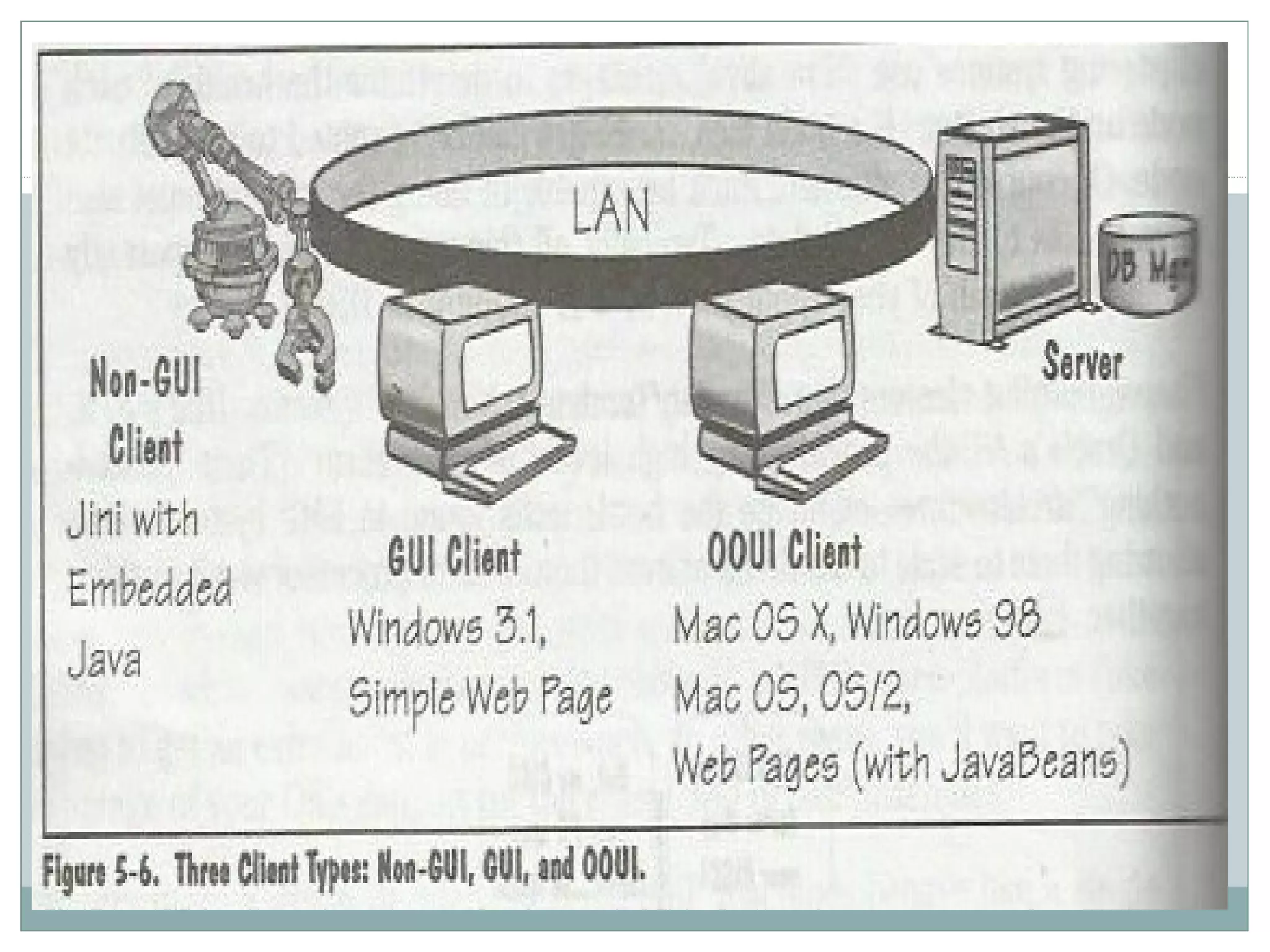
 Non-GUI Clients, 
 GUI Clients, 
 OOUI Clients.
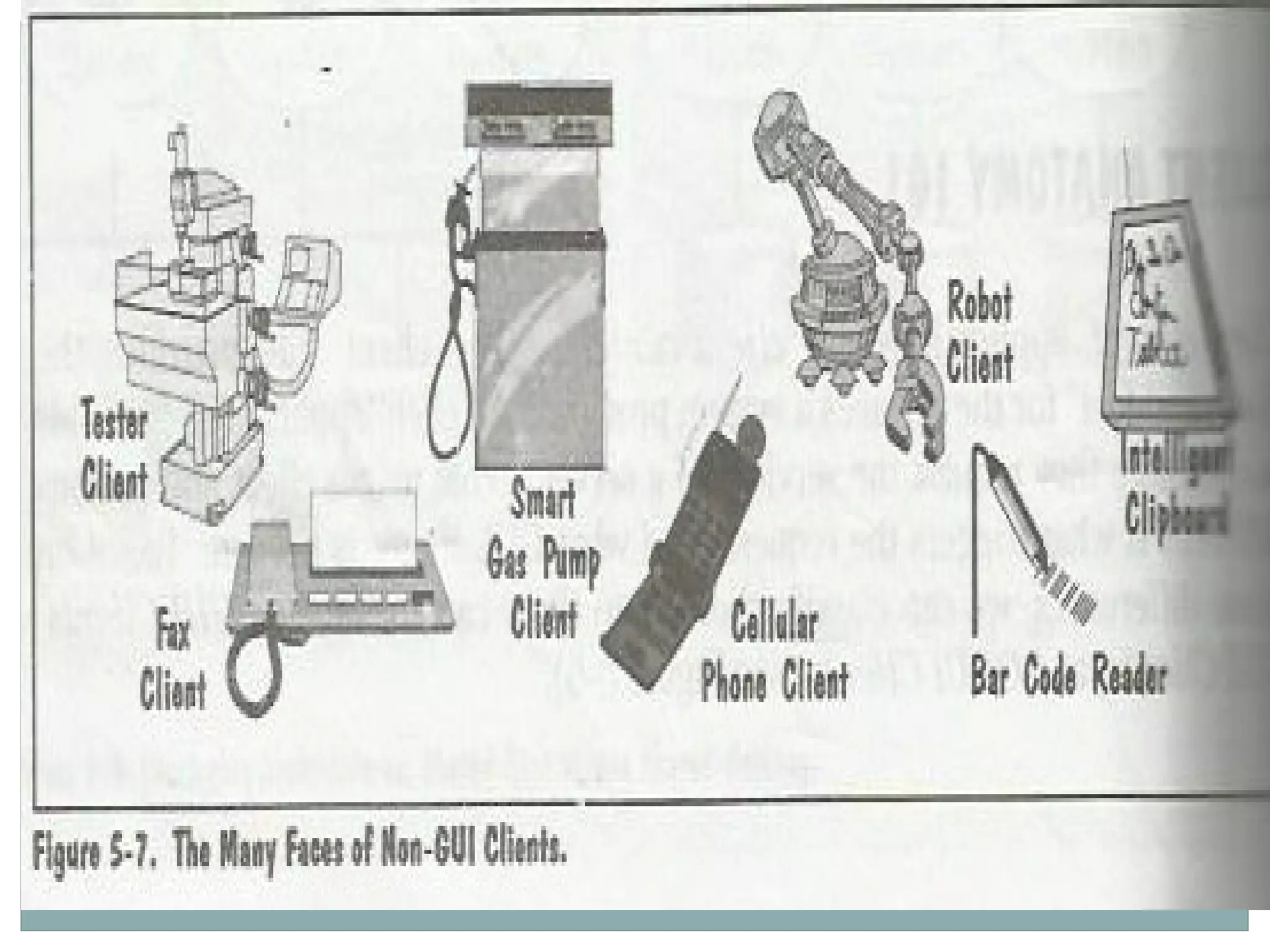
1. NON-GUI CLIENTS 
Non-GUI client applications generate server requests 
with a minimal amount of human interaction. Non- 
GUI clients fall into 2 sub-categories: 
 Non-GUI clients that do not need multitasking: 
Examples include automatic teller machines, barcode readers, 
cellular phones, fax machines. 
 Non-GUI clients that need multitasking: Examples 
include robots, testers and daemon programs. These clients 
often require very granular, real-time, event-driven 
multitasking services.
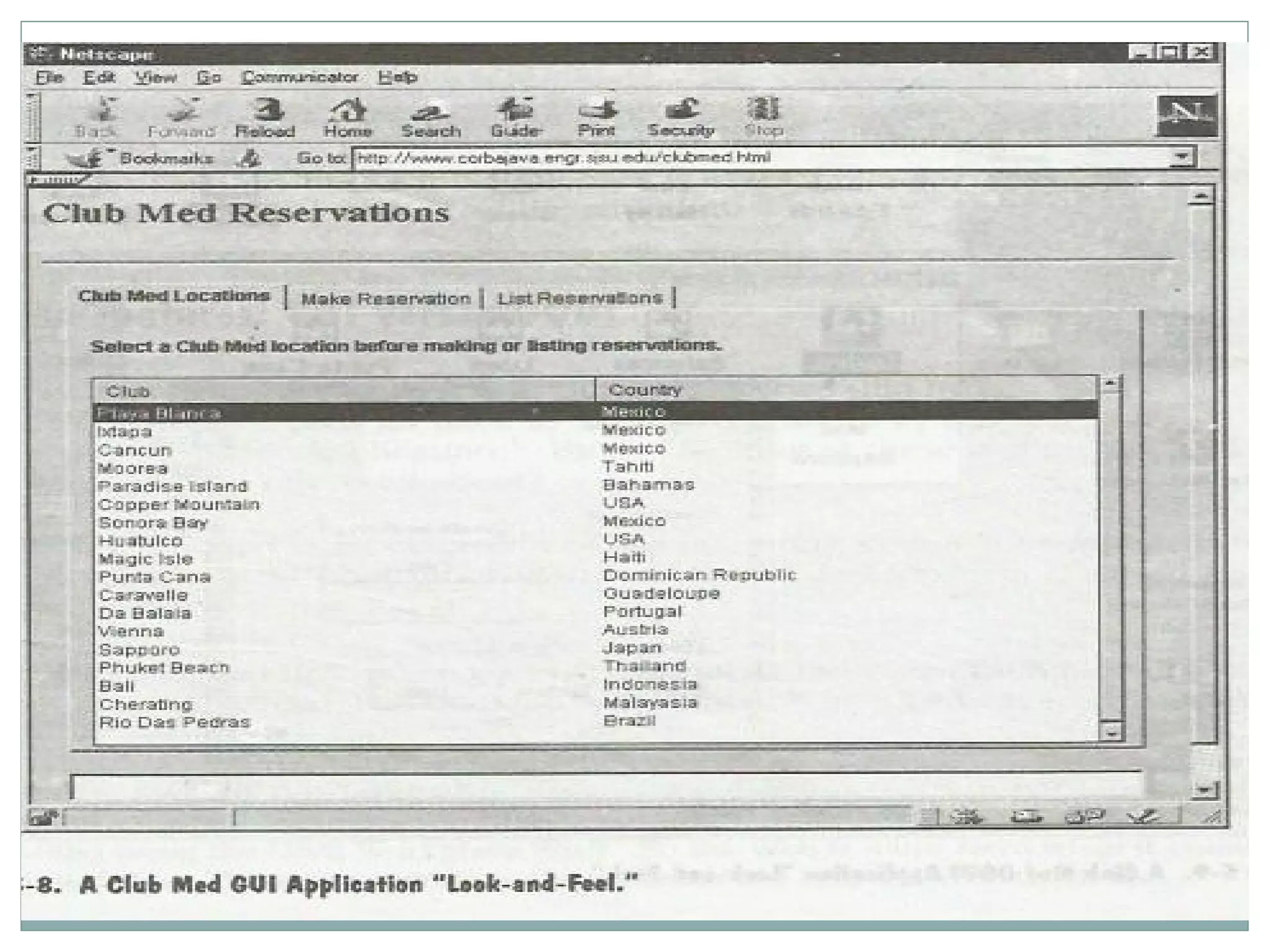
2. GUI Clients 
Simple GUI dialogs use the object/action model 
where users can select objects and then select the 
actions to be performed on the chosen objects. 
Used in Windows 3.X and OSF Motif applications, as 
well as most of today’s form-based Web pages.
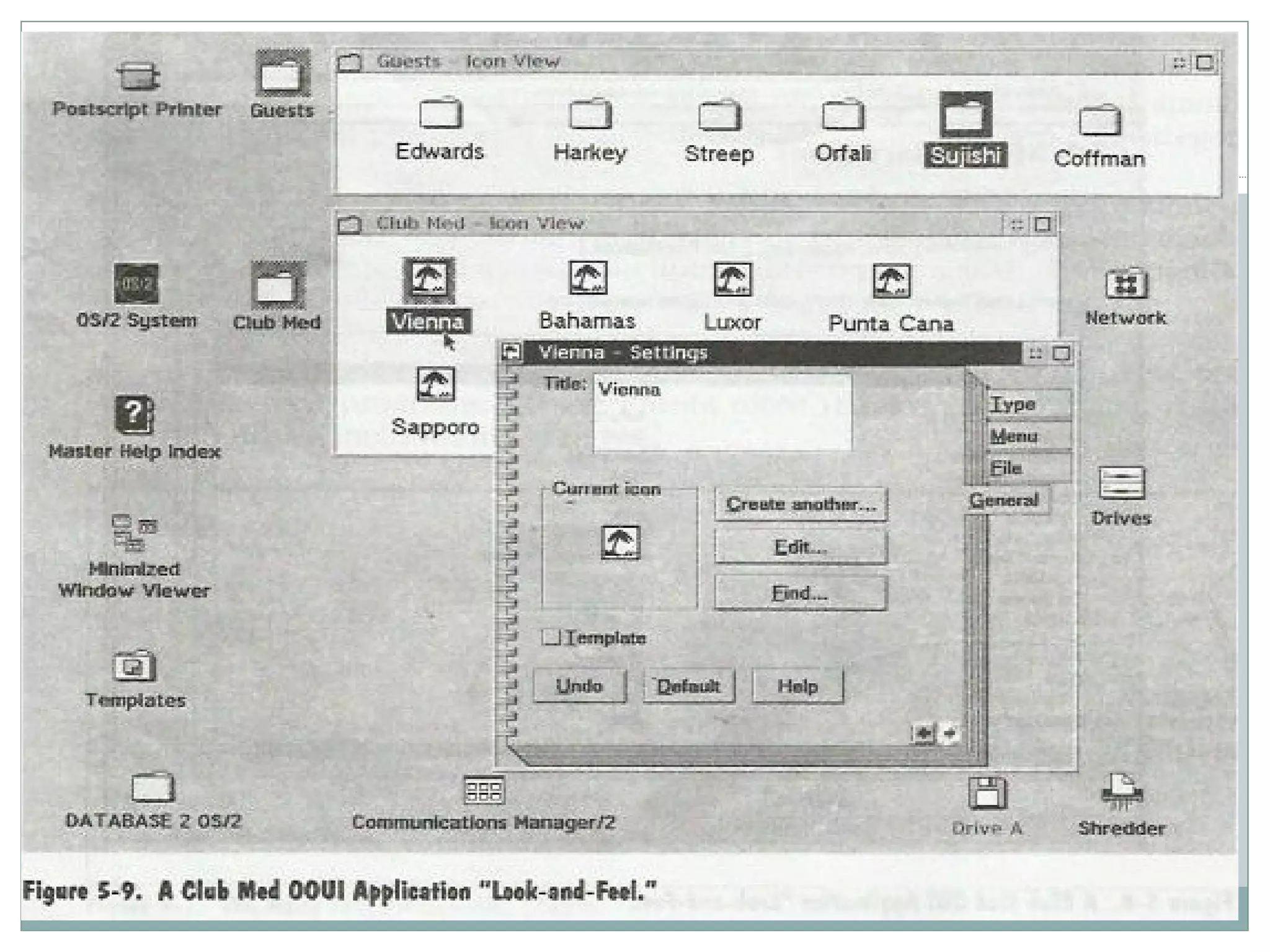
3. Object-Oriented User Interface Clients 
It provides a highly iconic, object-oriented user 
interface that lets you directly manipulate objects on 
a screen. 
OOUI are used by information workers doing 
multiple, variable tasks whose sequence cannot be 
predicted. 
Examples include Executive and Decision-Support 
applications, multimedia-based training systems, 
sytem management consoles and stockbroker 
workstations.
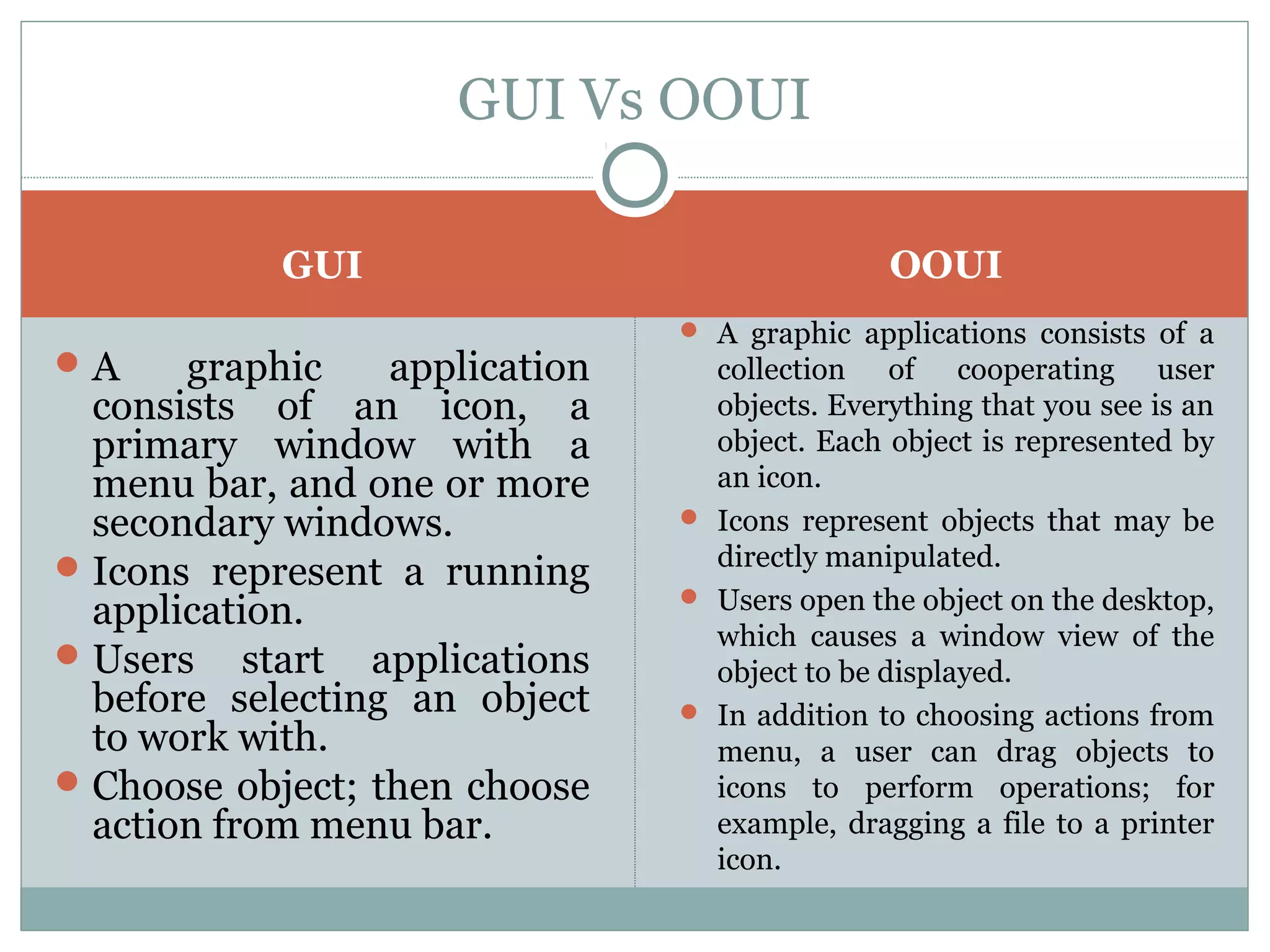
GUI Vs OOUI 
GUI OOUI 
A graphic application 
consists of an icon, a 
primary window with a 
menu bar, and one or more 
secondary windows. 
Icons represent a running 
application. 
Users start applications 
before selecting an object 
to work with. 
Choose object; then choose 
action from menu bar. 
 A graphic applications consists of a 
collection of cooperating user 
objects. Everything that you see is an 
object. Each object is represented by 
an icon. 
 Icons represent objects that may be 
directly manipulated. 
 Users open the object on the desktop, 
which causes a window view of the 
object to be displayed. 
 In addition to choosing actions from 
menu, a user can drag objects to 
icons to perform operations; for 
example, dragging a file to a printer 
icon.
CLIENT NEED FROM AN OS 
All Client applications need some mechanism to communicate 
service requests and files to a server. 
GUI and OOUI clients work best with a thread-like mechanism 
for handling the background requests. 
By using seperate threads for the user interface and background 
processing, the program can respond to user input while a 
seperate thread handles the interaction with the server. 
Priority-based, preemptive multitasking is also required to 
respond to multimedia devices and to create client applications 
where multiple dialogs are displayed in parallel. 
The most important requirement of a client OS is to host mobile 
code in a secure fashion. This lets servers ship mobile code to 
clients on an as-needed basis.
CLIENT OS TRENDS 
The desktop is becoming more fragmented. 
The universal client is really a Web Browser. 
There will be a huge demand for super-fat PCs. 
There will be a huge demand for ultra-thin PCs. 
Embedded clients will be everywhere.
SERVER OS TRENDS 
According to IDC, the fastest growing category is 
application servers. 
All server Oss – including NetWare, OS/2, NT, and 
all the Unixes – are going after this high-growth 
market.
SERVER OS TRENDS 
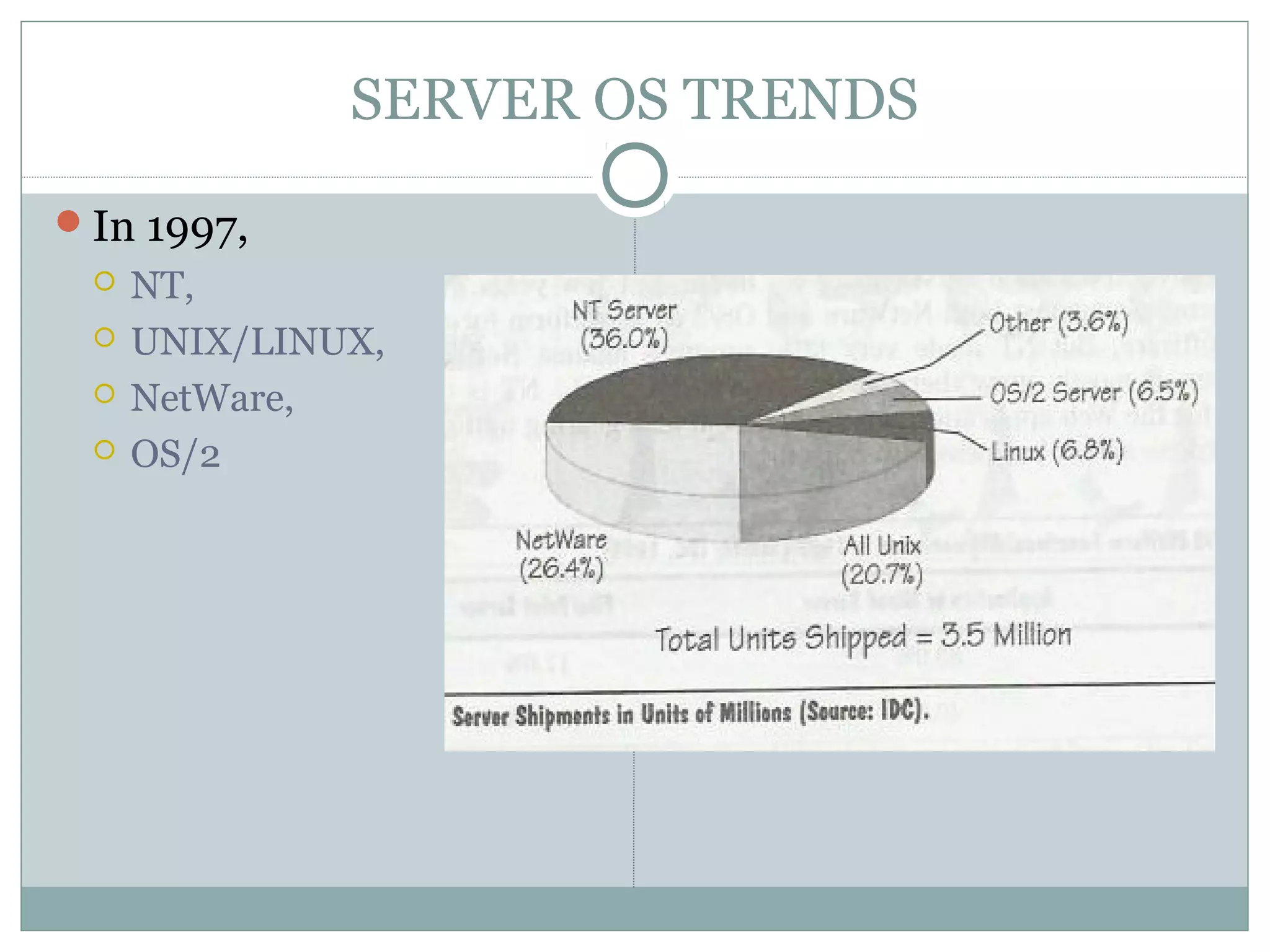
In 1997, 
 NT, 
 UNIX/LINUX, 
 NetWare, 
 OS/2
SERVER OS TRENDS 
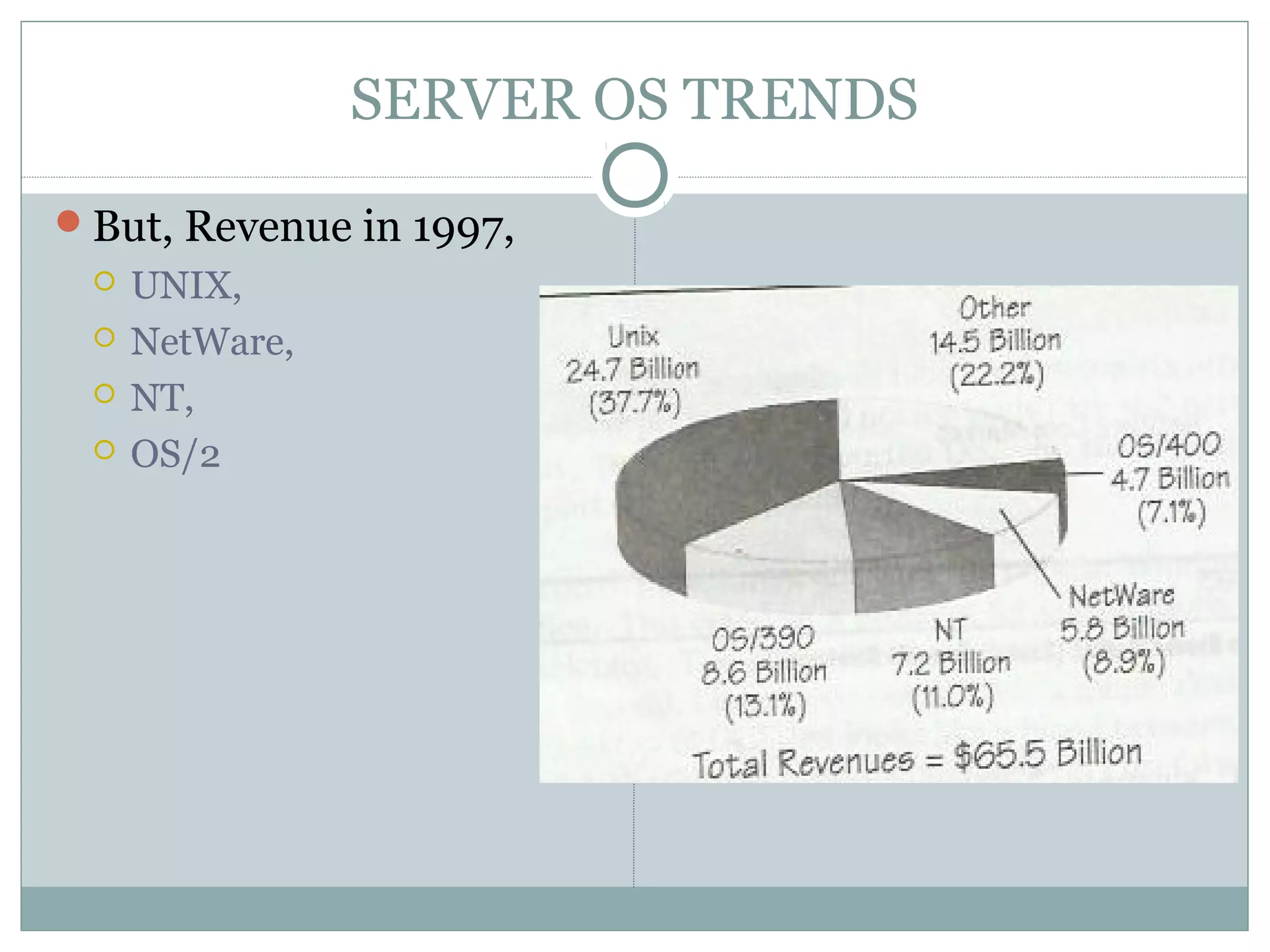
But, Revenue in 1997, 
 UNIX, 
 NetWare, 
 NT, 
 OS/2

Client Server Computing : unit 1

  • 1.
    CLIENT SERVER COMPUTING UNIT 1 CLIENT SERVER OPERATING SYSTEM
  • 2.
    CLIENT ANATOMY AllClient applications request the services of a server. What makes client applications different is what triggers the request and what GUI is used. Based on these differences, we can classify clients into three categories:  Non-GUI Clients,  GUI Clients,  OOUI Clients.
  • 4.
    1. NON-GUI CLIENTS Non-GUI client applications generate server requests with a minimal amount of human interaction. Non- GUI clients fall into 2 sub-categories:  Non-GUI clients that do not need multitasking: Examples include automatic teller machines, barcode readers, cellular phones, fax machines.  Non-GUI clients that need multitasking: Examples include robots, testers and daemon programs. These clients often require very granular, real-time, event-driven multitasking services.
  • 6.
    2. GUI Clients Simple GUI dialogs use the object/action model where users can select objects and then select the actions to be performed on the chosen objects. Used in Windows 3.X and OSF Motif applications, as well as most of today’s form-based Web pages.
  • 8.
    3. Object-Oriented UserInterface Clients It provides a highly iconic, object-oriented user interface that lets you directly manipulate objects on a screen. OOUI are used by information workers doing multiple, variable tasks whose sequence cannot be predicted. Examples include Executive and Decision-Support applications, multimedia-based training systems, sytem management consoles and stockbroker workstations.
  • 10.
    GUI Vs OOUI GUI OOUI A graphic application consists of an icon, a primary window with a menu bar, and one or more secondary windows. Icons represent a running application. Users start applications before selecting an object to work with. Choose object; then choose action from menu bar.  A graphic applications consists of a collection of cooperating user objects. Everything that you see is an object. Each object is represented by an icon.  Icons represent objects that may be directly manipulated.  Users open the object on the desktop, which causes a window view of the object to be displayed.  In addition to choosing actions from menu, a user can drag objects to icons to perform operations; for example, dragging a file to a printer icon.
  • 11.
    CLIENT NEED FROMAN OS All Client applications need some mechanism to communicate service requests and files to a server. GUI and OOUI clients work best with a thread-like mechanism for handling the background requests. By using seperate threads for the user interface and background processing, the program can respond to user input while a seperate thread handles the interaction with the server. Priority-based, preemptive multitasking is also required to respond to multimedia devices and to create client applications where multiple dialogs are displayed in parallel. The most important requirement of a client OS is to host mobile code in a secure fashion. This lets servers ship mobile code to clients on an as-needed basis.
  • 12.
    CLIENT OS TRENDS The desktop is becoming more fragmented. The universal client is really a Web Browser. There will be a huge demand for super-fat PCs. There will be a huge demand for ultra-thin PCs. Embedded clients will be everywhere.
  • 13.
    SERVER OS TRENDS According to IDC, the fastest growing category is application servers. All server Oss – including NetWare, OS/2, NT, and all the Unixes – are going after this high-growth market.
  • 14.
    SERVER OS TRENDS In 1997,  NT,  UNIX/LINUX,  NetWare,  OS/2
  • 15.
    SERVER OS TRENDS But, Revenue in 1997,  UNIX,  NetWare,  NT,  OS/2