Download to read offline
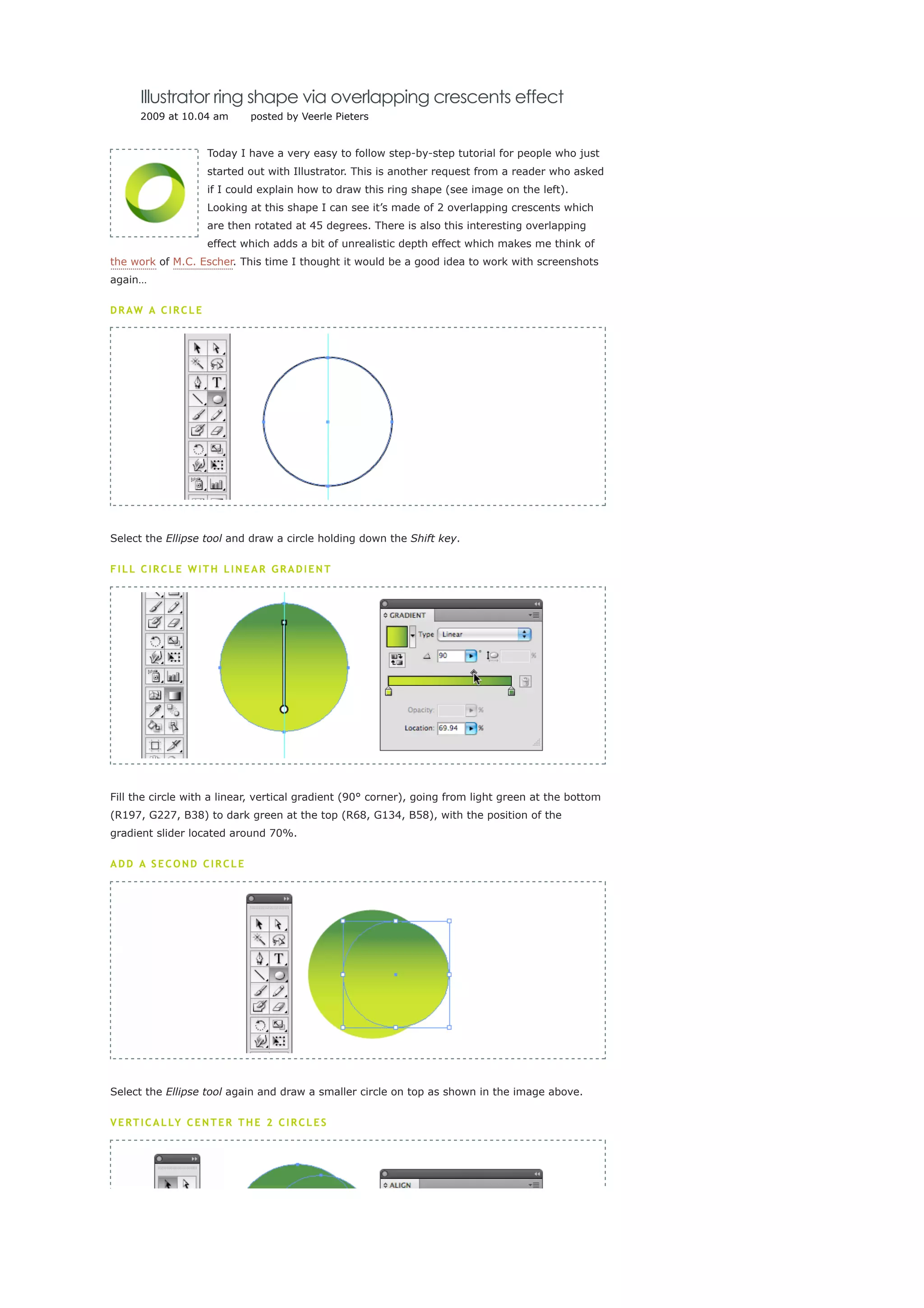
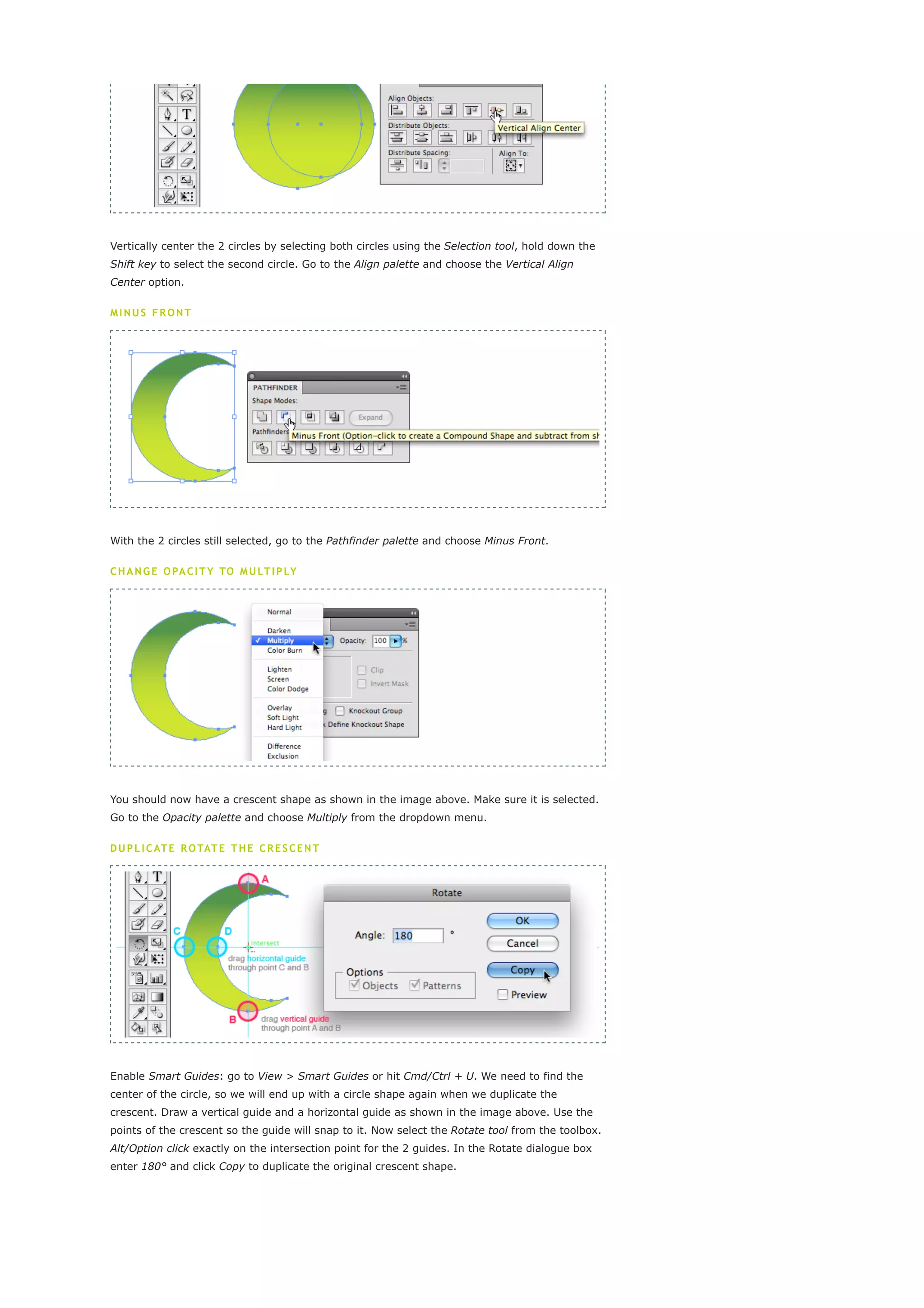
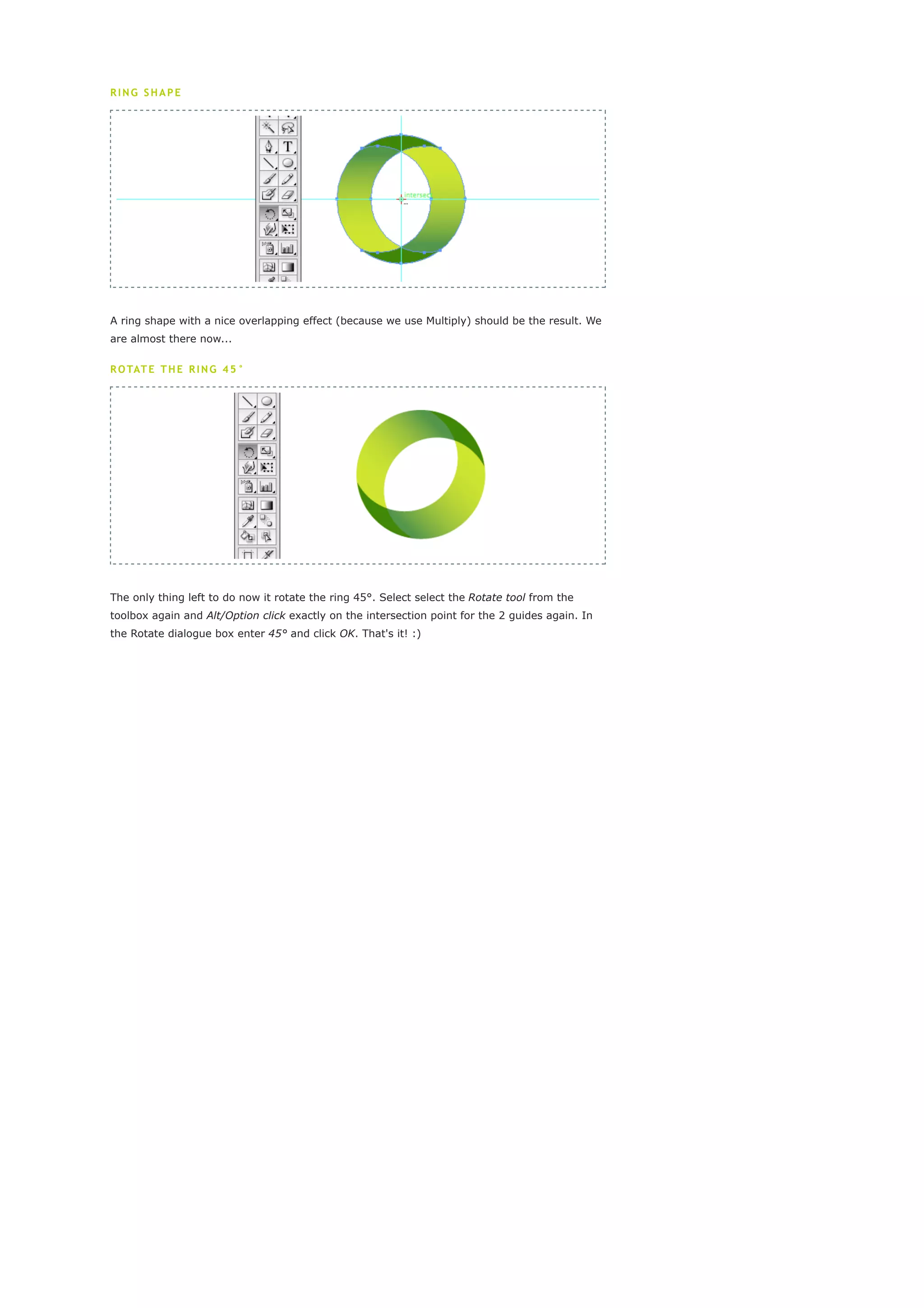

The document provides a step-by-step tutorial for creating a ring shape in Illustrator using overlapping crescents. It explains how to draw two circles, subtract one from the other to create a crescent, duplicate and rotate the crescent to form a ring, and finally rotate the ring 45 degrees to match the example image. The tutorial uses screenshots to clearly illustrate each step in the process.


