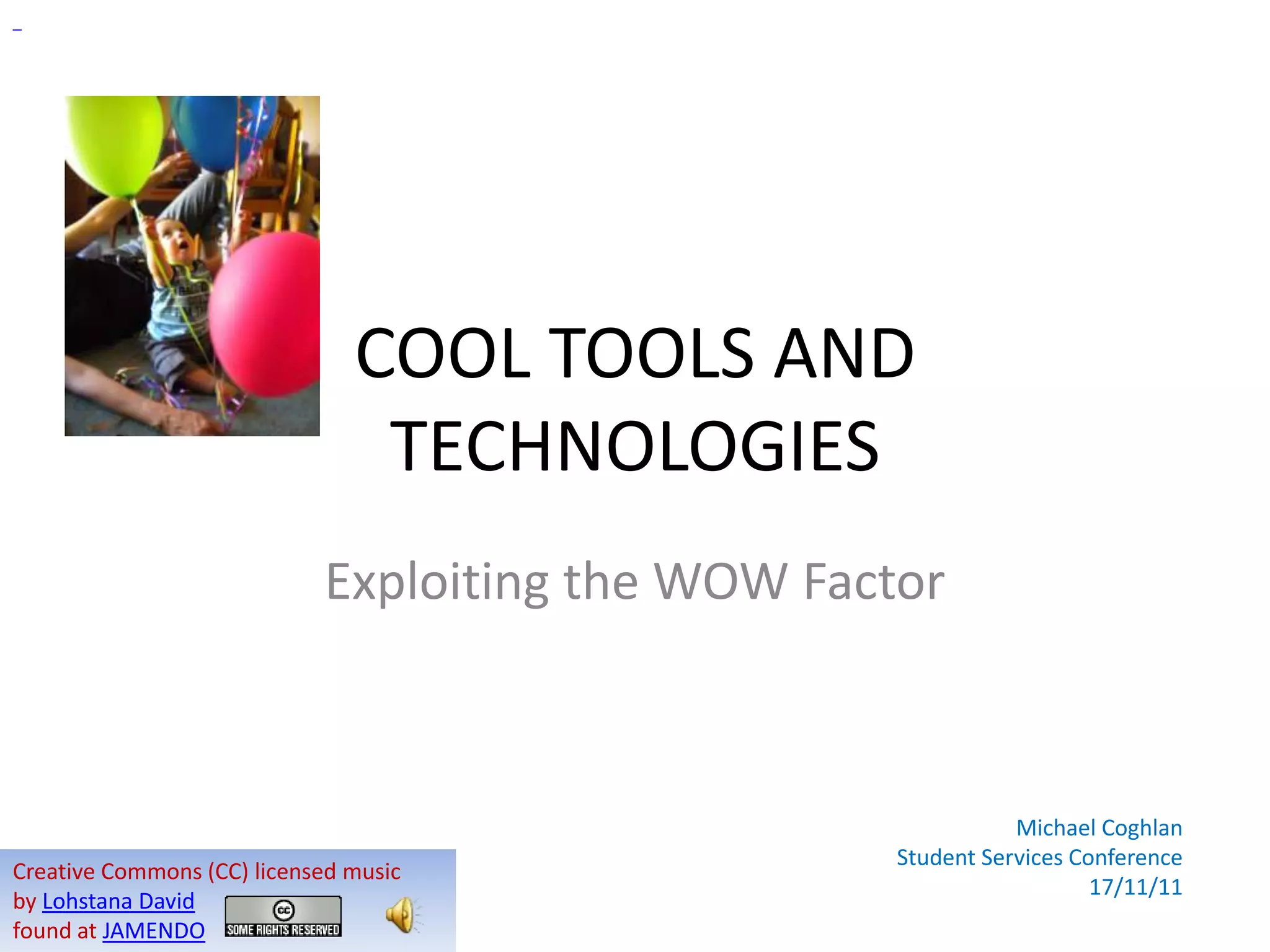



COOL TOOLS AND
                                TECHNOLOGIES
                            Exploiting the WOW Factor


                                                              Michael Coghlan
                                                   Student Services Conference
Creative Commons (CC) licensed music
                                                                      17/11/11
by Lohstana David
found at JAMENDO
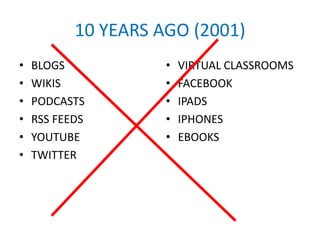
10 YEARS AGO (2001)
•   BLOGS            •   VIRTUAL CLASSROOMS
•   WIKIS            •   FACEBOOK
•   PODCASTS         •   IPADS
•   RSS FEEDS        •   IPHONES
•   YOUTUBE          •   EBOOKS
•   TWITTER
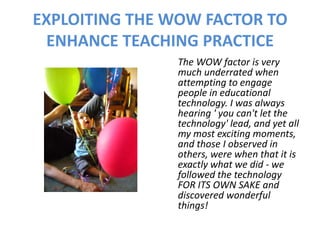
EXPLOITING THE WOW FACTOR TO
  ENHANCE TEACHING PRACTICE
               The WOW factor is very
               much underrated when
               attempting to engage
               people in educational
               technology. I was always
               hearing ' you can't let the
               technology' lead, and yet all
               my most exciting moments,
               and those I observed in
               others, were when that it is
               exactly what we did - we
               followed the technology
               FOR ITS OWN SAKE and
               discovered wonderful
               things!
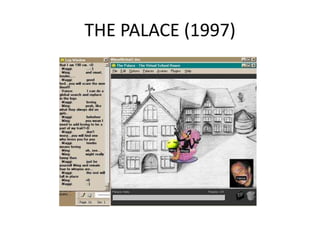
THE PALACE (1997)
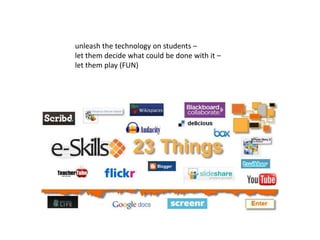
unleash the technology on students –
let them decide what could be done with it –
let them play (FUN)
THEORIES ABOUT TECHNOLOGY
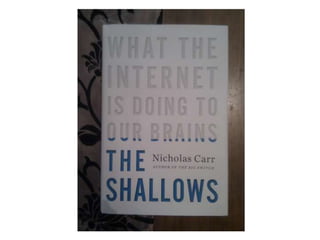
1. Technological determinism: technology is an external
   agent that acts upon people and changes society.
2. Social construction of technology (SCOT): it is human
   decisions and processes that create the technologies we
   have, and that the prevailing social milieu has an
   influential role in the decisions we make about how we
   use that technology.
3. A middle ground between people and machine is the
   theory of Social Shaping. Nancy Baym refers to
   technologies having ‘logics’ that influence how we use
   them. Nicholas Carr calls them ‘ethics’:
       “the message that a tool or medium transmits into
       the minds and culture of its users”
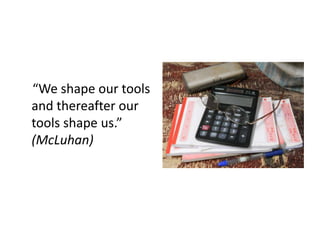
“We shape our tools
and thereafter our
tools shape us.”
(McLuhan)
“ALL GOOD
TECHNOLOGY IS
INDISTINGUISHABLE
FROM MAGIC.”
(Arthur C Clarke)


                    Creative Commons Image from dibytes
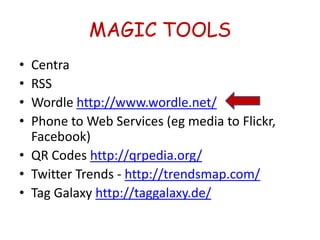
MAGIC TOOLS
• Centra
• RSS
• Wordle http://www.wordle.net/
• Phone to Web Services (eg media to Flickr,
  Facebook)
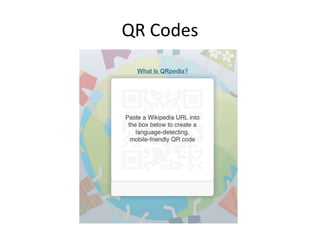
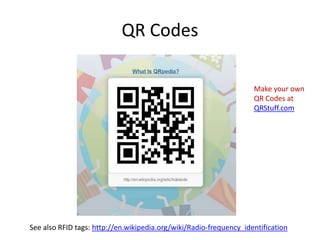
• QR Codes http://qrpedia.org/
• Twitter Trends - http://trendsmap.com/
• Tag Galaxy http://taggalaxy.de/
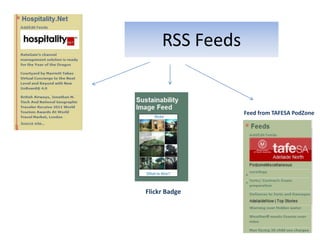
RSS Feeds


                 Feed from TAFESA PodZone


Flickr Badge
MAGIC TOOLS
• Centra
• RSS
• Wordle http://www.wordle.net/
• Phone to Web Services (eg media to Flickr,
  Facebook)
• QR Codes http://qrpedia.org/
• Twitter Trends - http://trendsmap.com/
• Tag Galaxy http://taggalaxy.de/
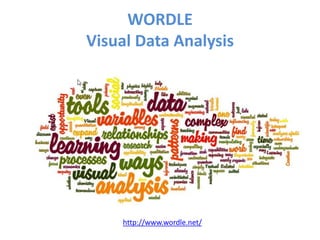
WORDLE
Visual Data Analysis


    http://www.wordle.net/
MAGIC TOOLS
• Centra
• RSS
• Wordle http://www.wordle.net/
• Phone to Web Services (eg media to Flickr,
  Facebook)
• QR Codes http://qrpedia.org/
• Twitter Trends - http://trendsmap.com/
• Tag Galaxy http://taggalaxy.de/
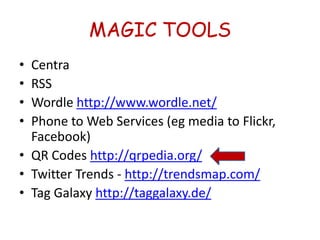
QR Codes
QR Codes

                                                                    Make your own
                                                                    QR Codes at
                                                                    QRStuff.com


See also RFID tags: http://en.wikipedia.org/wiki/Radio-frequency_identification
MAGIC TOOLS
• Centra
• RSS
• Wordle http://www.wordle.net/
• Phone to Web Services (eg media to Flickr,
  Facebook)
• QR Codes http://qrpedia.org/
• Twitter Trends - http://trendsmap.com/
• Tag Galaxy http://taggalaxy.de/
OTHER COOL TOOLS
• Flickr
• POV (Point of View) Technology
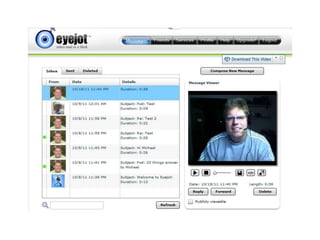
• Eyejot (video mail) http://www.eyejot.com/
• Slideshare (sharing ppt slides)
  http://www.slideshare.net
• Screenr (creating screencasts)
  http://www.screenr.com/
• Wolfram Alpha (numerical search engine)
  http://www.wolframalpha.com/
TEACHING WITH
http://teachingwithflickr.wikispaces.com/
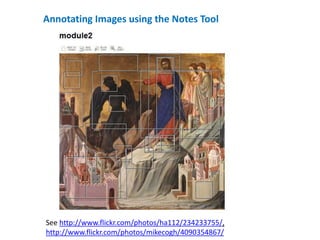
Annotating Images using the Notes Tool


See http://www.flickr.com/photos/ha112/234233755/,
http://www.flickr.com/photos/mikecogh/4090354867/
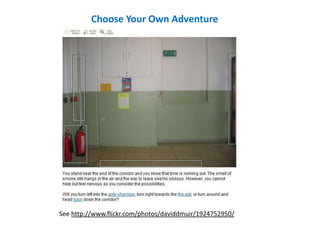
Choose Your Own Adventure


See http://www.flickr.com/photos/daviddmuir/1924752950/
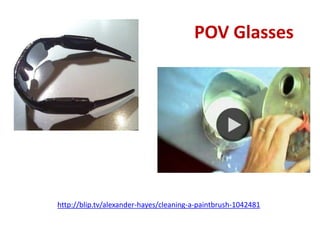
POV Glasses


http://blip.tv/alexander-hayes/cleaning-a-paintbrush-1042481
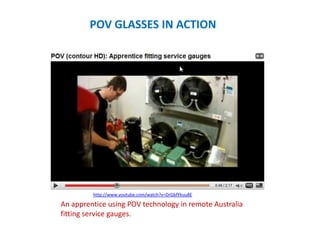
POV GLASSES IN ACTION


         http://www.youtube.com/watch?v=DrGbfYkuu8E

An apprentice using POV technology in remote Australia
fitting service gauges.
OTHER COOL TOOLS
• Flickr
• POV (Point of View) Technology
• Eyejot (video mail) http://www.eyejot.com/
• Slideshare (sharing ppt slides)
  http://www.slideshare.net
• Screenr (creating screencasts)
  http://www.screenr.com/
• Wolfram Alpha (numerical search engine)
  http://www.wolframalpha.com/
WHAT’S ON THE HORIZON?

  a summary of recent Horizon
      Reports 2010/2011
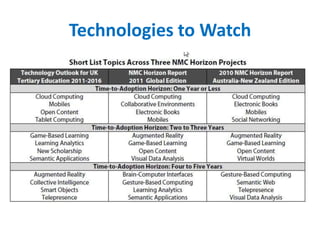
Technologies to Watch
TIME TO ADOPTION – 1 yr or less
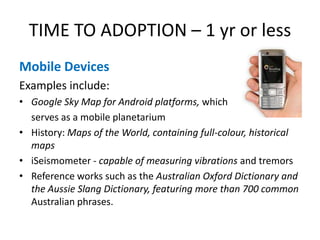
Mobile Devices
Examples include:
• Google Sky Map for Android platforms, which
  serves as a mobile planetarium
• History: Maps of the World, containing full-colour, historical
  maps
• iSeismometer - capable of measuring vibrations and tremors
• Reference works such as the Australian Oxford Dictionary and
  the Aussie Slang Dictionary, featuring more than 700 common
  Australian phrases.
TIME TO ADOPTION – 1 yr or less
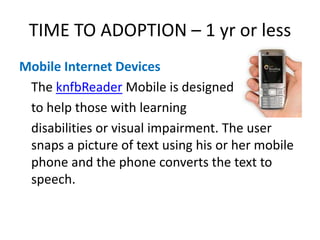
Mobile Internet Devices
 The knfbReader Mobile is designed
 to help those with learning
 disabilities or visual impairment. The user
 snaps a picture of text using his or her mobile
 phone and the phone converts the text to
 speech.
TIME TO ADOPTION –
1 yr or less

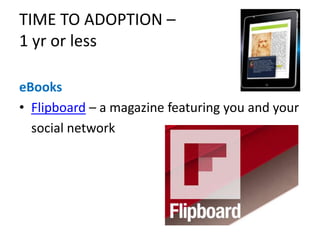
eBooks
• Flipboard – a magazine featuring you and your
  social network
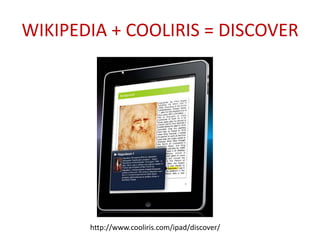
WIKIPEDIA + COOLIRIS = DISCOVER


       http://www.cooliris.com/ipad/discover/
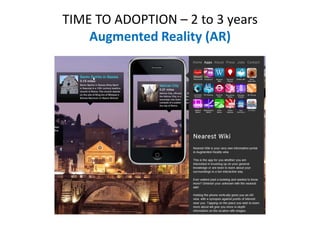
TIME TO ADOPTION – 2 to 3 years
    Augmented Reality (AR)
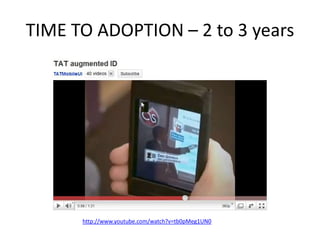
TIME TO ADOPTION – 2 to 3 years


      http://www.youtube.com/watch?v=tb0pMeg1UN0
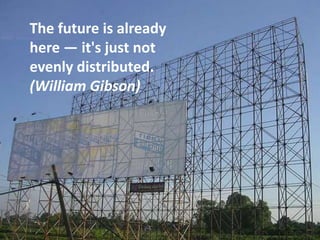
The future is already
here — it's just not
evenly distributed.
(William Gibson)
TIME TO ADOPTION – 2 to 3 years


        http://www.vimeo.com/2341387
TIME TO ADOPTION – 4 to 5 years
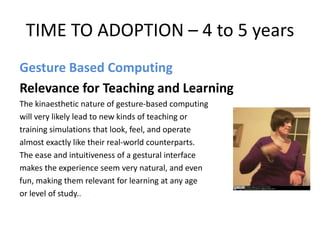
Gesture Based Computing
Relevance for Teaching and Learning
The kinaesthetic nature of gesture-based computing
will very likely lead to new kinds of teaching or
training simulations that look, feel, and operate
almost exactly like their real-world counterparts.
The ease and intuitiveness of a gestural interface
makes the experience seem very natural, and even
fun, making them relevant for learning at any age
or level of study..
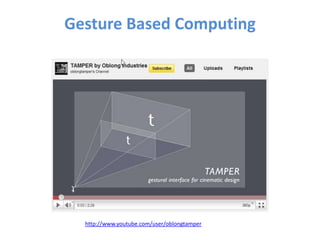
Gesture Based Computing


  http://www.youtube.com/user/oblongtamper
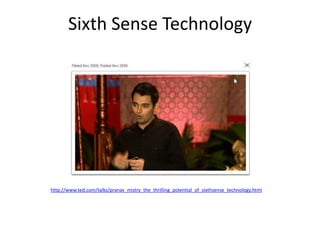
Sixth Sense Technology


http://www.ted.com/talks/pranav_mistry_the_thrilling_potential_of_sixthsense_technology.html
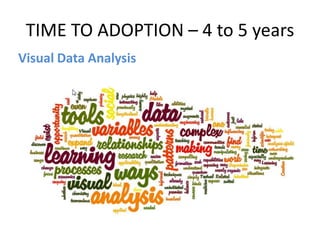
TIME TO ADOPTION – 4 to 5 years
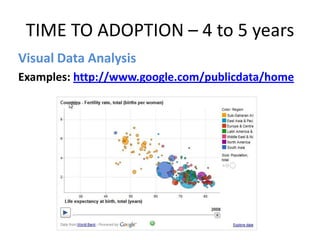
Visual Data Analysis
TIME TO ADOPTION – 4 to 5 years
Visual Data Analysis
Examples: http://www.google.com/publicdata/home
TIME TO ADOPTION – 4 to 5 years
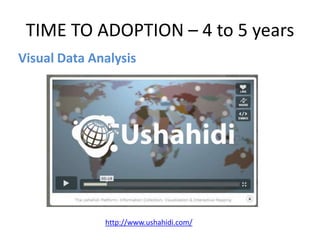
Visual Data Analysis


              http://www.ushahidi.com/
TIME TO ADOPTION – 4 to 5 years
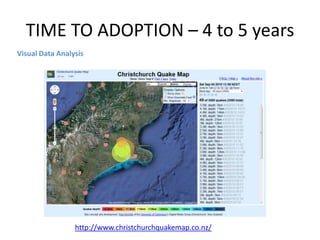
Visual Data Analysis


                 http://www.christchurchquakemap.co.nz/
THE APP WORLD
       These are MAGIC:

       •   SoundHound
       •   My Tracks
       •   Google Goggles
       •   Flightradar 24
       •   Etc etc
THE COOLEST TOOL OF ALL
          IS
      YOU!!!


                JanneM @ flickr.com
Organisations will need to adapt to the fact that web 2.0 citizens will
enter places of work and learning highly connected to a network of
peers that they rely on for entertainment, mutual learning, and
collaboration. They may expect to be able to make use of these personal
learning and social networks, and the technologies that make these
networks possible, in their places of work or study. These web 2.0
citizens operate in a world that is open and mobile, and they are unlikely
to accept authority that is automatically assigned to a position. Their
world is flat and devoid of hierarchy. In a world where information about
their areas of interest or expertise is increasing exponentially they will
place greater store on connected networks, which may extend beyond
classroom or workplace boundaries, and knowing where to get the
knowledge and information they need, is more important than having
that knowledge and information themselves.


                     http://flickr.com/photos/7447470@N06/1345266896/
THANK YOU

           Michael Coghlan
           michaelc@chariot.net.au


                                       Australian – New Zealand 2010 Horizon Report HERE


Creative Commons (CC) licensed music
by Lohstana David
found at JAMENDO

Cool Tools and Technologies - Exploiting the WOW Factor

  • 1.
    COOL TOOLS AND TECHNOLOGIES Exploiting the WOW Factor Michael Coghlan Student Services Conference Creative Commons (CC) licensed music 17/11/11 by Lohstana David found at JAMENDO
  • 2.
    10 YEARS AGO(2001) • BLOGS • VIRTUAL CLASSROOMS • WIKIS • FACEBOOK • PODCASTS • IPADS • RSS FEEDS • IPHONES • YOUTUBE • EBOOKS • TWITTER
  • 3.
    EXPLOITING THE WOWFACTOR TO ENHANCE TEACHING PRACTICE The WOW factor is very much underrated when attempting to engage people in educational technology. I was always hearing ' you can't let the technology' lead, and yet all my most exciting moments, and those I observed in others, were when that it is exactly what we did - we followed the technology FOR ITS OWN SAKE and discovered wonderful things!
  • 4.
  • 5.
    unleash the technologyon students – let them decide what could be done with it – let them play (FUN)
  • 7.
    THEORIES ABOUT TECHNOLOGY 1.Technological determinism: technology is an external agent that acts upon people and changes society. 2. Social construction of technology (SCOT): it is human decisions and processes that create the technologies we have, and that the prevailing social milieu has an influential role in the decisions we make about how we use that technology. 3. A middle ground between people and machine is the theory of Social Shaping. Nancy Baym refers to technologies having ‘logics’ that influence how we use them. Nicholas Carr calls them ‘ethics’: “the message that a tool or medium transmits into the minds and culture of its users”
  • 8.
    “We shape ourtools and thereafter our tools shape us.” (McLuhan)
  • 9.
    “ALL GOOD TECHNOLOGY IS INDISTINGUISHABLE FROMMAGIC.” (Arthur C Clarke) Creative Commons Image from dibytes
  • 10.
    MAGIC TOOLS • Centra •RSS • Wordle http://www.wordle.net/ • Phone to Web Services (eg media to Flickr, Facebook) • QR Codes http://qrpedia.org/ • Twitter Trends - http://trendsmap.com/ • Tag Galaxy http://taggalaxy.de/
  • 11.
    RSS Feeds Feed from TAFESA PodZone Flickr Badge
  • 12.
    MAGIC TOOLS • Centra •RSS • Wordle http://www.wordle.net/ • Phone to Web Services (eg media to Flickr, Facebook) • QR Codes http://qrpedia.org/ • Twitter Trends - http://trendsmap.com/ • Tag Galaxy http://taggalaxy.de/
  • 13.
    WORDLE Visual Data Analysis http://www.wordle.net/
  • 16.
    MAGIC TOOLS • Centra •RSS • Wordle http://www.wordle.net/ • Phone to Web Services (eg media to Flickr, Facebook) • QR Codes http://qrpedia.org/ • Twitter Trends - http://trendsmap.com/ • Tag Galaxy http://taggalaxy.de/
  • 17.
  • 18.
    QR Codes Make your own QR Codes at QRStuff.com See also RFID tags: http://en.wikipedia.org/wiki/Radio-frequency_identification
  • 19.
    MAGIC TOOLS • Centra •RSS • Wordle http://www.wordle.net/ • Phone to Web Services (eg media to Flickr, Facebook) • QR Codes http://qrpedia.org/ • Twitter Trends - http://trendsmap.com/ • Tag Galaxy http://taggalaxy.de/
  • 20.
    OTHER COOL TOOLS •Flickr • POV (Point of View) Technology • Eyejot (video mail) http://www.eyejot.com/ • Slideshare (sharing ppt slides) http://www.slideshare.net • Screenr (creating screencasts) http://www.screenr.com/ • Wolfram Alpha (numerical search engine) http://www.wolframalpha.com/
  • 21.
  • 22.
    Annotating Images usingthe Notes Tool See http://www.flickr.com/photos/ha112/234233755/, http://www.flickr.com/photos/mikecogh/4090354867/
  • 23.
    Choose Your OwnAdventure See http://www.flickr.com/photos/daviddmuir/1924752950/
  • 24.
  • 25.
    POV GLASSES INACTION http://www.youtube.com/watch?v=DrGbfYkuu8E An apprentice using POV technology in remote Australia fitting service gauges.
  • 27.
    OTHER COOL TOOLS •Flickr • POV (Point of View) Technology • Eyejot (video mail) http://www.eyejot.com/ • Slideshare (sharing ppt slides) http://www.slideshare.net • Screenr (creating screencasts) http://www.screenr.com/ • Wolfram Alpha (numerical search engine) http://www.wolframalpha.com/
  • 28.
    WHAT’S ON THEHORIZON? a summary of recent Horizon Reports 2010/2011
  • 29.
  • 30.
    TIME TO ADOPTION– 1 yr or less Mobile Devices Examples include: • Google Sky Map for Android platforms, which serves as a mobile planetarium • History: Maps of the World, containing full-colour, historical maps • iSeismometer - capable of measuring vibrations and tremors • Reference works such as the Australian Oxford Dictionary and the Aussie Slang Dictionary, featuring more than 700 common Australian phrases.
  • 31.
    TIME TO ADOPTION– 1 yr or less Mobile Internet Devices The knfbReader Mobile is designed to help those with learning disabilities or visual impairment. The user snaps a picture of text using his or her mobile phone and the phone converts the text to speech.
  • 32.
    TIME TO ADOPTION– 1 yr or less eBooks • Flipboard – a magazine featuring you and your social network
  • 33.
    WIKIPEDIA + COOLIRIS= DISCOVER http://www.cooliris.com/ipad/discover/
  • 34.
    TIME TO ADOPTION– 2 to 3 years Augmented Reality (AR)
  • 35.
    TIME TO ADOPTION– 2 to 3 years http://www.youtube.com/watch?v=tb0pMeg1UN0
  • 36.
    The future isalready here — it's just not evenly distributed. (William Gibson)
  • 37.
    TIME TO ADOPTION– 2 to 3 years http://www.vimeo.com/2341387
  • 38.
    TIME TO ADOPTION– 4 to 5 years Gesture Based Computing Relevance for Teaching and Learning The kinaesthetic nature of gesture-based computing will very likely lead to new kinds of teaching or training simulations that look, feel, and operate almost exactly like their real-world counterparts. The ease and intuitiveness of a gestural interface makes the experience seem very natural, and even fun, making them relevant for learning at any age or level of study..
  • 39.
    Gesture Based Computing http://www.youtube.com/user/oblongtamper
  • 40.
  • 41.
    TIME TO ADOPTION– 4 to 5 years Visual Data Analysis
  • 42.
    TIME TO ADOPTION– 4 to 5 years Visual Data Analysis Examples: http://www.google.com/publicdata/home
  • 43.
    TIME TO ADOPTION– 4 to 5 years Visual Data Analysis http://www.ushahidi.com/
  • 44.
    TIME TO ADOPTION– 4 to 5 years Visual Data Analysis http://www.christchurchquakemap.co.nz/
  • 45.
    THE APP WORLD These are MAGIC: • SoundHound • My Tracks • Google Goggles • Flightradar 24 • Etc etc
  • 48.
    THE COOLEST TOOLOF ALL IS YOU!!! JanneM @ flickr.com
  • 49.
    Organisations will needto adapt to the fact that web 2.0 citizens will enter places of work and learning highly connected to a network of peers that they rely on for entertainment, mutual learning, and collaboration. They may expect to be able to make use of these personal learning and social networks, and the technologies that make these networks possible, in their places of work or study. These web 2.0 citizens operate in a world that is open and mobile, and they are unlikely to accept authority that is automatically assigned to a position. Their world is flat and devoid of hierarchy. In a world where information about their areas of interest or expertise is increasing exponentially they will place greater store on connected networks, which may extend beyond classroom or workplace boundaries, and knowing where to get the knowledge and information they need, is more important than having that knowledge and information themselves. http://flickr.com/photos/7447470@N06/1345266896/
  • 50.
    THANK YOU Michael Coghlan michaelc@chariot.net.au Australian – New Zealand 2010 Horizon Report HERE Creative Commons (CC) licensed music by Lohstana David found at JAMENDO

Editor's Notes

  • #16 Press F5 or enter presentation mode to view the poll\r\nIn an emergency during your presentation, if the poll isn't showing, navigate to this link in your web browser:\r\nhttp://www.polleverywhere.com/free_text_polls/LTE5NjMwOTc1MjAIf you like, you can use this slide as a template for your own voting slides. You might use a slide like this if you feel your audience would benefit from the picture showing a text message on a phone.
  • #48 Press F5 or enter presentation mode to view the poll\r\nIn an emergency during your presentation, if the poll isn't showing, navigate to this link in your web browser:\r\nhttp://www.polleverywhere.com/free_text_polls/LTE5NjMwOTc1MjAIf you like, you can use this slide as a template for your own voting slides. You might use a slide like this if you feel your audience would benefit from the picture showing a text message on a phone.