Effective Facilitation in
Synchronous Environments
        (Session 2 of 2)


                              Michael Coghlan
                              NewLearning
                              28/3/13
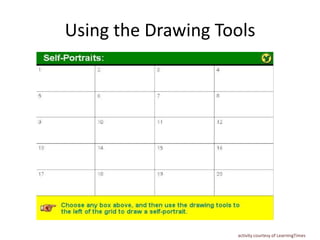
Using the Drawing Tools


                    activity courtesy of LearningTimes
TODAY’S AGENDA

• Whiteboard Activities
• Synch v asynch: resolving the tension
• More on Designing for interactivity
USE OF WEBCAMS

• Use your webcam (or at least show a picture)
  briefly at the start of the session as part of the
  introduction
• Have students do the same if they have them ,
  if they want to, and if bandwidth allows
• I recommend you then turn off webcams to
  conserve bandwidth, but it is a personal
  choice.
Establish ‘Modus Operandi’ (Ground
        Rules) for the session

• Questions/Comments: any time?
  Throughout session? At the end? In text
  chat? Via voice? Using
  the hands-up tool?
• How will you handle the
  text chat? Will you use a co-
  moderator?
META:
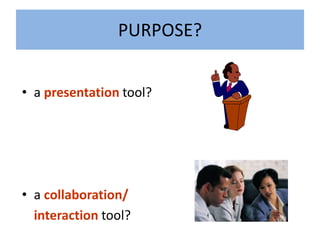
PURPOSE?


• a presentation tool?


• a collaboration/
  interaction tool?
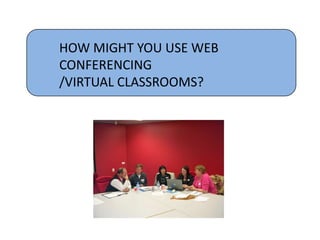
HOW MIGHT YOU USE WEB
CONFERENCING
/VIRTUAL CLASSROOMS?
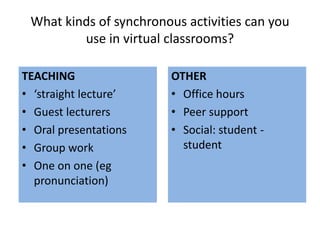
What kinds of synchronous activities can you
         use in virtual classrooms?

TEACHING                OTHER
• ‘straight lecture’    • Office hours
• Guest lecturers       • Peer support
• Oral presentations    • Social: student -
• Group work              student
• One on one (eg
  pronunciation)
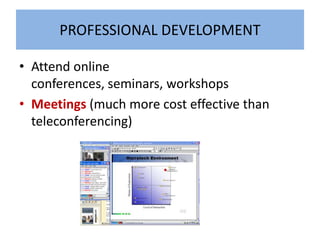
PROFESSIONAL DEVELOPMENT

• Attend online
  conferences, seminars, workshops
• Meetings (much more cost effective than
  teleconferencing)
SWOT ANALYSIS
ADVANTAGES/
DISADVANTAGES?
POETRY SLAM


              activity courtesy of LearningTimes
ANTICIPATED   PROBLEMS?
WHITEBOARD
    OR
 TEXT CHAT?
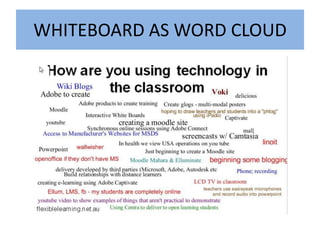
WHITEBOARD AS WORD CLOUD
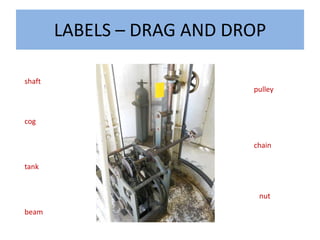
LABELS – DRAG AND DROP

shaft
                            pulley


cog


                            chain

tank


                             nut

beam
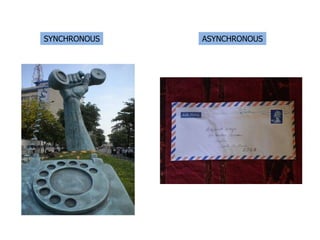
SYNCHRONOUS   ASYNCHRONOUS
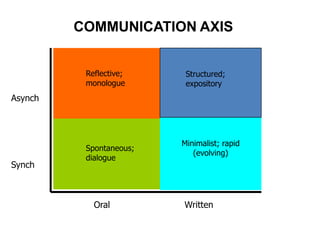
COMMUNICATION AXIS


          Reflective;     Structured;
          monologue       expository
Asynch


                         Minimalist; rapid
          Spontaneous;
                            (evolving)
          dialogue
Synch


            Oral         Written
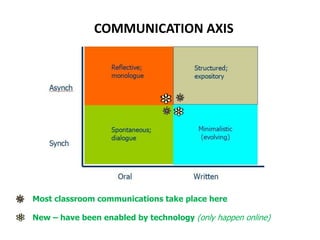
COMMUNICATION AXIS


Most classroom communications take place here

New – have been enabled by technology (only happen online)
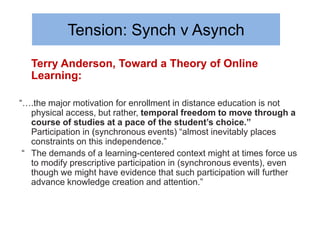
Tension: Synch v Asynch
  Terry Anderson, Toward a Theory of Online
  Learning:

“….the major motivation for enrollment in distance education is not
   physical access, but rather, temporal freedom to move through a
   course of studies at a pace of the student’s choice.”
   Participation in (synchronous events) “almost inevitably places
   constraints on this independence.”
 “ The demands of a learning-centered context might at times force us
   to modify prescriptive participation in (synchronous events), even
   though we might have evidence that such participation will further
   advance knowledge creation and attention.”
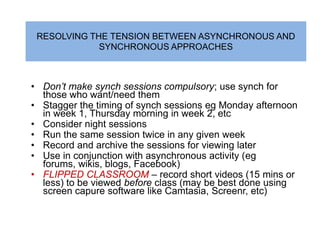
RESOLVING THE TENSION BETWEEN ASYNCHRONOUS AND
             SYNCHRONOUS APPROACHES


• Don’t make synch sessions compulsory; use synch for
  those who want/need them
• Stagger the timing of synch sessions eg Monday afternoon
  in week 1, Thursday morning in week 2, etc
• Consider night sessions
• Run the same session twice in any given week
• Record and archive the sessions for viewing later
• Use in conjunction with asynchronous activity (eg
  forums, wikis, blogs, Facebook)
• FLIPPED CLASSROOM – record short videos (15 mins or
  less) to be viewed before class (may be best done using
  screen capure software like Camtasia, Screenr, etc)
DESIGNING FOR
     INTERACTION

examples of this in the
   2 sessions so far?
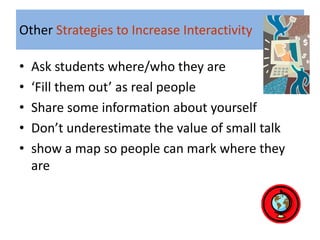
Other Strategies to Increase Interactivity

•   Ask students where/who they are
•   ‘Fill them out’ as real people
•   Share some information about yourself
•   Don’t underestimate the value of small talk
•   show a map so people can mark where they
    are
Other Strategies to Increase Interactivity

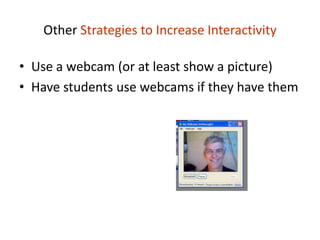
• Use a webcam (or at least show a picture)
• Have students use webcams if they have them
Other Strategies to Increase Interactivity:

•   Ask questions – esp open questions
•   Global (to the group) and individual
•   Encourage questions and comments
•   Exploit the whiteboard:
    – Brainstorming
    – Group work
    – Inserting images (have students prepare some)
    – For fun (especially before session, during breaks)
Other Strategies to Increase Interactivity:

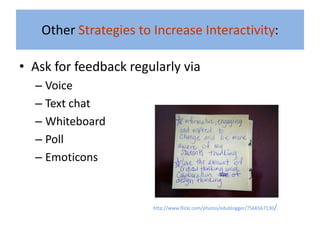
• Ask for feedback regularly via
  – Voice
  – Text chat
  – Whiteboard
  – Poll
  – Emoticons


                       http://www.flickr.com/photos/edublogger/7566567130/
Run a Progress Check
•    We could use emoticons…..
•    Or do a quick poll:
     How is everyone feeling about the session so
     far?
A.   Satisfied
B.   Very Satisfied
C.   Neutral
D.   Dissatisfied
Other Strategies to Increase Interactivity:


• Hold group
  discussions
• Question: Do these
  examples of
  interactivity seem
  practical in your
  teaching situation?
GROUP WORK
Other Strategies to Increase Interactivity:

• Enable all channels of communication (when
  appropriate)


• Encourage student to student communication
  – especially text chat
Other Strategies to Increase Interactivity

• Exploit polling/quiz tool (short
  answer, multiple choice)
• New polls/quizzes can be created on the fly
• Share the results
• Use results as starting point for discussion
Other Strategies to Increase Interactivity


• Conduct web tours
• Have students lead web tours
Other Strategies to Increase Interactivity

• Share your desktop
• Have students share their desktop
• Let students take control of your mouse!
Skills of the Live Online Presenter


• Golden Rule: 6-8 minutes talking at a stretch maximum
• Intersperse presentations with questions, polls, other speakers (from
  the floor), whiteboard activity
• Decide how to handle text chat – will you monitor/respond? Or ignore
  it? Dip in and out of it?
• Consider working with a producer/co-presenter
• More at michaelcoghlan.net/fll/blog.htm#skills
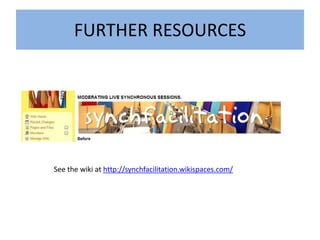
FURTHER RESOURCES


See the wiki at http://synchfacilitation.wikispaces.com/
Contact Details

   MICHAEL COGHLAN
 http://michaelcoghlan.net
e: michaelc@chariot.net.au

Effective Facilitation in Synchronous Environments pt 2

  • 1.
    Effective Facilitation in SynchronousEnvironments (Session 2 of 2) Michael Coghlan NewLearning 28/3/13
  • 2.
    Using the DrawingTools activity courtesy of LearningTimes
  • 3.
    TODAY’S AGENDA • WhiteboardActivities • Synch v asynch: resolving the tension • More on Designing for interactivity
  • 4.
    USE OF WEBCAMS •Use your webcam (or at least show a picture) briefly at the start of the session as part of the introduction • Have students do the same if they have them , if they want to, and if bandwidth allows • I recommend you then turn off webcams to conserve bandwidth, but it is a personal choice.
  • 5.
    Establish ‘Modus Operandi’(Ground Rules) for the session • Questions/Comments: any time? Throughout session? At the end? In text chat? Via voice? Using the hands-up tool? • How will you handle the text chat? Will you use a co- moderator?
  • 6.
  • 7.
    PURPOSE? • a presentationtool? • a collaboration/ interaction tool?
  • 8.
    HOW MIGHT YOUUSE WEB CONFERENCING /VIRTUAL CLASSROOMS?
  • 9.
    What kinds ofsynchronous activities can you use in virtual classrooms? TEACHING OTHER • ‘straight lecture’ • Office hours • Guest lecturers • Peer support • Oral presentations • Social: student - • Group work student • One on one (eg pronunciation)
  • 10.
    PROFESSIONAL DEVELOPMENT • Attendonline conferences, seminars, workshops • Meetings (much more cost effective than teleconferencing)
  • 11.
  • 12.
  • 13.
    POETRY SLAM activity courtesy of LearningTimes
  • 14.
    ANTICIPATED PROBLEMS?
  • 15.
    WHITEBOARD OR TEXT CHAT?
  • 16.
  • 17.
    LABELS – DRAGAND DROP shaft pulley cog chain tank nut beam
  • 18.
    SYNCHRONOUS ASYNCHRONOUS
  • 19.
    COMMUNICATION AXIS Reflective; Structured; monologue expository Asynch Minimalist; rapid Spontaneous; (evolving) dialogue Synch Oral Written
  • 20.
    COMMUNICATION AXIS Most classroomcommunications take place here New – have been enabled by technology (only happen online)
  • 21.
    Tension: Synch vAsynch Terry Anderson, Toward a Theory of Online Learning: “….the major motivation for enrollment in distance education is not physical access, but rather, temporal freedom to move through a course of studies at a pace of the student’s choice.” Participation in (synchronous events) “almost inevitably places constraints on this independence.” “ The demands of a learning-centered context might at times force us to modify prescriptive participation in (synchronous events), even though we might have evidence that such participation will further advance knowledge creation and attention.”
  • 22.
    RESOLVING THE TENSIONBETWEEN ASYNCHRONOUS AND SYNCHRONOUS APPROACHES • Don’t make synch sessions compulsory; use synch for those who want/need them • Stagger the timing of synch sessions eg Monday afternoon in week 1, Thursday morning in week 2, etc • Consider night sessions • Run the same session twice in any given week • Record and archive the sessions for viewing later • Use in conjunction with asynchronous activity (eg forums, wikis, blogs, Facebook) • FLIPPED CLASSROOM – record short videos (15 mins or less) to be viewed before class (may be best done using screen capure software like Camtasia, Screenr, etc)
  • 23.
    DESIGNING FOR INTERACTION examples of this in the 2 sessions so far?
  • 24.
    Other Strategies toIncrease Interactivity • Ask students where/who they are • ‘Fill them out’ as real people • Share some information about yourself • Don’t underestimate the value of small talk • show a map so people can mark where they are
  • 25.
    Other Strategies toIncrease Interactivity • Use a webcam (or at least show a picture) • Have students use webcams if they have them
  • 26.
    Other Strategies toIncrease Interactivity: • Ask questions – esp open questions • Global (to the group) and individual • Encourage questions and comments • Exploit the whiteboard: – Brainstorming – Group work – Inserting images (have students prepare some) – For fun (especially before session, during breaks)
  • 27.
    Other Strategies toIncrease Interactivity: • Ask for feedback regularly via – Voice – Text chat – Whiteboard – Poll – Emoticons http://www.flickr.com/photos/edublogger/7566567130/
  • 28.
    Run a ProgressCheck • We could use emoticons….. • Or do a quick poll: How is everyone feeling about the session so far? A. Satisfied B. Very Satisfied C. Neutral D. Dissatisfied
  • 29.
    Other Strategies toIncrease Interactivity: • Hold group discussions • Question: Do these examples of interactivity seem practical in your teaching situation?
  • 30.
  • 31.
    Other Strategies toIncrease Interactivity: • Enable all channels of communication (when appropriate) • Encourage student to student communication – especially text chat
  • 32.
    Other Strategies toIncrease Interactivity • Exploit polling/quiz tool (short answer, multiple choice) • New polls/quizzes can be created on the fly • Share the results • Use results as starting point for discussion
  • 33.
    Other Strategies toIncrease Interactivity • Conduct web tours • Have students lead web tours
  • 34.
    Other Strategies toIncrease Interactivity • Share your desktop • Have students share their desktop • Let students take control of your mouse!
  • 35.
    Skills of theLive Online Presenter • Golden Rule: 6-8 minutes talking at a stretch maximum • Intersperse presentations with questions, polls, other speakers (from the floor), whiteboard activity • Decide how to handle text chat – will you monitor/respond? Or ignore it? Dip in and out of it? • Consider working with a producer/co-presenter • More at michaelcoghlan.net/fll/blog.htm#skills
  • 37.
    FURTHER RESOURCES See thewiki at http://synchfacilitation.wikispaces.com/
  • 38.
    Contact Details MICHAEL COGHLAN http://michaelcoghlan.net e: michaelc@chariot.net.au