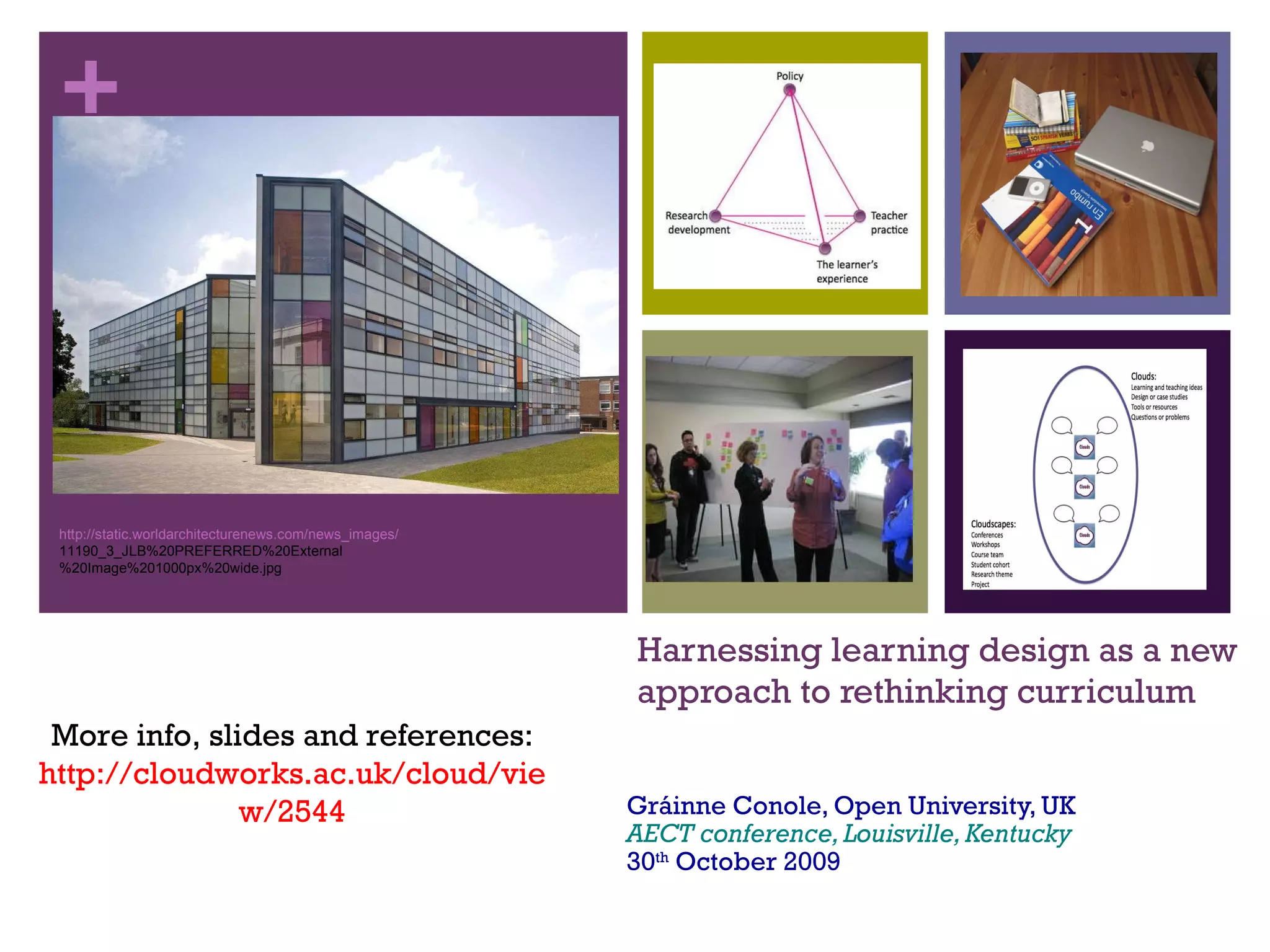
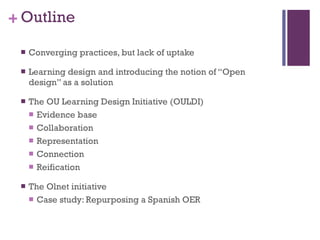
Harnessing learning design as a new approach to rethinking curriculum Gráinne Conole, Open University, UK AECT conference, Louisville, Kentucky 30 th  October 2009 More info, slides and references: http://cloudworks.ac.uk/cloud/view/2544 http://static.worldarchitecturenews.com/news_images/ 11190_3_JLB%20PREFERRED%20External %20Image%201000px%20wide.jpg
Outline Converging practices, but lack of uptake Learning design and introducing the notion of “Open design” as a solution The OU Learning Design Initiative (OULDI) Evidence base Collaboration  Representation Connection Reification The Olnet initiative Case study: Repurposing a Spanish OER
Converging practices Modern technologies Modern learning & teaching Web 2.0  practices Location  aware technologies Adaptation  & customisation Second life/ immersive  worlds Google  it! “ Expert badges” , World of warcraft  User- generated content Blogging, peer  critiquing Cloud  computing From individual to  social Contextualised and  situated Personalised  learning & teaching Experiential  learning & teaching Inquiry  learning & teaching  Peer  learning & teaching  Open  Educational Resources Reflection Distributed  cognition
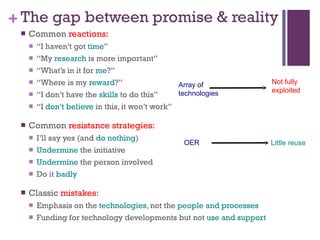
The gap between promise & reality Common  reactions:   “ I haven’t got  time ” “ My  research  is more important” “ What’s in it for  me ?” “ Where is my  reward ?” “ I don’t have the  skills  to do this” “ I  don’t believe  in this, it won’t work” Common  resistance strategies: I’ll say yes (and  do nothing ) Undermine  the initiative Undermine  the person involved Do it  badly Classic  mistakes : Emphasis on the  technologies , not the  people and processes Funding for technology developments but not  use and support OER Little reuse Array of  technologies Not fully  exploited
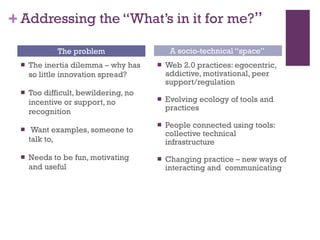
Addressing the “What’s in it for me? ” The inertia dilemma – why has so little innovation spread? Too difficult, bewildering, no incentive or support, no recognition  Want examples, someone to talk to, Needs to be fun, motivating and useful Web 2.0 practices: egocentric, addictive, motivational, peer support/regulation Evolving ecology of tools and practices People connected using tools: collective technical infrastructure  Changing practice – new ways of interacting and  communicating The problem A socio-technical “space”
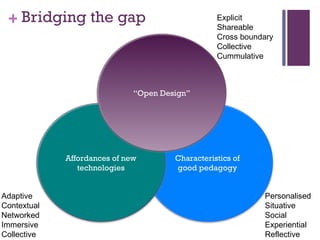
Bridging the gap Characteristics of  good pedagogy  Personalised Situative Social Experiential Reflective Affordances of new technologies Adaptive Contextual Networked Immersive Collective “ Open Design” Explicit Shareable Cross boundary Collective Cummulative
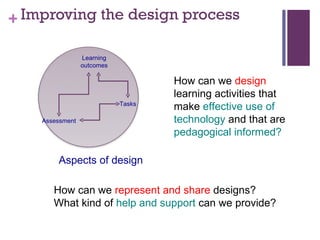
Improving the design process How can we  design  learning activities that make  effective use of technology  and that are  pedagogical informed? How can we  represent and share  designs? What kind of  help and support  can we provide? Assessment Learning outcomes Tasks Aspects of design
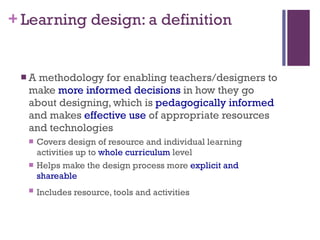
Learning design: a definition A methodology for enabling teachers/designers to make  more informed decisions  in how they go about designing, which is  pedagogically informed  and makes  effective use  of appropriate resources and technologies Covers design of resource and individual learning activities up to  whole curriculum  level Helps make the design process more  explicit and shareable Includes resource, tools and activities
What do we know about design? How do teachers go about the  design process ? Where do they get  ideas and inspiration  from? How do they  represent  their design process? To what extent do they  share  their design ideas with others? Where do they get  help and advice ? How do they  evaluate the effectiveness  of their designs?
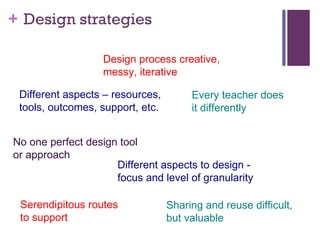
Design strategies Design process creative,  messy, iterative Sharing and reuse difficult,  but valuable  Serendipitous routes  to support Every teacher does  it differently Different aspects to design -  focus and level of granularity No one perfect design tool  or approach Different aspects – resources,  tools, outcomes, support, etc.
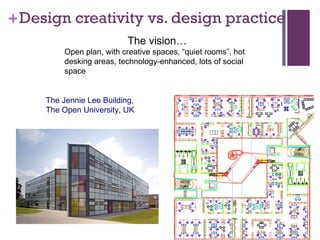
Design creativity vs. design practice The vision…  Open plan, with creative spaces, “quiet rooms”, hot desking areas, technology-enhanced, lots of social space  The Jennie Lee Building, The Open University, UK
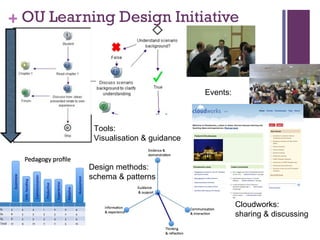
OU Learning Design Initiative Design methods: schema & patterns Tools:  Visualisation & guidance Events:  Cloudworks:  sharing & discussing
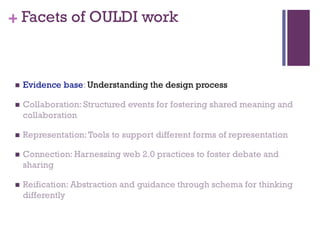
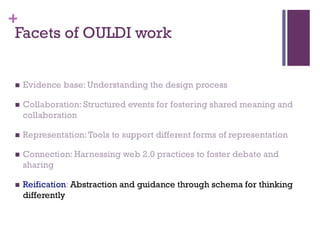
Facets of OULDI work
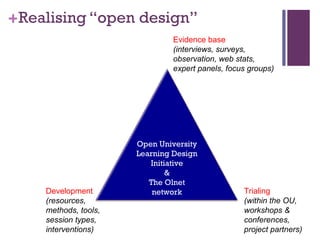
Realising “open design” Evidence base (interviews, surveys, observation, web stats,  expert panels, focus groups)  Development (resources,  methods, tools,  session types, interventions) Trialing  (within the OU,  workshops &  conferences,  project partners) Open University Learning Design Initiative & The Olnet network
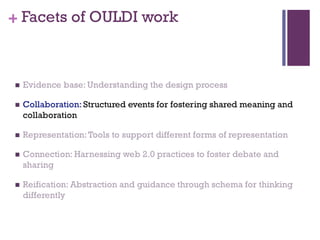
Facets of OULDI work
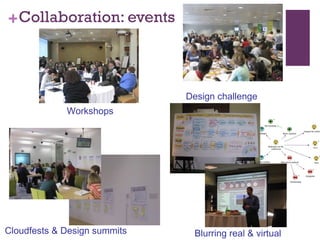
Collaboration: events Design challenge Cloudfests & Design summits Blurring real & virtual Workshops
Facets of OULDI work
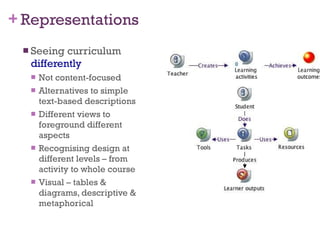
Representations  Seeing curriculum  differently Not content-focused Alternatives to simple text-based descriptions Different views to foreground different aspects Recognising design at different levels – from activity to whole course Visual – tables & diagrams, descriptive & metaphorical
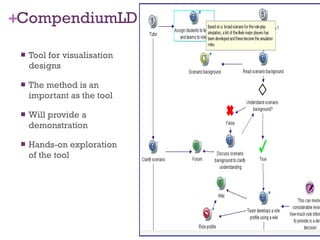
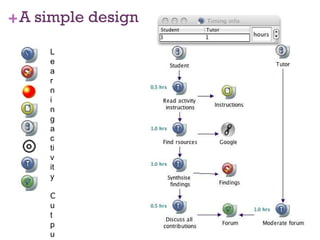
CompendiumLD Tool for visualisation designs The method is an important as the tool Will provide a demonstration Hands-on exploration of the tool
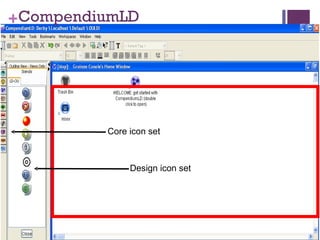
CompendiumLD Core icon set Design icon set
A simple design Learning activity Output Learning outcome Resource Role End of activity Task Tool
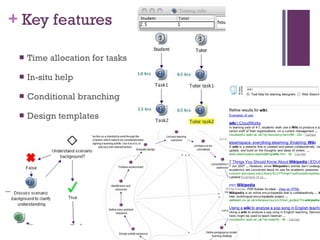
Key features Time allocation for tasks In-situ help  Conditional branching Design templates
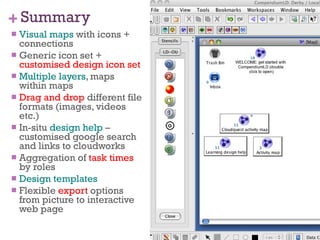
Summary Visual maps  with icons + connections Generic icon set +  customised design icon set Multiple layers , maps within maps Drag and drop  different file formats (images, videos etc.)  In-situ  design help  –customised google search and links to cloudworks Aggregation of  task times  by roles Design templates Flexible  export  options from picture to interactive web page
Facets of OULDI work
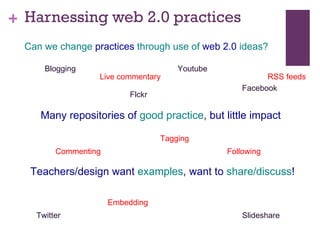
Harnessing web 2.0 practices Teachers/design want  examples , want to  share/discuss ! Many repositories of  good practice , but little impact Can we change  practices  through use of  web 2.0  ideas? Blogging Facebook Twitter Slideshare Flckr Youtube Commenting Live commentary Tagging RSS feeds Embedding Following
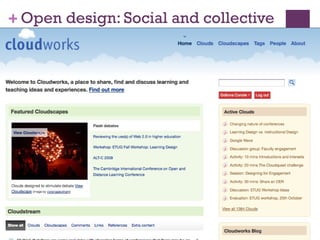
Open design: Social and collective
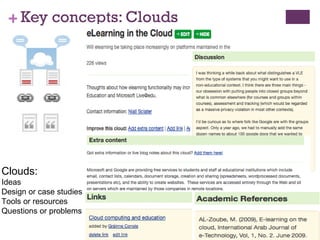
Key concepts: Clouds Clouds:  Ideas Design or case studies Tools or resources Questions or problems
 
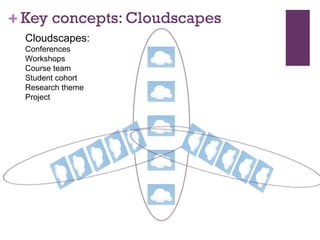
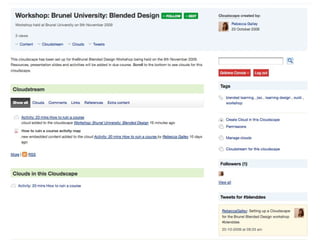
Key concepts: Cloudscapes Cloudscapes: Conferences Workshops Course team Student cohort Research theme Project
 
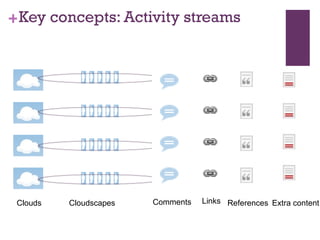
Key concepts: Activity streams Clouds Cloudscapes Comments Links References Extra content
 
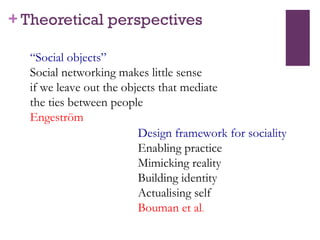
Theoretical perspectives “ Social objects” Social networking makes little sense  if we leave out the objects that mediate  the ties between people Engeström  Design framework for sociality Enabling practice Mimicking reality Building identity Actualising self Bouman et al .
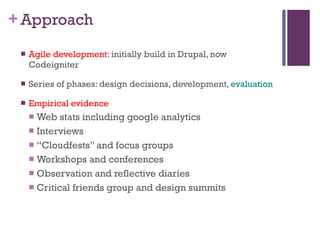
Approach Agile development : initially build in Drupal, now Codeigniter Series of phases: design decisions, development,  evaluation Empirical evidence Web stats including google analytics Interviews  “ Cloudfests” and focus groups  Workshops and conferences Observation and reflective diaries Critical friends group and design summits
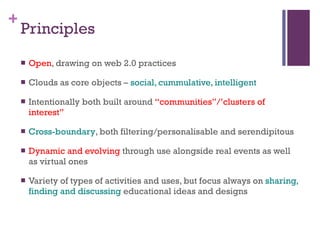
Principles Open , drawing on web 2.0 practices Clouds as core objects –  social, cummulative, intelligent Intentionally both built around  “communities”/’clusters of interest”  Cross-boundary , both filtering/personalisable and serendipitous Dynamic and evolving  through use alongside real events as well as virtual ones Variety of types of activities and uses, but focus always on  sharing, finding and discussing  educational ideas and designs
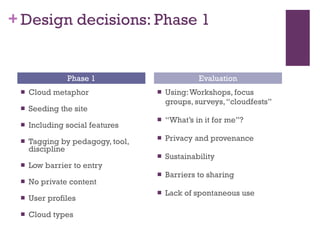
Design decisions: Phase 1 Cloud metaphor Seeding the site Including social features Tagging by pedagogy, tool, discipline Low barrier to entry No private content User profiles Cloud types  Using: Workshops, focus groups, surveys, “cloudfests” “ What’s in it for me”? Privacy and provenance Sustainability Barriers to sharing  Lack of spontaneous use Phase 1 Evaluation
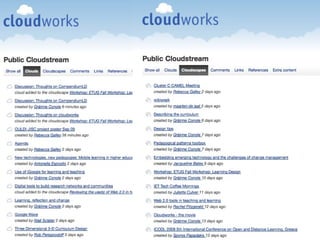
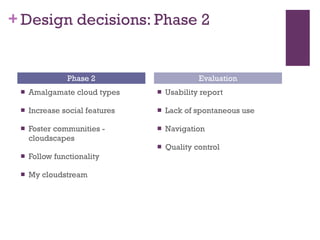
Design decisions: Phase 2 Amalgamate cloud types Increase social features Foster communities - cloudscapes Follow functionality My cloudstream Usability report Lack of spontaneous use Navigation Quality control Phase 2 Evaluation
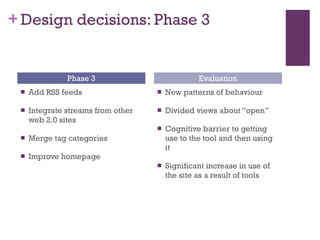
Design decisions: Phase 3 Add RSS feeds Integrate streams from other web 2.0 sites Merge tag categories Improve homepage  New patterns of behaviour  Divided views about “open” Cognitive barrier to getting use to the tool and then using it Significant increase in use of the site as a result of tools Phase 3 Evaluation
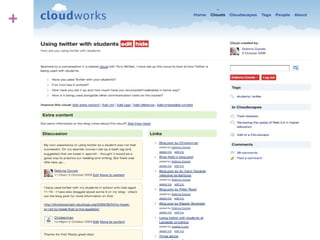
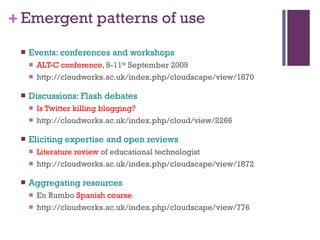
Emergent patterns of use Events: conferences and workshops ALT-C conference , 8-11 th  September 2009 http://cloudworks.ac.uk/index.php/cloudscape/view/1870 Discussions: Flash debates Is Twitter killing blogging? http://cloudworks.ac.uk/index.php/cloud/view/2266 Eliciting expertise and open reviews Literature review  of educational technologist http://cloudworks.ac.uk/index.php/cloudscape/view/1872 Aggregating resources En Rumbo  Spanish course http://cloudworks.ac.uk/index.php/cloudscape/view/776
Facets of OULDI work
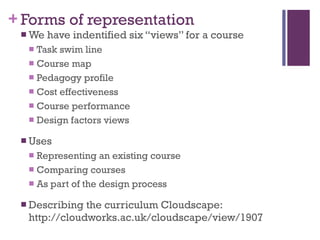
Forms of representation We have indentified six “views” for a course Task swim line Course map Pedagogy profile Cost effectiveness Course performance Design factors views Uses Representing an existing course Comparing courses As part of the design process Describing the curriculum Cloudscape: http://cloudworks.ac.uk/cloudscape/view/1907
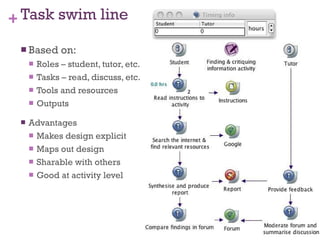
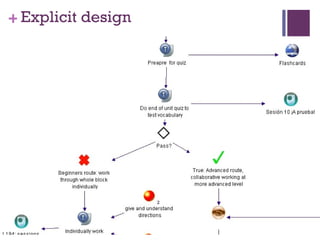
Task swim line Based on: Roles – student, tutor, etc. Tasks – read, discuss, etc. Tools and resources Outputs Advantages Makes design explicit Maps out design Sharable with others Good at activity level
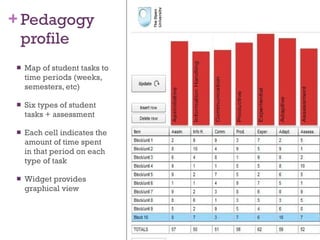
Pedagogy profile Map of student tasks to time periods (weeks, semesters, etc) Six types of student tasks + assessment Each cell indicates the amount of time spent in that period on each type of task Widget provides graphical view
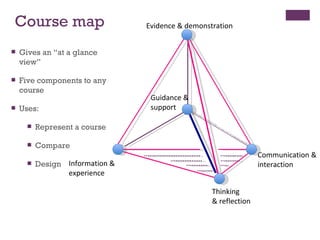
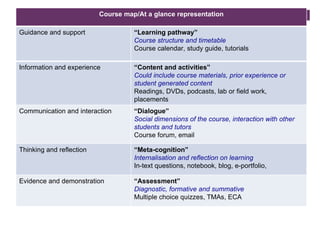
Guidance & support Evidence & demonstration Information &  experience Communication & interaction Thinking  & reflection Course map Gives an “at a glance view” Five components to any course Uses: Represent a course Compare Design
Course map/At a glance representation Guidance and support “ Learning pathway” Course structure and timetable Course calendar, study guide, tutorials Information and experience “ Content and activities” Could include course materials, prior experience or student generated content Readings, DVDs, podcasts, lab or field work,  placements  Communication and interaction “ Dialogue” Social dimensions of the course, interaction with other students and tutors Course forum, email Thinking and reflection “ Meta-cognition” Internalisation and reflection on learning In-text questions, notebook, blog, e-portfolio,  Evidence and demonstration “ Assessment” Diagnostic, formative and summative Multiple choice quizzes, TMAs, ECA
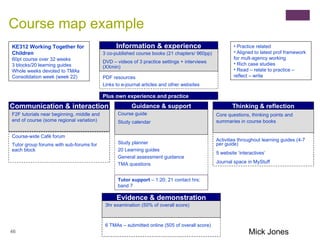
KE312 Working Together for Children 60pt course over 32 weeks 3 blocks/20 learning guides Whole weeks devoted to TMAs Consolidation week (week 22) Practice related Aligned to latest prof framework for mult-agency working Rich case studies Read – relate to practice – reflect – write  Course map example Mick Jones Evidence & demonstration 6 TMAs – submitted online (505 of overall score) 3hr examination (50% of overall score) Thinking & reflection Activities throughout learning guides (4-7 per guide) 5 website ‘interactives’ Journal space in MyStuff Core questions, thinking points and summaries in course books Communication & interaction Course-wide Café forum Tutor group forums with sub-forums for each block F2F tutorials near beginning, middle and end of course (some regional variation) Information & experience PDF resources Links to e-journal articles and other websites 3 co-published course books (21 chapters/ 960pp) DVD – videos of 3 practice settings + interviews (XXmin) Plus own experience and practice Guidance & support Study planner 20 Learning guides General assessment guidance TMA questions Course guide Study calendar Tutor support  – 1:20; 21 contact hrs; band 7
Technology enhanced… Technology-enhanced learning but what about technology-enhanced teaching? …. Or beyond Need to rethink education in a modern context What is it for, who is it for, what are the roles and how is it supported Blurring of boundaries of ‘learner’, ‘teacher’ and ‘other’ towards ‘actors’ interacting with each other in a technology-enhanced environment, where actors and their practice co-evolve with the tools
New environment, new practices  What would characterise this? Open Changing roles User-centric and personalised Evolving Co-operative and collaborative – users helping each other, peer critiquing, regulating, fostering communities and clusters of engagement “ Cummulatively intellligent” – harnessing the affordances of the technologies to meet specific needs, but to build and aggregate knowledge, and to distribute this in multiple ways for multiple purposes
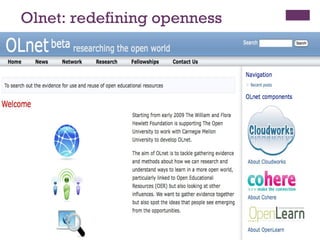
Olnet: redefining openness
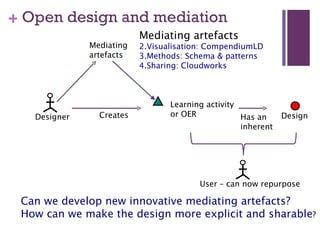
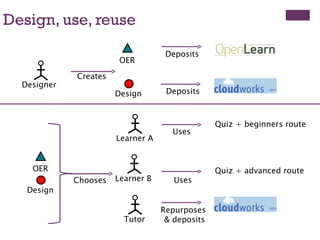
Open design and mediation Can we develop new innovative mediating artefacts? How can we make the design more explicit and sharable ? Designer Design Has an  inherent Learning activity or OER Creates Mediating  artefacts Mediating artefacts Visualisation: CompendiumLD Methods: Schema & patterns Sharing: Cloudworks User – can now repurpose
Mediating artefacts Individuals use a range of mediating artefacts to achieve something – write a paper, design a learning event With new technologies there is now a greater range of MA and new ways for individuals to connect and communicate with others Taking a socio-cultural approach allows us to make sense of this because it helps articulate the MA and look at the context of use – rules, community, division of labour, as well as look over time at the evolving system as user-practice changes and co-evolves with the technologies
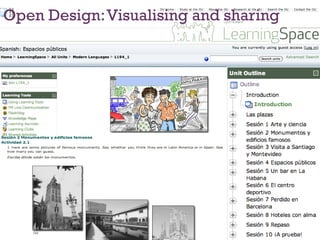
Open Design: Visualising and sharing
Explicit design
Design, use, reuse Designer OER Design Creates Deposits Deposits Learner A OER Design Learner B Tutor  Chooses Uses Quiz + beginners route Uses Quiz + advanced route Repurposes  & deposits
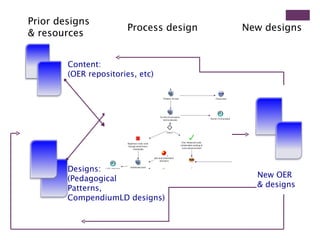
Process design Prior designs  & resources New designs Content:  (OER repositories, etc) Designs:  (Pedagogical  Patterns,  CompendiumLD designs)  New OER  & designs
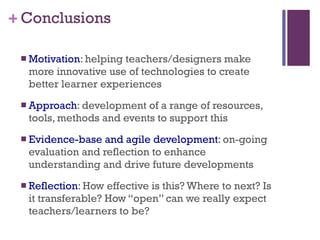
Conclusions Motivation : helping teachers/designers make more innovative use of technologies to create better learner experiences Approach : development of a range of resources, tools, methods and events to support this Evidence-base and agile development : on-going evaluation and reflection to enhance understanding and drive future developments Reflection : How effective is this? Where to next? Is it transferable? How “open” can we really expect teachers/learners to be?

Conole Aect

  • 1.
    Harnessing learning designas a new approach to rethinking curriculum Gráinne Conole, Open University, UK AECT conference, Louisville, Kentucky 30 th October 2009 More info, slides and references: http://cloudworks.ac.uk/cloud/view/2544 http://static.worldarchitecturenews.com/news_images/ 11190_3_JLB%20PREFERRED%20External %20Image%201000px%20wide.jpg
  • 2.
    Outline Converging practices,but lack of uptake Learning design and introducing the notion of “Open design” as a solution The OU Learning Design Initiative (OULDI) Evidence base Collaboration Representation Connection Reification The Olnet initiative Case study: Repurposing a Spanish OER
  • 3.
    Converging practices Moderntechnologies Modern learning & teaching Web 2.0 practices Location aware technologies Adaptation & customisation Second life/ immersive worlds Google it! “ Expert badges” , World of warcraft User- generated content Blogging, peer critiquing Cloud computing From individual to social Contextualised and situated Personalised learning & teaching Experiential learning & teaching Inquiry learning & teaching Peer learning & teaching Open Educational Resources Reflection Distributed cognition
  • 4.
    The gap betweenpromise & reality Common reactions: “ I haven’t got time ” “ My research is more important” “ What’s in it for me ?” “ Where is my reward ?” “ I don’t have the skills to do this” “ I don’t believe in this, it won’t work” Common resistance strategies: I’ll say yes (and do nothing ) Undermine the initiative Undermine the person involved Do it badly Classic mistakes : Emphasis on the technologies , not the people and processes Funding for technology developments but not use and support OER Little reuse Array of technologies Not fully exploited
  • 5.
    Addressing the “What’sin it for me? ” The inertia dilemma – why has so little innovation spread? Too difficult, bewildering, no incentive or support, no recognition Want examples, someone to talk to, Needs to be fun, motivating and useful Web 2.0 practices: egocentric, addictive, motivational, peer support/regulation Evolving ecology of tools and practices People connected using tools: collective technical infrastructure Changing practice – new ways of interacting and communicating The problem A socio-technical “space”
  • 6.
    Bridging the gapCharacteristics of good pedagogy Personalised Situative Social Experiential Reflective Affordances of new technologies Adaptive Contextual Networked Immersive Collective “ Open Design” Explicit Shareable Cross boundary Collective Cummulative
  • 7.
    Improving the designprocess How can we design learning activities that make effective use of technology and that are pedagogical informed? How can we represent and share designs? What kind of help and support can we provide? Assessment Learning outcomes Tasks Aspects of design
  • 8.
    Learning design: adefinition A methodology for enabling teachers/designers to make more informed decisions in how they go about designing, which is pedagogically informed and makes effective use of appropriate resources and technologies Covers design of resource and individual learning activities up to whole curriculum level Helps make the design process more explicit and shareable Includes resource, tools and activities
  • 9.
    What do weknow about design? How do teachers go about the design process ? Where do they get ideas and inspiration from? How do they represent their design process? To what extent do they share their design ideas with others? Where do they get help and advice ? How do they evaluate the effectiveness of their designs?
  • 10.
    Design strategies Designprocess creative, messy, iterative Sharing and reuse difficult, but valuable Serendipitous routes to support Every teacher does it differently Different aspects to design - focus and level of granularity No one perfect design tool or approach Different aspects – resources, tools, outcomes, support, etc.
  • 11.
    Design creativity vs.design practice The vision… Open plan, with creative spaces, “quiet rooms”, hot desking areas, technology-enhanced, lots of social space The Jennie Lee Building, The Open University, UK
  • 12.
    OU Learning DesignInitiative Design methods: schema & patterns Tools: Visualisation & guidance Events: Cloudworks: sharing & discussing
  • 13.
  • 14.
    Realising “open design”Evidence base (interviews, surveys, observation, web stats, expert panels, focus groups) Development (resources, methods, tools, session types, interventions) Trialing (within the OU, workshops & conferences, project partners) Open University Learning Design Initiative & The Olnet network
  • 15.
  • 16.
    Collaboration: events Designchallenge Cloudfests & Design summits Blurring real & virtual Workshops
  • 17.
  • 18.
    Representations Seeingcurriculum differently Not content-focused Alternatives to simple text-based descriptions Different views to foreground different aspects Recognising design at different levels – from activity to whole course Visual – tables & diagrams, descriptive & metaphorical
  • 19.
    CompendiumLD Tool forvisualisation designs The method is an important as the tool Will provide a demonstration Hands-on exploration of the tool
  • 20.
    CompendiumLD Core iconset Design icon set
  • 21.
    A simple designLearning activity Output Learning outcome Resource Role End of activity Task Tool
  • 22.
    Key features Timeallocation for tasks In-situ help Conditional branching Design templates
  • 23.
    Summary Visual maps with icons + connections Generic icon set + customised design icon set Multiple layers , maps within maps Drag and drop different file formats (images, videos etc.) In-situ design help –customised google search and links to cloudworks Aggregation of task times by roles Design templates Flexible export options from picture to interactive web page
  • 24.
  • 25.
    Harnessing web 2.0practices Teachers/design want examples , want to share/discuss ! Many repositories of good practice , but little impact Can we change practices through use of web 2.0 ideas? Blogging Facebook Twitter Slideshare Flckr Youtube Commenting Live commentary Tagging RSS feeds Embedding Following
  • 26.
    Open design: Socialand collective
  • 27.
    Key concepts: CloudsClouds: Ideas Design or case studies Tools or resources Questions or problems
  • 28.
  • 29.
    Key concepts: CloudscapesCloudscapes: Conferences Workshops Course team Student cohort Research theme Project
  • 30.
  • 31.
    Key concepts: Activitystreams Clouds Cloudscapes Comments Links References Extra content
  • 32.
  • 33.
    Theoretical perspectives “Social objects” Social networking makes little sense if we leave out the objects that mediate the ties between people Engeström Design framework for sociality Enabling practice Mimicking reality Building identity Actualising self Bouman et al .
  • 34.
    Approach Agile development: initially build in Drupal, now Codeigniter Series of phases: design decisions, development, evaluation Empirical evidence Web stats including google analytics Interviews “ Cloudfests” and focus groups Workshops and conferences Observation and reflective diaries Critical friends group and design summits
  • 35.
    Principles Open ,drawing on web 2.0 practices Clouds as core objects – social, cummulative, intelligent Intentionally both built around “communities”/’clusters of interest” Cross-boundary , both filtering/personalisable and serendipitous Dynamic and evolving through use alongside real events as well as virtual ones Variety of types of activities and uses, but focus always on sharing, finding and discussing educational ideas and designs
  • 36.
    Design decisions: Phase1 Cloud metaphor Seeding the site Including social features Tagging by pedagogy, tool, discipline Low barrier to entry No private content User profiles Cloud types Using: Workshops, focus groups, surveys, “cloudfests” “ What’s in it for me”? Privacy and provenance Sustainability Barriers to sharing Lack of spontaneous use Phase 1 Evaluation
  • 37.
    Design decisions: Phase2 Amalgamate cloud types Increase social features Foster communities - cloudscapes Follow functionality My cloudstream Usability report Lack of spontaneous use Navigation Quality control Phase 2 Evaluation
  • 38.
    Design decisions: Phase3 Add RSS feeds Integrate streams from other web 2.0 sites Merge tag categories Improve homepage New patterns of behaviour Divided views about “open” Cognitive barrier to getting use to the tool and then using it Significant increase in use of the site as a result of tools Phase 3 Evaluation
  • 39.
    Emergent patterns ofuse Events: conferences and workshops ALT-C conference , 8-11 th September 2009 http://cloudworks.ac.uk/index.php/cloudscape/view/1870 Discussions: Flash debates Is Twitter killing blogging? http://cloudworks.ac.uk/index.php/cloud/view/2266 Eliciting expertise and open reviews Literature review of educational technologist http://cloudworks.ac.uk/index.php/cloudscape/view/1872 Aggregating resources En Rumbo Spanish course http://cloudworks.ac.uk/index.php/cloudscape/view/776
  • 40.
  • 41.
    Forms of representationWe have indentified six “views” for a course Task swim line Course map Pedagogy profile Cost effectiveness Course performance Design factors views Uses Representing an existing course Comparing courses As part of the design process Describing the curriculum Cloudscape: http://cloudworks.ac.uk/cloudscape/view/1907
  • 42.
    Task swim lineBased on: Roles – student, tutor, etc. Tasks – read, discuss, etc. Tools and resources Outputs Advantages Makes design explicit Maps out design Sharable with others Good at activity level
  • 43.
    Pedagogy profile Mapof student tasks to time periods (weeks, semesters, etc) Six types of student tasks + assessment Each cell indicates the amount of time spent in that period on each type of task Widget provides graphical view
  • 44.
    Guidance & supportEvidence & demonstration Information & experience Communication & interaction Thinking & reflection Course map Gives an “at a glance view” Five components to any course Uses: Represent a course Compare Design
  • 45.
    Course map/At aglance representation Guidance and support “ Learning pathway” Course structure and timetable Course calendar, study guide, tutorials Information and experience “ Content and activities” Could include course materials, prior experience or student generated content Readings, DVDs, podcasts, lab or field work, placements Communication and interaction “ Dialogue” Social dimensions of the course, interaction with other students and tutors Course forum, email Thinking and reflection “ Meta-cognition” Internalisation and reflection on learning In-text questions, notebook, blog, e-portfolio, Evidence and demonstration “ Assessment” Diagnostic, formative and summative Multiple choice quizzes, TMAs, ECA
  • 46.
    KE312 Working Togetherfor Children 60pt course over 32 weeks 3 blocks/20 learning guides Whole weeks devoted to TMAs Consolidation week (week 22) Practice related Aligned to latest prof framework for mult-agency working Rich case studies Read – relate to practice – reflect – write Course map example Mick Jones Evidence & demonstration 6 TMAs – submitted online (505 of overall score) 3hr examination (50% of overall score) Thinking & reflection Activities throughout learning guides (4-7 per guide) 5 website ‘interactives’ Journal space in MyStuff Core questions, thinking points and summaries in course books Communication & interaction Course-wide Café forum Tutor group forums with sub-forums for each block F2F tutorials near beginning, middle and end of course (some regional variation) Information & experience PDF resources Links to e-journal articles and other websites 3 co-published course books (21 chapters/ 960pp) DVD – videos of 3 practice settings + interviews (XXmin) Plus own experience and practice Guidance & support Study planner 20 Learning guides General assessment guidance TMA questions Course guide Study calendar Tutor support – 1:20; 21 contact hrs; band 7
  • 47.
    Technology enhanced… Technology-enhancedlearning but what about technology-enhanced teaching? …. Or beyond Need to rethink education in a modern context What is it for, who is it for, what are the roles and how is it supported Blurring of boundaries of ‘learner’, ‘teacher’ and ‘other’ towards ‘actors’ interacting with each other in a technology-enhanced environment, where actors and their practice co-evolve with the tools
  • 48.
    New environment, newpractices What would characterise this? Open Changing roles User-centric and personalised Evolving Co-operative and collaborative – users helping each other, peer critiquing, regulating, fostering communities and clusters of engagement “ Cummulatively intellligent” – harnessing the affordances of the technologies to meet specific needs, but to build and aggregate knowledge, and to distribute this in multiple ways for multiple purposes
  • 49.
  • 50.
    Open design andmediation Can we develop new innovative mediating artefacts? How can we make the design more explicit and sharable ? Designer Design Has an inherent Learning activity or OER Creates Mediating artefacts Mediating artefacts Visualisation: CompendiumLD Methods: Schema & patterns Sharing: Cloudworks User – can now repurpose
  • 51.
    Mediating artefacts Individualsuse a range of mediating artefacts to achieve something – write a paper, design a learning event With new technologies there is now a greater range of MA and new ways for individuals to connect and communicate with others Taking a socio-cultural approach allows us to make sense of this because it helps articulate the MA and look at the context of use – rules, community, division of labour, as well as look over time at the evolving system as user-practice changes and co-evolves with the technologies
  • 52.
  • 53.
  • 54.
    Design, use, reuseDesigner OER Design Creates Deposits Deposits Learner A OER Design Learner B Tutor Chooses Uses Quiz + beginners route Uses Quiz + advanced route Repurposes & deposits
  • 55.
    Process design Priordesigns & resources New designs Content: (OER repositories, etc) Designs: (Pedagogical Patterns, CompendiumLD designs) New OER & designs
  • 56.
    Conclusions Motivation :helping teachers/designers make more innovative use of technologies to create better learner experiences Approach : development of a range of resources, tools, methods and events to support this Evidence-base and agile development : on-going evaluation and reflection to enhance understanding and drive future developments Reflection : How effective is this? Where to next? Is it transferable? How “open” can we really expect teachers/learners to be?
  • 57.
    Conclusions Motivation :helping teachers/designers make more innovative use of technologies to create better learner experiences Approach : development of a range of resources, tools, methods and events to support this Evidence-base and agile development : on-going evaluation and reflection to enhance understanding and drive future developments Reflection : How effective is this? Where to next? Is it transferable? How “open” can we really expect teachers/learners to be?