Portfolio Assessment:
Collaboration and Showcasing
Student Work Using Google

Ravenscroft and Carmen James @2Revoltions
“A link to the design of core academic
experience becomes clear: any
genuine learning has to involve
perspective on what is learned, not an
authoritative march through Official
Knowledge[...]”
-Grant Wiggins
2

2
Agenda and Key Question
Agenda: Review e-portfolios, Discuss collaboration with Google
Docs, Engage in brief group activity, Discuss show casing student
work.
About Me: PhD Candidate with a Masters in Education, in my first
year working at 2Revolutions. Previously taught Kindergarten, 1st,
5th and 12th graders along with Masters students at Teachers
College, Columbia U. Worked with IDEO and Riverdale Country
Day School to leverage design thinking for teachers. Worked on
innovative practices with museums in the US and Latin America.

Key Question: What are the key questions for you about eportfolios? What is the purpose? What are we trying to achieve
and how?
3

3
Purpose
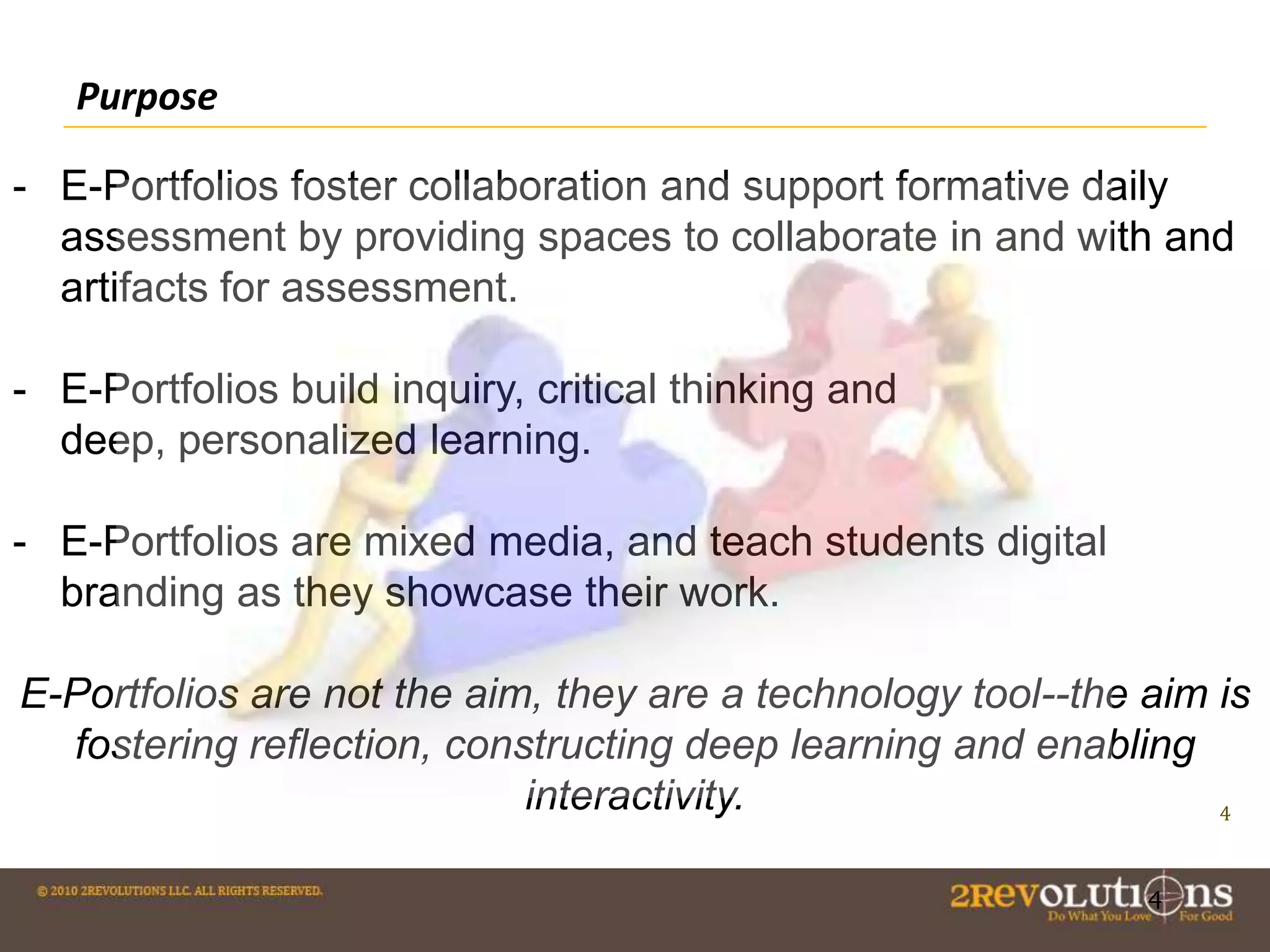
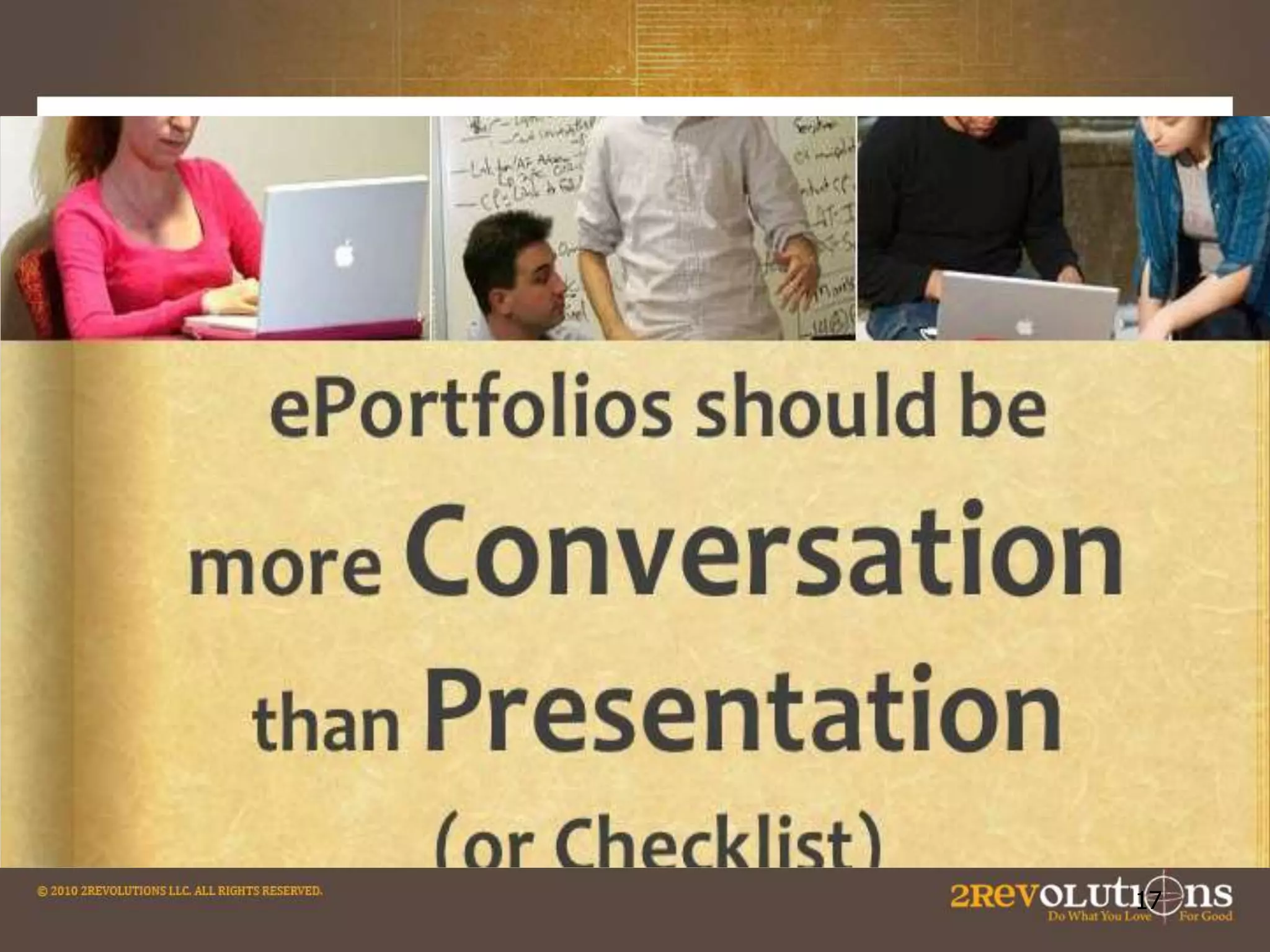
- E-Portfolios foster collaboration and support formative daily
assessment by providing spaces to collaborate in and with and
artifacts for assessment.
- E-Portfolios build inquiry, critical thinking and
deep, personalized learning.

- E-Portfolios are mixed media, and teach students digital
branding as they showcase their work.
E-Portfolios are not the aim, they are a technology tool--the aim is
fostering reflection, constructing deep learning and enabling
interactivity.
4
4
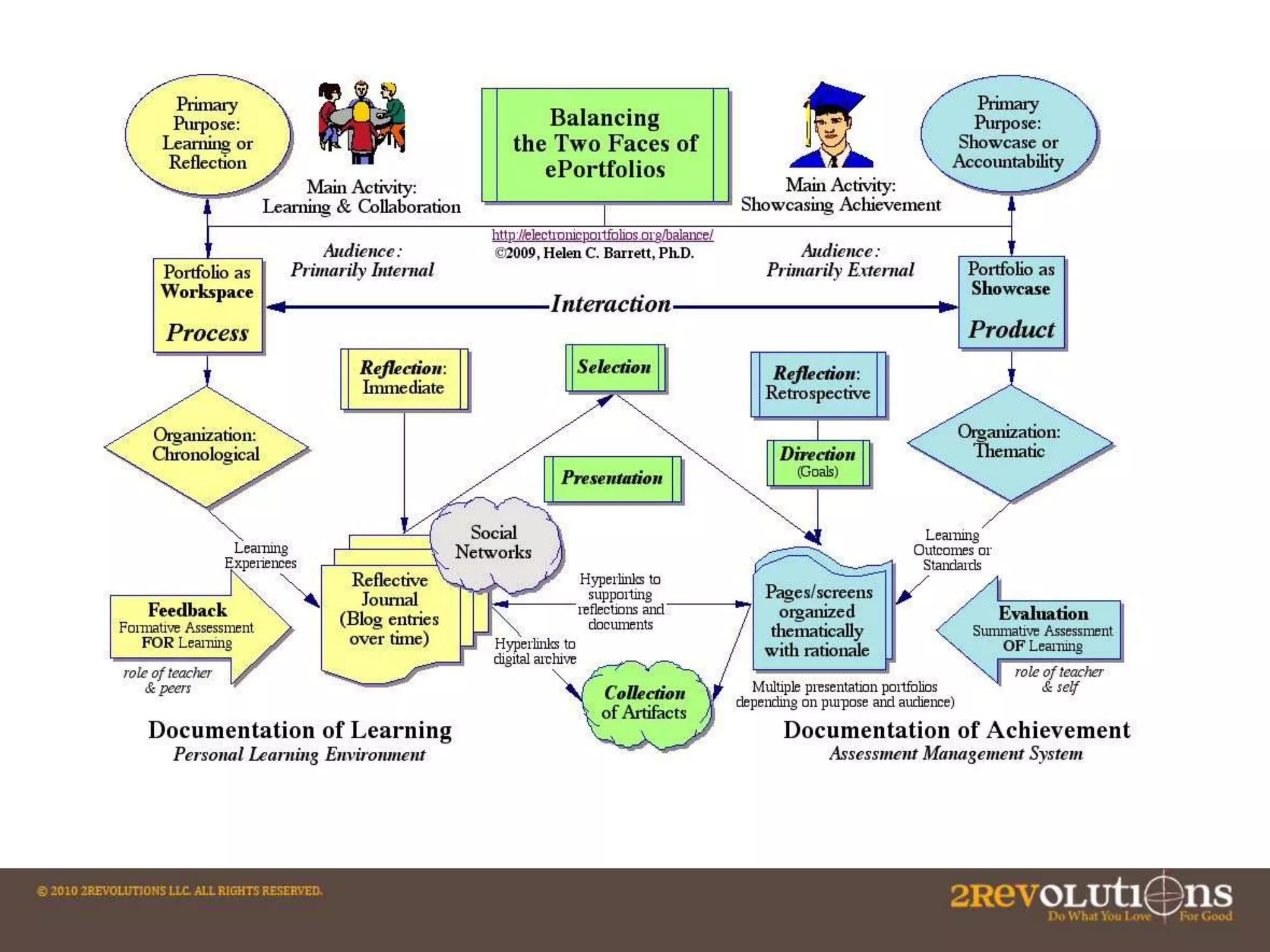
Overview of Portfolio Assessment (with Google Docs)
1. Purpose. Decide on the purpose for the portfolio. What are you trying to show with
this portfolio? Are there outcomes, goals, or standards that are being demonstrated with
this portfolio?
2. Collection/Classification. What artifacts will you include in your portfolio? How will you
classify these entries?
3. Reflection. Reflection is the heart and soul of a portfolio. Reflection provides the
rationale for why these artifacts represent achievement of a particular outcome, goal or
standard. Blog entries provide an opportunity for reflection "in the present tense" or
"reflection in action.”
4. Connection/Interaction/Dialogue/Feedback. This stage provides an opportunity for
interaction and feedback on the work posted in the portfolio. This is where the power of
Web 2.0 interactive tools becomes apparent.
5. Summative Reflection/Selection/Evaluation. At the end of a course (or
program), students would write a reflection that looks back over the course (or program)
and provides a meta-analysis of the learning experience as represented in the
reflections stored in the blog/journal entries.
6. Presentation/Publishing. The portfolio developer decides what parts of the portfolio
are to be made public.
(copied from Helen Barrett’s work)
6

6
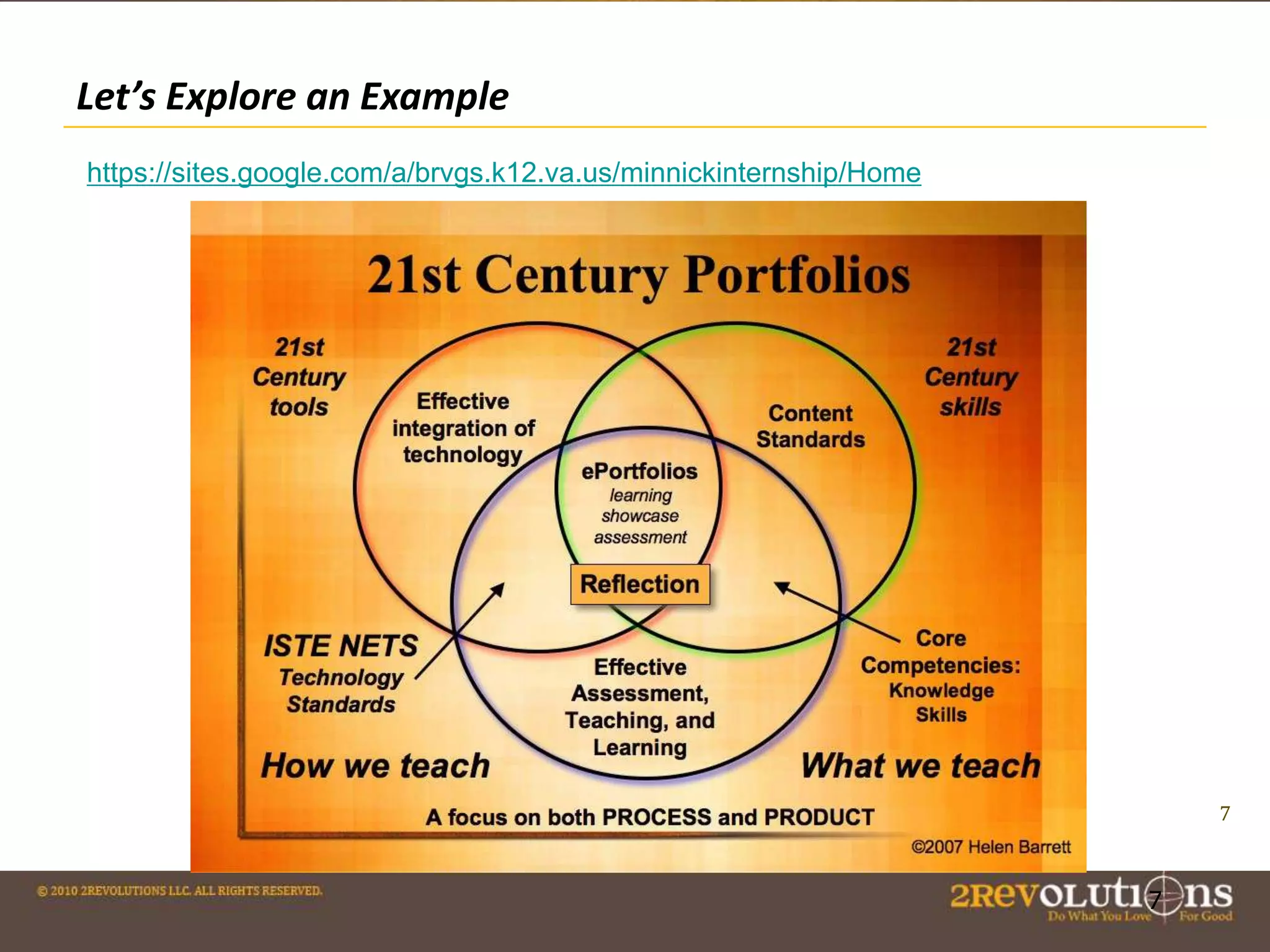
Let’s Explore an Example
https://sites.google.com/a/brvgs.k12.va.us/minnickinternship/Home

7

7
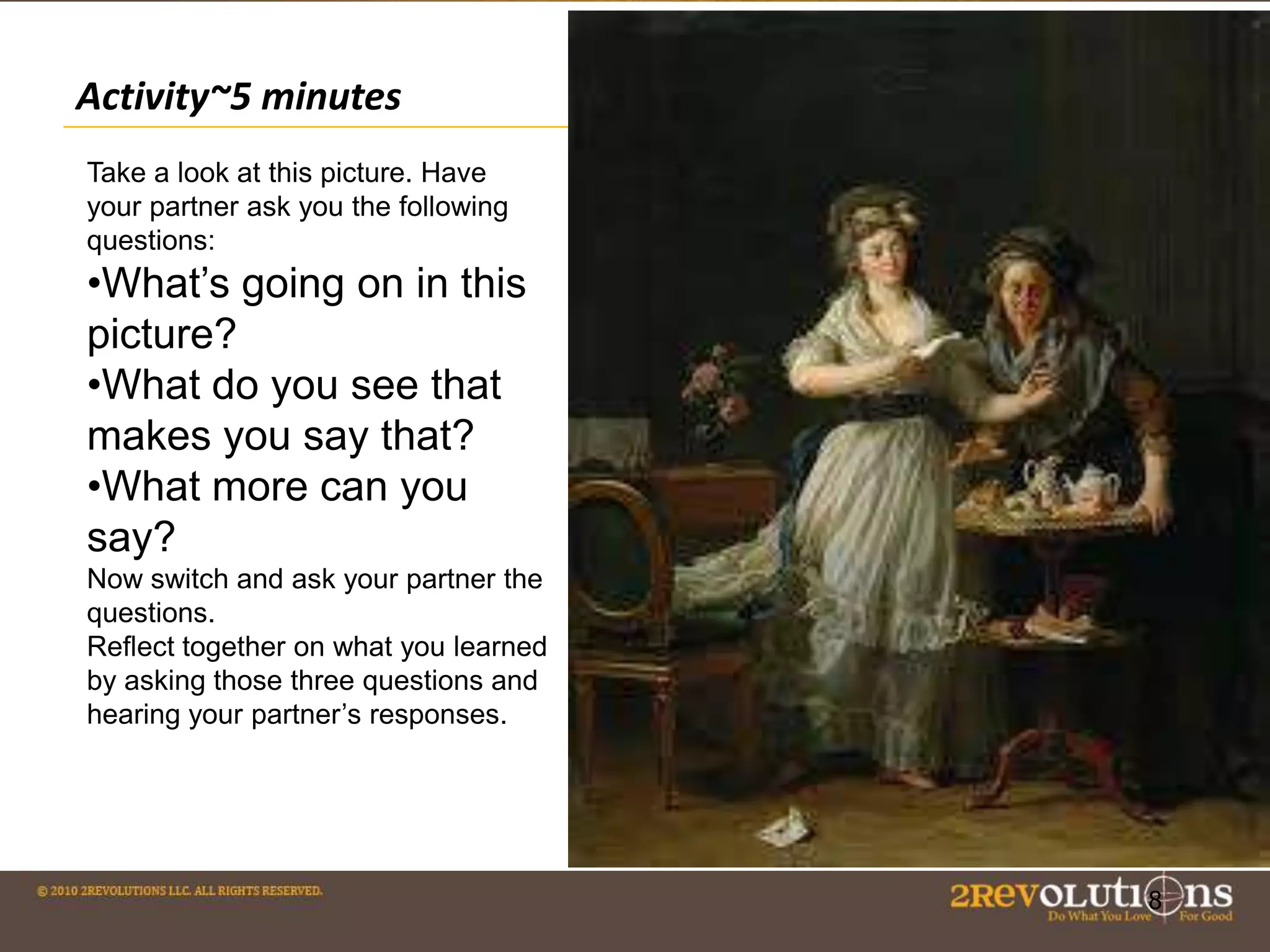
Activity~5 minutes
Take a look at this picture. Have
your partner ask you the following
questions:

•What’s going on in this
picture?
•What do you see that
makes you say that?
•What more can you
say?
Now switch and ask your partner the
questions.
Reflect together on what you learned
by asking those three questions and
hearing your partner’s responses.

8

8
Activity
Follow-up: A teacher could ask students to write a
paragraph demonstrating deep thinking about the
painting. They could divide the response into 1) initial
thoughts 2) partner’s thoughts 3) synthesis of ideas and
thoughts on the journey of understanding. This response
would then be assessed by the teacher that day to guide
further discussion about art work the next day. These
pieces would be the stepping stones for a final paper on
Art Theory…
… one of many possibilities. The key is experience+
reflection piece + time bound assessment = development
of a final piece to show case
9

9
QUOTE
The e-portfolio is the central
and common point for the student
experience… It is a reflection of the
student as a person undergoing
continuous personal development,
not just a store of evidence.
-Geoff Rebbeck, e-Learning Coordinator, Thanet College, quoted in
JISC, 2008, Effective Practice with e-Portfolios
How Can Google Docs do all this?
Google Docs
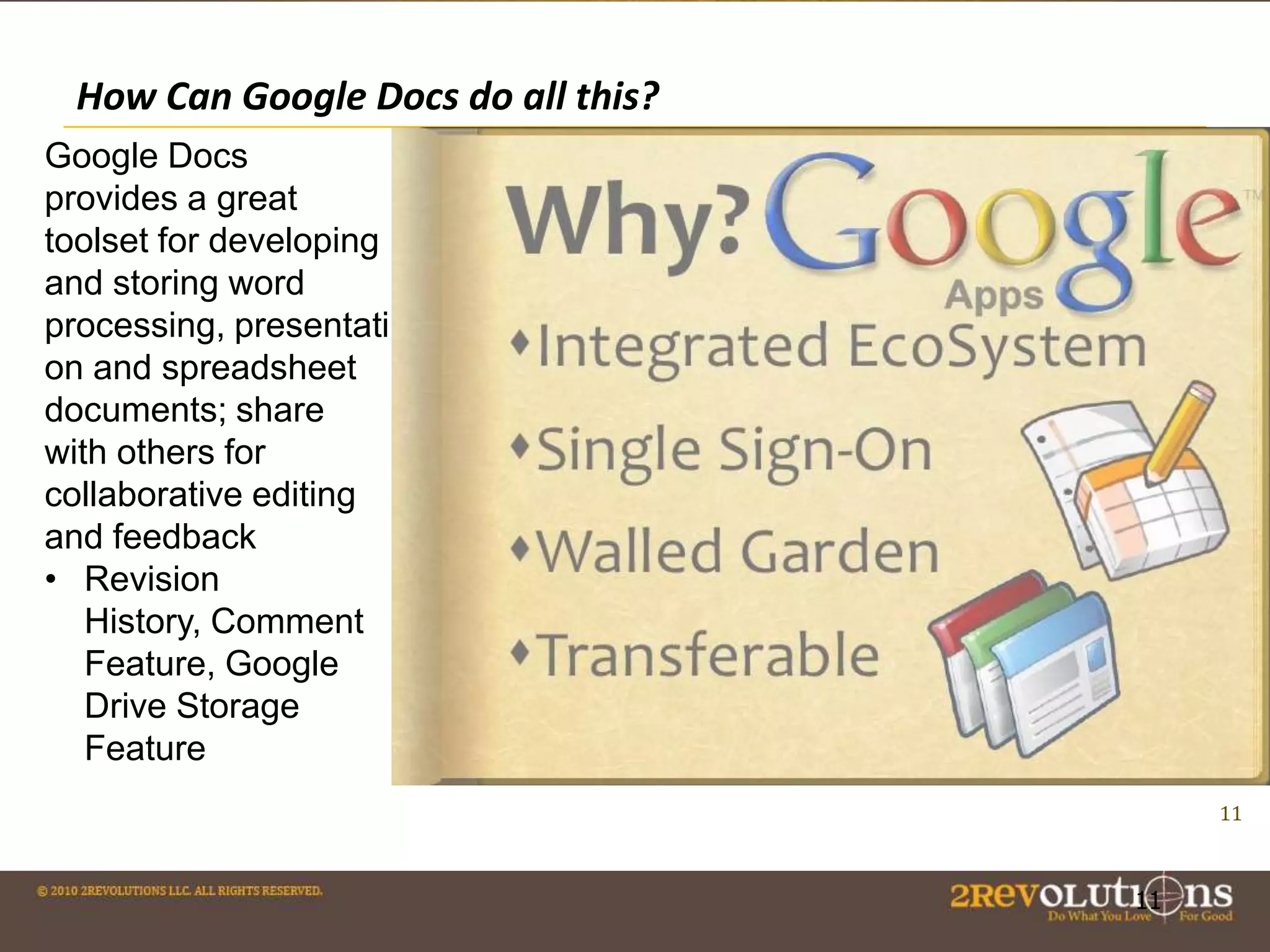
provides a great
toolset for developing
and storing word
processing, presentati
on and spreadsheet
documents; share
with others for
collaborative editing
and feedback
• Revision
History, Comment
Feature, Google
Drive Storage
Feature
11

11
Using Google Docs for Collaboration
• YouTube and Picasa can be used to store videos and
collections of images.
• Google Maps can hold images, comments and videos and link
to blogs.
• Attachments of other file types can be added to Google Sites
(copied from Helen Barrett’s work)
• Google Hangouts are ways to have conversations while
displaying information—all the work on Google Hangouts can
be re-corded and re-visited .
• Students can keep reflective journals or blogs on Google to
track their thinking.
• Students can peer review with the Comment function.
12

12
Learn Through Dialogue: Power of Google Comments

13

13
Example Use 1: Blogs and Journals
... ejournals provide a point of engagement for students in their work. (Crichton and Kopp (2008)
from the University of Calgary say)

The Blue School in New York does daily journaling and
this is a great way to build metacognition in students.

14

14
Example Use 2: Collaborative Work and Assessment
A recent Edutopia articles cites three frameworks for evaluating
student group work using the artifacts gathered in digital portfolio
work.
• Individual Skill Based Assessment
• Role-Based Assessment: assign students roles in a group
and evaluate them based on how they perform that role.
• Weighted Peer Assessment: Evaluate students based on the
comments of their peers (inserted via Google comment)
throughout the doc or presentation.
Copied from Edutopia
15

15
Example Use 3: Google Docs And Exit Tickets
The GoogleDocs Form can be used to collect information from a
poll and display it immediately.

1. Provide Students with immediate feedback (and visually
display it before them)
2. Gauge student understanding
3.Give students a chance to voice opinions. (Copied from Cool
Tools)

16

16
17
Example Use 4: Texting Feedback and Google Docs
Cell phone texting and displaying in Google doc to
collaborate: Let’s watch this video:
https://www.teachingchannel.org/videos/texting-to-assesslearning

18

18
Showcasing Work

19
Showcasing

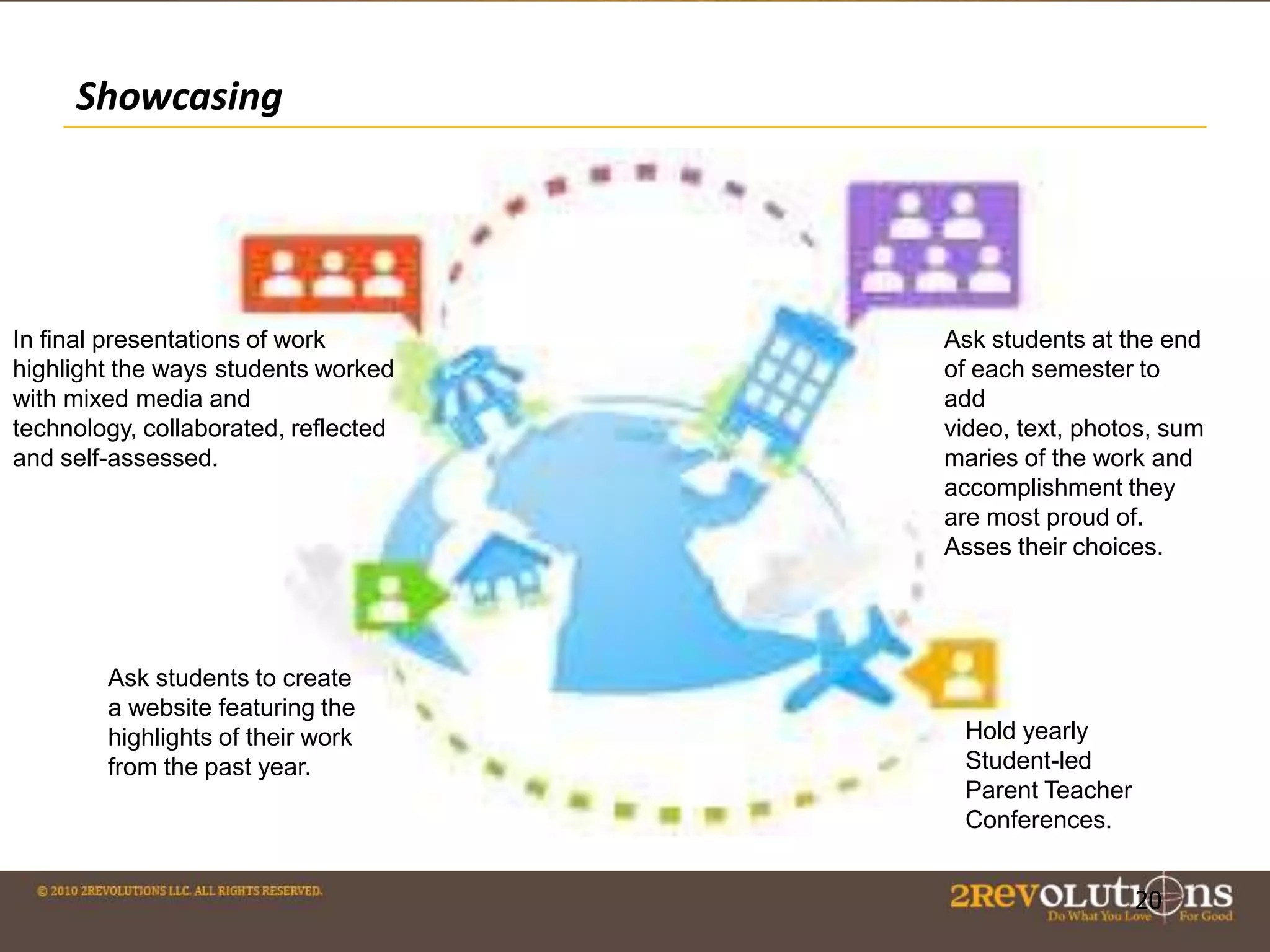
In final presentations of work
highlight the ways students worked
with mixed media and
technology, collaborated, reflected
and self-assessed.

Ask students to create
a website featuring the
highlights of their work
from the past year.

Ask students at the end
of each semester to
add
video, text, photos, sum
maries of the work and
accomplishment they
are most proud of.
Asses their choices.

Hold yearly
Student-led
Parent Teacher
Conferences.

20

20
More Resources
The E-portfolio Paradigm: Informing,
Educating, Assessing, and Managing with Eportfolios (Google eBook)
Edudemic E-Portfolio on Ipad with Google
Google on E-Portfolio
Helen Barret: Assessment/ Showcase with
Google E-Portfolio
Professional Learning Communities article.
21

Ravenscroft E-Portfolio Presentation

  • 1.
    Portfolio Assessment: Collaboration andShowcasing Student Work Using Google Ravenscroft and Carmen James @2Revoltions
  • 2.
    “A link tothe design of core academic experience becomes clear: any genuine learning has to involve perspective on what is learned, not an authoritative march through Official Knowledge[...]” -Grant Wiggins 2 2
  • 3.
    Agenda and KeyQuestion Agenda: Review e-portfolios, Discuss collaboration with Google Docs, Engage in brief group activity, Discuss show casing student work. About Me: PhD Candidate with a Masters in Education, in my first year working at 2Revolutions. Previously taught Kindergarten, 1st, 5th and 12th graders along with Masters students at Teachers College, Columbia U. Worked with IDEO and Riverdale Country Day School to leverage design thinking for teachers. Worked on innovative practices with museums in the US and Latin America. Key Question: What are the key questions for you about eportfolios? What is the purpose? What are we trying to achieve and how? 3 3
  • 4.
    Purpose - E-Portfolios fostercollaboration and support formative daily assessment by providing spaces to collaborate in and with and artifacts for assessment. - E-Portfolios build inquiry, critical thinking and deep, personalized learning. - E-Portfolios are mixed media, and teach students digital branding as they showcase their work. E-Portfolios are not the aim, they are a technology tool--the aim is fostering reflection, constructing deep learning and enabling interactivity. 4 4
  • 6.
    Overview of PortfolioAssessment (with Google Docs) 1. Purpose. Decide on the purpose for the portfolio. What are you trying to show with this portfolio? Are there outcomes, goals, or standards that are being demonstrated with this portfolio? 2. Collection/Classification. What artifacts will you include in your portfolio? How will you classify these entries? 3. Reflection. Reflection is the heart and soul of a portfolio. Reflection provides the rationale for why these artifacts represent achievement of a particular outcome, goal or standard. Blog entries provide an opportunity for reflection "in the present tense" or "reflection in action.” 4. Connection/Interaction/Dialogue/Feedback. This stage provides an opportunity for interaction and feedback on the work posted in the portfolio. This is where the power of Web 2.0 interactive tools becomes apparent. 5. Summative Reflection/Selection/Evaluation. At the end of a course (or program), students would write a reflection that looks back over the course (or program) and provides a meta-analysis of the learning experience as represented in the reflections stored in the blog/journal entries. 6. Presentation/Publishing. The portfolio developer decides what parts of the portfolio are to be made public. (copied from Helen Barrett’s work) 6 6
  • 7.
    Let’s Explore anExample https://sites.google.com/a/brvgs.k12.va.us/minnickinternship/Home 7 7
  • 8.
    Activity~5 minutes Take alook at this picture. Have your partner ask you the following questions: •What’s going on in this picture? •What do you see that makes you say that? •What more can you say? Now switch and ask your partner the questions. Reflect together on what you learned by asking those three questions and hearing your partner’s responses. 8 8
  • 9.
    Activity Follow-up: A teachercould ask students to write a paragraph demonstrating deep thinking about the painting. They could divide the response into 1) initial thoughts 2) partner’s thoughts 3) synthesis of ideas and thoughts on the journey of understanding. This response would then be assessed by the teacher that day to guide further discussion about art work the next day. These pieces would be the stepping stones for a final paper on Art Theory… … one of many possibilities. The key is experience+ reflection piece + time bound assessment = development of a final piece to show case 9 9
  • 10.
    QUOTE The e-portfolio isthe central and common point for the student experience… It is a reflection of the student as a person undergoing continuous personal development, not just a store of evidence. -Geoff Rebbeck, e-Learning Coordinator, Thanet College, quoted in JISC, 2008, Effective Practice with e-Portfolios
  • 11.
    How Can GoogleDocs do all this? Google Docs provides a great toolset for developing and storing word processing, presentati on and spreadsheet documents; share with others for collaborative editing and feedback • Revision History, Comment Feature, Google Drive Storage Feature 11 11
  • 12.
    Using Google Docsfor Collaboration • YouTube and Picasa can be used to store videos and collections of images. • Google Maps can hold images, comments and videos and link to blogs. • Attachments of other file types can be added to Google Sites (copied from Helen Barrett’s work) • Google Hangouts are ways to have conversations while displaying information—all the work on Google Hangouts can be re-corded and re-visited . • Students can keep reflective journals or blogs on Google to track their thinking. • Students can peer review with the Comment function. 12 12
  • 13.
    Learn Through Dialogue:Power of Google Comments 13 13
  • 14.
    Example Use 1:Blogs and Journals ... ejournals provide a point of engagement for students in their work. (Crichton and Kopp (2008) from the University of Calgary say) The Blue School in New York does daily journaling and this is a great way to build metacognition in students. 14 14
  • 15.
    Example Use 2:Collaborative Work and Assessment A recent Edutopia articles cites three frameworks for evaluating student group work using the artifacts gathered in digital portfolio work. • Individual Skill Based Assessment • Role-Based Assessment: assign students roles in a group and evaluate them based on how they perform that role. • Weighted Peer Assessment: Evaluate students based on the comments of their peers (inserted via Google comment) throughout the doc or presentation. Copied from Edutopia 15 15
  • 16.
    Example Use 3:Google Docs And Exit Tickets The GoogleDocs Form can be used to collect information from a poll and display it immediately. 1. Provide Students with immediate feedback (and visually display it before them) 2. Gauge student understanding 3.Give students a chance to voice opinions. (Copied from Cool Tools) 16 16
  • 17.
  • 18.
    Example Use 4:Texting Feedback and Google Docs Cell phone texting and displaying in Google doc to collaborate: Let’s watch this video: https://www.teachingchannel.org/videos/texting-to-assesslearning 18 18
  • 19.
  • 20.
    Showcasing In final presentationsof work highlight the ways students worked with mixed media and technology, collaborated, reflected and self-assessed. Ask students to create a website featuring the highlights of their work from the past year. Ask students at the end of each semester to add video, text, photos, sum maries of the work and accomplishment they are most proud of. Asses their choices. Hold yearly Student-led Parent Teacher Conferences. 20 20
  • 21.
    More Resources The E-portfolioParadigm: Informing, Educating, Assessing, and Managing with Eportfolios (Google eBook) Edudemic E-Portfolio on Ipad with Google Google on E-Portfolio Helen Barret: Assessment/ Showcase with Google E-Portfolio Professional Learning Communities article. 21

Editor's Notes

  • #4 How do you effectively support the use of digital portfolios for the dual purposes of showcasing student work and providing an interactive learning space?
  • #11 It is also not just about alignment with standards.
  • #12 All Google documents are collaborative, which means they are easily shared, stored and potentially published online. Four Central Docs: DocumentPresentationSpreadsheetFormRemember: GoogleDocs are collaborative and stored online. This means you can invite others to work with you, then easily share them. (Copied from Cool Tools
  • #17 Teachers can add formulas to those spreadsheets to create multiple-choice quizzes that grade themselves. Forms can be linked or embedded into a website, wiki or blog. The form can be used as an Exit Ticket at the end of a lesson. One simple 3-5 question Exit Ticket Quiz has at least three great uses.
  • #21 In the previous video we saw how student work isn’t just showcased when the project is due or for the end of the year. The showcasing becomes part of the how the student thinks about their learning, so when they apply for college or a job they are able to effectively represent their strengths and achievements.Let’s go back and lookat the student blog we startedwith, how is this student learningto showcase his work for assessment?