Basics of Computer Graphics
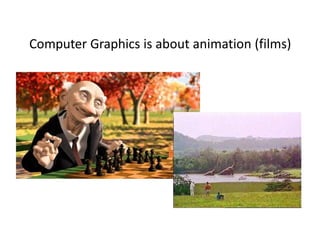
Computer Graphics is about animation (films)
What is Computer Graphics
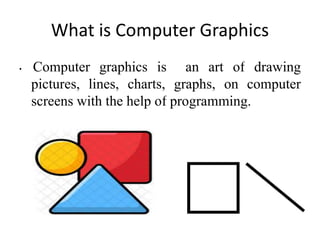
• Computer graphics is an art of drawing
pictures, lines, charts, graphs, on computer
screens with the help of programming.
• Producing a picture or image using a
computer.
• Computer graphics refers to everything
that is not text and sound.
• It is combination of computer science and
arts.
• It comprises of software techniques to
create, store, modify, represents pictures
& it is the creation of pictures with the
help of a computer
What is Computer Graphics
Computer
graphics
• It is the creation and manipulation of graphic
images by means of a computer.
 Computer graphics started as a technique to
enhance the display of information generated by
a computer.
 This ability to interpret and represent numerical
data in pictures has significantly increased the
computer’s ability to present information to the
user in a clear and understandable form.
 Large amount of data are rapidly converted into
bar charts, pie charts, and graphs.
Types of computer graphics
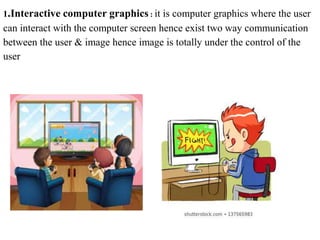
1.Interactive computer graphics : it is computer graphics where the user
can interact with the computer screen hence exist two way communication
between the user & image hence image is totally under the control of the
user
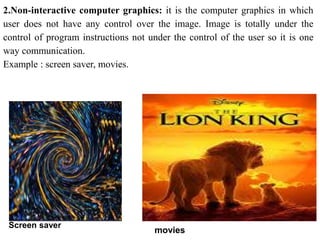
2.Non-interactive computer graphics: it is the computer graphics in which
user does not have any control over the image. Image is totally under the
control of program instructions not under the control of the user so it is one
way communication.
Example : screen saver, movies.
Screen saver
movies
Application of Computer Graphics
1. Education and Training
2. Use in Biology
3. Computer-Generated Maps
4. Architecture
5. Presentation Graphics
6. Computer Art
7. Entertainment
8. Visualization
9. Educational Software
10. Printing Technology
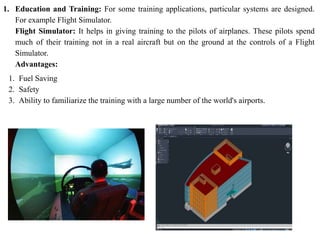
1. Education and Training: For some training applications, particular systems are designed.
For example Flight Simulator.
Flight Simulator: It helps in giving training to the pilots of airplanes. These pilots spend
much of their training not in a real aircraft but on the ground at the controls of a Flight
Simulator.
Advantages:
1. Fuel Saving
2. Safety
3. Ability to familiarize the training with a large number of the world's airports.
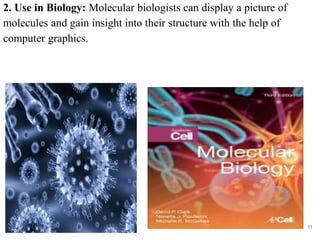
2. Use in Biology: Molecular biologists can display a picture of
molecules and gain insight into their structure with the help of
computer graphics.
11
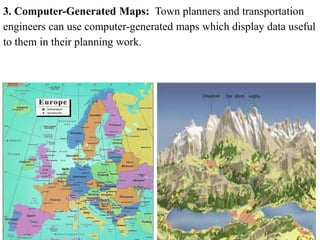
3. Computer-Generated Maps: Town planners and transportation
engineers can use computer-generated maps which display data useful
to them in their planning work.
12
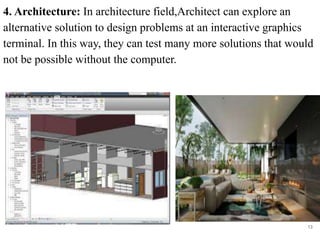
4. Architecture: In architecture field,Architect can explore an
alternative solution to design problems at an interactive graphics
terminal. In this way, they can test many more solutions that would
not be possible without the computer.
13
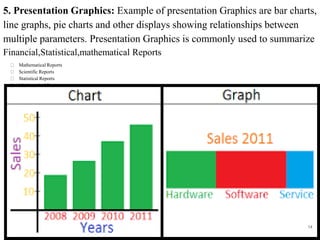
5. Presentation Graphics: Example of presentation Graphics are bar charts,
line graphs, pie charts and other displays showing relationships between
multiple parameters. Presentation Graphics is commonly used to summarize
Financial,Statistical,mathematical Reports
Mathematical Reports
Scientific Reports
Statistical Reports
Mathematical Reports
Scientific Reports
Statistical Reports
Mathematical Reports
Scientific Report
Statistical Reports
Mathematical Reports
Scientific Reports
14
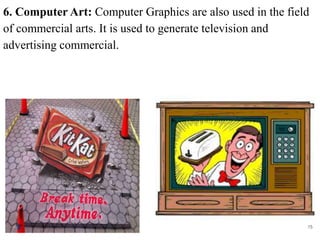
6. Computer Art: Computer Graphics are also used in the field
of commercial arts. It is used to generate television and
advertising commercial.
15
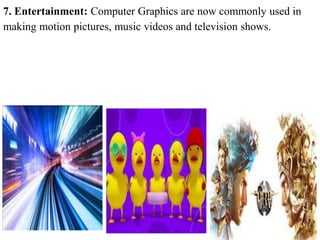
7. Entertainment: Computer Graphics are now commonly used in
making motion pictures, music videos and television shows.
16
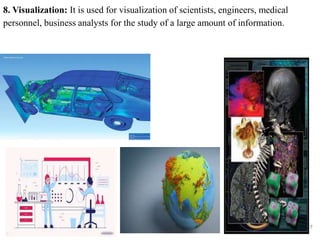
8. Visualization: It is used for visualization of scientists, engineers, medical
personnel, business analysts for the study of a large amount of information.
17
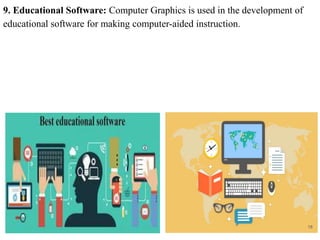
9. Educational Software: Computer Graphics is used in the development of
educational software for making computer-aided instruction.
18
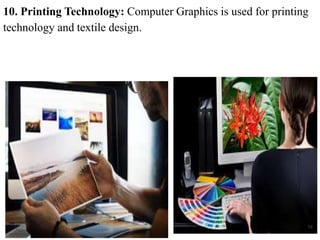
10. Printing Technology: Computer Graphics is used for printing
technology and textile design.
19

Computer graphics

  • 1.
  • 2.
    Computer Graphics isabout animation (films)
  • 3.
    What is ComputerGraphics • Computer graphics is an art of drawing pictures, lines, charts, graphs, on computer screens with the help of programming.
  • 4.
    • Producing apicture or image using a computer. • Computer graphics refers to everything that is not text and sound. • It is combination of computer science and arts. • It comprises of software techniques to create, store, modify, represents pictures & it is the creation of pictures with the help of a computer What is Computer Graphics
  • 5.
    Computer graphics • It isthe creation and manipulation of graphic images by means of a computer.  Computer graphics started as a technique to enhance the display of information generated by a computer.  This ability to interpret and represent numerical data in pictures has significantly increased the computer’s ability to present information to the user in a clear and understandable form.  Large amount of data are rapidly converted into bar charts, pie charts, and graphs.
  • 6.
  • 7.
    1.Interactive computer graphics: it is computer graphics where the user can interact with the computer screen hence exist two way communication between the user & image hence image is totally under the control of the user
  • 8.
    2.Non-interactive computer graphics:it is the computer graphics in which user does not have any control over the image. Image is totally under the control of program instructions not under the control of the user so it is one way communication. Example : screen saver, movies. Screen saver movies
  • 9.
    Application of ComputerGraphics 1. Education and Training 2. Use in Biology 3. Computer-Generated Maps 4. Architecture 5. Presentation Graphics 6. Computer Art 7. Entertainment 8. Visualization 9. Educational Software 10. Printing Technology
  • 10.
    1. Education andTraining: For some training applications, particular systems are designed. For example Flight Simulator. Flight Simulator: It helps in giving training to the pilots of airplanes. These pilots spend much of their training not in a real aircraft but on the ground at the controls of a Flight Simulator. Advantages: 1. Fuel Saving 2. Safety 3. Ability to familiarize the training with a large number of the world's airports.
  • 11.
    2. Use inBiology: Molecular biologists can display a picture of molecules and gain insight into their structure with the help of computer graphics. 11
  • 12.
    3. Computer-Generated Maps:Town planners and transportation engineers can use computer-generated maps which display data useful to them in their planning work. 12
  • 13.
    4. Architecture: Inarchitecture field,Architect can explore an alternative solution to design problems at an interactive graphics terminal. In this way, they can test many more solutions that would not be possible without the computer. 13
  • 14.
    5. Presentation Graphics:Example of presentation Graphics are bar charts, line graphs, pie charts and other displays showing relationships between multiple parameters. Presentation Graphics is commonly used to summarize Financial,Statistical,mathematical Reports Mathematical Reports Scientific Reports Statistical Reports Mathematical Reports Scientific Reports Statistical Reports Mathematical Reports Scientific Report Statistical Reports Mathematical Reports Scientific Reports 14
  • 15.
    6. Computer Art:Computer Graphics are also used in the field of commercial arts. It is used to generate television and advertising commercial. 15
  • 16.
    7. Entertainment: ComputerGraphics are now commonly used in making motion pictures, music videos and television shows. 16
  • 17.
    8. Visualization: Itis used for visualization of scientists, engineers, medical personnel, business analysts for the study of a large amount of information. 17
  • 18.
    9. Educational Software:Computer Graphics is used in the development of educational software for making computer-aided instruction. 18
  • 19.
    10. Printing Technology:Computer Graphics is used for printing technology and textile design. 19