COMPUTER
GRAPHICS
Introduction
•What is Computer Graphics?
•Applications
•Graphics packages
What is Computer Graphics?
 Creation, Manipulation and Storage of
geometric objects (modeling) & their
images (rendering)
 Display those images on screens or
hardcopy devices
Applications of Computer Graphics
 Computer Aided Design (CAD)
 Presentation Graphics
 Computer Art
 Entertainment (animation, games, …)
 Education & Training
 Communication
 Image Processing
 Graphical User Interfaces
1.Computer Aided Design (CAD)
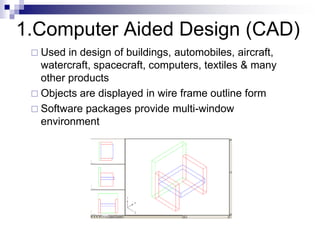
 Used in design of buildings, automobiles, aircraft,
watercraft, spacecraft, computers, textiles & many
other products
 Objects are displayed in wire frame outline form
 Software packages provide multi-window
environment
 Graphics design package provides standard
shapes (useful for repeated placements)
 Animations are also used in CAD applications
 Realistic displays of architectural design permits
simulated “walk” through the rooms (virtual -
reality systems)
2.Presentation Graphics
 Used to produce illustrations for reports or
generate slides for use with projectors
 Commonly used to summarize financial,
statistical, mathematical, scientific, economic
data for research reports, managerial reports &
customer information bulletins
 Examples : Bar charts, line graphs, pie charts,
surface graphs, time chart
Examples of presentation graphics
Examples of presentation
graphics
3.Computer Art
 Used in fine art & commercial art
Includes artist’s paintbrush programs, paint
packages, CAD packages and animation
packages
These packages provides facilities for
designing object shapes & specifying object
motions.
Examples : Cartoon drawing, paintings,
product advertisements, logo design
Examples :
Computer Art
 Electronic painting
 Picture painted electronically on
a graphics tablet (digitizer) using a stylus
 Cordless, pressure sensitive stylus
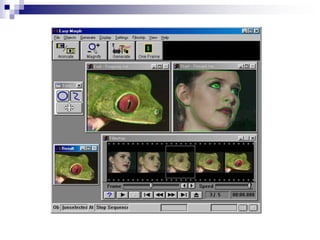
 Morphing
 A graphics method in which one object is
transformed into another
4.Entertainment
 Movie Industry
Used in motion pictures, music
videos, and television shows.
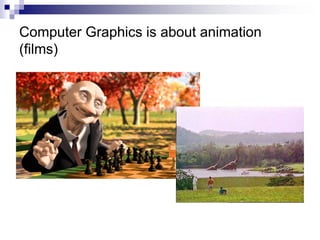
Used in making of cartoon
animation films
Slide information from Leonard McMillian's slides
http://www.cs.unc.edu/~mcmillan/comp136/Lecture1/compgraf.ht
ml
Computer Graphics is about animation
(films)
 Game Industry
Focus on interactivity
Cost effective solutions
Avoiding computations and
other tricks
5.Education & Training
 Computer generated models of physical,
financial and economic systems are used
as educational aids.
 Models of physical systems, physiological
systems, population trends, or equipment
such as color-coded diagram help trainees
understand the operation of the system
 Specialized systems
used for training
applications
 simulators for practice
sessions or training of
ship captains
 aircraft pilots
 heavy equipment
operators
 air traffic-control
personnel
Training
6.Communication
 CG- Computer is used to create a picture
 Image Processing – applies techniques to
modify or interpret existing pictures such as
photographs and TV scans
 Medical applications
 Picture enhancements
 Tomography
 Simulations of operations
 Ultrasonics & nuclear medicine scanners
 2 applications of image processing
 Improving picture quality
 Machine perception of visual information
(Robotics)
7. Image Processing
 To apply image processing methods
 Digitize a photograph (or picture) into an image file
 Apply digital methods to rearrange picture parts to
 enhance color separations
 Improve quality of shading
 Tomography – technique of X-ray photography that
allows cross-sectional views of physiological systems
to be displayed
 Computed X-ray tomography (CT) and position
emission tomography ( PET) use projection methods
to reconstruct cross sections from digital data
 Computer-Aided Surgery is a medical application
technique to model and study physical functions to
design artificial limbs and to plan & practice surgery
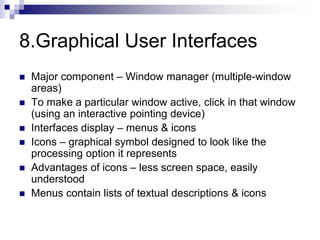
8.Graphical User Interfaces
 Major component – Window manager (multiple-window
areas)
 To make a particular window active, click in that window
(using an interactive pointing device)
 Interfaces display – menus & icons
 Icons – graphical symbol designed to look like the
processing option it represents
 Advantages of icons – less screen space, easily
understood
 Menus contain lists of textual descriptions & icons
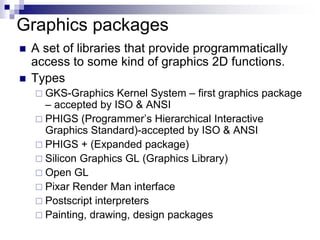
Graphics packages
 A set of libraries that provide programmatically
access to some kind of graphics 2D functions.
 Types
 GKS-Graphics Kernel System – first graphics package
– accepted by ISO & ANSI
 PHIGS (Programmer’s Hierarchical Interactive
Graphics Standard)-accepted by ISO & ANSI
 PHIGS + (Expanded package)
 Silicon Graphics GL (Graphics Library)
 Open GL
 Pixar Render Man interface
 Postscript interpreters
 Painting, drawing, design packages

applications.ppt

  • 1.
  • 2.
    Introduction •What is ComputerGraphics? •Applications •Graphics packages
  • 3.
    What is ComputerGraphics?  Creation, Manipulation and Storage of geometric objects (modeling) & their images (rendering)  Display those images on screens or hardcopy devices
  • 4.
    Applications of ComputerGraphics  Computer Aided Design (CAD)  Presentation Graphics  Computer Art  Entertainment (animation, games, …)  Education & Training  Communication  Image Processing  Graphical User Interfaces
  • 5.
    1.Computer Aided Design(CAD)  Used in design of buildings, automobiles, aircraft, watercraft, spacecraft, computers, textiles & many other products  Objects are displayed in wire frame outline form  Software packages provide multi-window environment
  • 6.
     Graphics designpackage provides standard shapes (useful for repeated placements)  Animations are also used in CAD applications  Realistic displays of architectural design permits simulated “walk” through the rooms (virtual - reality systems)
  • 7.
    2.Presentation Graphics  Usedto produce illustrations for reports or generate slides for use with projectors  Commonly used to summarize financial, statistical, mathematical, scientific, economic data for research reports, managerial reports & customer information bulletins  Examples : Bar charts, line graphs, pie charts, surface graphs, time chart
  • 8.
  • 9.
  • 10.
  • 11.
    3.Computer Art  Usedin fine art & commercial art Includes artist’s paintbrush programs, paint packages, CAD packages and animation packages These packages provides facilities for designing object shapes & specifying object motions. Examples : Cartoon drawing, paintings, product advertisements, logo design
  • 12.
  • 13.
    Computer Art  Electronicpainting  Picture painted electronically on a graphics tablet (digitizer) using a stylus  Cordless, pressure sensitive stylus  Morphing  A graphics method in which one object is transformed into another
  • 15.
    4.Entertainment  Movie Industry Usedin motion pictures, music videos, and television shows. Used in making of cartoon animation films Slide information from Leonard McMillian's slides http://www.cs.unc.edu/~mcmillan/comp136/Lecture1/compgraf.ht ml
  • 16.
    Computer Graphics isabout animation (films)
  • 17.
     Game Industry Focuson interactivity Cost effective solutions Avoiding computations and other tricks
  • 18.
    5.Education & Training Computer generated models of physical, financial and economic systems are used as educational aids.  Models of physical systems, physiological systems, population trends, or equipment such as color-coded diagram help trainees understand the operation of the system
  • 19.
     Specialized systems usedfor training applications  simulators for practice sessions or training of ship captains  aircraft pilots  heavy equipment operators  air traffic-control personnel
  • 20.
  • 21.
  • 22.
     CG- Computeris used to create a picture  Image Processing – applies techniques to modify or interpret existing pictures such as photographs and TV scans  Medical applications  Picture enhancements  Tomography  Simulations of operations  Ultrasonics & nuclear medicine scanners  2 applications of image processing  Improving picture quality  Machine perception of visual information (Robotics) 7. Image Processing
  • 23.
     To applyimage processing methods  Digitize a photograph (or picture) into an image file  Apply digital methods to rearrange picture parts to  enhance color separations  Improve quality of shading  Tomography – technique of X-ray photography that allows cross-sectional views of physiological systems to be displayed  Computed X-ray tomography (CT) and position emission tomography ( PET) use projection methods to reconstruct cross sections from digital data  Computer-Aided Surgery is a medical application technique to model and study physical functions to design artificial limbs and to plan & practice surgery
  • 25.
    8.Graphical User Interfaces Major component – Window manager (multiple-window areas)  To make a particular window active, click in that window (using an interactive pointing device)  Interfaces display – menus & icons  Icons – graphical symbol designed to look like the processing option it represents  Advantages of icons – less screen space, easily understood  Menus contain lists of textual descriptions & icons
  • 27.
    Graphics packages  Aset of libraries that provide programmatically access to some kind of graphics 2D functions.  Types  GKS-Graphics Kernel System – first graphics package – accepted by ISO & ANSI  PHIGS (Programmer’s Hierarchical Interactive Graphics Standard)-accepted by ISO & ANSI  PHIGS + (Expanded package)  Silicon Graphics GL (Graphics Library)  Open GL  Pixar Render Man interface  Postscript interpreters  Painting, drawing, design packages