
email : rameshogania@gmail.com
Gsm : 9969 37 44 37
Computer Forensics
Basic Investigation Techniques
WHOIS search
DNS lookup
Traceroute
IP tracing
Analyzing web server logs
Email tracking and tracing
Recovering deleted evidence
Password Breaking
Basic Investigation Techniques
•Handling Encrypted Files
•Handling Steganography
•Handling hidden data
•Using keyloggers for investigation
•Searching for keywords
Basic Investigation Techniques
Computer Forensics
The process of identifying preserving, analyzing and
presenting digital evidence for a legal proceeding
Computer Forensics
Definition:
Forensics - The use of science and technology to investigate and establish
facts in criminal or civil courts of law.
Computer Forensics - Commonly defined as the collection, preservation,
analysis and court presentation of computer-related evidence.
– Proper Acquisition and Preservation of Computer Evidence.
– Authentication of Collected Data for Court Presentation
– Recovery of All Available Data, Including delete files.
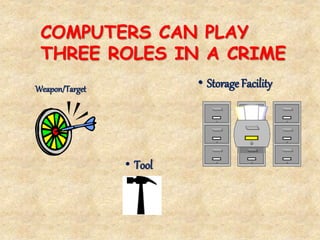
COMPUTERS CAN PLAY
THREE ROLES IN A CRIME
Weapon/Target • Storage Facility
• Tool
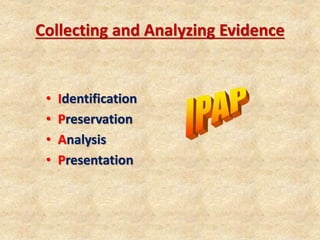
Collecting and Analyzing Evidence
• Identification
• Preservation
• Analysis
• Presentation
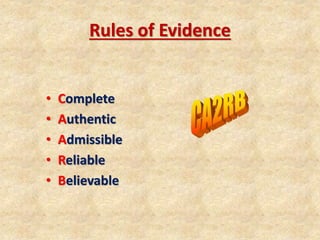
Rules of Evidence
• Complete
• Authentic
• Admissible
• Reliable
• Believable
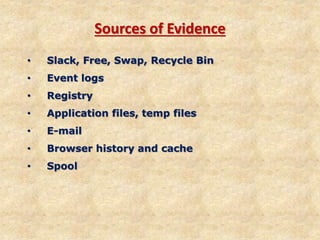
Sources of Evidence
• Slack, Free, Swap, Recycle Bin
• Event logs
• Registry
• Application files, temp files
• E-mail
• Browser history and cache
• Spool
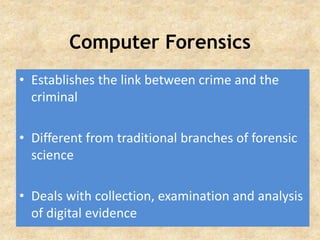
Computer Forensics
• Establishes the link between crime and the
criminal
• Different from traditional branches of forensic
science
• Deals with collection, examination and analysis
of digital evidence
Components Of
Computer Forensics
Disk forensics
Network forensics
Software forensics
Digital Evidence
Evidence stored or transmitted in binary form
Includes evidence from
computer
digital audio
digital video
cell phones
Precautions in handling digital
evidence
The U.S. doorframe case
Evidence is not compromised due to incorrect
procedures
A continuing chain of custody is established and
maintained
Procedures and findings are documented.
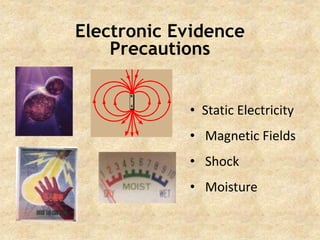
Electronic Evidence
Precautions
• Static Electricity
• Magnetic Fields
• Shock
• Moisture
Electronic Evidence
Potential Evidence
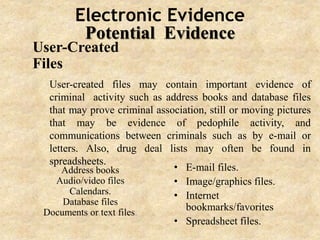
User-Created
Files
Address books
Audio/video files
Calendars.
Database files
Documents or text files.
• E-mail files.
• Image/graphics files.
• Internet
bookmarks/favorites
• Spreadsheet files.
User-created files may contain important evidence of
criminal activity such as address books and database files
that may prove criminal association, still or moving pictures
that may be evidence of pedophile activity, and
communications between criminals such as by e-mail or
letters. Also, drug deal lists may often be found in
spreadsheets.
Electronic Evidence
Potential Evidence
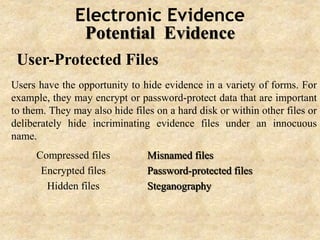
User-Protected Files
Users have the opportunity to hide evidence in a variety of forms. For
example, they may encrypt or password-protect data that are important
to them. They may also hide files on a hard disk or within other files or
deliberately hide incriminating evidence files under an innocuous
name.
Compressed files
Encrypted files
Hidden files
Misnamed files
Password-protected files
Steganography
Electronic Evidence
Potential Evidence
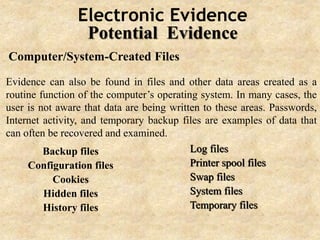
Computer/System-Created Files
Backup files
Configuration files
Cookies
Hidden files
History files
Log files
Printer spool files
Swap files
System files
Temporary files
Evidence can also be found in files and other data areas created as a
routine function of the computer’s operating system. In many cases, the
user is not aware that data are being written to these areas. Passwords,
Internet activity, and temporary backup files are examples of data that
can often be recovered and examined.
Electronic Evidence
Potential Evidence
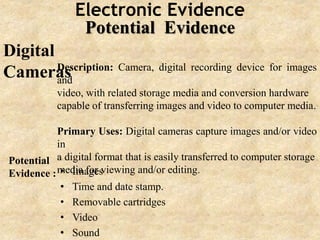
Digital
CamerasDescription: Camera, digital recording device for images
and
video, with related storage media and conversion hardware
capable of transferring images and video to computer media.
Primary Uses: Digital cameras capture images and/or video
in
a digital format that is easily transferred to computer storage
media for viewing and/or editing.• Images
• Time and date stamp.
• Removable cartridges
• Video
• Sound
Potential
Evidence :
Electronic Evidence
Potential Evidence
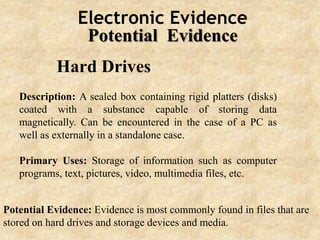
Hard Drives
Description: A sealed box containing rigid platters (disks)
coated with a substance capable of storing data
magnetically. Can be encountered in the case of a PC as
well as externally in a standalone case.
Primary Uses: Storage of information such as computer
programs, text, pictures, video, multimedia files, etc.
Potential Evidence: Evidence is most commonly found in files that are
stored on hard drives and storage devices and media.
Electronic Evidence
Potential Evidence
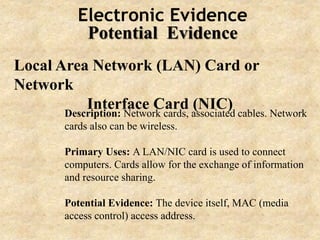
Local Area Network (LAN) Card or
Network
Interface Card (NIC)Description: Network cards, associated cables. Network
cards also can be wireless.
Primary Uses: A LAN/NIC card is used to connect
computers. Cards allow for the exchange of information
and resource sharing.
Potential Evidence: The device itself, MAC (media
access control) access address.
Electronic Evidence
Potential Evidence
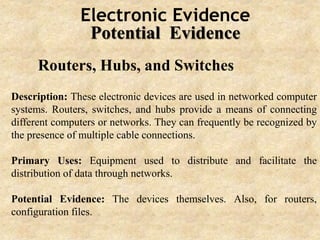
Routers, Hubs, and Switches
Description: These electronic devices are used in networked computer
systems. Routers, switches, and hubs provide a means of connecting
different computers or networks. They can frequently be recognized by
the presence of multiple cable connections.
Primary Uses: Equipment used to distribute and facilitate the
distribution of data through networks.
Potential Evidence: The devices themselves. Also, for routers,
configuration files.
Electronic Evidence
Potential Evidence
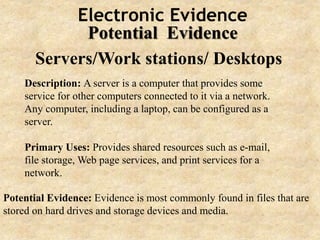
Servers/Work stations/ Desktops
Description: A server is a computer that provides some
service for other computers connected to it via a network.
Any computer, including a laptop, can be configured as a
server.
Primary Uses: Provides shared resources such as e-mail,
file storage, Web page services, and print services for a
network.
Potential Evidence: Evidence is most commonly found in files that are
stored on hard drives and storage devices and media.
Electronic Evidence
Potential Evidence
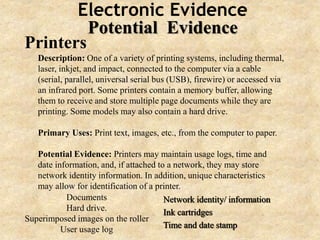
Printers
Description: One of a variety of printing systems, including thermal,
laser, inkjet, and impact, connected to the computer via a cable
(serial, parallel, universal serial bus (USB), firewire) or accessed via
an infrared port. Some printers contain a memory buffer, allowing
them to receive and store multiple page documents while they are
printing. Some models may also contain a hard drive.
Primary Uses: Print text, images, etc., from the computer to paper.
Potential Evidence: Printers may maintain usage logs, time and
date information, and, if attached to a network, they may store
network identity information. In addition, unique characteristics
may allow for identification of a printer.
Documents
Hard drive.
Superimposed images on the roller
User usage log
Network identity/ information
Ink cartridges
Time and date stamp
Electronic Evidence
Potential Evidence
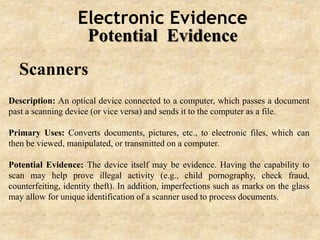
Scanners
Description: An optical device connected to a computer, which passes a document
past a scanning device (or vice versa) and sends it to the computer as a file.
Primary Uses: Converts documents, pictures, etc., to electronic files, which can
then be viewed, manipulated, or transmitted on a computer.
Potential Evidence: The device itself may be evidence. Having the capability to
scan may help prove illegal activity (e.g., child pornography, check fraud,
counterfeiting, identity theft). In addition, imperfections such as marks on the glass
may allow for unique identification of a scanner used to process documents.
Electronic Evidence
Potential Evidence
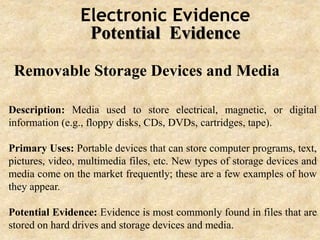
Removable Storage Devices and Media
Description: Media used to store electrical, magnetic, or digital
information (e.g., floppy disks, CDs, DVDs, cartridges, tape).
Primary Uses: Portable devices that can store computer programs, text,
pictures, video, multimedia files, etc. New types of storage devices and
media come on the market frequently; these are a few examples of how
they appear.
Potential Evidence: Evidence is most commonly found in files that are
stored on hard drives and storage devices and media.
Electronic Evidence
Potential Evidence
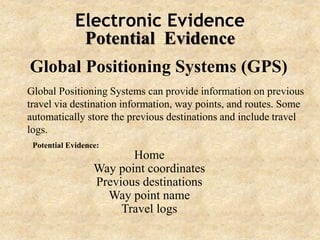
Global Positioning Systems (GPS)
Global Positioning Systems can provide information on previous
travel via destination information, way points, and routes. Some
automatically store the previous destinations and include travel
logs.
Home
Way point coordinates
Previous destinations
Way point name
Travel logs
Potential Evidence:
Computer Forensics Practices
Avoiding booting from the suspect machine
Modification of system files to delete information
Avoiding use of the suspect OS
Modification of routine OS commands for
destruction of information
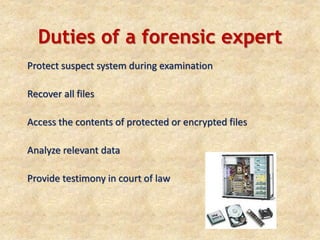
Duties of a forensic expert
Protect suspect system during examination
Recover all files
Access the contents of protected or encrypted files
Analyze relevant data
Provide testimony in court of law
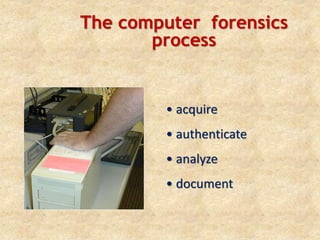
The computer forensics
process
• acquire
• authenticate
• analyze
• document
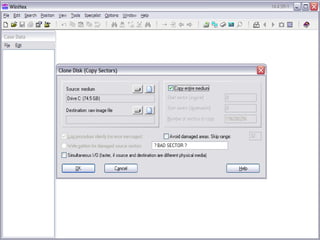
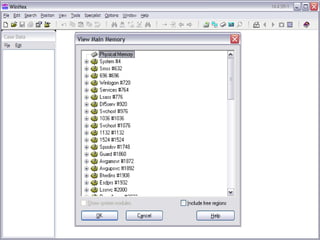
Acquire/Imaging
• Attaching suspect storage media to
forensic workstation
• Imaging storage media by attaching a
hard drive to the suspect computer
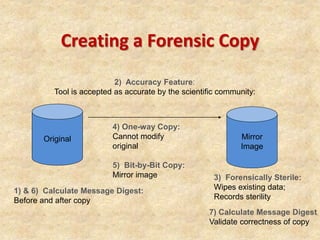
Creating a Forensic Copy
Original Mirror
Image
3) Forensically Sterile:
Wipes existing data;
Records sterility
4) One-way Copy:
Cannot modify
original
5) Bit-by-Bit Copy:
Mirror image
2) Accuracy Feature:
Tool is accepted as accurate by the scientific community:
1) & 6) Calculate Message Digest:
Before and after copy
7) Calculate Message Digest
Validate correctness of copy
Authenticate
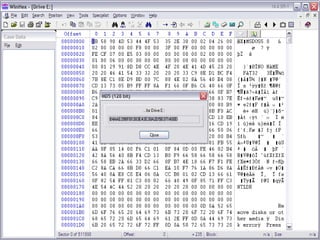
• Using hash functions to ensure
authenticity of image
• If acquisition hash equals verification
hash, image is authentic
Analysis
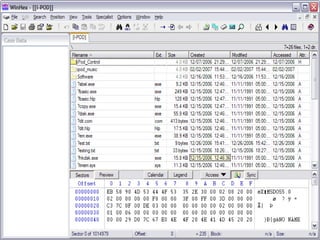
• Recover Deleted data
• Slack space
• Hidden Disk Area
• Encrypted/Protected data
• Steganography
Document
• A forensic examination report
must
– List softwares used &
their versions
– be in simple language
– list the hash results
– list all storage media
numbers, model, make
– be supported by
photographs
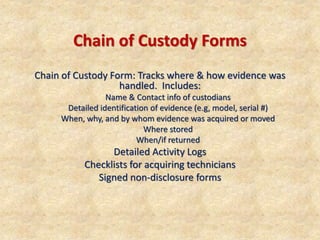
Chain of Custody Forms
Chain of Custody Form: Tracks where & how evidence was
handled. Includes:
Name & Contact info of custodians
Detailed identification of evidence (e.g, model, serial #)
When, why, and by whom evidence was acquired or moved
Where stored
When/if returned
Detailed Activity Logs
Checklists for acquiring technicians
Signed non-disclosure forms
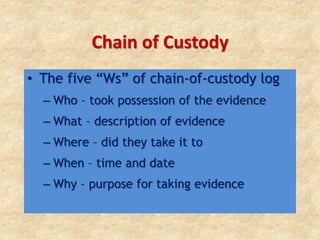
Chain of Custody
• The five “Ws” of chain-of-custody log
– Who – took possession of the evidence
– What – description of evidence
– Where – did they take it to
– When – time and date
– Why – purpose for taking evidence
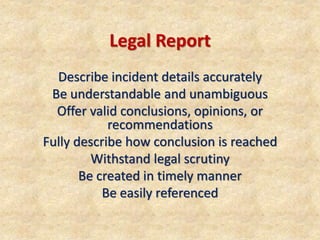
Legal Report
Describe incident details accurately
Be understandable and unambiguous
Offer valid conclusions, opinions, or
recommendations
Fully describe how conclusion is reached
Withstand legal scrutiny
Be created in timely manner
Be easily referenced
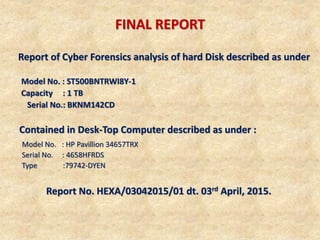
FINAL REPORT
Report of Cyber Forensics analysis of hard Disk described as under
Model No. : ST500BNTRWI8Y-1
Capacity : 1 TB
Serial No.: BKNM142CD
Contained in Desk-Top Computer described as under :
Model No. : HP Pavillion 34657TRX
Serial No. : 4658HFRDS
Type :79742-DYEN
Report No. HEXA/03042015/01 dt. 03rd April, 2015.
Questions ?
email : rameshogania@gmail.com
Gsm : 9969 37 44 37

Computer forensics

  • 1.
    email : rameshogania@gmail.com Gsm: 9969 37 44 37 Computer Forensics
  • 2.
    Basic Investigation Techniques WHOISsearch DNS lookup Traceroute IP tracing
  • 3.
    Analyzing web serverlogs Email tracking and tracing Recovering deleted evidence Password Breaking Basic Investigation Techniques
  • 4.
    •Handling Encrypted Files •HandlingSteganography •Handling hidden data •Using keyloggers for investigation •Searching for keywords Basic Investigation Techniques
  • 5.
    Computer Forensics The processof identifying preserving, analyzing and presenting digital evidence for a legal proceeding
  • 6.
    Computer Forensics Definition: Forensics -The use of science and technology to investigate and establish facts in criminal or civil courts of law. Computer Forensics - Commonly defined as the collection, preservation, analysis and court presentation of computer-related evidence. – Proper Acquisition and Preservation of Computer Evidence. – Authentication of Collected Data for Court Presentation – Recovery of All Available Data, Including delete files.
  • 7.
    COMPUTERS CAN PLAY THREEROLES IN A CRIME Weapon/Target • Storage Facility • Tool
  • 8.
    Collecting and AnalyzingEvidence • Identification • Preservation • Analysis • Presentation
  • 9.
    Rules of Evidence •Complete • Authentic • Admissible • Reliable • Believable
  • 10.
    Sources of Evidence •Slack, Free, Swap, Recycle Bin • Event logs • Registry • Application files, temp files • E-mail • Browser history and cache • Spool
  • 11.
    Computer Forensics • Establishesthe link between crime and the criminal • Different from traditional branches of forensic science • Deals with collection, examination and analysis of digital evidence
  • 12.
    Components Of Computer Forensics Diskforensics Network forensics Software forensics
  • 13.
    Digital Evidence Evidence storedor transmitted in binary form Includes evidence from computer digital audio digital video cell phones
  • 14.
    Precautions in handlingdigital evidence The U.S. doorframe case Evidence is not compromised due to incorrect procedures A continuing chain of custody is established and maintained Procedures and findings are documented.
  • 15.
    Electronic Evidence Precautions • StaticElectricity • Magnetic Fields • Shock • Moisture
  • 16.
    Electronic Evidence Potential Evidence User-Created Files Addressbooks Audio/video files Calendars. Database files Documents or text files. • E-mail files. • Image/graphics files. • Internet bookmarks/favorites • Spreadsheet files. User-created files may contain important evidence of criminal activity such as address books and database files that may prove criminal association, still or moving pictures that may be evidence of pedophile activity, and communications between criminals such as by e-mail or letters. Also, drug deal lists may often be found in spreadsheets.
  • 17.
    Electronic Evidence Potential Evidence User-ProtectedFiles Users have the opportunity to hide evidence in a variety of forms. For example, they may encrypt or password-protect data that are important to them. They may also hide files on a hard disk or within other files or deliberately hide incriminating evidence files under an innocuous name. Compressed files Encrypted files Hidden files Misnamed files Password-protected files Steganography
  • 18.
    Electronic Evidence Potential Evidence Computer/System-CreatedFiles Backup files Configuration files Cookies Hidden files History files Log files Printer spool files Swap files System files Temporary files Evidence can also be found in files and other data areas created as a routine function of the computer’s operating system. In many cases, the user is not aware that data are being written to these areas. Passwords, Internet activity, and temporary backup files are examples of data that can often be recovered and examined.
  • 19.
    Electronic Evidence Potential Evidence Digital CamerasDescription:Camera, digital recording device for images and video, with related storage media and conversion hardware capable of transferring images and video to computer media. Primary Uses: Digital cameras capture images and/or video in a digital format that is easily transferred to computer storage media for viewing and/or editing.• Images • Time and date stamp. • Removable cartridges • Video • Sound Potential Evidence :
  • 20.
    Electronic Evidence Potential Evidence HardDrives Description: A sealed box containing rigid platters (disks) coated with a substance capable of storing data magnetically. Can be encountered in the case of a PC as well as externally in a standalone case. Primary Uses: Storage of information such as computer programs, text, pictures, video, multimedia files, etc. Potential Evidence: Evidence is most commonly found in files that are stored on hard drives and storage devices and media.
  • 21.
    Electronic Evidence Potential Evidence LocalArea Network (LAN) Card or Network Interface Card (NIC)Description: Network cards, associated cables. Network cards also can be wireless. Primary Uses: A LAN/NIC card is used to connect computers. Cards allow for the exchange of information and resource sharing. Potential Evidence: The device itself, MAC (media access control) access address.
  • 22.
    Electronic Evidence Potential Evidence Routers,Hubs, and Switches Description: These electronic devices are used in networked computer systems. Routers, switches, and hubs provide a means of connecting different computers or networks. They can frequently be recognized by the presence of multiple cable connections. Primary Uses: Equipment used to distribute and facilitate the distribution of data through networks. Potential Evidence: The devices themselves. Also, for routers, configuration files.
  • 23.
    Electronic Evidence Potential Evidence Servers/Workstations/ Desktops Description: A server is a computer that provides some service for other computers connected to it via a network. Any computer, including a laptop, can be configured as a server. Primary Uses: Provides shared resources such as e-mail, file storage, Web page services, and print services for a network. Potential Evidence: Evidence is most commonly found in files that are stored on hard drives and storage devices and media.
  • 24.
    Electronic Evidence Potential Evidence Printers Description:One of a variety of printing systems, including thermal, laser, inkjet, and impact, connected to the computer via a cable (serial, parallel, universal serial bus (USB), firewire) or accessed via an infrared port. Some printers contain a memory buffer, allowing them to receive and store multiple page documents while they are printing. Some models may also contain a hard drive. Primary Uses: Print text, images, etc., from the computer to paper. Potential Evidence: Printers may maintain usage logs, time and date information, and, if attached to a network, they may store network identity information. In addition, unique characteristics may allow for identification of a printer. Documents Hard drive. Superimposed images on the roller User usage log Network identity/ information Ink cartridges Time and date stamp
  • 25.
    Electronic Evidence Potential Evidence Scanners Description:An optical device connected to a computer, which passes a document past a scanning device (or vice versa) and sends it to the computer as a file. Primary Uses: Converts documents, pictures, etc., to electronic files, which can then be viewed, manipulated, or transmitted on a computer. Potential Evidence: The device itself may be evidence. Having the capability to scan may help prove illegal activity (e.g., child pornography, check fraud, counterfeiting, identity theft). In addition, imperfections such as marks on the glass may allow for unique identification of a scanner used to process documents.
  • 26.
    Electronic Evidence Potential Evidence RemovableStorage Devices and Media Description: Media used to store electrical, magnetic, or digital information (e.g., floppy disks, CDs, DVDs, cartridges, tape). Primary Uses: Portable devices that can store computer programs, text, pictures, video, multimedia files, etc. New types of storage devices and media come on the market frequently; these are a few examples of how they appear. Potential Evidence: Evidence is most commonly found in files that are stored on hard drives and storage devices and media.
  • 27.
    Electronic Evidence Potential Evidence GlobalPositioning Systems (GPS) Global Positioning Systems can provide information on previous travel via destination information, way points, and routes. Some automatically store the previous destinations and include travel logs. Home Way point coordinates Previous destinations Way point name Travel logs Potential Evidence:
  • 28.
    Computer Forensics Practices Avoidingbooting from the suspect machine Modification of system files to delete information Avoiding use of the suspect OS Modification of routine OS commands for destruction of information
  • 29.
    Duties of aforensic expert Protect suspect system during examination Recover all files Access the contents of protected or encrypted files Analyze relevant data Provide testimony in court of law
  • 30.
    The computer forensics process •acquire • authenticate • analyze • document
  • 31.
    Acquire/Imaging • Attaching suspectstorage media to forensic workstation • Imaging storage media by attaching a hard drive to the suspect computer
  • 32.
    Creating a ForensicCopy Original Mirror Image 3) Forensically Sterile: Wipes existing data; Records sterility 4) One-way Copy: Cannot modify original 5) Bit-by-Bit Copy: Mirror image 2) Accuracy Feature: Tool is accepted as accurate by the scientific community: 1) & 6) Calculate Message Digest: Before and after copy 7) Calculate Message Digest Validate correctness of copy
  • 35.
    Authenticate • Using hashfunctions to ensure authenticity of image • If acquisition hash equals verification hash, image is authentic
  • 37.
    Analysis • Recover Deleteddata • Slack space • Hidden Disk Area • Encrypted/Protected data • Steganography
  • 39.
    Document • A forensicexamination report must – List softwares used & their versions – be in simple language – list the hash results – list all storage media numbers, model, make – be supported by photographs
  • 40.
    Chain of CustodyForms Chain of Custody Form: Tracks where & how evidence was handled. Includes: Name & Contact info of custodians Detailed identification of evidence (e.g, model, serial #) When, why, and by whom evidence was acquired or moved Where stored When/if returned Detailed Activity Logs Checklists for acquiring technicians Signed non-disclosure forms
  • 41.
    Chain of Custody •The five “Ws” of chain-of-custody log – Who – took possession of the evidence – What – description of evidence – Where – did they take it to – When – time and date – Why – purpose for taking evidence
  • 42.
    Legal Report Describe incidentdetails accurately Be understandable and unambiguous Offer valid conclusions, opinions, or recommendations Fully describe how conclusion is reached Withstand legal scrutiny Be created in timely manner Be easily referenced
  • 43.
    FINAL REPORT Report ofCyber Forensics analysis of hard Disk described as under Model No. : ST500BNTRWI8Y-1 Capacity : 1 TB Serial No.: BKNM142CD Contained in Desk-Top Computer described as under : Model No. : HP Pavillion 34657TRX Serial No. : 4658HFRDS Type :79742-DYEN Report No. HEXA/03042015/01 dt. 03rd April, 2015.
  • 44.
    Questions ? email :rameshogania@gmail.com Gsm : 9969 37 44 37